
Docs to RAG
Stasensus/docs-to-rag
Converta qualquer pasta de docs em RAG local com OCR GPU e busca semântica
Ver no GitHubPlugin que converte pastas de documentos (PDFs mistos, imagens, DOCX, DOC) em um banco de dados RAG local e pesquisável, com OCR acelerado por GPU e zero dependências de nuvem. Ideal para análise em massa de documentação heterogênea offline.
Instalação
npx convez-ai Stasensus/docs-to-rag1 comando no terminal: detecta o formato do repositório (marketplace ou plugin avulso) e instala via Claude Code. Requer Node 18+ e o Claude Code instalado.
Métricas
Casos de uso
- Análise de grandes volumes de documentação mista (PDFs nativos + scans)
- Busca semântica em arquivos legais, processos criminais ou técnicos
- Construção de índices pesquisáveis sem depender de APIs de nuvem
Veredito

Ferramenta prática e bem pensada para um problema real: arquivos heterogêneos que precisam virar índices pesquisáveis. OCR local + embeddings pequenos = eficiente. Exige Python e algumas dependências, mas economiza custos de cloud e executa offline.
README
A tradução para o português deste README ainda está na fila.
docs-to-rag
Turn any folder of documents into a local, searchable RAG database. Offline. GPU-accelerated. Zero cloud.
A Claude Code plugin that handles the messy part of document analysis: mixed PDFs (text + scans), DOCX, legacy DOC, images, and text — converts everything to clean text, runs OCR where needed, and builds a semantic search index you can query with one command.
Built for a real-world case: analysing a 2655-page Russian criminal case file in one day.
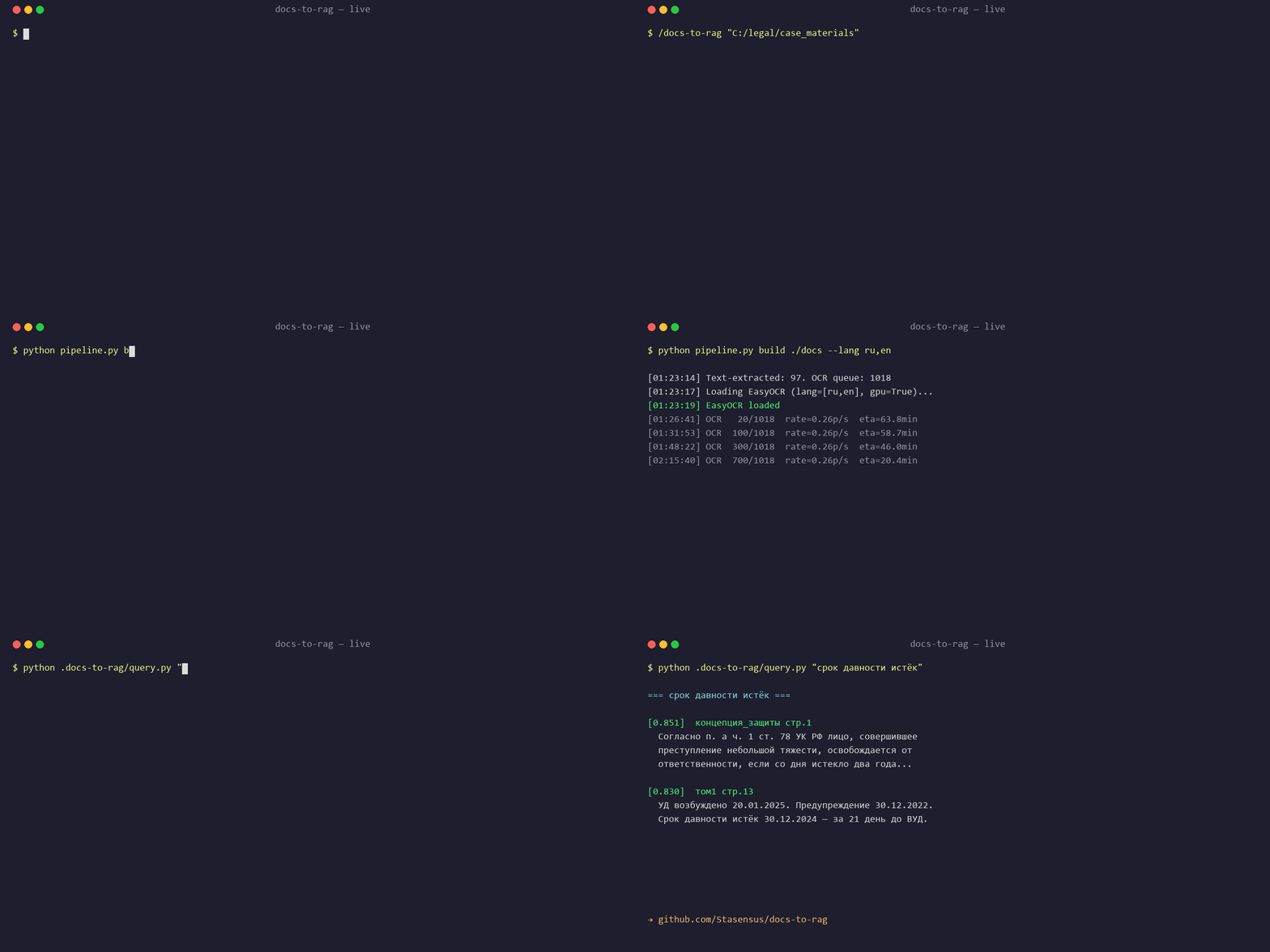
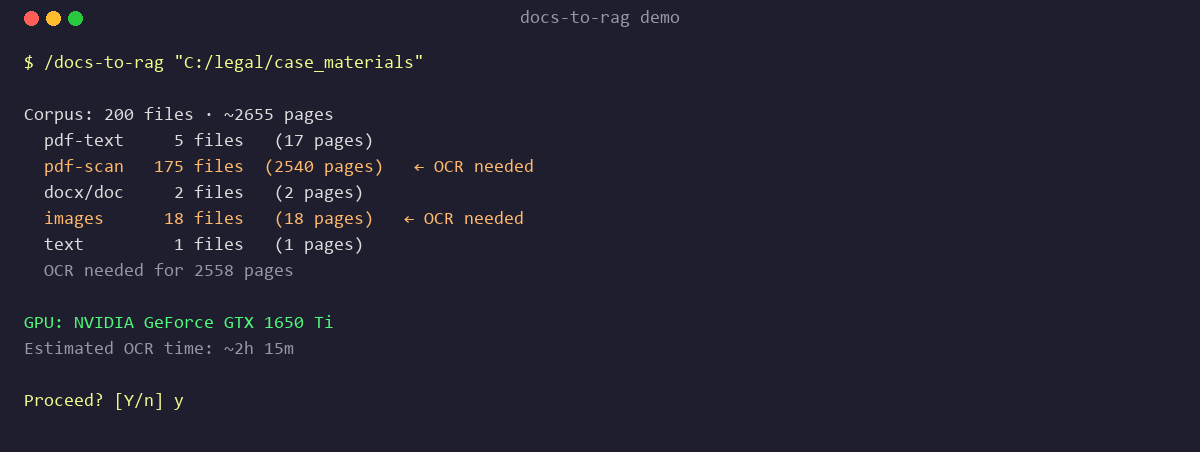
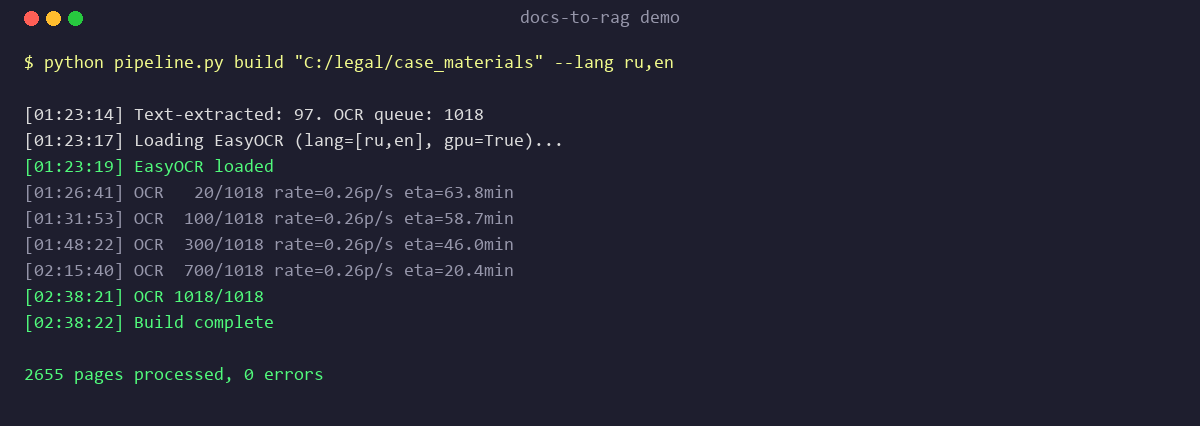
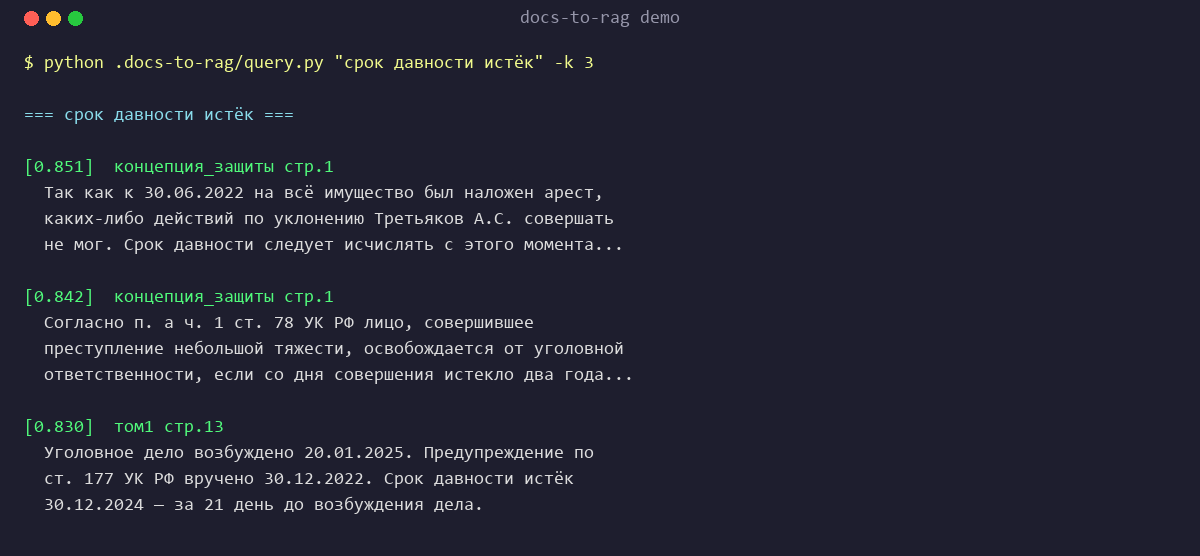
What it does
Point it at a folder:
/docs-to-rag "C:/path/to/documents"
And get back:
documents/.docs-to-rag/
├── ocr/                 # one .txt per page
├── index/
│   ├── emb.npy          # (N, 384) float32 embeddings
│   └── meta.json        # chunk metadata
├── query.py             # python query.py "your question" -k 10
├── grep.py              # python grep.py "exact word"
└── README.md            # instructions for anyone using the output
Your original folder stays clean — everything lives in a hidden .docs-to-rag/ subfolder.
Why
Every serious document analysis starts with the same boring 3 hours: "I have a pile of PDFs and scans, some are OCR'd and some aren't, I need to search them all." This skill collapses that to one command.
Designed around three insights from building it:
- GPU OCR is 5-10x cheaper than cloud OCR — for 2,655 pages, we burned 2h 15m of a GTX 1650 Ti instead of $50+ in Vision API calls.
- For <50k chunks, NumPy cosine beats HNSW — simpler, no service to run, works everywhere.
multilingual-e5-smallis great enough for most languages — 384-dim, 120 MB, runs on CPU.
Install
As a Claude Code plugin
git clone https://github.com/Stasensus/docs-to-rag ~/.claude/plugins/docs-to-rag
Then restart Claude Code. The /docs-to-rag skill becomes available.
As a standalone Python script
git clone https://github.com/Stasensus/docs-to-rag
cd docs-to-rag
pip install pymupdf easyocr sentence-transformers numpy Pillow

python skills/docs-to-rag/pipeline.py detect "C:/my/folder"
python skills/docs-to-rag/pipeline.py build  "C:/my/folder"
python skills/docs-to-rag/pipeline.py index  "C:/my/folder"
python skills/docs-to-rag/pipeline.py query  "C:/my/folder" "my question"
Dependencies
Required:
- Python 3.10+
- PyMuPDF — PDF rendering and text extraction
- EasyOCR — OCR for scans and images
- sentence-transformers — embeddings (default:
intfloat/multilingual-e5-small) - NumPy, Pillow
Optional:
torchwith CUDA for GPU-accelerated OCR (10x faster than CPU)pywin32on Windows for legacy.docsupport (uses Word COM)libreoffice(sofficebinary) on Linux/macOS for.docsupport
python pipeline.py check verifies dependencies and prints a single pip install command for whatever is missing.
Commands
| Command | What it does |
|---|---|
/docs-to-rag <path> | Full pipeline (detect → convert → OCR → index) |
/docs-to-rag <path> --inspect | Just detect — show file inventory, don't process |
/docs-to-rag <path> --no-ocr | Skip OCR, only native-text PDFs / DOCX / TXT |
/docs-to-rag <path> --lang en,fr | OCR languages (default: ru,en) |
/docs-to-rag <path> --dpi 300 | PDF render DPI for OCR (default 180) |
/docs-to-rag <path> --cpu | Force CPU OCR even if GPU is available |
/docs-to-rag <path> --update | Incremental — re-process only new/changed files |
All commands pass through to the underlying pipeline.py:
python pipeline.py check
python pipeline.py gpu-check
python pipeline.py detect <path>
python pipeline.py build   <path> [--lang ru,en] [--dpi 180] [--no-ocr] [--cpu]
python pipeline.py index   <path> [--model ...]
python pipeline.py query   <path> "question" [-k 10] [--full]
python pipeline.py grep    <path> "literal word" [-i]
Supported inputs
| Format | How it's handled |
|---|---|
| PDF with text layer | fitz.get_text() directly — no OCR, instant |
| PDF scan | render to PNG (DPI configurable) → EasyOCR |
| DOCX | unzip + word/document.xml parse |
| DOC (legacy) | Word COM on Windows / soffice fallback on Linux/macOS |
| JPG/PNG/TIFF/BMP/WebP | EasyOCR directly |
| TXT/MD | copy, auto-detect encoding (UTF-8, UTF-16, CP1251, Latin-1) |
Gotchas and how we handled them
EasyOCR breaks on non-ASCII paths on Windows
readtext("C:/папка/файл.png") fails silently. Fix: load with PIL and pass an ndarray instead.
img = np.array(Image.open(path).convert('RGB'))
reader.readtext(img, detail=0, paragraph=True)  # never pass the raw path
ChromaDB 1.5.8 HNSW crashes on Windows
Intermittent "Error loading hnsw index" after successful insert. We use NumPy cosine instead — for ≤50k chunks, full scan on (N, 384) takes ~20 ms.
PyTorch CPU vs CUDA
A plain pip install torch gets the CPU build. For GPU OCR:
pip uninstall -y torch torchvision
pip install torch==2.5.1 torchvision==0.20.1 --index-url https://download.pytorch.org/whl/cu121
Driver CUDA 12.x–13.x are all compatible with the cu121 wheel thanks to backward compat.
Trust but verify PDF text layers
Some scanned PDFs have a "text layer" that's just page numbers. We require >200 chars across the first 5 pages before trusting it; otherwise we render and OCR.
Legacy Word encoding
Word's "Save As text" on Russian locale produces CP1251. We try UTF-8, UTF-16, CP1251, Latin-1 in that order and normalize to UTF-8.
Cost and scale
| Corpus size | Wall time (1 GPU) | Storage | Cost |
|---|---|---|---|
| 100 pages | ~2 min | ~5 MB | $0 |
| 1,000 pages | ~15 min | ~40 MB | $0 |
| 10,000 pages | ~2 h | ~400 MB | $0 |
| 50,000 pages | ~10 h | ~2 GB | $0 (overnight) |
Beyond ~50k chunks, swap the NumPy index for FAISS — the rest of the pipeline scales.
The case that drove this
Built while processing a 2655-page criminal case file (mixed PDFs, scans, DOCX, images, legacy .doc) in Russian:
- OCR: 2655 pages in 2h 15m on GTX 1650 Ti
- Index: 6,169 chunks × 384 dim (~9.5 MB)
- Queries: 20 ms semantic lookup across the whole corpus
- Deliverable: handed off as a ZIP another lawyer could drop into their Claude Desktop
Full write-up of the case: coming soon.
What this skill does NOT do
- No cloud uploads. Private documents stay on your machine. If you want cloud OCR, use a different tool.
- No knowledge graph. For that, chain
/graphifyafterdocs-to-ragfinishes. - No domain prompts. This skill prepares the corpus; what you ask it is up to you.
- No watch mode.
--updateruns on demand.
Honest limits
- OCR quality depends on source scan DPI. Handwritten / low-contrast scans: expect 70–90% accuracy. Add
--dpi 300and accept 2× time. multilingual-e5-smallcovers ~100 languages but peaks on EN/RU/ZH/ES/FR/DE/JP. For rare languages try--model intfloat/multilingual-e5-base.- Default chunk size is 1,200 chars. Good for prose. Tables and code can lose structure —
grep.pyremains the fallback.
Contributing
Pull requests welcome. If you add support for a new file type, please:
- Add a case to
detectandbuildinpipeline.py - Document it in SKILL.md gotchas
- Include a minimal test file in
tests/
License
MIT — see LICENSE.
Credits
- EasyOCR for the OCR heavy lifting
- sentence-transformers for the embeddings
- PyMuPDF for PDF handling
- Claude Code for orchestrating everything