
Docs MCP Server
arabold/docs-mcp-server
Documentação versionada e sempre atual para seu assistente de IA
Ver no GitHubServidor MCP que indexa e busca documentação de múltiplas fontes (websites, GitHub, npm, PyPI, arquivos locais) para grounding de LLMs. Reduz alucinações mantendo o contexto sempre atualizado com a versão exata das bibliotecas do seu projeto.
Instalação
npx convez-ai arabold/docs-mcp-server1 comando no terminal: detecta o formato do repositório (marketplace ou plugin avulso) e instala via Claude Code. Requer Node 18+ e o Claude Code instalado.
Métricas
Casos de uso
- Grounding de Claude/Cline com docs atualizadas de bibliotecas específicas
- Redução de alucinações em coding assistants com informação versão-exata
- Indexação privada de documentação técnica em rede local ou corporativa
- Query de múltiplos formatos: PDF, Markdown, código-fonte, Office, Jupyter
Veredito

Solução sólida e pragmática para grounding de LLMs com documentação real. Suporta diversos formatos e fontes, CLI acessível e integração MCP direta. Funciona integralmente offline, crítico para ambientes privados.
README
A tradução para o português deste README ainda está na fila.
Grounded Docs: Your AI's Up-to-Date Documentation Expert
Docs MCP Server solves the problem of AI hallucinations and outdated knowledge by providing a personal, always-current documentation index for your AI coding assistant. It fetches official docs from websites, GitHub, npm, PyPI, and local files, allowing your AI to query the exact version you are using.
✨ Why Grounded Docs MCP Server?
The open-source alternative to Context7, Nia, and Ref.Tools.
- ✅ Up-to-Date Context: Fetches documentation directly from official sources on demand.
- 🎯 Version-Specific: Queries target the exact library versions in your project.
- 💡 Reduces Hallucinations: Grounds LLMs in real documentation.
- 🔒 Private & Local: Runs entirely on your machine; your code never leaves your network.
- 🧩 Broad Compatibility: Works with any MCP-compatible client (Claude, Cline, etc.).
- 📁 Multiple Sources: Index websites, GitHub repositories, local folders, and zip archives.
- 📄 Rich File Support: Processes HTML, Markdown, PDF, Office documents (Word, Excel, PowerPoint), OpenDocument, RTF, EPUB, Jupyter Notebooks, and 90+ source code languages.
📄 Supported Formats
| Category | Formats |
|---|---|
| Documents | PDF, Word (.docx/.doc), Excel (.xlsx/.xls), PowerPoint (.pptx/.ppt), OpenDocument (.odt/.ods/.odp), RTF, EPUB, FictionBook, Jupyter Notebooks |
| Archives | ZIP, TAR, gzipped TAR (contents are extracted and processed individually) |
| Web | HTML, XHTML |
| Markup | Markdown, MDX, reStructuredText, AsciiDoc, Org Mode, Textile, R Markdown |
| Source Code | TypeScript, JavaScript, Python, Go, Rust, C/C++, Java, Kotlin, Ruby, PHP, Swift, C#, and many more |
| Data | JSON, YAML, TOML, CSV, XML, SQL, GraphQL, Protocol Buffers |
| Config | Dockerfile, Makefile, Terraform/HCL, INI, dotenv, Bazel |
See Supported Formats for the complete reference including MIME types and processing details.
🚀 Quick Start
CLI First
For agents and scripts, the CLI is usually the simplest way to use Grounded Docs.
1. Index documentation (requires Node.js 22+):
npx @arabold/docs-mcp-server@latest scrape react https://react.dev/reference/react
For hash-routed SPA docs sites, enable hash preservation explicitly:
npx @arabold/docs-mcp-server@latest scrape my-spa https://docs.example.com/#/guide --preserve-hashes
2. Query the index:
npx @arabold/docs-mcp-server@latest search react "useEffect cleanup" --output yaml
3. Fetch a single page as Markdown:
npx @arabold/docs-mcp-server@latest fetch-url https://react.dev/reference/react/useEffect
Output Behavior
- Structured commands default to clean JSON on stdout in non-interactive runs.
- Use
--output json|yaml|toonto pick a structured format. - Plain-text commands such as
fetch-urlkeep their text payload on stdout. - Diagnostics go through the shared logger and are kept off stdout in non-interactive runs.
- Use
--quietto suppress non-error diagnostics or--verboseto enable debug output.
Agent Skills
The skills/ directory contains Agent Skills that teach AI coding assistants how to use the CLI — covering documentation search, index management, and URL fetching.
MCP Server
If you want a long-running MCP endpoint for Claude, Cline, Copilot, Gemini CLI, or other MCP clients:
1. Start the server:
npx @arabold/docs-mcp-server@latest
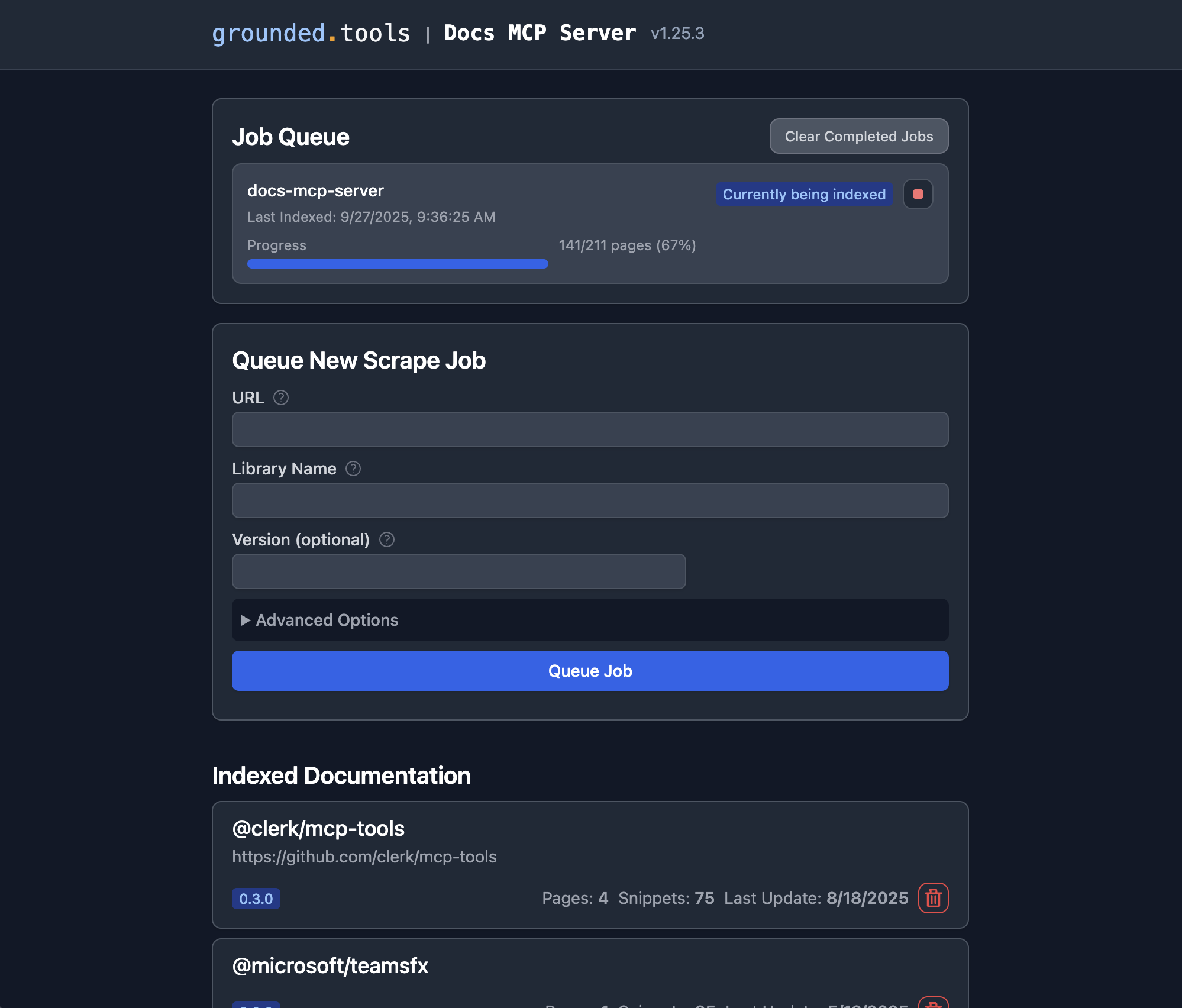
2. Open the Web UI at http://localhost:6280 to add documentation.
3. Connect your AI client by adding this to your MCP settings (e.g., claude_desktop_config.json):
{
  "mcpServers": {
    "docs-mcp-server": {
      "type": "sse",
      "url": "http://localhost:6280/sse"
    }
  }
}
See Connecting Clients for VS Code (Cline, Roo) and other setup options.
scrape_docs also accepts preserveHashes: true for documentation sites that use hash-based client-side routing.
Use it only for hash-routed SPAs; normal sites typically use hash fragments for in-page anchors.
docker run --rm \
  -v docs-mcp-data:/data \
  -v docs-mcp-config:/config \
  -p 6280:6280 \
  ghcr.io/arabold/docs-mcp-server:latest \
  --protocol http --host 0.0.0.0 --port 6280
🧠 Configure Embedding Model (Recommended)
Using an embedding model is optional but dramatically improves search quality by enabling semantic vector search.
Example: Enable OpenAI Embeddings
OPENAI_API_KEY="sk-proj-..." npx @arabold/docs-mcp-server@latest
See Embedding Models for configuring Ollama, Gemini, Azure, and others.
📚 Documentation
Getting Started
- Installation: Detailed setup guides for Docker, Node.js (npx), and Embedded mode.
- Connecting Clients: How to connect Claude, VS Code (Cline/Roo), and other MCP clients.
- Basic Usage: Using the Web UI, CLI, and scraping local files.
- Configuration: Full reference for config files and environment variables.
- Supported Formats: Complete file format and MIME type reference.
- Embedding Models: Configure OpenAI, Ollama, Gemini, and other providers.
- Search Quality Benchmark: Measure retrieval quality with IR metrics + LLM-judged scores; prerequisites, how to run, how to interpret results.
Hash-Routed SPAs
- Use
--preserve-hashes, MCPpreserveHashes, or the Web UI "Preserve Hash Routes" checkbox only for docs sites that route with URLs like#/guide. - When enabled with
scrapeMode=fetch, the scraper automatically upgrades the job to Playwright because plain fetch cannot evaluate client-side hash routes. - Refresh reuses the stored
preserveHashessetting by default, and CLI/Web refresh entrypoints can override it explicitly.
Markdown-Optimized Web Scraping
- Web scrapes and refreshes automatically probe for
llms.txtat the documentation subpath and site root before normal crawling. When found, the curated links become additional crawl seeds, and pages discovered this way prefer.mdURL variants such as/guide/index.html.mdor/page.html.mdbefore falling back to the original page. - Web requests send
Accept: text/markdown, text/html;q=0.9, */*;q=0.8by default. Servers that support Markdown content negotiation, including Cloudflare Markdown for Agents, can return Markdown directly so the scraper bypasses HTML-to-Markdown conversion for cleaner output. - This behavior is automatic and requires no configuration. Custom
Acceptheaders are preserved when provided.
Key Concepts & Architecture
- Deployment Modes: Standalone vs. Distributed (Docker Compose).
- Authentication: Securing your server with OAuth2/OIDC.
- Security: Trust boundaries, deployment hardening, and outbound access controls.
- Telemetry: Privacy-first usage data collection.
- Architecture: Deep dive into the system design.
🤝 Contributing
We welcome contributions! Please see CONTRIBUTING.md for development guidelines and setup instructions.
License
This project is licensed under the MIT License. See LICENSE for details.