
Cadence — Camada de dados de produtividade via MCP
WalrusQuant/cadence
Armazenamento durável de produtividade com interface MCP + dashboard
Ver no GitHubServidor MCP que expõe um banco PostgreSQL tipado para gerenciar tarefas, hábitos, journal, treinos, sessões de foco, metas e espaços. Inclui dashboard Next.js para leitura e edição manual dos mesmos dados, sem features de IA. Projetado para agentes OpenClaw com autenticação por token único.
Instalação
npx convez-ai WalrusQuant/cadence1 comando no terminal: detecta o formato do repositório (marketplace ou plugin avulso) e instala via Claude Code. Requer Node 18+ e o Claude Code instalado.
Métricas
Casos de uso
- Integrar dados de produtividade pessoal com agentes OpenClaw
- Manter um banco centralizado de tarefas, hábitos e metas sincronizado com interface de agent
- Hospedar self-hosted um sistema de produtividade single-user com acesso seguro via Tailscale
Veredito

Ferramenta sólida e bem-arquitetada para quem quer desacoplar agentes de IA do armazenamento de dados. A separação clara entre interface MCP (para agentes) e dashboard (para humanos) é um design honesto. Requer conforto com Docker e auto-hospedagem, não é plug-and-play.
README
A tradução para o português deste README ainda está na fila.
Cadence
📖 Full documentation: https://walrusquant.github.io/cadence/
Self-hosted productivity data layer for OpenClaw. Postgres behind a typed MCP interface, plus a Next.js dashboard that reads and edits the same database. Single-user, Tailscale-gated.
Not a chatbot. Not an AI product. Just a durable store for tasks, habits, journal, workouts, focus sessions, goals, and spaces — exposed to your agent over MCP and to your browser over HTTP.
What this is
Two front doors, one database:
- MCP server (
/api/mcp) — the primary interface. Your OpenClaw agent reads and writes every piece of productivity data through it: 55 typed tools, 13 prompt templates, and read-only resources. Authenticated by a single bearer token. - Dashboard (
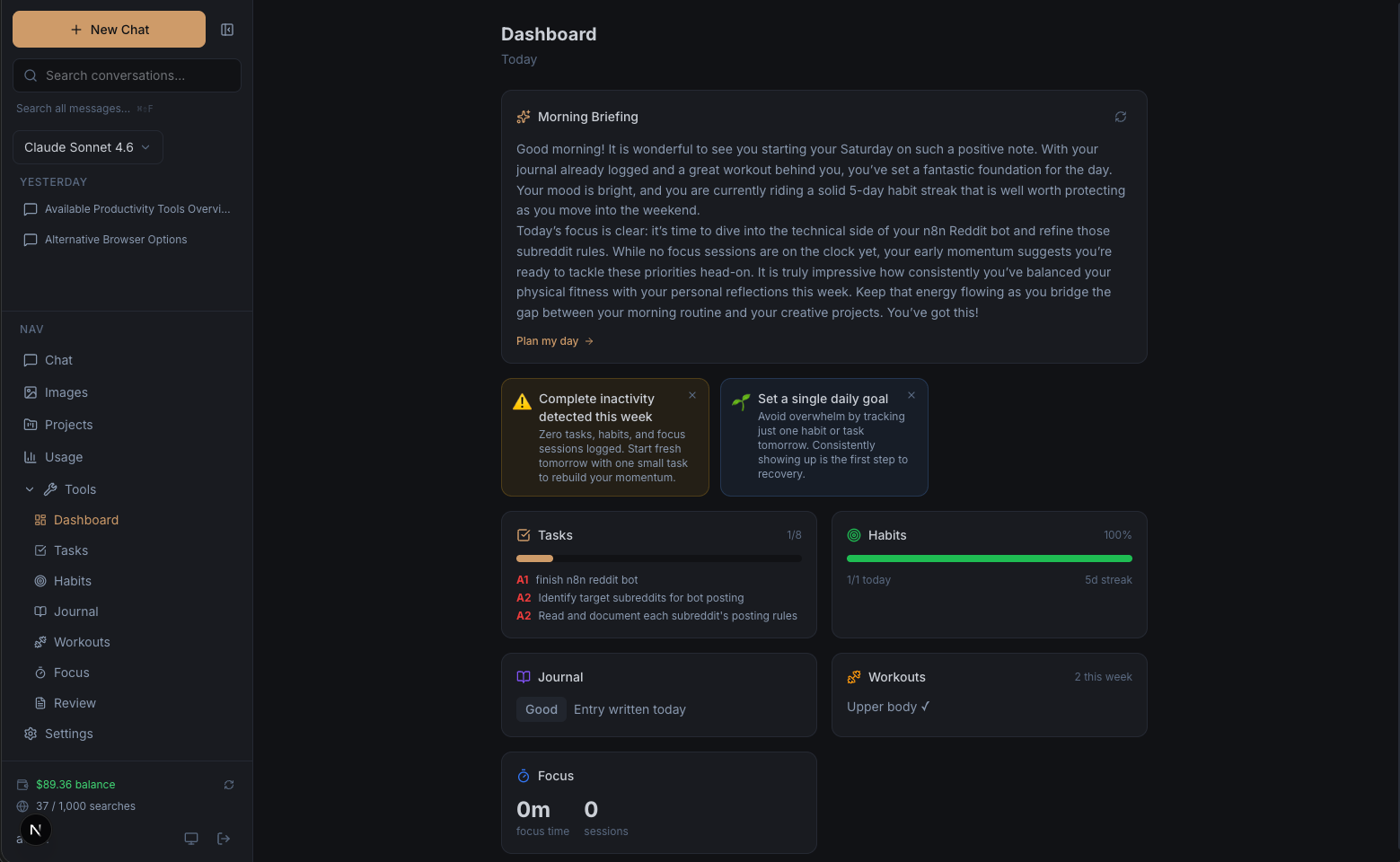
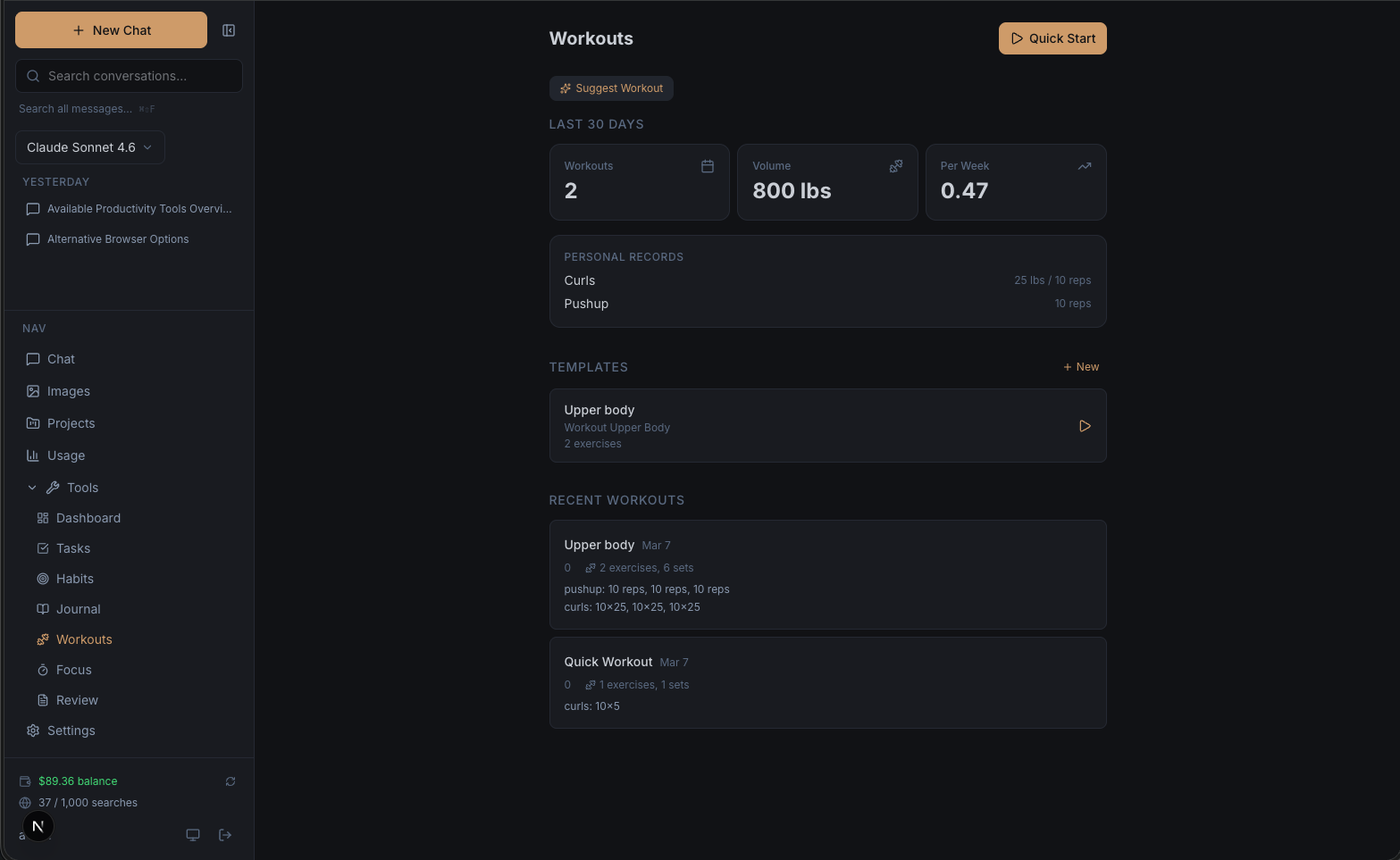
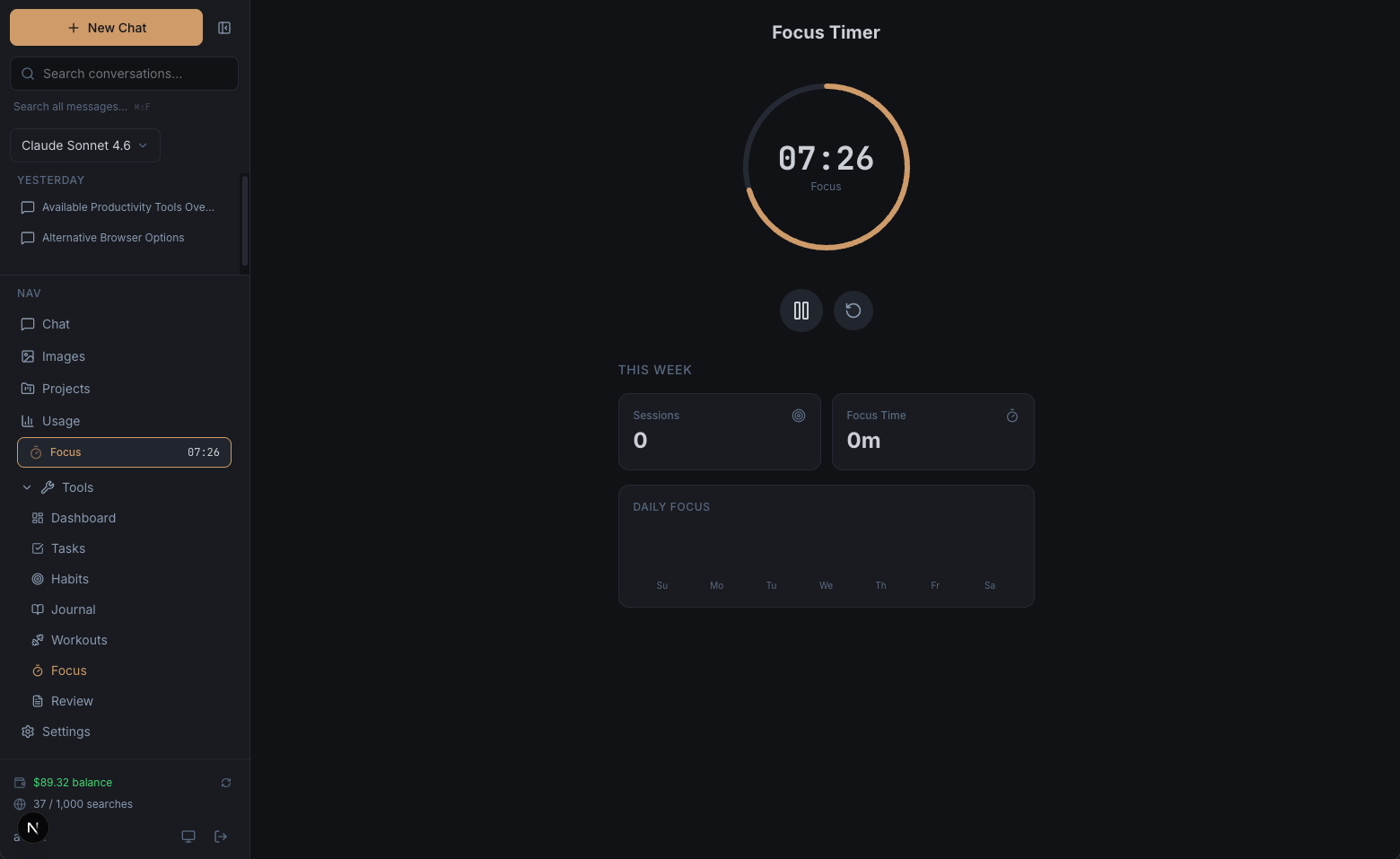
/dashboard,/tasks,/habits,/journal,/workouts,/focus,/goals,/calendar,/review,/spaces,/settings) — a Next.js UI for browsing and manually editing the same data. No AI features. No generate buttons. If you want AI, you talk to OpenClaw.
OpenClaw owns everything about the agent: model choice, scheduling, message delivery (Telegram / WhatsApp / etc.), briefings, insights, reviews. This repo owns storage and the contract.
Install
Prebuilt multi-arch image on GHCR (and Docker Hub). Same commands work on a VPS, your laptop, a Raspberry Pi — anywhere with Docker. Full walkthrough in docs/quick-start.md.
mkdir cadence && cd cadence

curl -o docker-compose.yml \
  https://raw.githubusercontent.com/WalrusQuant/cadence/main/docker-compose.example.yml
curl -o .env \
  https://raw.githubusercontent.com/WalrusQuant/cadence/main/.env.example

# Edit .env: set SELF_HOSTED_USER_ID (uuidgen), MCP_API_KEY (openssl rand -hex 32), POSTGRES_PASSWORD

docker compose up -d
The container waits for Postgres, runs migrations, seeds the profile row, and starts the app — all on first boot. Dashboard lands at http://localhost:3000.
A db-backup sidecar also starts by default and writes nightly pg_dump files to ./backups/ next to your compose file, with 14d / 4w / 6m retention. Tune with BACKUP_SCHEDULE, BACKUP_KEEP_DAYS, etc. in .env. You still need to copy ./backups offsite — see docs/backup-restore.md.
For a VPS install, do the same thing on the box and add Tailscale. The compose file binds the app to 127.0.0.1 (and never publishes Postgres), so nothing is reachable from the public internet — don't rely on a ufw rule for port 3000, since Docker's iptables rules sit ahead of ufw and it has no effect. To expose the dashboard on your tailnet, change the bind to your Tailscale IP (see docs/quick-start.md), never 0.0.0.0. If you'd rather build the image yourself, see docs/DEPLOY.md.
Update
docker compose pull && docker compose up -d
Pulls the latest image, swaps in a new container, runs any pending migrations automatically. Pin to the current major (:2) in docker-compose.yml for safe auto-upgrades within that major version, or :latest for newest. (Tags carry no v prefix — :v1/:v2 do not exist.)
OpenClaw connection
Point an MCP server entry at http://<host>:3000/api/mcp with Authorization: Bearer <MCP_API_KEY>. Drop the skill file (docs/openclaw-skill.md) into OpenClaw's skills directory so the agent knows what tools are available.
Hacking on the code
For contributors who want to modify the dashboard or MCP server itself (not just self-host an instance):
git clone https://github.com/WalrusQuant/cadence.git
cd cadence

# .env.local with DATABASE_URL, SELF_HOSTED_USER_ID, MCP_API_KEY
npm install
npm run db:migrate
npm run dev
Dashboard at http://localhost:3000. MCP at http://localhost:3000/api/mcp. See docs/local-development.md for the full setup.
Data model
17 tables, one user. Schema lives in src/lib/db/schema.ts (Drizzle); migrations in drizzle/.
- profiles — the single user's profile
- spaces — areas of life / projects that group tasks, habits, goals
- tags — user-defined tags
- tasks — Franklin Covey A1-C9 priority, recurrence, rollover, space + goal linking
- habits, habit_logs — with ISO target days and streak tracking
- journal_entries — mood 1-5, full-text search
- workout_templates, workout_exercises, workout_logs, workout_log_exercises — strength / timed / cardio
- focus_sessions — Pomodoro timer sessions, optionally linked to a task
- goals, goal_progress_logs — category, progress %, target date
- weekly_reviews — written by OpenClaw via
save_weekly_review, displayed read-only in the dashboard - daily_briefings — written by OpenClaw via
save_daily_briefing, displayed read-only in the dashboard - insight_cache — written by OpenClaw via
save_insights, displayed as insight cards on the dashboard
Every write tool's input schema matches the DB's CHECK constraints (priority ^[A-C][1-9]$, habit frequency daily|weekly, goal category one of seven values, etc.) — no silent rejections from the database.
MCP surface
Full tool reference lives in docs/openclaw-skill.md. Summary:
| Domain | Tools |
|---|---|
| Tasks | list_tasks, create_task, update_task, complete_task, delete_task |
| Habits | list_habits, get_habit_stats, create_habit, toggle_habit |
| Journal | get_journal_entries, search_journal, create_journal_entry |
| Workouts | list_workout_logs, list_workout_templates, log_workout, update_workout_template |
| Focus | get_focus_sessions, get_focus_stats, start_focus_session, update_focus_session, cancel_focus_session, delete_focus_session |
| Goals | list_goals, create_goal, update_goal, log_goal_progress |
| Spaces | list_spaces, create_space, update_space |
| Weekly reviews | get_weekly_review, save_weekly_review |
| Daily briefings | get_daily_briefing, save_daily_briefing |
| Insights | get_insights, save_insights |
| Calendar | get_day_summary, get_week_summary |
Prompts (loadable templates OpenClaw fills with data and generates against): daily_planning, morning_briefing, end_of_day_review, weekly_review, weekly_trends, productivity_report, habit_analysis, goal_check_in, goal_planning, space_planning, week_planning, journal_prompt, workout_suggestion.
Resources (read-only URIs): cadence://dashboard, cadence://tasks/today, cadence://tasks/overdue, cadence://habits/today, cadence://journal/recent, cadence://goals/active, and more.
Transport: Streamable HTTP, stateless, Authorization: Bearer <MCP_API_KEY> per request. SSE transport is not supported — point clients at streamable-http.
Companion GET /api/mcp/health endpoint, unauthenticated, returns { ok, transport, tools, prompts, resources, version }. Use it as a liveness probe and as the first thing to curl when a gateway reports zero tools.
Every /api/mcp request emits one structured JSON log line (method, tool, status, duration, outcome). Tool names are logged; arguments are not. An abuse-guard token bucket caps the endpoint at roughly 600 req/min — invisible in normal use, kicks in on runaway agent loops with a 429 rate_limited.
Dashboard
A plain viewer + manual editor. Access is gated by Tailscale — no login, no passwords, no app-level auth. If you can reach the URL, you're in.
- Dashboard — daily snapshot: tasks, habits, journal, workouts, focus, goals, with read-only briefing and insight cards written by OpenClaw
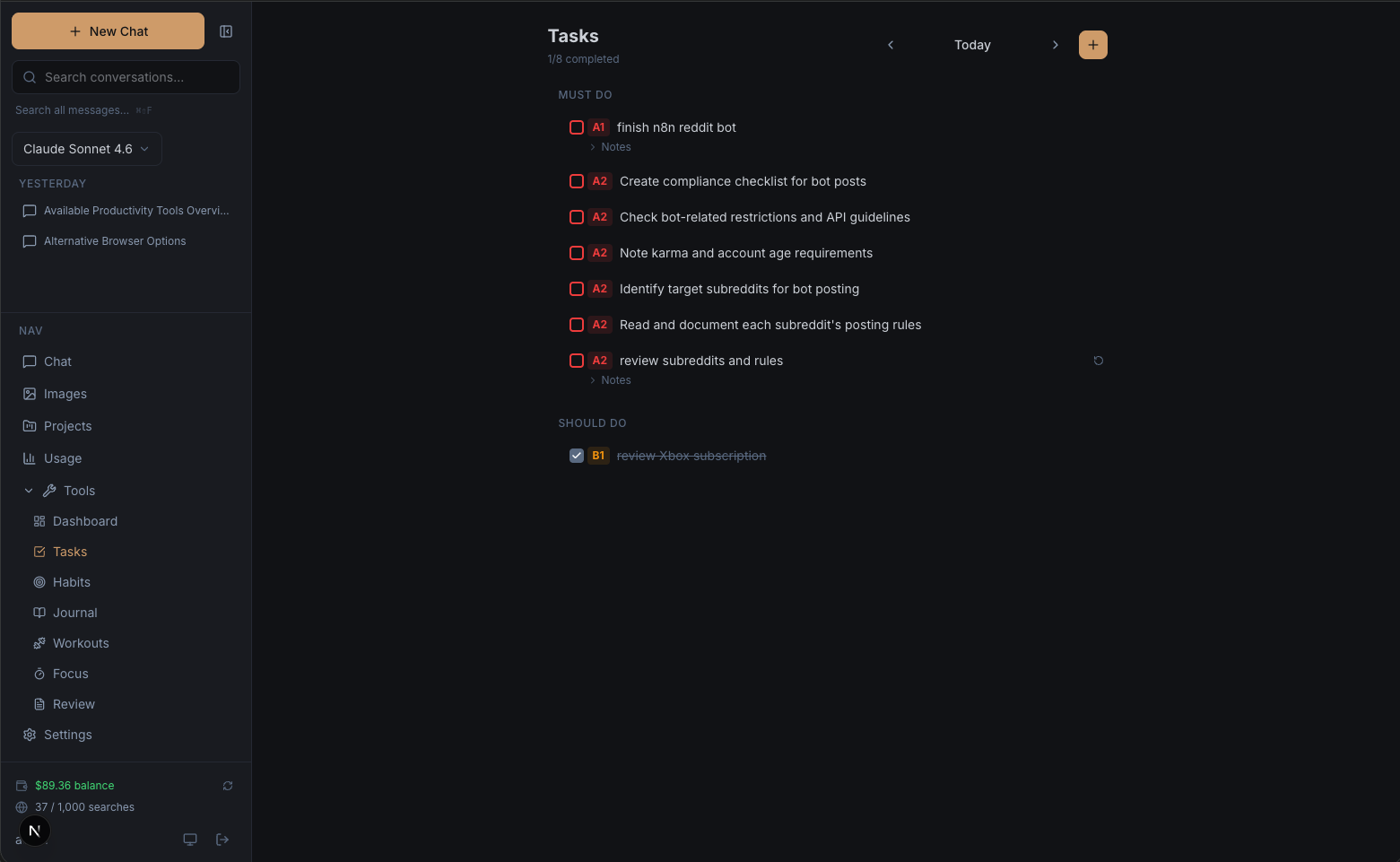
- Tasks — Franklin Covey priorities, drag-to-reorder, rollover of incomplete tasks, space/goal linking, recurrence
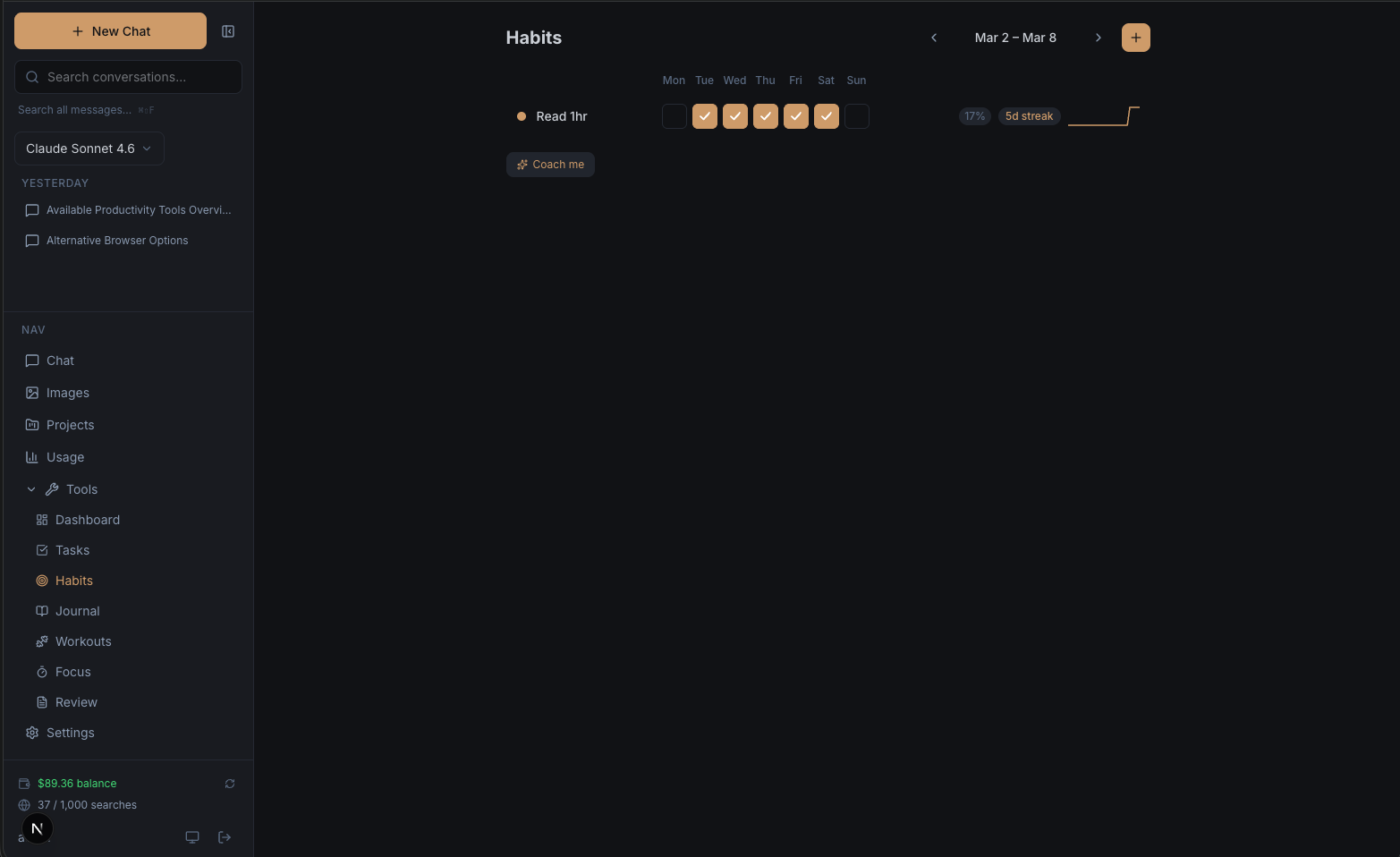
- Habits — weekly grid, streaks, 30-day heatmap
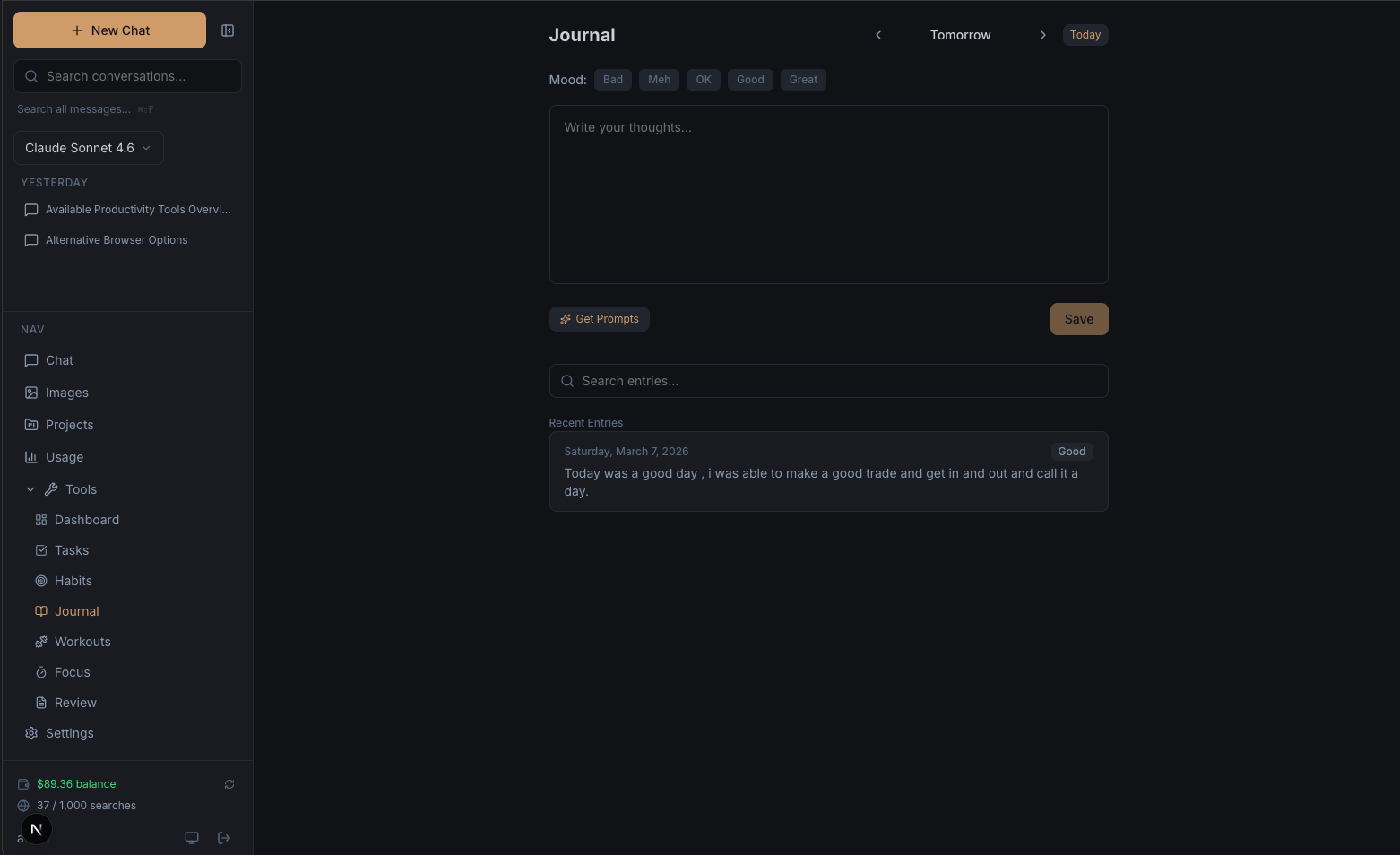
- Journal — auto-saving editor, mood 1-5, full-text search
- Workouts — templates, active logger, stats
- Focus — Pomodoro timer with task linking
- Goals — progress, categories, target dates
- Spaces — group tasks/habits/goals (projects/areas of life)
- Calendar — monthly view with per-day detail panels
- Review — read-only view of the weekly review written by OpenClaw
- Settings — theme, and a Danger Zone "Wipe All Data" with type-to-confirm
Tech stack
| Layer | Tech |
|---|---|
| Framework | Next.js 16 (App Router, Turbopack, standalone output) |
| UI | React 19, Tailwind CSS 4, Lucide icons |
| Language | TypeScript 5 (strict) |
| Database | Postgres 16 (self-hosted) |
| ORM | Drizzle ORM + postgres (postgres.js) |
| MCP | @modelcontextprotocol/sdk over Streamable HTTP |
| Access | Tailscale (network layer) + bearer token (MCP) |
| Deploy | Docker + Docker Compose |
| Testing | Vitest + React Testing Library |
| PWA | Web App Manifest + service worker |
Architecture
src/
  app/
    (protected)/          # Dashboard pages — no auth middleware, Tailscale gates access
      dashboard/          # Daily snapshot
      tasks/ habits/ journal/ workouts/ focus/ goals/
      spaces/             # Areas of life / projects
      calendar/ review/ settings/
    api/
      mcp/                # THE MCP server endpoint (Streamable HTTP, Bearer auth)
      tasks/ habits/ journal/ workouts/ focus/ goals/
      spaces/ tags/ calendar/ dashboard/
      briefing/ insights/ weekly-review/ # GET-only — reads what OpenClaw saved
      profile/            # Single user's profile
      wipe-data/          # Danger Zone
  lib/
    db/
      client.ts           # Lazy-proxy Drizzle instance
      schema.ts           # All 17 tables + CHECK constraints
    mcp/
      server.ts           # Factory: registers tools, prompts, resources
      auth.ts             # Bearer token validation
      tools/              # Domain tools, one file per domain
      prompts/            # 13 templates plus the tool-loader fallback
      resources/          # Read-only URI resources
      queries/            # Shared query helpers
    auth.ts               # getUserId() reading SELF_HOSTED_USER_ID
    oauth-scopes.ts       # Scope list + "all" expansion
    dates.ts theme.tsx retry.ts
  components/
    layout/ shared/ dashboard/ tasks/ habits/ journal/
    workouts/ focus/ goals/ calendar/ review/ spaces/ settings/
drizzle/                  # Migration SQL, generated from schema.ts
docker-compose.yml        # Postgres + app, bound to 127.0.0.1
Dockerfile                # Multi-stage (deps → builder → runner), Next.js standalone
docs/
  DEPLOY.md               # Full VPS walkthrough
  openclaw-skill.md       # Skill file for OpenClaw
Data flow
- OpenClaw → MCP. Agent hits
/api/mcpwith the bearer token; reads and writes land in Postgres through Drizzle. - Browser → dashboard pages → API routes → Drizzle → Postgres. Plain CRUD. No AI.
- OpenClaw writes, dashboard reads.
daily_briefings,weekly_reviews,insight_cacheare populated by the agent viasave_*tools and rendered read-only in dashboard widgets. - Same DB, two interfaces, last-write-wins.
Environment variables
Required (in .env for Docker, .env.local for npm run dev):
| Variable | Purpose |
|---|---|
DATABASE_URL | Postgres connection string |
SELF_HOSTED_USER_ID | UUID for the one user; must exist as a row in profiles |
MCP_API_KEY | Bearer token OpenClaw sends on every MCP request |
Optional:
| Variable | Purpose |
|---|---|
POSTGRES_USER, POSTGRES_PASSWORD, POSTGRES_DB | Only used by the postgres compose service |
Commands
npm run dev          # Dev server (Turbopack)
npm run build        # Production build
npm start            # Start production server
npm run lint         # ESLint
npm test             # Vitest once
npm run test:watch   # Vitest watch

npm run db:generate  # Generate Drizzle migration from schema diff
npm run db:migrate   # Apply migrations
npm run db:push      # Push schema directly (dev only)
npm run db:studio    # Drizzle Studio UI
Documentation
- docs/quick-start.md — 5-minute install on any Docker host (recommended)
- docs/DEPLOY.md — From-source build walkthrough for contributors who want to build the image locally
- docs/local-development.md — Hacking on the dashboard / MCP server with
npm run dev - docs/backup-restore.md — Postgres backup, restore, and migration playbook
- docs/openclaw-skill.md — Skill file for OpenClaw: full tool, prompt, and resource reference plus usage patterns
- CLAUDE.md — Contributor guide for Claude Code agents working in this repo
License
Apache 2.0. See LICENSE.