
toaster-strudel
vanities/toaster-strudel
Live-coding music workspace built on Strudel, driven by Claude Code agents. Composition/performance/analysis skills + browser player.
Instalação
npx convez-ai vanities/toaster-strudel1 comando no terminal: detecta o formato do repositório (marketplace ou plugin avulso) e instala via Claude Code. Requer Node 18+ e o Claude Code instalado.
Métricas
README
A tradução para o português deste README ainda está na fila.
toaster-strudel
Live-coding music workspace built on Strudel, driven by Claude Code agents. The repo contains skills that teach agents how to compose / perform / iterate on tracks, a browser-based player for live editing, and one worked example track.
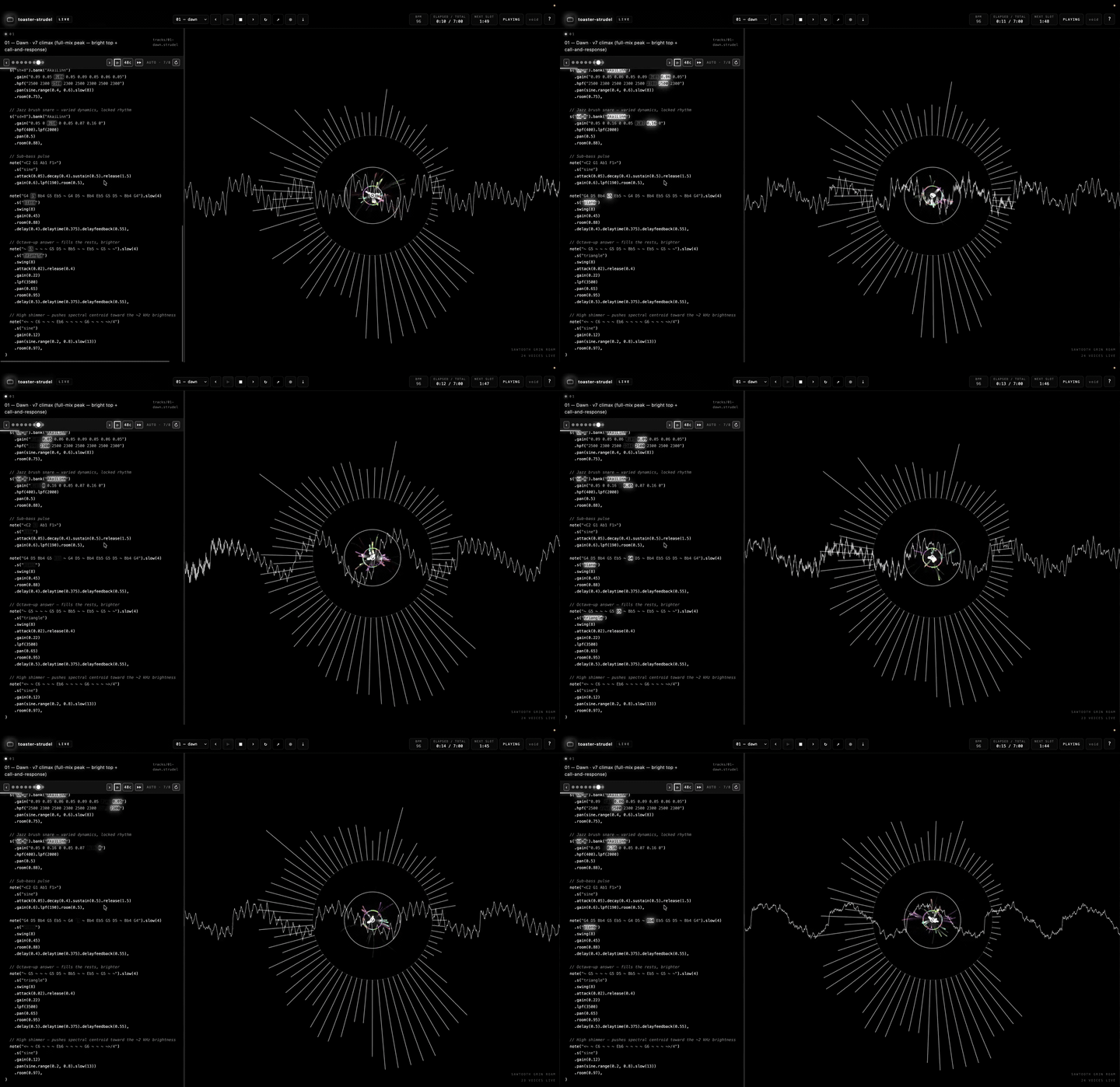
▶ Live radio — toaster-radio.vercel.app · a continuous, browser-synthesized showcase of tracks the agents cranked: a full-bleed visualizer and the Strudel source lighting up note-by-note as it plays. No backend.
The private fork that drove this includes a four-track EP and additional artist-style skills. This public release ships the framework, the player, and style-bonobo as a worked example of the artist-as-skill pattern.
Vocabulary
Same words always mean the same thing:
| Term | What it is |
|---|---|
| Album | A release — a set of tracks played in sequence |
| Track | One song — a live file like tracks/example.strudel, optionally with a sibling directory tracks/example/ holding section files |
| Section | One numbered file inside a track — 01.strudel, 02.strudel, …. Maps to song-structure: intro / verse / chorus / outro. (Used to be called "slot" or "snapshot.") |
| Voice | One parallel sound source inside a section (drone, bells, kick, …). Sometimes called "layer" — picking voice. |
| Motif | The recurring melodic line |
| Cycle | One Strudel pulse, ~2.5s at setcps(0.4). Strudel's native unit. |
| Advance | Moving from the current section to the next |
So a sentence reads cleanly: "In track example, section 5 has 8 voices including the descending motif. Each section runs for N cycles before the player advances. At the end of the last section the player loops the track — or, in radio mode, advances to the next track."
Layout
strudel-skills/
├── tracks/
│   └── example.strudel          ← worked example (add your own tracks here)
├── skills/skills/
│   ├── strudel-conduct/         ← the master live-performance guide
│   ├── strudel-compose/         ← writing tracks
│   ├── strudel-iterate/         ← A/B variation workflow
│   ├── strudel-sample-library/  ← what samples we have + how to load more
│   ├── strudel-effects/         ← filters, modulation, the "weird stuff"
│   ├── strudel-modifiers/       ← complete modifier index (pattern construction,
│   │                              time, signals, randomness, scales, sample slicing)
│   ├── strudel-test/            ← verifying patterns via strudel.cc
│   └── style-bonobo/            ← example artist-style skill (production
│                                   lens with librosa analysis of Black Sands)
├── tools/
│   ├── server.mjs               ← backend: serves the app + track files + audio endpoints
│   ├── analyze-patterns.py      ← static analyzer (predicts per-section RMS
│   │                              from .strudel code, no audio render needed)
│   ├── analyze-wav.py           ← librosa analyzer for recorded WAVs
│   └── render-strudel.mjs       ← offline Node renderer (blocked, see file)
└── web/                         ← the browser player (React + Vite)
    └── src/                       App.tsx · engine/ (Strudel audio) · chat/ (agent editor)
Running the player
make play          # backend (:4747) + the React app at http://localhost:5273/
make stop          # stop the backend server
Auto-advance is on by default. Hit ▶ to start and the player moves through the sections, looping the track at the end. Turn on radio (📻 / g) to play continuously across tracks: at the end of each track's arc it hops to the next track in the station (and refetches the catalog, so freshly-generated tracks join the rotation).
To hear a track as one continuous piece instead of section-by-section, hit the 🎼 arc toggle (f): it plays tracks/<id>/arrange.strudel, a generated single-file arrange([cycles, …section…], …) that stitches the whole arc together with no seams between sections. Regenerate these after editing sections with make arrangements (see How sections work).
How sections work
When auto-advance (⟳ button or A) is on:
- Each section plays for its declared duration (from
manifest.json→@cyclesdirective → global default) - When the section timer fires, the player advances to the next section
- After the last section the player loops back to section 1 of the same track
- With radio on (📻 /
g), the last section instead hops to the next track in the station and keeps playing
When you click a section dot manually:
- If reset-on-swap (
↺button orZ) is ON (default): the section timer restarts — the section you clicked gets its full duration to play - If reset-on-swap is OFF: the timer keeps running — useful for previewing the very end of a section without resetting
To listen to the whole arc as one continuous track, toggle 🎼 arc (f) — it plays the generated tracks/<id>/arrange.strudel (one arrange() pattern, no section seams) and the section auto-advance stands down. Rebuild these files from the sections any time with make arrangements (or make arrangements ARGS="v2-gen/crank-glade" for one); tools/build-arrangements.mjs mirrors the player's cycle resolution (manifest.json → @cycles → default).
Keybinds (full list — see ? in the player)
| Key | Action |
|---|---|
space | play / stop |
← → | previous / next track |
1–4 | jump to track N |
, . | previous / next section |
a | toggle auto-advance |
f | toggle full-arrangement (🎼 arc) playback |
g | toggle radio (continuous station) |
z | toggle reset-on-swap |
\ | replay all sections once |
r | reload current track from disk |
k | refresh sections from disk |
t | cycle theme |
[ ] | tempo ±10% |
m | mute / unmute |
h | hum → melody |
c | open / close the chat (agent editor) |
? | this help overlay |
esc | close overlays |
| shift-click a note | send it to the chat as a reference |
| click a note (stopped) | audition that note |
click 32c | change section-length default |
Editing a track live
- Open
tracks/example.strudel(or any section file in a track directory) in your editor - Change something — add a voice, retune a note, etc.
- Save
- The player polls the file — the live working copy
tracks/<id>.strudelevery ~700ms, the section filestracks/<id>/NN.strudelevery ~900ms — picks up the change, and crossfades into the new pattern at the next cycle boundary (when it's the copy/section you're currently hearing)
You can split a track into sections by creating a directory beside the live file — e.g. tracks/example/ with 01.strudel, 02.strudel, …. Section files live-reload just like the live copy, and new ones appear on the timeline automatically — no manual refresh, though r reloads the whole track and k re-reads its sections on demand.
Static analyzer
To diagnose dynamics without rendering audio:
uv run python3 tools/analyze-patterns.py 01-dawn
Outputs voice count, total gain (predicted RMS), rhythmic density, spectral brightness, and a bar chart per section. Tells you if the build-strip arc is working, if any section is too flat, etc.
Recording
The header ● button records the audio output as a WAV. Then:
ffmpeg -i toaster-strudel_01-dawn_*.wav -c:a flac out.flac
To record a whole track, enable auto-advance, hit ●, hit play, let the timeline run through every section, then hit ● again. (For a non-realtime bounce of the current track, the ⤓ button renders it offline and downloads a WAV.)
Sample library
See skills/skills/strudel-sample-library/ for the full catalogue. Default load: ~850 sounds across drum machines, piano, VCSL orchestral (kalimba, vibraphone, marimba, sax), mridangam hand drums, EmuSP12 boom-bap, and the full TidalCycles Dirt-Samples set. More can be loaded with one line per pack.
License
GNU General Public License v3.0. See LICENSE.