
mcp-watchdog
vaibhav11123/mcp-watchdog
VS Code/Cursor extension: MCP keepalive, ping, and auto-reconnect
Instalação
npx convez-ai vaibhav11123/mcp-watchdog1 comando no terminal: detecta o formato do repositório (marketplace ou plugin avulso) e instala via Claude Code. Requer Node 18+ e o Claude Code instalado.
Métricas
README
A tradução para o português deste README ainda está na fila.
MCP Watchdog




Repository: github.com/vaibhav11123/mcp-watchdog
Why
Your editor drops MCP servers silently. After sleep, a flaky npx child, or a network blip, Cursor and VS Code often keep showing tools as available while the underlying MCP connection is dead. You only notice when a tool call fails mid-task.
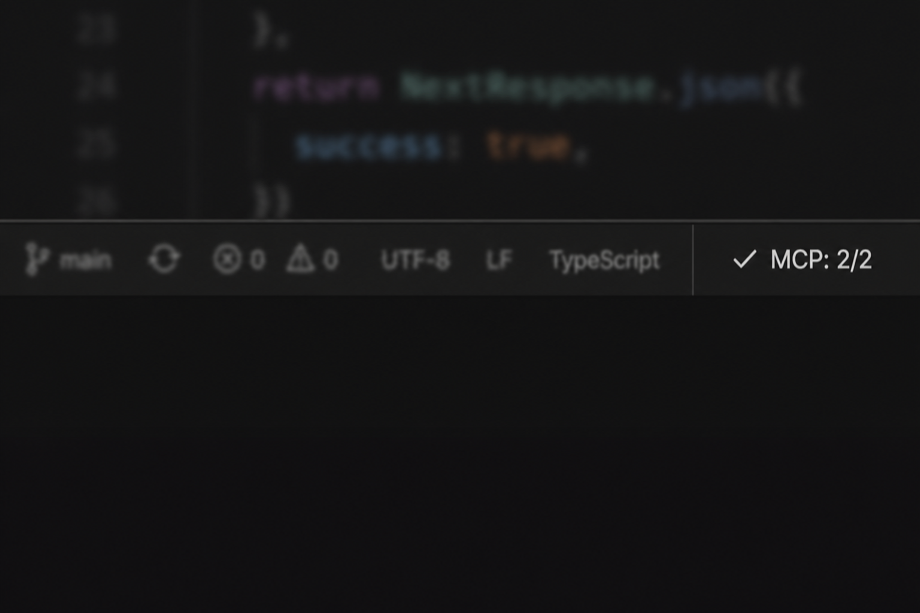
MCP Watchdog is a parallel health layer: it probes your configured servers on a schedule, shows MCP: healthy/total in the status bar, notifies you when something fails, and offers one-click Reconnect (or Reload Window when the editor’s own MCP client is stuck).
Honest scope: this does not replace the editor’s built-in MCP integration. Watchdog opens its own read-only health connections to measure reachability and latency — it cannot fix editor-internal MCP state without you reloading.
Works in Cursor, Windsurf, VS Code, VSCodium, and other forks that install from Open VSX.
Demo
Replace with images/demo.gif when recorded (15s: kill server → failure toast → Reconnect → healthy).
Install
Install in Cursor (recommended)
Most Cursor installs pull extensions from Open VSX, not the VS Marketplace:
- Extensions (
Cmd+Shift+X) → searchMCP Watchdog - Or open MCP Watchdog on Open VSX → Download / install from the registry
- Or CLI:
cursor --install-extension mcp-watchdog.mcp-watchdog
All install channels
| Channel | Who | How |
|---|---|---|
| Open VSX | Cursor, Windsurf, VSCodium, Trae, most VS Code forks | Extensions search, or link above |
| VS Marketplace | VS Code (Microsoft build) | Extensions search → mcp-watchdog.mcp-watchdog |
| GitHub Releases | Airgapped / manual | Download .vsix → Install from VSIX…, or cursor --install-extension mcp-watchdog-0.2.0.vsix |
After install, reload the window. Open the activity bar MCP Watchdog icon (not the Extensions detail page).
Requirements
- VS Code or Cursor with a compatible engine: this manifest declares
engines.vscode:^1.105.0(adjust if you need a different floor after testing). - A workspace folder open in the editor.
- MCP config in at least one of:
.vscode/mcp.json— VS Code (serversobject).cursor/mcp.json— Cursor (mcpServersorservers)~/.cursor/mcp.json— Cursor global (merged with project config)
- In multi-root workspaces, only the first folder is used when resolving paths and
${workspaceFolder}.
Where is the UI?
VS Code has two different sidebars:
| Place | What you see |
|---|---|
| Extensions (puzzle piece) → click MCP Watchdog | Marketplace README only—the same for almost every extension. This is not the live dashboard. |
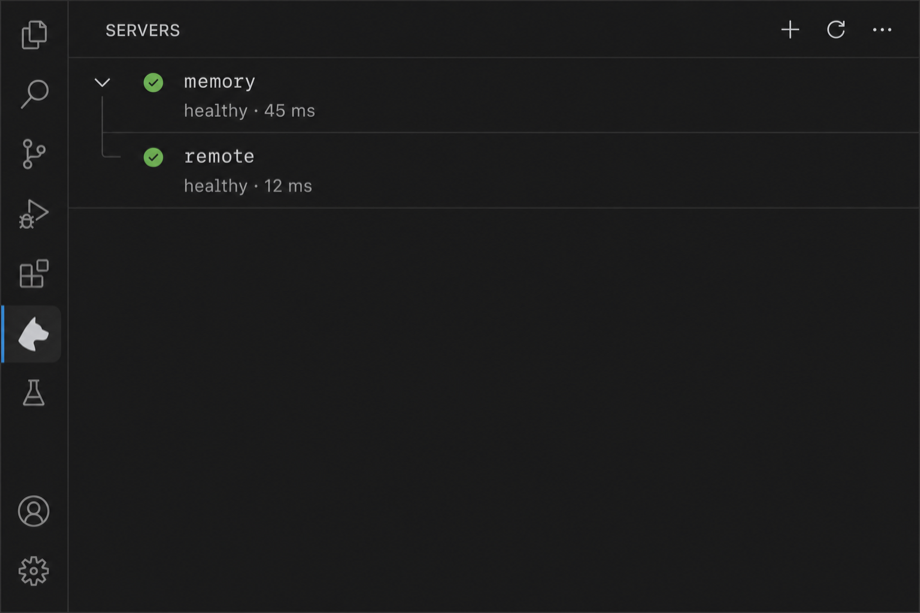
| Activity bar → MCP Watchdog icon | Overview dashboard (metrics + actions) and Servers tree (per-server detail). This is the real UI. |
Other extensions that “show UI when opened” usually either (1) open their own activity bar panel (GitLens, Docker, etc.), (2) add a Getting Started walkthrough (first install), or (3) use a webview in the sidebar. MCP Watchdog uses (1) + a walkthrough on first install.
After install, run Help → Welcome → MCP Watchdog: Get started (walkthrough), or MCP Watchdog: Open Servers View.
Quick start
- Add MCP config (see examples below). Command: MCP Watchdog: Open MCP Config.
- Open that folder. Click the MCP Watchdog icon in the activity bar → Servers (not the Extensions panel). The status bar shows
MCP: n/nwhen servers are monitored. - Optional: View → Output → MCP Watchdog for detailed logs.
Screenshots
Status bar — aggregate health (MCP: healthy / total) on the bottom right:
Servers view — per-server state and last ping latency in the MCP Watchdog activity bar sidebar:
Example mcp.json
{
  "servers": {
    "memory": {
      "type": "stdio",
      "command": "npx",
      "args": ["-y", "@modelcontextprotocol/server-memory"]
    },
    "remote": {
      "type": "http",
      "url": "http://localhost:3000/mcp",
      "headers": { "Authorization": "Bearer YOUR_TOKEN" }
    }
  }
}
Security: only configure servers you trust. This extension runs command (e.g. npx, node) and opens HTTP(S) URLs you specify.
Trust & consent
By default (mcpWatchdog.requireApproval: true), Watchdog does not spawn stdio processes or open HTTP connections until you approve. On first load (or after mcp.json changes), you get a notification with Review & Allow / Not now. Review & Allow opens a multi-select list of every server (name — command args or name — url); only the subset you confirm is monitored. Approval is stored per workspace folder and survives reloads. Changing a command, arg, or URL in config re-prompts. Not now leaves the status bar at $(shield) MCP: untrusted — click it to review again. Set requireApproval to false on a trusted single-user machine to auto-connect like 0.1.x.
Commands
- MCP Watchdog: Show Server Status — Quick pick with per-server state.
- MCP Watchdog: Review Trusted Servers — Change the approved subset or revoke trust.
- MCP Watchdog: Reconnect All Servers
- MCP Watchdog: Reconnect Server…
- MCP Watchdog: Open Servers View — Focus the Servers tree.
- MCP Watchdog: Open MCP Config — Open or create
.cursor/mcp.json/.vscode/mcp.json.
Settings (mcpWatchdog.*)
| Setting | Default | Description |
|---|---|---|
pingIntervalMs | 30000 | Ping cadence (ms). |
maxRetries | 5 | Max reconnect attempts before marking failed. |
initialBackoffMs | 1000 | First backoff after failure (ms). |
backoffMultiplier | 1.5 | Backoff multiplier. |
maxBackoffMs | 30000 | Backoff cap (ms). |
requireApproval | true | Prompt before connecting to configured MCP servers. |
probeMode | interval | interval = connect/ping/close each cycle; persistent = long-lived client (0.1.x behavior). |
perServer | {} | Per-server probeMode, pingIntervalMs, enabled overrides. |
pingTimeoutMs | 5000 | Ping/probe timeout (ms). |
notify | failures | Toasts: failures (default), all (+ recovery), none. |
degradedAlertDelayMs | 60000 | Wait before warning toast on sustained degraded state. |
Alerts
When a server fails, Watchdog shows a notification with Reconnect, Show Log, Reload Window, and Mute 1h. Set mcpWatchdog.notify to all to also get recovery toasts. Repeated failures within 10 minutes collapse into a single flapping warning.
Probe modes
| Mode | Behavior | When to use |
|---|---|---|
| interval (default) | Each cycle connects, pings, then closes — no duplicate stdio process between checks. | Most servers; avoids leaving extra npx children running. |
| persistent | Keeps one MCP client open and pings on an interval. | Stateful servers that lose session state on disconnect (use deliberately). |
Settings changes apply within ~1s without reloading the window; mcp.json edits reload monitors via the file watcher.
Privacy & data
- No bundled analytics or telemetry from this extension.
- Traffic goes to your configured MCP servers only (stdio child processes and HTTP clients you define in
mcp.json). - Do not commit secrets inside
mcp.jsonin shared repos; use environment variables or secret stores appropriate to your team.
Known limitations
- Reads
.vscode/mcp.json,.cursor/mcp.json, and~/.cursor/mcp.json(merged; project files override global). Does not read other user-global VS Code MCP paths yet. - Independent of the editor’s MCP UI: native MCP may show different state until the next Watchdog ping.
- HTTP transport may combine SDK-level reconnection with Watchdog-level retries.
- Malformed
mcp.json: invalid JSON shows an error notification; fix the file and save.
Troubleshooting
| Symptom | What to check |
|---|---|
| Servers view is empty | Open a folder (not just a file). Add .cursor/mcp.json (Cursor) or .vscode/mcp.json (VS Code). Use the activity bar MCP Watchdog icon, not the Extensions detail page. |
| No MCP Watchdog in Output / no status | Folder open? MCP config present? Try Developer: Show Running Extensions → MCP Watchdog activated. |
| No servers / 0/n | servers key missing or empty; path is wrong root in multi-root. |
| Connecting forever | npx/network blocked; stdio command wrong; HTTP URL/firewall. |
Ping failed: Not connected then retry | Expected after killing a server or network blip; Watchdog should reconnect within your backoff settings. |
See Screenshots above for the Marketplace / README visuals.
Development
npm install
npm run compile
npm run build
- Run Extension / Run Extension (mcp-watchdog-test workspace) from
.vscode/launch.json. - Fixture:
mcp-watchdog-test/(optional; not shipped in VSIX). - Headless smoke:
npm run smoke.
See CHANGELOG.md.
Ship checklist (maintainers)
- Record
images/demo.gif(see HTML comment in README Demo section). npm test&&npx vsce package— confirmvsce lshas notest/,*.local.md.- Set GitHub secrets:
VSCE_PAT,OVSX_PAT(see CONTRIBUTING.md). ./scripts/ship-release.shor push tagv*to run release.yml.
export VSCE_PAT=... OVSX_PAT=...   # one-time
./scripts/ship-release.sh
License
MIT — see LICENSE.
Security: see SECURITY.md.