
JSON MCP Server
VadimNastoyashchy/json-mcp
Manipule arquivos JSON com split, merge e validação via MCP
Ver no GitHubServidor MCP que permite ao Claude interagir eficientemente com arquivos JSON, oferecendo ferramentas para dividir, mesclar e validar dados. Leve e otimizado para LLMs, integra-se nativamente ao Claude Desktop e VS Code.
Instalação
npx convez-ai VadimNastoyashchy/json-mcp1 comando no terminal: detecta o formato do repositório (marketplace ou plugin avulso) e instala via Claude Code. Requer Node 18+ e o Claude Code instalado.
Métricas
Casos de uso
- Dividir grandes arquivos JSON em múltiplos arquivos menores
- Mesclar múltiplos arquivos JSON em um único arquivo
- Validar e encontrar dados específicos em estruturas JSON
- Processar dados estruturados em pipelines de automação
Veredito

MCP server prático e direto para manipulação de JSON com Claude. Implementação minimalista e bem integrada ao ecossistema (VS Code, Claude Desktop), adequada para quem trabalha com processamento de dados estruturados e APIs JSON.
README
A tradução para o português deste README ainda está na fila.
JSON MCP
The Model Context Protocol (MCP) server empowers LLMs to efficiently interact with JSON files. With JSON MCP, you can split, merge, and find specific data, validate within JSON files based on defined conditions.
🌟 Key Features
✅ Fast and lightweight
✅ LLM-friendly functionality
🎥 Demo
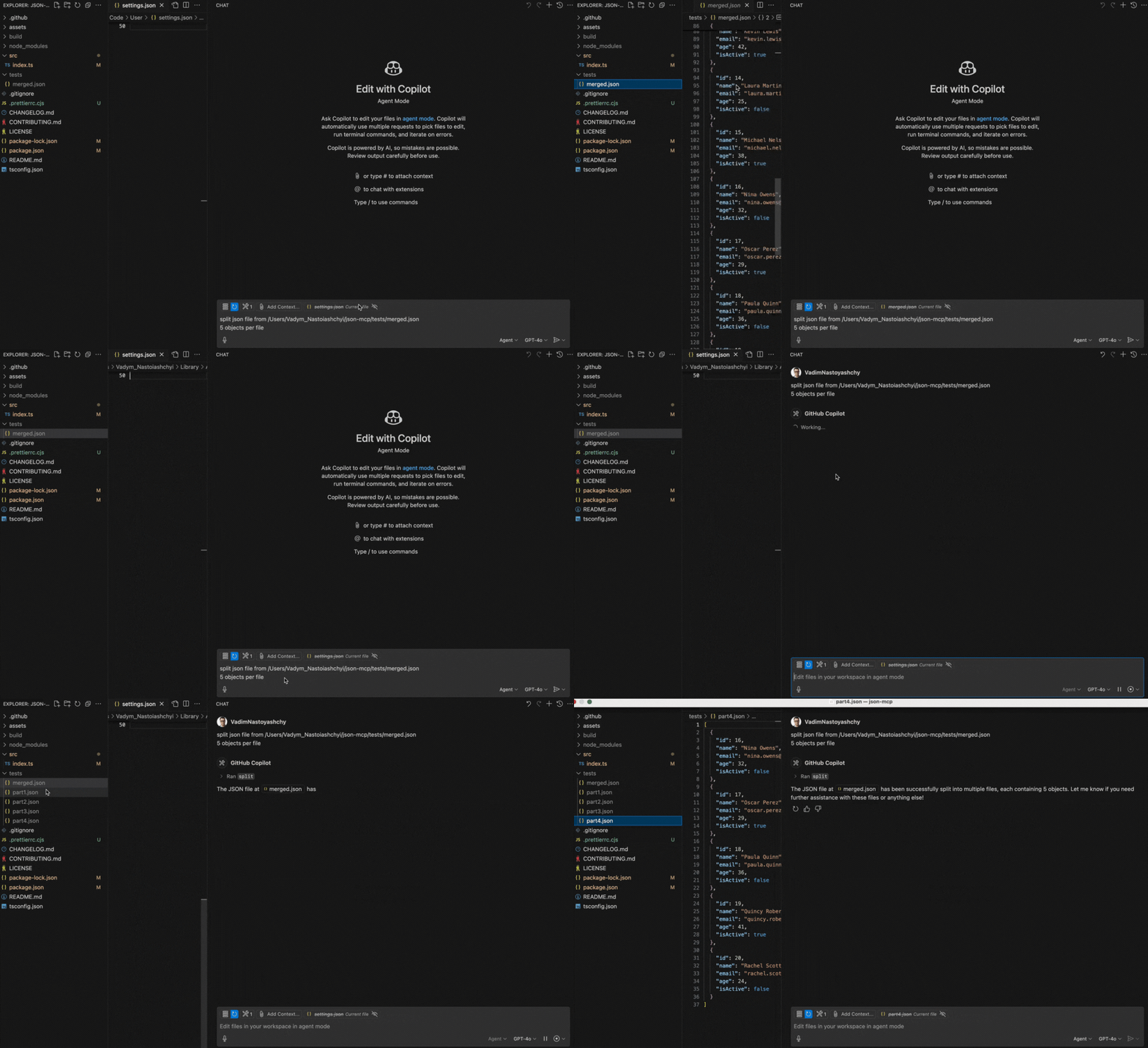
Below is a demo showcasing the split functionality:
🔧 Use Cases (Tools)
1. split
Split a JSON file into a specified number of objects.
Note: The file path must be provided.
Prompt Example:
Split JSON file from /Users/json-mcp/tests/merged.json
5 objects per file
2. merge
Merge JSON files into a one JSON file
Note: The folder path should be provided
Prompt Example:
Merge json files from /Users/json-mcp/tests
⚙️ Configuration
VS Code Manual Configuration
To configure the JSON MCP server manually in VS Code, update the User Settings (JSON) file:
{
  "mcp": {
    "servers": {
      "json-mcp-server": {
        "command": "npx",
        "args": ["json-mcp-server@latest"]
      }
    }
  }
}
Installation in VS Code
You can install the JSON MCP server using the VS Code CLI:
# For VS Code
code --add-mcp '{"name":"json-mcp-server","command":"npx","args": ["json-mcp-server@latest"]}'
After installation, the JSON MCP server will be available for use with your GitHub Copilot agent in VS Code.
Claude Desktop
To install json-mcp for Claude Desktop automatically via Smithery:
npx -y @smithery/cli install @VadimNastoyashchy/json-mcp --client claude
⚙️ Installation Server
Install globally
npm install -g json-mcp-server@latest
Run after global installation
json-mcp-server
Using npx with latest version (recommended)
npx json-mcp-server@latest