
uzys-agent-harness
uzysjung/uzys-agent-harness
One-command installer & curator of vetted, Docker-verified AI-coding workflows (skills, plugins, rules, hooks) across Claude Code, Codex, OpenCode & Antigravity.
Instalação
npx convez-ai uzysjung/uzys-agent-harness1 comando no terminal: detecta o formato do repositório (marketplace ou plugin avulso) e instala via Claude Code. Requer Node 18+ e o Claude Code instalado.
Métricas
README
A tradução para o português deste README ainda está na fila.
uzys-agent-harness
Install only the AI-coding workflows your tech stack actually needs — vetted, curated, and set up with one command across Claude Code, Codex, OpenCode & Antigravity.
Coding agents keep getting stronger out of the box — piling on skills and MCPs you'll never use just bloats their context. And the awesome-lists have too many options to wade through. agent-harness curates by tech stack: of the vetted options, you install only what this project actually calls for. Claude Code is first-class; Codex / OpenCode / Antigravity get the skills + rules layer. Project scope by default — no global pollution unless you ask.


What "vetted" means — ≥ 1000 GitHub stars + active maintenance + a Docker install-verification run, re-checked by CI (catalog-verify, trust-tier-drift). It is not a line-by-line security audit or a prompt-injection scan of asset contents. npm/npx assets are version-pinned; plugin/skill assets resolve to upstream HEAD (not commit-pinned yet). Treat installed assets like any third-party dependency — see SECURITY.md.
🇰🇷 한국어
Install
npx -y @uzysjung/agent-harness
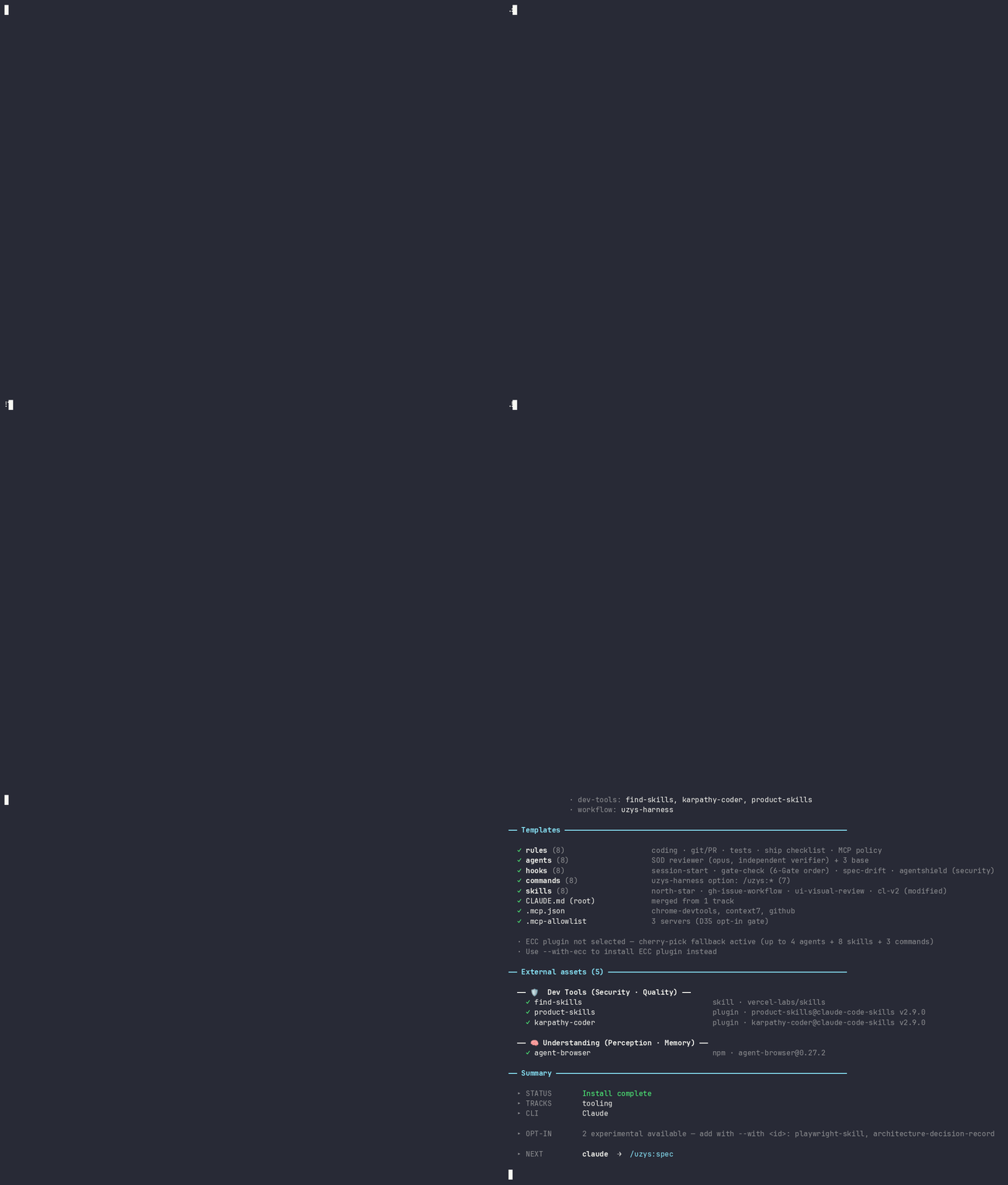
A 6-step interactive wizard guides everything. No flags needed. Safe on an existing project — it backs up your settings.json / CLAUDE.md before any change (details below); nothing is deleted.
Step 1/6  Tracks            ← pick your stack
Step 2/6  CLI               ← claude / codex / opencode / antigravity
Step 3/6  Install items     ← review pre-checked recommendations
Step 4/6  Scope             ← Project (default) or Global
Step 5/6  Confirm
Step 6/6  Installing
After install:
claude
> /uzys:spec    # only if you checked "uzys-harness 6-Gate workflow" in step 3
Non-interactive install (CI / scripts / Docker)
The wizard needs a TTY. For CI pipelines, onboarding scripts, or containers, use flags — the same path our own verification CI runs on:
npx -y @uzysjung/agent-harness install \
  --track tooling --cli claude --scope project \
  --with uzys-harness --with bmad-method
| Flag | Meaning |
|---|---|
--track <name> | Track to install (repeatable) |
--cli <target> | claude / codex / opencode / antigravity (repeatable) |
--scope <s> | project (default) or global |
--with <asset-id> / --without <asset-id> | Add / remove any catalog asset by id (repeatable) — ids in the compatibility matrix |
v26.81.0 (ADR-022): per-asset flags like
--with-bmadwere removed —--with <asset-id>is the single opt-in surface. Behavior flags (--with-karpathy-hook,--with-codex-prompts,--with-antigravity-global,--with-prune, …) remain.
What a track actually installs (example)
Curation, not a list to browse — pick csr-supabase and step 3 pre-checks exactly these, nothing else (uncheck any before install):
| Track | Pre-checked assets |
|---|---|
csr-supabase | react-best-practices · shadcn-ui · web-design-guidelines · supabase-agent-skills · postgres-best-practices · supabase-cli |
data | polars · dask · python-resource-management · python-performance-optimization · anthropic-data-plugin |
Full per-track matrix ↓ · or the compatibility matrix.
Installing into an existing project
agent-harness never silently overwrites your config. Before replacing an editable file whose contents differ, it writes a timestamped backup next to it — and every backup path is printed in the install summary (backup rows). Nothing is deleted.
| You already have… | What happens |
|---|---|
.claude/settings.json with your own hooks / statusLine | Backed up to settings.json.backup-<ts> before update |
Root CLAUDE.md (yours differs from the generated one) | Backed up to CLAUDE.md.backup-<ts> before the merge write |
.claude/ on --reinstall / update mode | The whole directory is renamed to .claude.backup-<ts> first |
.mcp.json | Your existing MCP servers are preserved and merged, not replaced |
Fresh project? None of this triggers — backups only protect pre-existing files.
Tracks
A track is a preset bundle for your stack. Pick one or more at step 1; each track determines which skills/plugins/rules are pre-checked in step 3.
Dev tracks
| Track | Stack |
|---|---|
csr-supabase | Vite + React + Supabase |
csr-fastify | Vite + React + Fastify |
csr-fastapi | Vite + React + FastAPI |
ssr-nextjs | Next.js (App Router) |
ssr-htmx | HTMX + server-side |
data | DuckDB + Polars + PySide6 |
full | union of all dev tracks |
Business tracks
| Track | Use |
|---|---|
executive | proposals, due diligence, decks, financial models |
project-management | PM workflow + reviews |
growth-marketing | growth + content marketing |
Meta
| Track | Use |
|---|---|
tooling | Bash + Markdown meta-projects (no app stack) |
What gets installed per track
External assets are recommended automatically based on your track selection. Step 3 shows them pre-checked; you can toggle anything before install.
Frontend (csr-* / ssr-nextjs / full)
| Asset | What | Source |
|---|---|---|
react-best-practices | React patterns and component guidelines | LokeshSakthivel |
shadcn-ui | Radix-based component copy + Tailwind theme | shadcn (official) |
web-design-guidelines | UX/UI best practices | LokeshSakthivel |
impeccable | UI design, critique, and visual review skills | pbakaus |
next-skills (ssr-nextjs only) | Next.js App Router patterns | vercel-labs |
Backend (csr-* / ssr-* / full)
| Asset | What | Source |
|---|---|---|
railway-skills | Railway deploy + project/service/env management | Railway official |
supabase-agent-skills (csr-supabase) | Supabase agent skills | Supabase official |
postgres-best-practices (csr-supabase) | Postgres patterns | Supabase official |
supabase-cli (csr-supabase) | Supabase CLI (supabase login for OAuth) | npm |
vercel-cli (csr-supabase) | Vercel CLI | npm |
netlify-cli (csr-supabase) | Netlify CLI | npm |
Data (data / full)
| Asset | What | Source |
|---|---|---|
polars-K-Dense | Polars — fast Rust DataFrame (pandas alternative) | K-Dense-AI |
dask-K-Dense | Dask — distributed processing | K-Dense-AI |
python-resource-management | Memory / CPU management patterns | wshobson |
python-performance-optimization | Profiling + vectorization | wshobson |
anthropic-data-plugin | Visualization + SQL exploration | Anthropic official |
Business (executive / project-management / growth-marketing)
| Asset | What | Source | Tracks |
|---|---|---|---|
anthropic-document-skills | pptx / docx / xlsx / pdf authoring | Anthropic | executive · full |
c-level-skills | 28 advisory skills (CEO/CFO/COO) | claude-code-skills | executive · full |
business-growth-skills | Growth, finance, marketing playbooks | claude-code-skills | executive · full · growth-marketing |
finance-skills | Financial models | claude-code-skills | executive · full |
pm-skills | PM workflows | claude-code-skills | project-management |
product-skills | Product discovery + delivery | claude-code-skills | dev + PM |
marketing-skills / content-creator / demand-gen / research-summarizer | Marketing playbooks | claude-code-skills | growth-marketing |
Dev Tools (all dev tracks)
| Asset | What | Source |
|---|---|---|
playwright-skill | E2E test authoring with Playwright | testdino-hq |
find-skills | Search and rank installed skills | vercel-labs |
agent-browser | Browser automation CLI for agents | npm |
architecture-decision-record | ADR authoring | yonatangross |
karpathy-coder | Pre-commit quality gate hook | claude-code-skills |
product-skills | Product engineering | claude-code-skills |
Workflow (opt-in — pick one or more at step 3)
Which one? See the Workflow curation guide — a vetted comparison of all 8 installable workflows (plus honest pointers to Spec Kit / Kiro, which we recommend but don't auto-install).
| Asset | What | Activates |
|---|---|---|
uzys-harness 6-Gate workflow | /uzys:spec → /uzys:plan → /uzys:build → /uzys:test → /uzys:review → /uzys:ship with hook-enforced gates | The 6-gate flow described below |
superpowers | Agentic skills framework, Anthropic official marketplace | obra/superpowers |
ecc-plugin | 60 agents · 230 skills · 75 commands | affaan-m |
gsd-orchestrator | Orchestration for large projects | get-shit-done-cc |
openspec | Spec-driven brownfield delta workflow (propose → apply → archive) | Fission-AI |
bmad-method | Multi-agent agile workflow (PM/Architect/Dev, 12+ agents) | bmad-code-org |
addy-agent-skills | /spec /plan /build /test /review /ship /code-simplify skills | addyosmani's workflow |
wshobson-agents | Multi-agent orchestration workflows (full-stack/tdd/review), cross-CLI | wshobson |
Security & ECC (opt-in)
| Asset | What | Source |
|---|---|---|
trailofbits-skills | Differential security review | Trail of Bits |
ecc-plugin | ECC plugin (project-scoped via prune-ecc.sh) | affaan-m |
ecc-prune | Trim ECC down to a curated set (4 agents + 8 skills + 3 commands) | this project |
Trust tiers
Every external asset carries a trust tier, shown as a badge in step 3:
- ★ official — Anthropic-official marketplaces + this harness's own assets.
- vetted — community assets with ≥ 1000 GitHub stars and active maintenance. Pre-checked when they match your track.
- ⚠ experimental — under 1000 stars. Opt-in only (not pre-checked), listed at the bottom of each category.
Tiers inform, never block — you always review and choose what installs. Recommended assets (official/vetted matching your track) sort to the top.
How is "verified" backed up? See the Compatibility & verification matrix — install methods are checked against real registries/marketplaces, and the core workflow set is verified by real install in an isolated Docker container (not a static table). Trust tiers are auto-monitored for star-drift monthly.
6-Gate workflow (only if you opt in)
The 6-gate workflow is off by default. To enable it, check uzys-harness 6-Gate workflow at step 3 (or pass --with uzys-harness for non-interactive install).
/uzys:spec → /uzys:plan → /uzys:build → /uzys:test → /uzys:review → /uzys:ship
| Gate | Purpose |
|---|---|
/uzys:spec | Define what you're building before code |
/uzys:plan | Decompose the spec into small, verifiable tasks |
/uzys:build | Implement incrementally |
/uzys:test | Prove it works |
/uzys:review | Multi-perspective code/security review |
/uzys:ship | Pre-launch checklist + deploy |
Gates are enforced by hooks installed under .claude/hooks/. Skipping a gate fails the next one (exit code 2). If you didn't opt in, /uzys:* commands aren't installed and the hooks aren't active — you get the rest of the track's assets without the gating.
Scope
Step 4 asks where the install writes.
| Project (default) | Global (opt-in) | |
|---|---|---|
claude plugin | --scope project (entries isolated by projectPath in installed_plugins.json) | --scope user |
npx skills | project node_modules | -g (user-level) |
npm | --save-dev (devDependency) | -g |
| Codex (prompts / skills / config) | .codex/ in your project | ~/.codex/ |
| Antigravity (skills / workflows) | .agents/ in your project | ~/.gemini/antigravity/ |
~/.claude/skills/ · ~/.codex/ · ~/.opencode/ · ~/.gemini/ · npm root -g | not touched | written per asset |
Project scope keeps the install confined to your repo. Other projects on the same machine are unaffected.
Claude CLI itself writes plugin cache under ~/.claude/plugins/cache/ regardless of scope — but the metadata in installed_plugins.json isolates entries by projectPath, so other projects don't see them.
Uninstall
npx -y @uzysjung/agent-harness uninstall
Reads .claude/.harness-install.json (created during install) and reverses what was installed.
- Project-scope assets: removed automatically (
claude plugin uninstall --scope project,npm uninstall --save-dev,.codex/cleanup, etc.). - Project root
CLAUDE.md: removed only if it still matches the installed version (sha256); kept with a notice if you've edited it since install. - Global-scope assets: listed as advisory only — you remove them yourself. Uninstall never touches another project or your global config without explicit action.
Flags:
| Flag | What |
|---|---|
--dry-run | List reverse steps, change nothing |
--keep-templates | Remove external assets but keep .claude/, .codex/, .opencode/ |
How it works
┌──────────────────────────────────────────────────────────┐
│  npx -y @uzysjung/agent-harness                         │
│         │                                                │
│         ▼                                                │
│  ┌─ 6-step wizard ──────────────────────────────────┐    │
│  │  Track(s) → CLI(s) → Items → Scope → Confirm    │    │
│  └──────────────────┬───────────────────────────────┘    │
│                     ▼                                    │
│  ┌─ Phase 1: Templates ─────────────────────────────┐    │
│  │  .claude/{rules,agents,hooks,commands,skills}    │    │
│  │  CLAUDE.md (merged) · .mcp.json                  │    │
│  └──────────────────┬───────────────────────────────┘    │
│                     ▼                                    │
│  ┌─ Phase 2: External assets ───────────────────────┐    │
│  │  claude plugin / npx skills / npm / shell-script │    │
│  │  Honors the scope chosen at step 4               │    │
│  └──────────────────┬───────────────────────────────┘    │
│                     ▼                                    │
│  ┌─ Phase 3: install log ───────────────────────────┐    │
│  │  .claude/.harness-install.json                   │    │
│  │  (drives `uninstall`)                            │    │
│  └──────────────────────────────────────────────────┘    │
└──────────────────────────────────────────────────────────┘
After install, a tooling + Claude project looks like:
your-project/
├── .claude/
│   ├── rules/          # coding conventions for your stack
│   ├── agents/         # subagent definitions
│   ├── commands/uzys/  # /uzys:* commands (only if you opted into uzys-harness)
│   ├── hooks/          # gate / pre-commit hooks
│   └── settings.json   # your existing one is backed up first
├── CLAUDE.md           # merged instructions (yours backed up if it differed)
└── .mcp.json           # MCP servers, merged with yours
CLI support
| CLI | Status |
|---|---|
| Claude Code | First class — all assets and hooks |
| Codex (OpenAI) | Skills + AGENTS.md rules for your stack. Global /uzys-* slash prompts (opt-in via ~/.codex/prompts/); project-level prompts await upstream support (#9848) |
| OpenCode | Skills + AGENTS.md integration |
| Antigravity (Google) | Project: .agents/rules/ (context, always) + .agents/skills/ + .agents/workflows/ (6-Gate opt-in). Global (opt-in via --with-antigravity-global + --scope global): ~/.gemini/antigravity/{skills,global_workflows}/uzys-* (v26.66.0+) |
Pick one or more at step 2.
Advanced
- docs/USAGE.md — workflow detail, install internals, CI flags, ECC integration, Codex/OpenCode setup
- docs/NORTH_STAR.md — design principles
- docs/decisions/ — ADRs (architecture decisions)
- docs/REFERENCE.md — per-track asset matrix in detail
License
MIT.