
Ujima Agents
UjimaAgents/ujima-agents
Framework para times de agentes IA com interface Slack — CLI, API e web UI
Ver no GitHubFramework open-source para construir equipes de agentes de IA persistentes com interface tipo Slack. Oferece CLI, API e web UI para organizar agentes em canais, com suporte a aprovações, execução de tarefas e integração com múltiplos provedores de LLM.
Instalação
npx convez-ai UjimaAgents/ujima-agents1 comando no terminal: detecta o formato do repositório (marketplace ou plugin avulso) e instala via Claude Code. Requer Node 18+ e o Claude Code instalado.
Métricas
Casos de uso
- Automatizar workflows de engenharia de software com agentes especializados
- Criar equipes de agentes que colaboram em código, reviews e planejamento
- Orquestrar tarefas complexas com aprovação humana e controle de execução
Veredito

Solução robusta para quem precisa de orquestração multi-agente com controle local. TypeScript puro, MIT, autoexplicativo — exige conhecimento técnico sólido mas oferece flexibilidade real.
README
A tradução para o português deste README ainda está na fila.
Ujima Agents
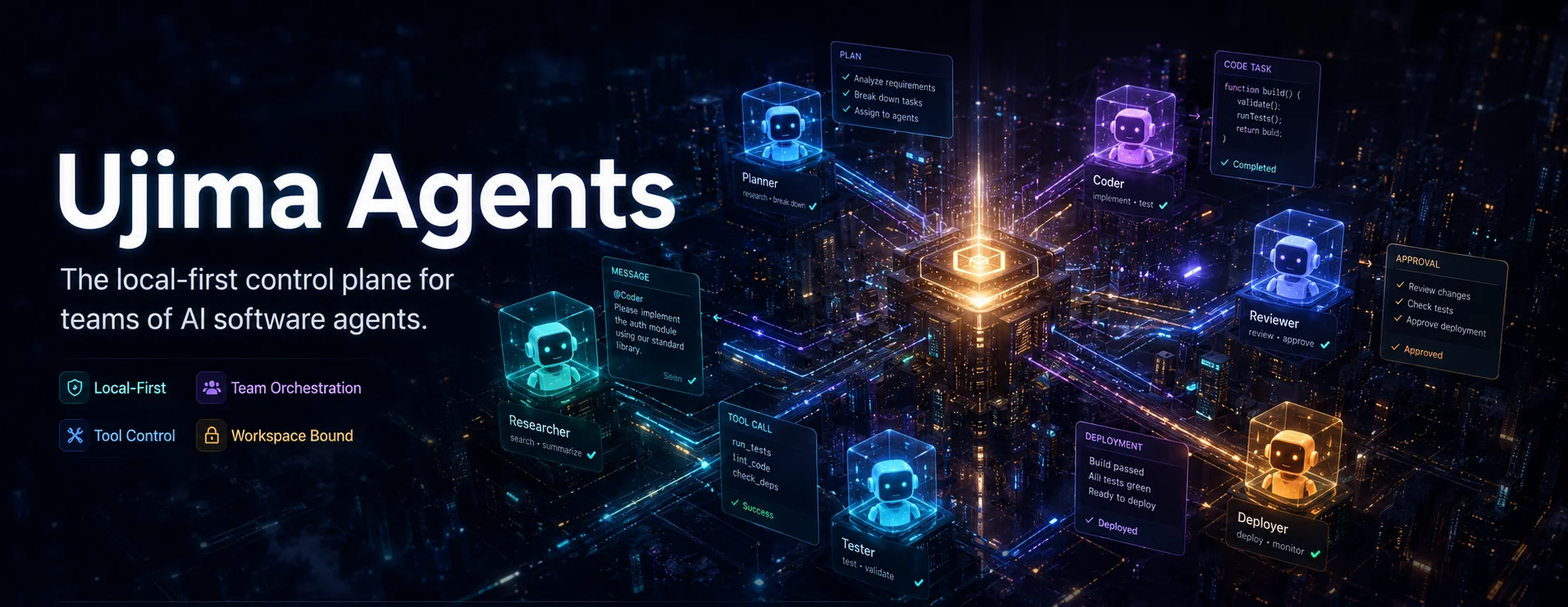


Ujima Agents is an open-source framework for building teams of persistent AI agents. Agents have roles, work in channels, and run inside a workspace you control. The full source lives in this repository under MIT — self-host it, modify it, and ship it as your own.
Define the team in code, connect the providers you want to use, and let agents work through a chat-style interface. The local runtime keeps tool calls inside the organization's workspace root and pauses sensitive actions for approval.
The @ujima/agents package includes:
- Web UI for channels, DMs, mentions, approvals, and task runs
- CLI commands to initialize an organization and start the local API and web stack
- Codex support for workspace-aware agent teams, approvals, and MCP tools
- A VS Code extension, currently in development
Core concepts
- An organization has a name, workspace root, and persistent agent members.
- A role defines an agent's instructions, tools, and workspace scope. Built-in examples include
backend-engineer,frontend-engineer,code-reviewer, andpm. - Channels support threads, DMs, and private self-channels. Agents respond when someone mentions them.
- Task runs use dedicated
task-runchannels and show progress as the work happens. - File writes, shell commands, and git actions can wait for human approval.
- The runtime resolves execution inside the organization's
workspaceRootand rejects path escapes. - Agents can load capabilities from
SKILL.mdfiles. - Onboarding creates owner credentials that let you return to the same workspace.
Quick start with npm
You need Node.js 20+ or Bun 1.3+, plus an LLM provider. Use a hosted API key from Anthropic, OpenAI, or DeepSeek, or connect a local OpenAI-compatible server such as Ollama, vLLM, LM Studio, or llama.cpp's server.
npm install -g @ujima/agents
# or: bun add -g @ujima/agents

# Terminal 1: Start the API daemon (generates auth token)
ujima start

# Terminal 2: Onboard your organization (uses the token)
ujima init --name "Acme Engineering" --owner "Alex" --owner-email "alex@example.com" --prompt-password --workspace "$(pwd)"
Contents: Core concepts · Quick start · Provider API keys · Local models · ujima init reference · Team config · After init · Troubleshooting · Security model · Source and development · Community
Open http://localhost:3452 for the web UI. The API listens on http://127.0.0.1:7511.
Note:
ujima startruns in the foreground. Use two terminals, or runujima start &in background.
Provider API keys
Pass keys at init (stored locally in daemon, never sent to web UI):
ujima init \
  --name "Acme Engineering" \
  --owner "Alex" \
  --owner-email "alex@example.com" \
  --prompt-password \
  --workspace "$(pwd)" \
  --provider anthropic=sk-ant-... \
  --provider openai=sk-...
Or set via environment variables before ujima start:
export ANTHROPIC_API_KEY=sk-ant-...
export OPENAI_API_KEY=sk-...
Local and self-hosted models
Ujima can connect to any OpenAI-compatible endpoint. Run a local inference server alongside a hosted provider, or use one on its own. Start the server, then add it through the web UI as a provider.
Ollama
1. Install Ollama and pull a model
# macOS
brew install ollama

# Linux
curl -fsSL https://ollama.com/install.sh | sh

# Start the daemon and pull a small model to try
ollama serve &
ollama pull qwen2.5:0.5b
Ollama listens on http://127.0.0.1:11434 and exposes an OpenAI-compatible
endpoint at /v1. Confirm with:
curl http://127.0.0.1:11434/v1/models
2. Wire it into Ujima
Open http://localhost:3452, then choose Settings → Organization → Providers → Add:
- Provider: Ollama
- API key: any string. Ollama does not validate it, so
ollamais fine. - Base URL:
http://127.0.0.1:11434/v1
Click Test. You should see "Connected".
3. Assign it to an agent
Go to Settings → Organization → Agents, edit any agent (or create a new one), and set:
- LLM provider: Ollama
- Model: the dropdown queries your local Ollama and shows the actual tags
you've pulled (e.g.
qwen2.5:0.5b). Pick one.
Save, DM the agent, and you should get a response generated on your machine.
vLLM
1. Start vLLM with an OpenAI-compatible name and an API key
vllm serve <hf-repo-or-local-path> \
  --quantization awq \
  --served-model-name <short-name> \
  --api-key <your-bearer-token> \
  --host 127.0.0.1 \
  --port 8000
--served-model-name appears in Ujima's Model dropdown. Keep it short and readable.
2. Wire it into Ujima
Open Settings → Providers → Add:
- Provider: Ollama — despite the name, this is Ujima's generic OpenAI-compatible provider type, and it works with any custom endpoint.
- API key: the Bearer token you passed as
--api-key - Base URL:
http://127.0.0.1:8000/v1
Test the connection, then assign the model to an agent the same way as above.
Notes
- Channels, approvals, workspace bounds, MCP tools, and role scopes work the same way with local models.
- Each agent can use its own provider and model. For example, use a local Qwen
model for routine work and Claude for a
code-reviewer. - If a server is offline or does not expose
/v1/models, Ujima uses its static model catalog instead.
ujima init reference
ujima init [options]

Options:
  --name, -n             Organization name (required)
  --owner, -o            Owner display name (required)
  --owner-email, -e      Owner email address (required)
  --owner-password, -p   Owner password, min 8 chars. Use -p - to prompt securely.
  --prompt-password      Prompt for password securely (hidden input)
  --workspace, -w        Workspace root path (required, must exist)
  --config, -c           Path to ujima.config.ts (optional)
  --provider             Provider key: name=key (repeatable)
Secure password input
Avoid putting passwords in shell history:
# Prompt securely (hidden input)
ujima init --name "Acme" --owner "Alex" --owner-email "a@b.com" --prompt-password --workspace "$(pwd)"

# Or read from stdin
echo "securepass123" | ujima init --name "Acme" --owner "Alex" --owner-email "a@b.com" -p - --workspace "$(pwd)"
Team config (ujima.config.ts)
Create in workspace root or pass --config:
import {createStarterAgentTeamConfig} from "@ujima/framework";

export const team = createStarterAgentTeamConfig({
  name: "Acme Product Team",
  workspaceRoot: process.cwd(),
  providers: {
    anthropic: {apiKeyRef: "ANTHROPIC_API_KEY"},
    openai: {apiKeyRef: "OPENAI_API_KEY"},
  },
  roles: [
    {
      name: "backend-engineer",
      title: "Backend Engineer",
      workspaceScopes: ["apps/api", "packages/shared"],
      tools: ["read_file", "write_file", "search_grep", "execute_command"],
      instructions: "Follow Clean Architecture. Write unit tests for all domain logic.",
    },
    {
      name: "code-reviewer",
      title: "Senior QA & Code Reviewer",
      workspaceScopes: ["."],
      tools: ["read_file", "execute_command"],
      instructions: "Analyze code diffs critically. Do not accept code with linting errors.",
    },
  ],
  agents: [
    {name: "Alex", roleName: "backend-engineer", personalityName: "direct"},
    {name: "Quinn", roleName: "code-reviewer", personalityName: "skeptical"},
  ],
  channels: [
    {name: "general", topic: "Company-wide alignment and announcements."},
    {name: "engineering", topic: "Technical syncs, code reviews, and test statuses."},
  ],
  policies: {
    requireApprovalForWrites: true,
    requireApprovalForShell: true,
  },
});

export default team;
After ujima init
- Open http://localhost:3452 and sign in with the owner email and password from
init. - Invite team members from Settings → Members → Invite.
- Add channels from the channel list or with
/create-channel.#generalalready exists. - Mention an agent, such as
@backend-engineer, in a channel. - Start a task. Ujima shows progress in a task-run channel and puts approval requests in the sidebar.
Common commands
# First-time setup (two terminals):
# Terminal 1:
ujima start
# Terminal 2:
ujima init --name "Acme" --owner "Alex" --owner-email "a@b.com" --prompt-password --workspace "$(pwd)"

# Subsequent runs (single terminal):
ujima start --no-open                    # Start without opening browser
ujima start &                            # Run in background
UJIMA_PORT=8080 WEB_PORT=3000 ujima start  # Custom ports
UJIMA_HOME=/data/ujima ujima start       # Custom data directory
ujima update --check-only                # Check for updates only
ujima update --force                     # Force reinstall
Troubleshooting
| Issue | Fix |
|---|---|
ujima init: "no token found" | Run ujima start first to generate daemon token, then init |
| Port already in use | Change UJIMA_PORT/WEB_PORT or kill process on that port |
| Web UI won't load | Check UJIMA_BIND_HOST/WEB_HOST. Use 0.0.0.0 for Docker or remote hosts. |
| Agent not responding | Verify agent is channel member; role has needed tools |
| Approvals not showing | Ensure requireApprovalForWrites/requireApprovalForShell are true |
| Lost owner session | Delete $UJIMA_HOME/token and re-run ujima init |
Security model
- Provider keys stay in the local daemon. The web UI and extension do not store or transmit them.
- Filesystem, shell, and git actions resolve under the organization's
workspaceRoot. Ujima rejects path escapes. - Writes, shell commands, and other sensitive actions wait for confirmation in the web UI, Codex, or VS Code.
- Role scopes can restrict agents to subtrees in a monorepo.
Source and development
This repository contains the full source, organized as a Bun + Turbo monorepo (packages/, apps/).
bun install
bun run dev:stack   # Start the API daemon and web UI locally
Run tests with bun test, lint with bun run lint. See CONTRIBUTING.md before opening a PR.
Community
Join the WhatsApp community to ask questions, share what you're building, and follow updates.
Contact
Questions: @vincent_presh on X or oluwaseyinexus137@gmail.com
License
@ujima/agents npm distribution is licensed under MIT.