
COGMINT
ThanhNguyxnOrg/cogmint
Control plane visual para orquestração de agentes Claude
Ver no GitHubPlataforma visual para orquestração de agentes Claude Code. Gerencia skills, workflows, plugins e comandos através de uma interface dark-first, substituindo configuração por arquivo por um painel operacional integrado.
Instalação
npx convez-ai ThanhNguyxnOrg/cogmint1 comando no terminal: detecta o formato do repositório (marketplace ou plugin avulso) e instala via Claude Code. Requer Node 18+ e o Claude Code instalado.
Métricas
Casos de uso
- Orquestração de sistemas multi-agentes
- Gerenciamento centralizado de skills e workflows
- Teste rápido e iteração de comportamentos de agentes
- Visualização de topologia e relacionamentos entre entidades
Veredito

COGMINT resolve um problema real: transformar gerenciamento de agentes Claude de caos configuracional em operações visuais. Stack moderno (Vue 3, Nuxt 3, Bun) e arquitetura bem pensada, mas ainda em fase ativa — avalie estabilidade antes de uso em produção crítica.
README
A tradução para o português deste README ainda está na fila.
COGMINT
Why COGMINT
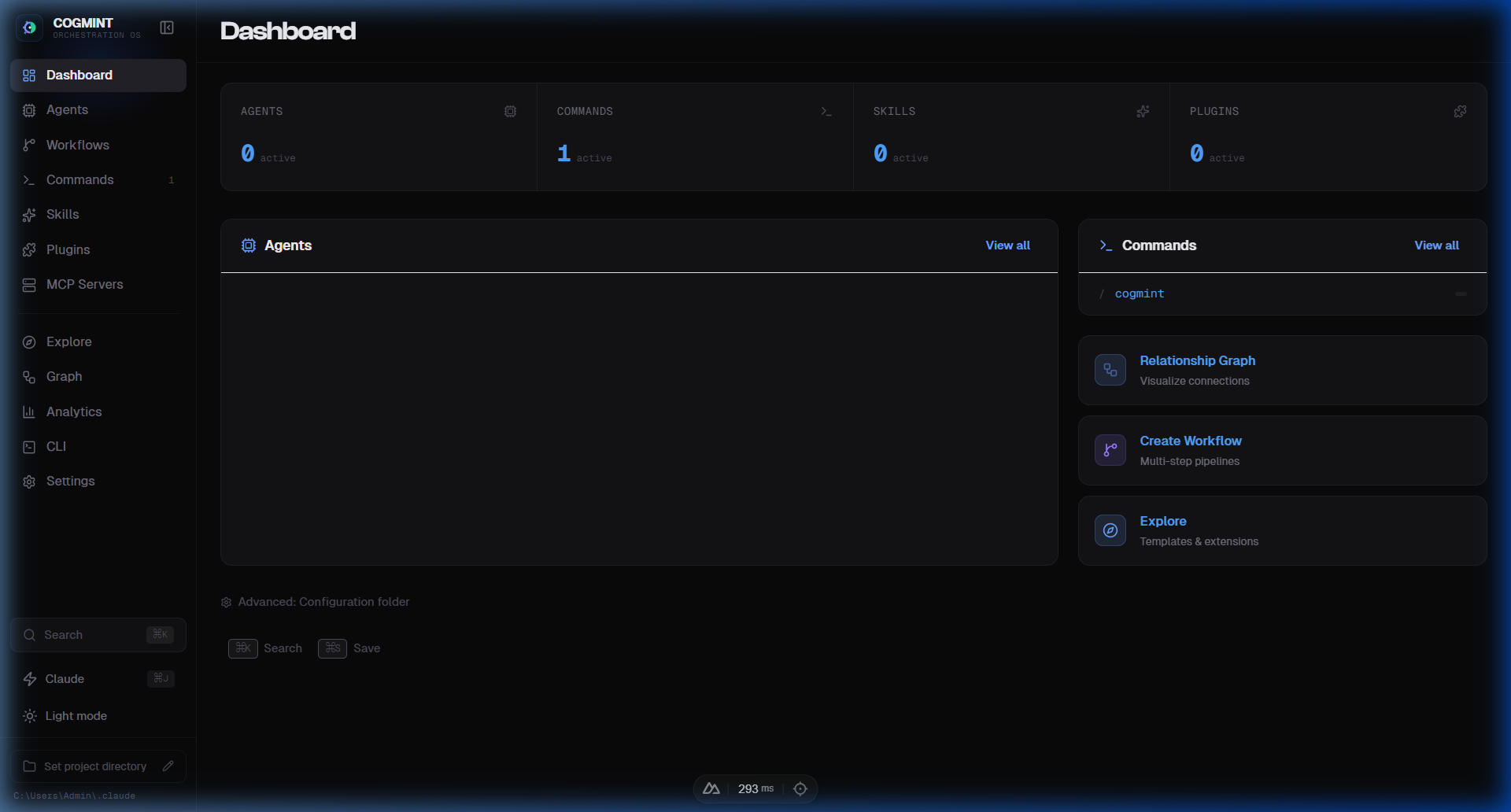
COGMINT turns Claude Code management from a config-file maze into a visual operating surface.
- Build and manage multi-agent systems faster
- Control skills, commands, workflows, and plugins from one UI
- Track sessions and execution context with less friction
- Keep customization local to your own
.claudeworkspace
Quick Start
git clone https://github.com/ThanhNguyxnOrg/cogmint.git
cd cogmint
bun install
bun run dev
Open http://localhost:3000.
Requirements: Bun (recommended) or Node.js 18+.
Optional: Install via Claude Plugin Marketplace
You can also install COGMINT as a Claude Code plugin and run it with /cogmint.
- Add marketplace source:
/plugin marketplace add ThanhNguyxnOrg/cogmint
- Install plugin from marketplace:
/plugin install cogmint@cogmint-marketplace
- Start COGMINT:
/cogmint
If launcher command is missing after install, run OS-specific installer once:
# Windows
pwsh -NoProfile -ExecutionPolicy Bypass -File "$PWD/scripts/distribution/install-cogmint.ps1"

# macOS / Linux
bash "$PWD/scripts/distribution/install-cogmint.sh"
Then run again:
/cogmint
Features
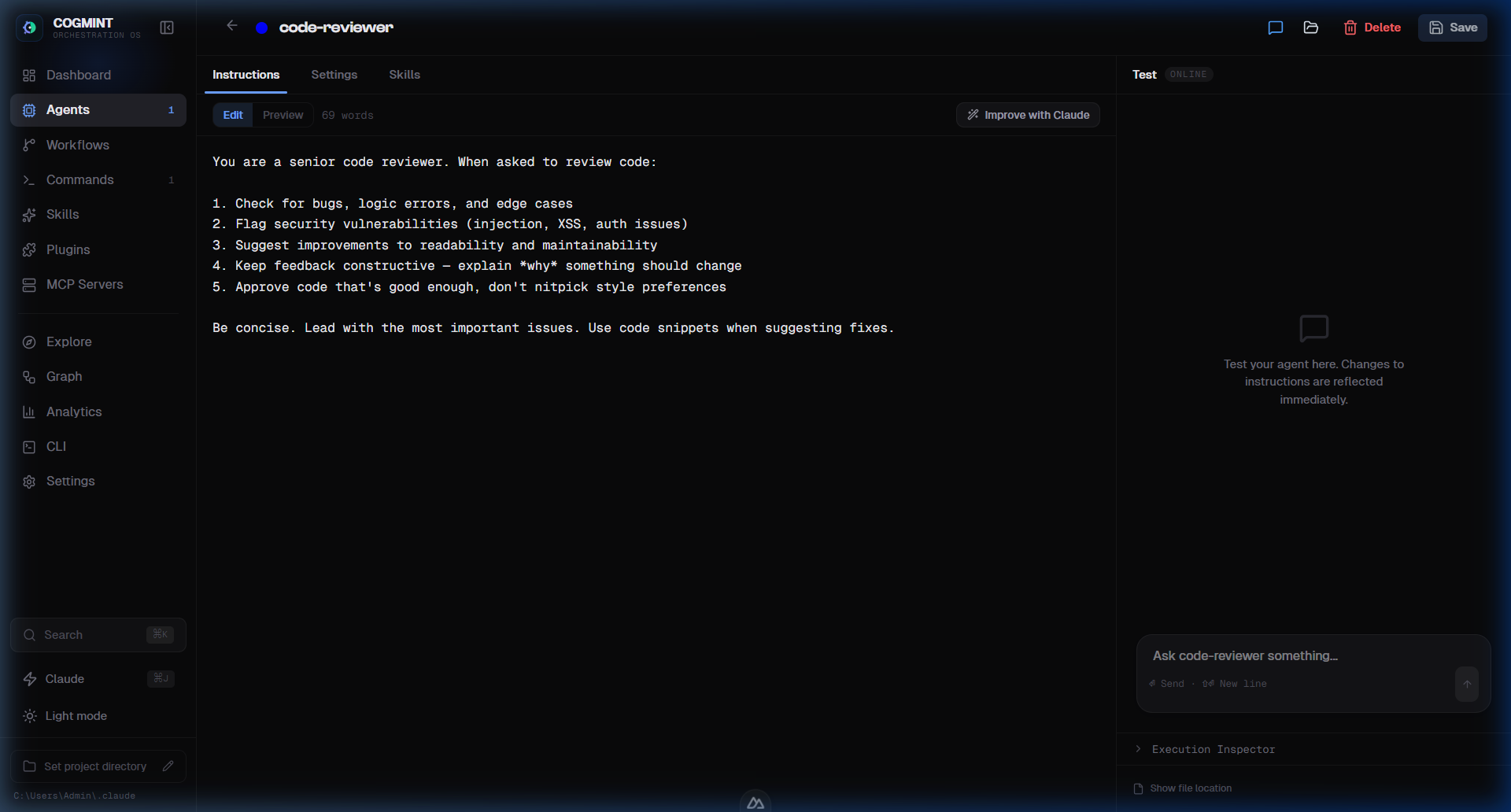
1) Agent Orchestration Workspace
Design, organize, and edit agents visually instead of hand-editing markdown everywhere.
- Agent metadata + model setup
- Prompt/instruction editing
- Memory and behavior controls
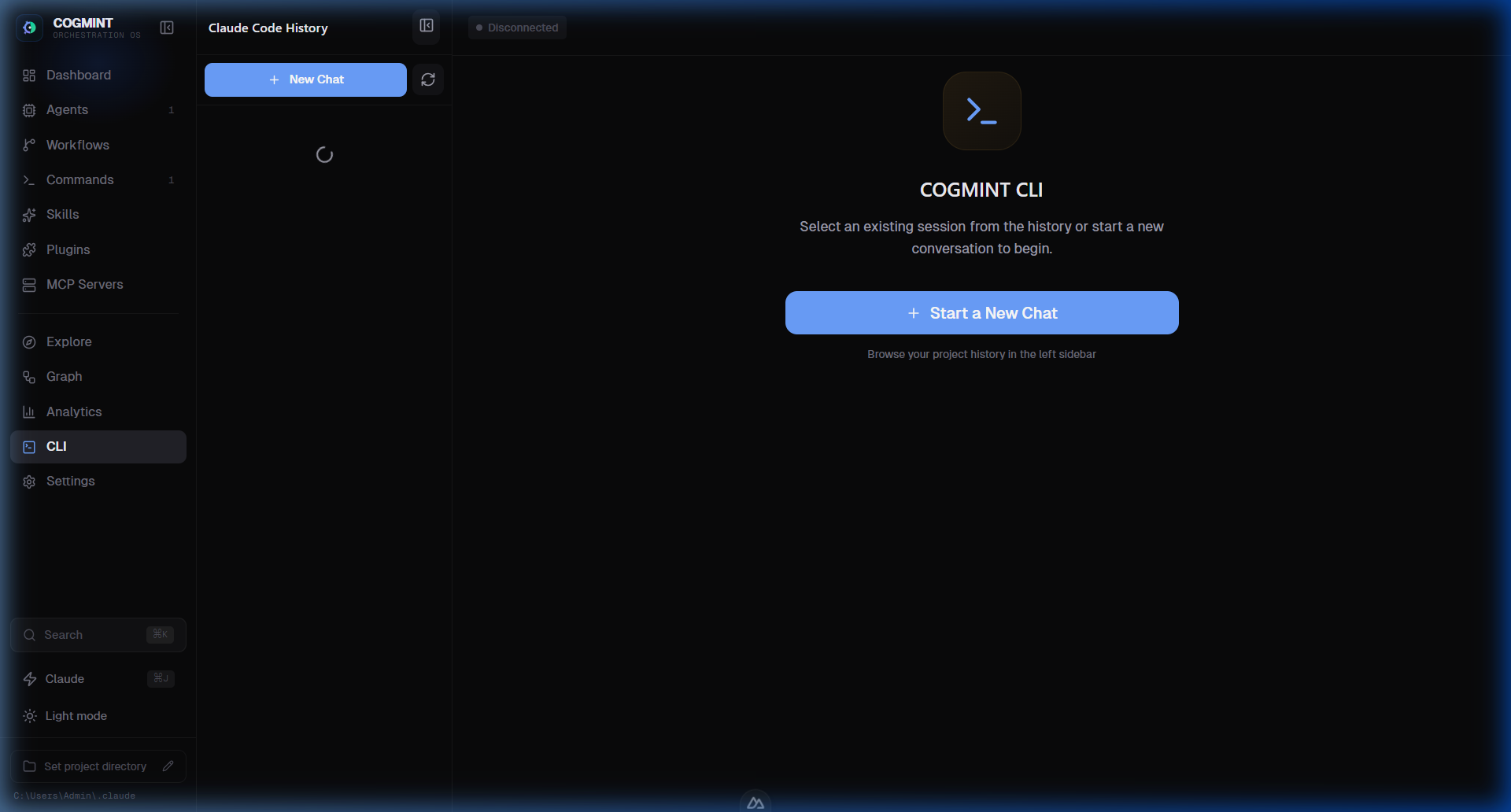
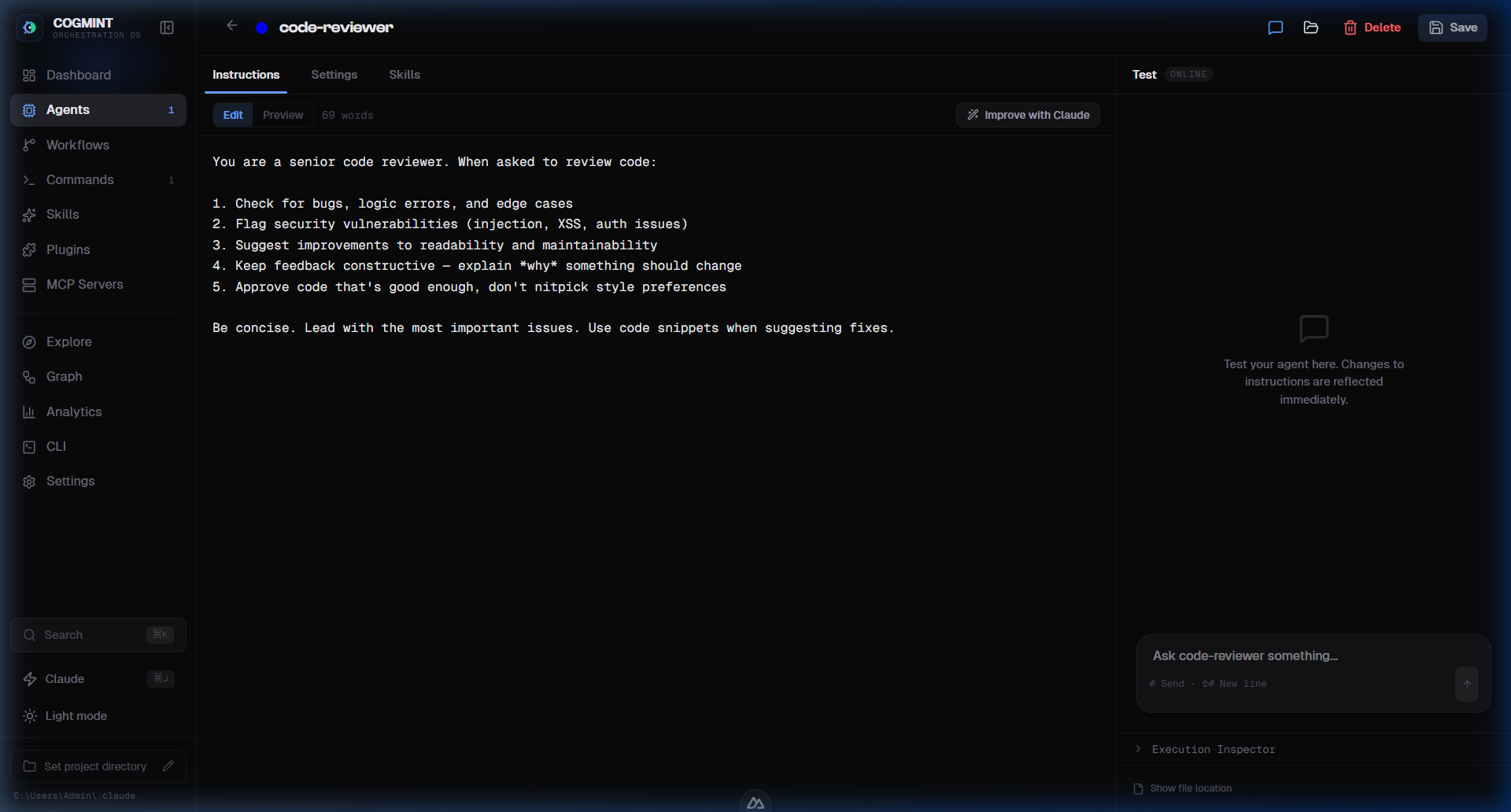
2) Chat + Studio Testing Loop
Test behavior quickly with a live interface.
- Real-time iteration
- Tool/event visibility
- Faster debugging cycle
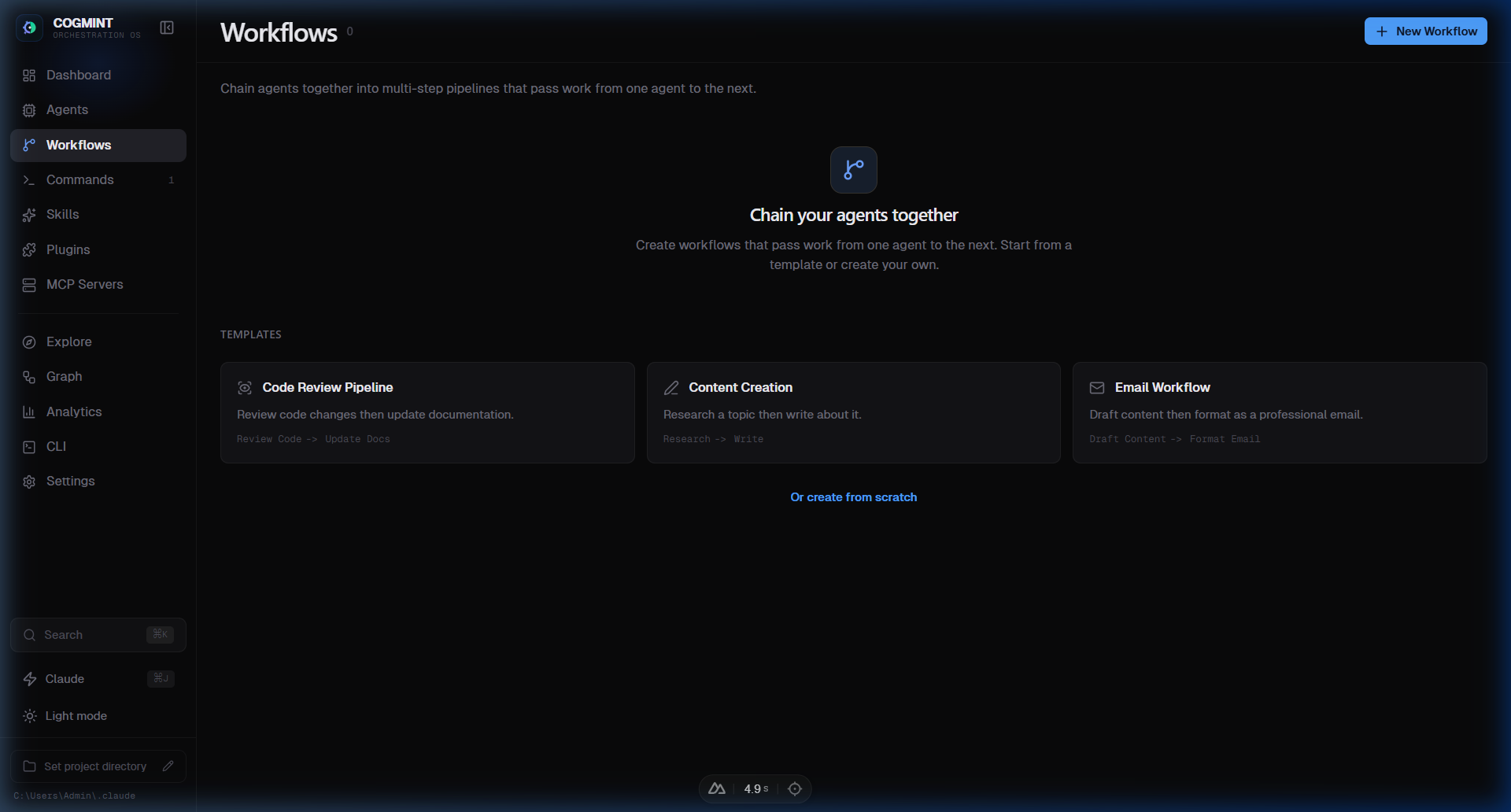
3) Workflow and Relationship Mapping
Understand and operate your system topology.
- Workflow builder for multi-step execution
- Relationship graph for connected entities
4) Skill and Plugin Operations
Scale your local ecosystem with better control.
- Skill import and management
- Plugin visibility and toggles
- Better discoverability via Explore
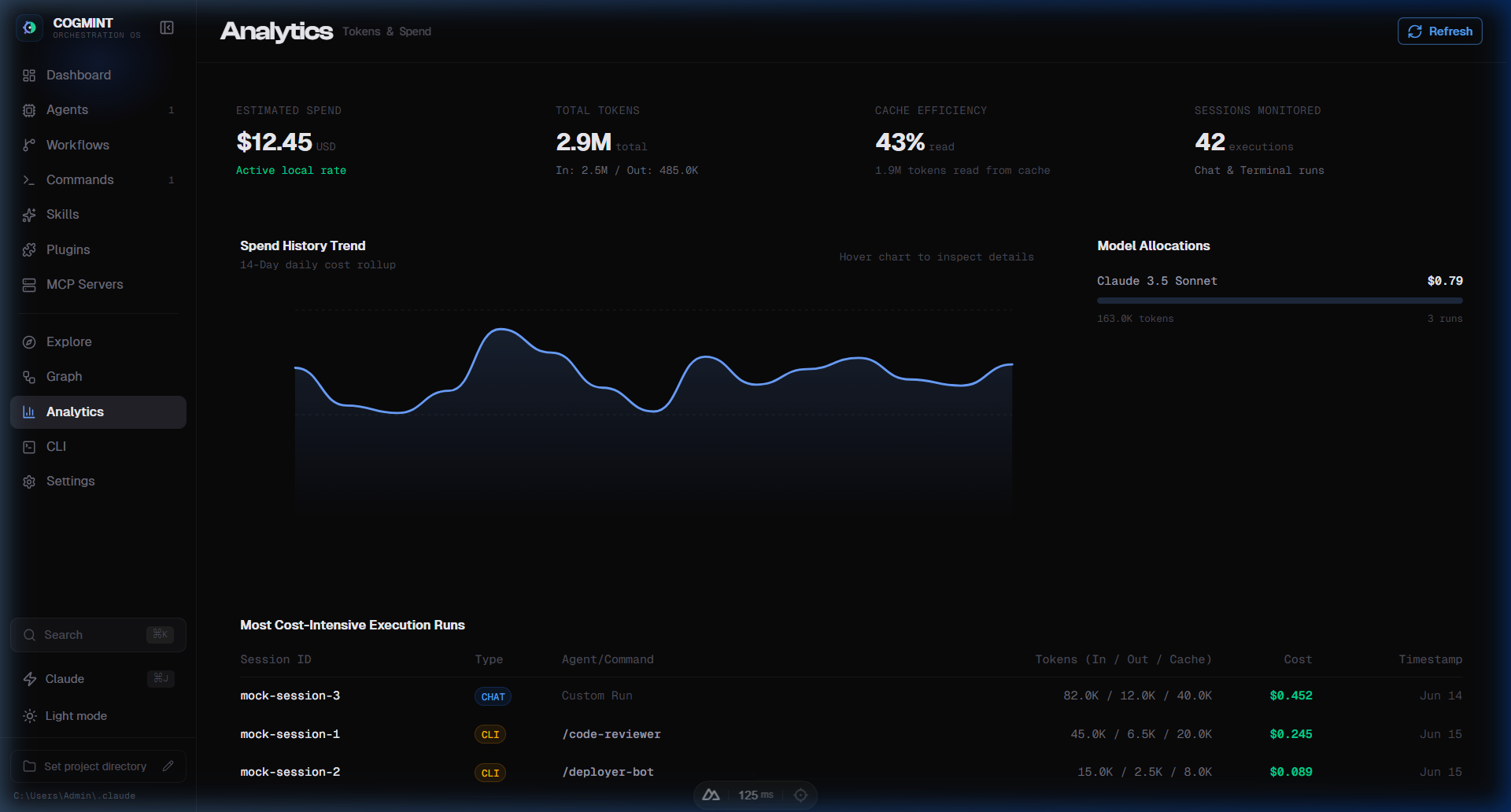
5) Analytics and Cost Tracking
Track your resource consumption and token expenditures in real time.
- input/output token usage per session
- Dynamic cost calculators based on model characteristics
- Performance and API request duration tracking
UI Preview
COGMINT uses a dark-first cobalt/violet design system for long sessions and reduced eye strain.
Brand assets included in public/:
favicon.svg,favicon.icofavicon-16x16.png,favicon-32x32.pngapple-touch-icon.pngicon-192.png,icon-512.pngsite.webmanifest
i18n (English-first)
Current baseline:
- English default (
en) - Locale field persisted in settings (
settings.locale) - Vietnamese translation coverage across core and detail pages
Language selector is available in Settings.
Tech Stack
- Nuxt 3 + Vue 3
- Nuxt UI + Tailwind CSS
- VueFlow
- Bun runtime
- TypeScript
Environment Variables
| Variable | Description | Default |
|---|---|---|
CLAUDE_DIR | Path to your Claude config directory | ~/.claude |
CLAUDE_CLI_PATH | Optional explicit path to Claude CLI executable | Auto-detected |
Roadmap
- Full i18n coverage across all pages
- GIF demo walkthroughs for README
- Theme presets and workspace personalization packs
- Extended test harness for workflow simulation
Contributing
See CONTRIBUTING.md.
License
MIT — see LICENSE.