
TStack — Plugin de Projeto para Claude
tatejennings/tstack
Da ideia ao projeto documentado: framework de skills encadeadas com loop agêntico verificável
Ver no GitHubFramework completo que transforma uma ideia bruta em projeto totalmente documentado e sequenciado em marcos. Combina sete skills encadeadas (discover → product → architect → roadmap → plan → build + specify) com loop agêntico durável em disco, verificação por execução real e contexto fresco por iteração.
Instalação
npx convez-ai tatejennings/tstack1 comando no terminal: detecta o formato do repositório (marketplace ou plugin avulso) e instala via Claude Code. Requer Node 18+ e o Claude Code instalado.
Métricas
Casos de uso
- Estruturar projetos do zero com documentação automática de cada fase
- Manter contexto persistente em disco para projetos grandes que excedem uma sessão
- Garantir verificação real (testes, tipos, lint) em cada marco antes de avançar
- Iterar features após lançamento mantendo roadmap e arquitetura sincronizados
Veredito

TStack é uma solução arquitetada para escala: resolve o problema real de manter agentes honestos em projetos longos através de contexto durável, verificação externa e estado em disco. Exige compreensão do fluxo de trabalho e disciplina, mas oferece ganho substantivo em confiabilidade para projetos complexos.
README
A tradução para o português deste README ainda está na fila.
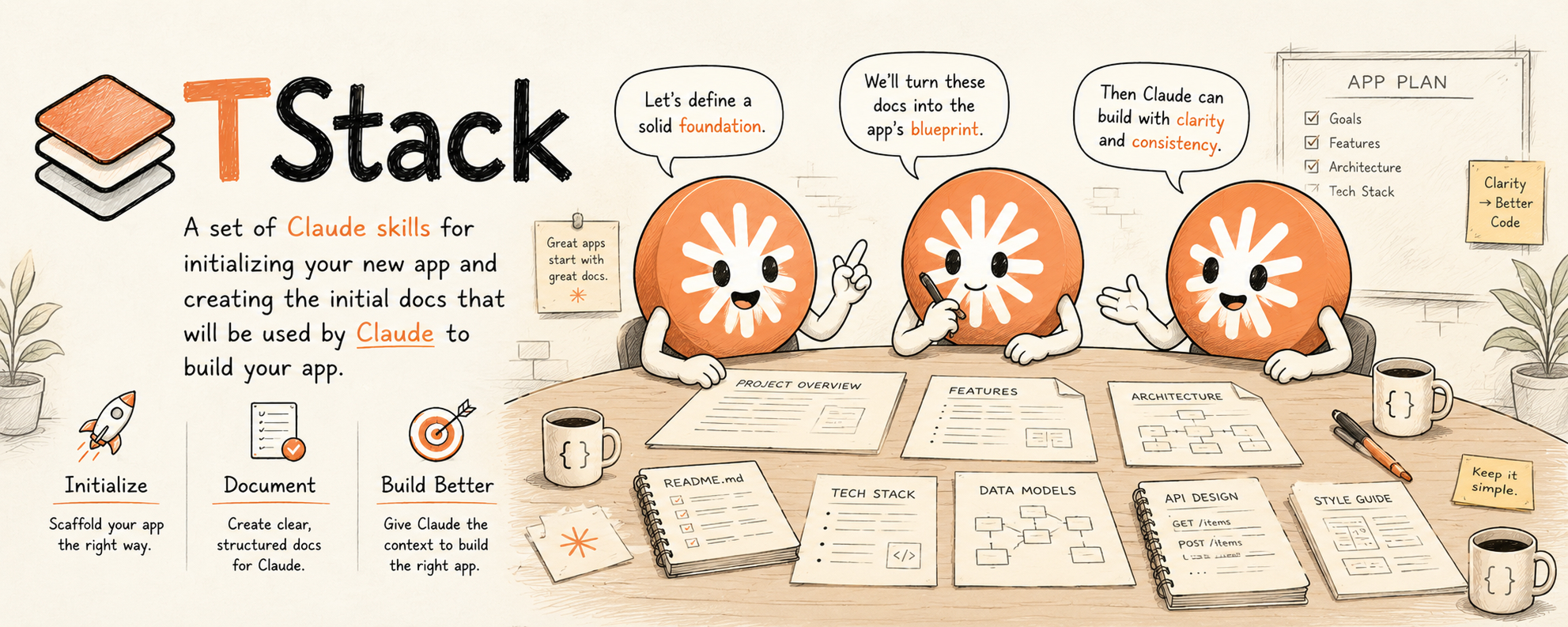
TStack — a Claude Code Plugin
TStack is a Claude Code plugin that takes you from a rough product idea to a fully documented, milestone-sequenced, built project: seven chained skills (discover → product → architect → roadmap → plan → build, plus the specify iteration loop) and three optional, off-chain companions (tstack-design, tstack-status, and tstack-wrap) you can run at any point. Each chained stage auto-triggers based on what you say, reads its input artifact from disk, produces its output, and hands off to the next.
Replaces a previous paste-the-guide-into-each-session workflow with a chain of skills that activate automatically and remember the state of your project on disk.
Under the hood it's an agentic loop built to stay trustworthy over a long project: durable context on disk, verification as the engine, and a fresh session per iteration. (Why that matters ↓)
The Lifecycle
flowchart LR
  A["**tstack-discover**<br/>rough idea → business-brief.md"]
  B["**tstack-product**<br/>brief → PRODUCT.md"]
  C["**tstack-architect**<br/>PRODUCT.md → ARCHITECTURE / API / CONVENTIONS / DECISIONS / specs / AGENTS / CLAUDE"]
  D["**tstack-roadmap**<br/>full docs/ → ROADMAP.md"]
  P["**tstack-plan**<br/>milestone + docs → approved plan + branch"]
  E["**tstack-build**<br/>plan → implement → verify → merge → update status"]
  F["**tstack-specify**<br/>(iteration) add new feature → update docs + ROADMAP"]
  A --> B --> C --> D --> P --> E
  E -.next milestone.-> P
  F --> P
  subgraph offchain ["optional · off-chain · run at any point"]
    G["**tstack-design**<br/>→ design.md + Claude Design prompts"]
    H["**tstack-status**<br/>read-only status + drift report"]
    W["**tstack-wrap**<br/>session sweep → write undocumented gaps"]
  end
Four skills form a one-time setup chain (discover → product → architect → roadmap). Then tstack-plan and tstack-build form the per-milestone loop you run repeatedly. tstack-specify is the iteration skill for adding features after launch — it hands into the same plan → build loop. tstack-design, tstack-status, and tstack-wrap sit outside the chain: invoke them whenever you need them — none is a required step and none blocks the flow. tstack-wrap is the natural way to close a session — it sweeps the work you just did for anything that should be in the docs but isn't, and writes the gaps.
The agentic loop
A coding agent is just an LLM running tools in a loop. The hard part isn't the first response — it's keeping the loop honest across a project too big to fit in one context window. TStack is built around the three things that make that work:
- Durable context, on disk. PRODUCT, ARCHITECTURE, DECISIONS, ROADMAP, and each approved plan (
docs/plans/{id}.md) are the project's external memory. A fresh agent — a new session, another machine, a cloud agent — reloads the project from disk instead of from a context window that degrades as it fills. The docs are the memory. - Verification is the engine. Every milestone's "Done when" criteria are checked by running a real command and pasting its output back (
tstack-build). That external signal — tests, types, lint, a real request — is what keeps each turn honest instead of plausible-but-wrong.tstack-roadmaprefuses criteria that aren't command-verifiable, so the signal is there before you need it. - A fresh session per iteration. Plan a milestone in one session, build it in the next; the on-disk plan + roadmap carry everything across the boundary, so context never piles up milestone over milestone. (This is the default — the skills won't auto-chain on their own.)
This is roughly what people are starting to call "loop engineering." The more established terms are context engineering (curating what's in a single turn) and the harness (the whole runtime around the model). However you name it: TStack is a harness for product-build loops — the docs keep the loop grounded, and the verification step keeps it honest.
The Skills
Chain (seven skills):
| Skill | When it triggers | Input | Output |
|---|---|---|---|
tstack-discover | "I want to build…", new product idea, no brief yet | rough description | docs/1 - Discovery/business-brief.md |
tstack-product | "let's write the PRD" after discovery | business brief | docs/PRODUCT.md |
tstack-architect | "design the architecture" after PRODUCT.md | PRODUCT.md | ARCHITECTURE / API / CONVENTIONS / TESTING / DECISIONS / specs + AGENTS.md + CLAUDE.md |
tstack-roadmap | "make a roadmap" / "what do we build first" | full docs/ tree | docs/ROADMAP.md |
tstack-plan | "plan milestone Mx" / "what should we build next" | ROADMAP.md + milestone-referenced docs | approved implementation plan (docs/plans/{id}.md) + feature branch |
tstack-build | "build it" / "ship this milestone" after a plan is approved | approved plan + feature branch | shipped milestone + merged branch + updated status |
tstack-specify | "let's add feature X" in an established project | existing PRODUCT.md (+ ROADMAP.md) | updated docs + appended milestones |
Optional companions (off-chain — run at any point):
| Skill | When it triggers | Input | Output |
|---|---|---|---|
tstack-design | "design the UI" / "create a design system" / "give me design prompts" | PRODUCT.md if present (else a description) + frontend stack | docs/2 - Specs/design.md + ready-to-paste Claude Design prompts |
tstack-status | "where are we" / "project status" / "what's left" / "is anything out of sync" | docs/ tree + git (read-only) | a chat status report incl. doc-drift flags |
tstack-wrap | "before we wrap" / "did we miss documenting anything" / "sweep for doc gaps" / end of session | session work + git log + docs/ tree | undocumented decisions/gotchas/events written to the right doc (no commit) + a chat report |
Optional: auto-prompt tstack-wrap at session end
By default tstack-wrap is manual — you invoke it (/tstack-wrap, or by saying "before we wrap…"). That's deliberate: the highest-fidelity sweep needs the live conversation, where the session's decisions actually live, so it's best run in-session, on purpose.
If you want a guaranteed nudge when you're wrapping up, add an opt-in Stop hook to your project's .claude/settings.json. Note the constraints that make this the only workable pattern:
SessionEndcan't do it — it fires after the model is done, so it can't run a skill or influence Claude (it's cleanup-only).Stopfires after every assistant turn, so it must (a) detect wrap-up intent and (b) guard against re-firing viastop_hook_active, or it will nag constantly.- A headless/automated sweep (e.g. spawning
claude -pfromSessionEnd) would see only git + docs, not the chat — losing the part that matters most. So the goal of the hook is to prompt you to run it interactively, not to run it behind your back.
// .claude/settings.json
{
  "hooks": {
    "Stop": [
      { "matcher": "*", "hooks": [
        { "type": "command", "command": "${CLAUDE_PROJECT_DIR}/.claude/hooks/wrap-nudge.sh", "timeout": 5 }
      ] }
    ]
  }
}
#!/usr/bin/env bash
# .claude/hooks/wrap-nudge.sh — nudge tstack-wrap when you signal wrap-up. Needs jq.
input=$(cat)
# don't re-fire after we've already blocked once this turn (avoids a loop)
[ "$(jq -r '.stop_hook_active // false' <<<"$input")" = "true" ] && exit 0
transcript=$(jq -r '.transcript_path // ""' <<<"$input")
[ -f "$transcript" ] || exit 0
# last user message text (content may be a plain string or an array of blocks)
last=$(jq -rs '[.[] | select(.type=="user")] | last
  | (.message.content // .content)
  | if type=="array" then (map(.text? // empty) | join(" ")) else (. // "") end' "$transcript")
if echo "$last" | grep -iqE '(wrap (up|it)|that.?s all|we.?re done|finish( up)?|end session|sign off)'; then
  jq -n '{decision:"block", reason:"Wrap-up detected — run tstack-wrap to sweep this session for undocumented decisions/gotchas before closing. Then stop."}'
fi
exit 0
It's opt-in and yours to tune — adjust the trigger phrases, or drop it entirely and just make /tstack-wrap a habit. It needs jq, and transcript field names can shift between Claude Code versions; if it never fires, inspect the real hook input with /hooks and adjust the jq path.
Install
This repo is the plugin. From a project where you want to use TStack:
# In Claude Code:
/plugin marketplace add tatejennings/tstack
/plugin install tstack@tstack
Once installed, the skills auto-trigger when their descriptions match what you say — no manual invocation required. You can also invoke explicitly with /tstack-discover, /tstack-plan, etc., if you want to skip the trigger phrase.
Quick Start
-
Start a new product idea — from a fresh project directory, say in Claude Code:
"I want to build an app that helps freelancers track time across multiple clients."
tstack-discoveractivates, interviews you, researches competitors, and writesdocs/1 - Discovery/business-brief.md. Commit it and start a fresh session. -
Walk the setup chain. In each new session, the next skill triggers from natural language:
- "let's write the PRD" →
tstack-productproduces PRODUCT.md - "design the architecture" →
tstack-architectproduces the technical doc set - "make a roadmap" →
tstack-roadmapproduces ROADMAP.md
- "let's write the PRD" →
-
Per-milestone loop: work one milestone at a time, and start a fresh session for each step — the plan and roadmap live on disk, so each session needs nothing from the last:
- "plan milestone M0" →
tstack-planreads the milestone's referenced docs, branches, and produces an approved implementation plan (commit it underdocs/plans/) - In a new session, "build it" →
tstack-buildimplements the plan, verifies "Done when" criteria, merges, and updates ROADMAP.md status
Then plan the next milestone in another fresh session. A new window per step keeps context from piling up across a long roadmap — and lets a cloud agent or another machine pick up a committed plan. (Building a small milestone in the same session you planned it is fine if you prefer; the skills just won't roll on by themselves.)
- "plan milestone M0" →
-
Add features after launch. When you want to extend the product, say:
"I want to add a CSV import feature."
tstack-specifyactivates, interviews you, proposes which docs need updates (with per-item approval), applies them, appends new milestones to ROADMAP.md, and hands off totstack-planfor the first new milestone.
Output Structure (in a Consumer Project)
After running the setup chain, your project repo looks like:
your-project/
├── AGENTS.md                    # Single source of truth for AI agents
├── CLAUDE.md                    # → See @AGENTS.md
├── docs/
│   ├── PRODUCT.md
│   ├── ARCHITECTURE.md
│   ├── API.md
│   ├── CONVENTIONS.md
│   ├── TESTING.md
│   ├── DECISIONS.md
│   ├── ROADMAP.md
│   ├── plans/                   # milestone plans (tstack-plan → tstack-build)
│   │   └── m0.md
│   ├── 1 - Discovery/business-brief.md
│   └── 2 - Specs/
│       ├── database-schema.md
│       ├── design.md            # if tstack-design was run
│       └── …
Right-Sizing
Not every project needs every artifact. tstack-architect will ask which level you want before writing anything:
| Project complexity | Docs produced |
|---|---|
| Minimum (solo dev, single feature domain) | ARCHITECTURE.md · CONVENTIONS.md · TESTING.md · DECISIONS.md · AGENTS.md · CLAUDE.md |
| Standard (multi-feature app, API-driven) | + API.md |
| Full (complex system, multiple services, team) | + breakout specs in docs/2 - Specs/ |
DECISIONS.md and TESTING.md are mandatory at every size. tstack-architect records four foundational ADRs (security, observability, accessibility, privacy) before any other doc is written — regardless of project size. AI/LLM products get an additional ai-strategy.md spec.
Trigger Compatibility
TStack skills coexist with other Claude Code plugins, but a few descriptions overlap. Disambiguating phrases:
| If you want… | Say | Avoids triggering |
|---|---|---|
| Plan the next TStack milestone | "plan milestone M3" / "plan the next milestone" | superpowers:writing-plans (which triggers on generic "write a plan") |
| Execute a TStack milestone | "build it" / "ship M3" / "implement the plan" | superpowers:executing-plans (generic plan execution) |
| TStack product discovery | "discover a new product" / "let's spec a new product idea" | superpowers:brainstorming (generic ideation) |
| TStack feature spec on existing project | "add a feature to this TStack project" / "spec a new feature" | tstack-product (which is for greenfield only) |
In most cases auto-triggering picks the right skill because TStack descriptions include docs/PRODUCT.md / docs/ROADMAP.md prerequisites — superpowers skills don't reference those files, so Claude prefers the TStack skill when those docs exist. If you hit a collision in practice, invoke the skill explicitly: /tstack-plan, /tstack-build, etc.
Multi-Agent Support
TStack produces an AGENTS.md at your consumer repo's root as the single source of truth for all AI coding tools. Tool-specific config files just point to it:
| Tool | Config file | Contents |
|---|---|---|
| Claude Code | CLAUDE.md | See @AGENTS.md |
| Cursor | .cursorrules | See @AGENTS.md |
| Codex | codex.md | See @AGENTS.md |
| Others | Their config | See @AGENTS.md |
One place to update, every tool stays in sync.
Repo Layout
claude-code-starter/             # this repo = the plugin
├── .claude-plugin/plugin.json   # plugin manifest
├── skills/
│   ├── tstack-discover/         SKILL.md + references/full-guide.md
│   ├── tstack-product/          SKILL.md + references/full-guide.md
│   ├── tstack-architect/        SKILL.md + references/full-guide.md
│   ├── tstack-roadmap/          SKILL.md + references/full-guide.md
│   ├── tstack-plan/             SKILL.md (shares tstack-build's reference)
│   ├── tstack-build/            SKILL.md + references/full-guide.md
│   ├── tstack-specify/          SKILL.md (no migrated reference — written from scratch)
│   ├── tstack-design/           SKILL.md + references/example-output.md (optional, off-chain)
│   ├── tstack-status/           SKILL.md + references/example-output.md (optional, off-chain)
│   └── tstack-wrap/             SKILL.md + references/example-output.md (optional, off-chain)
├── README.md                    # you are here
├── CLAUDE.md                    # for someone editing the plugin
├── BACKLOG.md                   # plugin's own backlog of upcoming features
└── images/banner.jpg
Each skill's references/full-guide.md is the full original long-form prose — the SKILL.md is a concise procedural top-level, and the reference is consulted on demand.
License
MIT — use however you want.