
Claude Photoshop Skill
sungsu8055/claude-photoshop-skill
Crie PSDs no Photoshop conversando com Claude, sem clicar
Ver no GitHubSkill que automatiza a criação de arquivos PSD no Photoshop através de conversa com Claude. Descreva o que deseja e Claude gera scripts JSX, executa no Photoshop e mostra preview em tempo real, eliminando cliques manuais.
Instalação
npx convez-ai sungsu8055/claude-photoshop-skill1 comando no terminal: detecta o formato do repositório (marketplace ou plugin avulso) e instala via Claude Code. Requer Node 18+ e o Claude Code instalado.
Métricas
Casos de uso
- Gerar templates de redes sociais (Instagram, Stories) parametrizados
- Automatizar criação de materiais de marketing com variações
- Produzir arquivos de design em lote com scripts reutilizáveis
Veredito

Prototipo R&D bem executado para automação de design em Photoshop via chat. Requer Mac com Photoshop instalado e app desktop Claude com execução de código. Excelente para fluxos repetitivos de design, mas ainda em estágio inicial de desenvolvimento.
README
A tradução para o português deste README ainda está na fila.
Claude Photoshop Skill
Make layered Photoshop .psd files by chatting with Claude — you describe what you
want, Claude writes a small Photoshop script, runs it, and shows you a preview. No clicking
around in Photoshop.
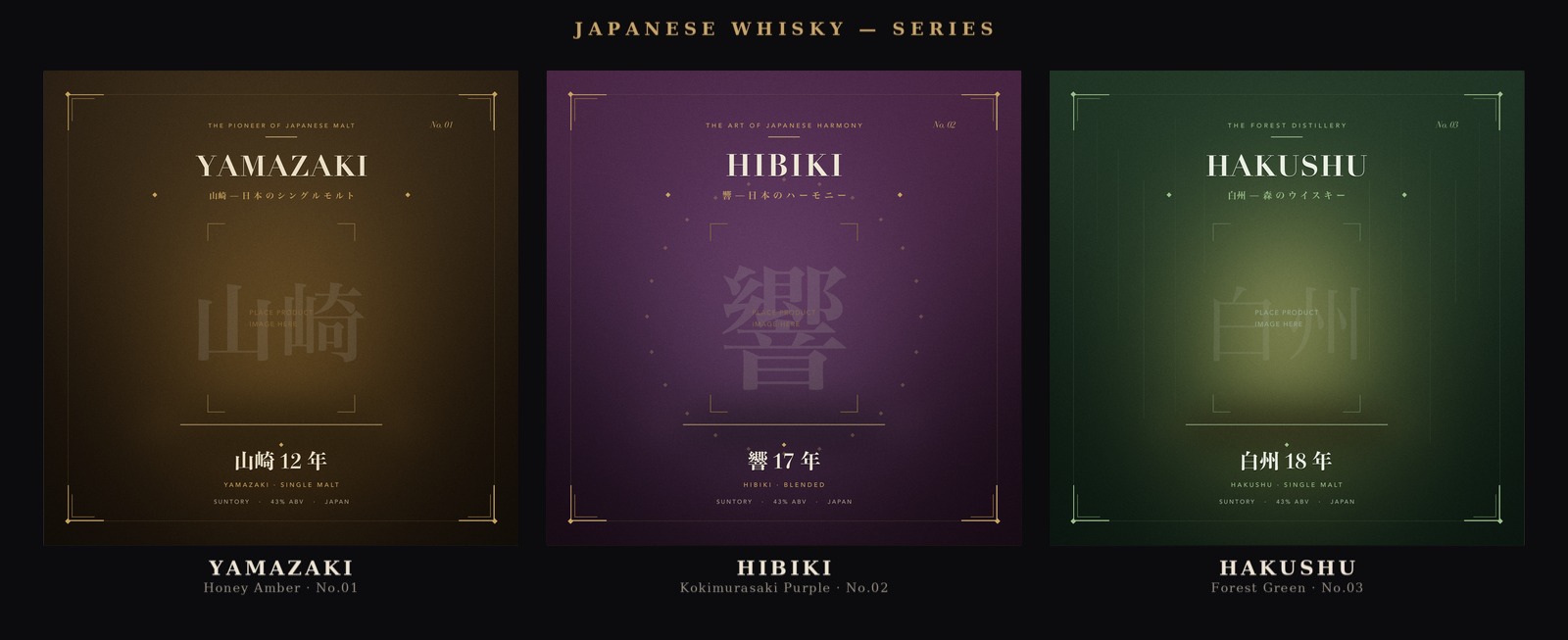
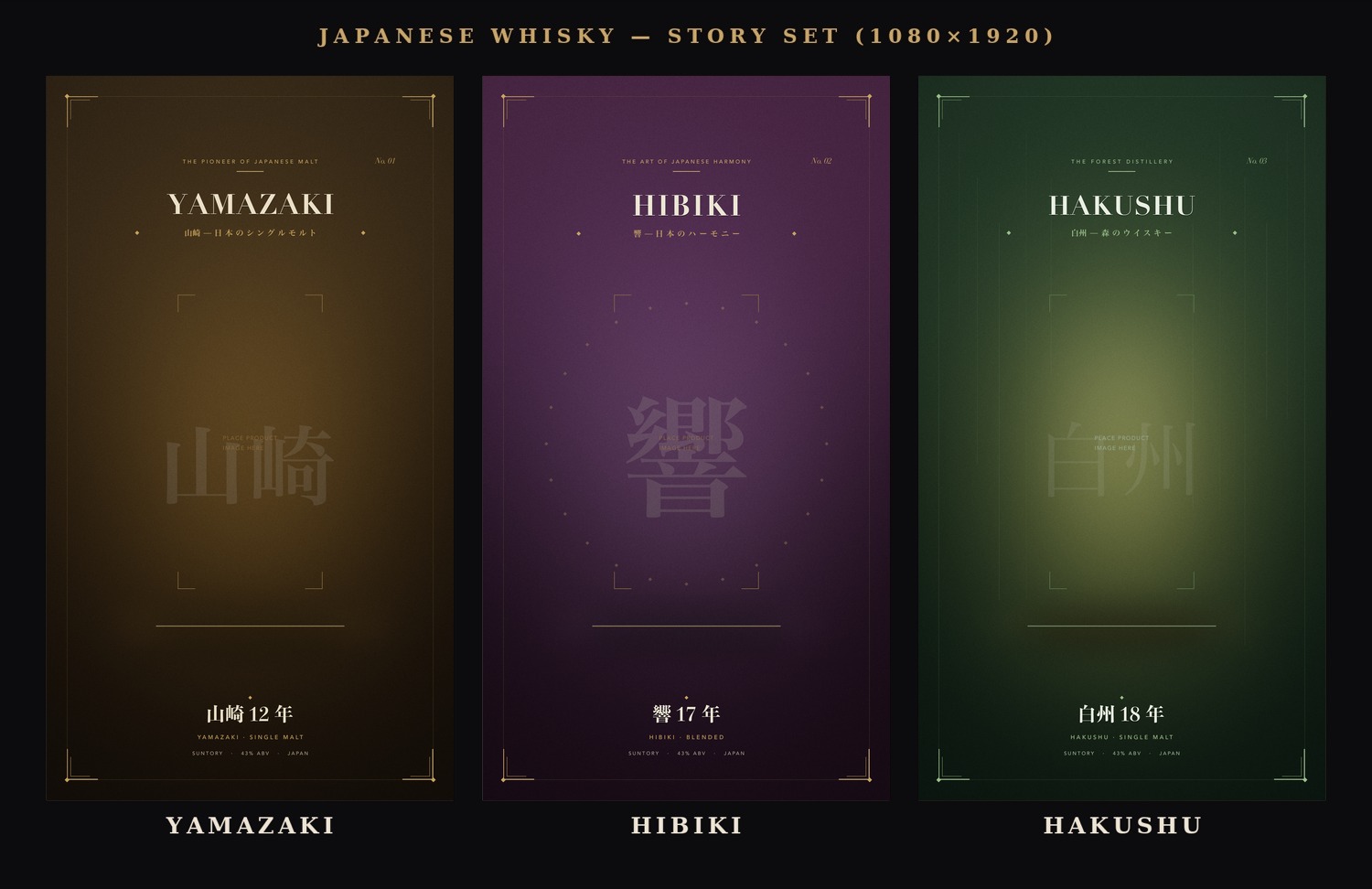
Gallery — Japanese whisky series
A set of reusable 1080×1080 templates — one mood per brand, color and tone tuned to each
label — plus matching 1080×1920 story versions. Each is generated from a script
(whisky_yamazaki.jsx,
whisky_hibiki.jsx,
whisky_hakushu.jsx) and leaves an empty center zone to drop a
product bottle on.
Status: early prototype (R&D). Right now it does one thing: build PSDs in Photoshop through Claude's Cowork mode via chat. It'll grow from here.
Install
1. Download the skill:
psd-jsx-builder.zip
— that single file is the whole skill (the instructions, every reference doc, and the scripts,
bundled together).
⚠️ Don't use the green Code → Download ZIP button at the top of this repo — that grabs the whole repository, which won't install as a skill. Use the download link above.
2. Turn on code execution: in Claude, go to Settings → Capabilities and switch on Code execution and file creation (skills need this to run).
3. Upload it: go to Customize → Skills, click + → Create skill → Upload a skill, and
choose the psd-jsx-builder.zip you just downloaded.
4. Toggle it on in the skills list. Done — you won't need to do this again.
What you need
- A Mac with Adobe Photoshop installed (your own copy).
- The Claude desktop app signed in, with Code execution and file creation on (Settings → Capabilities) — this runs the build/verify scripts.
- The macOS connector enabled — this is what lets Claude run commands and drive Photoshop on your Mac, which the build step depends on.
- The first time it builds, macOS asks to let Claude control Photoshop — click OK / Allow.
No other external connectors are needed, and Claude installs the Python libraries it uses
(psd-tools, Pillow) on its own.
Make your first image
Always start with the /psd-jsx-builder command. If you just describe an image in plain words,
Claude may build it with a different tool. Typing the command pins the request to this skill.
-
Open a new chat and pick a folder where your files should be saved.
-
Type
/psd-jsx-builder, then your request in plain words. For example:/psd-jsx-builder1080×1080 Instagram post, "GRAND OPENING" in big letters, dark background/psd-jsx-builder16:9 title slide, title "Quarterly Review", subtitle "Q2 2026"/psd-jsx-builderbusiness card 90×54 mm, name "Alex Kim", role "Designer", for print
Or just type
/psd-jsx-builderon its own — Claude walks you through the setup first (what it's for, where it'll be used), picks the right canvas, and builds, in order. -
Claude writes the script, drives Photoshop, and shows you a preview.
-
Want changes? Just say so — "make the title bigger," "use a blue background," "move the logo to the top-right." Claude rebuilds and shows you again.
-
When it looks right, the layered
.psd(plus a JPG/PNG/PDF) is waiting in your folder.
What you can make
You don't work out pixels, DPI, or bleed — Claude picks the right settings for your use case.
| What | Size | Output |
|---|---|---|
| Presentation slide (16:9) | 1920×1080 px | PNG · PDF deck |
| Instagram — square / portrait | 1080×1080 / 1080×1350 px | JPG |
| Story / Reels / TikTok (9:16) | 1080×1920 px | JPG |
| YouTube thumbnail | 1280×720 px | JPG |
| Web hero / banner | your size (built 2×) | PNG · JPG |
| A4 / A3 poster | mm @ 300 DPI + bleed | print PDF (PDF/X) |
| Business card | 90×54 mm | print PDF |
| US Letter flyer | 8.5 × 11 in | print PDF |
Screen output (slides, social) is the solid path. Print (CMYK / PDF·X) is experimental.
How it works
You ask in plain language → Claude sets the canvas for your use case, writes a small ExtendScript
(.jsx), and runs it through Photoshop with osascript to produce a layered .psd. It then
renders a PNG to check the result, tweaks, and rebuilds until it's right — so every file is
reproducible. Editing an existing PSD (change text or swap an image without losing your manual
edits) is supported too.
Maintainers: the installable is psd-jsx-builder.zip — a zip whose top-level psd-jsx-builder/ folder holds SKILL.md + references/
- scripts/ + examples/ (no README or .git inside). After editing those, rebuild that zip and commit it.
License
MIT © 2026 Kim Sungsu. Adobe and Photoshop are trademarks of Adobe Inc.; this is an independent prototype, not affiliated with Adobe or Anthropic.