
7/24 IDE - Agente Desenvolvedora IA Local
strmax195-hue/7-24-IDE
Agente IA desenvolvedor autônomo que trabalha 24/7 em seu projeto local
Ver no GitHubServidor MCP que implementa um agente desenvolvedor autônomo rodando localmente, capaz de ler arquivos, escrever código, executar comandos de terminal e renderizar previsualizações ao vivo. Funciona offline com Ollama, é extensível via MCP, oferece snapshots automáticos e auto-commits Git para máxima segurança.
Instalação
npx convez-ai strmax195-hue/7-24-IDE1 comando no terminal: detecta o formato do repositório (marketplace ou plugin avulso) e instala via Claude Code. Requer Node 18+ e o Claude Code instalado.
Métricas
Casos de uso
- Automatizar escrita e modificação de código em projetos locais
- Executar builds, testes e scripts complexos sem intervenção manual
- Prototipagem rápida com preview ao vivo e rollback automático
- Desenvolvimento offline com Ollama em ambientes sensíveis
Veredito

Ferramenta ambiziosa que reimagina a colaboração humano-IA no desenvolvimento. Execução real em ambiente local com controle granular, snapshots automáticos e integração MCP a torna poderosa, mas requer confiança e monitoramento atento dado o acesso irrestrito ao terminal e filesystems.
README
A tradução para o português deste README ainda está na fila.
7/24 IDE
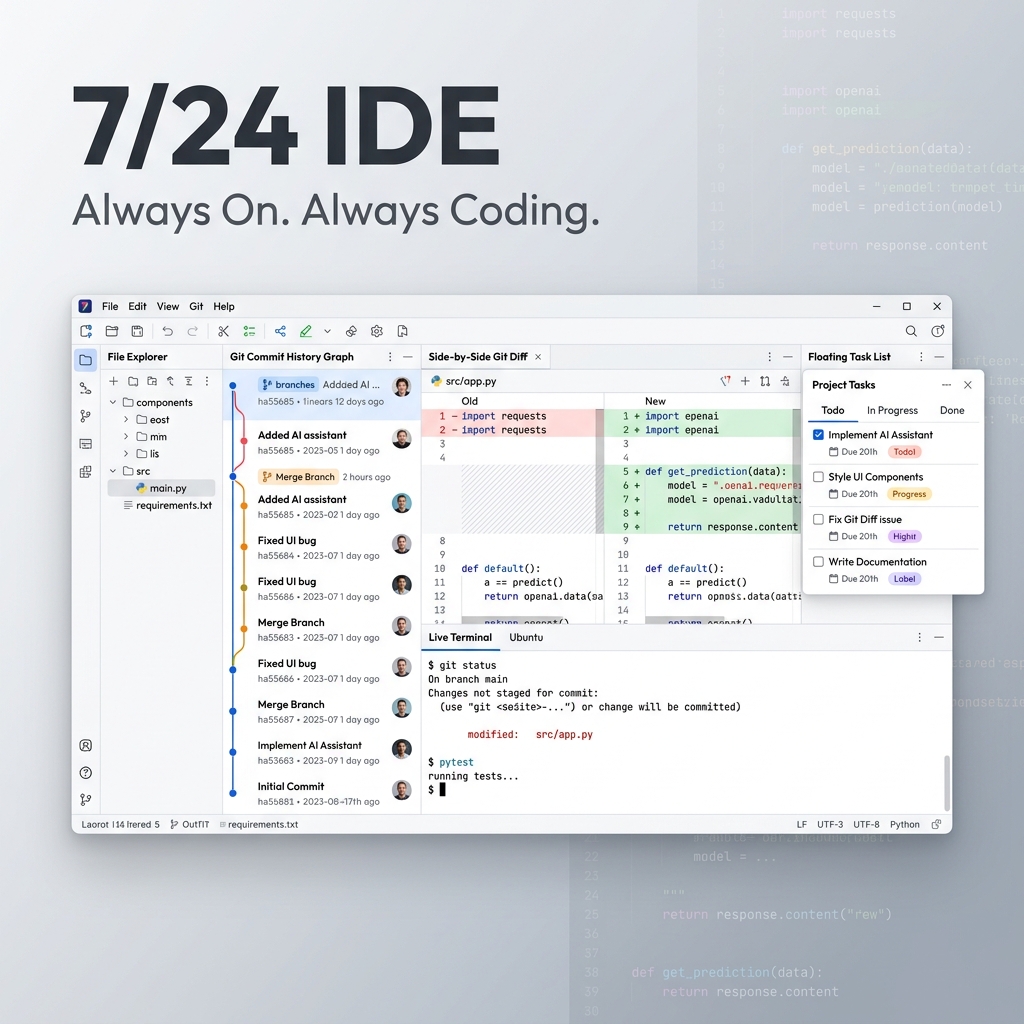
Always On. Always Coding.
Build software, fix bugs, and run commands on your local machine using an autonomous AI developer agent that actually does the work for you.
Why 7/24 IDE?
We all love building, but the execution can be tedious. Standard AI chats force you to copy-paste code blocks continuously. Sandbox coding spaces restrict you to tiny web applications, making it impossible to install native packages or run complex backends.
7/24 IDE changes that.
Instead of a generic chat window, it is a focused, local workspace built around an autonomous developer agent. You describe what you want, and the agent reads your files, writes precise modifications, runs install and build scripts, and shows you a live visual preview.
It is like having a junior developer working directly in your project folder, 24 hours a day, 7 days a week.
Key Benefits
🚀 Real Tools, Real Execution
Unlike browser sandboxes, 7/24 IDE works on your real local folders. The agent can run compiler scripts, run npm install, compile Rust, or execute backend tests. If it can run in your terminal, the agent can use it to build your project.
🦙 Ollama Offline Mode
Run completely private, offline builds and checklist executions by selecting the Ollama provider in settings and pointing it to your local Ollama API endpoint (typically http://localhost:11434). You can also configure local model context limits (num_ctx) directly from the settings panel.
🛠️ Model Context Protocol (MCP)
Extend the agent's capabilities by adding external stdio JSON-RPC MCP servers directly from the settings. This lets you connect database inspectors, search engines, web page readers, or code formatters.
🛡️ Safety and Absolute Control
Mistakes happen, but they won't break your project:
- Auto-Checkpoints: The app takes a silent snapshot of your workspace before every agent run. You can roll back the entire project to any point in one click via the Snapshots tab.
- Fullscreen Myers Diff: Before writing code to your disk, review edits in a side-by-side fullscreen diff alignment modal using Myers/LCS line-matching, complete with regex-based syntax highlighting for major languages.
- Permissions Panel: Set rules for file reads, file writes, and command executions (e.g. Always Ask, Always Allow, or Deny).
🤖 Smart Auto-Commits
Enable Git Auto-Commits in Settings to automatically stage files and create Git commits. Choose to verify/edit commit messages before they are created, and customize the commit prefix (defaults to [AI]).
💬 Interactive Terminal (Stdin)
No more hangs on interactive prompts. Live stream terminal outputs and write directly to standard input (like [y/n] prompts, package configurations, or password requests) from the terminal input bar. You can stop/kill active processes at any time and navigate stdin input history using the Up/Down arrow keys.
⚡ Instant Feedback Loop
See your creations come to life. The app features a live preview panel that displays your HTML, CSS, and JS applications. It only refreshes when relevant files change, ensuring a zero-flicker preview as you build.
🔒 Private and Local
Your code belongs to you. All projects, chats, settings, and snapshots are stored locally on your machine (%APPDATA%\7-24 IDE\). Your API key is encrypted using the secure OS keychain (Windows DPAPI). No telemetry, no cloud storage, no lock-in.
Quick Start
- Download & Install the latest installer from the Releases page (
7-24-IDE-Setup-x.y.z.exe). - Pick a Workspace: Choose any folder on your computer where you want to build.
- Add API Key: Retrieve a key from OpenRouter and paste it in Settings. This gives you instant access to all major models (Claude 3.5 Sonnet, GPT-4o, Gemini 1.5 Pro, Llama 3, etc.).
- Start Building: Type what you want to create (e.g., "Build a weather app dashboard with search"), approve the plan, and watch it build.
Under the Hood (For Tech Enthusiasts)
If you want to know how the magic happens:
- Dual Mode Conversational Workspace: Switch between Build mode (direct edits and fast iterations) and Plan mode (the agent generates a step-by-step checklist, which is then verified and executed chunk-by-chunk with isolated contexts).
- AST Compression: Files are parsed and compressed using syntax trees so that large files don't consume your entire model context budget.
- Self-Evolving Skills: After a successful build, the assistant reflects on the conversation history and compiles reusable skills (short rule sets) that auto-activate when similar tasks are requested in the future.
- Prompt Caching: Optimised system prompts for Anthropic models reduce generation latency and lower API costs.
- Atomic Writes: Code is written to a temporary sibling file and then renamed, preventing any corrupted files due to sudden network drops or process interruptions.
License
See LICENSE.