
Spotify Vibe Playlists
Spekzwilly/spotify-vibe-playlists
Crie playlists Spotify por vibe + atividade usando linguagem natural no Claude
Ver no GitHubServidor MCP que cria playlists no Spotify a partir de descrições naturais de vibes usando Claude. Você descreve a atividade, duração e mood desejados, e a ferramenta constrói uma playlist privada e a abre automaticamente no Spotify.
Instalação
npx convez-ai Spekzwilly/spotify-vibe-playlists1 comando no terminal: detecta o formato do repositório (marketplace ou plugin avulso) e instala via Claude Code. Requer Node 18+ e o Claude Code instalado.
Métricas
Casos de uso
- Gerar playlists personalizadas para estudar, trabalhar ou exercitar
- Automatizar a criação de playlists temáticas sem navegar na interface Spotify
- Integrar sugestões musicais em workflows do Claude Desktop
Veredito

Ferramenta bem-construída para automação de playlists Spotify via Claude. A implementação é sólida (OAuth, token refresh, vibe dictionary), mas requer setup local não-trivial (certs, env vars). Útil para quem quer criar playlists por descrição natural em vez de buscar tracks manualmente.
README
A tradução para o português deste README ainda está na fila.
spotify-vibe-playlists
A local MCP server that creates Spotify playlists from natural language vibe descriptions. Tell Claude what you're doing and how it should feel — it builds a private playlist and opens it in Spotify.
Built as a personal replacement for Spotify AI DJ, which is region-locked in Taiwan.
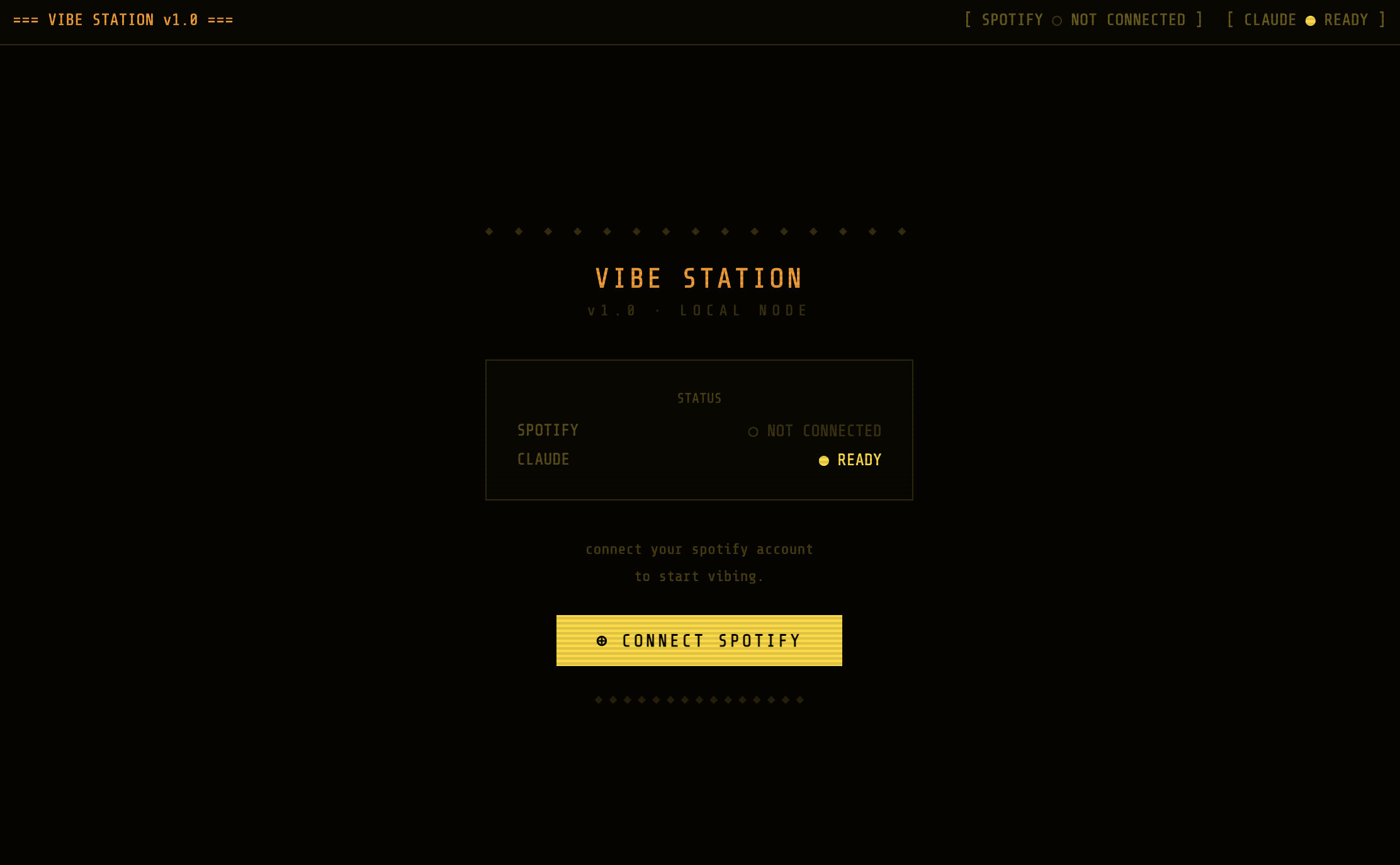
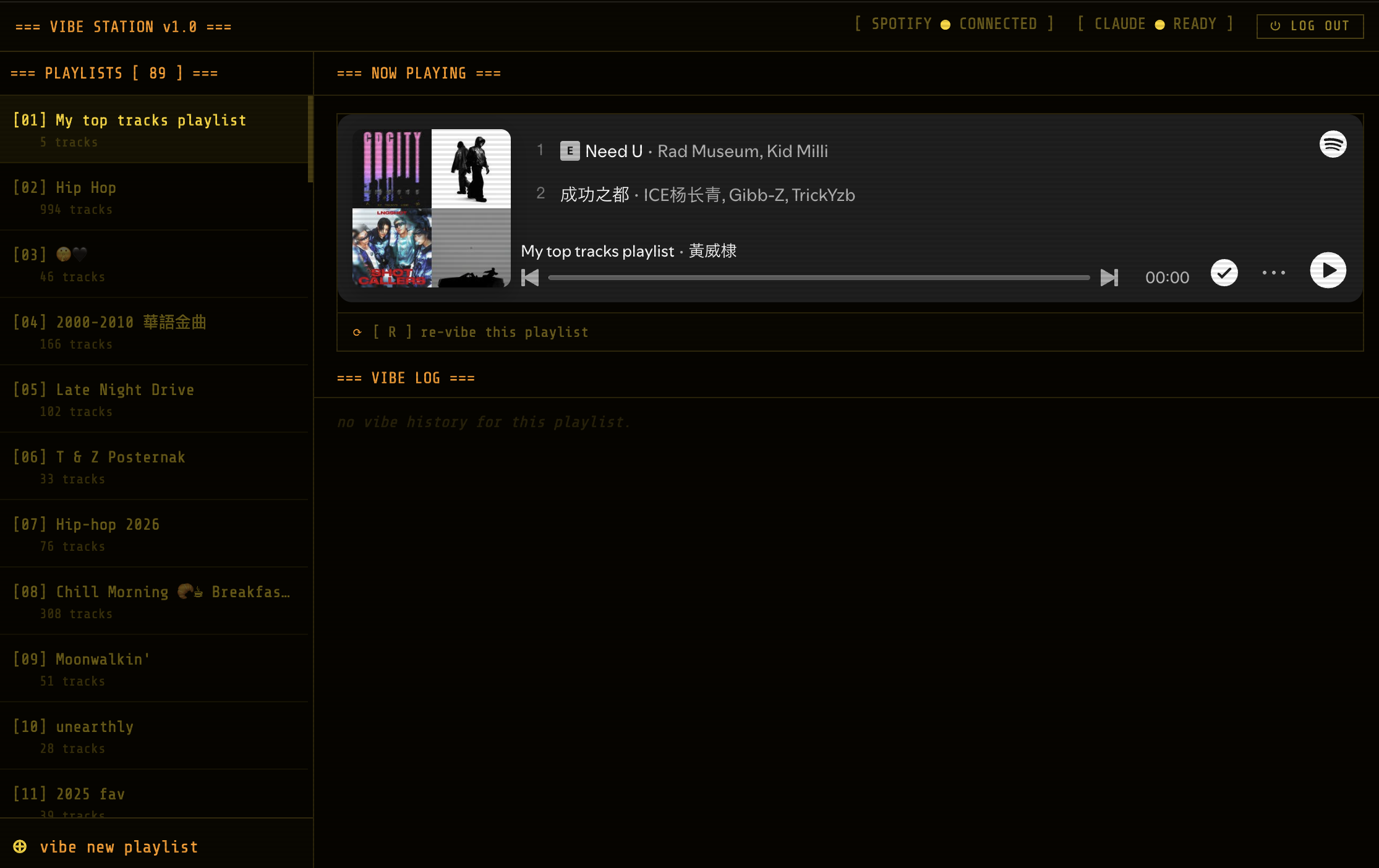
There are two ways to use it: the MCP server (from Claude Desktop) and the Vibe Station web app (Express + React), which is deployed live on Render:
🌐 Live app: https://vibe-station-rcjx.onrender.com
| Connect | Playlists & now playing |
|---|---|
 |  |
How it works
Claude Desktop calls the create_vibe_playlist MCP tool with:
- activity — what you're doing (
studying,building decks,cooking) - duration_mins — how long the playlist should be
- vibes — mood tags from the vibe dictionary (
lo-fi,chill,workout, etc.) - bpm_min (optional) — BPM hint to influence search results
The server searches Spotify, creates a private playlist named {activity} · {vibes} · {duration}min, and populates it with tracks.
Vibe dictionary
| Tag | Search terms |
|---|---|
lo-fi | lo-fi chill study beats |
white-noise | ambient white noise focus |
focus | focus study instrumental concentration |
chill | chill indie acoustic relax |
energetic | energetic upbeat electronic dance |
happy | happy feel good pop uplifting |
sad | sad melancholic emotional indie |
workout | workout gym motivation hip-hop |
sleep | sleep deep ambient calm meditation |
jazz | jazz soul blues smooth |
Setup
1. Spotify Developer App
- Create an app at developer.spotify.com/dashboard
- Add
https://127.0.0.1.nip.io:8888/callbackas a Redirect URI - In User Management, add the email of your Spotify account (required for Development Mode)
- Copy the Client ID and Client Secret
2. Local certs (for OAuth callback)
brew install mkcert
mkcert -install
mkdir certs
mkcert -cert-file certs/local.pem -key-file certs/local-key.pem 127.0.0.1.nip.io
3. Environment
cp .env.example .env
# Fill in SPOTIFY_CLIENT_ID and SPOTIFY_CLIENT_SECRET
4. Install & authenticate
npm install
npm run auth   # opens browser for OAuth — approve the scopes
5. Claude Desktop config
Add to ~/Library/Application Support/Claude/claude_desktop_config.json:
{
  "mcpServers": {
    "spotify-vibe": {
      "command": "npx",
      "args": ["tsx", "/absolute/path/to/spotify-vibe-playlists/src/index.ts"],
      "cwd": "/absolute/path/to/spotify-vibe-playlists",
      "env": {
        "SPOTIFY_CLIENT_ID": "your_client_id",
        "SPOTIFY_CLIENT_SECRET": "your_client_secret"
      }
    }
  }
}
Restart Claude Desktop. Ask Claude: "Create a lo-fi playlist for studying, 30 minutes."
Scripts
| Command | Description |
|---|---|
npm run auth | Run the OAuth flow and save token to ~/.spotify-vibe-token.json |
npm run start | Start the MCP server manually |
npx tsx scripts/test-auth.ts | Run the full 4-step API diagnostic |
Token storage
The OAuth token is stored at ~/.spotify-vibe-token.json (mode 600). It auto-refreshes using the refresh token when it expires.
Web app (Vibe Station)
A browser UI for the same engine, backed by server/index.ts (Express) and client/ (React + Vite). It uses Claude to parse a free-text prompt into vibe parameters, then searches Spotify and builds the playlist.
npm run dev # client on :5173, API on https://localhost:8888 (needs mkcert certs)
Requires ANTHROPIC_API_KEY in .env in addition to the Spotify credentials.
Deployment (Render)
Deployed live at https://vibe-station-rcjx.onrender.com via the render.yaml blueprint.
In production, Express serves the built React client from the same origin and listens on $PORT over plain HTTP (Render terminates TLS at its edge). Local dev keeps HTTPS + mkcert so the Spotify redirect URI matches.
To deploy your own:
- Render → New → Blueprint, point at this repo (reads
render.yamlfrommain). - In the service's Environment tab, set:
SPOTIFY_CLIENT_ID,ANTHROPIC_API_KEY, andSPOTIFY_REDIRECT_URI=https://<your-service>.onrender.com/callback. - Add that same
/callbackURL as a Redirect URI in the Spotify developer dashboard. - Open the URL → Connect Spotify.
Free-tier caveats:
- The filesystem is ephemeral, so the Spotify token (
~/.spotify-vibe-token.json) is wiped on every spin-down/deploy — you'll re-click Connect Spotify periodically. For a durable token, use a paid instance + Persistent Disk pointed at the token path. - First request after ~15 min idle is a slow cold start (~30–60s).
Notes
- Playlists are created as private
- Track count is estimated as
ceil(duration_mins / 3.5) - BPM is a search hint, not an audio filter — results match the vibe/genre, not exact BPM
- The Spotify API uses
POST /v1/playlists/{id}/items(not the deprecated/tracksendpoint) - Re-run
npm run authif you ever get auth errors