
Claude Setting Manager
shyinlim/claude_setting_manager
Gerenciamento centralizado de configurações Claude para equipes
Ver no GitHubFerramenta centralizada para gerenciar e distribuir configurações de CLAUDE.md entre projetos e equipes. Permite criar, atualizar e sincronizar templates de instruções e skills de forma consistente em múltiplos repositórios.
Instalação
npx convez-ai shyinlim/claude_setting_manager1 comando no terminal: detecta o formato do repositório (marketplace ou plugin avulso) e instala via Claude Code. Requer Node 18+ e o Claude Code instalado.
Métricas
Casos de uso
- Manter configurações consistentes em múltiplos projetos de uma equipe
- Distribuir templates padronizados de CLAUDE.md e SKILL.md
- Atualizar configurações de Claude Code em lote across repositories
Veredito

Solução prática para equipes que precisam sincronizar configurações Claude em escala. Bem estruturada, suporta GitLab e npm, com CLI clara — ideal para DevOps e arquitetura técnica de projetos maiores.
README
A tradução para o português deste README ainda está na fila.
claude-setting-manager
Centralized CLAUDE.md management tool for teams. Manage and distribute Claude Code configuration templates across multiple projects.
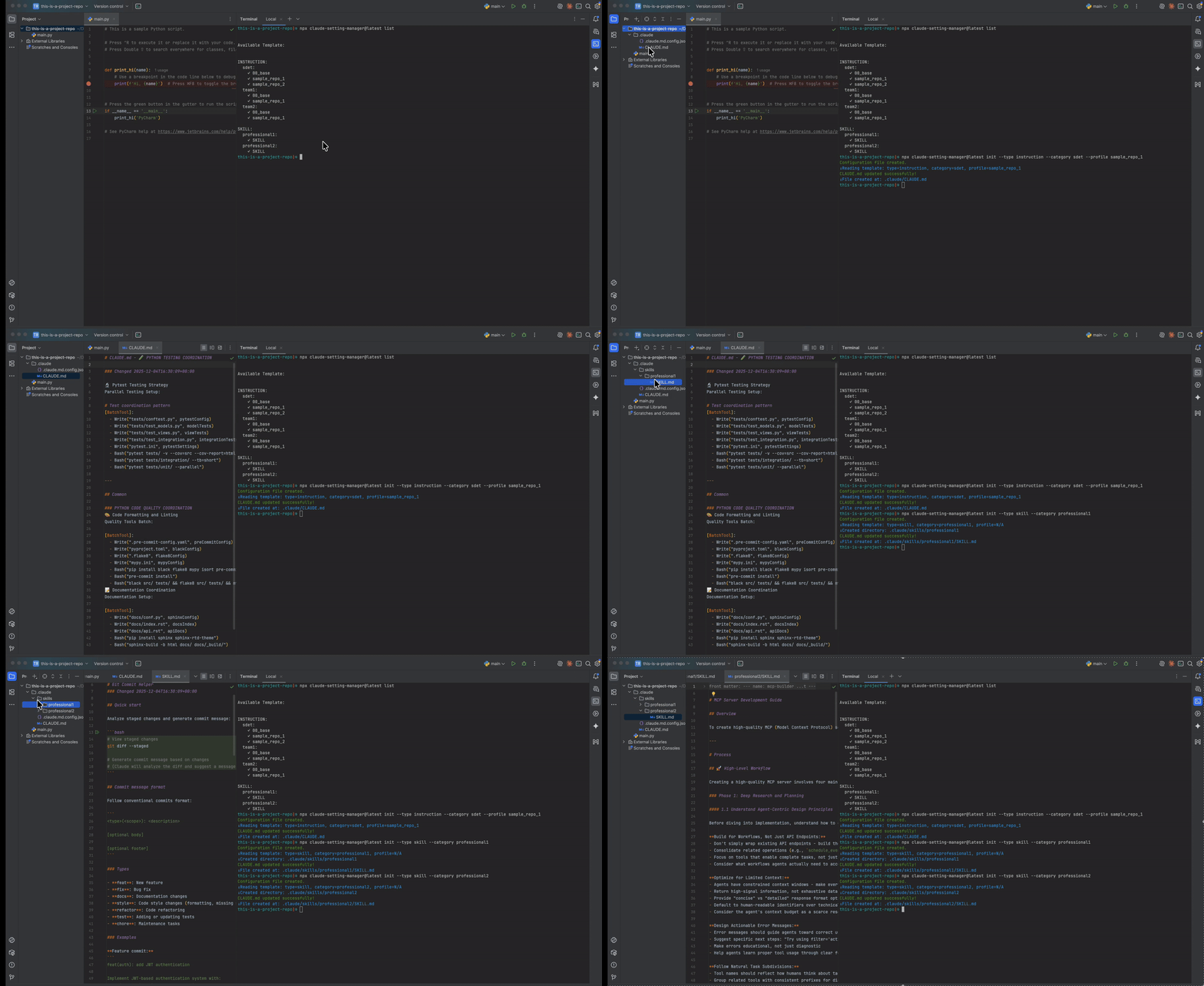
Features
- Template Management: Centralized templates for CLAUDE.md and SKILL.md files
- Team Configuration: Share consistent Claude Code settings across team repositories
- Easy Updates: Update project configurations from latest templates with one command
Installation
Before installation, GitLab user must setup (If Github pls ignore)
For GitLab private registry, create ~/.npmrc in local first:
@YOUR_SCOPE:registry=https://gitlab.com/api/v4/projects/PROJECT_ID/packages/npm/
//gitlab.com/api/v4/projects/PROJECT_ID/packages/npm/:_authToken=YOUR_GITLAB_ACCESS_TOKEN
Choose one package manager
# If using npm
npm install -g claude-setting-manager

# If using pnpm
pnpm add -g claude-setting-manager

# Or run directly without installing
npx claude-setting-manager --help
Usage
| Source | Command Prefix |
|---|---|
| GitHub (npmjs.com) | npx claude-setting-manager@latest |
| GitLab (private) | npx @YOUR_SCOPE/claude-setting-manager@latest |
Commands
| Command | Description | Options |
|---|---|---|
list | List available templates | --all Show all templates |
init | Initialize project with template | --type instruction/skill--category Template category--profile Profile name--force Overwrite existing--skip-base Skip base template |
update | Update from configured templates | --force Force update--skip-base Skip base template |
Examples
cd your-project

# List available templates
npx claude-setting-manager@latest list

# Initialize with instruction template
npx claude-setting-manager@latest init --type instruction --category sdet --profile sample_repo_1

# Initialize with skill template
npx claude-setting-manager@latest init --type skill --category professional1

# Update configuration
npx claude-setting-manager@latest update
Development
Prerequisites
- Node.js >= 20.0.0
- pnpm >= 10.x
Setup
# Clone repository
git clone REPOSITORY
cd claude_setting_manager

# Install dependencies
pnpm install

# Link for local development
pnpm link --global

# Test CLI
claude-setting-manager --help
Development Commands
# Run CLI in development
pnpm dev

# Unlink when done
pnpm unlink --global
Project Structure
claude_setting_manager/
├── bin/
│   └── cli.js             # CLI entry point
├── src/
│   ├── command/           # Command handlers
│   ├── core/              # Core logic
│   └── index.js           # Main program
└── template/
    ├── instruction/       # CLAUDE.md templates
    │   ├── sdet/
    │   │   ├── 00_base.md
    │   │   └── sample_repo_1.md
    │   └── team1/
    │       ├── 00_base.md
    │       └── sample_repo_1.md
    └── skill/             # SKILL.md templates
        ├── professional1/
        │   └── SKILL.md
        └── professional2/
            └── SKILL.md
Configuration File
After running init, a config file is created at .claude/.claude.md.config.json:
{
  "type": "instruction",
  "category": "sdet",
  "profile": "sample_repo_1"
}
Adding New Templates
- Create a new directory under
template/instruction/ortemplate/skill/ - Add your markdown files (use
00_base.mdfor shared base content) - Run
claude-setting-manager listto verify
Release
| Platform | Registry | Documentation |
|---|---|---|
| GitHub Actions | npmjs.com (public) | .github/README.md |
| GitLab CI | GitLab npm registry (private) | .gitlab/README.md |
Both use CalVer versioning: YYYY.M.patch (e.g., 2025.12.0)
License
MIT