
MCP Claude Code
SDGLBL/mcp-claude-code
MCP server com Claude Code capabilities para manipulação e análise de código
Ver no GitHubServidor MCP que replica as capacidades do Claude Code, permitindo que Claude execute operações de leitura, escrita e modificação de código diretamente em projetos. Implementa ferramentas completas para análise de código, busca com ripgrep, edição de arquivos e notebooks Jupyter, além de suporte a agentes delegados para tarefas complexas.
Instalação
npx convez-ai SDGLBL/mcp-claude-code1 comando no terminal: detecta o formato do repositório (marketplace ou plugin avulso) e instala via Claude Code. Requer Node 18+ e o Claude Code instalado.
Métricas
Casos de uso
- Integrar Claude Code em clientes MCP personalizados
- Automatizar refatoração e modificação de bases de código
- Buscar e analisar padrões em projetos grandes com ripgrep
- Editar notebooks Jupyter programaticamente via Claude
- Delegar tarefas complexas a sub-agentes especializados
Veredito

Implementação sólida e completa do protocolo MCP com ferramentas robustas para manipulação de código. Ideal para quem precisa integrar capacidades de edição de código em workflows automatizados, mas requer conhecimento técnico de MCP e configuração de agentes LLM.
README
A tradução para o português deste README ainda está na fila.
MCP Claude Code
An implementation of Claude Code capabilities using the Model Context Protocol (MCP).
Overview
This project provides an MCP server that implements Claude Code-like functionality, allowing Claude to directly execute instructions for modifying and improving project files. By leveraging the Model Context Protocol, this implementation enables seamless integration with various MCP clients including Claude Desktop.
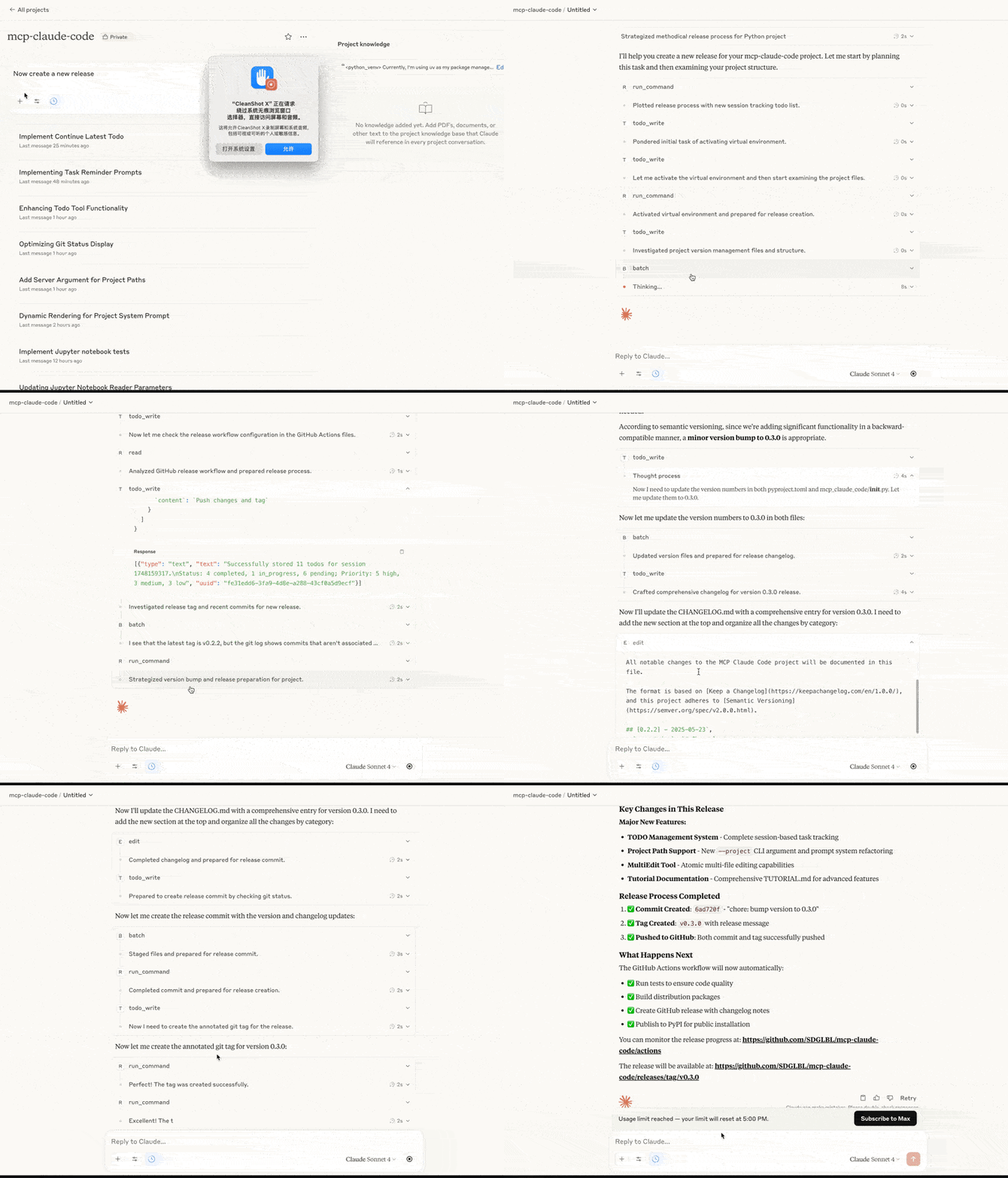
Features
- Code Understanding: Analyze and understand codebases through file access and pattern searching
- Code Modification: Make targeted edits to files with proper permission handling
- Enhanced Command Execution: Run commands and scripts in various languages with improved error handling and shell support
- File Operations: Manage files with proper security controls through shell commands
- Code Discovery: Find relevant files and code patterns across your project with high-performance searching
- Agent Delegation: Delegate complex tasks to specialized sub-agents that can work concurrently
- Multiple LLM Provider Support: Configure any LiteLLM-compatible model for agent operations
- Jupyter Notebook Support: Read and edit Jupyter notebooks with full cell and output handling
Tools Implemented
| Tool | Description |
|---|---|
read | Read file contents with line numbers, offset, and limit capabilities |
write | Create or overwrite files |
edit | Make line-based edits to text files |
multi_edit | Make multiple precise text replacements in a single file operation with atomic transactions |
directory_tree | Get a recursive tree view of directories |
grep | Fast pattern search in files with ripgrep integration for best performance (docs) |
content_replace | Replace patterns in file contents |
grep_ast | Search code with AST context showing matches within functions, classes, and other structures |
run_command | Execute shell commands (also used for directory creation, file moving, and directory listing) |
notebook_read | Extract and read source code from all cells in a Jupyter notebook with outputs |
notebook_edit | Edit, insert, or delete cells in a Jupyter notebook |
think | Structured space for complex reasoning and analysis without making changes |
dispatch_agent | Launch one or more agents that can perform tasks using read-only tools concurrently |
batch | Execute multiple tool invocations in parallel or serially in a single request |
todo_write | Create and manage a structured task list |
todo_read | Read a structured task list |
Getting Started
For detailed installation and configuration instructions, please refer to INSTALL.md.
For detailed tutorial of 0.3 version, please refer to TUTORIAL.md
Security
This implementation follows best practices for securing access to your filesystem:
- Permission prompts for file modifications and command execution
- Restricted access to specified directories only
- Input validation and sanitization
- Proper error handling and reporting
Development
To contribute to this project:
- Fork the repository
- Create a feature branch (
git checkout -b feature/amazing-feature) - Commit your changes (
git commit -m 'Add some amazing feature') - Push to the branch (
git push origin feature/amazing-feature) - Open a Pull Request
License
This project is licensed under the MIT License - see the LICENSE file for details.