
Linna — Assistente de IA Consciente do Projeto
SawSimonLinn/linna
IA que conhece seu projeto, não um assistente genérico
Ver no GitHubAssistente de IA open-source que mantém contexto persistente do seu projeto (stack, objetivos, decisões, histórico de chat) e injeta esse conhecimento em cada conversa. Diferentemente de ChatGPT, Linna funciona como um co-fundador que conhece seu projeto desde o início, eliminando a necessidade de reconstruir contexto a cada sessão.
Instalação
npx convez-ai SawSimonLinn/linna1 comando no terminal: detecta o formato do repositório (marketplace ou plugin avulso) e instala via Claude Code. Requer Node 18+ e o Claude Code instalado.
Métricas
Casos de uso
- Recuperar contexto de projetos pessoais após pausas
- Gerar prompts específicos para Claude Code baseado no stack do projeto
- Manter histórico de decisões e blockers de desenvolvimento
- Importar automaticamente contexto de repositórios GitHub
Veredito

Solução sólida e bem pensada para o problema real de perda de contexto em projetos pessoais. Open-source e self-hostable, com integração GitHub e geração de prompts para Claude Code. Ideal para indie developers que precisam de um parceiro de desenvolvimento ciente do projeto, não um assistente genérico.
README
A tradução para o português deste README ainda está na fila.
Linna — Live Intelligent Notes and Navigation Assistant
Linna knows your project. ChatGPT doesn't.
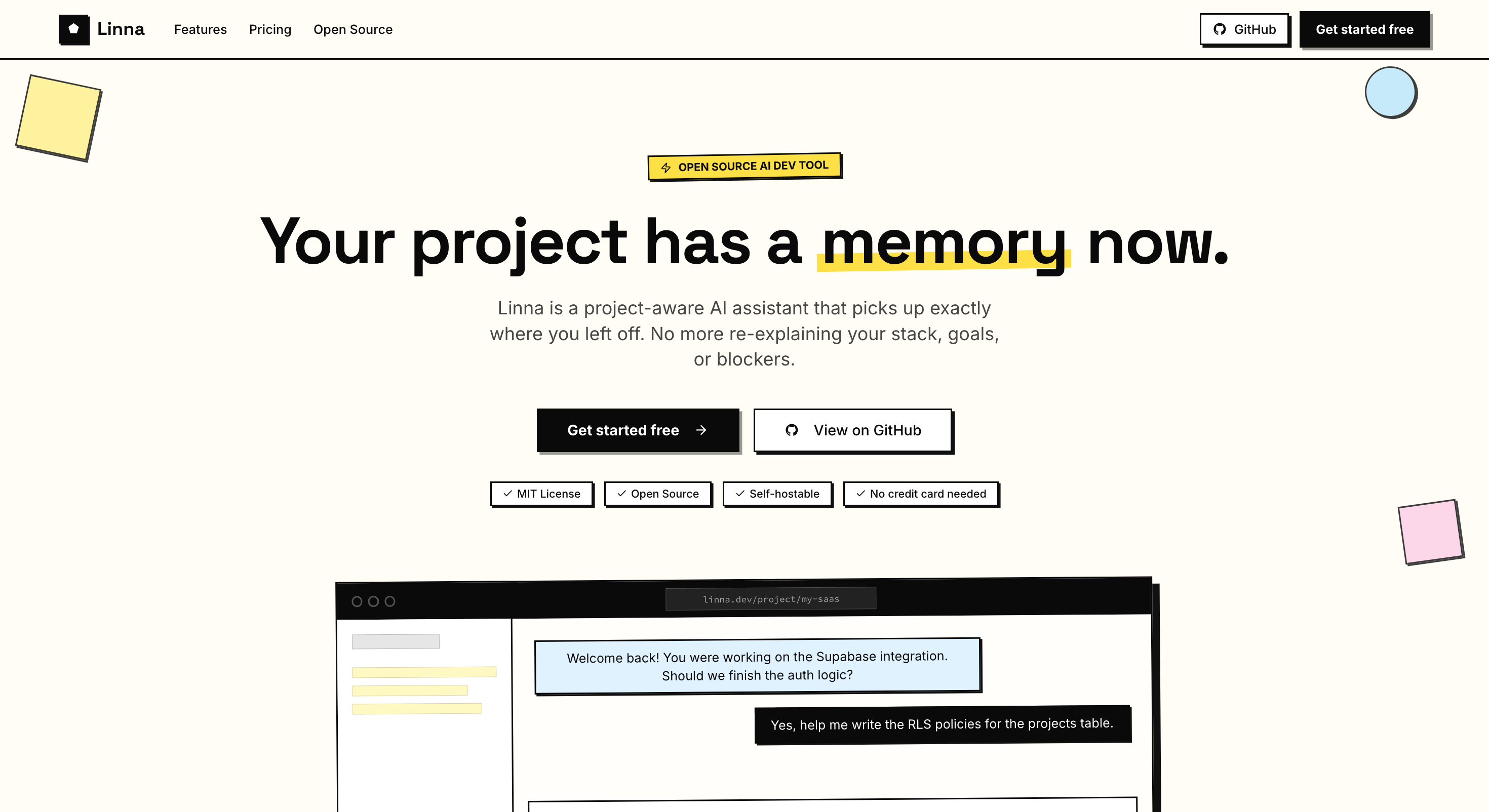
Linna is an open-source, project-aware AI assistant built for indie developers and solo builders. Set up your project once — paste your README, tech stack, goals, blockers, and key decisions — and every conversation from that point is grounded in your specific context. Linna picks up exactly where you left off.
ChatGPT is a brilliant stranger. Linna is the co-founder that was there from day one.
The Problem
Every time a dev sits down after a few days away, they waste 30–60 minutes reconstructing context. Generic AI tools have no memory of your project.
- The Restart Problem — Linna remembers your stack, goals, blockers, decisions, and chat history.
- The Launch Problem — Developers know how to build. They don't know how to market or write copy.
- The Context-Switch Problem — Between GitHub, docs, Claude, Notion, and Stack Overflow — no single place holds the full picture.
- The Isolation Problem — There's no thinking partner. No one to say "that feature is scope creep."
- The Momentum Problem — Side projects die not from bad ideas, but from losing the thread.
Why Linna
| ChatGPT / Claude.ai | Linna | |
|---|---|---|
| Knows your stack | ✗ | ✓ |
| Remembers your decisions | ✗ | ✓ |
| Picks up where you left off | ✗ | ✓ |
| Knows your goals & blockers | ✗ | ✓ |
| Tracks your tasks | ✗ | ✓ |
| Imports context from GitHub | ✗ | ✓ |
| Generates Claude Code prompts | ✗ | ✓ |
| Helps write launch copy | ✗ | ✓ |
| Team-aware shared context | ✗ | ✓ |
| Streams responses in real-time | ✓ | ✓ |
| Open source & self-hostable | ✗ | ✓ |
Features
Project Setup & Memory
- Create a project with name, description, tech stack, goals, blockers, target user, and MVP scope
- Context stored permanently in Supabase and injected into every AI conversation as the system prompt
- Browse and import directly from your GitHub repos — Linna auto-populates the tech stack, README, and open issues labelled as bugs, blockers, features, or goals
- Re-sync any linked repo at any time to pull in the latest state
- Edit all project details as your project evolves
Context-Aware AI Chat
- Streaming chat interface — responses appear token-by-token, no waiting
- AI responses rendered as full Markdown — code blocks, lists, headers, and inline code all formatted
- Every message is grounded in your stack, goals, blockers, decisions, and plan-available conversation history — not generic advice
- AI response style preference: switch between concise and detailed modes in Settings
- Pin any message to bookmark a key decision, answer, or code snippet as a permanent project reference
- Toggle a Pinned view to see all bookmarked messages in one place without scrolling
- Export your visible chat history as a Markdown file at any time
Claude Code Prompt Generator
- One click on any AI response generates a ready-to-paste prompt for Claude Code or Codex
- The generated prompt is specific to your tech stack and project context — file paths, component names, acceptance criteria included
- Designed to turn Linna's advice directly into a command you can run in your terminal
Task Tracker
- Add tasks manually or paste your MVP scope and let AI break it into a concrete 5–15 item task list
- Capture any AI message as a task directly from the chat — inline input appears below the message
- Check off tasks as you ship; completed tasks persist as a record of progress
- Task count and completion progress bar shown on the project dashboard card
- Delete tasks you no longer need
Session Memory & History
- Chat history saved per project — Free shows the last 7 days, while paid plans can scroll back through every decision, idea, and answer
- Pinned messages surface the moments that matter without hunting through history
- Dashboard shows last active time, total message count, and current next action per project
Launch Assistant (Pro & Team)
- Dedicated "Help me launch this" page inside each project
- Generates a full Product Hunt post — tagline, description, maker comment, and first comment
- Writes a Reddit launch post ready for r/indiehackers, r/webdev, or r/SideProject
- Produces a 5-tweet Twitter/X launch thread
- Writes a landing page hero headline, sub-headline, and three feature bullets
- Suggests the most relevant subreddits, Discord servers, and Slack groups to post in
- One-click copy for every content block
Team Collaboration (Team plan)
- Invite teammates to any project via email — token-based invite links, expire after 7 days
- Owner and Member roles enforced at the database level with Postgres row-level security
- Full shared context: teammates see the same project details, chat history, and task list
- Owners can remove any member; members can leave themselves
Project Dashboard
- See all your projects in one clean view with live search by name or description
- Each card shows: last active, message count, task progress bar, and the current next action
- GitHub import tab built into the new project modal — browse, search, and import repos in two steps
- Sync button per project card to refresh GitHub data without leaving the dashboard
- Edit or delete any project from its overflow menu
Settings & Preferences
- AI response style: Concise (tight answers) or Detailed (full explanations) — saved to localStorage
- Compact sidebar toggle to reclaim screen space
- Show or hide project descriptions on the dashboard
- Billing section shows current plan and links directly to the Stripe customer portal for upgrades or cancellations
- Sign out with one click
Pricing
| Free | Pro — $12/mo | Team — $29/mo | Self-Host | |
|---|---|---|---|---|
| Projects | 3 | Unlimited | Unlimited | Unlimited |
| Messages / month | 50 | Unlimited | Unlimited | Unlimited |
| Chat history | Last 7 days | Full history | Full history | Full history |
| AI model | GPT-4o-mini | GPT-4o | GPT-4o | Your key |
| Project memory | ✓ | ✓ | ✓ | ✓ |
| Task tracker | ✓ | ✓ | ✓ | ✓ |
| GitHub import | ✓ | ✓ | ✓ | ✓ |
| Pinned messages | ✓ | ✓ | ✓ | ✓ |
| Export chat (MD) | ✓ | ✓ | ✓ | ✓ |
| Codex prompt gen | ✓ | ✓ | ✓ | ✓ |
| Launch Assistant | ✗ | ✓ | ✓ | ✓ |
| Team collaboration | ✗ | ✗ | ✓ | ✓ |
| You manage servers | ✗ | ✗ | ✗ | ✓ |
| Priority support | ✗ | ✓ | ✓ | ✗ |
Tech Stack
| Layer | Tool |
|---|---|
| Frontend | Next.js 15 (App Router, Turbopack) + Tailwind CSS + shadcn/ui |
| AI Layer | Genkit + OpenAI (Vercel AI SDK) — GPT-4o (Pro) / GPT-4o-mini (Free), streaming via SSE |
| Auth | Supabase Auth — email/password |
| Database | Supabase (Postgres) — projects, messages, tasks, teams, profiles |
| Payments | Stripe — subscription billing, customer portal, webhook handler |
| Deployment | Vercel |
Getting Started (Self-Hosting)
Prerequisites
Setup
-
Clone the repository:
git clone https://github.com/sawsimonlinn/linna.git cd linna -
Install dependencies:
npm install -
Copy the environment file and fill in your credentials:
cp .env.example .envVariable Description NEXT_PUBLIC_SUPABASE_URLYour Supabase project URL NEXT_PUBLIC_SUPABASE_ANON_KEYYour Supabase anon (publishable) key SUPABASE_SERVICE_ROLE_KEYYour Supabase service role key OPENAI_API_KEYYour OpenAI API key STRIPE_SECRET_KEYStripe secret key (optional) STRIPE_WEBHOOK_SECRETStripe webhook signing secret (optional) NEXT_PUBLIC_STRIPE_PUBLISHABLE_KEYStripe publishable key (optional) NEXT_PUBLIC_STRIPE_PRO_PRICE_IDStripe price ID for the Pro plan -
In the Supabase SQL Editor, run the full schema:
supabase/schema.sql -
Enable Email auth in your Supabase project under Authentication → Providers.
-
Start the dev server:
npm run dev
# Runs on http://localhost:9002
AI Development (Genkit)
npm run genkit:dev
# or with file watching
npm run genkit:watch
Scripts
| Command | Description |
|---|---|
npm run dev | Dev server with Turbopack on port 9002 |
npm run build | Production build |
npm run start | Start the production server |
npm run lint | Run ESLint |
npm run typecheck | TypeScript type checking |
npm run genkit:dev | Start the Genkit AI dev UI |
Project Structure
src/
├── ai/
│   ├── flows/          # AI flows: chat, launch content, task extraction, codex prompt gen
│   └── genkit.ts       # Genkit + OpenAI configuration
├── app/
│   ├── (app)/          # Authenticated routes: dashboard, project detail, launch, settings
│   ├── api/
│   │   ├── github/     # GitHub repo list, import, and sync endpoints
│   │   ├── projects/   # Projects, messages, tasks, and per-project sync CRUD
│   │   ├── stripe/     # Stripe webhook handler
│   │   └── user/       # User plan endpoint
│   ├── auth/           # Supabase auth callback handler
│   ├── pricing/        # Pricing page
│   └── page.tsx        # Landing page
├── components/         # Shared UI components (shadcn/ui)
├── lib/
│   ├── projects/       # Project types and data mappers
│   ├── stripe.ts       # Stripe client
│   └── supabase/       # Supabase server/client helpers
└── middleware.ts        # Supabase session middleware
Roadmap
| Feature | Status | Description |
|---|---|---|
| GitHub Import | ✅ | Browse and import repos — tech stack, README, and labelled issues auto-filled. |
| Streaming Chat | ✅ | Token-by-token streaming via SSE. No waiting for full responses. |
| Markdown Rendering | ✅ | AI responses render code blocks, lists, and headers correctly. |
| Task Tracker | ✅ | AI task list from MVP scope, capture from chat, check off as you ship. |
| Pinned Messages | ✅ | Bookmark key AI answers as permanent project references. |
| Export Chat (MD) | ✅ | Download your available project conversation as a Markdown file. |
| Codex Prompt Gen | ✅ | Turn any Linna answer into a ready-to-run Claude Code / Codex prompt. |
| Team Collaboration | ✅ | Invite teammates via email. Shared context, tasks, and chat history. |
| Message Search | 🔜 | Keyword search across available chat history per project. |
| Daily Standup Mode | 🔜 | Every morning: "Here's where you left off. Here's what to do today." |
| Idea Validator | 🔜 | Tell Linna a feature idea. It validates it, roasts it, or tells you to ship it now. |
| Co-founder Mode | 🔜 | Simulates a non-technical co-founder asking the hard questions. |
| AI Code Review | 🔜 | Paste a function. Linna reviews it in the context of your full project architecture. |
Open Source Strategy
Linna's full codebase is public on GitHub under the MIT License. Anyone can clone it, self-host it, and run their own instance. The hosted version at linna.dev is where the business lives — no setup, no servers, just sign up and go.
License
MIT License — see LICENSE for details.
© 2026 Code Heaven Studio LLC. Built by Saw Simon Linn.