
ittybittyvideos
sandraschi/ittybittyvideos
tiny tool, big videos. topic in, video out. no film degree required. webapp, windows app and mcp server for agent use
Instalação
npx convez-ai sandraschi/ittybittyvideos1 comando no terminal: detecta o formato do repositório (marketplace ou plugin avulso) e instala via Claude Code. Requer Node 18+ e o Claude Code instalado.
Métricas
README
A tradução para o português deste README ainda está na fila.
ittybitty
Topic or script in → narrated video out. Shorts for TikTok and Reels, or longer chaptered explainers — with stock footage, your Jellyfin/Plex home videos, or local AI clips.


Alpha — under construction. APIs, pipelines (R3 screening, R9 talker), and the Windows installer may change between releases. Not production-ready. See alpha release checklist before going public or tagging.
Three ways to use it (pick one):
| Windows app | Web dashboard | MCP server | |
|---|---|---|---|
| For | Everyday use on your PC | Browser UI while you develop or self-host | Cursor, Claude, other MCP clients |
| You get | Installer + desktop shortcut; backend starts automatically | Generate, Jobs, Depot, Settings, Help | videogen_* tools for agents |
| Start | Download installer | Run locally or use the app above | Connect MCP |
Same engine under all three: Python backend on port 11054, React dashboard on 11055 when running the dev stack.
Contents
| Windows app | Installer — no Python required |
| Web dashboard | Browser UI (dev or bundled in desktop app) |
| MCP server | Agent automation |
| What you need | Keys and optional extras |
| Footage sources | Where B-roll comes from |
| vs MoneyPrinterTurbo | Why pick ittybitty |
| More help | Config, troubleshooting, API docs |
| Marketing site | GitHub Pages one-pager (also website/ locally) |
Windows app
Best if you just want to make videos.
- Download the latest pre-release installer from Releases (tag
v0.2.0-alpha.*or newer) - Run the installer → launch ittybitty from Start or your desktop shortcut
- In Settings, add a free stock API key (Pexels, Pixabay, or Coverr) → Generate with a topic or paste a script
The installer bundles the web dashboard and Python backend — no separate Python or Node install.
Install folder: %LOCALAPPDATA%\ittybitty\
If the backend fails to start: %LOCALAPPDATA%\ai.fleet.ittybitty\logs\backend-spawn.log
Web dashboard
The React UI: Generate, Plan (mid-length), Jobs, Depot, Publish, Settings, Help, Logs.
Already using the Windows app? You're in the dashboard — nothing else to install.
Running on your dev machine (live reload, for contributors):
git clone https://github.com/sandraschi/ittybittyvideos.git videogen-mcp
cd videogen-mcp
.\start.bat
Open http://127.0.0.1:11055. The script starts the dashboard and the API together.
Needs Python 3.10+, FFmpeg, and Node.js — see INSTALL.md.
MCP server
For AI agents that should generate or plan videos over the Model Context Protocol.
- Start the backend (Windows app running, or
.\start.bat -BackendOnly, oruv run python -m videogen_mcp.server) - Point your MCP client at
http://127.0.0.1:11054/mcp
Example prompts: "Generate a 45-second video about Vienna coffee culture" · "Plan a 5-minute sourdough tutorial" · "Call videogen_help first"
Tool list and REST API: docs/TOOLS.md (16 MCP tools; catalog at /api/v1/tools) · Claude Desktop / MCPB: INSTALL.md
What you need
| For | You need |
|---|---|
| Most workflows | FFmpeg on PATH + free stock API key (Pexels, Pixabay, or Coverr) |
| Topic → script | DeepSeek or OpenAI key, or paste your own script |
| Home videos as B-roll | Jellyfin or Plex URL + token (Settings) |
| Local AI clips (GPU) | CUDA ~24 GB + .\start-localgen.bat |
The in-app Help page walks through each step.
Footage sources
Pick one in Settings → Footage (free tier = no GPU):
- Pexels — free stock (default)
- Pixabay — free stock (MPT parity)
- Mixkit — free 1080p clips, no API key
- NASA — public-domain space/science footage, no API key
- Jellyfin / Plex — cut clips from your library (vacation, pets, …)
- Veo / Omni — Google cloud (config)
- LocalGen — Wan 2.2 on your GPU
Finished videos land in ./output/ and appear in Depot.
How this differs from MoneyPrinterTurbo
MoneyPrinterTurbo popularized topic → short video. ittybitty targets the same job with fleet tooling: agents, longer formats, your own libraries, and a path to local GPU — still alpha, so expect rough edges.
| MoneyPrinterTurbo | ittybitty (alpha) | |
|---|---|---|
| How you run it | Web UI | Windows app + web dashboard + HTTP MCP |
| Length | Mostly shorts (~60s) | Shorts + 3–15 min chapters (planner + videographer rules) |
| Footage | Pexels, Pixabay, Coverr (+ local/social) | Same three + Mixkit + NASA (no key) + Jellyfin/Plex + LocalGen + Veo/Omni |
| Agents | — | videogen_* tools for Cursor, Claude, fleet MCP clients |
| Library & jobs | — | SQLite depot, job history, publish handoff |
| Edit intelligence | Assembly / concat | Hook, pacing, B-roll, transitions; R1 karaoke subs; R2 beat snap + ducking; R3 screening (experimental) |
| Architecture | Monolith | Plugin registry — swap LLM, stock, and TTS providers |
| Desktop | — | NSIS installer (Windows, backend bundled) |
| Status | Mature OSS | Alpha — checklist |
中文说明与中国本地栈(通义千问、CosyVoice 等):README-zh.md
Sample output
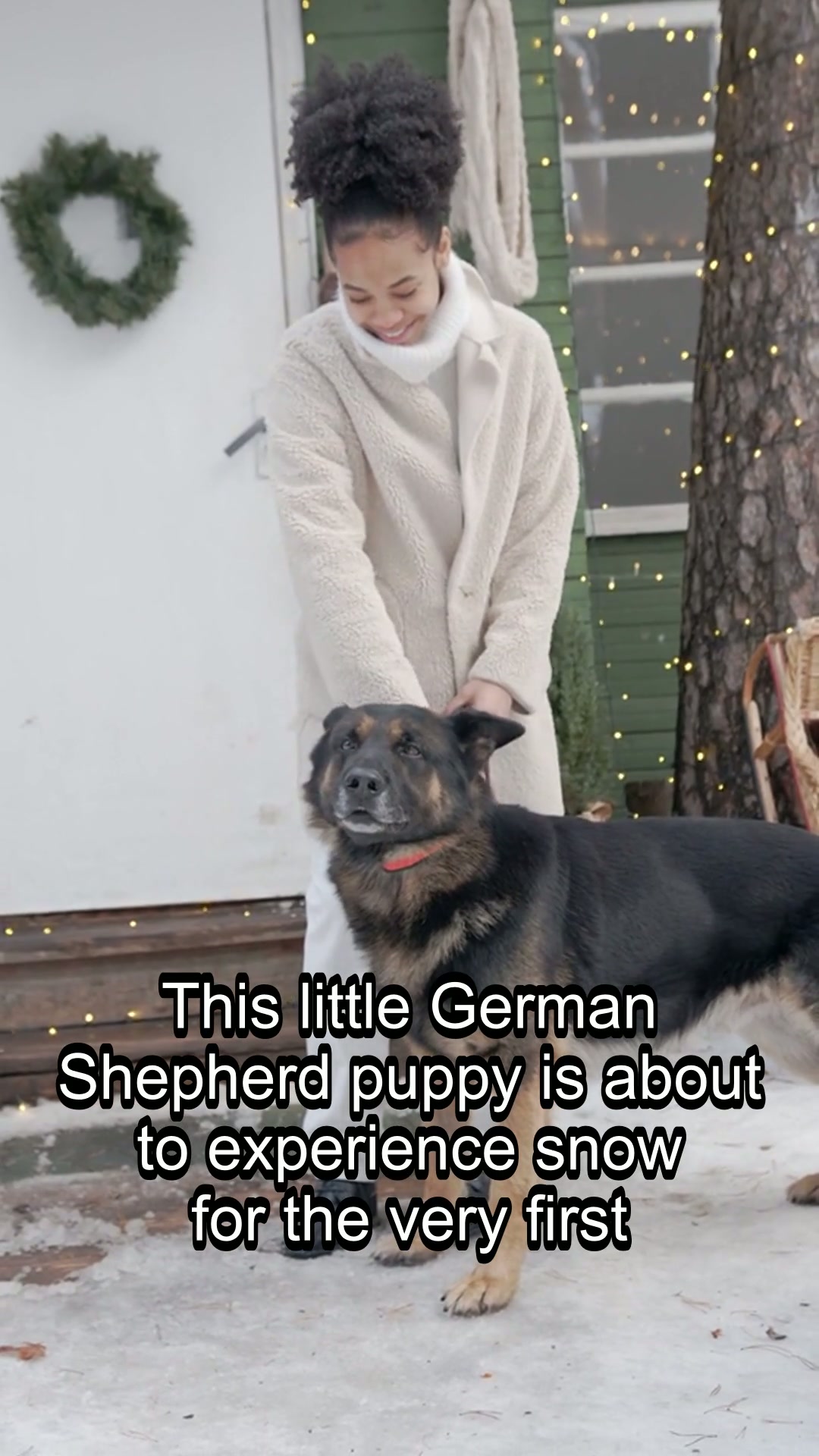
"German Shepherd puppy discovers snow for the first time" -- generated in ~55 seconds. Download full MP4 (17 MB)
Quick test render:
py scripts/smoke_render.py
More help
| Doc | When to read it |
|---|---|
| INSTALL.md | All install paths, MCPB, verification |
| docs/CONFIGURATION.md | Env vars and providers |
| docs/TROUBLESHOOTING.md | Something broke |
| docs/ALPHA-RELEASE-CHECKLIST.md | Going public / alpha tag |
| docs/PROMPT-DIRECTOR.md | R10 trope templates (mermaid) |
| docs/EXEMPLARS-RESEARCH.md | Viral Short formats + mid expansion |
| docs/TOOLS.md | MCP tools and REST API |
| docs/DEVELOPMENT.md | Tests, Tauri build, CI |
| SPEC.md | Architecture and roadmap |
| CHANGELOG.md | Version history |
Fleet docs: mcp-central-docs/projects/ittybitty
MIT · sandraschi · v0.2.0
Repo folder videogen-mcp, Python package videogen_mcp — kept for MCP tool compatibility.