
Skillful Claude
rzem-ai/rzem-ai-skillful-claude
Visualize e controle a configuração efetiva do Claude Code com proveniência completa
Ver no GitHubDiagnóstico de desktop que mapeia a configuração efetiva do Claude Code através de seus cinco escopos (Managed, CLI, Local, Project, User). Rastreia cada setting até o arquivo que prevaleceu, mostra o que foi sobrescrito, e oferece editores guiados para alterar configurações com certeza sobre o merge resultante.
Instalação
npx convez-ai rzem-ai/rzem-ai-skillful-claude1 comando no terminal: detecta o formato do repositório (marketplace ou plugin avulso) e instala via Claude Code. Requer Node 18+ e o Claude Code instalado.
Métricas
Casos de uso
- Diagnosticar comportamentos inesperados do Claude Code identificando qual escopo está em vigor
- Gerenciar permissões, servidores MCP e ambiente através de editores guiados com preview de diff
- Rastrear conflitos de configuração entre múltiplos escopos e entender a hierarquia de merge
Veredito

Ferramenta sofisticada que resolve um problema real: a opacidade da resolução de configuração do Claude Code. Bem arquitetada, com guardrails de segurança apropriados (backups atômicos, mascaramento de secrets, recusa de escopos gerenciados). Essencial para times que gerenciam Claude Code em múltiplas escalas.
README
A tradução para o português deste README ainda está na fila.
Skillful Claude
What Claude Code configuration is actually in effect — and why.
A desktop diagnostic for Claude Code's five config scopes. Trace every setting to the file that won, see what got overridden, and change config without guessing what the merge will do.
The problem
Claude Code configuration is spread across five scopes — Managed › CLI › Local › Project › User — a dozen files, and a set of merge rules that live only in the docs and the source. When the agent behaves unexpectedly, the question is never "what did I write?" It's:
"What configuration is actually in effect, and why?"
Skillful Claude answers that question. The app reads every Claude Code config
file on your machine, replicates Claude Code's real resolution rules — scalar
override, array merge, the auto-mode rule, global-config-key routing, managed
locks — and shows you the effective configuration with full provenance.
Every value on screen carries a scope chip and a source file. File watchers
keep it live: edit a settings.json in your editor and the app updates in
place.
See your config
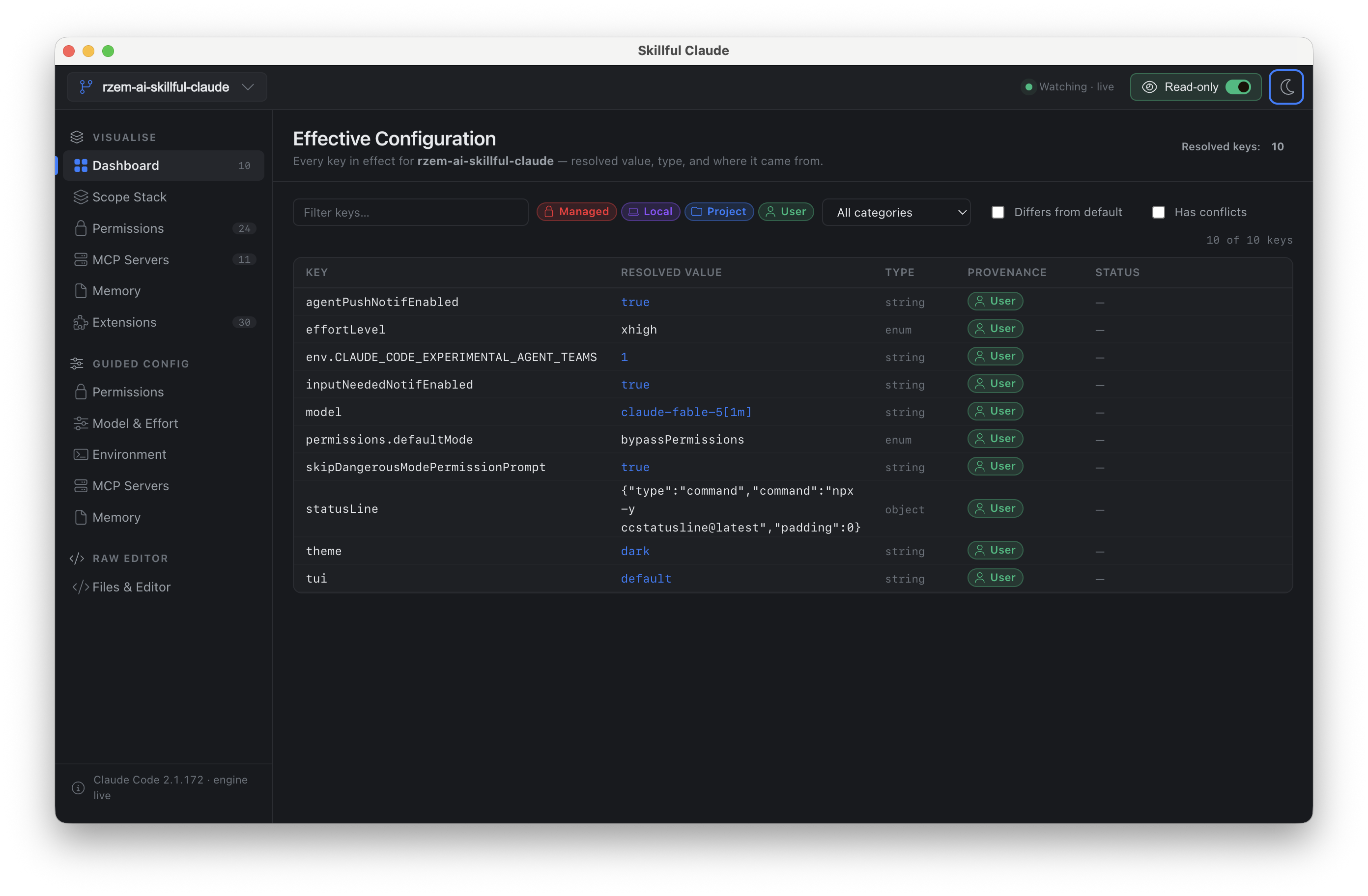
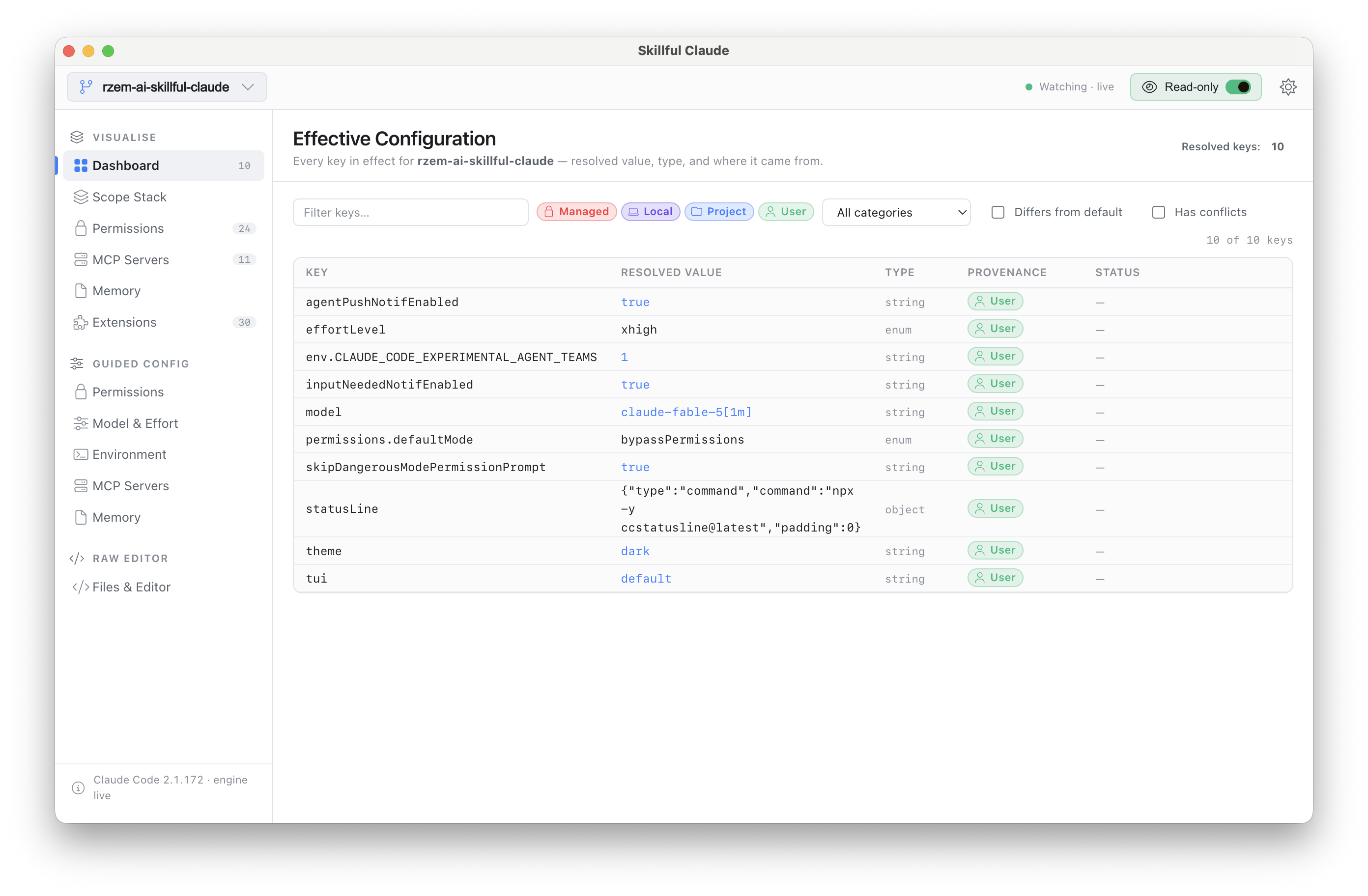
Dashboard
One screen that tells you what's in effect right now: the resolved model, permission posture, environment, MCP servers, and memory files — each value chipped with the scope that won.
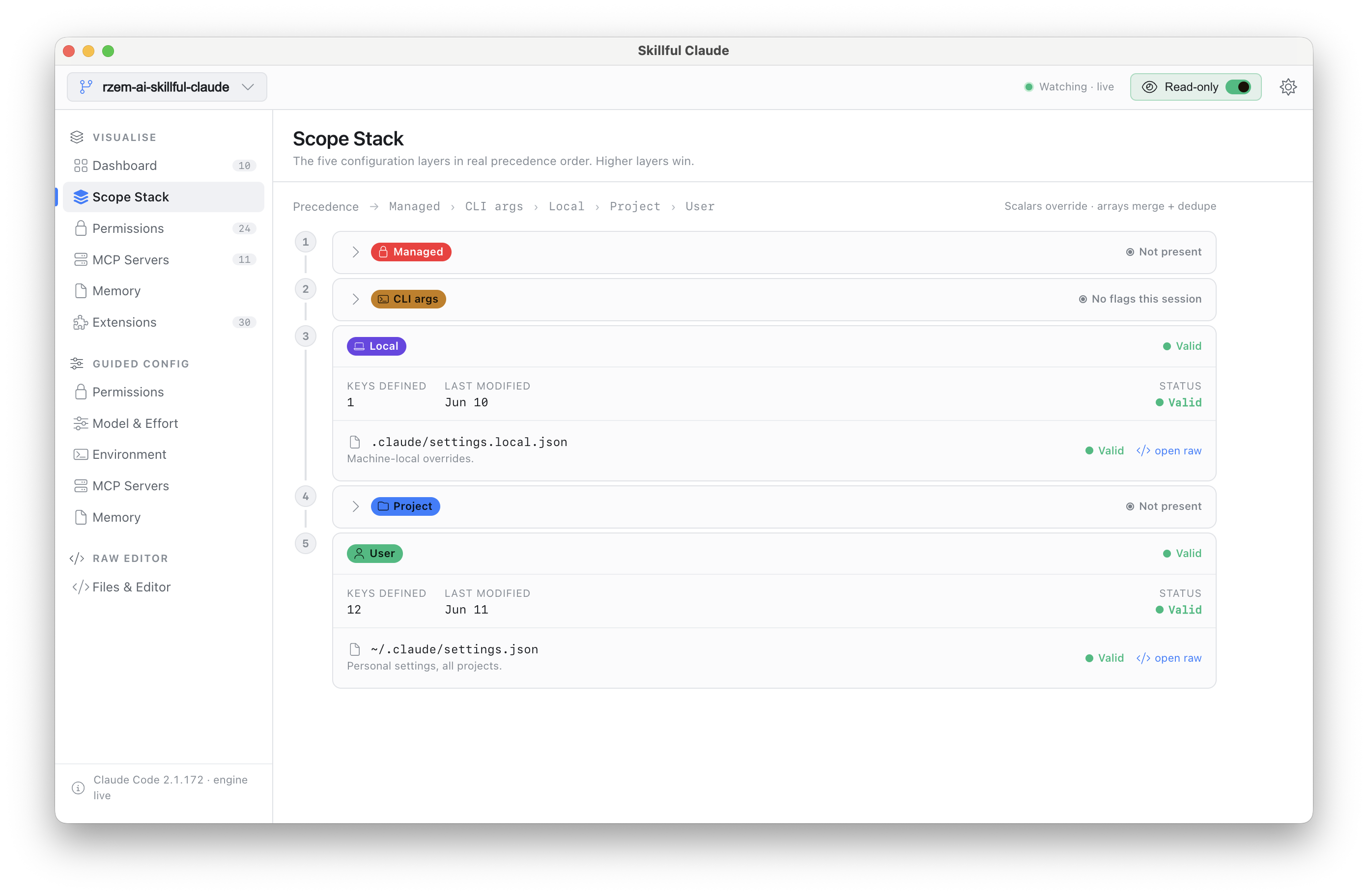
Scope Stack
The full merge, laid bare. Every key, every scope that defines it, and which one won — overridden values stay visible instead of silently disappearing. This is the screen you open when two files disagree.
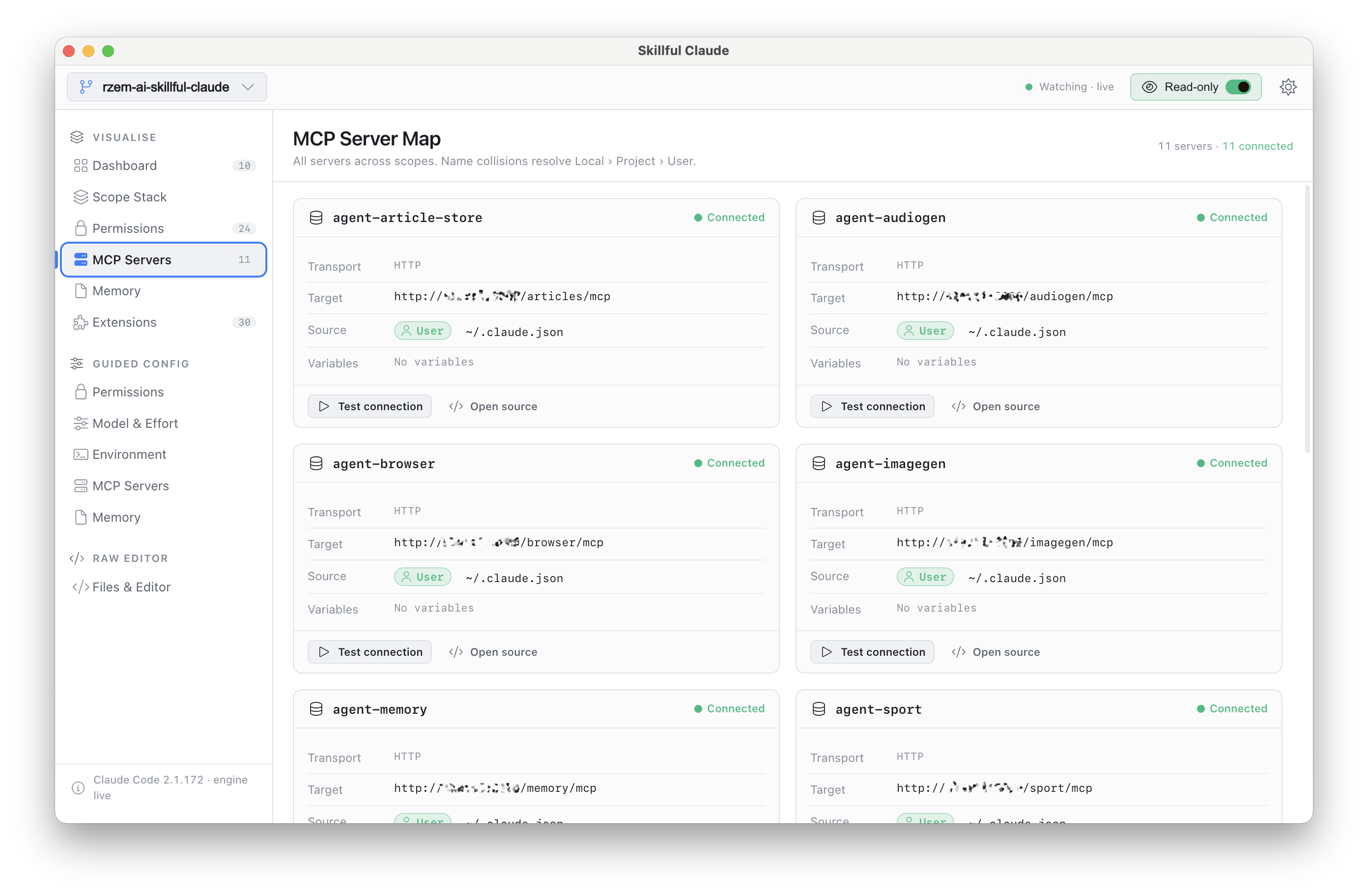
Permissions, MCP Map, Memory Map, Extensions
Dedicated read views for the config that matters most:
- Permissions — the merged allow/deny/ask rules across all scopes, with the source of each rule.
- MCP Map — every MCP server Claude Code will load, where it's declared, and what shadows what.
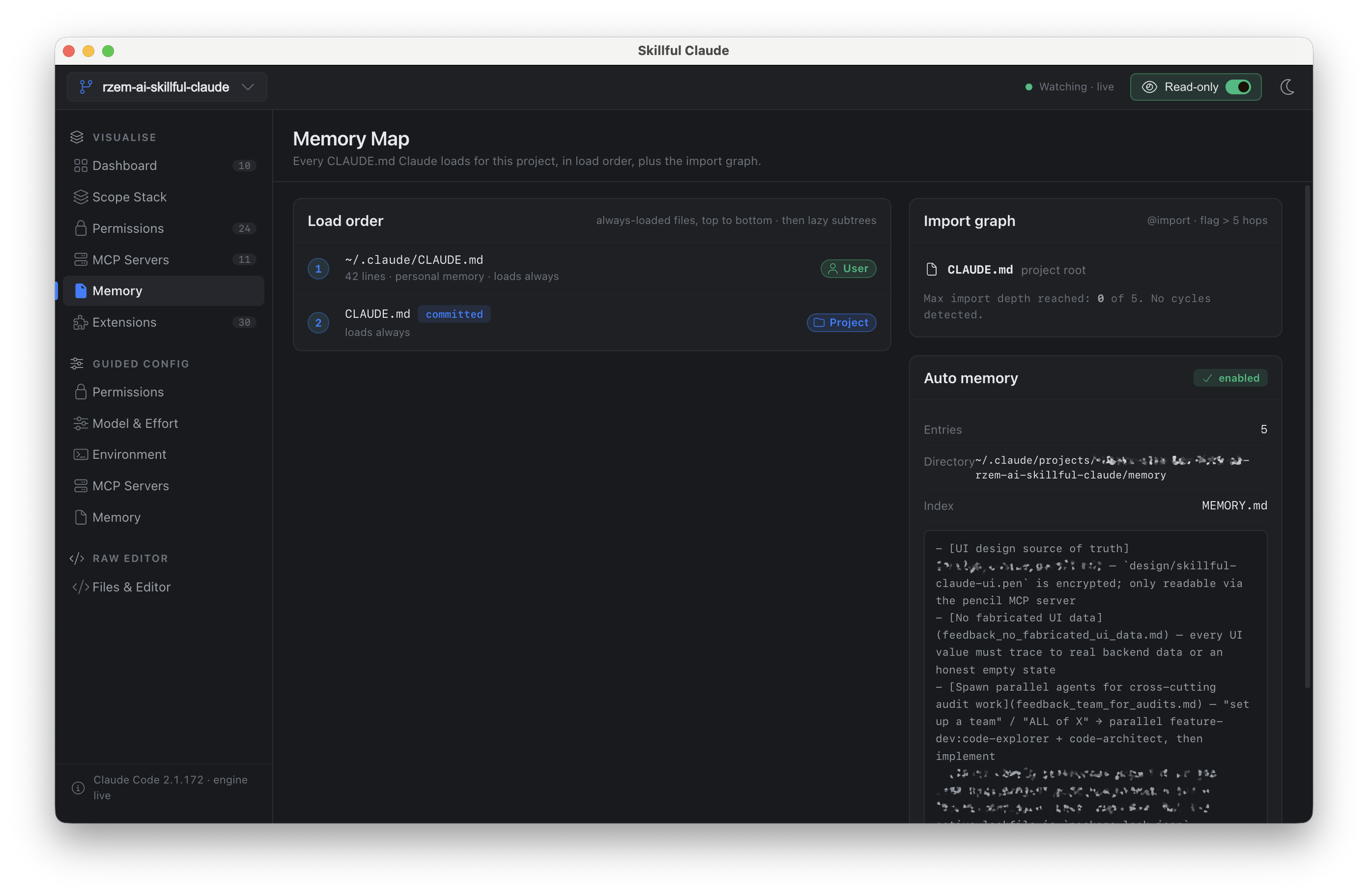
- Memory Map — the
CLAUDE.mdhierarchy (user, project, local) as Claude Code actually assembles it. - Extensions — the installed plugins, skills, agents, and commands inventory.
Change your config
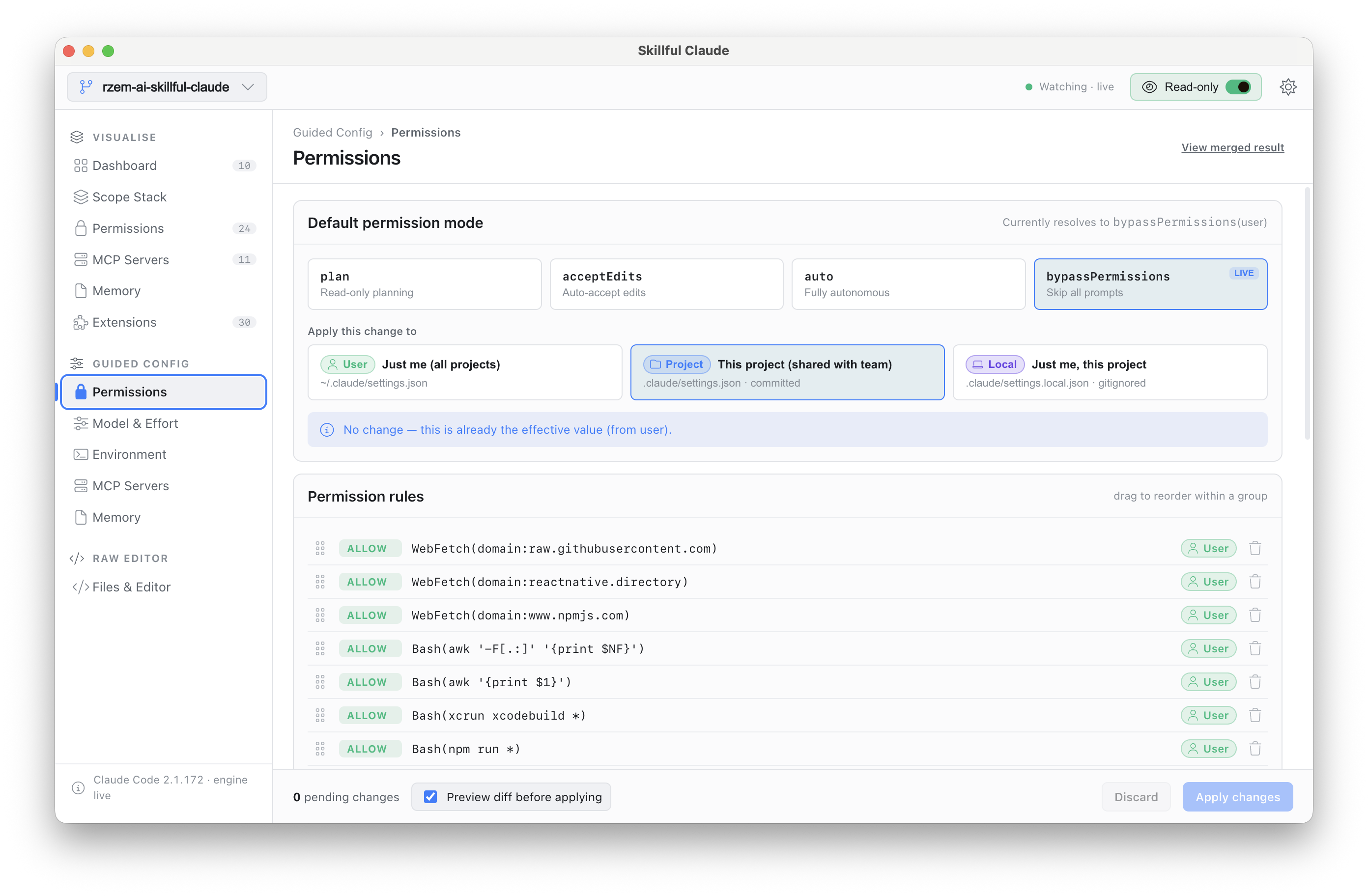
Guided forms
Five guided editors — Permissions, Model, Environment, MCP, Memory — that know the rules so you don't have to. Each one writes to the correct file for your chosen scope, refuses invalid placements, and shows you a diff before anything touches disk. Not just the file diff, either: the diff of the resolved configuration — what Claude Code will actually see after the merge.
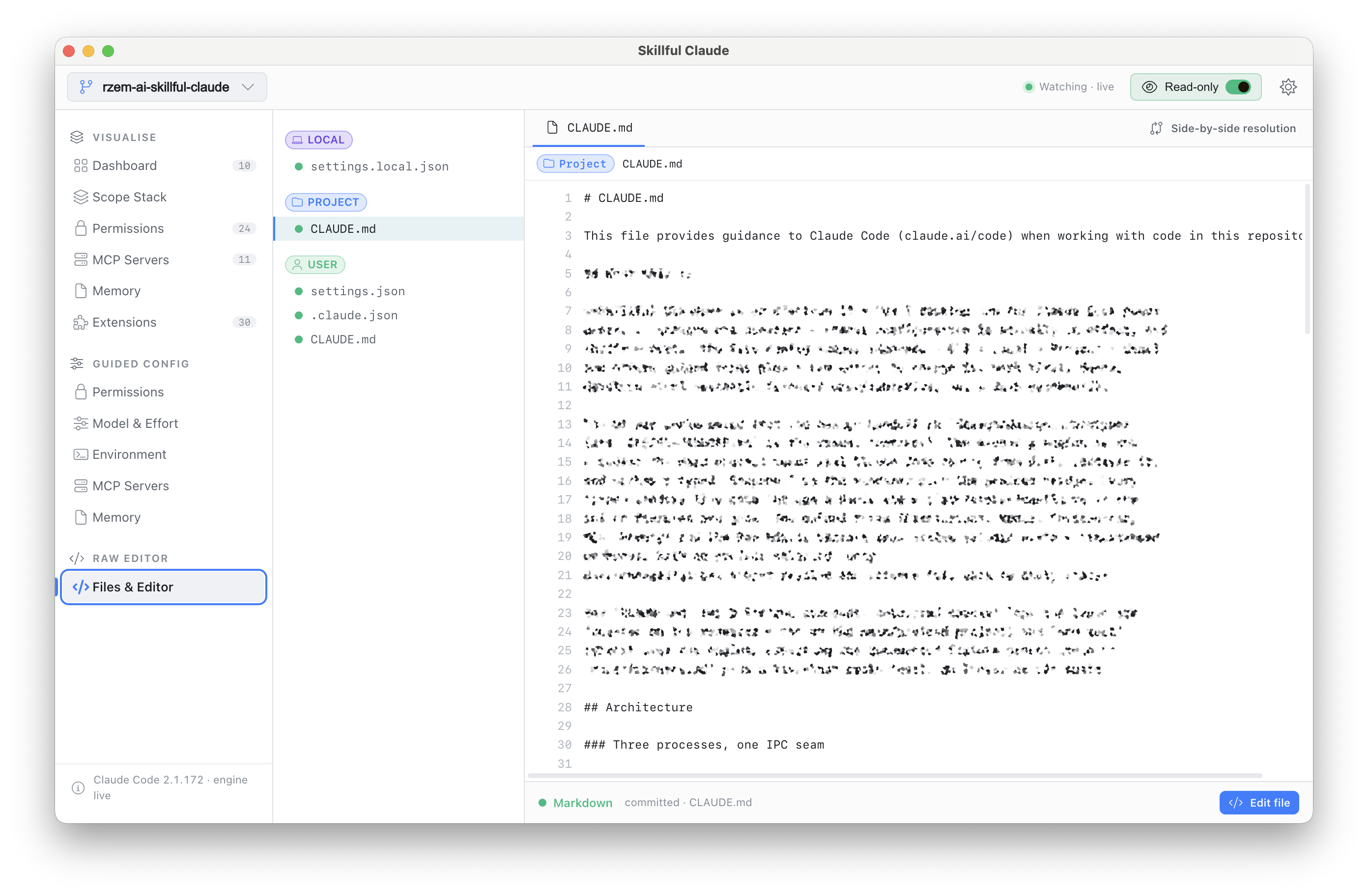
Raw Editor
A Monaco-powered editor over the real files, with the full scope file tree, line-level lints, and secret masking. For when you know exactly what you want to type — still guarded by the same write pipeline as the guided forms.
Built to be trusted
This app edits the files that control your AI tooling, so the guardrails are the product:
- Honest data only. Every value traces to a real file on disk or an explicit empty state. Nothing is fabricated, ever.
- Atomic writes. Temp-file + rename, never a partial write.
- Automatic backups. Timestamped, five retained per file.
- A write-target resolver that refuses managed scopes and invalid placements outright.
- Secrets masked everywhere they appear — tokens and keys never render in the clear.
- Read-only mode. One toggle and the app cannot write at all.
- Managed is observed, never written. The app explains org policy; it does not fight it.
Light theme included, but it was designed dark-first — dense and quiet, in the spirit of Linear, Tower, and TablePlus.
Install
Grab the latest build for your platform from Releases:
| Platform | Format |
|---|---|
| macOS | .dmg (Intel + Apple Silicon) |
| Linux | AppImage, .deb, .rpm |
| Windows | NSIS installer (x64) |
Or build from source:
git clone https://github.com/rzem-ai/rzem-ai-skillful-claude.git
cd rzem-ai-skillful-claude
npm install
npm run package   # distributables land in ./dist-builds
Development
Electron 33 + Vue 3 + TypeScript, built with electron-vite. The config engine
(electron/main/engine/) is pure, Electron-free logic with a Vitest suite
asserting the documented ground truth in docs/fixtures.md.
# Full desktop dev loop (electron-vite spawns main + preload + renderer
# with HMR for the renderer). Renderer dev server is on port 1420.
npm run dev

# Type-check then build all three bundles into ./out
npm run build

# Type-check only (vue-tsc on the renderer + tsc on the main process)
npm run typecheck

# Run the engine test suite (Vitest)
npm test

# Package distributables for the current host into ./dist-builds
npm run package

# Per-platform variants
npm run package:linux    # AppImage, deb, rpm
npm run package:mac      # dmg (x64 + arm64)
npm run package:win      # nsis x64
npm run typecheck runs vue-tsc on tsconfig.web.json plus tsc on
tsconfig.node.json. npm test asserts the fixture ground-truth in
docs/fixtures.md plus a live-host smoke test. There is
no linter or e2e suite.
See CLAUDE.md for architecture notes and
VISION.md for product direction and the post-v1 roadmap.
Releasing
electron-builder publishes to GitHub Releases at
rzem-ai/rzem-ai-skillful-claude. To ship a build:
- Bump
versioninpackage.json. - Run
npm run release(builds, packages, and publishes). - CI must have
GH_TOKENset to a token withreposcope.
In-app auto-update (electron-updater) was removed in the strip; re-add it
when the new version needs it. Don't run npm run release from a fork — it
will publish to the wrong repo.
Recommended IDE setup
VS Code with the Vue - Official extension.