
doc-cais-mcp
repantis-ai/doc-cais-mcp
MCP server for documentation-focused hybrid retrieval over code, docs, tests, and examples.
Instalação
npx convez-ai repantis-ai/doc-cais-mcp1 comando no terminal: detecta o formato do repositório (marketplace ou plugin avulso) e instala via Claude Code. Requer Node 18+ e o Claude Code instalado.
Métricas
README
A tradução para o português deste README ainda está na fila.
doc-cais-mcp
Read-only MCP demo for documentation-focused hybrid retrieval over code, docs, examples, and tests.
This is a small public demo of Context-as-AI-Service (CAIS) for LLM-generated developer documentation. It builds a local hybrid index over a synthetic SDK and returns evidence packs that an agent can use when reviewing or writing docs.
Link to preprint paper: arXiv
The server does not write files, execute project code, call external APIs, or decide what the documentation should say. It only retrieves and packages evidence with provenance.
Why this exists
Documentation can look correct in the local file while depending on behavior elsewhere in the codebase.
This demo shows a tiny version of that failure mode:
docs/refunds.mddescribes refunds.client.pyimplements the public API.auth.pyhides the required permission scope.errors.pydefines failure modes.ledger.pycontains idempotency behavior.tests/test_refunds.pycaptures expected behavior.examples/refund_example.pyshows usage.
CaaS gives an agent a tool-callable way to retrieve that cross-file evidence.
Install
pip install -e .
Run
python -m doc_caas_mcp.server
The server talks MCP over stdio, so it won't print anything when it starts. It just waits for a client to connect. Press Ctrl+C to stop it.
Connect it to Claude Code
Put a .mcp.json file in the root of the repo:
{
  "mcpServers": {
    "doc-caas-mcp": {
      "command": "python",
      "args": ["-m", "doc_caas_mcp.server"]
    }
  }
}
On Windows swap in the launcher if you need it:
{
  "mcpServers": {
    "doc-caas-mcp": {
      "command": "py",
      "args": ["-3.12", "-m", "doc_caas_mcp.server"]
    }
  }
}
Claude Code won't load a server from .mcp.json until you approve it. The first time, accept the trust prompt or run /mcp, then reload. After that the four tools show up named mcp__doc-caas-mcp__*.
Demo
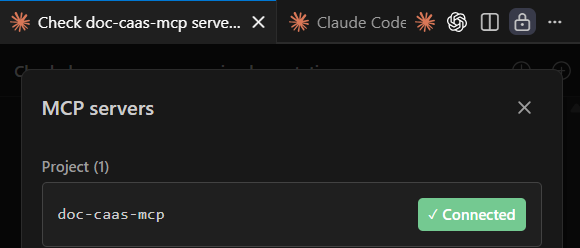
Once the server is approved, /mcp shows it as connected:
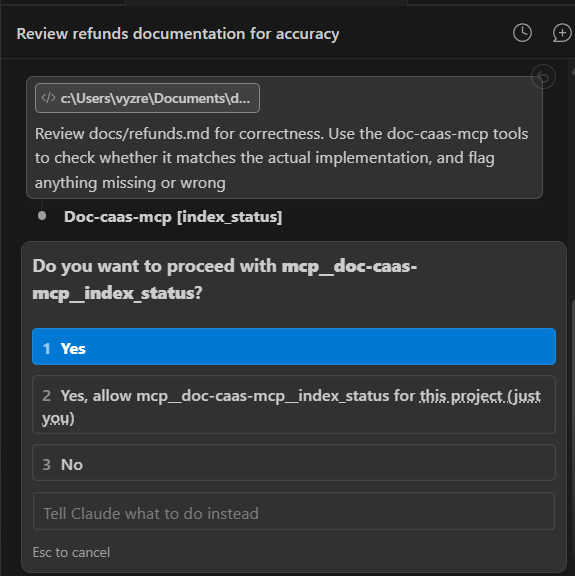
Ask the agent to review a doc against the code, for example "Review docs/refunds.md for correctness. Use the doc-caas-mcp tools to check whether it matches the actual implementation, and flag anything missing or wrong." The agent starts calling the tools:
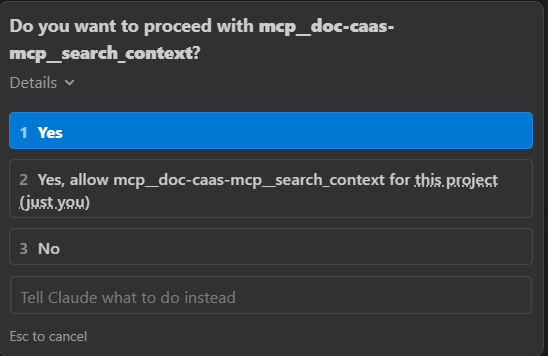
Each tool call is gated by a permission prompt the first time:
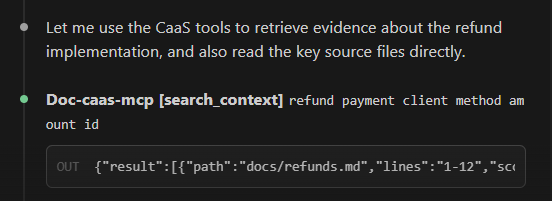
The tool returns ranked evidence with file paths and line numbers, so the agent can trace a claim in docs/refunds.md back to the code it depends on:
Tools
build_index(root)builds the read-only index. Leaverootempty to useexamples/tiny_sdk.search_context(query, mode, top_k)searches the index.modecan behybrid,keyword, orvector.doc_context_pack(topic, queries, top_k)returns a deduped, ranked evidence pack with provenance.index_status()shows what's currently indexed.
Smoke tests
python scripts/smoke_search.py
python scripts/smoke_pack.py
python scripts/smoke_server_core.py
Large repositories
For large repositories, index a subsystem together with its tests, examples, and docs.
Do not index only the package directory if the tests or prose docs live elsewhere. Cross-file documentation review only works when the indexed root contains the evidence chain the agent is supposed to inspect.