
FuncDock
reaatech/funcdock
Funções serverless sem cold starts, automáticamente expostas como ferramentas MCP
Ver no GitHubPlataforma FaaS self-hosted que executa múltiplas funções Node.js em um único container com zero cold starts, hot reload e exposição automática como ferramentas MCP para agentes de IA. Inclui dashboard React, tracing OpenTelemetry, suporte nativo a TypeScript, camadas compartilhadas e scheduling de cron.
Instalação
npx convez-ai reaatech/funcdock1 comando no terminal: detecta o formato do repositório (marketplace ou plugin avulso) e instala via Claude Code. Requer Node 18+ e o Claude Code instalado.
Métricas
Casos de uso
- Backend para agentes de IA e aplicações com LLMs
- Plataforma FaaS self-hosted com múltiplas funções
- APIs que precisam ser descobertas e invocadas nativamente por LLMs
Veredito

FuncDock é uma solução robusta para quem busca infraestrutura serverless self-hosted com integração nativa ao ecossistema de IA e MCP. Ideal para equipes que querem eliminar cold starts e vendor lock-in mantendo a ergonomia de FaaS, com excelente suporte a observabilidade e desenvolvimento.
README
A tradução para o português deste README ainda está na fila.
FuncDock
What is FuncDock?
FuncDock is a self-hosted Function-as-a-Service (FaaS) platform that runs multiple Node.js functions inside a single Docker container. It gives you the ergonomics of serverless — per-function routing, environment isolation, and independent deployments — without the cold starts, vendor lock-in, or per-request billing of cloud functions.
Every function route is automatically exposed as an MCP (Model Context Protocol) tool, making FuncDock an ideal backend for AI agents and LLM-powered applications.
Built for teams who want:
- Predictable infrastructure — one container, many functions, no orchestration magic
- Developer velocity — file-watch hot reload, TypeScript without a build step, a built-in React dashboard
- AI-ready APIs — your functions become MCP tools that any compatible client can discover and invoke
- Observability out of the box — OpenTelemetry tracing, structured logs, per-function metrics, and Slack alerts
Features
| Feature | Description | |
|---|---|---|
| ⚡ | Zero Cold Starts | All functions run in one Node.js process. No container spin-up, no latency spikes. |
| 🔥 | Hot Reload | Edit a file. Save. The function reloads in milliseconds. No server restart. |
| 🤖 | MCP Server | Every route auto-exposes as an MCP tool. LLMs can discover and call your functions natively. |
| 📊 | React Dashboard | Real-time function monitoring, logs, metrics, env editing, and deployment UI. |
| 🧪 | Built-in Testing | Jest with ESM support. Test locally or in a production-identical Docker container. |
| 🔐 | Security First | httpOnly cookies, rate limiting, Helmet, input validation, and token blacklisting. |
| 📦 | Shared Layers | Lambda-style code sharing. One symlinked layer, many functions. Change once, reload all. |
| 📝 | TypeScript Native | Write .ts handlers. tsx compiles on the fly. No build step required. |
| 🔍 | OpenTelemetry | Distributed tracing with automatic span wrapping on every function invocation. |
| 🚀 | Multi-deployment | Deploy from Git, local path, dashboard upload, PR, or CI/CD with an API key. |
Quick Start
1. Clone & Configure
git clone https://github.com/reaatech/funcdock.git
cd funcdock
cp .env.example .env
# Edit .env and set JWT_SECRET, ADMIN_USERNAME, and ADMIN_PASSWORD
2. Install & Start
npm install
npm run dev
The dev server starts on http://localhost:3000 with file watching enabled.
3. Create a Function
npx funcdock create my-api
This scaffolds:
functions/my-api/
├── handler.js
├── handler.test.mjs
├── route.config.json
├── package.json
└── README.md
4. Test It
curl http://localhost:3000/my-api/
# → { "message": "Hello from my-api!" }
5. Open the Dashboard
Visit http://localhost:3000/dashboard, log in with your admin credentials, and manage functions in real time.
Architecture
FuncDock avoids Express router stack bloat by using a custom Map-based dispatcher. Instead of registering routes with app.use() (which leaks middleware on every hot reload), a single middleware looks up handlers in a Map keyed by "METHOD /path".
HTTP Request
    │
    ▼
Express middleware (helmet, cors, json)
    │
    ▼
functionDispatcherMiddleware ──→ Map lookup: "GET /my-api/"
    │                              Inject: logger, env, functionName
    ▼                           Wrap in OpenTelemetry span
Handler executes
    │
    ▼
Response + structured access log
This gives O(1) route lookup and zero Express stack pollution across unlimited reloads.
For the full design doc, see ARCHITECTURE.md.
Function Development
Handler Pattern
Functions are plain ES modules that export a default async handler:
// functions/my-api/handler.js
export default async function handler(req, res) {
  const { logger, env, method, query, body } = req;

  logger.info(`Received ${method}`, { query });

  res.json({
    message: 'Hello from my-api',
    envHasKey: !!env.API_KEY,
  });
}
Route Configuration
// functions/my-api/route.config.json
{
  "base": "/my-api",
  "handler": "handler.js",
  "routes": [
    { "path": "/", "methods": ["GET", "POST"] },
    { "path": "/:id", "methods": ["GET", "PUT", "DELETE"] }
  ]
}
Environment Variables
Add a .env file inside your function directory:
# functions/my-api/.env
API_KEY=sk-123456
DATABASE_URL=postgres://localhost/mydb
Access them via req.env in your handler.
Cron Jobs
// functions/my-api/cron.json
{
  "jobs": [
    {
      "name": "daily-report",
      "schedule": "0 9 * * *",
      "handler": "cron-handler.js",
      "description": "Generate daily report at 9am"
    }
  ]
}
Shared Layers
Create a layer in layers/shared-utils/ with a nodejs/ directory. Reference it from your function:
// functions/my-api/layers.json
"shared-utils"
The layer is symlinked into node_modules/shared-utils automatically.
TypeScript
Write .ts handlers directly. No build step.
// functions/my-api/handler.ts
import type { Request, Response } from 'express';

export default async function handler(req: Request, res: Response) {
  res.json({ ok: true });
}
MCP Server
FuncDock ships with a built-in MCP server that exposes every loaded function route as an MCP tool.
- Enable it:
MCP_ENABLED=true(default) - HTTP transport: port
3001(configurable viaMCP_HTTP_PORT) - Stdio transport: supported for local MCP clients
- Tool naming:
{functionName}__{route_path}__{method}
Example tool name: hello-world__greet__get
Securing MCP HTTP
By default, MCP HTTP binds to 127.0.0.1 only. To expose externally, set MCP_API_KEY:
MCP_HTTP_HOST=0.0.0.0
MCP_API_KEY=your-strong-random-key
Clients must send Authorization: Bearer <MCP_API_KEY>.
Dashboard
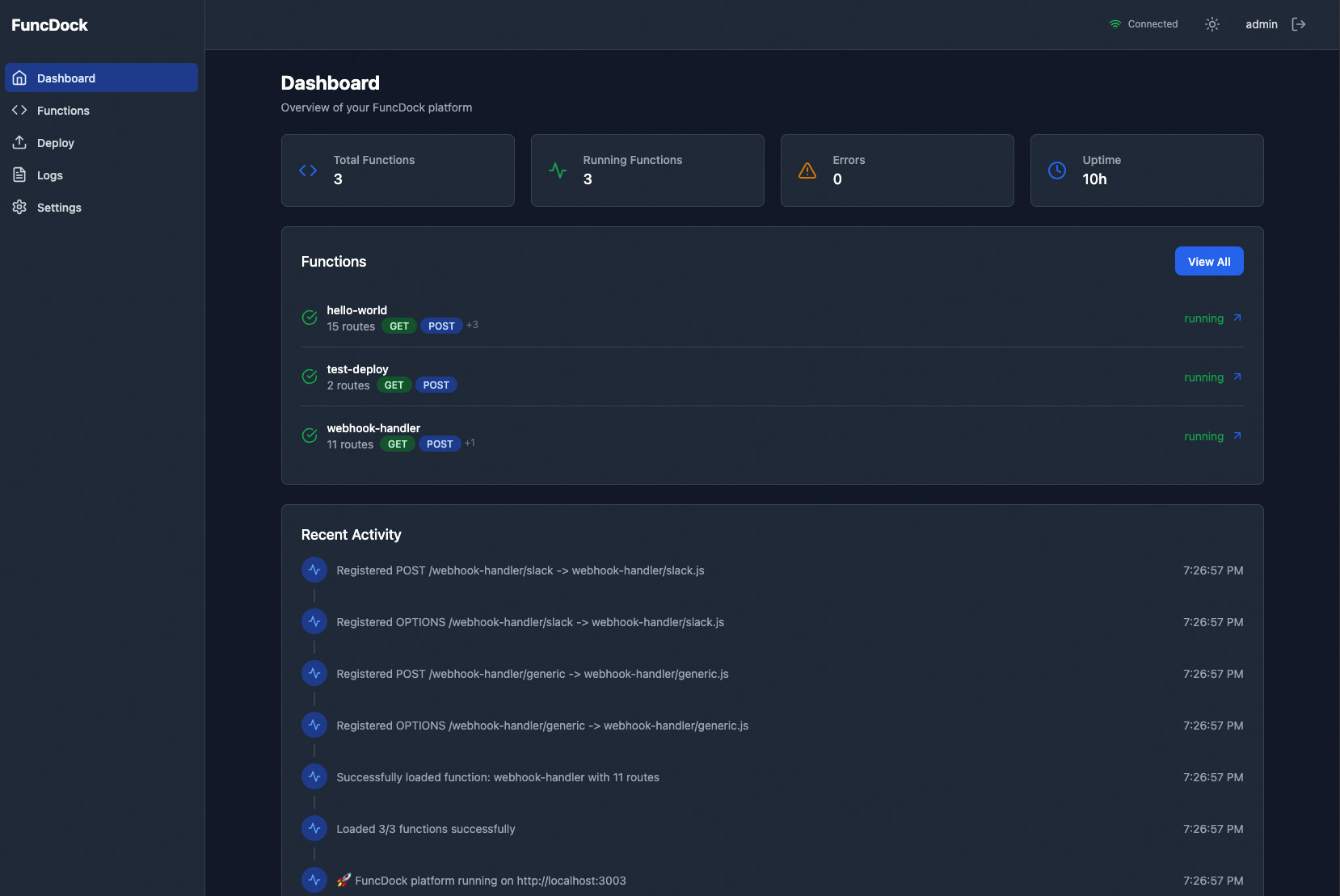
The React 19 + Vite dashboard provides real-time management:
- Functions — list, status, route counts, layer associations
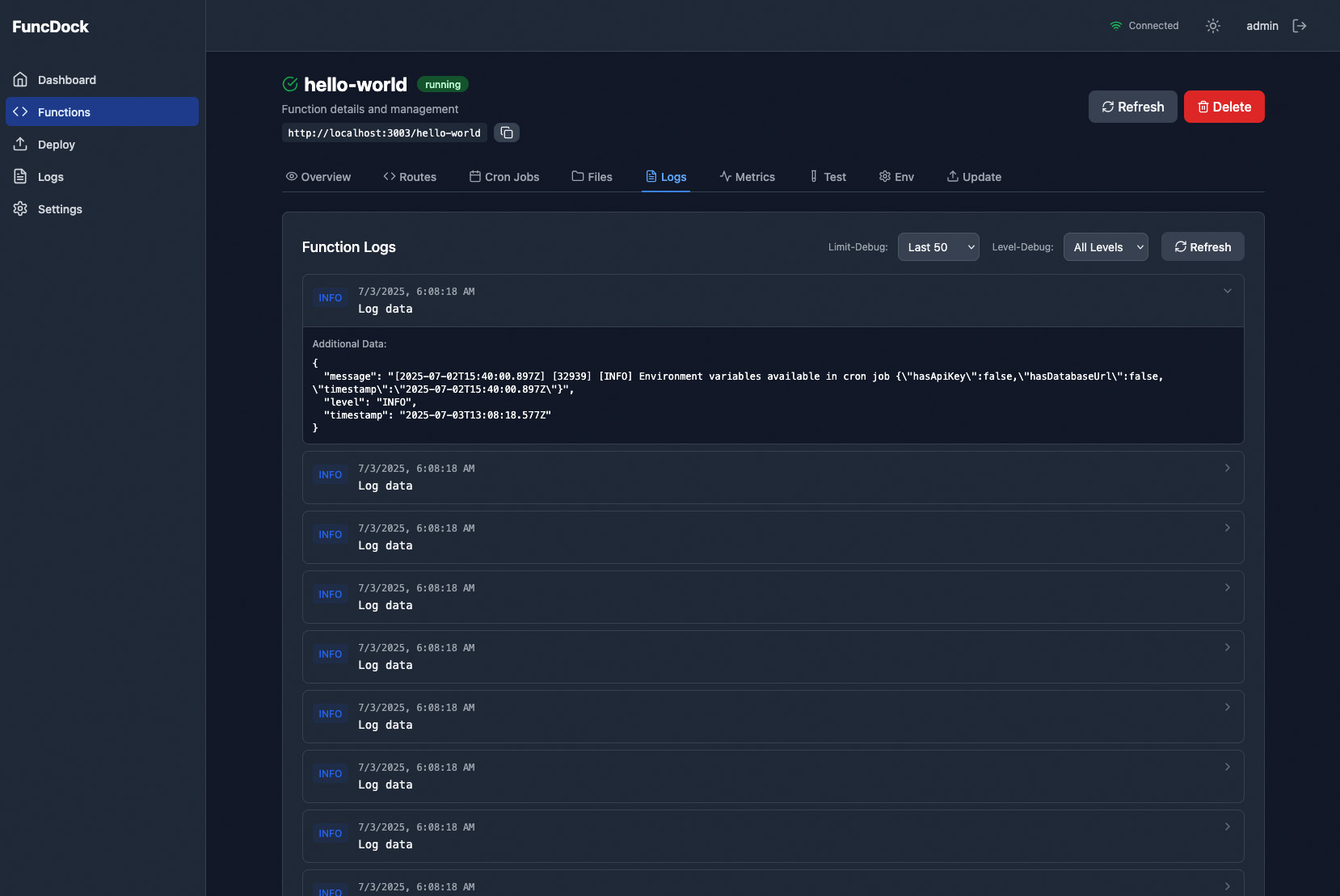
- Logs — per-function structured logs with filtering
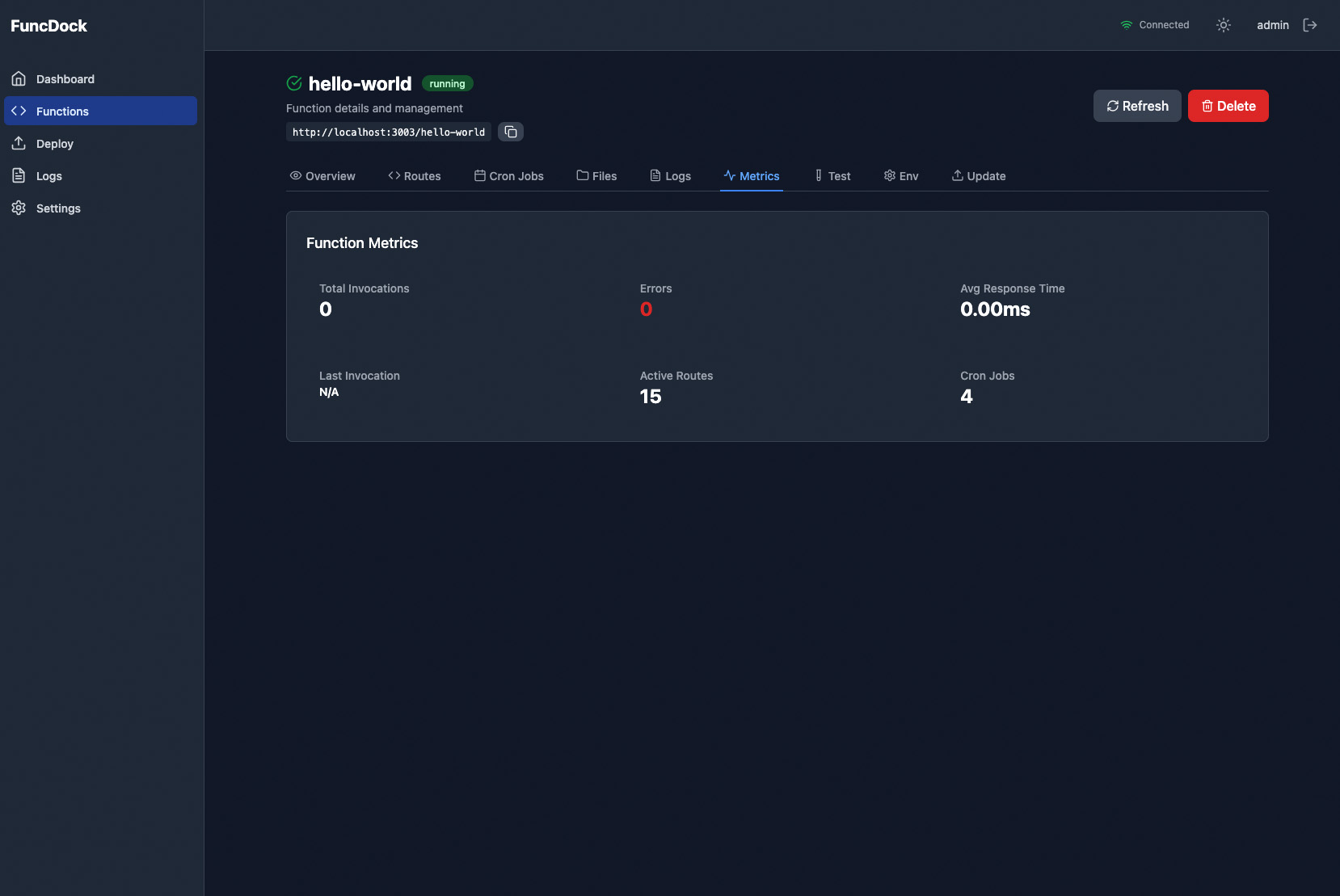
- Metrics — invocation counts, error rates, response times
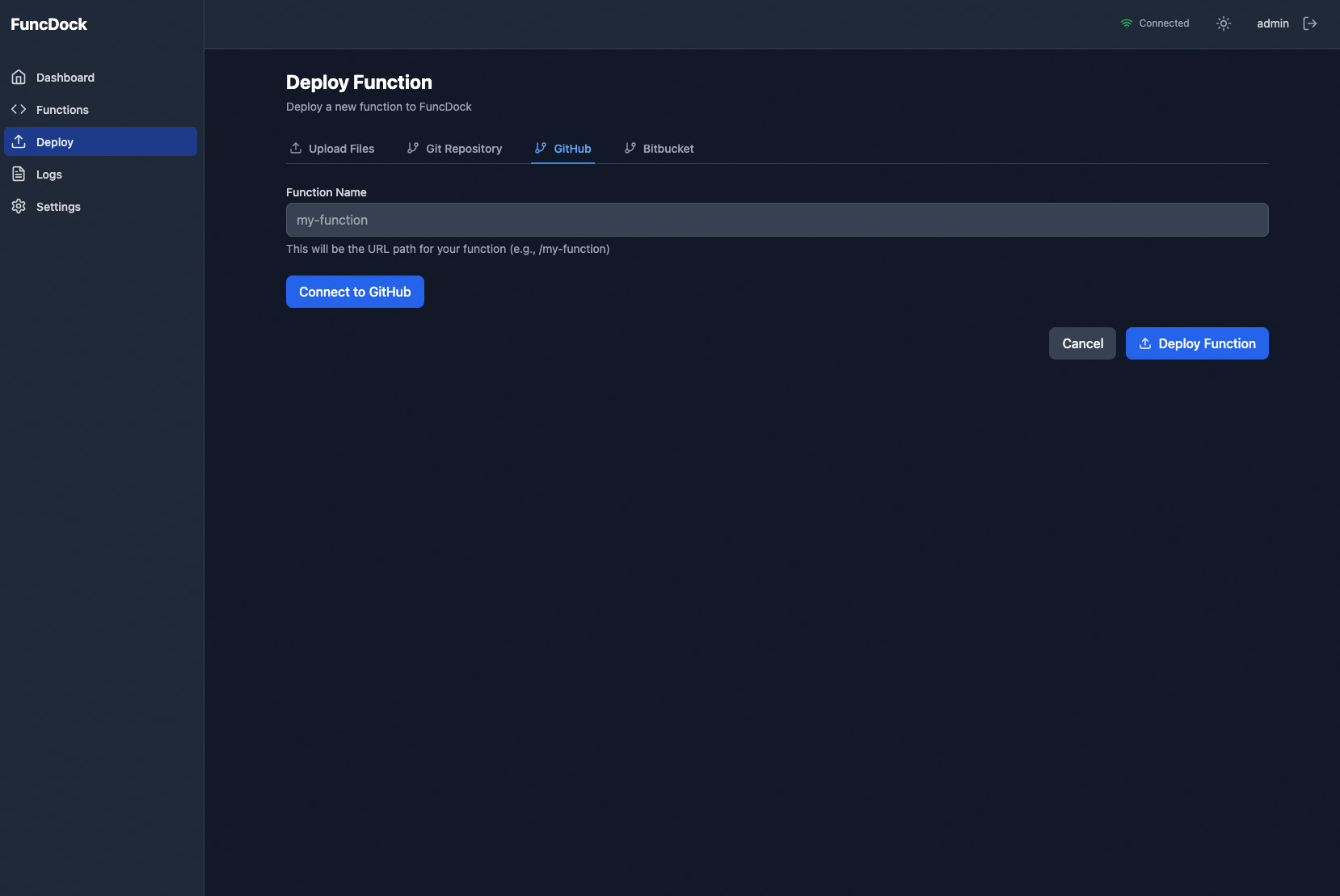
- Deploy — upload files, connect GitHub/Bitbucket repos, deploy from PRs
- Cron Jobs — view schedules, last run status
- MCP Status — connected transports, exposed tools
- Settings — dark/light mode, environment editor
Real-time updates are pushed via Socket.IO. Screenshots are in screenshots/.
CLI Reference
The funcdock CLI replaces Makefile-driven workflows:
| Command | Description |
|---|---|
funcdock dev | Start development server with hot reload |
funcdock start | Start production server |
funcdock create <name> | Scaffold a new function |
funcdock deploy --git <url> --name <name> | Deploy from Git |
funcdock deploy --local <path> --name <name> | Deploy from local path |
funcdock update <name> | Update an existing function |
funcdock remove <name> | Remove a function |
funcdock list | List all deployed functions |
funcdock test [function] | Run Jest tests |
funcdock logs | View application logs |
funcdock status | Check platform health |
funcdock reload | Hot reload all functions |
Every command supports --help. See docs/CLI_README.md for full details.
Docker
Development
docker-compose up
Mounts functions/ and logs/ as volumes. Redis is bundled inside the container.
Production
docker-compose --profile production up --build -d
Includes a Caddy reverse proxy with automatic HTTPS.
Manual
docker build -t funcdock .
docker run -p 3000:3000 -v $(pwd)/functions:/app/functions funcdock
The image is based on node:22-slim and includes Git and Redis.
Configuration
Required
| Variable | Description |
|---|---|
JWT_SECRET | Min 16 chars. Used to sign session tokens. |
ADMIN_USERNAME | Dashboard login username. |
ADMIN_PASSWORD | Min 8 chars. Hashed with bcrypt at startup. |
Optional
| Variable | Default | Description |
|---|---|---|
PORT | 3000 | HTTP server port. |
NODE_ENV | development | development or production. |
LOG_LEVEL | info | debug, info, warn, error, alert. |
MCP_ENABLED | true | Start the MCP server. |
MCP_HTTP_PORT | 3001 | MCP HTTP transport port. |
MCP_HTTP_HOST | 127.0.0.1 | Bind address for MCP HTTP. |
MCP_API_KEY | — | Bearer token required if exposed externally. |
DEPLOY_API_KEY | — | CI/CD key that bypasses JWT auth. |
GITHUB_CLIENT_ID / SECRET | — | OAuth for GitHub repo integration. |
BITBUCKET_CLIENT_ID / SECRET | — | OAuth for Bitbucket repo integration. |
SLACK_WEBHOOK_URL | — | Alert notifications channel. |
OTEL_EXPORTER_OTLP_ENDPOINT | — | OpenTelemetry collector URL. |
CORS_ORIGIN | * | Comma-separated allowed origins. |
REDIS_PASSWORD | funcdock_internal | Redis auth (Docker). |
See .env.example for the full template.
Testing
# All tests
npm test

# With coverage
npm run test:coverage

# Single function
npm test -- functions/hello-world

# Production-identical Docker test
funcdock test hello-world --docker
Tests use Jest with --experimental-vm-modules and ESM. Helper utilities are in test/setup.mjs.
Security
- Authentication: JWT via httpOnly cookie (
funcdock-token) orAuthorization: Bearerheader. Dual support for SPAs and API clients. - Rate Limiting: 100 requests per 15 minutes on
/api/. Login endpoint limited to 5 attempts. - Input Validation: Strict regex validators for Git URLs, branch names, commit SHAs, function names, and file paths.
- Headers: Helmet with CSP. CORS configured per environment. Compression enabled.
- Logout: Token blacklist with automatic TTL cleanup. Ready for Redis-backed multi-instance deployments.
- Secrets: Per-function
.envfiles. No secrets inlocalStorage.
See docs/SECURITY_README.md for hardening guides.
Documentation
| Doc | What you'll learn |
|---|---|
docs/SETUP_README.md | Full installation, Redis setup, first run |
docs/DEPLOYMENT_README.md | Git, local, dashboard, PR, and CI/CD deployment |
docs/CLI_README.md | Complete CLI command reference |
docs/DASHBOARDS_README.md | Dashboard features and navigation |
docs/CRONJOBS_README.md | Scheduled jobs and cron patterns |
docs/LAYERS_README.md | Creating and managing shared layers |
docs/TESTING_README.md | Test patterns, coverage, Docker tests |
docs/SECURITY_README.md | Auth, rate limiting, secrets management |
docs/TROUBLESHOOTING_README.md | Common issues and fixes |
ARCHITECTURE.md | System design, data flow, key decisions |
CONTRIBUTING.md | How to contribute |
Screenshots
| Dashboard | Deploy | Function Logs |
|---|---|---|
 |  |  |
| Metrics | Cron Jobs | Environment |
|---|---|---|
 | 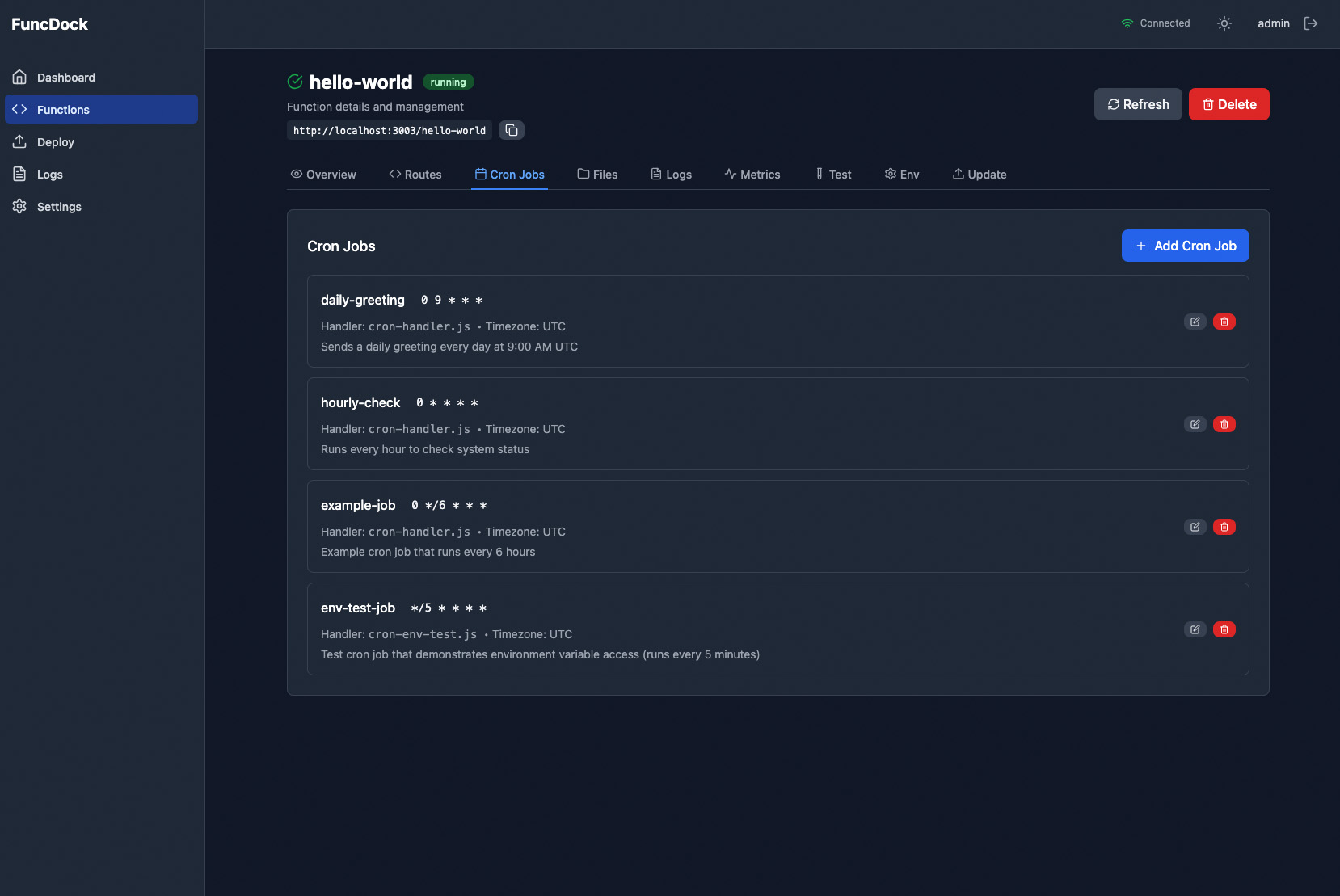 | 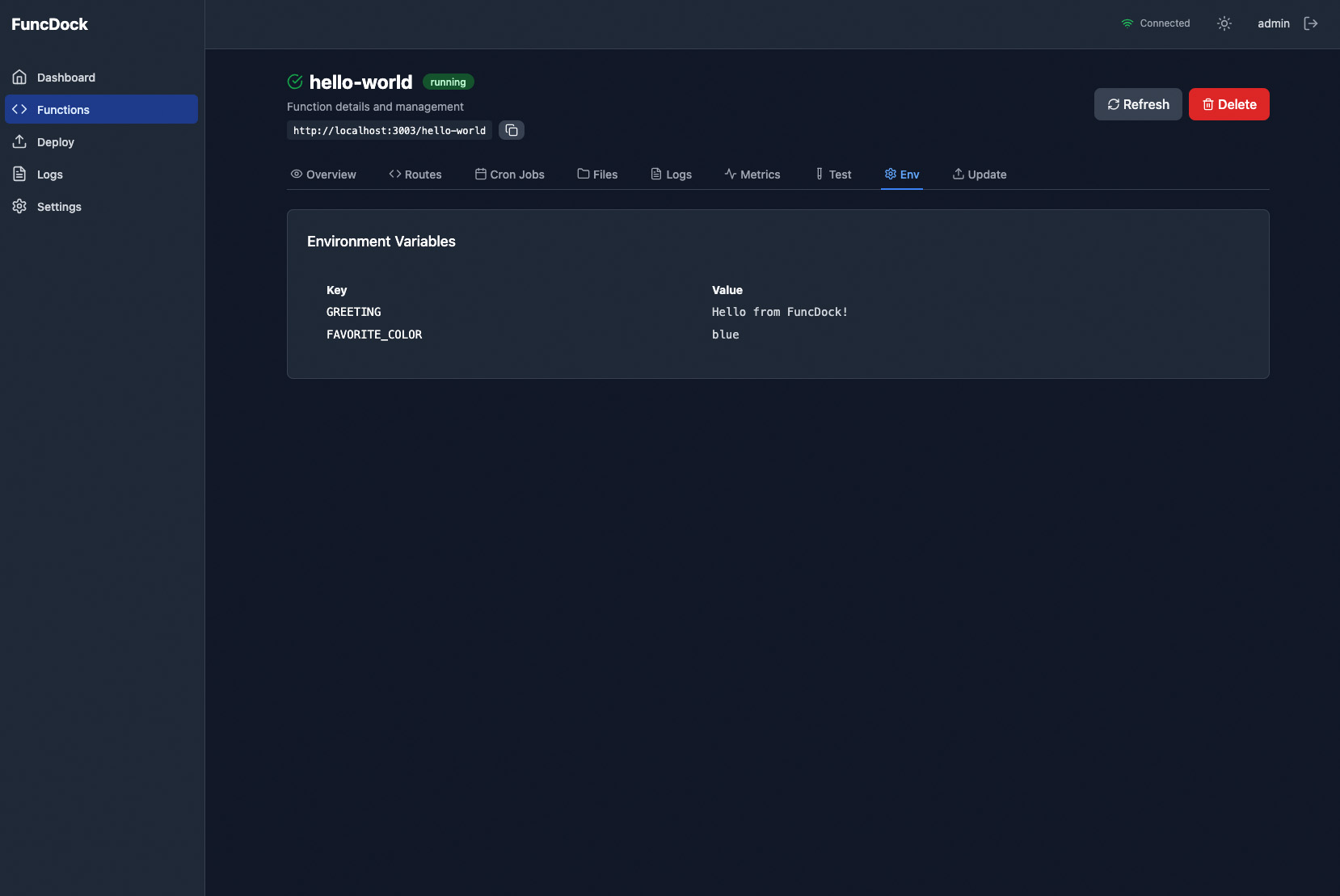 |
More in screenshots/.
Changelog
See CHANGELOG.md for version history and migration notes.
Contributing
Contributions are welcome. Please read CONTRIBUTING.md and run npm test before opening a PR.
License
MIT © REAA Technologies