
Quarkus MCP Servers
quarkiverse/quarkus-mcp-servers
MCP servers em Java/Quarkus para integrar com Claude e outras LLMs
Ver no GitHubConjunto de servidores Model Context Protocol implementados em Java com Quarkus, permitindo estender capabilities de aplicações LLM como Claude Desktop. Inclui servidores para JDBC, inspeção JVM, sistema de arquivos, Kubernetes, containers e mais.
Instalação
npx convez-ai quarkiverse/quarkus-mcp-servers1 comando no terminal: detecta o formato do repositório (marketplace ou plugin avulso) e instala via Claude Code. Requer Node 18+ e o Claude Code instalado.
Métricas
Casos de uso
- Conectar Claude Desktop a bancos de dados via JDBC
- Inspecionar e monitorar processos JVM em tempo real
- Gerenciar clusters Kubernetes através de IA
- Trabalhar com containers Docker/Podman via MCP
- Integrar buscas Wolfram Alpha em aplicações LLM
Veredito

Projeto maduro do Quarkiverse que democratiza a criação de MCP servers em Java, eliminando a necessidade de Python/Node.js. Excelente para times Java que querem expandir LLMs com acesso a infraestrutura, dados e sistemas internos via jbang.
README
A tradução para o português deste README ainda está na fila.
Model Context Protocol Servers in Quarkus/Java
This project contains Model Context Protocol servers, implemented in Java using the Quarkus MCP server framework.
These lets you extend the capabilities of your MCP enabled LLM (Large Language Model) AI applications.
These also work in MCP enabled LLM applications, like Claude Desktop. You can find other clients on Awesome MCP Clients page.
Running the servers
All of these servers are available to run with jbang everywhere: Java, JavaScript, Python and more. Where it says jbang it can be replaced with npx @jbangdev/jbang or uvx jbang or pipx jbang dependent on your preference.
Servers
jdbc

The jdbc server can be used to store and retrieve data from a database given just a JDBC URL. You can use any JDBC database, like Postgres, MySQL, Oracle, Sqlite, etc.
jbang jdbc@quarkiverse/quarkus-mcp-servers
See more in the jdbc readme.
jvminsight
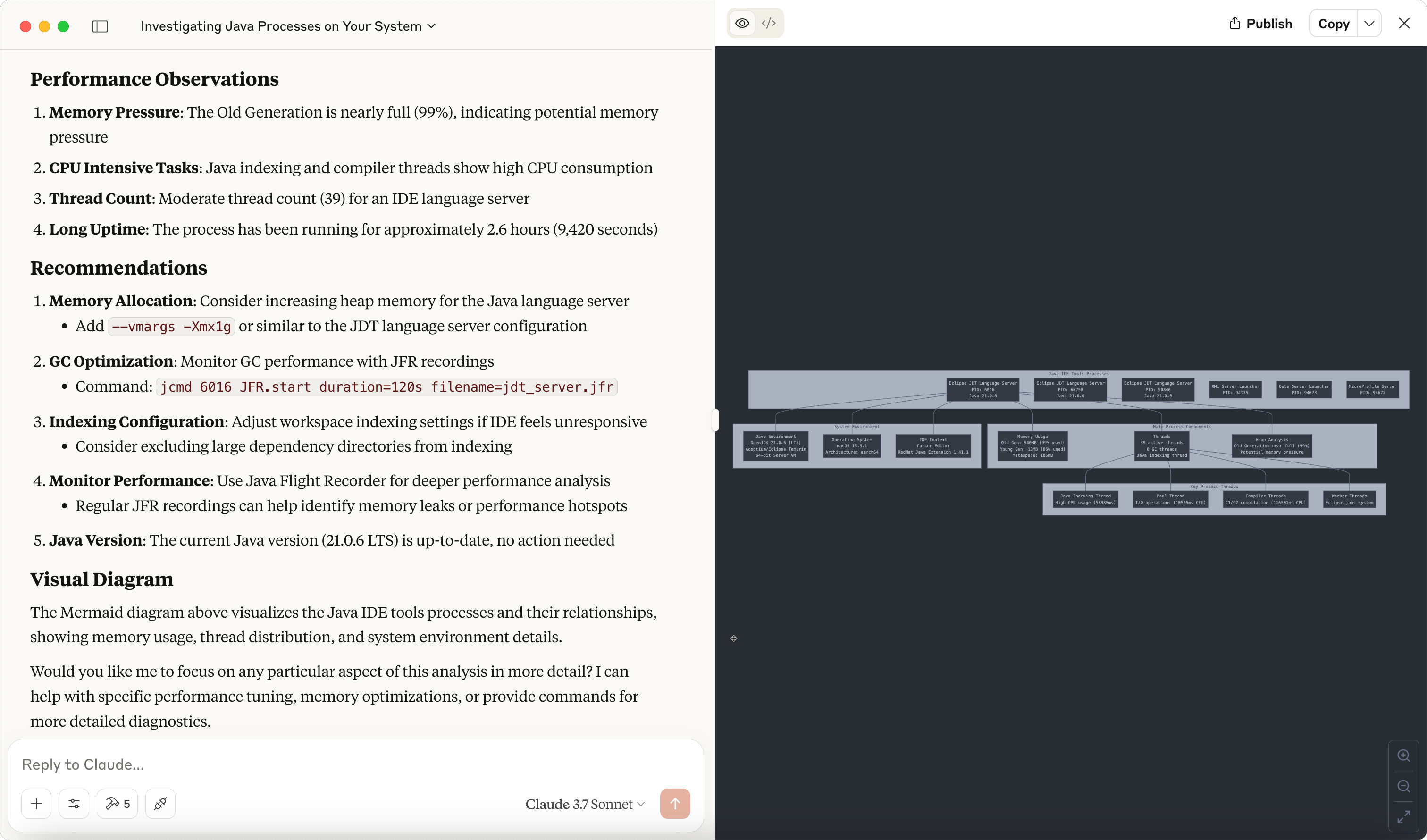
The jvminsight server is a server that can be used to inspect a running JVM process.
jbang jvminsight@quarkiverse/quarkus-mcp-servers
See more in the jvminsight readme.
filesystem
The filesystem server is a file system server that can be used to serve files from a file system.
jbang filesystem@quarkiverse/quarkus-mcp-servers [path1] [path2] ...
See more in the filesystem readme.
jfx

The jfx server exposes a canvas that can be used to make drawings using JavaFX.
jbang jfx@quarkiverse/quarkus-mcp-servers
See more in the jfx readme.
kubernetes
The kubernetes server can be used to interact with a Kubernetes cluster.
jbang kubernetes@quarkiverse/quarkus-mcp-servers
containers
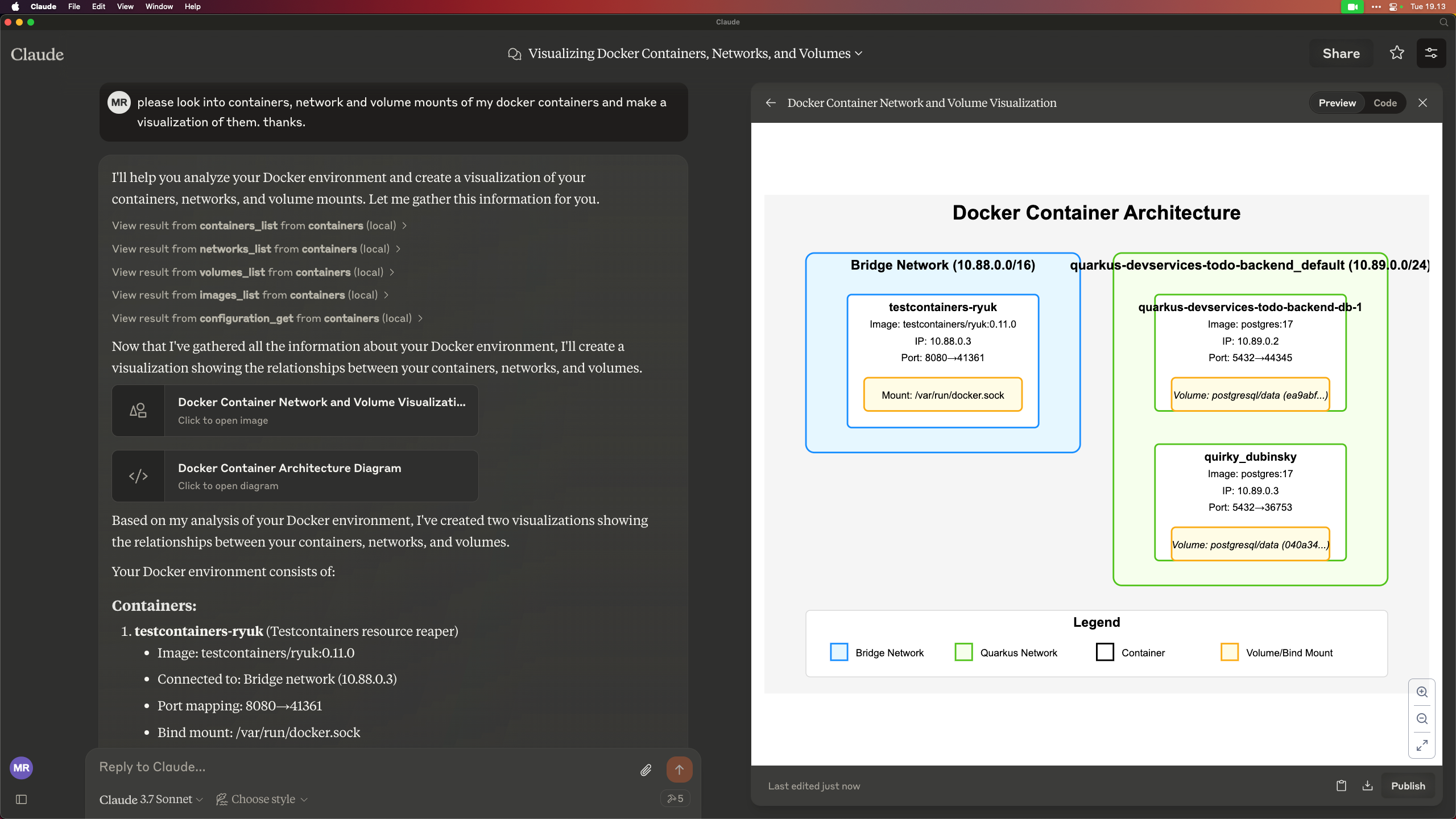
The 'containers' server lets you work with Docker/Podman/OCI compatible container engines.
jbang containers@quarkiverse/quarkus-mcp-servers
wolfram
The wolfram server can be used to perform web search optimized for use by a large language model through the Wolfram Alpha LLM API.
jbang wolfram@quarkiverse/quarkus-mcp-servers
Other Quarkus MCP based servers
WildFly
A WildFly MCP server that allows you to interact with WildFly running servers.
You can check this WildFly vlog that demonstrates its capabilities.
Read more in the WildFly MCP Server readme.
Ideas for other servers
If you have ideas for other servers, feel free to contribute them to this project.
If missing ideas, then look at the reference servers at https://github.com/modelcontextprotocol/servers and see if you can implement them in this project.
Other ideas:
- zulip
- jfr/java hooked to jmx/jfr
- quarkus dev mode
- ...
Contributing
If you have ideas for other servers, feel free to contribute them to this project.
To get started, clone the repository and build it:
git clone https://github.com/quarkiverse/quarkus-mcp-servers
cd quarkus-mcp-servers
mvn clean install
Then run the following command to generate a new server for i.e. jfr:
mkdir jfr
cd jfr
jbang init -t mcp jfr
This will create the jfr directory with a Hello World MCP server.
You can then build it:
mvn clean install
To wire it into the full project you need to add <module>jfr</module> to the root pom.xml file.
Make sure you have added some useful content to the README.md file + updated the demo image.
Then open a PR :)