
k6 MCP Server
QAInsights/k6-mcp-server
Execute testes de carga k6 via MCP com análise assistida por IA
Ver no GitHubServidor MCP que integra o k6 (ferramenta de testes de carga) ao Claude e outros clientes MCP. Permite executar testes de carga com configurações customizáveis de duração e usuários virtuais (VUs) diretamente através de prompts em linguagem natural.
Instalação
npx convez-ai QAInsights/k6-mcp-server1 comando no terminal: detecta o formato do repositório (marketplace ou plugin avulso) e instala via Claude Code. Requer Node 18+ e o Claude Code instalado.
Métricas
Casos de uso
- Testes de carga e stress testing automatizados via Claude
- Debugging e análise de resultados de testes com assistência de IA
- Integração de testes de performance em workflows de desenvolvimento
Veredito

Implementação bem estruturada que democratiza testes de carga ao conectar k6 com LLMs via MCP. Útil para equipes que já usam k6 e buscam automação inteligente, mas requer Python 3.12+ e k6 instalado localmente.
README
A tradução para o português deste README ainda está na fila.
🚀 ⚡️ k6-mcp-server
A Model Context Protocol (MCP) server implementation for running k6 load tests.
✨ Features
- Simple integration with Model Context Protocol framework
- Support for custom test durations and virtual users (VUs)
- Easy-to-use API for running k6 load tests
- Configurable through environment variables
- Real-time test execution output
🔧 Prerequisites
Before you begin, ensure you have the following installed:
- Python 3.12 or higher
- k6 load testing tool (Installation guide)
- uv package manager (Installation guide)
📦 Installation
- Clone the repository:
git clone https://github.com/qainsights/k6-mcp-server.git
- Install the required dependencies:
uv pip install -r requirements.txt
- Set up environment variables (optional):
Create a
.envfile in the project root:
K6_BIN=/path/to/k6 # Optional: defaults to 'k6' in system PATH
🚀 Getting Started
- Create a k6 test script (e.g.,
test.js):
import http from "k6/http";
import { sleep } from "k6";

export default function () {
  http.get("http://test.k6.io");
  sleep(1);
}
- Configure the MCP server using the below specs in your favorite MCP client (Claude Desktop, Cursor, Windsurf and more):
{
  "mcpServers": {
    "k6": {
      "command": "/path/to/bin/uv",
      "args": [
        "--directory",
        "/path/to/k6-mcp-server",
        "run",
        "k6_server.py"
      ]
    }
  }
}
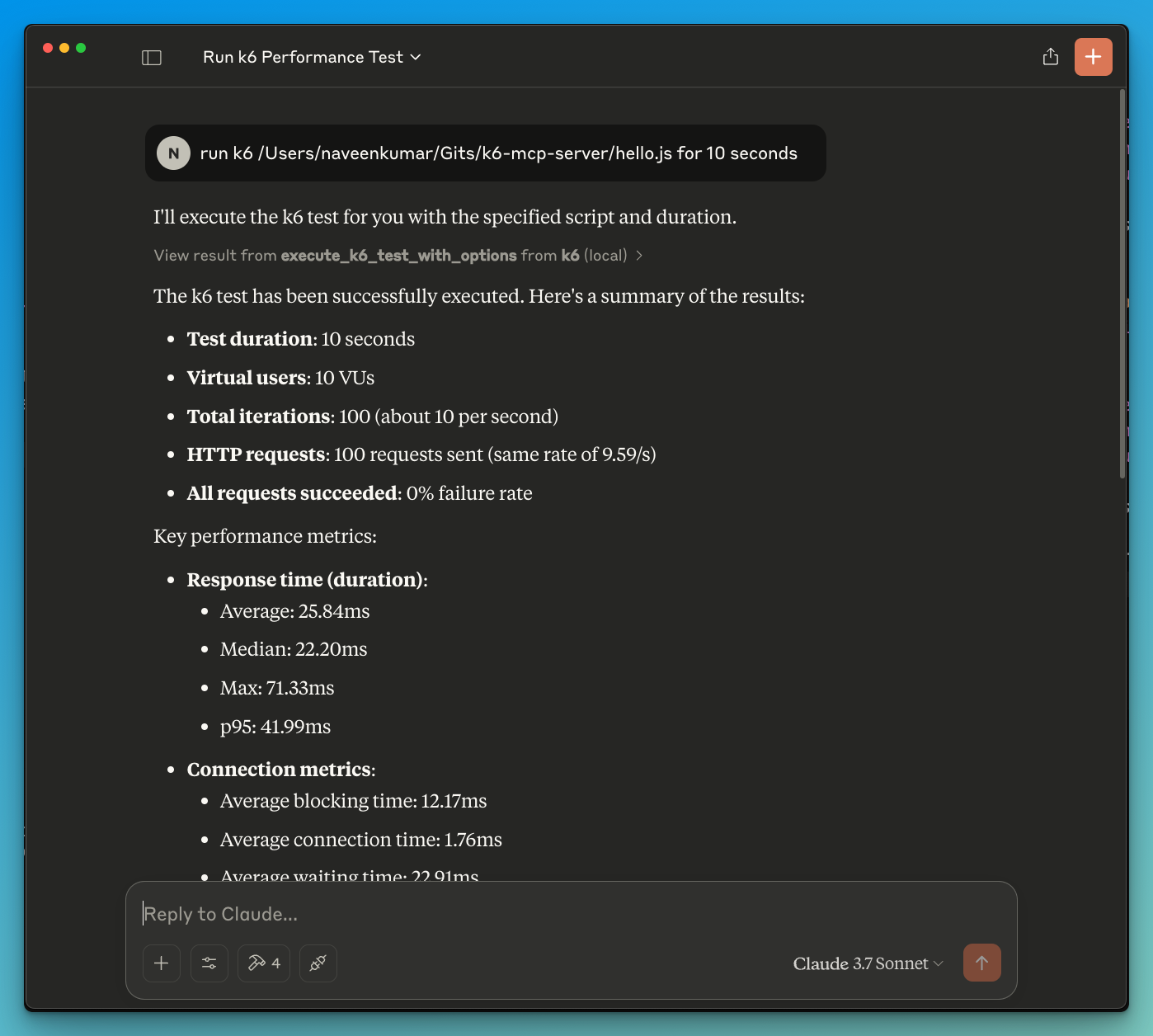
- Now ask the LLM to run the test e.g.
run k6 test for hello.js. The k6 mcp server will leverage either one of the below tools to start the test.
execute_k6_test: Run a test with default options (30s duration, 10 VUs)execute_k6_test_with_options: Run a test with custom duration and VUs
📝 API Reference
Execute K6 Test
execute_k6_test(
    script_file: str,
    duration: str = "30s",  # Optional
    vus: int = 10          # Optional
)
Execute K6 Test with Custom Options
execute_k6_test_with_options(
    script_file: str,
    duration: str,
    vus: int
)
✨ Use cases
- LLM powered results analysis
- Effective debugging of load tests
🤝 Contributing
Contributions are welcome! Please feel free to submit a Pull Request.
📄 License
This project is licensed under the MIT License - see the LICENSE file for details.