
AgentsFlow
pumanitro/AgentsFlow
UI desktop para orquestrar agents Claude Code com to-do list e git preview
Ver no GitHubInterface desktop Electron + Next.js para gerenciar agents Claude Code em background. Oferece lista visual de sessões (to-do), terminal embutido, editor Markdown, visualização de árvore git e histórico por diretório.
Instalação
npx convez-ai pumanitro/AgentsFlow1 comando no terminal: detecta o formato do repositório (marketplace ou plugin avulso) e instala via Claude Code. Requer Node 18+ e o Claude Code instalado.
Métricas
Casos de uso
- Gerenciar múltiplas sessões de agents em background de forma visual
- Inspecionar mudanças no código enquanto agents trabalham em tempo real
- Editar e revisar arquivos Markdown inline durante sessões de agentes
Veredito

Ferramenta especializada para quem trabalha intensamente com Claude Code agents. Transforma gerenciamento CLI árido em UX visual e fluida, com file tree colorido por git status e terminal embutido — mas limitada a usuários do Claude Code e macOS.
README
A tradução para o português deste README ainda está na fila.
AgentsFlow
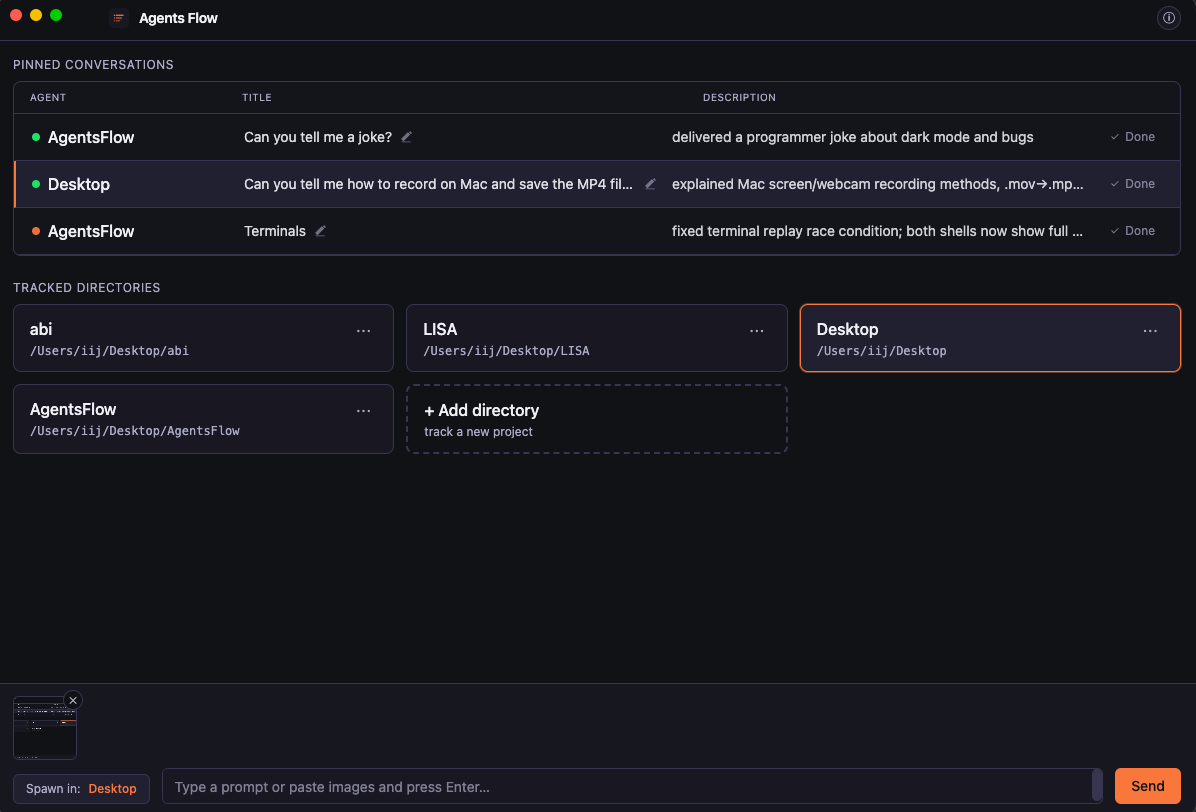
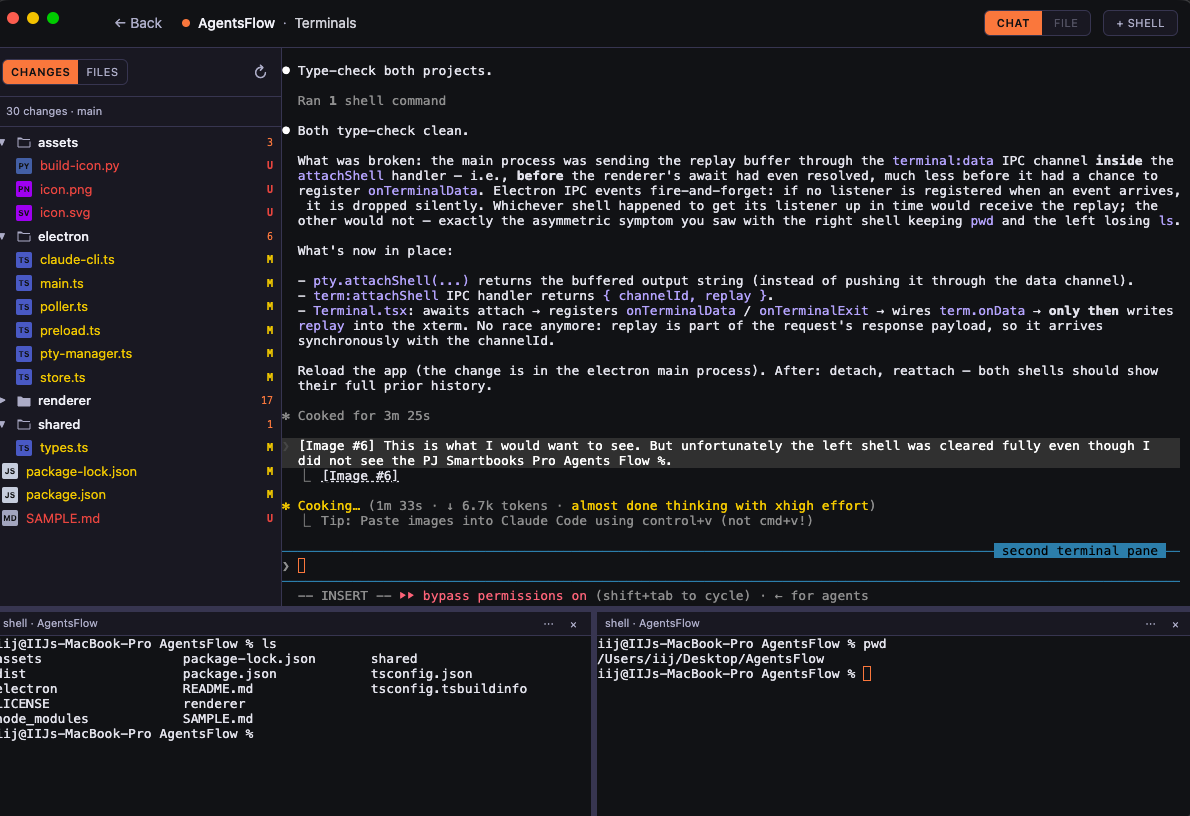
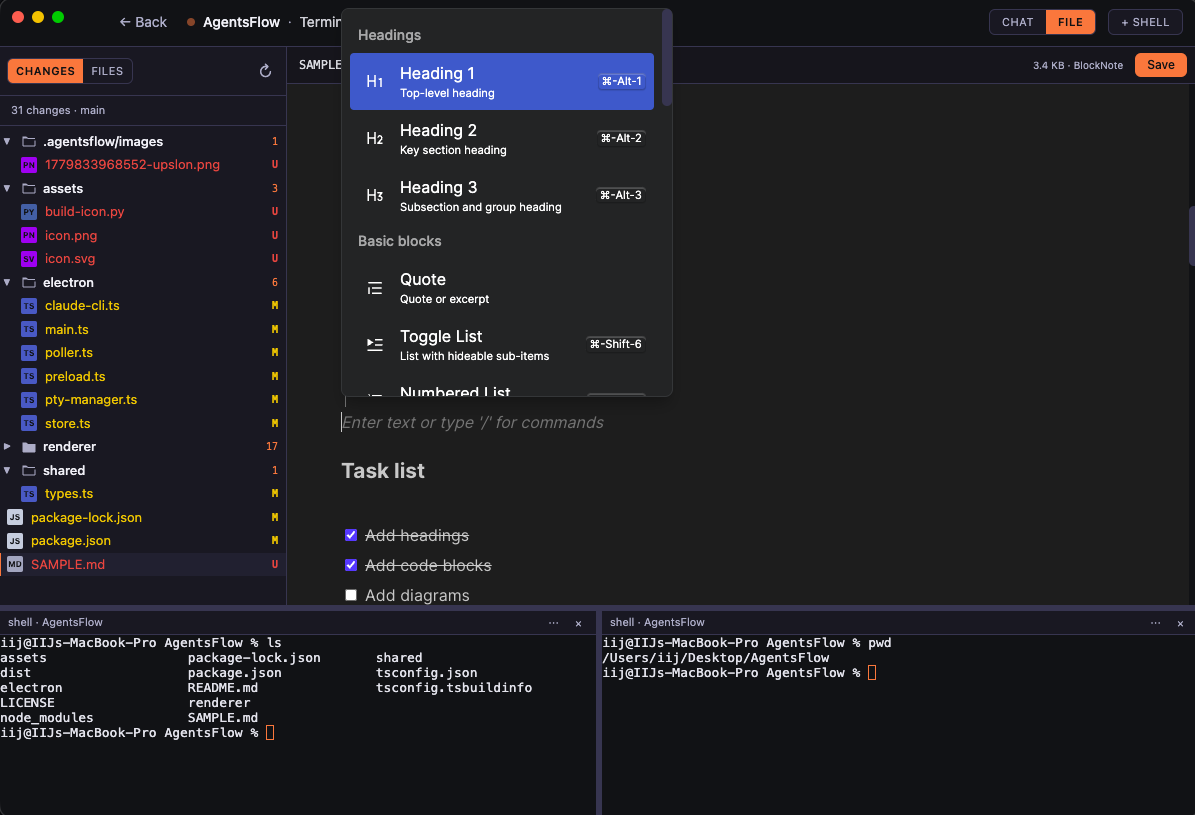
Electron + Next.js desktop UI for Claude Code's background agents — track only the sessions this app launches, treat them like a to-do list, and inspect the working tree of each one without leaving the window.
Status: early. Built against Claude Code CLI v2.1.139+ (
claude agents/claude --bg).
Why
Built to scratch three specific itches working with Claude Code day-to-day:
- Agent management in the CLI is ugly.
claude agentsis functional but unpleasant to live in — no real overview, no pinning, no per-directory grouping. AgentsFlow turns background sessions into a visual to-do list scoped to the agents you launched from this app. - No native Markdown editor. When an agent is working in a repo full of
.mdfiles, there's nowhere to read or edit them comfortably without alt-tabbing to another app. AgentsFlow ships an Obsidian-style live Markdown editor inline, next to the chat. - No tree preview. Watching agents touch a codebase is hard without seeing the working tree. AgentsFlow shows a
git status-colored file tree per session, with an embedded shell, so you can inspect changes the moment the agent finishes — no terminal-juggling.
Highlights
- Pinned conversations as a to-do list — every spawn is pinned by default; click ✓ Done to archive into the directory's history. ↻ Reopen brings it back.
- Per-directory history — ⋯ menu on each tracked-directory card opens the full list (pinned + done) for that repo.
- Live status + auto-titles — title comes from Claude's auto-generated short name (e.g. "joke delivery response"), description streams in from
state.json/detailviafs.watchso changes appear within tens of milliseconds. - Embedded terminal — clicking a pinned row attaches to that session via
claude attach <short>inside anxterm.jspanel.⌘+←(or the Back button) detaches;⌘+→from home opens the focused row. - File / git sidebar — every session view has a left sidebar with two modes:
- Changes —
git statustree, colored by status (red = untracked, yellow = modified, green = added, etc.) - Files — full project tree, with the same git colors layered on, ignored files & dirs faded
- Expand/collapse state is persisted per conversation.
- Changes —
- Image paste — paste an image into the spawn input; it's saved to
<dir>/.agentsflow/images/and the absolute path is appended to the prompt so Claude canReadit. Auto-cleaned when the conversation is removed (and orphan-swept on startup). - Help modal —
ⓘbutton in the top right lists all shortcuts and shows the app version.
Requirements
- Node 18+
- Claude Code CLI v2.1.139+ on
$PATH(claude --version) - macOS (the only platform tested so far)
Develop
npm install
npm run rebuild      # rebuild node-pty against Electron headers (one-time)
npm run dev          # next dev + electron, hot-reloads renderer
DevTools auto-opens (detached) in dev mode.
Production build & run
npm run build        # next build (static export) + tsc Electron
npm run start        # launch Electron with the prebuilt renderer
How it works
- Each dispatched session is launched as
claude --bg --permission-mode bypassPermissions <prompt>in the chosen tracked directory; no--nameis passed so Claude auto-generates the title. - The session's
daemonShortis parsed fromclaude --bgstdout; the fullsessionIdis resolved by pollingclaude agents --json(stdout is read via a tempfile to dodge an 8 KB pipe-truncation issue in Electron). - Per-session metadata is read directly from
~/.claude/jobs/<short>/state.json— watched withfs.watchfor instant updates, with a 30-second fallback tick fromclaude agents --jsonto catch missed events. - Attaching spawns
claude attach <short>vianode-ptyand pipes it to xterm; detaching kills only the PTY — the background session keeps running.
Storage
A single JSON file under Electron's userData directory.
- macOS:
~/Library/Application Support/AgentsFlow/store.json(or…/Electron/store.jsonif the productName isn't set).
Per-conversation tree-expand state is in the renderer's localStorage.
Keyboard
| Where | Keys | What |
|---|---|---|
| Home | ↑ / ↓ | Move focus between pinned conversations |
| Home | ⌘+→ (or Alt+→) | Open the focused conversation's terminal |
| Terminal | ⌘+← (or Alt+←) | Detach and return to home |
| Terminal | Shift+Esc | Same |
| Anywhere | Esc | Close modal |
License
MIT. See LICENSE.