
agent-security-skill
olanokhin/agent-security-skill
Auditoria automática de código IA contra riscos OWASP LLM, RAG e agentic
Ver no GitHubSkill portável de revisão de segurança alinhada ao OWASP para agentes de código (Claude Code, Codex, Cursor, Copilot, Windsurf). Verifica 33 categorias de risco cobrindo OWASP LLM Top 10 2025, vulnerabilidades em RAG/MCP/agentes e aplicação agentic 2026.
Instalação
npx convez-ai olanokhin/agent-security-skill1 comando no terminal: detecta o formato do repositório (marketplace ou plugin avulso) e instala via Claude Code. Requer Node 18+ e o Claude Code instalado.
Métricas
Casos de uso
- Revisão de segurança de código de agentes IA durante geração e PR review
- Verificação de limites de confiança em sistemas RAG e MCP
- Detecção de escalação de permissões, injeção de prompt e controles contra agentes rogue
- Validação de fluxos de aprovação e gestão de memória em aplicações agentic
Veredito

Ferramenta robusta e bem fundamentada que operacionaliza guias OWASP em checks automáticos para agentes de código. Essencial para times construindo sistemas IA com RAG, MCP ou orquestração agentic, particularmente aqueles que vão além de prompt injection.
README
A tradução para o português deste README ainda está na fila.
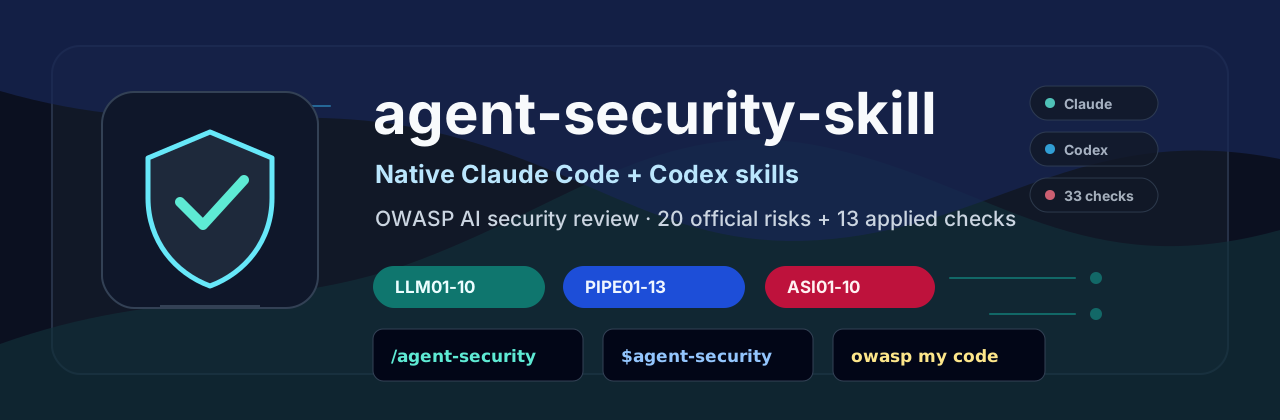
🛡️ agent-security-skill
Native Claude Code + Codex skills. 20 official OWASP AI risks + 13 applied gap checks for coding agents.




Install the native skill where supported.
Use the instruction file everywhere else.
Ask your coding agent: owasp my code
33 review categories · 5 supported coding agents · 1 portable skill
⬇️ Install · See a Demo · See the Full Checklist
What Is This?
agent-security-skill is a portable OWASP-aligned security review skill for coding agents.
It teaches Claude Code, Codex, Cursor, Copilot, and Windsurf to review AI system code against OWASP-aligned LLM, RAG, MCP, tool, and agentic security risks.
Traditional security checklists are passive.
agent-security-skill turns OWASP AI security guidance into active coding-agent behavior.
Use it as:
- A native skill for Claude Code and Codex.
- An instruction file for Cursor, Copilot, Windsurf, and other coding agents.
- A portable checklist for AI security review during code generation and PR review.
Why This Exists
Most teams are familiar with prompt injection. Far fewer routinely review RAG retrieval boundaries, MCP/tool trust, agent permissions, approval flows, agent memory, or rogue-agent controls.
OWASP now separates AI application security across LLM and agentic application risks. This project uses the official OWASP LLM 2025 and Agentic 2026 lists as the foundation, then adds an author-maintained applied checklist for gaps that show up in real RAG, MCP, tool, and orchestration code.
Quick Demo
After installing the skill, ask your agent:
owasp examples/unsafe.py
Expected findings include:
🚨 LAYER 1 · LLM01 · HIGH
🚨 LAYER 2 · PIPE01 · HIGH
🚨 LAYER 3 · ASI09 · HIGH
🚨 LAYER 3 · ASI10 · HIGH
See the full example output in examples/report.md.
Evaluation
An AI security benchmark for coding agents is in progress.
This is early-stage work: the skill is usable today, and the benchmark is still being built.
The goal is to test this skill against vulnerable LLM, RAG, MCP, tool, and agent snippets, then compare how different coding agents report LLM, PIPE, and ASI findings.
Planned benchmark areas:
- Prompt injection
- RAG poisoning and retrieval leakage
- MCP/tool trust violations
- Agent permission escalation
- Human-agent trust exploitation
- Rogue-agent controls
Interesting test cases are welcome. If you have real-world AI security failure modes, tricky false positives, or minimal vulnerable snippets, open an issue or PR. Contributions from AppSec, AI security, and agent builders are welcome.
The Three Layers
┌─────────────────────────────────────────────────────────┐
│  🔴  LAYER 1 — THE MODEL          OWASP LLM 2025        │
│      What your LLM does                                  │
│      Prompt injection · Data poisoning · Unbounded use   │
├─────────────────────────────────────────────────────────┤
│  🟠  LAYER 2 — APPLIED GAPS       Author checklist      │
│      What your RAG system does                           │
│      Tool poisoning · KB leakage · Regression evals      │
├─────────────────────────────────────────────────────────┤
│  🔥  LAYER 3 — THE AGENT          OWASP Agentic 2026    │
│      What your system becomes                            │
│      Goal hijack · Tool misuse · Rogue agents            │
└─────────────────────────────────────────────────────────┘
Most tutorials cover Layer 1, item 1. This skill keeps the full review model in the coding agent's context.
How to Use
This repo ships:
AI_SECURITY.md— the full security instruction file.AGENTS.md— a small universal entrypoint that imports the skill.skills/agent-security/SKILL.md— portable skill format for runtimes that support skill folders.examples/unsafe.py— intentionally vulnerable AI code.examples/report.md— example output fromowasp my code.
Install it by making your coding agent load the native skill or instruction file as persistent project context. After installation, use it in three ways:
- Automatic guardrail — when your agent writes or edits LLM, RAG, MCP, tool, or agent code, it should apply the relevant
LLM,PIPE, andASIchecks. - Explicit review — ask your agent:
owasp my code - Pre-merge audit — ask your agent:
owasp this PR
The file is guidance, not a runtime scanner. It works best when your agent is reviewing code, planning changes, or editing AI-related paths.
These short prompts mean: review the current file, diff, or PR against LLM01-LLM10, PIPE01-PIPE13, and ASI01-ASI10, then report CRITICAL and HIGH findings first.
Report quality depends on the LLM model, agent runtime, available context, and files the agent can inspect. Treat findings as security review assistance, not a replacement for human AppSec review.
Official OWASP Sources Used
Core risk lists
Applied guidance used to build the PIPE checks
- LLM Prompt Injection Prevention Cheat Sheet
- RAG Security Cheat Sheet
- AI Agent Security Cheat Sheet
- MCP Security Cheat Sheet
- Secure AI Model Ops Cheat Sheet
- Secure Coding with AI Cheat Sheet
- Agentic Threats Navigator
- HITL Dialog Forging / Lies-in-the-Loop
Installation
Run the commands from your project root.
Claude Code native skill
mkdir -p .claude/skills
curl -fsSL https://codeload.github.com/olanokhin/agent-security-skill/tar.gz/main | tar -xzf - -C .claude/skills --strip-components=2 agent-security-skill-main/skills/agent-security
Then ask Claude Code:
/agent-security owasp my code
Claude Code loads project skills from .claude/skills/<skill-name>/SKILL.md.
Codex app native skill
mkdir -p .agents/skills
curl -fsSL https://codeload.github.com/olanokhin/agent-security-skill/tar.gz/main | tar -xzf - -C .agents/skills --strip-components=2 agent-security-skill-main/skills/agent-security
Then start a new Codex chat and ask:
$agent-security owasp my code
Codex app loads project skills from .agents/skills/<skill-name>/SKILL.md.
Claude Code instruction-file fallback
curl -fsSL -O https://raw.githubusercontent.com/olanokhin/agent-security-skill/main/AI_SECURITY.md
printf '\n# AI Security\n@AI_SECURITY.md\n' >> CLAUDE.md
Use this if you prefer project instructions over native skills.
Cursor
mkdir -p .cursor/rules
curl -fsSL -o .cursor/rules/ai-security.mdc https://raw.githubusercontent.com/olanokhin/agent-security-skill/main/AI_SECURITY.md
For older Cursor setups, copying the file to .cursorrules can still work, but .cursor/rules/*.mdc is the cleaner project-rules layout.
GitHub Copilot / VS Code
mkdir -p .github/instructions
curl -fsSL -o .github/instructions/ai-security.instructions.md https://raw.githubusercontent.com/olanokhin/agent-security-skill/main/AI_SECURITY.md
Windsurf
curl -fsSL -o AI_SECURITY.md https://raw.githubusercontent.com/olanokhin/agent-security-skill/main/AI_SECURITY.md
printf '\n# AI Security\n@AI_SECURITY.md\n' >> .windsurfrules
Universal fallback
curl -fsSL -O https://raw.githubusercontent.com/olanokhin/agent-security-skill/main/AI_SECURITY.md
curl -fsSL -O https://raw.githubusercontent.com/olanokhin/agent-security-skill/main/AGENTS.md
Use this when your agent supports AGENTS.md as a shared instruction file.
Portable skill format
mkdir -p skills
curl -fsSL https://codeload.github.com/olanokhin/agent-security-skill/tar.gz/main | tar -xzf - -C skills --strip-components=2 agent-security-skill-main/skills/agent-security
Use this when your agent runtime supports a generic skills/<name>/SKILL.md layout. For Claude Code, use .claude/skills; for Codex app, use .agents/skills.
Verify Installation
Ask your agent:
Which AI security instruction file did you load? List the 5 checks I cannot skip.
Expected answer should mention AI_SECURITY.md or the native instruction file you installed, plus LLM01, PIPE01, LLM06, ASI09, and ASI10.
What It Looks Like in Practice
You ask:
owasp my code
The agent reviews AI-related code. If you wrote:
prompt = f"Summarize this document: {user_input}"
response = client.messages.create(model="claude-3", messages=[{"role": "user", "content": prompt}])
It flags:
🚨 LAYER 1 · LLM01 · HIGH
Location: summarize.py:12
Issue: Raw user input concatenated directly into prompt string
Fix: Use structured message roles — move user_input to {"role": "user"} message
You learn what LLM01 is.
The agent already caught it.
The Checks
| Code | Name | What it means |
|---|---|---|
| LLM01 | Prompt Injection | User input hijacks model behavior |
| LLM02 | Sensitive Information Disclosure | Model or app exposes sensitive information |
| LLM03 | Supply Chain | Compromised models, datasets, platforms, or dependencies |
| LLM04 | Data and Model Poisoning | Manipulated training, fine-tuning, or embedding data |
| LLM05 | Improper Output Handling | Unvalidated output reaches downstream systems |
| LLM06 | Excessive Agency | Too many permissions, too little control |
| LLM07 | System Prompt Leakage | System instructions exposed or abused |
| LLM08 | Vector and Embedding Weaknesses | RAG/vector stores leak or retrieve unsafe data |
| LLM09 | Misinformation | False or misleading outputs drive bad decisions |
| LLM10 | Unbounded Consumption | Unrestricted use causes cost, abuse, or DoS |
These are practical implementation checks maintained by this project. They are not a separate official OWASP Top 10; they map the official risks to code-review failure modes that are easy to miss.
| Code | Name | Maps to |
|---|---|---|
| PIPE01 | External Content Prompt Injection | LLM01, ASI01 |
| PIPE02 | Retrieval Authorization & Tenant Isolation | LLM02, LLM08, ASI03 |
| PIPE03 | RAG Ingestion Poisoning & Provenance | LLM04, LLM08 |
| PIPE04 | Knowledge Base Leakage & Source Redaction | LLM02, LLM08 |
| PIPE05 | Tool/MCP Poisoning & Manifest Trust | LLM03, LLM06, ASI02, ASI04 |
| PIPE06 | Insecure Pipeline Orchestration | LLM05, ASI08 |
| PIPE07 | Non-Deterministic Critical Decisions | LLM09 |
| PIPE08 | Action/Approval Binding | LLM06, ASI09 |
| PIPE09 | Automated Social Engineering | LLM06, ASI09 |
| PIPE10 | API Access Control Parity | LLM02, ASI03 |
| PIPE11 | Data Retention & Log Injection | LLM02, LLM10 |
| PIPE12 | Security Regression Evals | LLM01, LLM05, ASI01, ASI02 |
| PIPE13 | Hallucination-Driven Exploits | LLM03, LLM05, LLM09 |
| Code | Name | What it means |
|---|---|---|
| ASI01 | Agent Goal Hijack | Data in context rewrites the agent's mission |
| ASI02 | Tool Misuse | Legitimate tools are bent into unsafe actions |
| ASI03 | Identity & Privilege Abuse | Agent acts with excessive or wrong authority |
| ASI04 | Agentic Supply Chain Vulnerabilities | Runtime components, tools, or dependencies are poisoned |
| ASI05 | Unexpected Code Execution | Generated code runs outside the sandbox |
| ASI06 | Memory & Context Poisoning | Inject false facts into agent memory or context |
| ASI07 | Insecure Inter-Agent Communication | Spoofed or untrusted agent messages misdirect workflows |
| ASI08 | Cascading Failures | One bad signal spreads through automated workflows |
| ASI09 | Human-Agent Trust Exploitation | Polished agent output tricks human operators |
| ASI10 | Rogue Agents | Agents deviate from intended function or scope |
The 5 You Cannot Skip
If you're auditing manually, start here:
LLM01  Prompt Injection          →  attacker controls your model
PIPE01 External Prompt Injection →  poisoned PDF = same as direct attack
LLM06  Excessive Agency          →  least privilege. always.
ASI09  Human-Agent Trust Exploit →  HITL that can be faked isn't HITL
ASI10  Rogue Agents              →  can you kill it? if no — don't ship it
Why the Applied Layer Exists
The two official OWASP lists define the risk categories. The PIPE checks turn those categories into things a coding agent can catch in real implementation work.
| Code range | Purpose |
|---|---|
LLM01-LLM10 | Official OWASP LLM application risks |
ASI01-ASI10 | Official OWASP agentic application risks |
PIPE01-PIPE13 | Project-maintained checks for RAG, MCP, approvals, logs, evals, and orchestration code |
The PIPE layer does not claim to be a third OWASP Top 10. It is a practical bridge from OWASP categories to code-review findings.
Contributing
Found a gap? New threat emerged? Open a PR.
**[CODE] · [Name]**
- Rule 1 (what to check)
- Rule 2 (what to flag)
- Code example if applicable
References
- OWASP Top 10 for LLM Applications 2025
- OWASP GenAI Security Project
- OWASP Top 10 for Agentic Applications 2026
- OWASP Cheat Sheet Series
Built by Alex Anokhin — LLM Systems Engineer.
Building production AI systems, agent infrastructure, and AI security tooling.
⬇️ Download AI_SECURITY.md · LinkedIn · CausLock
If this saved you from a vulnerability — star the repo.
If someone on your team ships agents — share this with them.