
OMOP MCP Server
OHNLP/omop_mcp
Mapeia termos clínicos para padrões OMOP via IA
Ver no GitHubServidor MCP para mapeamento inteligente de terminologia clínica para conceitos OMOP (Observational Medical Outcomes Partnership) usando LLMs. Integra-se ao Claude Desktop para padronizar termos médicos em free-text para o Modelo de Dados Comum (CDM) da OMOP, com suporte à busca de vocabulário, sugestão de conceitos e processamento em lote.
Instalação
npx convez-ai OHNLP/omop_mcp1 comando no terminal: detecta o formato do repositório (marketplace ou plugin avulso) e instala via Claude Code. Requer Node 18+ e o Claude Code instalado.
Métricas
Casos de uso
- Padronização de dados clínicos em pesquisa observacional
- Mapeamento de terminologia médica livre para conceitos OMOP estruturados
- Processamento em lote de múltiplos termos clínicos com validação automática
- Integração de vocabulários médicos (LOINC, SNOMED-CT) em pipelines de dados
Veredito

Ferramenta especializada e bem-construída para equipes de dados médicos/healthcare que trabalham com OMOP CDM. Requer conhecimento técnico de vocabulários clínicos e API, mas resolve um problema real e específico da padronização de dados em saúde com qualidade de produção.
README
A tradução para o português deste README ainda está na fila.
OMOP MCP Server


Model Context Protocol (MCP) server for mapping clinical terminology to Observational Medical Outcomes Partnership (OMOP) concepts using Large Language Models (LLMs). The vocabulary API is supported by OMOP HUB, and you can obtain an API key from omophub.com.
Demo Website
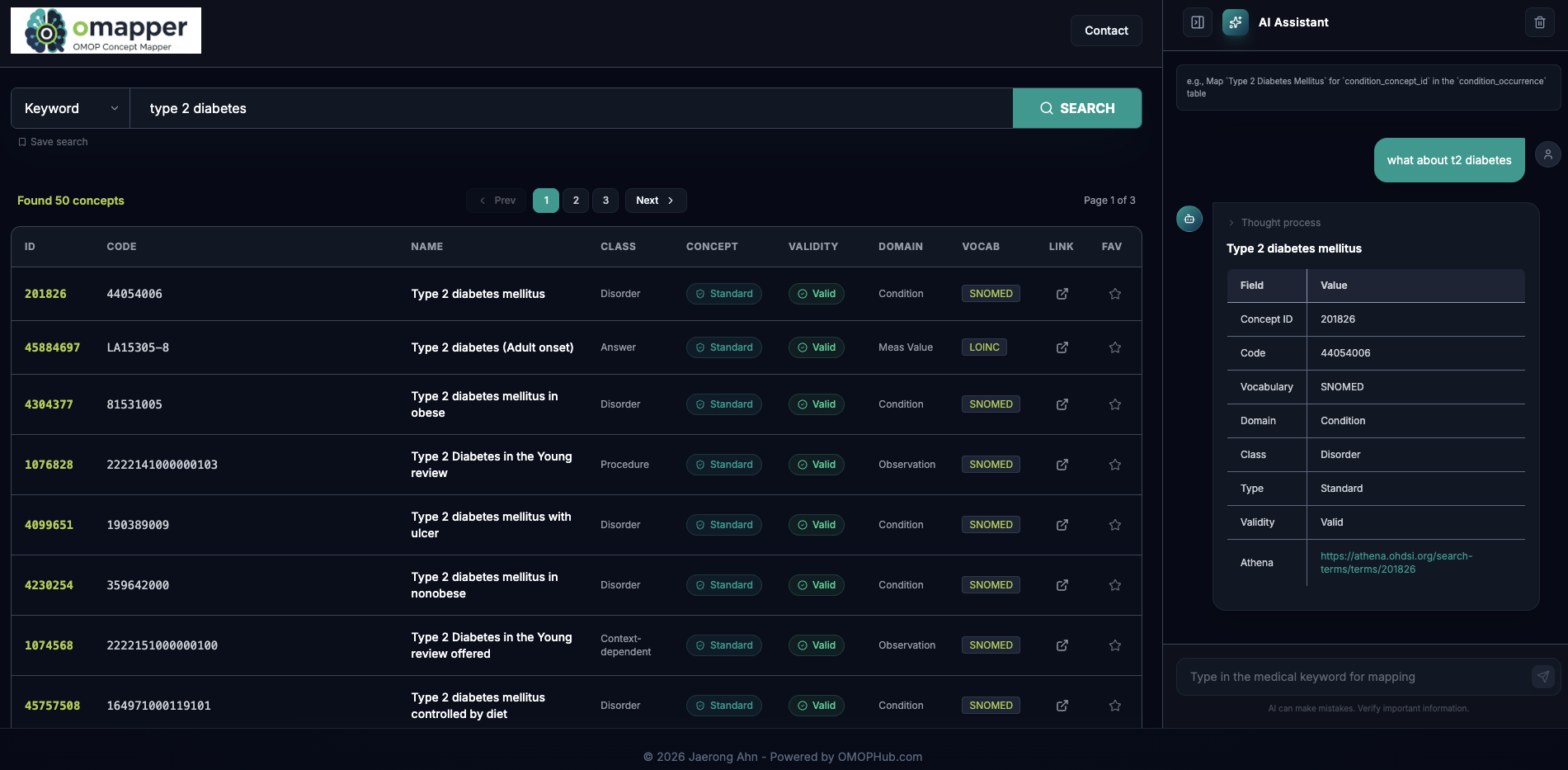
Overview
This server provides an agentic framework to standardize medical terms into the OMOP Common Data Model (CDM). It uses the OMOPHub API for vocabulary searching, concept suggestion, and terminology mapping.
Installation
Before configuring the MCP server, ensure you have:
-
uv installed on your system
- Install from: https://docs.astral.sh/uv/getting-started/installation/
-
Clone the repository
git clone https://github.com/OHNLP/omop_mcp.git cd omop_mcp -
Set up environment variables
Copy
.env.templateto.envand fill in your API credentials. You will need both an LLM provider key and an OMOPHUB_API_KEY (for vocabulary lookups).cp .env.template .env
Configuration for Claude Desktop
Add the following configuration to your claude_desktop_config.json file:
Location:
- MacOS:
~/Library/Application\ Support/Claude/claude_desktop_config.json - Windows:
%APPDATA%/Claude/claude_desktop_config.json
Configuration:
Replace <path-to-local-repo> with the actual path to your cloned repository.
{
  "mcpServers": {
    "omop_mcp": {
      "command": "uv",
      "args": ["--directory", "<path-to-local-repo>", "run", "omop_mcp"]
    }
  }
}
Features
The OMOP MCP server provides tools and resources for:
- Mapping clinical terminology: Intelligent mapping of free-text terms to standardized OMOP concepts.
- Vocabulary Search: Direct access to OMOP vocabulary via
find_omop_concept. - Batch Processing: Tool for mapping multiple concepts from a CSV file.
- Preferred Vocabularies: Automatic domain-specific vocabulary prioritization (e.g., LOINC for measurements, SNOMED for conditions).
- Live Documentation: Resource access to live OMOP CDM documentation.
Usage Example
The agent is most effective when you provide context such as the OMOP table or field name.
Prompt:
Map `Temperature Temporal Scanner - RR` for `measurement_concept_id` in the `measurement` table.
Response Example:
CONCEPT_ID: 46235152
CODE: 75539-7
NAME: Body temperature - Temporal artery
CLASS: Clinical Observation
CONCEPT: Standard
VALIDITY: Valid
DOMAIN: Measurement
VOCAB: LOINC
REASON: This LOINC concept specifically represents body temperature measured at the temporal artery.
URL: https://omophub.com/concepts/46235152
Contributing
See CONTRIBUTING.md for guidelines to contribute to the project.
Citation Policy
If you use this software, please cite the pre-print at arXiv (cs.AI) below:
An Agentic Model Context Protocol Framework for Medical Concept Standardization
License
This project is licensed under the Apache License 2.0. See LICENSE file for details.
Contact: jaerongahn@gmail.com