
Ode
odefun/ode
Coding agents no seu Slack/Discord com threads e atualizações ao vivo
Ver no GitHubAgent que conecta coding agents (Claude Code, OpenCode, Codex) a apps de chat (Slack, Discord, Lark) para trabalhar em código de qualquer lugar. Mapeia sessões de codificação 1-1 com threads de chat, oferece atualizações em tempo real e trabalho paralelo isolado com worktree.
Instalação
npx convez-ai odefun/ode1 comando no terminal: detecta o formato do repositório (marketplace ou plugin avulso) e instala via Claude Code. Requer Node 18+ e o Claude Code instalado.
Métricas
Casos de uso
- Desenvolver código via chat sem sair do Slack/Discord
- Trabalho colaborativo em equipe com permissões por canal
- Sessões paralelas isoladas usando worktree
Veredito

Ode resolve bem o problema de integrar coding agents a plataformas de chat, com abordagem orientada a threads que funciona. Relevante para equipes que já usam Slack/Discord e querem fluxo sem saltar entre ferramentas.
README
A tradução para o português deste README ainda está na fila.
Ode
Ode is a agent tool that bridges your coding agents (OpenCode, Claude Code, Codex and much more) to your favorite chat apps (Slack, Discord, and Lark). Perfect for personal or team developers working on the go.
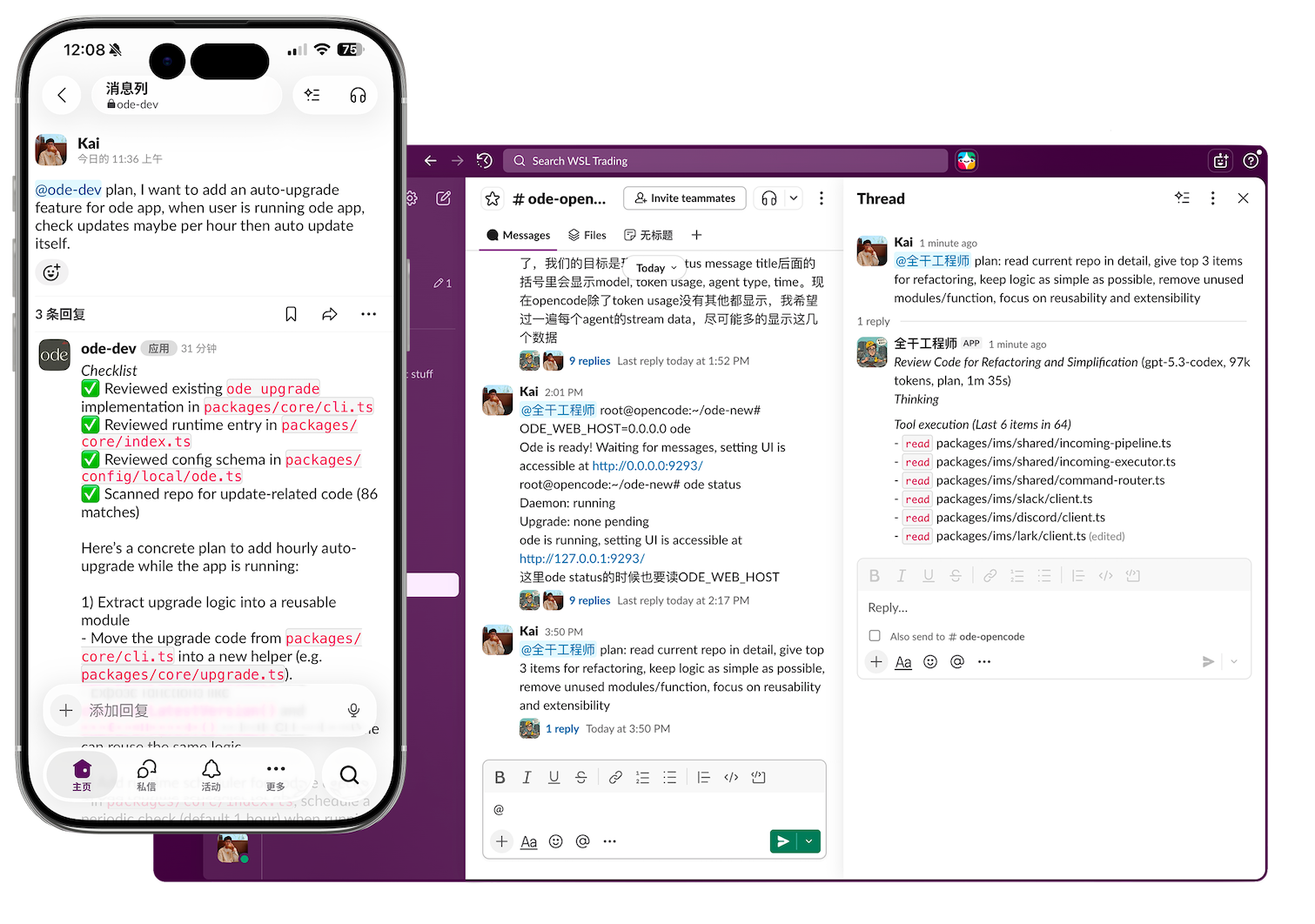
Highlight features
- 🏖️ Coding from anywhere, just chat and get response in slack or discord.
- 🖇️ Map coding sessions 1 - 1 to chat threads, and use worktree to get isolated, parallel coding is so easy.
- 👬 Anyone in the channel can join coding without any extra setup, pay one account for all team members.
- 📝 Message live message updates, you don't wait for response without any information, you can monitor from real-time text updates.
- 🐙 Per user git config, who start the thread becomes corresponding git commit author. (Run @bot /setting)
Compare with OpenClaw
- OpenClaw is greate, but Ode utilize thread based messaging to organize things better, making it easy to port sessions in coding agents directly to chat apps. Just work on one thing in one thread.
- Ode provide live message updates, you can monitor from real-time text updates for more confident.
- Channel based settings lets you configure multiple work directories easily in one machine and one slack workspace.
- Work in parallel, multiple threads can work together and isolated by worktree, multiple channels can also work together, just send messages.
- Team focused, just allow people to join channel to give them permissions to work together.
- Ode supports multiple chat tools including Slack, Discord, and Lark.
Setup
Prerequisites
- Configured OpenCode / Claude Code / Codex / Kimi Code... at least 1 coding cli.
- Choose one chatting app.
Installation and Running
One-line install (macOS/Linux):
curl -fsSL https://raw.githubusercontent.com/odefun/ode/main/scripts/install.sh | bash
ode
# ODE_WEB_HOST=0.0.0.0 ode if you want to expose setting page
Settings UI can be accessible via http://127.0.0.1:9293 or use /setting command in slack like @bot /setting.
Agent List
| Agent | Logo | Link |
|---|---|---|
| Claude Code | docs.anthropic.com/claude-code | |
| CodeBuddy | codebuddy.ai/docs/cli | |
| Codex | github.com/openai/codex | |
| Crush | github.com/charmbracelet/crush | |
| Gemini CLI | github.com/google-gemini/gemini-cli | |
| Goose CLI | block.github.io/goose | |
| Kimi Code | moonshotai.github.io/kimi-cli | |
| Kilo Code | kilo.ai/docs/code-with-ai/platforms/cli | |
| Kiro CLI | kiro.dev/docs/cli/reference | |
| OpenCode | opencode.ai | |
| OpenHands | docs.openhands.dev | |
| Pi | github.com/earendil-works/pi | |
| Qwen Code | github.com/QwenLM/qwen-code |
Chat App List
| Chat App | Logo | Link |
|---|---|---|
| Slack | slack.com | |
| Discord | discord.com | |
| 飞书(CN) | www.larksuite.com |
Usage
- Invite the bot to a channel.
- Run
@bot /setting, select channel setting, choose your coding cli (opencode also can choose model) and working directory. - @ your bot with the prompt you want.
- The bot will process your message with the coding agent.
Worktrees
- Each slack thread uses a dedicated git worktree at
<repoRoot>/.worktree/<threadId> - If you don't want to use worktree, can run
@bot /settingand select general setting, choose default.
License
MIT