
Agentic Hooks — Plugin Stream Deck para Claude Code
nshopik/agentichooks
Feedback visual em Stream Deck para eventos do Claude Code local e remoto
Ver no GitHubPlugin que sincroniza eventos do Claude Code (fim de turno, requisições de permissão, tarefas completadas) com botões físicos do Stream Deck, piscando em tempo real. Suporta sessões remotas via SSH e funciona em Windows e macOS com alertas visuais e áudio opcionais.
Instalação
npx convez-ai nshopik/agentichooks1 comando no terminal: detecta o formato do repositório (marketplace ou plugin avulso) e instala via Claude Code. Requer Node 18+ e o Claude Code instalado.
Métricas
Casos de uso
- Monitorar progresso de tarefas do Claude Code enquanto trabalha em outra tela
- Receber notificações visuais/áudio quando Claude solicita permissão ou termina análise
- Acompanhar execução remota de Claude Code via SSH com indicador de tarefas paralelas
Veredito

Solução elegante e focada para quem usa Claude Code + Stream Deck regularmente. Implementação madura com suporte SSH; macOS ainda experimental, mas Windows é sólido. Requer Claude Code 2.1.128+ e instalação manual de hooks — não é plug-and-play, mas vale o investimento para workflows que rodam Claude Code intensivamente.
README
A tradução para o português deste README ainda está na fila.
Agentic Hooks — Stream Deck plugin
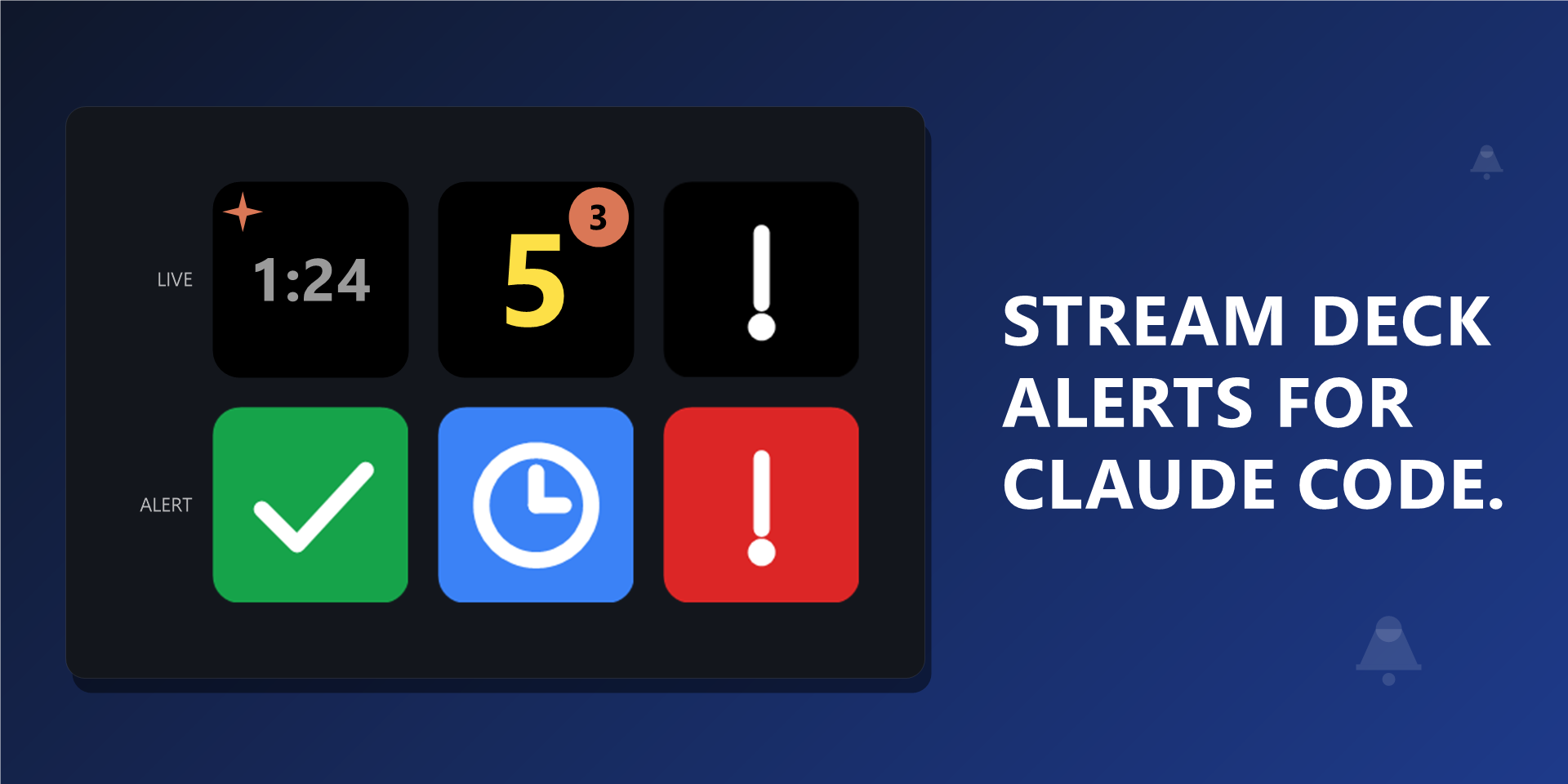
Flash a Stream Deck button on Claude Code hook events (turn end, permission request, task completed). Runs on Windows and macOS; remote Claude sessions work over SSH from any POSIX host.
Please report issues at github.com/nshopik/agentichooks/issues. The plugin is distributed via GitHub Releases.
Requires Claude Code 2.1.128+. Hooks are wired as native
type: "http"entries. The hook type itself is supported from 2.1.63, butTaskCreated(drives the in-flight task counter) andWorktreeCreateonly gaintype: "http"support in 2.1.128 — on older versions those two events are silently ignored while the rest still fire. Pre-2.1.63 silently ignores every entry. Upgrade Claude Code if button responses look incomplete after running the installer.
macOS support is experimental. The Windows install path is the tested one; macOS code paths exist (afplay, system sounds, hook installer) but have not yet been validated end-to-end on a real Mac. Bug reports from Mac users are very welcome.
Features
- Auto-clear when you reply: a
UserPromptSubmithook dismisses any active alert as soon as you start typing back to Claude. - Static or pulsing flash mode, configurable per button.
- Live task count: the Task Completed button shows the number of in-progress tasks as a big number — a rough progress bar for the run — and flashes once when all tasks complete, with no per-task noise. A small coral pill in the corner separately shows how many subagents are running in parallel.
- On Stop thinking indicator: an animated coral glyph on the On Stop button from when you submit a prompt until Claude stops (on by default; disable per button via the Property Inspector).
- Optional audio cue per event. Stop and Permission default to system sounds (
Speech On.wav/Windows Message Nudge.wavon Windows;Glass.aiff/Funk.aiffon macOS). Task Completed has no default sound — silent unless you pick a file. - Works for remote Claude sessions via SSH reverse tunnel — your local deck flashes when Claude finishes on a remote machine.
Install from Release
- Go to github.com/nshopik/agentichooks/releases/latest.
- Download
com.nshopik.agentichooks.streamDeckPlugin. - Double-click the file. Stream Deck imports it.
- Add one (or more) of the On Stop, On Permission, or On Task Completed actions from the "Agentic Hooks" category to keys. Configure (optional) audio in the Property Inspector.
- Download the hook installer for your platform from the same release page and run it:
- Windows: download
install-hooks.ps1then runpowershell -ExecutionPolicy Bypass -File .\install-hooks.ps1 - macOS / Linux: download
install-hooks.shthen runbash install-hooks.sh
- Windows: download
- (Migration only — skip unless you previously installed from the
claudenotifyrepo): remove any~/.claude/settings.jsonhook entries that contain"_claude-notify-installer": "v7"before running the new installer, to avoid duplicate hook firings.
Build from Source
git clone https://github.com/nshopik/agentichooks
cd agentichooks
npm install
npm run build
npx streamdeck link com.nshopik.agentichooks.sdPlugin
After linking, run the hook installer (Quick Start section below) to wire up Claude Code hooks for your local environment.
Quick Start
Local on Windows. Run the installer to add the 29 Claude hook entries to ~/.claude/settings.json:
powershell -ExecutionPolicy Bypass -File .\install-hooks.ps1
Local on macOS. Run the POSIX installer (also used for remote hosts; it points at localhost:9123 by default):
bash install-hooks.sh
Both installers are idempotent — safe to run multiple times.
Remote (Linux/macOS). Add a reverse-forward to ~/.ssh/config on the machine running the Stream Deck plugin:
Host my-dev-vm
  HostName dev-vm.example.com
  User you
  RemoteForward 9123 127.0.0.1:9123
SSH in and verify the tunnel:
curl -i http://localhost:9123/health
Expected: HTTP/1.1 200 OK. Then run bash install-hooks.sh on the remote host — it writes the 29 native type: "http" hook entries that POST to http://127.0.0.1:9123/event/<route> (forwarded back to the Windows host by ssh -R). Override the URL with AGENTIC_HOOKS_URL=http://other-host:9123 bash install-hooks.sh if you're not using the standard tunnel.
HTTP routes
The listener accepts 29 routes (14 action + 15 info). URL paths mirror Claude hook names: /event/post-tool-use ↔ PostToolUse, /event/user-prompt-submit ↔ UserPromptSubmit, etc.
| Route | Effect |
|---|---|
/event/stop | arms stop; clears permission, task-completed; clears thinking |
/event/stop-failure | arms stop; clears permission, task-completed; clears thinking |
/event/permission-request | arms permission |
/event/task-completed | decrements in-flight task count (id-set; task_id required); clears permission; arms task-completed when task count reaches 0 |
/event/task-created | adds to in-flight task count (id-set; task_id required); clears task-completed |
/event/subagent-start | increments running subagent count (id-set; agent_id required); no alert state change |
/event/subagent-stop | decrements running subagent count (id-set; agent_id required); no alert state change |
/event/session-start | clears stop, permission, task-completed; resets task, subagent, and thinking counters |
/event/session-end | clears stop, permission, task-completed; resets task, subagent, and thinking counters |
/event/user-prompt-submit | clears stop, permission, task-completed; marks session as thinking |
/event/permission-denied | clears permission |
/event/post-tool-use | clears permission |
/event/post-tool-use-failure | clears permission |
/event/pre-tool-use | clears stop |
/event/notification | log-only |
/event/post-tool-batch | log-only |
GET /health returns 200 OK.
Configuration
Per-button settings are exposed in the Property Inspector and self-describing.
Plugin-global settings (More Actions → plugin settings):
- Audio per event — sound file. Stop and Permission default to system sounds; Task Completed has no default. Set the path to empty (Mute button) to silence an event without removing the configured sound.
- Alert delay per event — seconds between an arming hook and the alert firing. Default
1 s. Set to0to fire immediately. - ▶ Test — plays the configured sound.
Alert delay window and clear matrix
An arming hook enters a "pending" state for the configured delay (default 1 s); any clearing hook arriving inside that window cancels the pending alert with no sound and no flash. Repeat arms of the same event type during the pending window are no-ops — the original timer keeps running, never extended. This guards against fast PermissionRequest → PostToolUse races where a tool resolves in well under a second.
| Armed event | Cleared by | Auto-timeout default |
|---|---|---|
stop | Stop (re-arm), StopFailure (re-arm), PreToolUse, UserPromptSubmit, SessionStart, manual press | 0 (no timeout) |
permission | Stop, StopFailure, TaskCompleted, PermissionRequest (re-arm), UserPromptSubmit, SessionStart, PermissionDenied, PostToolUse, PostToolUseFailure, manual press | 0 (no timeout) |
task-completed | Stop, StopFailure, TaskCompleted (re-arm), UserPromptSubmit, SessionStart, manual press, auto-timeout | 30,000 ms |
Stop (or StopFailure) ends a turn, so it dismisses both permission and task-completed. TaskCompleted clears permission because tool resolution implies the permission was settled. PreToolUse clears stop because the agentic loop has restarted without user input (auto-continue, /continue, compact-and-continue).
Plugin-down behavior
When the Stream Deck plugin is running, hooks complete in well under a millisecond — Claude Code is unblocked immediately. When the plugin is stopped, Claude Code falls back on the per-hook timeout: 2 (seconds) that the installer sets. On Windows, connections to a closed 127.0.0.1 port don't fast-fail — they hit the full timeout — so each blocking hook costs ~2 s while the plugin is down. The cost goes away the moment the plugin is restarted; no settings.json changes are needed.
Debug logging
The plugin defaults to info log level. Set AGENTIC_HOOKS_DEBUG=1 and restart the plugin to raise it to debug. Logs land in %APPDATA%\Elgato\StreamDeck\Plugins\com.nshopik.agentichooks.sdPlugin\logs\com.nshopik.agentichooks.0.log (newest is .0).
Development
Standard npm scripts (test, build, dev, typecheck, pack); see package.json.
License
MIT