
healthquery
nikira-studio/healthquery
Self-hosted personal health dashboard. Syncs from Android Health Connect via webhook, stores locally in SQLite, and visualizes steps, sleep, vitals, and more. Optional LLM for natural-language reports and an MCP server for AI assistant integration.
Instalação
npx convez-ai nikira-studio/healthquery1 comando no terminal: detecta o formato do repositório (marketplace ou plugin avulso) e instala via Claude Code. Requer Node 18+ e o Claude Code instalado.
Métricas
README
A tradução para o português deste README ainda está na fila.
HealthQuery
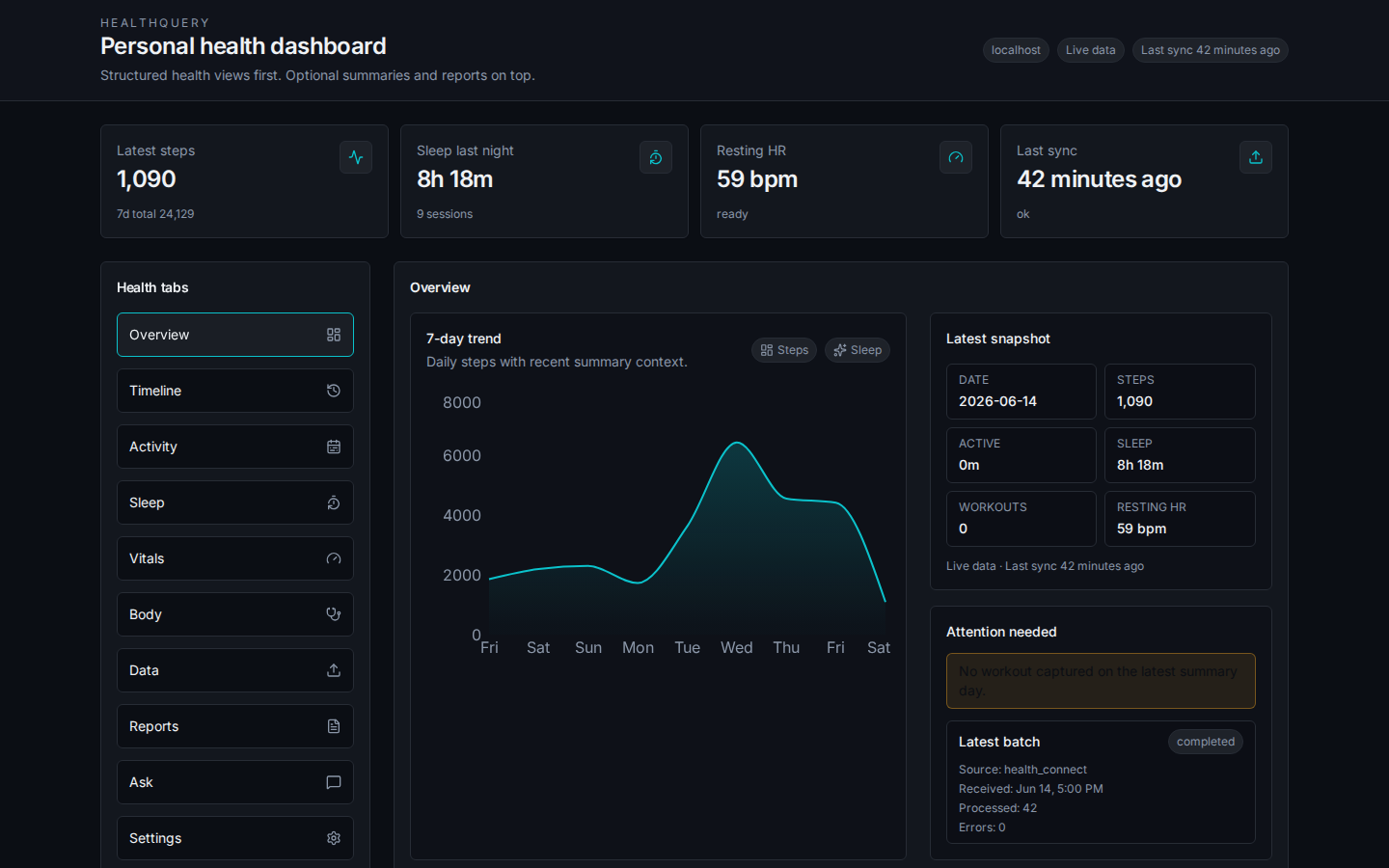
A self-hosted personal health dashboard. Your phone syncs health data from Android Health Connect to a local server. You view it in a browser, generate structured reports, and optionally ask questions about your data using an LLM of your choice.
No cloud services required. Data stays on your own hardware.
How it works
- An Android app (Real Life Dashboard Companion) reads your health data from Health Connect and posts it to your server via webhook.
- The backend stores it in a local SQLite database.
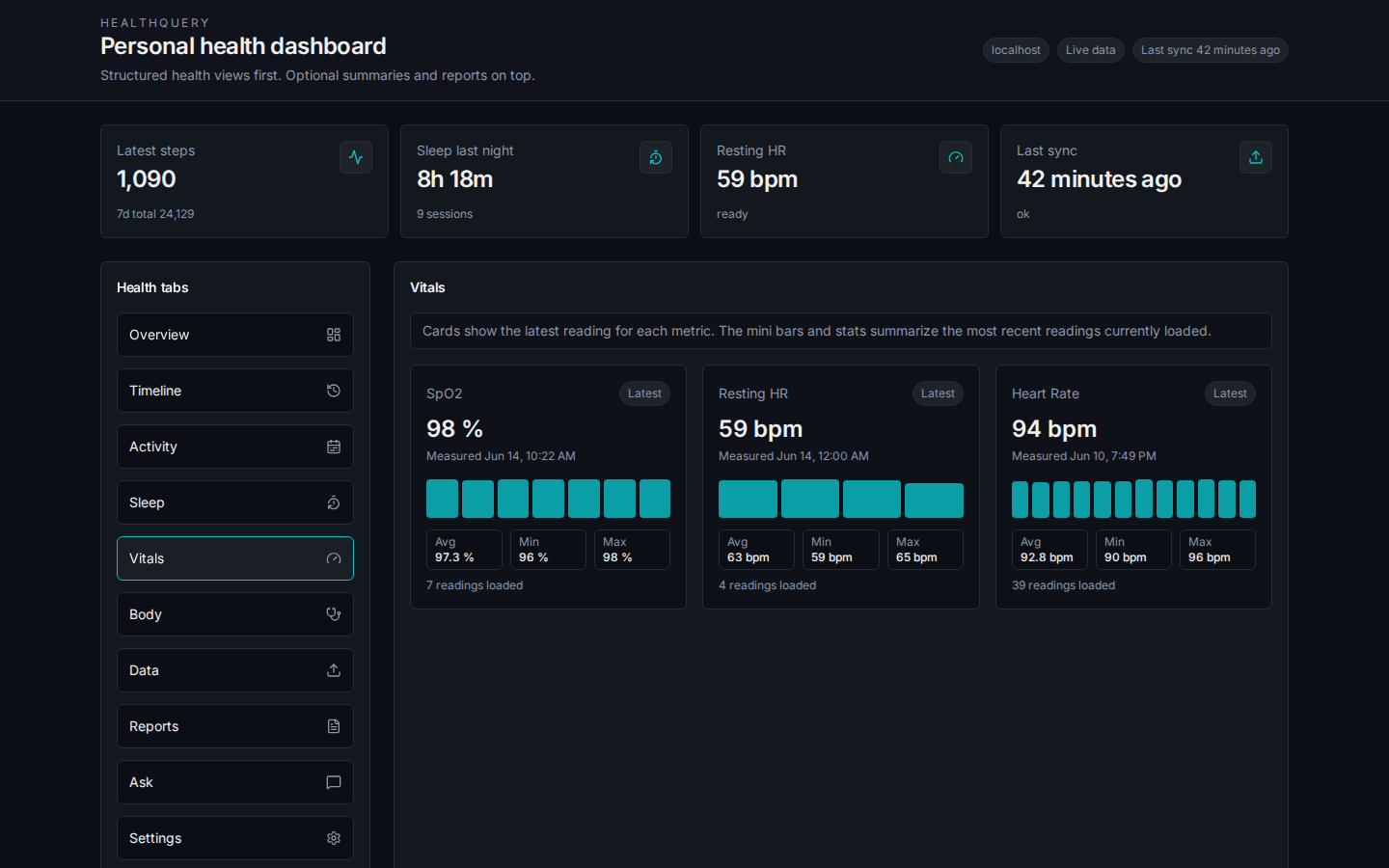
- You open a browser to view your steps, sleep, vitals, and body metrics; generate doctor-visit summaries; or ask natural-language questions about your data.
Prerequisites
- Docker and Docker Compose
- An Android phone with Health Connect installed
- Real Life Dashboard Companion app configured as the webhook source
- A server reachable from your phone (home server, VPS, or local machine)
Setup
1. Clone the repo
git clone https://github.com/your-username/healthquery.git
cd healthquery
2. Create your config
cp docker-compose.example.yml docker-compose.yml
Open docker-compose.yml and set two tokens. Generate them however you like — a password manager, openssl rand -base64 32, or any random string:
HEALTHQUERY_INGEST_TOKEN: your-ingest-token-here   # the companion app uses this
HEALTHQUERY_READ_TOKEN:   your-read-token-here      # the dashboard uses this
Keep these separate. The ingest token only permits writing health data. The read token only permits reading it.
3. Start the containers
docker compose up -d
The dashboard is now running on port 3135.
4. Set up a reverse proxy (recommended)
Point nginx, Caddy, or Traefik at http://localhost:3135. The frontend handles routing; all API calls go through /api/.
If you expose the server to the internet, use HTTPS.
5. Configure the companion app
See Data source below for how to point the app at your webhook URL and set the ingest token.
Data source
HealthQuery receives data from Real Life Dashboard Companion, an Android app that reads from Health Connect and posts to a configurable webhook.
In the companion app settings, set:
| Field | Value |
|---|---|
| Webhook URL | https://your-server/api/webhook/health |
| Auth header | X-Webhook-Token |
| Auth token | your ingest token |
The companion app handles syncing schedules. After the first sync, your data appears in the dashboard.
What gets synced: steps, distance, calories, heart rate, resting heart rate, heart rate variability, SpO2, sleep sessions and stages, weight, body fat, workouts, and more.
Dashboard tabs
| Tab | What it shows |
|---|---|
| Overview | 7-day step trend, latest snapshot, day-over-day comparisons |
| Timeline | Chronological feed of all health events |
| Activity | Daily steps, workout list |
| Sleep | Session list with stage breakdown |
| Vitals | Heart rate, resting HR, HRV, SpO2 — latest reading per metric |
| Body | Weight, body fat, and other body composition metrics |
| Data | Record counts, recent ingest batches, sync status |
| Reports | Structured doctor-visit summary for a date range |
| Ask | Natural-language questions about your data (requires LLM) |
| Settings | Configure LLM endpoint, view operational defaults |
LLM setup (optional)
Without an LLM, Reports generates a structured text summary from your data. The Ask tab is hidden.
With an LLM, Reports can rewrite summaries in natural language and Ask answers free-form questions about your health data.
Configure it in the Settings tab — no rebuild needed. Or set environment variables in docker-compose.yml before the first start:
HEALTHQUERY_LLM_BASE_URL: https://api.openai.com/v1
HEALTHQUERY_LLM_MODEL:    gpt-4o-mini
HEALTHQUERY_LLM_API_KEY:  sk-...
Any OpenAI-compatible endpoint works. For a local model:
HEALTHQUERY_LLM_BASE_URL: http://ollama:11434/v1
HEALTHQUERY_LLM_MODEL:    llama3
HEALTHQUERY_LLM_API_KEY:  ""
Settings saved in the UI override environment variables without a container rebuild.
MCP server (optional)
HealthQuery includes an MCP server that exposes your health data to AI assistants like Claude Desktop.
The MCP server runs as a local stdio process and reads from your HealthQuery API. Configure it by pointing it at your server URL and read token:
HEALTHQUERY_BASE_URL=http://localhost:3135 \
HEALTHQUERY_READ_TOKEN=your-read-token \
python backend/mcp_server.py
For Claude Desktop, add to your claude_desktop_config.json:
{
  "mcpServers": {
    "healthquery": {
      "command": "python",
      "args": ["/path/to/healthquery/backend/mcp_server.py"],
      "env": {
        "HEALTHQUERY_BASE_URL": "http://localhost:3135",
        "HEALTHQUERY_READ_TOKEN": "your-read-token"
      }
    }
  }
}
Environment variables
All variables go in docker-compose.yml under healthquery-api → environment.
| Variable | Required | Default | Description |
|---|---|---|---|
HEALTHQUERY_INGEST_TOKEN | Yes | — | Token the companion app sends with each sync |
HEALTHQUERY_READ_TOKEN | Yes | — | Token the dashboard uses to read data |
HEALTHQUERY_AUTH_HEADER | No | X-Webhook-Token | Header the companion app sends the ingest token in |
HEALTHQUERY_LOG_LEVEL | No | INFO | Log verbosity (DEBUG, INFO, WARNING) |
HEALTHQUERY_LLM_BASE_URL | No | — | OpenAI-compatible API base URL |
HEALTHQUERY_LLM_MODEL | No | — | Model name (e.g. gpt-4o-mini, llama3) |
HEALTHQUERY_LLM_API_KEY | No | — | API key (leave blank for local models) |
HEALTHQUERY_LLM_TIMEOUT_SECONDS | No | 60 | LLM request timeout |
DB_PATH | No | /app/data/healthquery.db | SQLite database path inside the container |
The frontend build also takes two build args:
| Arg | Default | Description |
|---|---|---|
VITE_API_BASE_URL | /api | API base path (change if not using the built-in nginx proxy) |
VITE_READ_TOKEN | — | Read token baked into the frontend build |
Tech stack
Backend: Python 3.11, FastAPI, aiosqlite, SQLite (WAL mode), sqlglot (SQL guard), FastMCP
Frontend: React 19, TypeScript, Vite, Tailwind CSS, Recharts
Infrastructure: Docker, nginx (serves frontend + proxies /api/ to backend)
Data and privacy
All data is stored in a single SQLite file on your server. Nothing is sent to external services unless you configure an LLM endpoint.
The ingest and read tokens are separate by design. A compromised read token can't write data. A compromised ingest token can't read it.
The free-form SQL query endpoint (POST /api/health/query) runs queries through an AST whitelist that only permits single SELECT statements — no mutations, no ATTACH, no multi-statement execution.
Development
Backend
cd backend
python -m venv .venv && source .venv/bin/activate
pip install -r requirements.txt
DB_PATH=./dev.db HEALTHQUERY_INGEST_TOKEN=dev HEALTHQUERY_READ_TOKEN=dev uvicorn main:app --reload
Frontend
cd frontend
npm install
VITE_API_BASE_URL=http://localhost:8000/api VITE_READ_TOKEN=dev npm run dev
Tests
cd backend && pytest
License
MIT