
CliCodeLog
monk1337/clicodelog
Inspecione todas as edições do seu agente IA em um único lugar local
Ver no GitHubAgent para inspecionar e navegar o histórico de sessões de agentes de código como Claude Code, OpenAI Codex e Gemini CLI. Oferece visibilidade completa sobre pensamento, chamadas de ferramentas, mudanças de arquivos e custos de tokens, tudo em uma interface local que não envia dados para fora da máquina.
Instalação
npx convez-ai monk1337/clicodelog1 comando no terminal: detecta o formato do repositório (marketplace ou plugin avulso) e instala via Claude Code. Requer Node 18+ e o Claude Code instalado.
Métricas
Casos de uso
- Auditar mudanças feitas por agentes de código em projetos
- Analisar custos de tokens e uso de cache por sessão
- Buscar em histórico de conversas para entender decisões do agente
- Rastrear quando arquivos específicos foram modificados
- Exportar conversas para documentação ou relatórios
Veredito

Ferramenta essencial para quem trabalha com agentes de código em produção. Oferece observabilidade real sobre o que agentes realmente fazem, com performance impressionante (15.5s → 0.25s em projetos grandes) e recursos práticos como busca FTS5, analytics de tokens e resumo de sessões.
README
A tradução para o português deste README ainda está na fila.
| Light Mode | Dark Mode |
|---|---|
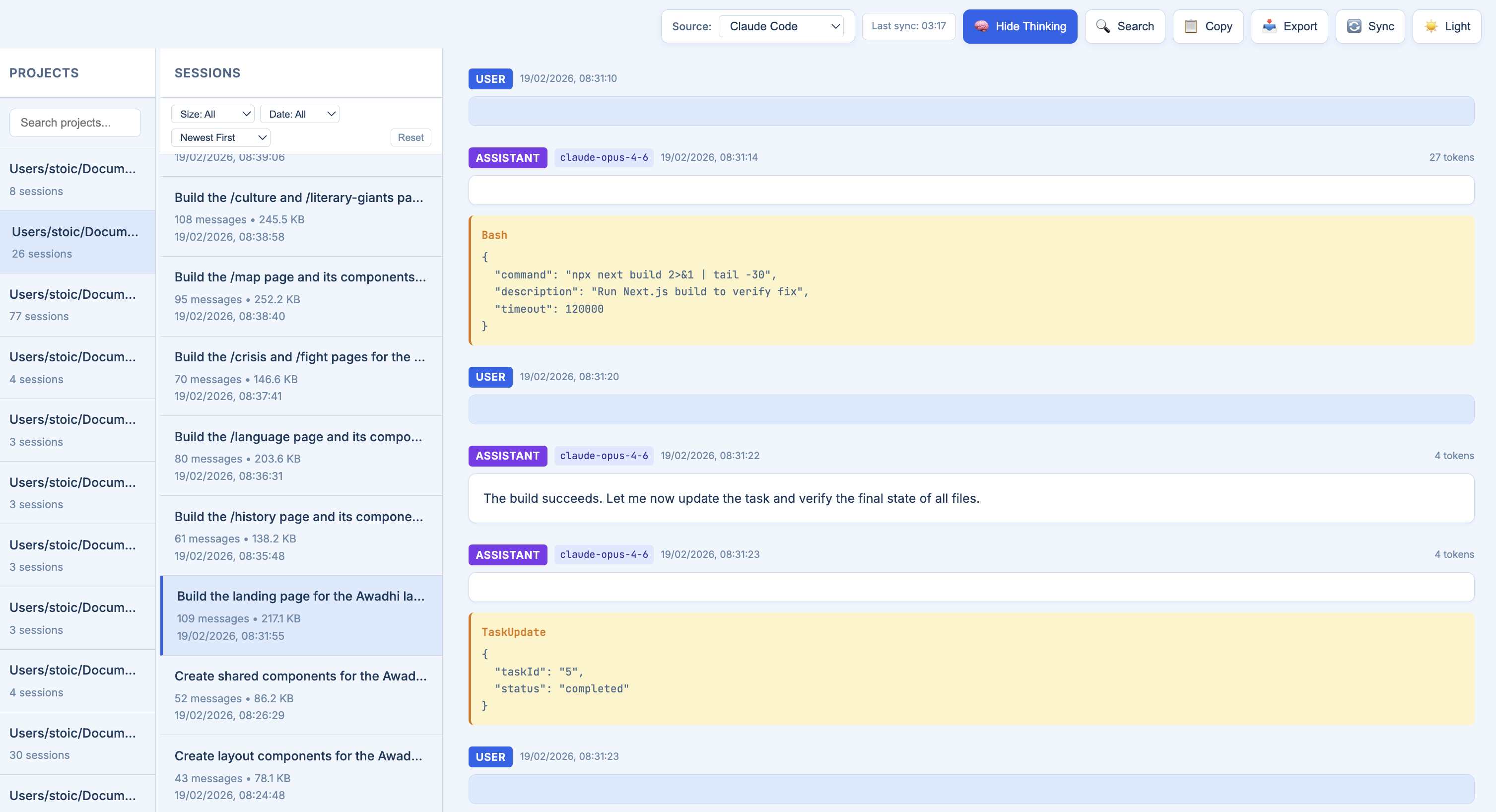 | 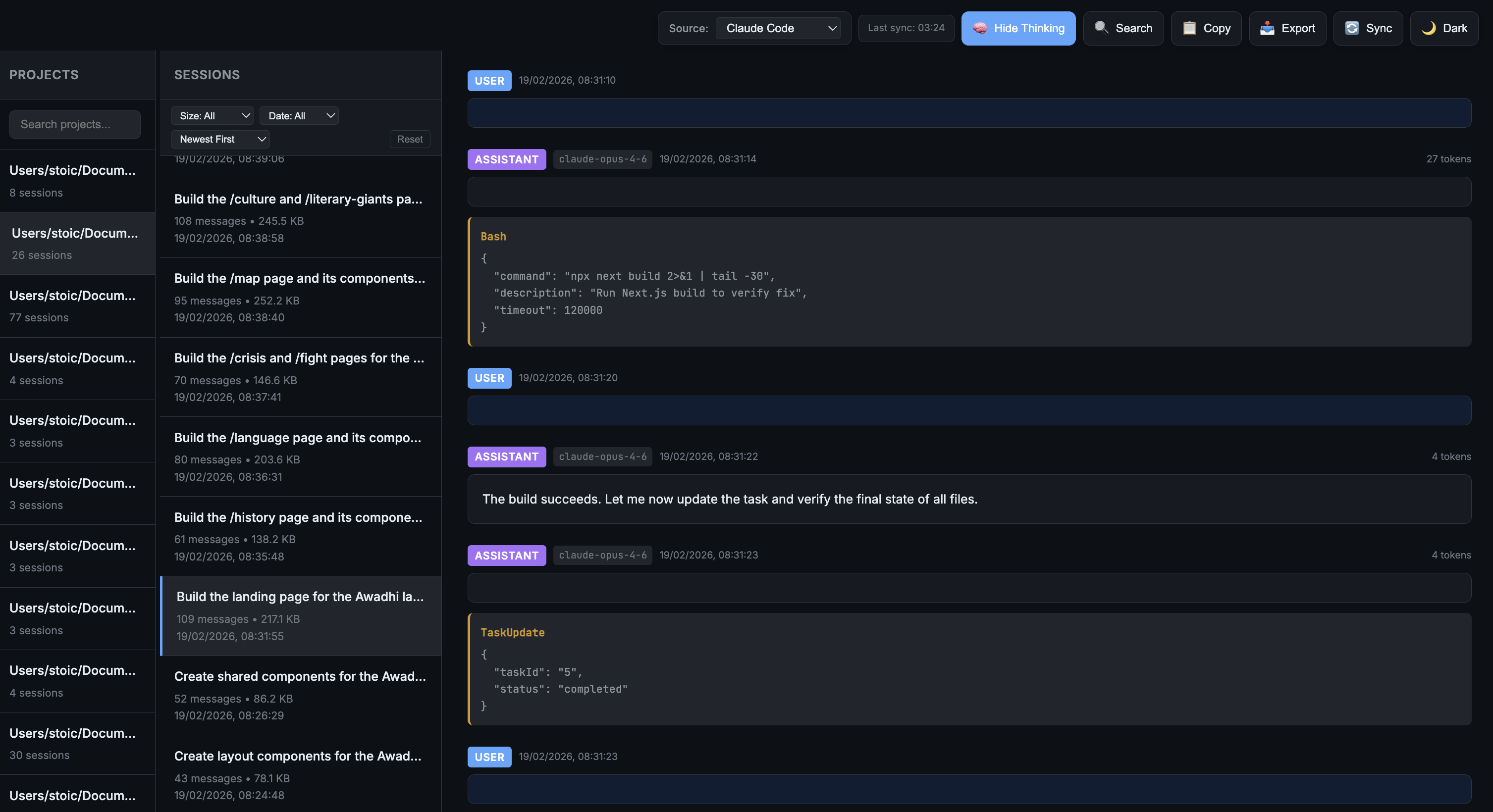 |
✨ What's New
A big round of performance, search and correctness work. Highlights:
Upgrading from PyPI? Markdown rendering and syntax highlighting were silently broken in earlier published versions — the packaged wheel was missing its bundled JavaScript. Fixed, and now guarded by a test.
Installation
Via uv tool (Recommended)
uv is a fast Python package installer. Install it first if you haven't:
curl -LsSf https://astral.sh/uv/install.sh | sh
Then install clicodelog as an isolated tool:
uv tool install clicodelog
To upgrade:
uv tool upgrade clicodelog
Via pip
pip install clicodelog
From source
git clone https://github.com/monk1337/clicodelog.git
cd clicodelog
uv tool install -e .
# or with pip:
pip install -e .
Usage
After installation, simply run:
clicodelog
The app will:
- Auto-kill any process on port 6126 (if occupied)
- Sync data from all AI coding agent sources
- Start a web server at http://localhost:6126
Command Options
clicodelog --help               # Show all options
clicodelog --port 8080          # Use custom port
clicodelog --host 0.0.0.0       # Bind to all interfaces
clicodelog --no-sync            # Skip initial data sync
clicodelog --debug              # Run in debug mode
Alternative: Run from source
git clone https://github.com/monk1337/clicodelog.git
cd clicodelog
python -m clicodelog.cli
Why Developers Use It
Supported Tools
| Tool | Source Directory | Status |
|---|---|---|
| Claude Code | ~/.claude/projects/ | ✅ Supported |
| OpenAI Codex | ~/.codex/sessions/ | ✅ Supported |
| Gemini CLI | ~/.gemini/tmp/ | ✅ Supported |
Claude Code
- Sessions organized by project directory
- Displays summaries, messages, thinking blocks, and tool usage
- Shows model metadata and token usage
OpenAI Codex
- Sessions organized by date (
YYYY/MM/DD/) - Groups sessions by working directory (cwd) as projects
- Displays messages, function calls, and reasoning blocks
- Filters out system prompts for cleaner inspection
Gemini CLI
- Sessions stored as JSON files in
{hash}/chats/session-*.json - Groups sessions by project hash
- Displays messages, thoughts (thinking), and tool calls
- Shows token usage (input, output, cached)
CLI Options
clicodelog --help               # Show help message
clicodelog --version            # Show version
clicodelog --port 8080          # Run on custom port (default: 6126)
clicodelog --host 0.0.0.0       # Bind to all interfaces (default: 127.0.0.1)
clicodelog --no-sync            # Skip initial data sync
clicodelog --debug              # Run in debug mode
Note: The app automatically kills any process running on the specified port before starting.
How It Works
- Startup sync — Copies logs from source directories into local
./data/ - Background sync — Automatically refreshes every hour
- Manual sync — Trigger a sync for the active source via UI
- Source switching — Switch between Claude Code, Codex, and Gemini CLI
Data Storage
data/
├── claude-code/          # Claude Code backup
│   ├── -Users-project1/
│   │   ├── session1.jsonl
│   │   └── session2.jsonl
│   └── -Users-project2/
├── codex/                # OpenAI Codex backup
│   └── 2026/
│       └── 01/
│           ├── 16/
│           │   └── rollout-xxx.jsonl
│           └── 17/
└── gemini/               # Gemini CLI backup
    ├── {project-hash-1}/
    │   └── chats/
    │       ├── session-2026-01-17T12-57-xxx.json
    │       └── session-2026-01-17T13-04-xxx.json
    └── {project-hash-2}/
Controls
| Control | Action |
|---|---|
| Source dropdown | Switch between supported tools |
| 📥 Export | Download current session as .txt |
| 🔄 Sync | Manually refresh logs from source |
| ☀️ / 🌙 Theme | Toggle light/dark mode |
Screenshots
| Light Mode | Dark Mode |
|---|---|
| |
Project Structure
clicodelog/
├── cli.py              # Entry point
├── app.py              # FastAPI app, routes, cache policy
├── config.py           # SOURCES, paths, constants
├── sync.py             # Additive clone-backup of each source
├── scan.py             # One-pass session metadata extraction
├── metastore.py        # SQLite metadata store (listings, projects)
├── fts.py              # SQLite FTS5 full-text search
├── window.py           # Windowed reads of huge sessions
├── conversation.py     # Conversation loading + pagination
├── storage.py          # Atomic writes, disk checks
├── parsers/            # claude.py, codex.py, gemini.py
├── routes/             # projects, search, export, sync, sources, stats
├── static/             # Vanilla JS + CSS (no build step)
└── templates/          # index.html, view.html

~/.clicodelog/          # Created at runtime, never in the repo
├── data/               # Your synced logs (the durable backup)
├── meta.db             # Session metadata index
├── fts.db              # Full-text index (optional)
└── bookmarks.json      # Your bookmarks
API Endpoints
| Endpoint | Method | Description |
|---|---|---|
/api/sources | GET | List available sources |
/api/sources/<id> | POST | Set active source |
/api/projects?source= | GET | List projects |
/api/projects/<id>/sessions?source=&limit=&offset= | GET | List sessions (paged) |
/api/projects/<id>/sessions/<id>?source=&limit=&offset= | GET | Fetch a window of a session |
/api/projects/<id>/sessions/<id>/subagents?source= | GET | List sub-agent sessions |
/api/projects/<id>/sessions/<id>/export?fmt=txt|md | GET | Export as text or Markdown |
/api/projects/<id>/sessions/<id>/export-raw | GET | Stream the exact source file |
/api/search?q=&source=&project=&role=&after=&before= | GET | Search titles and message bodies |
/api/search/status?source= | GET | Full-text index state and size estimate |
/api/search/build?source=&tool_cap= | POST | Build the full-text index |
/api/stats?source=&group=day|project|model|tool | GET | Token usage analytics |
/api/files?path=&source= | GET | Which sessions edited a file |
/api/bookmarks | GET/POST | List or add bookmarks |
/api/sync?source= | POST | Trigger sync |
/api/status?source= | GET | Sync status and free disk |
Requirements
- Python 3.10+
- FastAPI
- Uvicorn
- Jinja2
That's the whole runtime dependency list. Search, analytics and the metadata
store all run on the sqlite3 module in the standard library — no extra
services, no database to install.
Adding New Sources
To add support for another CLI-based AI tool, start with config.py:
SOURCES = {
    "claude-code": {
        "name": "Claude Code",
        "source_dir": Path.home() / ".claude" / "projects",
        "data_subdir": "claude-code"
    },
    "codex": {
        "name": "OpenAI Codex",
        "source_dir": Path.home() / ".codex" / "sessions",
        "data_subdir": "codex"
    },
    "gemini": {
        "name": "Gemini CLI",
        "source_dir": Path.home() / ".gemini" / "tmp",
        "data_subdir": "gemini"
    },
    # Add new tool here
}
Then wire up the rest:
- Add a reader branch in
scan.py(metadata extraction). - Add an entry-shape branch in
metastore._row_for(how projects are keyed). - Add a parser in
parsers/and export it fromparsers/__init__.py. - Add a text extractor to
fts._EXTRACTso the source is searchable. - Add the source to the parametrised contract test in
tests/test_sources.py— it asserts a source with files on disk yields at least one session, which is exactly the check that would have caught Gemini going silently empty.
 @misc{clicodelog2026,
    title        = {clicodelog: Unified Session Inspector for CLI AI Coding Agents},
    author       = {Pal, Ankit},
    year         = {2026},
    howpublished = {\url{https://github.com/monk1337/clicodelog}},
    note         = {Local web UI for browsing Claude Code, OpenAI Codex, and Gemini CLI session logs - thinking blocks, tool calls, file edits, and token costs}
  }
License
MIT