
Database MCP
mohit1jindal/database-mcp
MCP para consultar múltiplos bancos SQL direto no Claude, com segurança total
Ver no GitHubServidor MCP local e somente-leitura que expõe bancos de dados SQL (Oracle, PostgreSQL, MySQL, SQL Server, SQLite) como ferramentas nativas do Claude. Permite exploração de esquemas e execução de queries de forma segura sem risco de modificações, ideal para análise de dados e discovery de estruturas de BD.
Instalação
npx convez-ai mohit1jindal/database-mcp1 comando no terminal: detecta o formato do repositório (marketplace ou plugin avulso) e instala via Claude Code. Requer Node 18+ e o Claude Code instalado.
Métricas
Casos de uso
- Explorar esquemas e estruturas de bancos de dados durante desenvolvimento
- Executar queries de análise e relatórios via assistente IA
- Descobrir dados sensíveis e validar estruturas antes de operações
- Integrar BD local/remoto como contexto para tarefas de código
Veredito

MCP robusto e bem-arquitetado para quem precisa consultar SQL via Claude com garantias fortes de segurança (read-only por design). Suporte multi-engine e defesa em profundidade o tornam confiável para dados sensíveis; exige apenas setup simples de variáveis de ambiente.
README
A tradução para o português deste README ainda está na fila.
database-mcp


A local MCP server that exposes a read-only SQL database to Claude Code as
native tools. One server, multiple engines — pick your database with a single
DB_TYPE setting:
Oracle · PostgreSQL · MySQL/MariaDB · SQL Server · SQLite
Built on FastMCP and SQLAlchemy. Everything runs on your machine over stdio and query results never leave your environment. The server is read-only by design and ships with no write capability, making it safe to point at databases holding sensitive data.
Demo
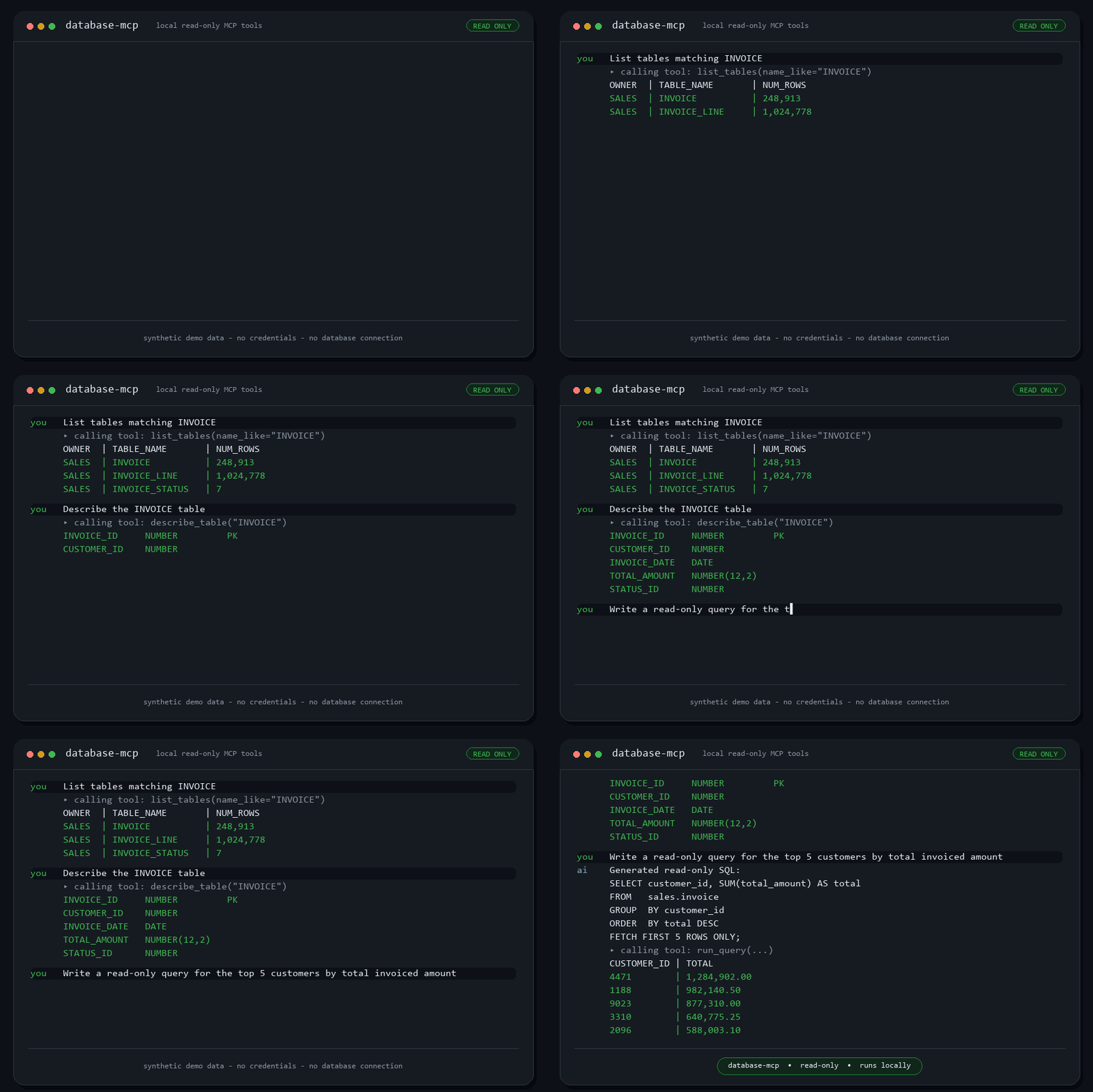
Demo recording coming soon.
Tools
| Tool | What it does |
|---|---|
test_connection | Verify connectivity, report dialect + server version |
run_query | Execute a single read-only SELECT / WITH / EXPLAIN query (supports bind variables) |
list_schemas | List schemas visible to the account |
list_tables | List tables/views, filterable by schema and name substring |
describe_table | Columns, types, nullability, comments, primary key, foreign keys, and indexes |
get_table_sample | Preview a few rows from a table/view (safely quoted, row-capped) |
Schema discovery uses SQLAlchemy's cross-dialect inspector, so the same tools work identically across every supported database.
Read-only guarantees
run_queryaccepts only a single statement that starts withSELECT,WITH, orEXPLAIN.- Comments and string literals are stripped before validation. Writes, DDL,
stored-procedure calls, data-modifying CTEs,
SELECT ... INTO,FOR UPDATE, and multi-statement input are all rejected — while common column names likecommentor functions likeREPLACE()are correctly allowed. - Every query runs in a transaction that is always rolled back; where the
dialect supports it, the session is also set read-only with a statement
timeout (
DB_QUERY_TIMEOUT, default 30s). - Row output is capped by
DB_MAX_ROWS(default 100). - Database errors are returned as concise messages, not raw stack traces.
Defense in depth: still connect with a database account that only has read (
SELECT) privileges. The tool-layer checks are a safety net, not a substitute for least-privilege credentials.
Setup
cd path\to\database-mcp
uv venv
uv pip install -e .
Oracle and SQLite work out of the box. For other databases, install the matching driver extra:
uv pip install -e ".[postgresql]" # or .[mysql], .[mssql], .[all]
Configure via environment variables — never hardcoded. Copy the example
(the .env file is git-ignored):
Copy-Item .env.example .env
# then edit .env
Minimum: DB_TYPE plus connection details (DB_HOST, DB_USER,
DB_PASSWORD, DB_NAME) — or a full DATABASE_URL. See .env.example.
Register with Claude Code
Point Claude Code at the venv's Python and pass settings via the env block:
claude mcp add database --scope user `
  --env DB_TYPE=postgresql `
  --env DB_HOST=db-host.example.com `
  --env DB_USER=app_readonly `
  --env DB_PASSWORD=your_password `
  --env DB_NAME=appdb `
  --env DB_MAX_ROWS=100 `
  -- "path\to\database-mcp\.venv\Scripts\python.exe" -m database_mcp.server
Restart Claude Code, run /mcp to confirm database is connected, then try:
"test the database connection" → "list tables matching INVOICE".
To work with two databases at once (e.g. source + target for a migration),
register the server twice under different names (database_source,
database_target) with different connection settings.
Documentation
- docs/CONFIGURATION.docx — end-to-end setup, environment variables, per-database notes, Claude Code registration, multiple databases, verification, and troubleshooting.
- docs/USE_CASES.docx — features, tool reference, workflows (schema discovery, data mapping, writing/debugging SQL, source→target migration), example prompts, and the read-only safety model.
Local tests (SQLite, no external DB needed)
.venv\Scripts\python.exe smoke_test.py     # read-only validator + tool registration
.venv\Scripts\python.exe sqlite_test.py    # live round-trip against a temp SQLite DB
.venv\Scripts\python.exe handshake_test.py # full MCP stdio handshake
Project layout
src/database_mcp/
  config.py    env-var configuration (DB_TYPE / URL building, no secrets)
  db.py        SQLAlchemy engine, query execution, cross-dialect inspection
  safety.py    read-only SQL enforcement
  server.py    FastMCP tools + entry point
docs/
  CONFIGURATION.docx
  USE_CASES.docx
License
Released under the MIT License.