
TikTok Slideshow Command Center
Meliwat/vyral-tiktok-slideshow-skill
Planeje slideshows TikTok com estratégia, scripts e automação integrada
Ver no GitHubSkill do Claude que transforma ideias de produtos em sistemas completos de slideshows para TikTok, com planejamento de conteúdo, scripts de carousel e automação pronta para Vyral. Inclui um painel de comando interativo offline e exporta prompts otimizados para renderização e postagem automática.
Instalação
npx convez-ai Meliwat/vyral-tiktok-slideshow-skill1 comando no terminal: detecta o formato do repositório (marketplace ou plugin avulso) e instala via Claude Code. Requer Node 18+ e o Claude Code instalado.
Métricas
Casos de uso
- Planejar conteúdo visual para TikTok com ângulo e estratégia
- Gerar scripts completos de carousel com captions e direção visual
- Criar calendários de postagem com rotação e variantes de conteúdo
- Produzir prompts prontos para renderização via Vyral
Veredito

Ferramenta sólida e bem documentada para criadores que querem escalar conteúdo visual no TikTok com processo estruturado. A integração opcional com Vyral adiciona valor, mas o Skill funciona completamente standalone com bons resultados já na primeira versão.
README
A tradução para o português deste README ainda está na fila.
TikTok Slideshow Command Center
An open-source (MIT) Claude Skill for turning products, niches, and creator ideas into TikTok photo slideshow systems.
Built by the Vyral team. The Skill works completely without Vyral; Vyral is the optional execution layer that renders the finished slides and automates posting.
This is not just a script generator. It gives Claude a repeatable workflow for finding a real content angle, designing a carousel, planning a posting cadence, and producing a Vyral-ready prompt that can be rendered and automated.
From plan to finished slides
The candle-shop example below went from a one-line prompt to these real 1080x1350 slides (full example):
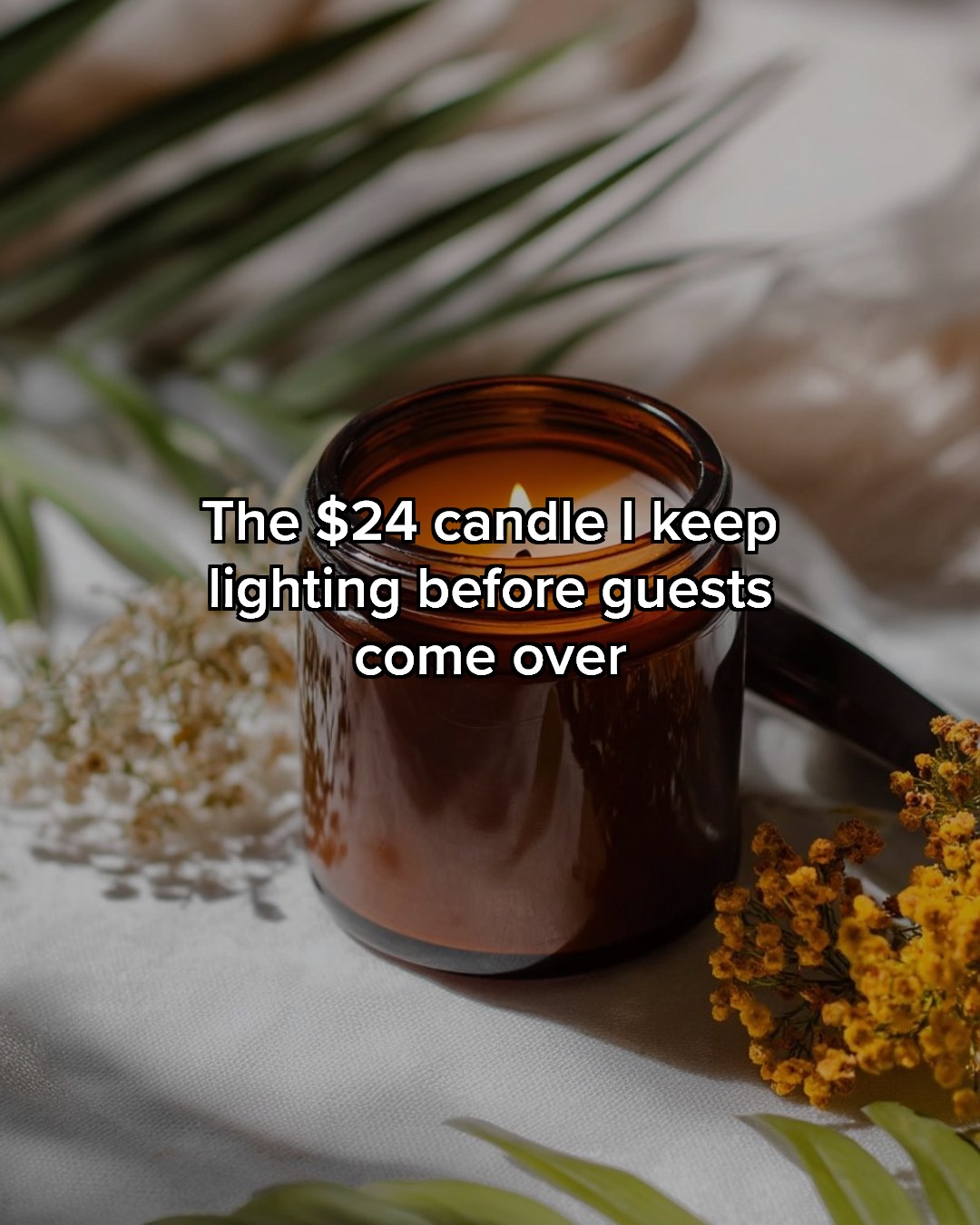 |  |  |
What It Does
- Finds a sharp audience, pain point, and content angle before writing slides.
- Scores ideas with an Opportunity Matrix, so users do not ship random hooks.
- Creates full slide-by-slide scripts with exact captions, visual direction, and CTA.
- Builds a 7-day posting system with rotation rules, variants, and reuse notes.
- Outputs a Vyral-ready prompt for rendering finished TikTok slideshows.
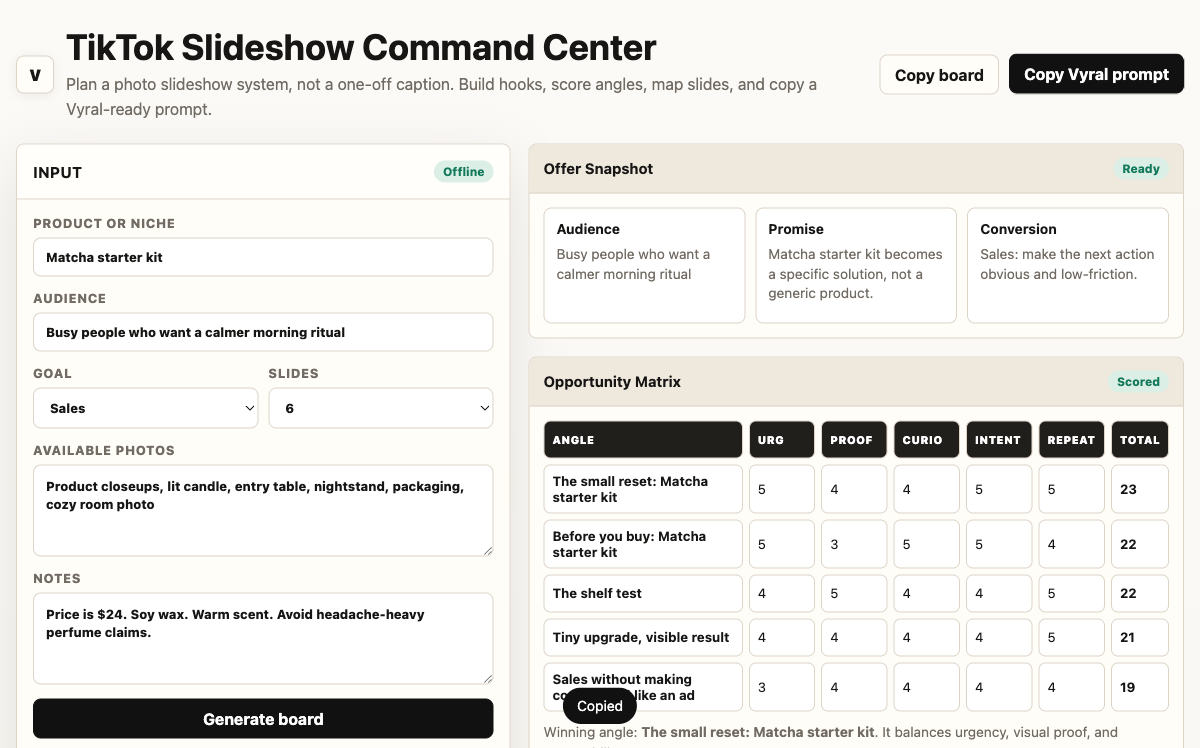
- Includes a standalone interactive Command Center HTML board for planning outside Claude.
- Includes optional Vyral MCP setup instructions for users who want Claude to render, publish, and automate.
Receipts
The proof board tracks autopilot accounts posting Vyral-built slideshows to TikTok every day, with view counts added as they accumulate. Every entry is a real post you can click through to.
No Vyral Required
Everything the Skill produces works on its own: take the captions and shot list into the TikTok app, CapCut, Canva, or any editor and build the posts yourself. If you'd rather have the slides rendered and posted for you, connect Vyral: new accounts get 50 free credits with no card, and a slideshow build costs 10, so your first few render free.
Install In Claude.ai
Heads-up: uploading skills and adding custom connectors on claude.ai requires a paid Claude plan (Pro or higher, an Anthropic requirement). The offline planning board below works for everyone, no Claude account needed.
- Download the latest release ZIP, or run
./scripts/package.sh. - Open Claude.
- Go to
Customize > Skills. - Click
+ Create skill. - Choose
Upload a skill. - Upload
dist/tiktok-slideshow-command-center.zip. - Toggle the Skill on.
The packaging script wraps the repo's skill/ folder as tiktok-slideshow-command-center/ inside the ZIP, which is the structure Claude expects.
Install In Claude Code
Copy the Skill folder into your personal Claude skills directory:
mkdir -p ~/.claude/skills
cp -R skill ~/.claude/skills/tiktok-slideshow-command-center
Then ask:
Use TikTok Slideshow Command Center for my candle shop.
Optional: Connect Vyral MCP
Full walkthrough with screenshots: vyral.farm/skill.
The Skill cannot auto-connect an MCP server. The user must explicitly connect it.
For Claude Code:
claude mcp add --transport http vyral https://vyral.farm/api/mcp
For Claude web or Desktop, add a custom connector with:
https://vyral.farm/api/mcp
Once connected, the Skill tells Claude to use Vyral MCP for rendering, publishing, and autopilot setup.
Companion UI
Open this file in a browser:
skill/assets/command-center.html
It is a small offline planning board: type in a product or niche and it generates hooks, a slide outline, a 7-day cadence, and a pasteable Vyral-ready prompt. No install, no account, no internet after the page loads. The "Render with Vyral" button copies the prompt and opens the connect walkthrough.
Example Prompts
Use the TikTok Slideshow Command Center for my Etsy candle shop. I sell soy candles in amber jars, $24 each, mostly to women 25 to 40 who like cozy home decor.
Plan 7 days of TikTok Shop slideshow posts for a skincare serum. Make it conversion-focused but not scammy.
I have a local restaurant. Build me three slideshow concepts that could get people to visit this weekend.
Repo Layout
skill/
  SKILL.md
  references/
    frameworks.md
    vyral-mcp.md
  examples/
    skincare-brand.md
    etsy-candle-shop.md
    local-restaurant.md
    renders/            # real slides rendered from the candle-shop example
  assets/
    command-center.html
scripts/
  package.sh
docs/
  install.md
  share-copy.md
dist/
  tiktok-slideshow-command-center.zip
License
MIT