
UniFi Security Dashboard com MCP Server
MaddogWarner/unifi-dashboard
Visualização e auditoria de políticas de firewall UniFi com MCP para Claude
Ver no GitHubDashboard self-hosted que se conecta a consoles Ubiquiti UniFi (Dream Machine Pro, UDR) para visualizar saúde de políticas de firewall, detectar gaps em IDS/IPS, desvios de configuração e expor análise de segurança através de interface web e MCP server para integração com Claude Code. Inclui syslog em tempo real, avaliação de vulnerabilidades CVE, integração de threat feeds (FireHOL, Spamhaus, MISP) e scanner de portas RFC1918.
Instalação
npx convez-ai MaddogWarner/unifi-dashboard1 comando no terminal: detecta o formato do repositório (marketplace ou plugin avulso) e instala via Claude Code. Requer Node 18+ e o Claude Code instalado.
Métricas
Casos de uso
- Auditar e visualizar matriz de políticas de firewall por zonas
- Detectar regras sombreadas, duplicadas e desvios de configuração
- Monitorar CVEs em dispositivos UniFi e alertar sobre atualizações de firmware
- Integrar threat feeds (FireHOL, Spamhaus, MISP) e validar regras via port scan
- Consultar dashboard de segurança via MCP tools em Claude Code
Veredito

Ferramenta madura e especializada para equipes DevSecOps que operam infra Ubiquiti UniFi em produção. O MCP server habilita consultas programáticas via Claude, mas exige conhecimento prévio de redes, firewalls e Docker Compose para implantação.
README
A tradução para o português deste README ainda está na fila.
UniFi Security Dashboard

A self-hosted Docker Compose stack that connects to a local Ubiquiti UniFi console (Dream Machine Pro, UDR, or equivalent) and surfaces firewall policy health, threat intelligence, and configuration gaps through a web dashboard and an MCP server for Claude Code / Codex integration.
Screenshots
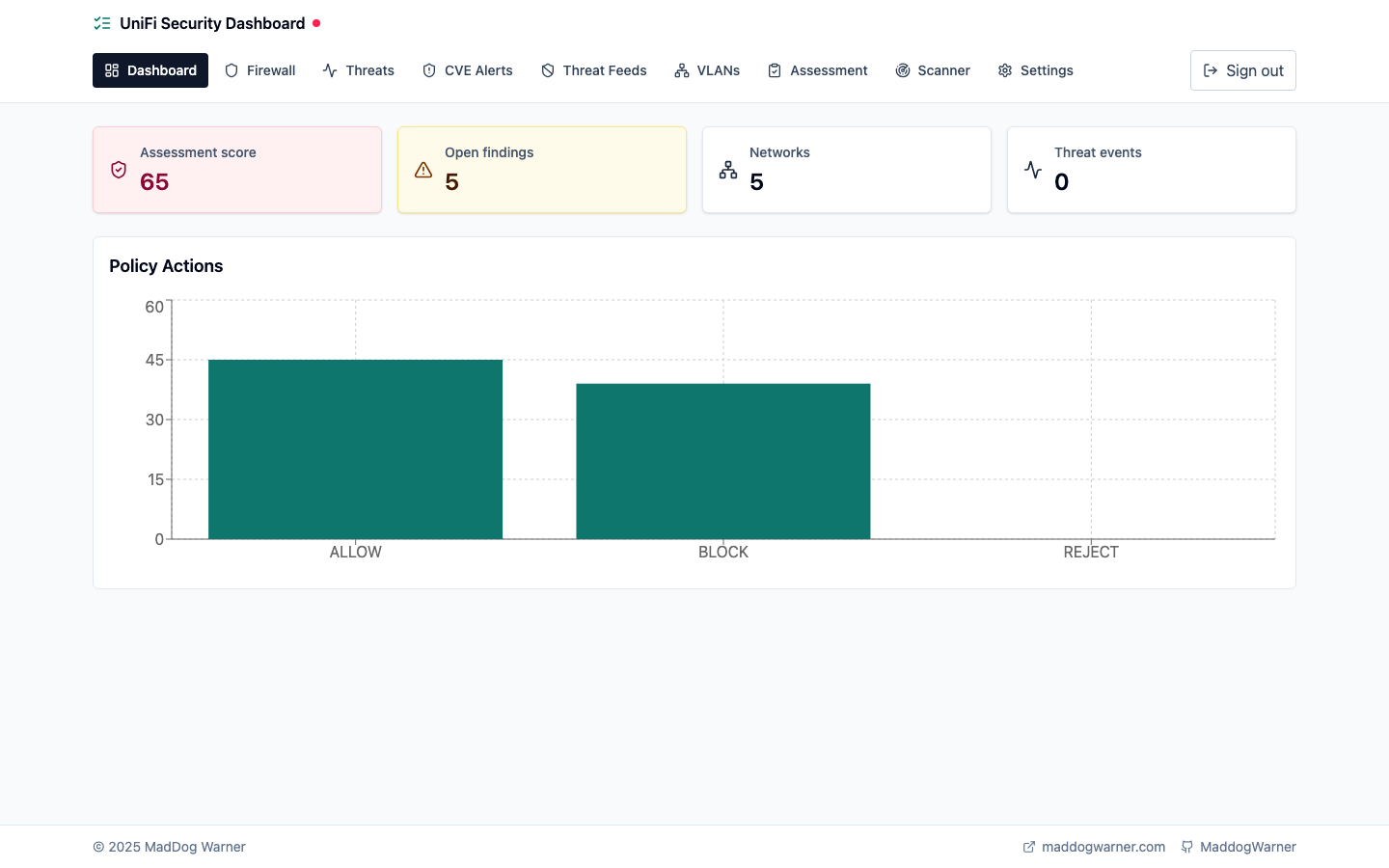 | 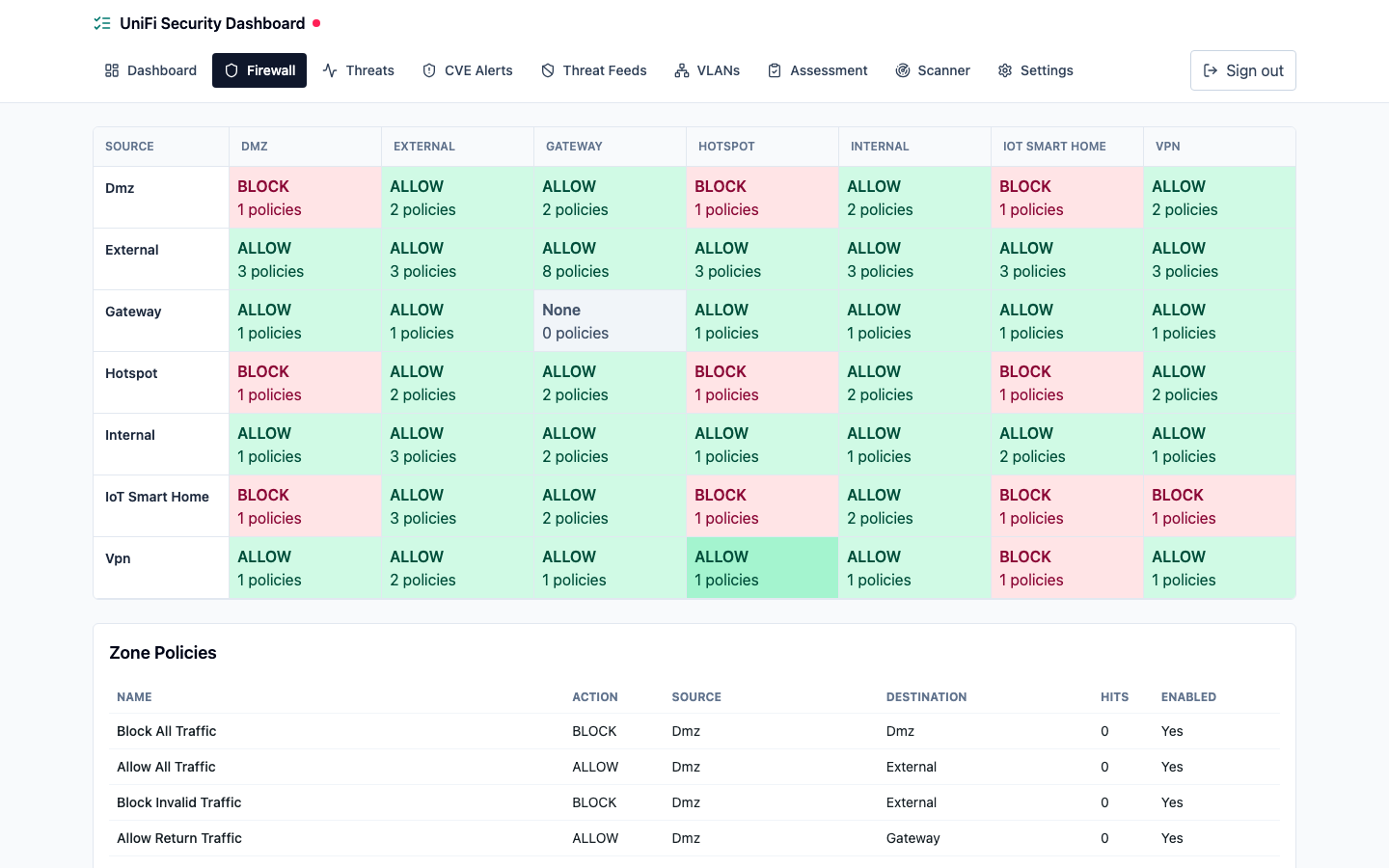 |
| Dashboard — summary cards and policy action distribution | Firewall — zone-based policy matrix with allow/block posture |
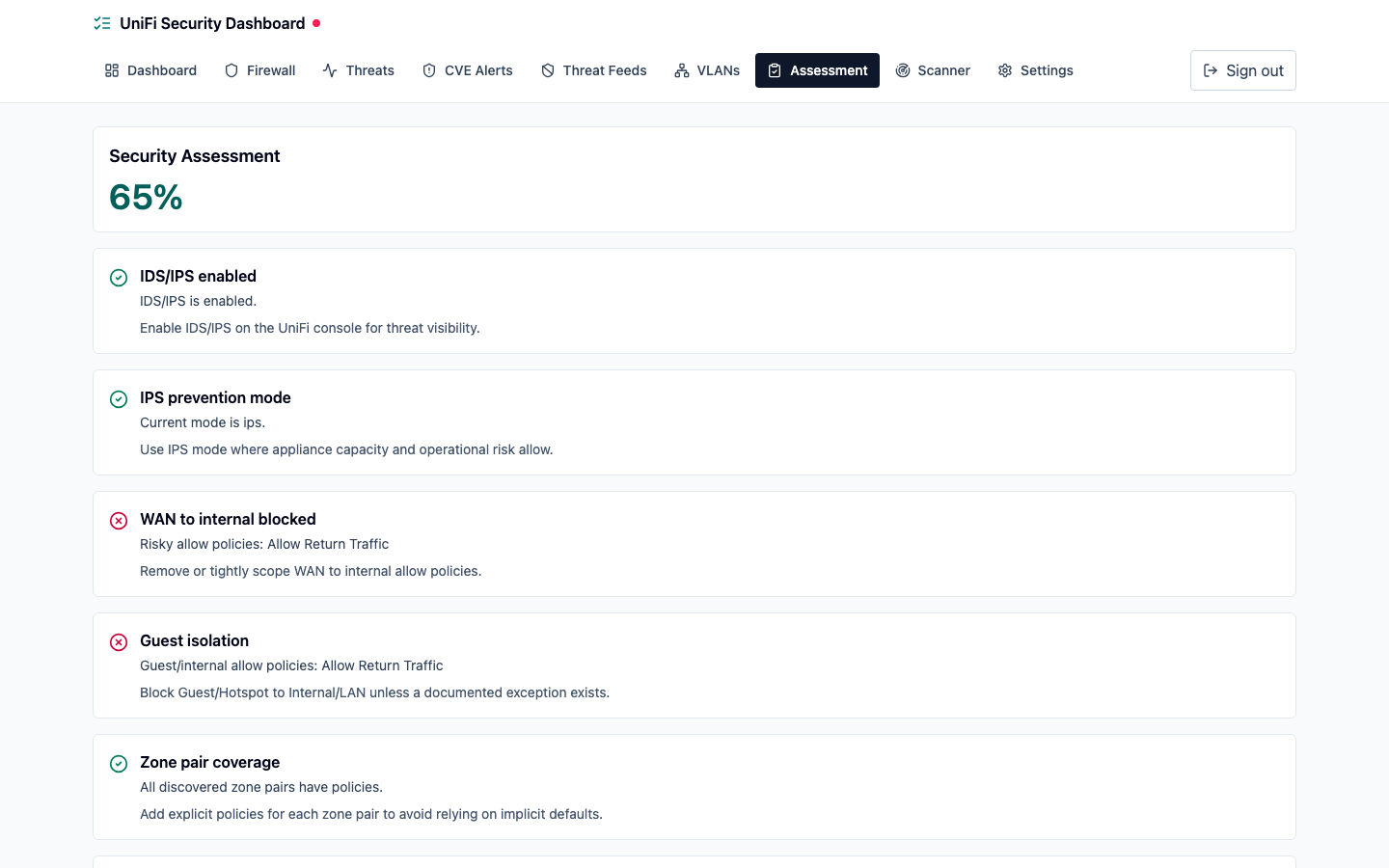 | 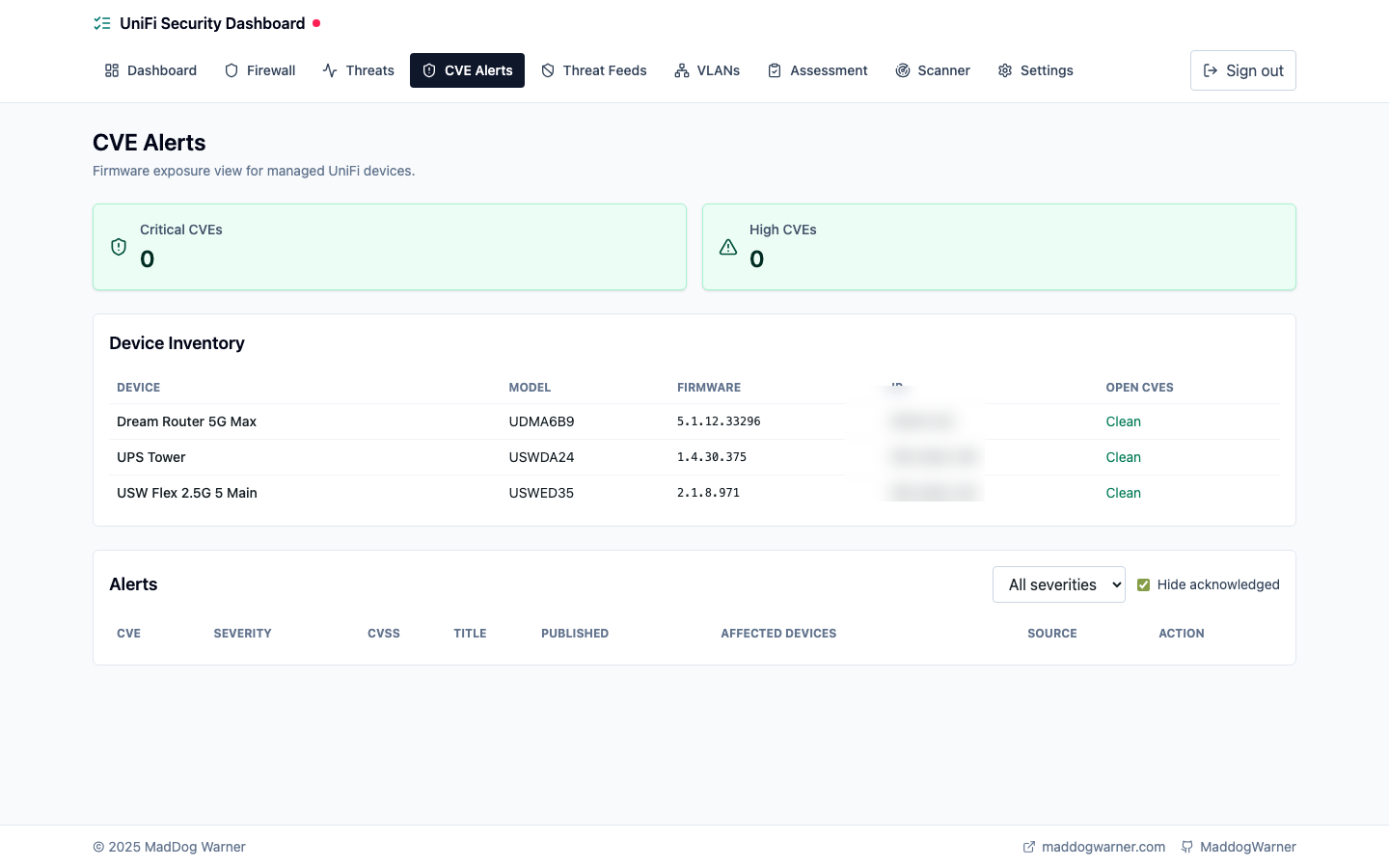 |
| Assessment — scored security checks with remediation guidance | CVE Alerts — device inventory with firmware exposure view |
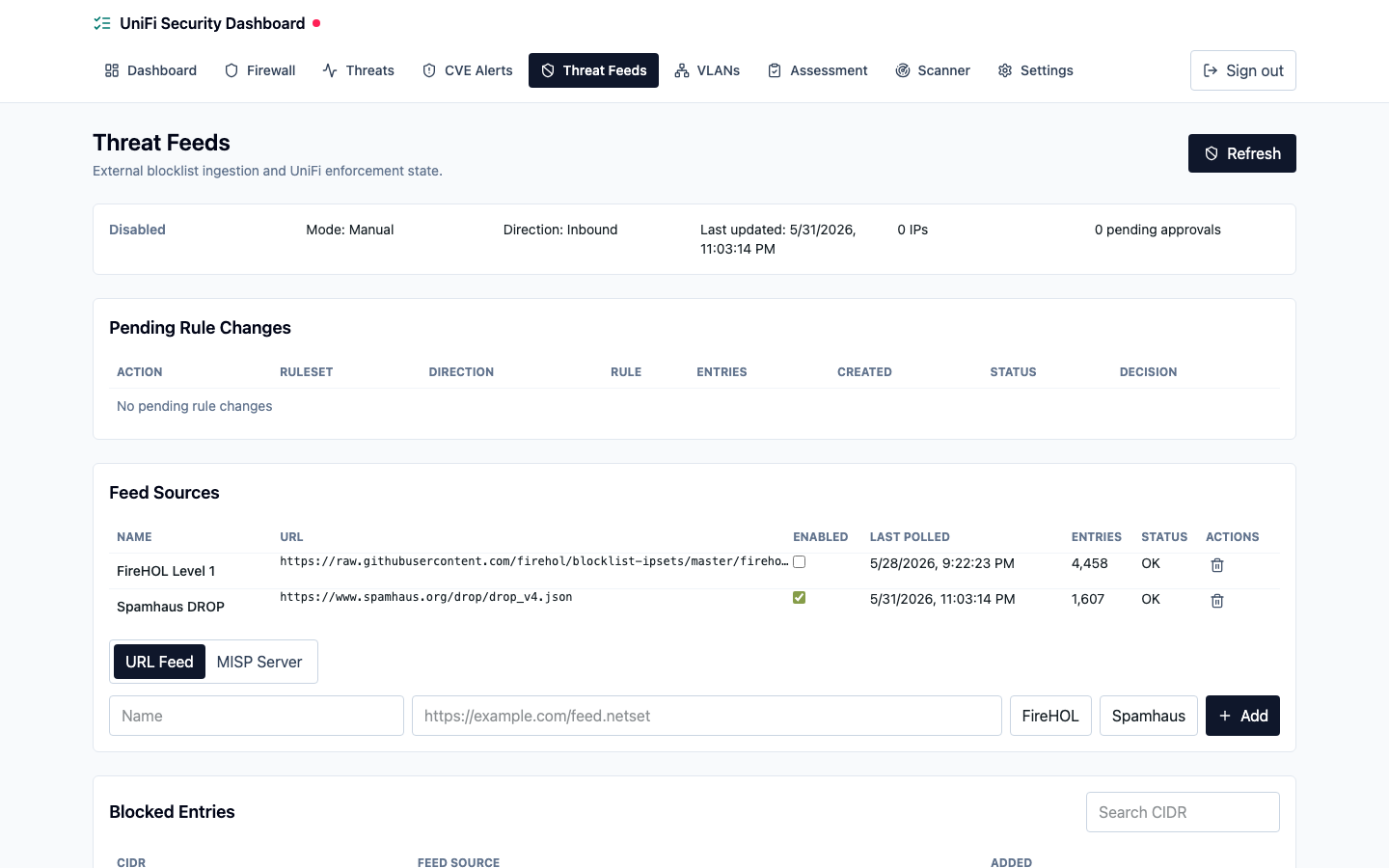 | 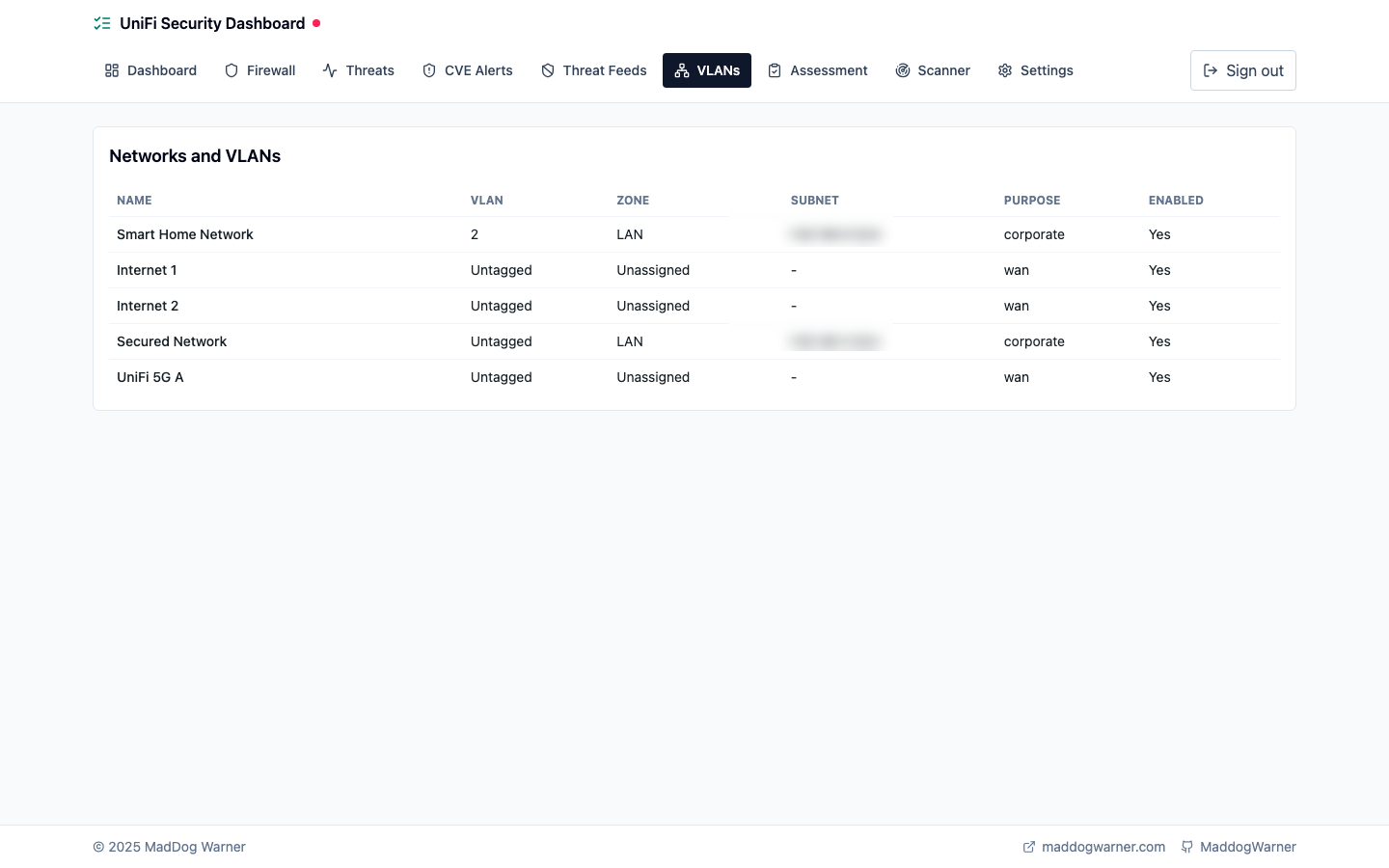 |
| Threat Feeds — blocklist sources, MISP integration, and pending rule approvals | VLANs — network inventory with zone assignments |
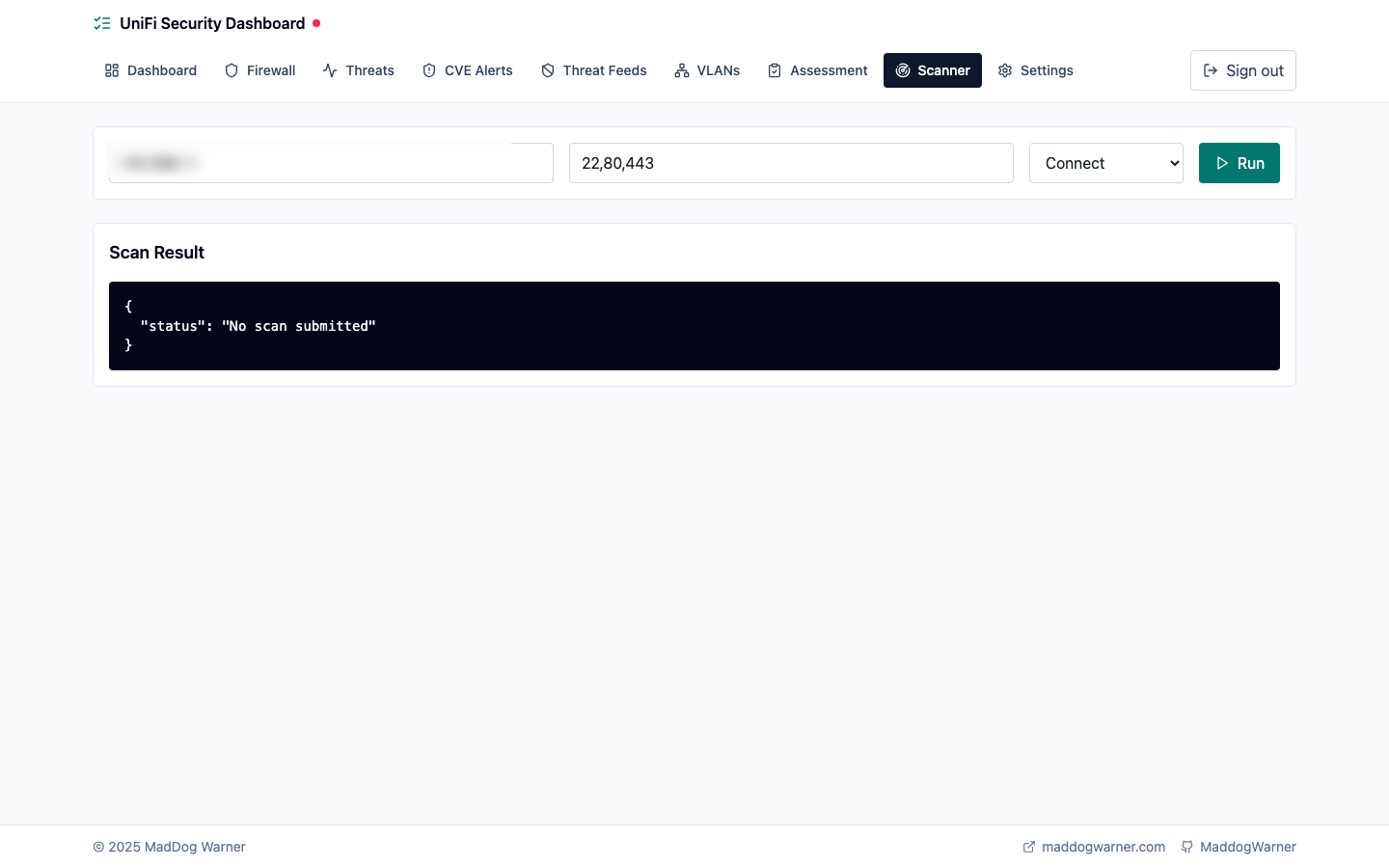 | 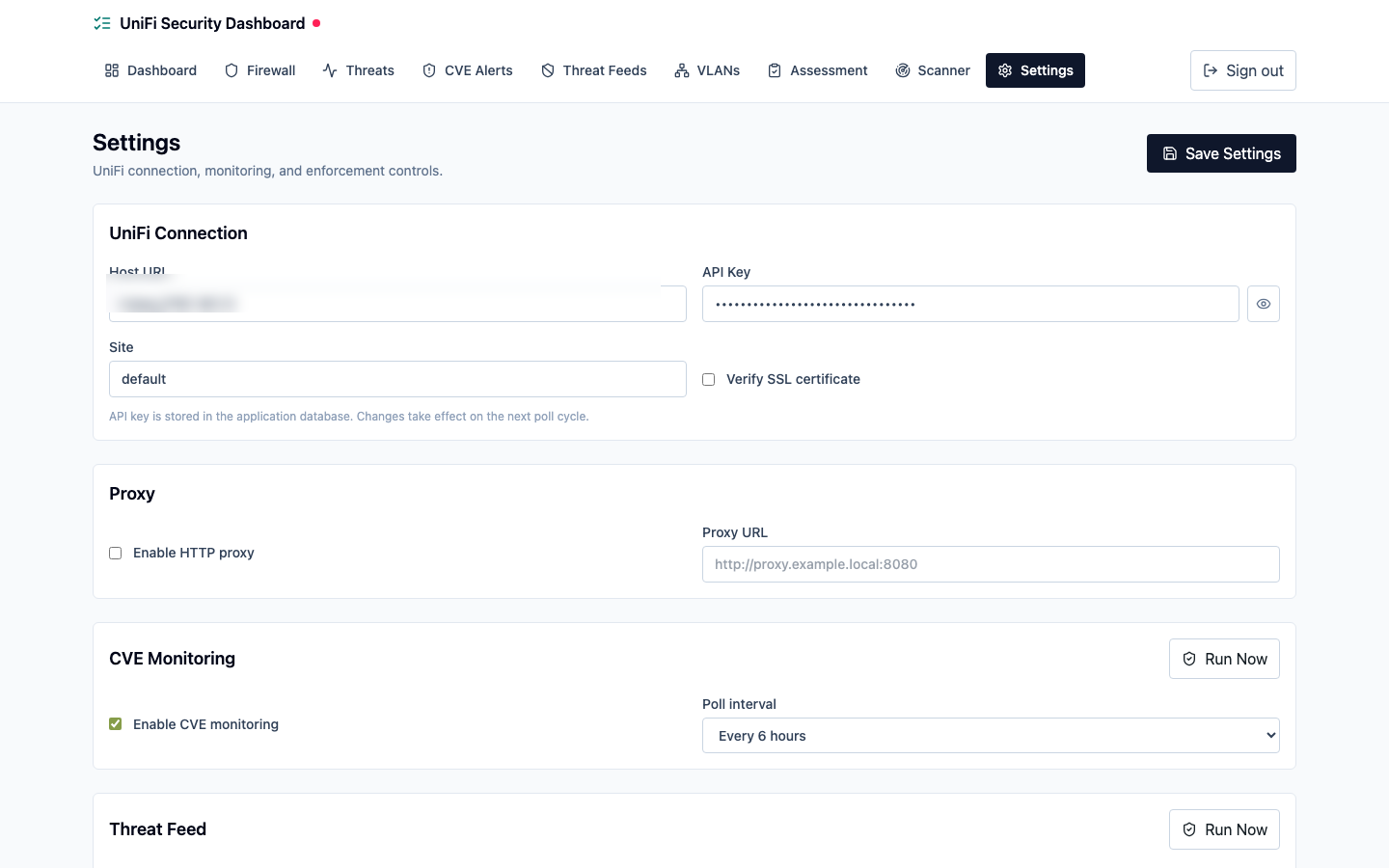 |
| Scanner — RFC1918 port scan for firewall validation | Settings — UniFi connection, CVE monitoring, and threat feed controls |
What it does
- Firewall policy visualisation — zone-based policy matrix showing allow/block/reject posture across all zone pairs, with per-policy hit counts matched from syslog
- Live firewall event log — syslog receiver parses UniFi kernel block/allow/reject events and cross-references them back to the rule that fired
- IDS/IPS status — detects whether Intrusion Prevention is enabled, whether it is in detection-only or prevention mode, and flags configuration gaps
- Policy conflict and drift detection — identifies shadowed rules, duplicate policies, and tracks any change in the policy set via SHA-256 snapshot hashing
- Scored security assessment — 10 automated checks (IDS enabled, default-deny WAN posture, guest isolation, logging coverage, permissive any-any rules, and more) with remediation recommendations
- Port scan validation — triggers nmap against RFC1918 targets only, cross-references open ports against expected zone policies to surface enforcement gaps
- CVE monitoring (optional) — polls the NVD modified feed and Ubiquiti security bulletins for HIGH and CRITICAL CVEs, cross-references them against firmware versions on your connected devices, and surfaces upgrade alerts
- Threat feed integration (optional, experimental) — polls public IP blocklists (FireHOL, Spamhaus DROP, or custom feeds) and pushes them to UniFi as address groups and firewall rules; also supports MISP (Malware Information Sharing Platform) as an authenticated threat intelligence source; supports Manual mode (approval per change) or Auto Push mode
- MCP server — 15 tools for Claude Code / Codex to query live dashboard data conversationally
Architecture
nginx (:443 HTTPS, :80 -> redirect)
 ├── /api/*   →  api:8000      FastAPI + SQLAlchemy, polls UniFi API every 60s
 └── /*       →  frontend      React SPA served by nginx (built from Vite)

api:8000       also runs a UDP syslog receiver on :514
mcp:8001       MCP server, calls api:8000 over the internal Docker network
scanner:8002   nmap micro-service, internal only — RFC1918 targets only
postgres:5432  PostgreSQL 16, persistent volume pgdata
Four service images are published to GitHub Container Registry:
| Image | Purpose |
|---|---|
ghcr.io/maddogwarner/unifi-dashboard/api | FastAPI backend |
ghcr.io/maddogwarner/unifi-dashboard/frontend | React SPA |
ghcr.io/maddogwarner/unifi-dashboard/mcp | MCP server |
ghcr.io/maddogwarner/unifi-dashboard/scanner | nmap wrapper |
Prerequisites
- Docker 24+ with the Compose plugin (
docker compose version) - UniFi Dream Machine Pro, UDR, or compatible console running UniFi Network 9.x+ (zone-based firewall policy API requires 9.x)
- A UniFi API key — generated at: UniFi Network → Settings → Control Plane → Integrations → Create API Key
- The machine running the stack must be reachable by the UniFi console over the network (required for syslog)
Note on SSL: Local UniFi consoles use self-signed certificates by default. Set
UNIFI_VERIFY_SSL=falsein your.envto allow connections without certificate validation. If your console has a trusted cert, set it totrue.
Deployment
Option A — Pre-built images from GHCR (recommended)
No build step required. Docker Compose will pull the latest published images.
# 1. Get the Compose file and env template
curl -O https://raw.githubusercontent.com/MadDogWarner/unifi-dashboard/main/docker-compose.yml
curl -O https://raw.githubusercontent.com/MadDogWarner/unifi-dashboard/main/.env.example

# 2. Create your env file
cp .env.example .env

# 3. Edit .env — required values
#    UNIFI_HOST      e.g. https://192.168.1.1
#    UNIFI_API_KEY   from UniFi Integrations page
#    UNIFI_SITE      usually "default"
#    POSTGRES_PASSWORD  change from the example value
nano .env

# 4. Pull and start
docker compose pull
docker compose up -d

# 5. Check all services are healthy
docker compose ps
The dashboard will be available at https://<host-ip>. HTTP requests to port 80 redirect to HTTPS.
Option B — Build from source
git clone https://github.com/MadDogWarner/unifi-dashboard.git
cd unifi-dashboard
cp .env.example .env
nano .env   # set UNIFI_HOST, UNIFI_API_KEY, UNIFI_SITE, POSTGRES_PASSWORD
docker compose up --build -d
The dashboard will be available at https://<host-ip>. HTTP requests to port 80 redirect to HTTPS.
TLS / HTTPS
The dashboard runs HTTPS on port 443 by default. HTTP port 80 redirects to HTTPS.
Self-signed certificate (default)
On first start, nginx automatically generates a self-signed RSA 2048 certificate valid for 10 years and writes it to certs/server.crt and certs/server.key. Your browser will warn about an untrusted certificate. This is expected for a self-hosted LAN dashboard; add a permanent browser exception.
Custom certificate
- Obtain a certificate and private key in PEM format from your private CA, pfSense/OPNsense PKI, or
openssl. - Name them
server.crt(full certificate chain) andserver.key(private key). - Place both files in the
certs/directory at the project root before starting the stack. - Start or restart nginx:
docker compose restart nginx
The entrypoint only generates a self-signed cert if either file is missing. Existing complete certificate pairs are never overwritten.
Let's Encrypt (certbot)
Symlink your Certbot live directory into certs/:
ln -sf /etc/letsencrypt/live/yourdomain/fullchain.pem certs/server.crt
ln -sf /etc/letsencrypt/live/yourdomain/privkey.pem certs/server.key
Add a certbot deploy hook to run docker compose restart nginx after each renewal.
Stopping and upgrading
# Stop
docker compose down

# Upgrade to latest images (Option A)
docker compose pull
docker compose up -d

# Wipe database and start fresh (destructive)
docker compose down -v
docker compose up -d
Configuration
Copy .env.example to .env and set the values below.
| Variable | Required | Default | Description |
|---|---|---|---|
UNIFI_HOST | Yes | — | Local UniFi console URL, e.g. https://192.168.1.1 |
UNIFI_API_KEY | Yes | — | API key from UniFi Network → Settings → Control Plane → Integrations |
UNIFI_SITE | Yes | default | UniFi site name. Find yours at Settings → System → Site Name |
UNIFI_VERIFY_SSL | No | false | Set true only if the console certificate is trusted by your system |
POSTGRES_PASSWORD | Yes | — | Database password — change from the example value before first run |
POSTGRES_DB | No | unifi_dashboard | Database name |
POSTGRES_USER | No | dashboard | Database user |
AUTH_SECRET | Yes | — | Long random secret used to sign dashboard JWTs. Generate with openssl rand -hex 32 |
AUTH_TOKEN_LIFETIME_SECONDS | No | 86400 | Dashboard login token lifetime in seconds |
SYSLOG_PORT | No | 514 | UDP port the syslog receiver listens on |
POLL_INTERVAL_SECONDS | No | 60 | How often to poll the UniFi API. Minimum 10 |
LOG_RETENTION_DAYS | No | 30 | Reserved for future log expiry |
MCP_AUTH_TOKEN | Yes for MCP | — | Long random bearer token required by the MCP server |
MCP_AUTH_DISABLED | Dev only | false | Set true only for isolated local MCP development |
MCP_RESOURCE_SERVER_URL | No | http://localhost:8001 | Public MCP URL used in protected-resource metadata |
VITE_API_URL | Dev only | http://localhost:8000 | Frontend dev proxy target. Not used in the Docker Compose stack |
Dashboard Authentication
The dashboard requires login before accessing API-backed pages. On a fresh database, the first browser visit redirects to /setup so you can create the initial administrator account. The first registered account is automatically promoted to superuser, and open registration is closed after that point.
Generate and set AUTH_SECRET before starting the API:
openssl rand -hex 32
AUTH_SECRET=<paste-generated-secret-here>
AUTH_TOKEN_LIFETIME_SECONDS=86400
All dashboard API routes require Authorization: Bearer <token> except health, login, setup status, and first-time registration. Additional accounts can be created by a superuser via POST /api/v1/users/.
Syslog Setup
The dashboard cross-references firewall block/allow events to policies by matching rule names from syslog. Without syslog configured, the dashboard will still show policy metadata from the API but hit counts will remain zero.
Configure remote syslog on the UniFi console:
- UniFi Network → Settings → System → Advanced → Remote Logging
- Set Syslog Host to the IP address of the machine running this stack
- Set Syslog Port to
514(or theSYSLOG_PORTvalue from your.env) - Enable the Firewall log category
- Click Apply Changes
Docker Compose publishes UDP ${SYSLOG_PORT:-514} from the API container to the host. Confirm the mapping after startup:
docker compose port api 514/udp
Expected log format (kernel firewall events):
kernel: [WAN_LOCAL-default-D]IN=eth4 OUT= SRC=1.2.3.4 DST=192.168.1.1 LEN=60 PROTO=TCP SPT=54321 DPT=22
The action is encoded in the rule name suffix: D = drop, A = accept, R = reject.
Firewall: The host running this stack must allow inbound UDP on port 514 from the UniFi console. If using
ufw:sudo ufw allow from <unifi-ip> to any port 514 proto udp
MCP Server
The MCP server runs on port 8001 and exposes tools that Claude Code can call to query your live UniFi security data. It requires bearer-token authentication by default and Docker Compose binds it to 127.0.0.1:8001 so it is reachable only from the host running the stack.
Generate a long random token and set it in .env before starting the MCP service:
openssl rand -hex 32
MCP_AUTH_TOKEN=<paste-generated-token-here>
Add to your Claude Code settings (~/.claude/settings.json or project .claude/settings.json):
{
  "mcpServers": {
    "unifi": {
      "type": "http",
      "url": "http://localhost:8001",
      "headers": {
        "Authorization": "Bearer ${MCP_AUTH_TOKEN}"
      }
    }
  }
}
If Claude Code runs on a different host, change the Compose port binding deliberately, for example 192.168.1.150:8001:8001, and restrict access to trusted management hosts or a VPN. Do not expose the MCP port broadly on a LAN or the internet; it can read live dashboard data and trigger RFC1918 port scans.
For isolated local development only, MCP_AUTH_DISABLED=true starts the MCP server without bearer-token checks.
Available tools:
| Tool | Description |
|---|---|
get_firewall_policies | List all zone-based policies with hit counts |
get_firewall_logs | Query firewall events — filter by source IP, rule name, or limit |
get_threats | List recent IDS/IPS threat events |
get_ids_status | IDS/IPS enabled state, mode, and configuration gaps |
get_vlans | All VLANs with zone assignments and policy counts |
get_assessment | Run the full scored security assessment |
get_policy_conflicts | List detected shadow and duplicate policy conflicts |
get_drift_report | Latest policy drift event and what changed |
run_port_scan | Trigger an nmap scan against an RFC1918 target |
get_scan_results | Retrieve results from a previous scan by ID |
get_cve_alerts | List unacknowledged HIGH/CRITICAL CVEs with affected devices |
get_cve_devices | Device inventory with matched CVE counts and firmware versions |
get_threatfeed_status | Threat feed enabled state, last update, total blocked IPs |
get_threatfeed_entries | Query the blocked IP/CIDR list — supports CIDR search and limit |
get_threatfeed_pending_rules | List pending threat feed rule changes awaiting approval |
Example Claude Code session:
> get_assessment
Score: 72/100 — 5 pass, 2 warn, 3 fail
  FAIL  IDS/IPS is in detection-only mode — prevention not active
  FAIL  WAN→LAN default action is not explicitly set to BLOCK
  FAIL  Guest zone has an ALLOW policy to Internal
  WARN  3 policies have no syslog logging enabled
  WARN  2 policy names match the default "Policy N" pattern
  PASS  Management VLAN exists and is in Gateway zone
  ...
Port Scanner
The scanner service uses nmap to validate that firewall policies are actually enforced. Assessment findings include the latest open host/port evidence and, where UniFi exposes the data, correlate those ports with WAN port forwards or WAN allow rules so directly exposed services are easier to identify.
Safety constraint: The scanner hard-refuses any target outside RFC1918 ranges (10.0.0.0/8, 172.16.0.0/12, 192.168.0.0/16). This check is enforced in services/scanner/scanner.py before nmap is called and cannot be bypassed via the API.
The scanner container requires NET_RAW and NET_ADMIN capabilities for SYN scan mode. TCP connect scans work without elevated privileges if you need to drop those caps.
Optional Features
Both features below are disabled by default. Enable and configure them from the Settings page in the dashboard. All settings are stored in the database and take effect within the next poll cycle — no container restart required.
An optional HTTP proxy URL can be configured in Settings if the host running the stack does not have direct internet access. The proxy applies to all outbound HTTP calls from both collectors.
CVE Monitoring
When enabled, the CVE collector polls two sources on a configurable interval (default 24 hours):
- NVD modified feed (
nvdcve-2.0-modified.json.gz) — the official National Vulnerability Database bulk feed, filtered to Ubiquiti (ui) CPE entries with a CVSS base score of 7.0 or higher (HIGH/CRITICAL only) - Ubiquiti Community security bulletins — the bulletin index at
community.ui.com/releasesis scraped for Security Advisory posts and CVE IDs are extracted and cross-referenced with NVD records
Device firmware versions are fetched from the UniFi API (stat/device) and compared against matched CVE CPE criteria. Affected devices are surfaced in the CVE Alerts page with upgrade prompts.
Only HIGH (CVSS ≥ 7.0) and CRITICAL (CVSS ≥ 9.0) CVEs are stored. Alerts can be individually acknowledged once a device is patched.
Threat Feed Integration
⚠ Experimental — read before enabling
When enabled, the threat feed collector polls configured IP blocklists and pushes the entries to your UniFi console as address groups and firewall rules via the legacy firewall API. This feature modifies live firewall configuration on your UniFi console.
Risks and limitations:
- Experimental status — the feature has not been validated against all firmware versions. The firewall rule action value used (
drop) is believed correct for the legacyrest/firewallruleAPI, but behaviour may vary by firmware version. Inspect created rules in the UniFi dashboard after first enabling the feature and confirm they are applied correctly. - Firewall clutter — each enabled ruleset gets one address group (or multiple if the combined blocklist exceeds 500 entries) and a corresponding deny rule. These are named
ThreatFeed-{RULESET}-{N}andBlock-ThreatFeed-{RULESET}-{N}. Disabling the feature attempts to remove them automatically; if cleanup fails, remove any remainingThreatFeed-*groups and rules manually from UniFi Network → Firewall → Address Groups / Rules. - Connectivity impact — blocking large public threat feed ranges carries a small risk of false positives. Start with a single ruleset (e.g.
WAN_IN) rather than enabling all zones at once. - Manual mode is the default — rule changes are queued as pending approvals rather than pushed immediately. Review and approve each change on the Threat Feeds page before it is applied to UniFi. Switch to Auto Push mode only once you are comfortable with the feature's behaviour on your hardware.
Supported source types:
- URL feed — plain HTTP/HTTPS feeds in netset, JSON, or JSONL format (FireHOL, Spamhaus DROP, or any compatible blocklist). The URL is validated and must be publicly reachable.
- MISP server — authenticates to a MISP instance via API key and POSTs to
/attributes/restSearchto retrieve IP-type indicators (ip-src,ip-dst,cidr, and port variants). Only attributes flaggedto_ids: trueand passing the MISP warninglist are collected. Pagination is handled automatically. MISP sources may target RFC1918-hosted servers (self-hosted MISP is common); loopback, metadata endpoints, and other reserved ranges remain blocked. API keys are stored per-source and are never returned in API responses. An optional "Verify SSL" toggle is provided for self-signed MISP certificates.
Minimum poll interval is 1 hour. The default sources (FireHOL Level 1 and Spamhaus DROP) are seeded on first startup but disabled — you must explicitly enable each source from the Threat Feeds page.
API
All endpoints are under /api/v1/ and proxied through nginx.
| Endpoint | Method | Description |
|---|---|---|
/api/v1/health | GET | Service health, DB status, UniFi API reachability |
/api/v1/firewall/policies | GET | Zone-based policies with hit counts |
/api/v1/firewall/rules | GET | Legacy firewall rules with hit counts |
/api/v1/firewall/logs | GET | Paginated syslog firewall events (filter: src_ip, rule_name) |
/api/v1/firewall/zones | GET | Zones with assigned networks |
/api/v1/threats/events | GET | IDS/IPS threat events |
/api/v1/threats/ids-status | GET | IDS/IPS config + gap analysis |
/api/v1/networks/ | GET | VLANs with zone and policy metadata |
/api/v1/assessment/ | GET | Scored security assessment |
/api/v1/assessment/conflicts | GET | Detected policy conflicts |
/api/v1/drift/snapshots | GET | Policy snapshot history |
/api/v1/drift/diff/{a}/{b} | GET | JSON diff between two snapshots |
/api/v1/drift/latest-change | GET | Most recent drift event |
/api/v1/scan/ | POST | Trigger nmap scan {target, ports, scan_type} |
/api/v1/scan/{id} | GET | Poll scan result |
/api/v1/settings | GET | Read all runtime settings |
/api/v1/settings | PUT | Update runtime settings (feature toggles, intervals, proxy URL) |
/api/v1/cve/alerts | GET | Paginated CVE alerts — filter by severity and acknowledged state |
/api/v1/cve/alerts/{id}/acknowledge | POST | Mark a CVE alert as acknowledged |
/api/v1/cve/devices | GET | Device inventory with matched CVE IDs per device |
/api/v1/cve/refresh | POST | Trigger an immediate CVE poll cycle |
/api/v1/threatfeed/feeds | GET / POST | List or add configured feed sources |
/api/v1/threatfeed/feeds/{id} | PUT / DELETE | Update or remove a feed source |
/api/v1/threatfeed/status | GET | Enabled state, last update, total entries, pending count |
/api/v1/threatfeed/entries | GET | Paginated blocked IP/CIDR entries — supports CIDR search |
/api/v1/threatfeed/pending-rules | GET | List pending rule changes awaiting approval |
/api/v1/threatfeed/pending-rules/{id}/approve | POST | Approve and apply a pending rule change to UniFi |
/api/v1/threatfeed/pending-rules/{id}/reject | POST | Reject a pending rule change |
/api/v1/threatfeed/refresh | POST | Trigger an immediate threat feed poll cycle |
Validation
After starting the stack:
# All services should show "healthy" or "running"
docker compose ps

# Health check (-k accepts the self-signed cert) — no auth required
curl -k https://localhost/api/v1/health

# HTTP redirect check — should return 301 with Location: https://
curl -I http://localhost/

# Get a Bearer token (replace credentials with your account)
TOKEN=$(curl -k -s -X POST https://localhost/api/v1/auth/login \
  -H "Content-Type: application/x-www-form-urlencoded" \
  -d "username=admin@example.com&password=yourpassword" \
  | python3 -c "import sys,json; print(json.load(sys.stdin)['access_token'])")

# Returns policy list (empty until UniFi credentials are configured and first poll runs)
curl -k -H "Authorization: Bearer $TOKEN" https://localhost/api/v1/firewall/policies

# Test scanner RFC1918 guard — should return HTTP 400
curl -k -X POST https://localhost/api/v1/scan/ \
  -H "Authorization: Bearer $TOKEN" \
  -H "Content-Type: application/json" \
  -d '{"target":"8.8.8.8","ports":"80"}'

# Trigger a valid scan
curl -k -X POST https://localhost/api/v1/scan/ \
  -H "Authorization: Bearer $TOKEN" \
  -H "Content-Type: application/json" \
  -d '{"target":"192.168.1.1","ports":"22,80,443"}'
Development Setup
Running services locally without Docker
API:
cd services/api
pip install -e ".[dev]"
# Requires a running PostgreSQL instance — update POSTGRES_HOST in .env
uvicorn app.main:app --reload --port 8000
Frontend:
cd services/frontend
npm install
# Set VITE_API_URL=http://localhost:8000 if API is running locally
npm run dev   # http://localhost:5173
MCP server:
cd services/mcp
pip install "mcp[cli]>=1.0" httpx
# Set API_BASE_URL=http://localhost:8000
python server.py
Running just the data services in Docker
# Start only postgres and the API so the frontend dev server can proxy to it
docker compose up postgres api -d
cd services/frontend && VITE_API_URL=http://localhost/api npm run dev
Code quality
# Python linting and formatting
cd services/api && ruff check . && ruff format --check .

# TypeScript type checking
cd services/frontend && npm run build   # tsc runs as part of the Vite build
Contributing
Contributions are welcome. Please open an issue before submitting a pull request for significant changes.
Contributors
- MadDogWarner — project author
- Claude (Anthropic) — architecture, code review, and implementation guidance
- Codex (OpenAI) — primary code generation
Guidelines
- Follow the existing code style (Black/Ruff for Python, TypeScript strict mode)
- No secrets or credentials in commits
- Scanner RFC1918 guard must not be weakened or removed
- Add or update
changelog.mdentries for any user-facing change
Licence
MIT — see LICENSE for details.