
3D Studio — IA para Impressão 3D
kryptobaseddev/3d-ai-studio
Linguagem natural → arquivos 3D prontos para impressora
Ver no GitHubAgent que transforma descrições em linguagem natural (com imagens opcionais) em arquivos 3D prontos para impressão (STL/3MF/GLB). Combina um motor CSG local determinístico com validação contra o benchmark de prontidão 3D 2026, garantindo sólidos 2-manifold sem necessidade de GPU ou chaves de API.
Instalação
npx convez-ai kryptobaseddev/3d-ai-studio1 comando no terminal: detecta o formato do repositório (marketplace ou plugin avulso) e instala via Claude Code. Requer Node 18+ e o Claude Code instalado.
Métricas
Casos de uso
- Gerar peças mecânicas funcionais (suportes, enclosures, conectores)
- Criar objetos parametrizados via DSL de CAD automatizado
- Validar e reparar meshes antes da impressão 3D
Veredito

Solução técnica robusta que resolve um problema real: bridging entre linguagem natural e CAD determinístico com garantias de prontidão de impressão. A separação entre motor CSG local (para peças mecânicas) e backend generativo (para formas orgânicas) é pragmática; a validação contra benchmarks elimina a imprevisibilidade típica de ferramentas 3D+IA.
README
A tradução para o português deste README ainda está na fila.
3D Studio — natural language → print-ready 3D
A Claude Code plugin + agent harness that turns a natural-language description (and optional reference images) into print-ready 3D files (STL · 3MF · GLB) you can drop straight into Bambu Studio, OrcaSlicer, PrusaSlicer, or MakerWorld — validated against the 2026 AI 3D Print-Readiness Benchmark, with a React + three.js preview UI.
The agent does the modeling. The primary engine is a local, manifold-by- construction CSG kernel that the agent writes geometry against — deterministic, free, needs no GPU or API key, and produces watertight solids by construction (~100% slicer pass). An optional generative backend (Meshy / local models) handles genuinely organic shapes, always followed by validate → repair.
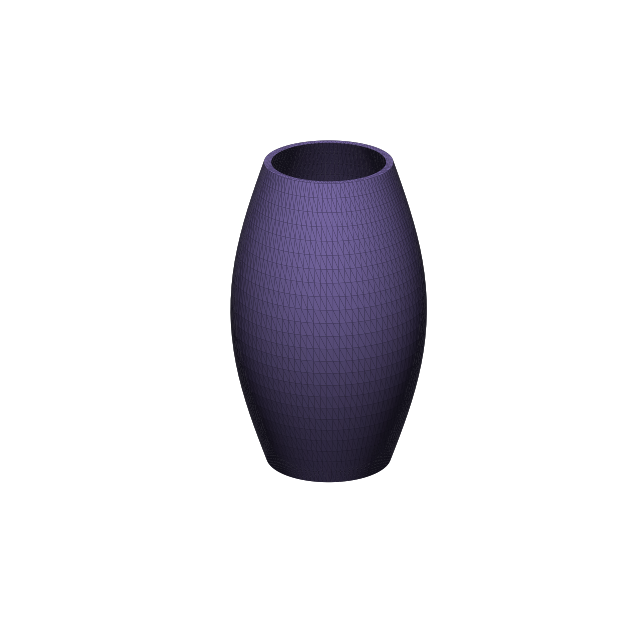
Why this design
There are two ways to make 3D with AI:
| Path | Best for | Watertight? | Needs |
|---|---|---|---|
| Local CSG (this project's default) | mechanical / functional parts — brackets, enclosures, holders, knobs, gears, fixtures, signs | ~100% by construction | nothing — pure Python |
| Generative neural (Meshy / Hunyuan3D / TRELLIS) | organic shapes — figurines, characters, animals | ~55% out-of-box, ~97% slicer-pass | API key or GPU |
The local CSG path is the headline feature: the agent reasons about geometry and
writes a small script in a curated DSL; the harness executes it in a sandbox and
the manifold3d boolean kernel guarantees a watertight, 2-manifold solid. Generative
output is great for shapes you can't express parametrically, but no generative
model is print-ready by default — so every generated mesh is forced through the same
validation/repair gate.
Architecture
 natural language + images
            │
            ▼
   ┌───────────────────┐     spec-analyst (subagent)
   │     ModelSpec      │◀──  category · dims(mm) · profile · engine
   └───────────────────┘
            │  engine router (auto)
   ┌────────┴─────────────────────────────┐
   ▼ csg (default)                          ▼ generative (organic)
 cad-author writes DSL script        Meshy API (test-key/mock fallback)
   │                                         │ → GLB
 sandbox (isolated subprocess,              │
   restricted builtins, rlimits,            │
   timeout) → trimesh + manifold3d          │
   └──────────────┬──────────────────────────┘
                  ▼
        validate()  ── Meshy 4-Dimension Benchmark ──
        D1 mesh integrity · D2 slicer pass · D3 print geometry · D4 workflow
        (watertight/manifold, wall thickness via ray cast, overhangs, bed fit)
                  │
                  ▼  repair if needed (merge, fix normals, fill holes)
        exporters → output/<slug>-NNN/
            model.stl · model.3mf(mm+color) · model.glb · thumb.png
            report.json · spec.json · provenance.json
                  │
                  ▼
        output/manifest.json  →  web/ (React + three.js static viewer)
Components
.claude-plugin/plugin.json     plugin manifest (+ marketplace.json)
skills/                        NATIVE entry points (always-on, user-invocable):
  model3d/                     interactive design-session orchestration + fidelity loop
  grill-me/                    interactive Q&A → validated design plan
mcp/server.py + .mcp.json      3d-studio-registry MCP server — serves the registry ON DEMAND
                               (~0 always-on cost): list_skills/load_skill, list_agents/
                               load_agent, studio3d_reference/styles/subjects
registry/skills/               on-demand reference knowledge:
  print-readiness/ cad-authoring/ printer-setup/ 3d-modeling-foundations/
registry/agents/               on-demand specialists:
  spec-analyst.md cad-author.md mesh-validator.md design-critic.md
bin/studio3d                   CLI wrapper (resolves the plugin-data venv)
hooks/                         SessionStart venv bootstrap
harness/studio3d/              the Python harness
  dsl/                         manifold CSG DSL (+ twist/ellipsoid/loft/load_mesh)
  sandbox.py                   safe execution of authored scripts
  validate.py                  print-readiness validator (D1–D4)
  render.py · _blender_render.py   multi-view renders (visual-critique loop)
  profiles.py · data/printers.json  printer DB + user profiles (XDG, YAML)
  history.py                   git-tracked design history (isolated store)
  exporters.py                 STL / 3MF / GLB / thumbnail / manifest
  generative.py                Meshy backend + mock fallback
  spec.py · cli.py
examples/                      print-safe DSL example parts (owl, twist-vase, …)
web/                           React 19 + Vite + three.js viewer (Z-up, live polling)
tests/                         pytest end-to-end suite (48 tests)
output/                        generated bundles (one evolving folder per design)
Install (as a Claude Code plugin)
# add the marketplace, then install the 3d-studio plugin
claude plugin marketplace add kryptobaseddev/3d-ai-studio
claude plugin install 3d-studio@studio3d-tools
Or with the in-session slash commands:
/plugin marketplace add kryptobaseddev/3d-ai-studio
/plugin install 3d-studio@studio3d-tools
For development / local use, clone and point Claude Code at the directory:
git clone https://github.com/kryptobaseddev/3d-ai-studio
claude --plugin-dir 3d-ai-studio
Requirements: Python 3 (the SessionStart bootstrap hook auto-provisions the
harness venv with its deps — falls back to a local .venv in dev). Blender is
optional (renders fall back to matplotlib). Node is only needed for the web
viewer. Verify with studio3d doctor.
Use it
Just ask, in natural language:
"Model a wall bracket with two screw holes, 70mm wide." "Design a hexagonal pen holder, 90mm tall." "Make me a printable cable clip for two cables."
The /model3d skill orchestrates spec-analyst → cad-author → validate → export, then
reports the print-readiness score and the output bundle.
CLI directly
# from a DSL script
studio3d gen-script --script part.py --name my-part --out output

# multi-view render for the visual-critique loop (Blender; matplotlib fallback)
studio3d render output/my-part/model.stl

# printer profiles (XDG config; drives bed-fit, wall mins, AMS color)
studio3d printers --search "bambu a1"
studio3d profile add --name my-a1 --printer "Bambu Lab A1" --ams true \
  --colors "#1a1a1a,#f5f5f5,#e23b3b,#2b6cd4"
studio3d profile use my-a1

# import an existing STL/3MF/GLB to modify, then edit it with load_mesh(...)
studio3d import ~/Downloads/box.stl --name box --reorient

# git-tracked change history (point-in-time recovery; one evolving bundle)
studio3d history --bundle my-part
studio3d history --bundle my-part --revert <sha>

studio3d validate model.stl    # print-readiness report (D1–D4)
studio3d doctor                # env + blender + active profile
studio3d examples              # list bundled example scripts
Design sessions, styles & reference library (v3)
Generation is grounded so models actually look like the subject and carry a chosen artistic style (clean / realistic / cartoonish / chibi / anime / low-poly / geometric):
studio3d styles                       # the 7 styles + their geometry params
studio3d reference owl --style cartoonish   # grounded BRIEF: silhouette cues + head-unit-H
                                            # proportions + CSG recipe (20 subjects packaged)
studio3d plan new --subject owl --style cartoonish --height 88 --out owl.design.json
studio3d gen-script --script owl.py --plan owl.design.json --out output   # fabricate from the plan
- Reference library (
data/reference_library.json, 20 subjects) gives the agent the essential silhouette cues + numeric proportions, so it authors by proportion (a head-unitH) instead of guessing — this is what makes the owl read as an owl. - Style system (
data/styles.json) carries concrete params (head:body ratio, eye-size multiplier, facet level…) per style. - Design plan (
design.json) is the regenerable base design produced by the/grill-meinteractive session (text + reference images → a validated spec of subject, style, dimensions, wall thickness, colors, characteristics, parts). Tweak a field and regenerate; the plan is persisted into each bundle and tracked in history. - Vision-grounded critique: the
design-criticrenders the model and scores it against the reference cues, the style params, and any user-supplied 2D reference images.
The fidelity loop (99% intent-match)
Generation is not one-shot. The agent generates → renders → looks → critiques → revises until the model both matches the request and is print-ready:
studio3d gen-script …builds + validates.studio3d render …produces front/right/top/iso PNGs (Blender Workbench).- The agent (or the
design-criticsubagent) reads the renders and scores intent on a 5-criterion rubric (feature presence, proportion, function, silhouette, print-readiness). - It revises the script and regenerates with the same name (overwrite in place —
git history captures the change) until intent-match ≥ ~95 and
print_readyis true, bounded to ≤4 passes (best-so-far kept). A model that validates can still miss the intent — so it always looks before shipping.
Printer profiles (XDG, cross-platform)
studio3d profile manages YAML profiles in the OS config dir (~/.config/studio3d/
on Linux, ~/Library/Application Support/studio3d/ on macOS, %APPDATA%\studio3d\ on
Windows). Each profile is a real printer (make/model + AMS + filament colors) backed by
an in-repo database of 29 machines (Bambu A1/P1/X1/H2D, Prusa MK4S/CORE One/XL,
Creality K-series/Ender V3, Elegoo, Anycubic, Formlabs) with exact build volumes,
nozzles, AMS color capacity, and slicer quality presets. The active profile targets
generation to that printer.
Live preview
cd web && npm run dev serves the viewer at http://localhost:5173; it polls the
output folder and a dev middleware serves models directly, so regenerating a design
updates the 3D view live during a session — no rebuild, no copy step.
Preview in the browser
cd web
npm install
npm run sync     # copy output/ bundles into the app
npm run dev      # http://localhost:5173   (or: npm run build && npm run preview)
The viewer is a static React + three.js app (@react-three/fiber + drei): a model
gallery, an auto-fit 3D view on a print-bed grid, downloadable STL/3MF/GLB, and a live
print-readiness report (D1/D3) driven entirely by output/manifest.json — no backend.
Print-readiness (the 4-dimension benchmark)
Every model is scored 0–100 across four independent dimensions (see the
print-readiness skill for the full rule set + citations):
- D1 Mesh Integrity — watertight, 2-manifold, outward normals (hard gate).
- D2 Slicer Pass — opens cleanly and slices to valid G-code.
- D3 Print Geometry — min wall (≥0.8mm FDM 0.4 nozzle), overhangs (≤45–50°), bed fit, feature sizes — wall thickness measured by inward ray casting.
- D4 Workflow — mm units, 3MF for color/Bambu AMS vs STL for legacy.
Generative backend (optional)
export MESHY_API_KEY=msy_...      # or leave unset → deterministic mock
export STUDIO3D_GEN_BACKEND=meshy # meshy | mock | auto
With no key, the harness uses a deterministic mock so the whole pipeline (and UI) runs offline. The Meshy path implements the documented async create→poll→download loop and ships with the public test key for credential-free integration testing.
Tests
PYTHONPATH=harness ./.venv/bin/python -m pytest tests -q # 48 tests
Covers the DSL primitives, CSG manifold guarantees, sandbox security/timeout, the validator (D1–D4), exporters + 3MF round-trip, and every bundled example fabricated end-to-end.
Provenance
The architecture was derived from a 6-track deep-research pass (generative backends, parametric CAD, mesh validation, plugin architecture, web UI, and print-domain best practices) grounded in the Meshy 2026 benchmark, Bambu Lab, Prusa, Protolabs, and Formlabs design guides. Verified stack on CPython 3.14: trimesh 4.12 · manifold3d · numpy 2.4 · scipy 1.17 · shapely 2.1 · rtree · matplotlib (headless thumbnails).
License
MIT.