
JupyterCAD
jupytercad/JupyterCAD
Modelagem 3D colaborativa integrada ao JupyterLab
Ver no GitHubExtensão do JupyterLab para modelagem 3D colaborativa com suporte a geometria e arquivos FreeCAD. Permite que múltiplos usuários trabalhem simultaneamente no mesmo modelo 3D, facilitando discussão e iteração em tempo real.
Instalação
npx convez-ai jupytercad/JupyterCAD1 comando no terminal: detecta o formato do repositório (marketplace ou plugin avulso) e instala via Claude Code. Requer Node 18+ e o Claude Code instalado.
Métricas
Casos de uso
- Projetos de engenharia colaborativos em notebooks
- Prototipagem 3D com iteração em tempo real
- Integração de modelagem CAD em workflows Jupyter
Veredito

JupyterCAD preenche uma lacuna real integrando CAD profissional ao ecossistema Jupyter com edição colaborativa. Solução madura e bem documentada para equipes que precisam combinar computação científica com design 3D.
README
A tradução para o português deste README ainda está na fila.
JupyterCAD - A JupyterLab extension for collaborative 3D geometry modeling.

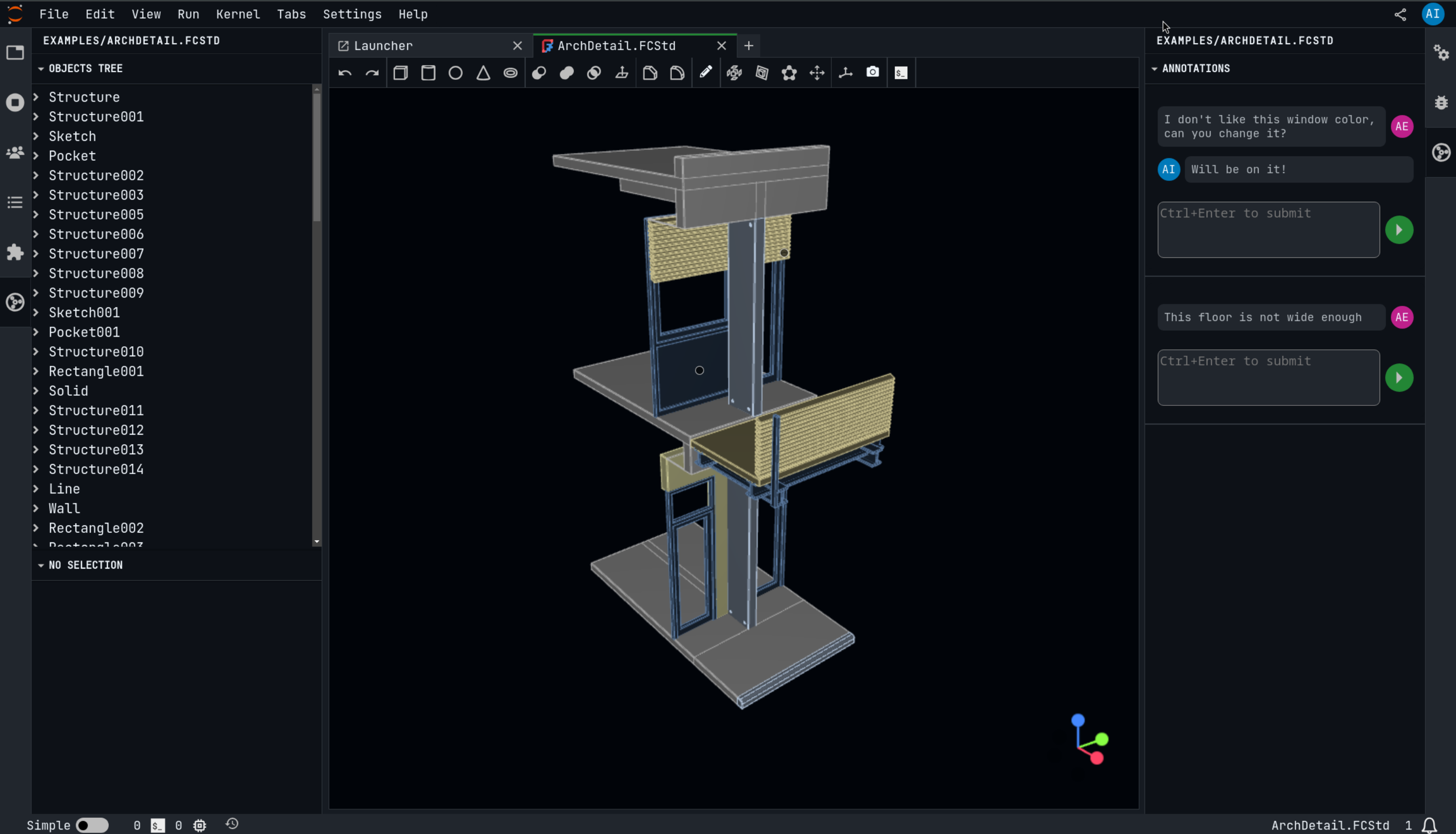
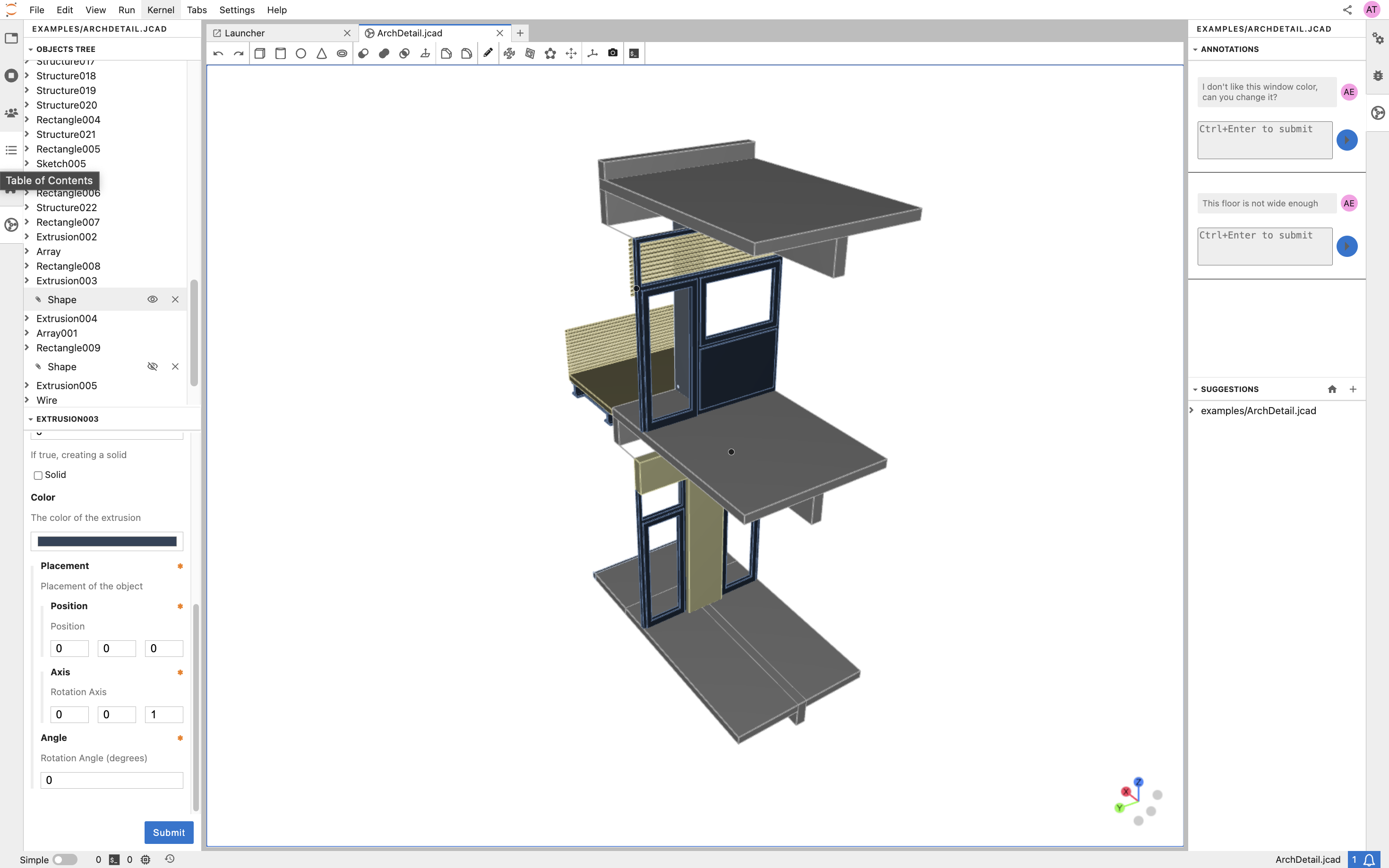
JupyterCAD is a JupyterLab extension for 3D geometry modeling with collaborative editing support. It is designed to allow multiple people to work on the same file at the same time, and to facilitate discussion and collaboration around the 3D shapes being created.
JupyterCAD has support for FreeCAD files, which makes it easy to import and export models from FreeCAD. It also has a range of features for creating and manipulating 3D shapes, including a variety of primitives, transformations, and Boolean operations.
Requirements
- JupyterLab >= 4.0.0
- freecad (optional)
Installation
You can install JupyterCAD using conda/mamba (this installs freecad automatically):
mamba install -c conda-forge jupytercad
Or using pip:
pip install jupytercad
Once you have installed the extension, you should be able to open the CAD viewer in JupyterLab and create 3D shapes!
Additionally, you can install jupytercad-freecad and edit .FCStd files in JupyterLab.
Use JupyterCAD in Notebook.link
The easiest way to get a deployment with JupyterCAD live is using Notebook.link.
Simply install jupytercad-lite in your Notebook.link environment.
Click on this link to try it out: https://notebook.link/github.com/jupytercad/JupyterCAD
Deploying JupyterCAD with JupyterLite
You can run JupyterCAD entirely in the browser using JupyterLite.
- Create a repository using the xeus-lite-demo template.
- In your fork, edit
environment.ymland add:- jupytercad-lite - Add your jcad and example files under the
content/directory of your repository. These files will be available directly inside your Lite deployment. - Enable GitHub Pages under Settings → Pages for your repository.
- Once the build completes, your Lite deployment will be live at:
https://<username>.github.io/<repo-name>/
This provides a lightweight, fully browser-based JupyterCAD environment — no server required.
[!IMPORTANT] Collaboration is not yet supported in JupyterLite static deployments.
Documentation
Check out the JupyterCAD documentation on ReadTheDocs! https://jupytercad.readthedocs.io
Contributing
JupyterCAD is an open-source project, and contributions are always welcome. If you would like to contribute to JupyterCAD, please fork the repository and submit a pull request.
See CONTRIBUTING for dev installation instructions.
License
JupyterCAD is licensed under the BSD 3-Clause License. See the LICENSE file for more information.