
Codie - Agent CLI de Codificação com IA
JosefStack/codie
Agent CLI que escreve, testa e depura código sem sair do terminal
Ver no GitHubAgent CLI alimentado por IA que lê, escreve e depura código diretamente no terminal. Funciona como Claude Code, mas executável localmente, com acesso a shell, busca web, linting e testes automáticos.
Instalação
npx convez-ai JosefStack/codie1 comando no terminal: detecta o formato do repositório (marketplace ou plugin avulso) e instala via Claude Code. Requer Node 18+ e o Claude Code instalado.
Métricas
Casos de uso
- Gerar APIs REST completas com testes integrados
- Debugar e refatorar código existente automaticamente
- Automatizar tarefas repetitivas de desenvolvimento
Veredito

Codie é um agent produtivo para desenvolvimento local, com bom controle de execução (review/auto/plan) e integração com ferramentas reais (ripgrep, shell, web search). Ideal para quem quer assistência de IA no workflow CLI sem depender de plataformas externas.
README
A tradução para o português deste README ainda está na fila.
Codie
An AI-powered CLI coding agent. Reads, writes, and debugs your code.

What is Codie?
Codie runs in your terminal. You describe a task, it reads your files, writes code, runs commands, searches the web, and verifies its work — all without leaving your terminal.
→ build a REST API with FastAPI, add tests, and make sure it runs
  ⚙ Tool call: write_file
  ⚙ Tool call: write_file
  ⚙ Tool call: run_command
  ⚙ Tool call: run_debug
Codie: Done. Server running on port 8000, all tests passing.
Features
- File tools — read, write, edit, delete files in your project
- Shell access — run commands with mode-aware confirmation
- Code search — ripgrep-powered search across your codebase
- Web tools — search the web and read documentation pages
- Debug loop — automatically runs lint and tests after writing code
- Project memory — remembers your stack, conventions, and key files across sessions
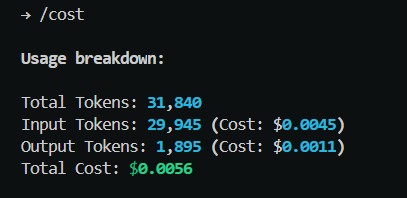
- Token tracking — see exactly how much each session costs with
/cost - Model switching — switch between models mid-session with
/model
Requirements
- Python 3.10+
- ripgrep — install before using Codie:
- Windows:
winget install BurntSushi.ripgrep.MSVC - Mac:
brew install ripgrep - Linux:
apt install ripgrep
- Windows:
- A Groq API key (free)
- A Tavily API key (free, 1000 searches/month)
- A Jina API key (free, 500 RPM)
Installation
pip install codie-cli
First Run
On first run, Codie walks you through setup:
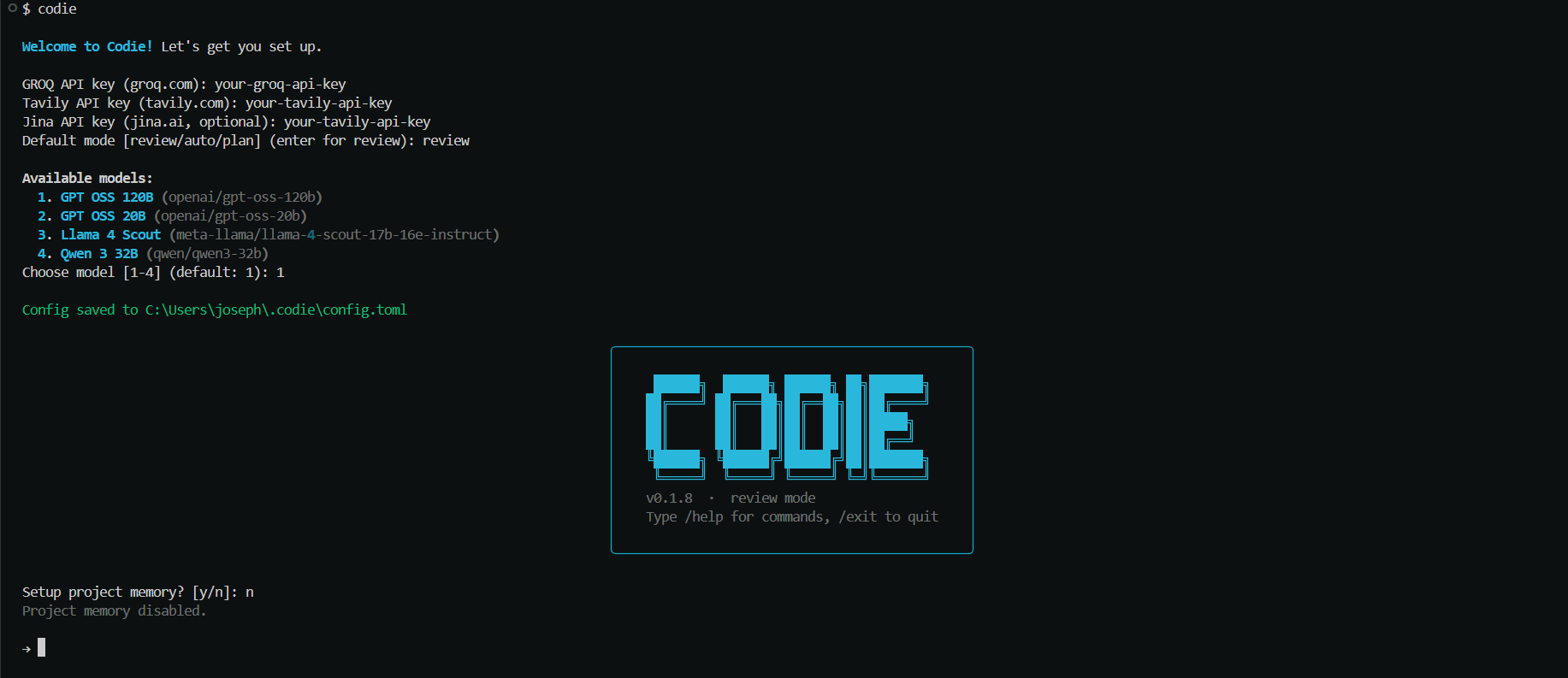
To update your keys or change model at any time:
codie --configure
Usage
codie                  # start in default mode
codie --mode auto      # start in auto mode
codie --mode plan      # start in plan mode
codie --version        # show version
codie --configure      # update API keys and settings
Modes
| Mode | Behavior |
|---|---|
review | Confirms each file edit and mutating shell command |
auto | Runs without asking (still confirms destructive commands) |
plan | Shows full plan, user approves once, then executes |
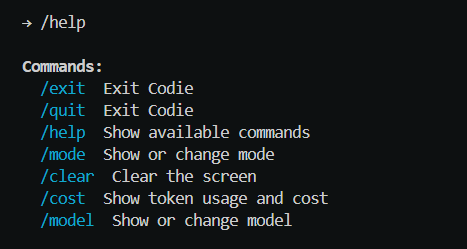
Slash Commands
| Command | Description |
|---|---|
/help | Show available commands |
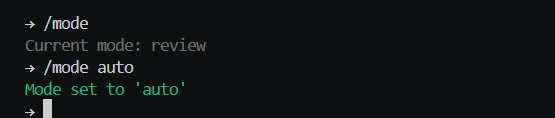
/mode <mode> | Change mode mid-session |
/model | Show current model and available models |
/model <model> | Switch model mid-session |
/cost | Show token usage and cost for this session |
/remember <thing> | Save something to project memory |
/clear | Clear the screen |
/exit | Exit Codie |
Model Switching
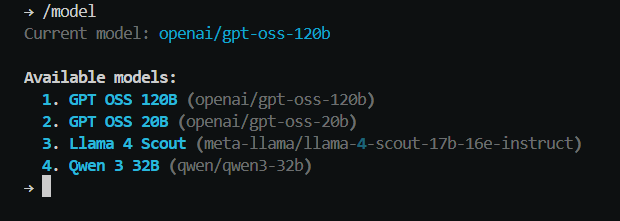

Switch models mid-session without restarting:
Mode Switching
| Mode | Behavior |
|---|---|
review | Confirms each file edit and mutating shell command |
auto | Runs without asking (still confirms destructive commands) |
plan | Shows full plan first, user approves once, then executes all |
Project Memory
Codie can maintain a .codie/AGENT.md file in your project — your stack, conventions, important files, and notes injected into every session.
codie
# Setup project memory? [y/n]: y
# Project memory created at .codie/AGENT.md
Add .codie/AGENT.md to git to share context with your team.
Use /remember to add notes mid-session:
→ /remember always use TypeScript strict mode
Token Tracking
Configuration
Config is stored at ~/.codie/config.toml. Run codie --configure to update.
You can also use environment variables:
export GROQ_API_KEY=...
export TAVILY_API_KEY=...
export JINA_API_KEY=...
export CODIE_MODEL=openai/gpt-oss-120b
License
MIT — built by Joseph Johnson