
Google Maps Contributor Reviews API
johnisanerd/Google-Maps-Contributor-Reviews-API
Histórico de reviews do Google Maps como dados limpos e estruturados
Ver no GitHubMCP server que extrai o histórico completo de reviews de um contribuidor do Google Maps como JSON estruturado. Integra-se com o Apify para recuperar rating, texto, data, fotos e perfil do revisor (nível Local Guide, pontos). Pronto para usar via Python ou como ferramenta em Claude e Cursor.
Instalação
npx convez-ai johnisanerd/Google-Maps-Contributor-Reviews-API1 comando no terminal: detecta o formato do repositório (marketplace ou plugin avulso) e instala via Claude Code. Requer Node 18+ e o Claude Code instalado.
Métricas
Casos de uso
- Pesquisa de reputação e perfil de revisores
- Detecção de fraude em reviews e campanhas coordenadas
- Análise em lote de padrões de contribuição em Google Maps
- Auditoria de qualidade de reviews para negócios
Veredito

Ferramenta robusta para extrair dados de reviews do Google Maps com API estruturada e suporte MCP. Bem documentada e pronta para produção, mas depende de conta Apify paga para escala real.
README
A tradução para o português deste README ainda está na fila.
🗺️ Google Maps Contributor Reviews API: a reviewer's history as clean JSON
The most efficient, reliable, and developer-friendly way to use the Google Maps Contributor Reviews API.
Actor page: apify.com/johnvc/google-maps-contributor-reviews-api Input schema: apify.com/johnvc/google-maps-contributor-reviews-api/input-schema
Pull a Google Maps contributor's review history as structured JSON. Give the API a contributor ID and get every review that reviewer has left, each with the rating, text, date, photos, and the place reviewed, plus the reviewer's own profile: Local Guide level, points, and total contributions. It turns a single reviewer into structured data for reputation research, reviewer vetting, and review-fraud detection.
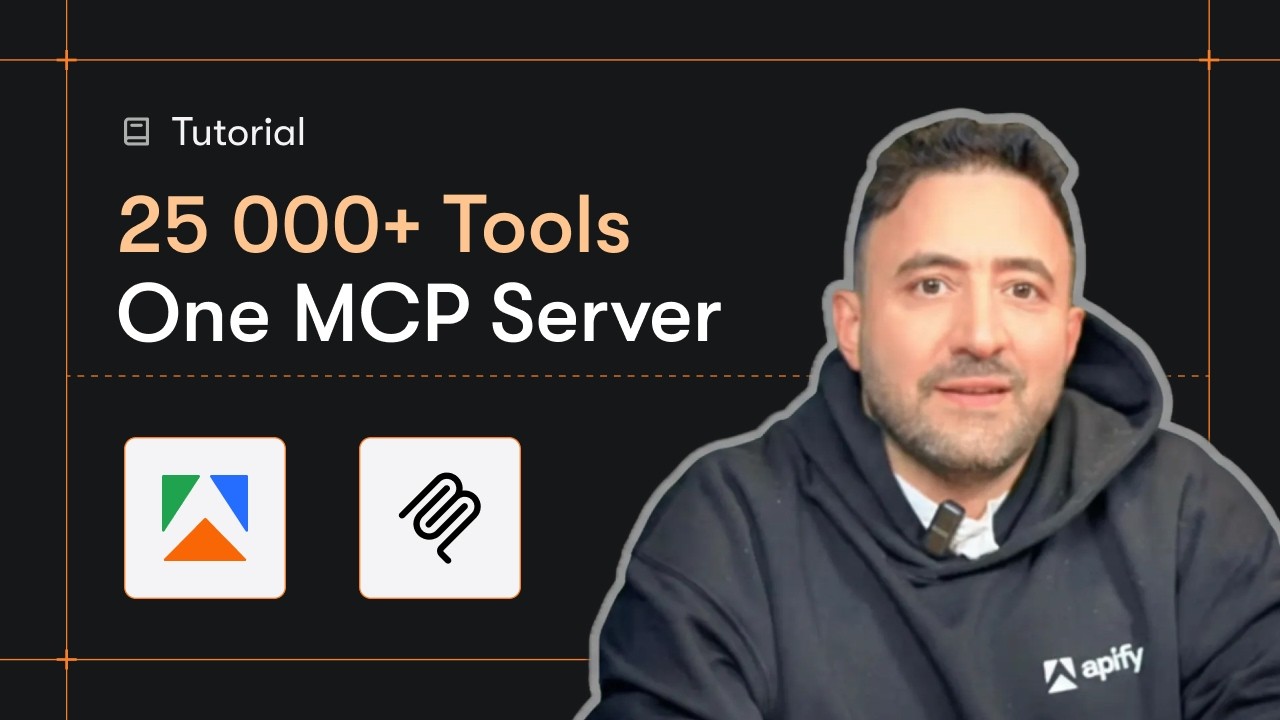
Video Walkthrough
Quick Start
Prerequisites
- Python 3.11 or higher
- An Apify account and API key (get a free key here)
-
Clone the repository
git clone https://github.com/johnisanerd/Google-Maps-Contributor-Reviews-API.git cd Google-Maps-Contributor-Reviews-API -
Install dependencies with UV
# Install UV if you do not have it: curl -LsSf https://astral.sh/uv/install.sh | sh # Install project dependencies: uv sync -
Configure your API key
cp .env.example .env # Edit .env and add your Apify API key # Get your free API key at: https://apify.com?fpr=9n7kx3 -
Run an example
# Single example:
uv run python google-maps-contributor-reviews-api-example.py

# Batch example (profiles several reviewers in one run):
uv run python google-maps-contributor-reviews-api-batch-example.py
Alternative: set the API key directly
export APIFY_API_TOKEN="your_api_key_here"
uv run python google-maps-contributor-reviews-api-example.py
Why Use This Google Maps Contributor Reviews API?
Turn a reviewer into data. One contributor ID returns their full recent review history with the reviewer's profile attached.
Clean, structured output. Every review is one row, ready to load into a dataframe, a database, or an AI pipeline.
Built for fraud detection. The reviewer's level, points, and contribution counts, plus their review pattern across places, make mass reviewers and single-target campaigns easy to spot.
MCP-ready. AI agents can call it as a tool through the hosted Apify MCP server to profile a reviewer on demand.
Features
Core Capabilities
- A contributor's recent review history from one ID
- The reviewer's profile: level, points, local-guide status, contributions
- The place reviewed, with address and coordinates
- Batch several reviewers in one run
Data Quality
- One clean row per review, tagged with the contributor ID and profile
- Stable JSON shape, easy to load anywhere
Usage Examples
Basic Example
{
  "contributorId": "107022004965696773221"
}
Advanced Example
{
  "contributorIds": ["107022004965696773221", "100000000000000000000"],
  "maxResultsPerContributor": 10
}
For a runnable batch script, see google-maps-contributor-reviews-api-batch-example.py in this repo.
Input Parameters
| Parameter | Type | Required | Default | Description |
|---|---|---|---|---|
contributorId | str | one of | - | A single Google Maps contributor ID (the long numeric ID from a reviewer's profile). |
contributorIds | list[str] | one of | - | A batch of contributor IDs. Merged with contributorId and de-duplicated. |
hl | str | no | "en" | Two-letter language code. |
maxResultsPerContributor | int | no | 10 | Reviews per contributor (about 10 are available per run). |
Output Format
Each item in the dataset is one review, with the reviewer's profile attached:
{
  "result_type": "review",
  "contributor_id": "107022004965696773221",
  "position": 1,
  "review_id": "Ci9DQUlRQUNvZENodHljRjlvT21v...",
  "contributor_name": "Matt Moeini",
  "contributor_level": 5,
  "contributor_local_guide": true,
  "contributor_points": 952,
  "contributor_contributions": { "reviews": 32, "ratings": 1, "photos": 27, "videos": 7, "answers": 124 },
  "contributor_thumbnail": "https://lh3.googleusercontent.com/...",
  "rating": 5,
  "snippet": "Great little spot, the service was excellent ...",
  "date": "2 months ago",
  "likes": 0,
  "place_info": { "title": "Le Petit Marcel", "address": "2914 N Broadway, Chicago, IL 60657", "type": "Restaurant" },
  "images": [ { "title": "Le Petit Marcel", "thumbnail": "https://lh3.googleusercontent.com/..." } ],
  "details": { "food": 5, "service": 5, "atmosphere": 5, "recommended_dishes": "Salmon Wellington" },
  "link": "https://www.google.com/maps/...",
  "fetched_at": "2026-06-14T00:00:00Z"
}
Field reference
| Field | Type | Description |
|---|---|---|
result_type | str | Always review. |
contributor_id | str | The reviewer this row belongs to. |
position | int | Rank of this review within the reviewer's returned reviews. |
review_id | str | Stable identifier for the review. |
contributor_name | str | The reviewer's display name. |
contributor_level | int | Local Guide level. |
contributor_local_guide | bool | Whether the reviewer is a Local Guide. |
contributor_points | int | The reviewer's Local Guide points. |
contributor_contributions | obj | Counts: reviews, ratings, photos, videos, answers, and more. |
contributor_thumbnail | str | The reviewer's profile photo URL. |
rating | int | The star rating for this review. |
snippet | str | The review text. |
date | str | Relative date Google shows (e.g. 2 months ago). |
likes | int | Likes on the review. |
place_info | obj | The place reviewed: title, address, type, coordinates. |
images | list | Photos attached to the review (title, thumbnail). |
details | obj | Sub-ratings and tags when present (e.g. food, service, atmosphere, recommended_dishes). |
response | obj | The business owner's response, when present. |
link | str | Link to the review on Google Maps. |
fetched_at | str | ISO 8601 timestamp of when the row was fetched. |
Featured Tasks
Ready-to-run examples on the Apify Store, each targeting a specific use case:
- Get a Google Maps Reviewer's Full Review History
- Audit a Google Maps Local Guide's Reviews
- Export a Google Reviewer's Reviews as JSON
- Vet a Google Reviewer: Spot Fake-Review Signals
- Export Google Maps Reviews to CSV
Install in Claude Cowork Desktop
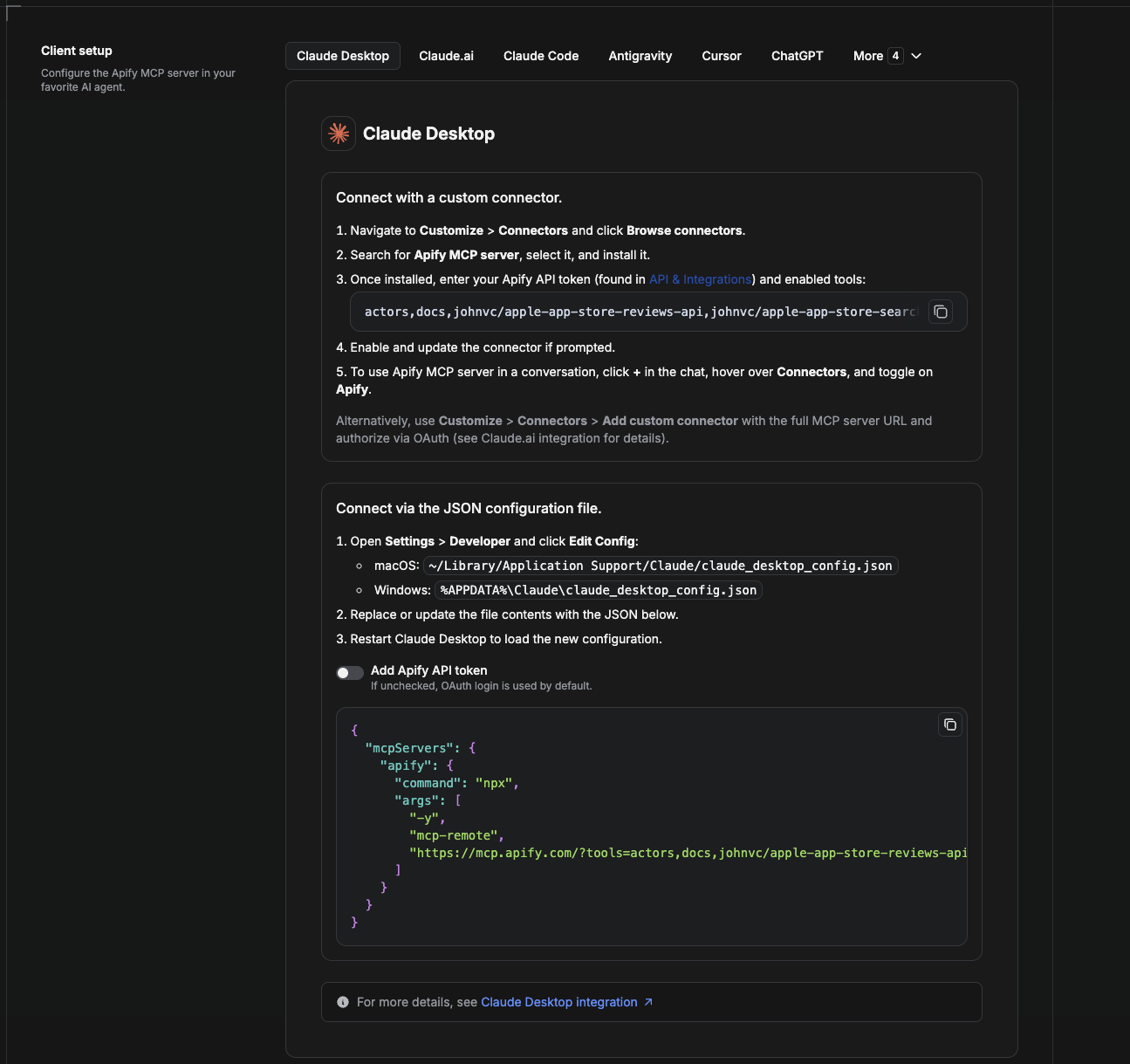
Cowork is the desktop app's automation mode. To give it the Google Maps Contributor Reviews API as a tool, add the Apify MCP server as a connector.
- Open the Claude desktop app and go to Settings → Connectors (or Settings → Developer → Edit Config to edit
claude_desktop_config.jsondirectly).- macOS:
~/Library/Application Support/Claude/claude_desktop_config.json - Windows:
%APPDATA%\Claude\claude_desktop_config.json
- macOS:
- Add the Apify MCP server, preloaded with only this Actor:
{
  "mcpServers": {
    "apify": {
      "command": "npx",
      "args": [
        "-y",
        "mcp-remote",
        "https://mcp.apify.com/?tools=actors,docs,johnvc/google-maps-contributor-reviews-api"
      ]
    }
  }
}
- Restart the app. When Cowork first calls the tool, complete the OAuth prompt in your browser, or add your Apify API token in the connector settings to skip OAuth.
- In a Cowork chat, confirm the tool is available and ask it to run the Google Maps Contributor Reviews API.
Download the desktop app and start a free trial: https://claude.ai/referral/uIlpa7nPLg More help: https://docs.apify.com/platform/integrations/claude-desktop
Install in Claude Code
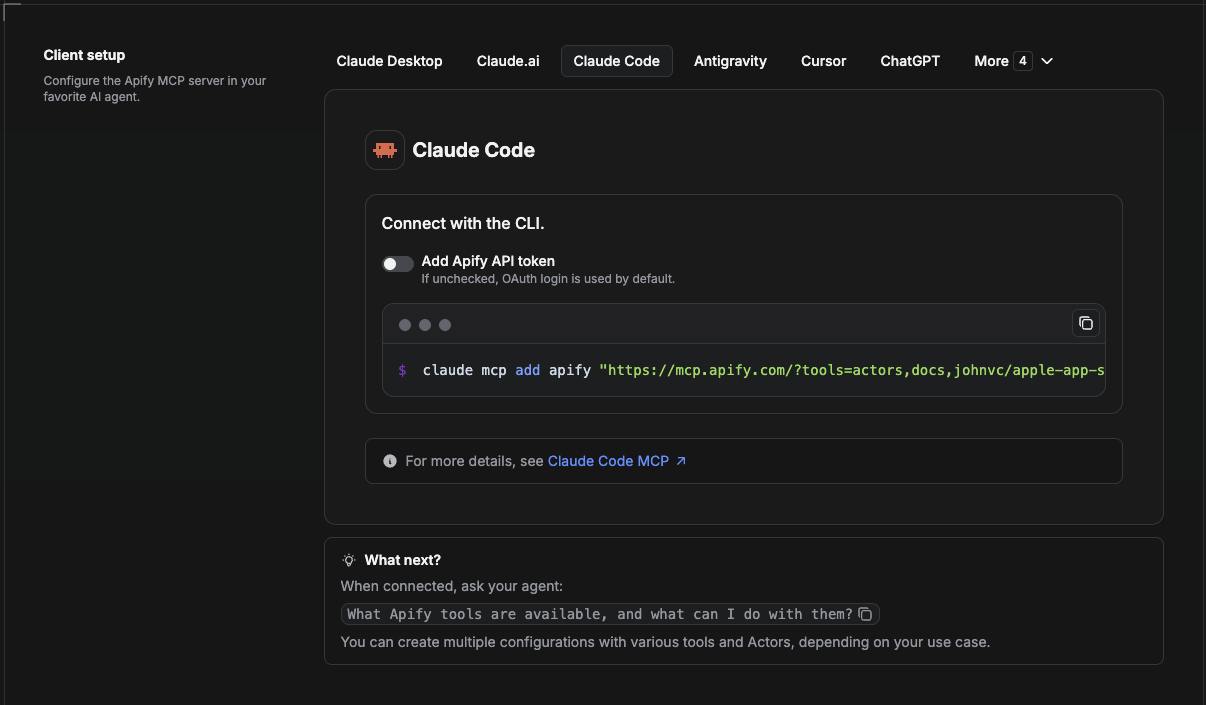
Claude Code is the command-line tool. Add the Actor's MCP server with one command:
claude mcp add --transport http apify \
  "https://mcp.apify.com/?tools=actors,docs,johnvc/google-maps-contributor-reviews-api"
To use a token instead of browser OAuth:
claude mcp add --transport http apify \
  "https://mcp.apify.com/?tools=actors,docs,johnvc/google-maps-contributor-reviews-api" \
  --header "Authorization: Bearer YOUR_APIFY_TOKEN"
Then verify with claude mcp list, or run /mcp inside a session. Ask Claude Code to call the Google Maps Contributor Reviews API.
Try Claude Code free: https://claude.ai/referral/uIlpa7nPLg Claude Code MCP docs: https://code.claude.com/docs/en/mcp
Install in Claude (website)
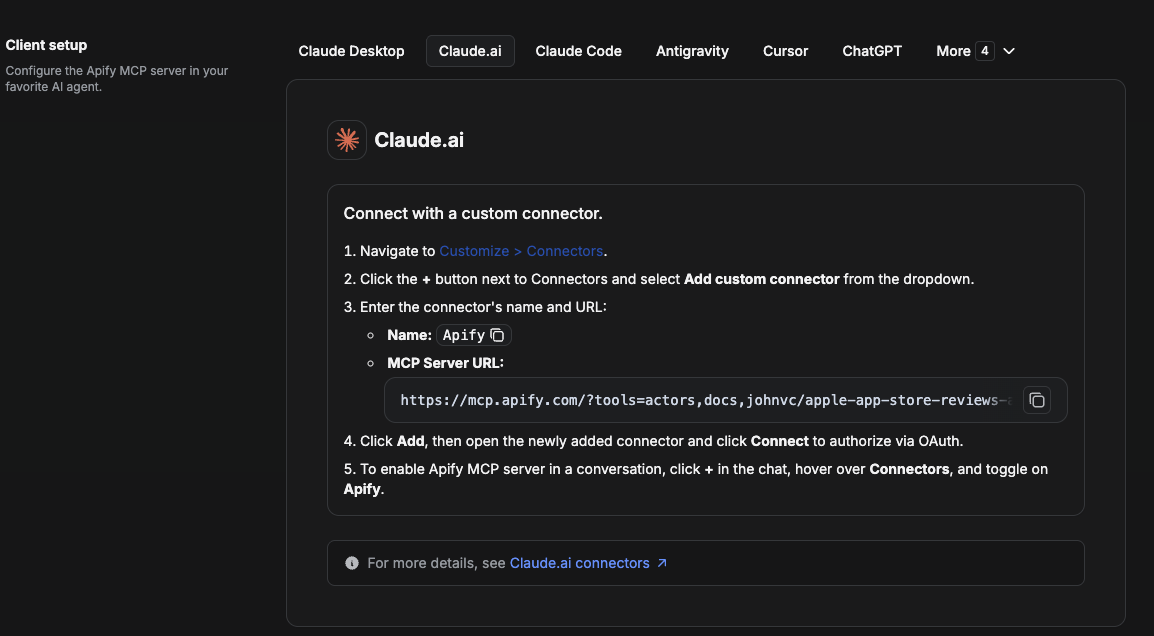
On claude.ai you add Apify as a connector, then enable just this Actor's tool.
- Go to Settings → Connectors → Browse connectors and search for Apify MCP server. Install it (enable or update if prompted).
- When connecting, authenticate with your Apify API token, and enable the tool
johnvc/google-maps-contributor-reviews-api. - In any chat, open + → Connectors and turn on Apify.
- Alternatively, choose Add custom connector and paste the full MCP URL
https://mcp.apify.com/?tools=actors,docs,johnvc/google-maps-contributor-reviews-api, using OAuth when prompted. - Ask Claude to run the Google Maps Contributor Reviews API.
Open Claude on the web: https://claude.ai/referral/uIlpa7nPLg
Install in Cursor
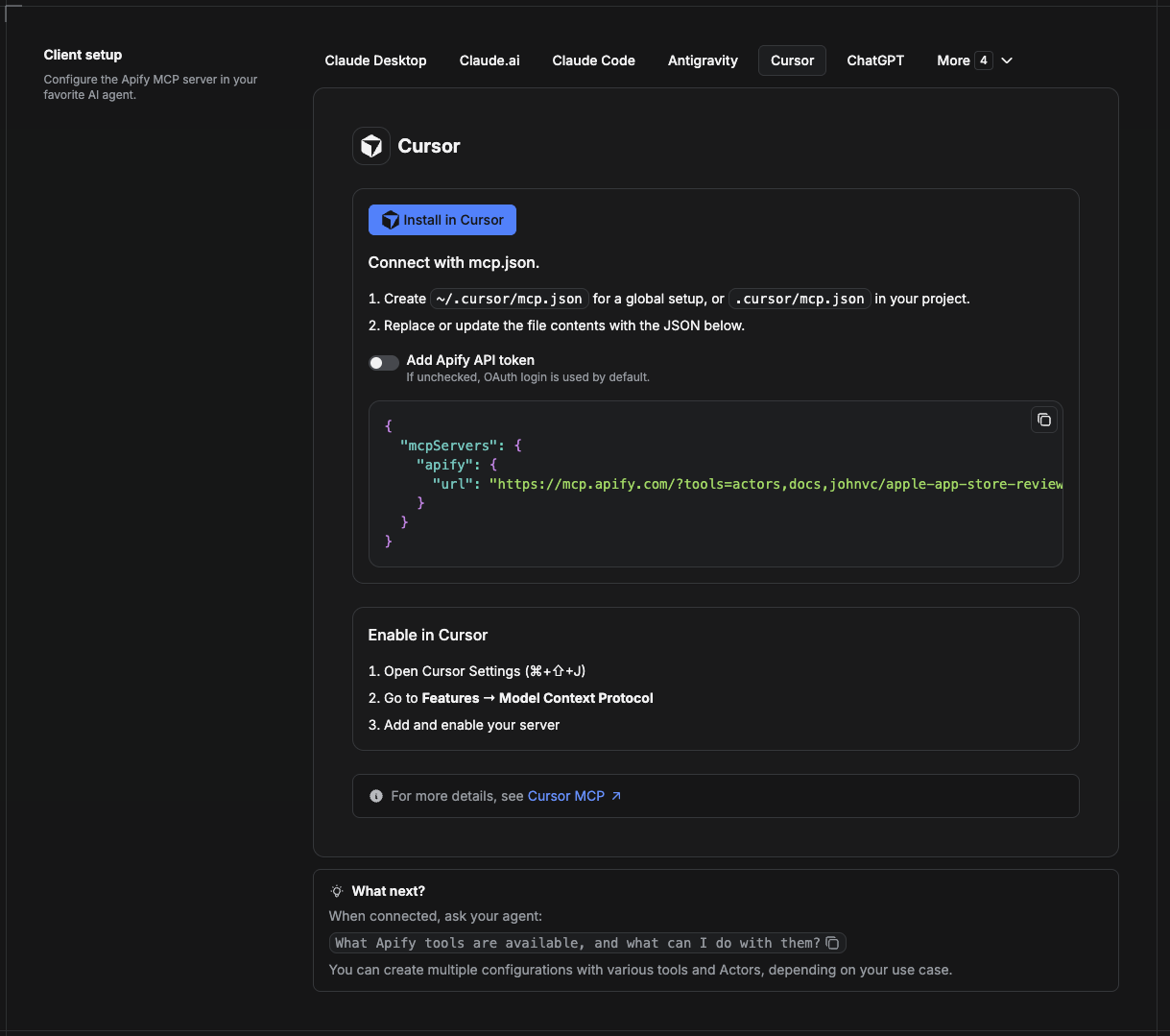
Cursor reads MCP servers from a project file at .cursor/mcp.json.
- In your project, create
.cursor/mcp.json:
{
  "mcpServers": {
    "apify": {
      "url": "https://mcp.apify.com/?tools=actors,docs,johnvc/google-maps-contributor-reviews-api"
    }
  }
}
- If you prefer token auth over browser OAuth, add a header:
{
  "mcpServers": {
    "apify": {
      "url": "https://mcp.apify.com/?tools=actors,docs,johnvc/google-maps-contributor-reviews-api",
      "headers": { "Authorization": "Bearer YOUR_APIFY_TOKEN" }
    }
  }
}
- Open Cursor → Settings → MCP and confirm the apify server is connected (green dot).
- In Composer or Chat, ask Cursor to call the Google Maps Contributor Reviews API.
New to Cursor? Get it here: https://cursor.com/referral?code=XQP4VBLI3NNX
Install in ChatGPT
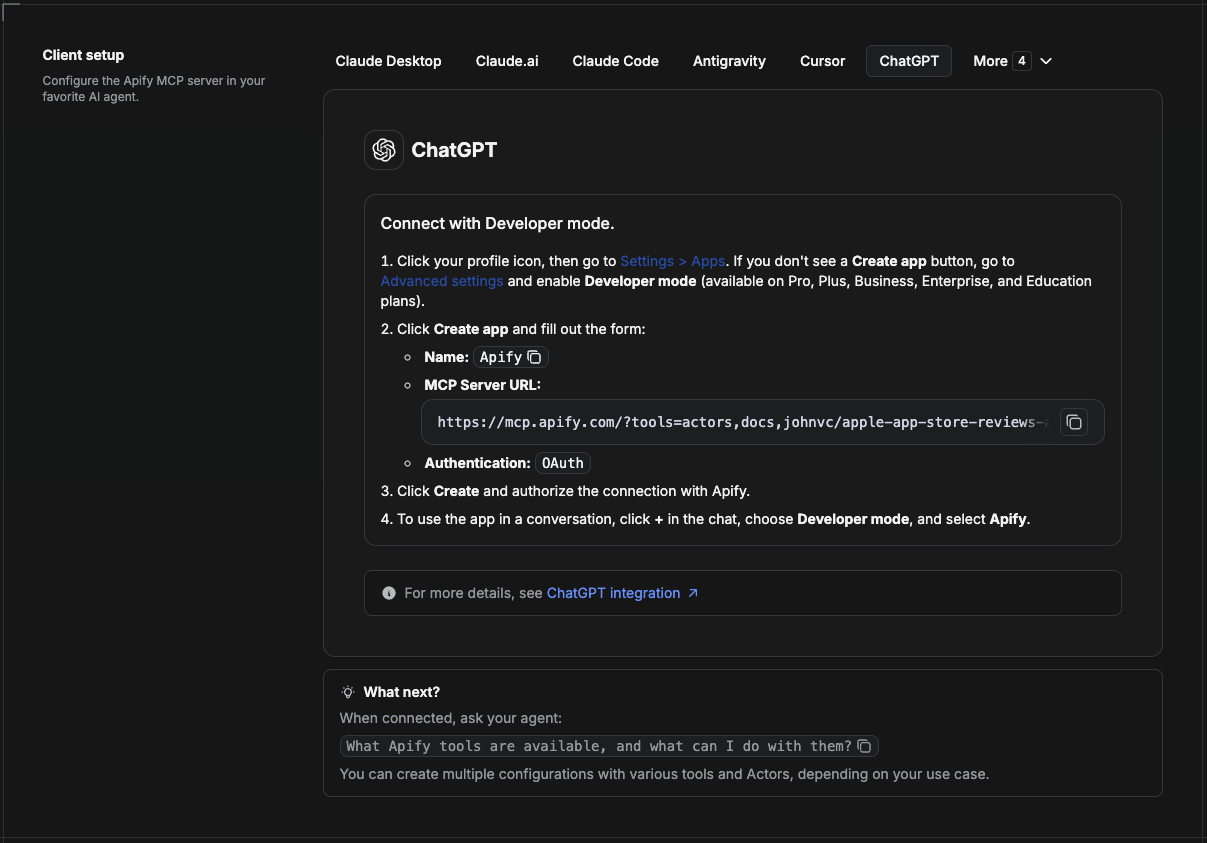
ChatGPT connects to the Apify MCP server through Developer mode (available on ChatGPT Pro, Plus, Business, Enterprise, and Education plans).
- Click your profile icon, then go to Settings > Apps. If you do not see a Create app button, open Advanced settings and enable Developer mode.
- Click Create app and fill out the form:
- Name: Apify
- MCP Server URL:
https://mcp.apify.com/?tools=actors,docs,johnvc/google-maps-contributor-reviews-api - Authentication: OAuth
- Click Create and authorize the connection with Apify.
- To use the app in a conversation, click + in the chat, choose Developer mode, and select Apify.
More help: https://docs.apify.com/platform/integrations/mcp
Use the Google Maps Contributor Reviews API to vet reviewers and detect review fraud in your product or AI agent.
🤖 Ask an AI assistant about this Actor
Open a ready-to-send prompt about the Google Maps Contributor Reviews Actor in the AI of your choice:
- 💬 ChatGPT
- 🧠 Claude
- 🔍 Perplexity
- 🅒 Copilot
Last Updated: 2026.11.15