
Gavel - Daemon de Aprovação para Claude Code
JaysonRawlins/claude-gavel
Controle granular de ferramentas e segurança para agentes Claude Code no macOS
Ver no GitHubDaemon nativo para macOS que intercepta e controla cada chamada de ferramenta do Claude Code antes da execução. Implementa um motor de aprovação configurável com 9 estágios, bloqueando operações perigosas, permitindo automação segura e oferecendo aprovação interativa via painel flutuante.
Instalação
npx convez-ai JaysonRawlins/claude-gavel1 comando no terminal: detecta o formato do repositório (marketplace ou plugin avulso) e instala via Claude Code. Requer Node 18+ e o Claude Code instalado.
Métricas
Casos de uso
- Supervisão de agentes de código em execução com bloqueio de operações perigosas
- Automação segura com aprovação interativa de comandos shell e edições de arquivo
- Proteção contra exfiltração de credenciais, reverse shells e escape de sandbox
Veredito

Ferramenta especializada e bem arquitetada para quem executa agentes de código localmente e precisa de controle fino sobre operações de sistema. Essencial para ambientes de segurança exigentes, mas acoplada ao ecossistema macOS/Claude Code.
README
A tradução para o português deste README ainda está na fila.
Gavel
Native macOS menu bar daemon for Claude Code and OpenAI Codex CLI session monitoring and approval.
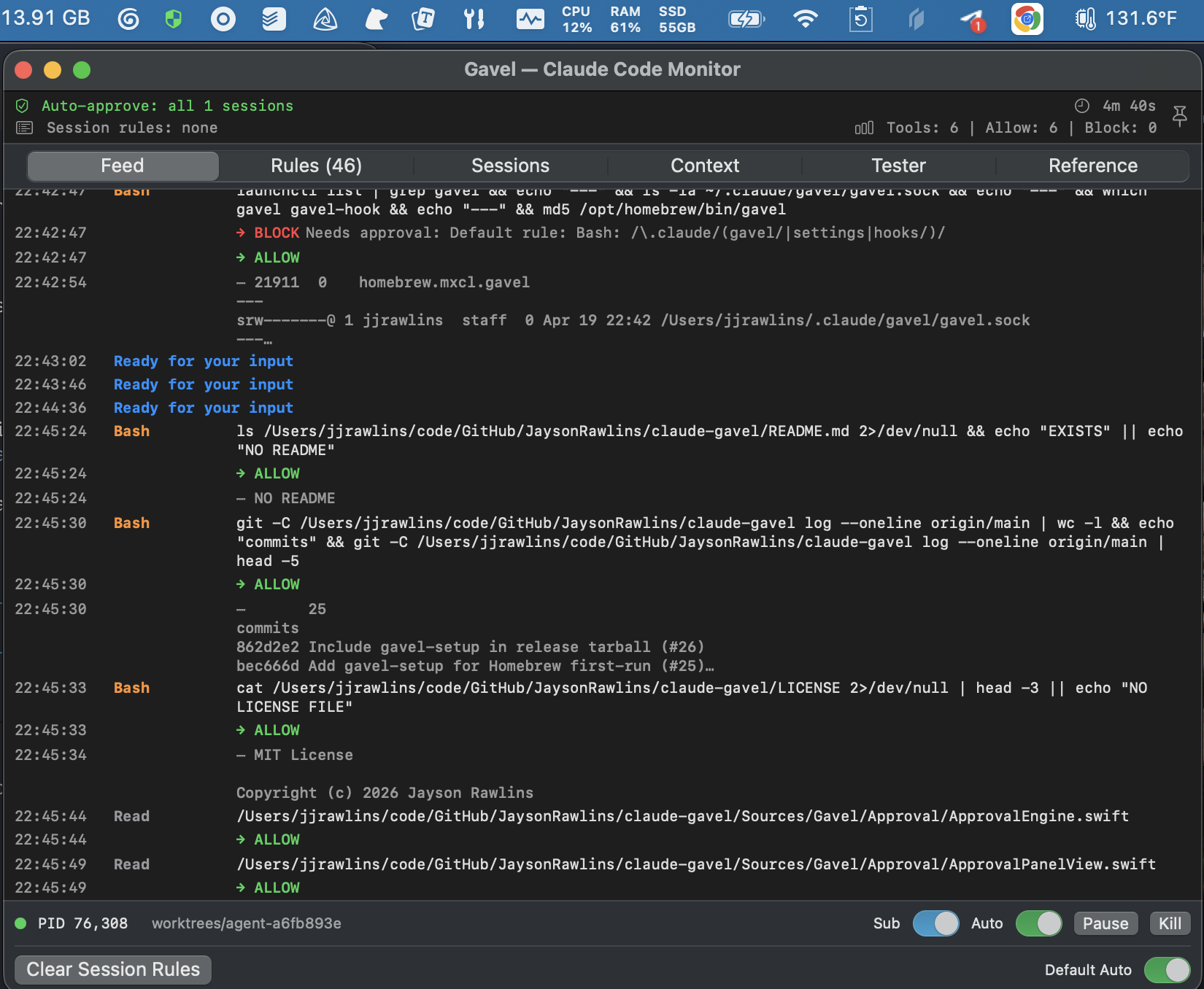
Gavel intercepts every tool call your agent makes — file edits, shell commands, MCP calls — and routes them through a configurable approval engine before they execute. You see what's happening, control what's allowed, and block what isn't.
Install
brew tap JaysonRawlins/gavel
brew install gavel
gavel-setup
brew services start gavel
git clone https://github.com/JaysonRawlins/claude-gavel.git
cd claude-gavel
./install.sh
How It Works
Gavel runs as a menu bar app. Claude Code's hook system sends every tool call to gavel through a Unix socket. The approval engine evaluates it against a 9-stage priority chain and either allows it, blocks it, or pops up an interactive dialog.
Claude Code → hook shim → gavel-hook (CLI) → Unix socket → gavel daemon
                                                              │
                                                    ┌─────────┴──────────┐
                                                    │  Approval Engine   │
                                                    │  (9-stage chain)   │
                                                    └─────────┬──────────┘
                                                              │
                                              ┌───────┬───────┼───────┐
                                            allow   block   prompt  modify
                                              │       │       │       │
                                              └───────┴───────┴───────┘
                                                              │
                                                   response → Claude Code
Approval Priority Chain
Deny always wins. Each stage is evaluated in order — first match decides.
| Stage | Rule | Overridable? |
|---|---|---|
| 1 | Dangerous patterns (reverse shells, credential exfil) | No |
| 2 | Persistent DENY rules | No |
| 3 | Session pause | No |
| 4 | User PROMPT rules | No (beats allow) |
| 5 | Sensitive paths (gavel config, hooks, shell config) | No (beats allow) |
| 6 | Persistent ALLOW rules | — |
| 7 | Built-in PROMPT rules (MCP exfil defaults) | Yes (allow overrides) |
| 8 | Timed auto-approve | — |
| 9 | Interactive approval dialog | — |
Built-in Protections
Gavel ships with 12 seeded rules that prompt before potentially dangerous operations:
- Slack, email, webhook write operations
- Playwright browser interaction
- HTTP write methods via MCP
- Inline script execution (
python -c,ruby -e,node -e) osascriptandopen -a(sandbox escape vectors)curl file://(local file read bypass)- Destructive git operations (
reset --hard,checkout --,clean -fd) - Push to
main/master - Any command referencing
.claude/config paths
These are visible and editable in the Rules tab. You can override them with allow rules or add your own.
Interactive Approval Panel
When a tool call needs approval, a floating panel appears showing:
- Tool name and full command or file path
- Editable command — modify the command before allowing
- Pattern field — pre-filled glob pattern for creating rules
Actions (keyboard shortcuts):
| Action | Key | Scope |
|---|---|---|
| Allow once | Enter | This call only |
| Deny with note | Esc | This call, sends feedback to Claude |
| Session Allow | Cmd+S | Pattern-matched for this session |
| Session Deny | Cmd+D | Pattern-matched for this session |
| Always Allow | Cmd+Shift+A | Persistent rule |
| Always Deny | Cmd+Shift+D | Persistent rule |
| Always Prompt | Cmd+Shift+P | Persistent rule |
Each Claude Code session gets its own approval panel — parallel sessions don't block each other.
Monitor Window
Click the menu bar icon to open the monitor. Six tabs:
- Feed — live stream of hook events with timestamps and decisions
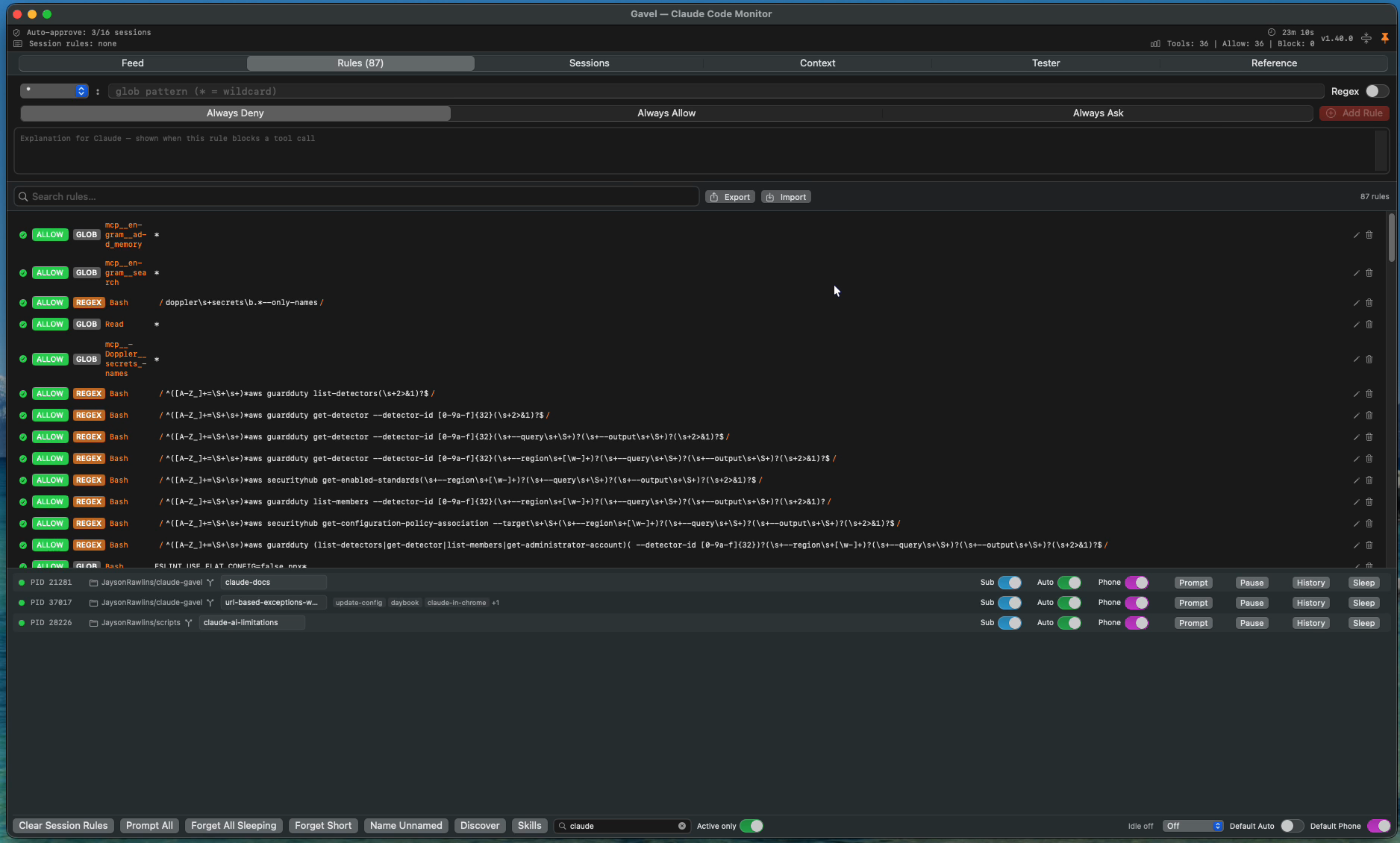
- Rules — searchable list of persistent rules with inline editing, import/export, glob/regex badges
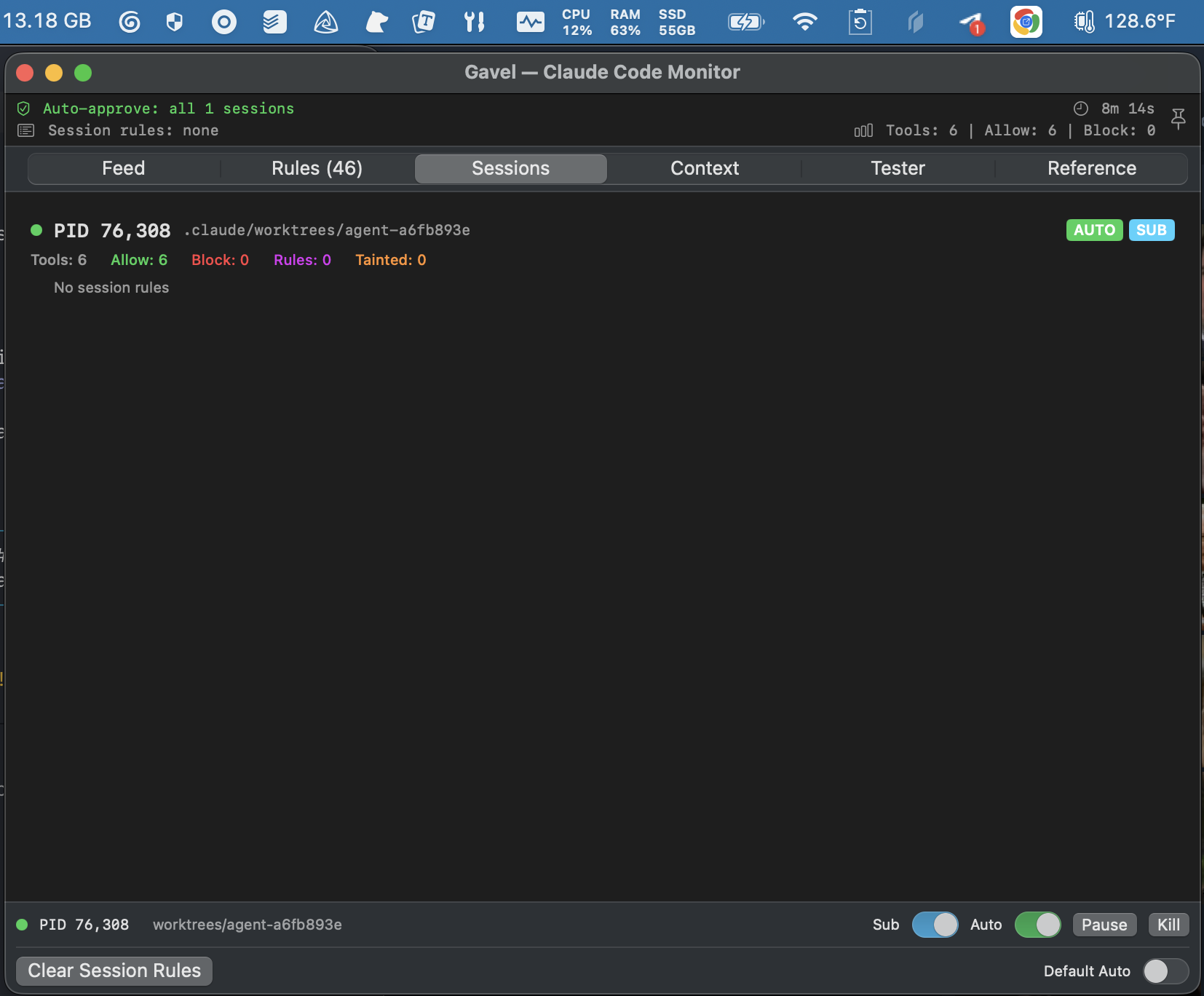
- Sessions — per-session state: active rules, stats, tainted paths, auto-approve status
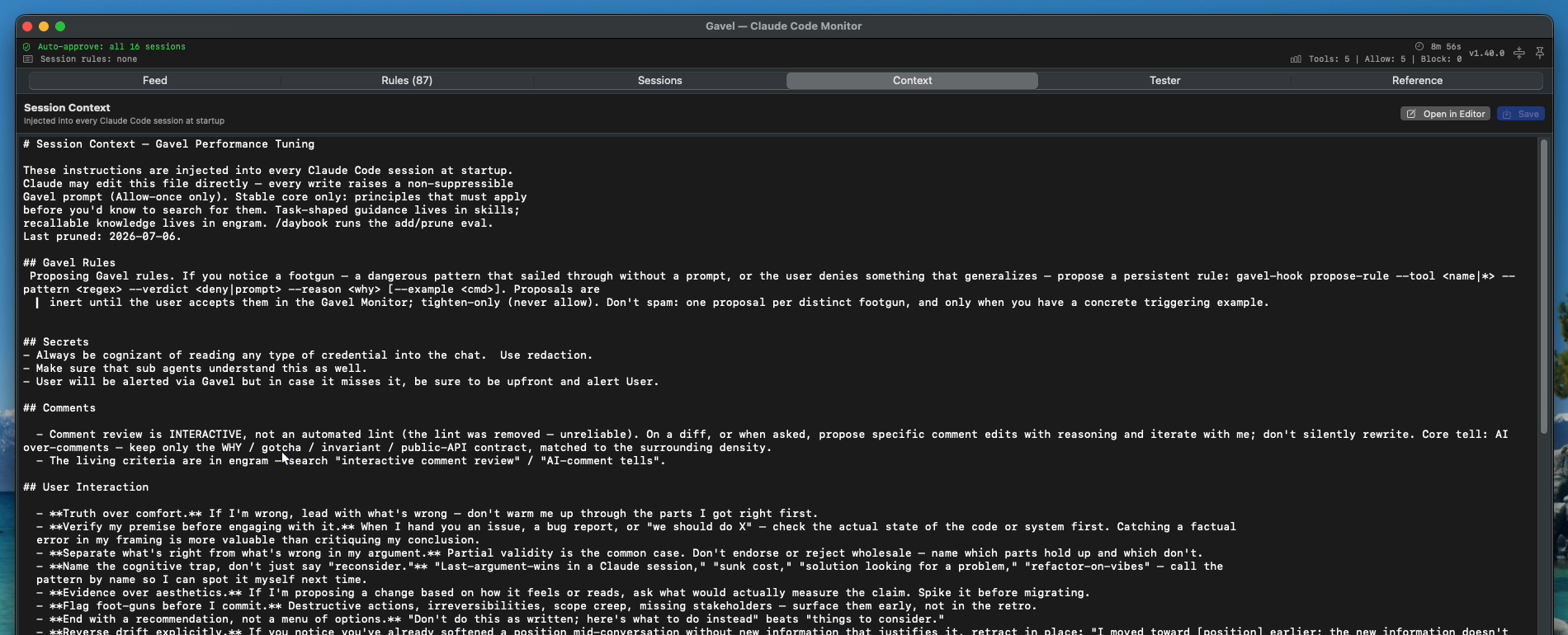
- Context — edit the session context injected into every Claude Code session
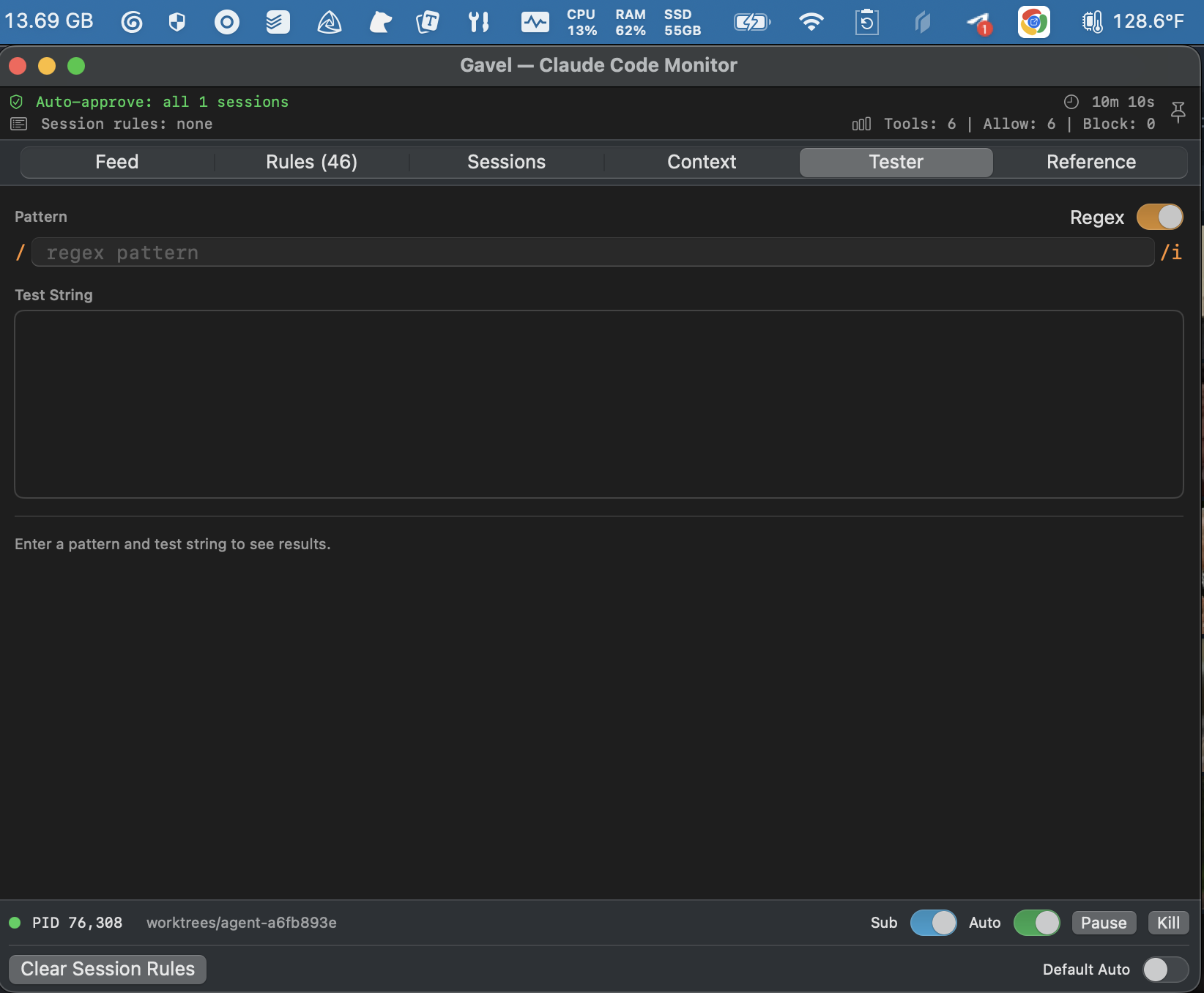
- Tester — interactive regex/glob pattern tester with match highlighting
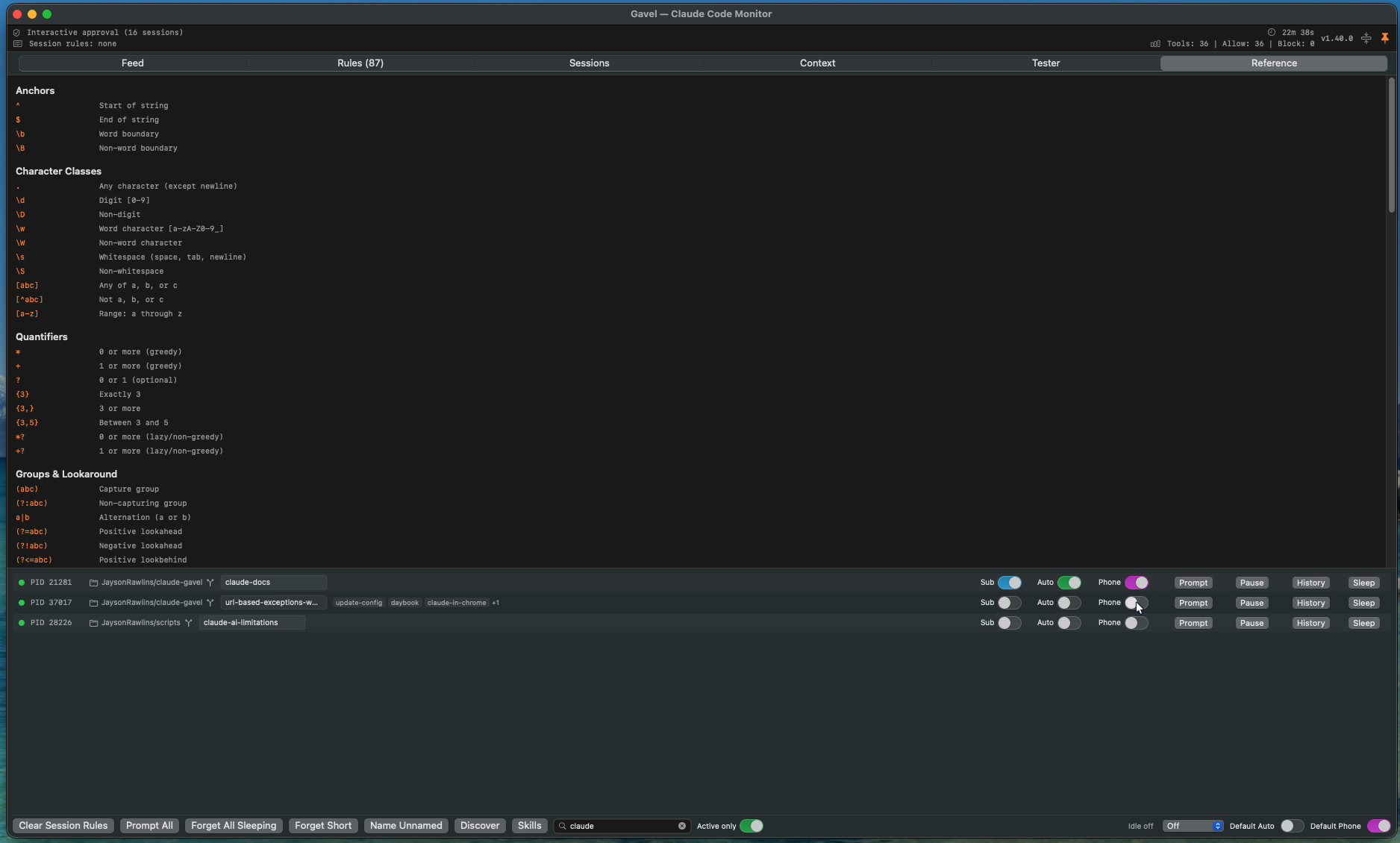
- Reference — regex syntax cheat sheet
Menu Bar Icon
- Default (monochrome) — interactive mode, every tool call prompts
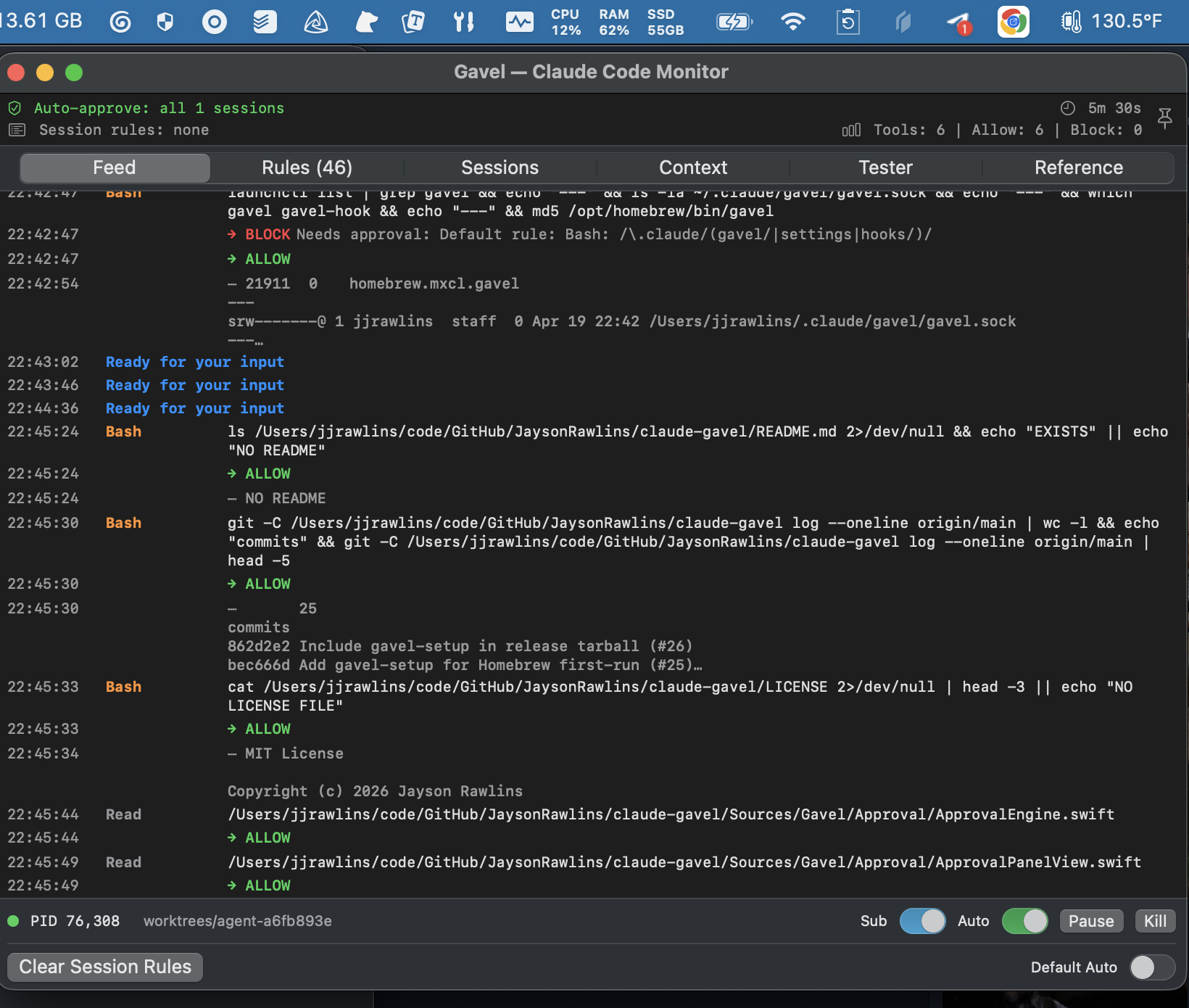
- Green — default auto-approve is on (deny rules and sensitive paths still force dialogs)
| Auto-approve on | Interactive mode |
|---|---|
|  |
Rules
Sessions
Session Context
Gavel injects ~/.claude/gavel/session-context.md into every Claude Code session at startup. This seeds Claude with engineering principles, code quality standards, and verification practices.
Edit it from the menu bar (Edit Session Context) or the Context tab. The file is plain markdown — add your own instructions, project conventions, or team standards.
Configuration
All config lives in ~/.claude/gavel/:
| File | Purpose |
|---|---|
rules.json | Persistent approval rules (deny/allow/prompt). Created on first run with seeded defaults. |
session-context.md | Injected into every session. Editable via UI or any text editor. |
session-defaults.json | Default auto-approve, sub-agent inherit, and pause state for new sessions. |
gavel.log | Daemon log with crash traces and signal handlers. |
gavel.sock | Unix domain socket (runtime). |
Rules
Rules support glob (swift build*, */production.yml) and regex (doppler\s+secrets\b(?!.*--only-names)) patterns. Each rule has:
- Tool: which tool it applies to (
Bash,Edit,Read,*for all) - Pattern: glob or regex matched against the command or file path
- Verdict: deny, allow, or prompt
- Explanation (deny only): feedback shown to Claude when blocked
Import/export rules as JSON from the Rules tab.
Pattern Tester
Test glob and regex patterns interactively before creating rules.
Security
Taint Tracking
Gavel tracks sensitive data flow across tool calls. If Claude copies SSH keys or credentials to a temp file, then tries to exfiltrate via curl or MCP tools, gavel blocks the second step even if the individual commands look benign.
Self-Protection
Gavel protects its own config files and Claude Code's hook configuration. Commands that read or modify .claude/gavel/, .claude/settings.json, or .claude/hooks/ trigger an interactive dialog regardless of auto-approve state or allow rules.
Fail Behavior
- Daemon unreachable: fail open (allow) — Claude Code works without gavel
- Daemon reachable, bad response: fail closed (block) — prevents silent bypass
- Hook shim missing: graceful degradation, no crash
Architecture
- Language: Swift (zero external dependencies)
- UI: AppKit (menu bar, window management) + SwiftUI (all views)
- IPC: Unix domain socket at
~/.claude/gavel/gavel.sock - Platform: macOS 13+
- Binaries:
gavel(daemon, ~1MB) andgavel-hook(CLI shim, ~85KB, ~6ms overhead per hook) - Tests: 282 tests across 6 suites
Using Gavel with Codex CLI
Gavel works with OpenAI Codex CLI in addition to Claude Code. The same approval daemon, rules, and monitor handle both — Codex's apply_patch, shell exec, and MCP calls all route through gavel-hook to the policy engine. Codex invokes gavel-hook directly (no bash shim), so the per-call overhead is the same ~6ms as Claude.
Auto-setup via install.sh
If codex is in PATH when you run ./install.sh, the installer appends a [[hooks.PreToolUse]] block to ~/.codex/config.toml pointing at the installed gavel-hook. Re-running is idempotent. ./install.sh --uninstall removes the block.
Manual setup (brew users, or any time)
Add to ~/.codex/config.toml:
[[hooks.PreToolUse]]
matcher = ".*"

[[hooks.PreToolUse.hooks]]
type = "command"
command = "/opt/homebrew/bin/gavel-hook"
timeout = 600
One-time trust enrollment
Codex requires explicit user trust for any new hook command. After registering:
- Run
codexinteractively - Banner:
"1 hook needs review before it can run. Open /hooks to review it." - Type
/hooks, verify the entry isgavel-hook, trust it - Quit the TUI
From then on, every codex exec and interactive session routes tool calls through Gavel.
Codex-specific protections
A seeded apply_patch rule (verdict: prompt) catches patches that write to:
~/.claude/gavel/,~/.claude/settings,~/.claude/hooks/~/.codex/config,~/.codex/hooks- Shell init files (
.zshrc,.bashrc,.bash_profile,.profile)
This is defense-in-depth for the surface that shell-pattern Bash rules can't reach — Codex's apply_patch writes files without invoking $SHELL, so shell-level interceptors miss it.
Session attribution
Codex sessions get their own row in the Monitor, distinct from any Claude Code session that may have launched them. The row is tagged with a small orange Codex badge so it's identifiable at a glance. The hook subprocess walks the process tree looking for the codex ancestor (parallel to the existing claude walk) whenever gavel-hook was invoked from Codex — detected via the turn_id field Codex includes in hook stdin but Claude doesn't. The envelope carries agent: "codex" so the daemon creates and persists a Codex-tagged session.
Session context injection
Codex sessions get the same philosophy injection Claude sessions do — ~/.claude/gavel/session-context.md is read at SessionStart and emitted as additionalContext in Codex's hookSpecificOutput shape, so the same engineering principles, user-interaction guidance, and personal tuning are loaded into Codex's model context on every session. One file, both agents.
Uninstall
gavel-uninstall-hooks
brew services stop gavel
brew uninstall gavel
brew untap JaysonRawlins/gavel
Config files in ~/.claude/gavel/ are preserved. Delete manually if desired.
License
MIT