
icon-generator
jagypus/icon-generator
A Claude skill for generating visually bold project icons & favicons — vector-first, with optional AI rendering (Higgsfield Nano Banana Pro).
Instalação
npx convez-ai jagypus/icon-generator1 comando no terminal: detecta o formato do repositório (marketplace ou plugin avulso) e instala via Claude Code. Requer Node 18+ e o Claude Code instalado.
Métricas
README
A tradução para o português deste README ainda está na fila.
icon-generator
A Claude skill that generates visually bold, instantly-legible project icons, app icons, and favicons — vector-first, with optional AI rendering.
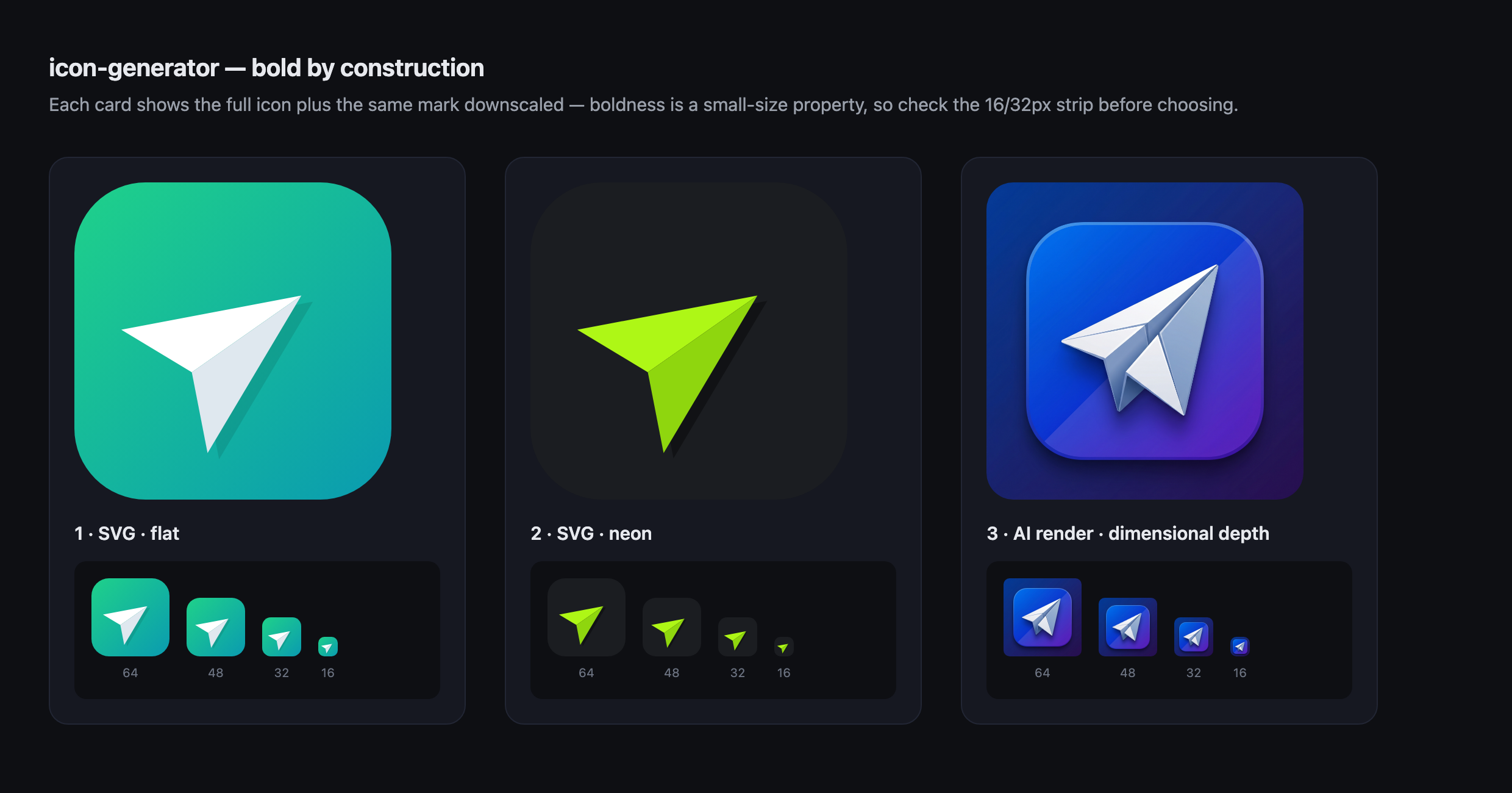
Most AI-generated icons come back weak: a thin line drawing floating on white that looks fine at 1024px and vanishes at 16px — the size a favicon actually renders at. icon-generator is built to avoid exactly that. It produces marks that are bold by construction and stay legible when small, then slices the chosen one into a complete, drop-in favicon set.
How it works
SVG-first, escalate only when needed. Most project marks are simple — a glyph, a letterform, a geometric symbol — and for those a hand-authored SVG beats a generated raster: bold by construction (solid fills, thick shapes), razor-sharp at every size, a few hundred bytes, free, instant, and editable. SVG is also the modern primary favicon format.
It escalates to AI rendering (Higgsfield Nano Banana Pro) only for the jobs vector can't fake — dimensional, glossy, or illustrative looks (think a macOS-style icon with real depth and material).
The whole skill is organised around 8 "bold-icon" principles:
- One shape, one idea — a single, instantly-readable motif.
- Fill over line — solid forms and thick strokes; thin hairlines disintegrate when downscaled.
- High figure/ground contrast — the silhouette must pop when you squint.
- Full-bleed container — a rounded-square tile whose background fills the entire frame, never floating on white.
- Big, centered, generous padding — the motif fills ~62–70% of the tile.
- Confident, limited palette — one dominant colour + one accent, saturated.
- Flat or subtly dimensional — never photoreal noise that won't survive downscaling.
- No text — except a single bold monogram.
Install
Clone into your Claude skills directory:
git clone https://github.com/jagypus/icon-generator.git ~/.claude/skills/icon-generator
Then just ask Claude, in any project.
Usage
In natural language — the skill triggers on requests like:
“make me an icon for my project” “generate a favicon for my site” “design an app icon — something bold and dark” “this icon looks weak, make it stronger”
What happens: a quick brief → 2–3 SVG concepts → a contact sheet opens in your browser to choose → (optionally escalate to AI rendering for a dimensional look) → the chosen master is sliced into the full set.
What you get
A complete, drop-in favicon / app-icon set:
| File | Purpose |
|---|---|
favicon.svg | primary favicon — vector, crisp at any size |
favicon.ico | 16/32/48 multi-res, legacy browsers |
favicon-16/32/48/64.png | browser tabs |
apple-touch-icon.png (180) | iOS home screen |
icon-192.png, icon-512.png | PWA / Android |
icon-1024.png | master / App Store source |
site.webmanifest + head.html | manifest + paste-ready <head> tags |
Scripts
Both run standalone, no pip installs:
scripts/make_favicons.py— turns one master (.svgor.png) into the full set above. Usessipsfor resizing, a pure-Python ICO packer, andqlmanage/Chrome to rasterize SVG.python3 scripts/make_favicons.py my-icon.svg --out-dir favicons --name "MyApp"scripts/make_contact_sheet.py— builds a self-contained HTML contact sheet of concepts (each shown large plus a 16/32/48/64px strip, so you can judge small-size legibility) and opens it in your browser.python3 scripts/make_contact_sheet.py a.svg b.svg c.png --title "Concepts"scripts/contrast_check.py— WCAG luminance contrast ratio between a mark and its tile, so the mark is verified to pop before you ship it. An icon needs a higher bar than text (aim ≥7, ideally ≥10) — a mid-tone mark on a dark tile passes for text yet reads muddy small.python3 scripts/contrast_check.py "#ffffff" "#0a9bb0"
Requirements
- macOS — the favicon pipeline uses built-in
sips(resize) andqlmanage(SVG→PNG). Google Chrome and ImageMagick are used as fallbacks if present. - Python 3 — standard library only.
- Generative path only: the Higgsfield CLI + an account. The SVG-first path needs neither.
License
MIT © 2026 Mycelial, LLC