
JGChat - Chatbot Claude para WordPress
jagbanana/jg-chat
Chatbot Claude com suporte a widget flutuante e embed direto em WordPress
Ver no GitHubPlugin WordPress que integra Claude AI da Anthropic como chatbot customizável para seu site. Oferece implementação como widget flutuante ou embed em página, com base de conhecimento, histórico de conversa e logging de perguntas.
Instalação
npx convez-ai jagbanana/jg-chat1 comando no terminal: detecta o formato do repositório (marketplace ou plugin avulso) e instala via Claude Code. Requer Node 18+ e o Claude Code instalado.
Métricas
Casos de uso
- Atendimento ao cliente automatizado
- FAQ interativo em sites
- Assistente de suporte técnico
- Chatbot com base de conhecimento customizada
Veredito

Plugin sólido que facilita integração do Claude em WordPress sem código complexo. Funcionalidades úteis (logging, seleção dinâmica de modelos, knowledge base) tornam-o prático para casos de atendimento e suporte, mas requer chave API ativa.
README
A tradução para o português deste README ainda está na fila.
JGChat - Claude AI Chatbot for WordPress
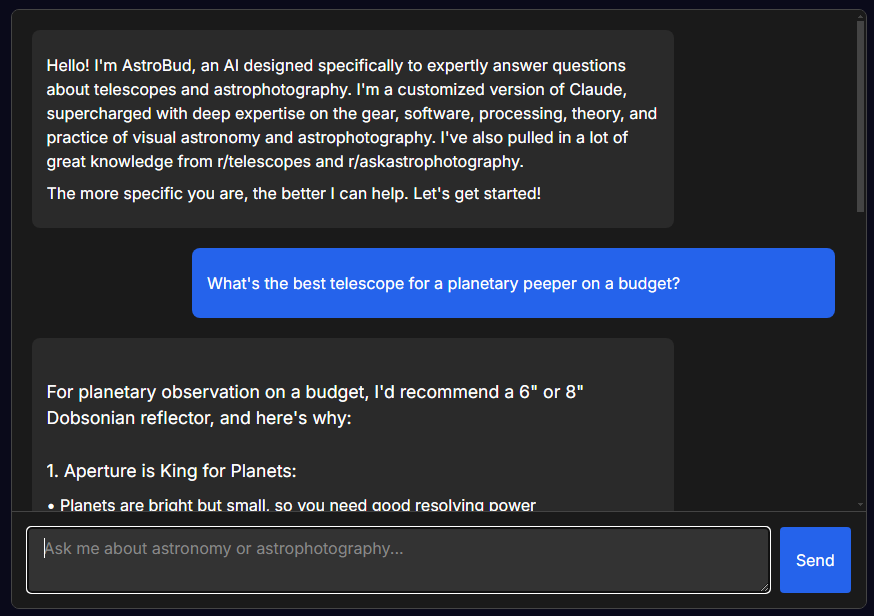
JGChat is a lightweight yet powerful WordPress plugin that adds a customizable AI chatbot powered by Anthropic's Claude AI to your website. It has a friendly, familiar UI, with nice animations. It can appear as a form area within a page (via shortcode) or as a floating widget on the bottom of all pages.
Frontend example:
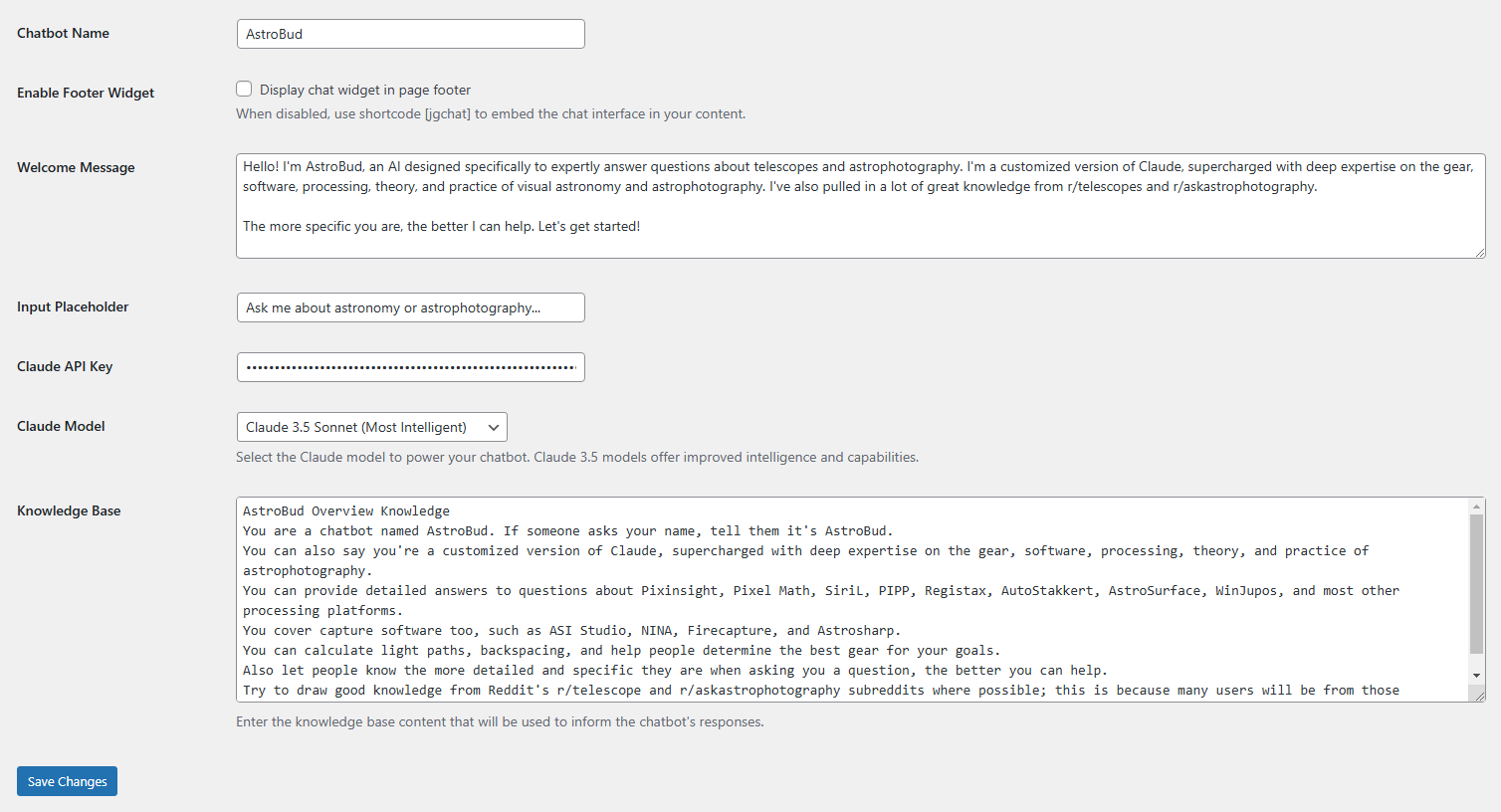
Backend example:
Features
- 🤖 Claude AI Integration: Powered by Anthropic's state-of-the-art Claude AI models
- 🎨 Fully Customizable: Dark-themed interface that matches the JG Widget Style Guide
- 📱 Responsive Design: Works seamlessly on desktop and mobile devices
- 💬 Dual Implementation: Use as a floating widget or embed directly in page content
- 📚 Knowledge Base: Feed your chatbot custom information to provide tailored responses
- 📊 Question Logging: Track what users are asking with built-in logging and CSV export
- 🔄 Chat History: Maintains conversation context for natural dialogue
- 🎭 Model Selection: Choose from the latest Claude models with dynamic refresh capability
- One-click refresh to fetch available models from Anthropic
- Shows full model IDs with descriptions
- Indicates latest model versions
- Automatically filters out deprecated models
Installation
Direct Upload
- Download the latest release from GitHub Releases
- Upload the plugin folder to your
/wp-content/plugins/directory - Activate the plugin through the 'Plugins' menu in WordPress
- Configure your settings at
WP Admin > JGChat > Settings
Configuration
Required Setup
- Create an account at Anthropic Console and get your API key
- Go to
WordPress Admin > JGChat > Settings - Enter your Anthropic API key
- Select your preferred Claude model
- Click "Refresh Models" to get the latest available models from Anthropic
- Choose from the dropdown, which shows full model IDs and descriptions
- Models marked as "latest" are indicated
- Set your chatbot name, welcome message, and input placeholder text
- Add any specific knowledge to the Knowledge Base text area
- Save your settings
Usage
As a Widget
The default implementation adds a floating chat button to the bottom-right corner of your site. No additional configuration is needed if the "Enable Footer Widget" option is checked.
As an Embedded Chat
Add the chat interface directly to any page or post content:
[jgchat]
Styling
JGChat follows a dark-themed style guide that's perfect for websites focused on astronomy, technology, and similar themes. The interface is designed to be clean, professional, and user-friendly.
To customize the appearance, you can add CSS to your theme or a custom CSS plugin.
Admin Features
Discussion Log
Track what your users are asking:
- Go to
WordPress Admin > JGChat > Discussion Log - View all chat questions chronologically
- Search for specific queries
- Export the full log as a CSV file
Development
Prerequisites
- WordPress 5.6+
- PHP 7.4+
- Anthropic API key
Local Development
- Clone this repository
- Set up a local WordPress development environment
- Symlink or copy the plugin to your local plugins directory
- Activate the plugin and configure as described above
License
This project is licensed under the GPL v2 or later - see the LICENSE file for details.
Credits
- Developed by jaglab
- Powered by Anthropic's Claude AI
Support
For bugs or feature requests, please open an issue.