
Claude PWA Portal
jacob-scheatzle/claude-pwa-portal
Portal PWA autohospedável + skill Claude para criar apps internos sem código
Ver no GitHubPortal autohospedável de Progressive Web Apps para pequenos negócios, permitindo que equipes acessem ferramentas internas com autenticação única. Inclui skill do Claude para criar e gerenciar novas PWAs via MCP, com suporte a PDF, email, armazenamento por usuário e agendamento de tarefas.
Instalação
npx convez-ai jacob-scheatzle/claude-pwa-portal1 comando no terminal: detecta o formato do repositório (marketplace ou plugin avulso) e instala via Claude Code. Requer Node 18+ e o Claude Code instalado.
Métricas
Casos de uso
- Centralizar ferramentas internas de pequenas empresas em um único dashboard instalável
- Criar apps internos (geradores de cotações, loggers de tempo, utilitários) com Claude via MCP
- Automatizar tarefas recorrentes (relatórios mensais, emails agendados) com o portal como executor
Veredito

Solução madura e bem documentada para PMEs que querem tooling interno hospedado. O MCP integrado permite que Claude crie e gerencie apps declarativamente, eliminando fricção de desenvolvimento — ideal para quem quer levar automação interna além de scripts isolados.
README
A tradução para o português deste README ainda está na fila.
Progressive WebApp Portal
An open-source, self-hosted Progressive Web App portal for small businesses. Deploy it on a small VPS and give your staff a single, installable home for the internal tools they use every day. New tools can be scaffolded, packaged, and uploaded by a non-developer working with Claude.
Status: v1 beta. Single-tenant per deployment. All core building blocks shipped; pre-built container images on GHCR.
Screenshots
User dashboard — same tiles, light and dark theme follow the system or a per-user toggle:
| Light | Dark |
|---|---|
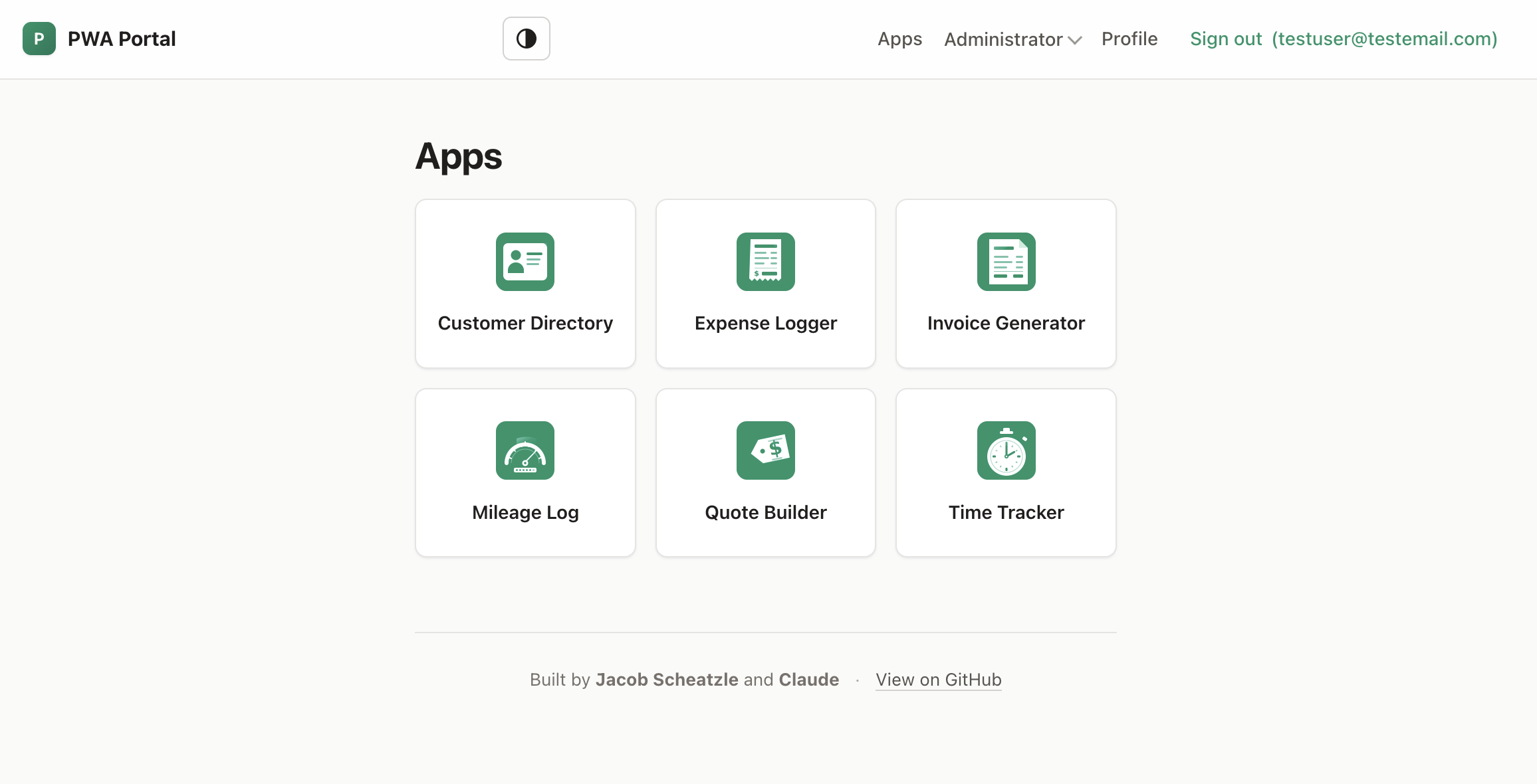 | 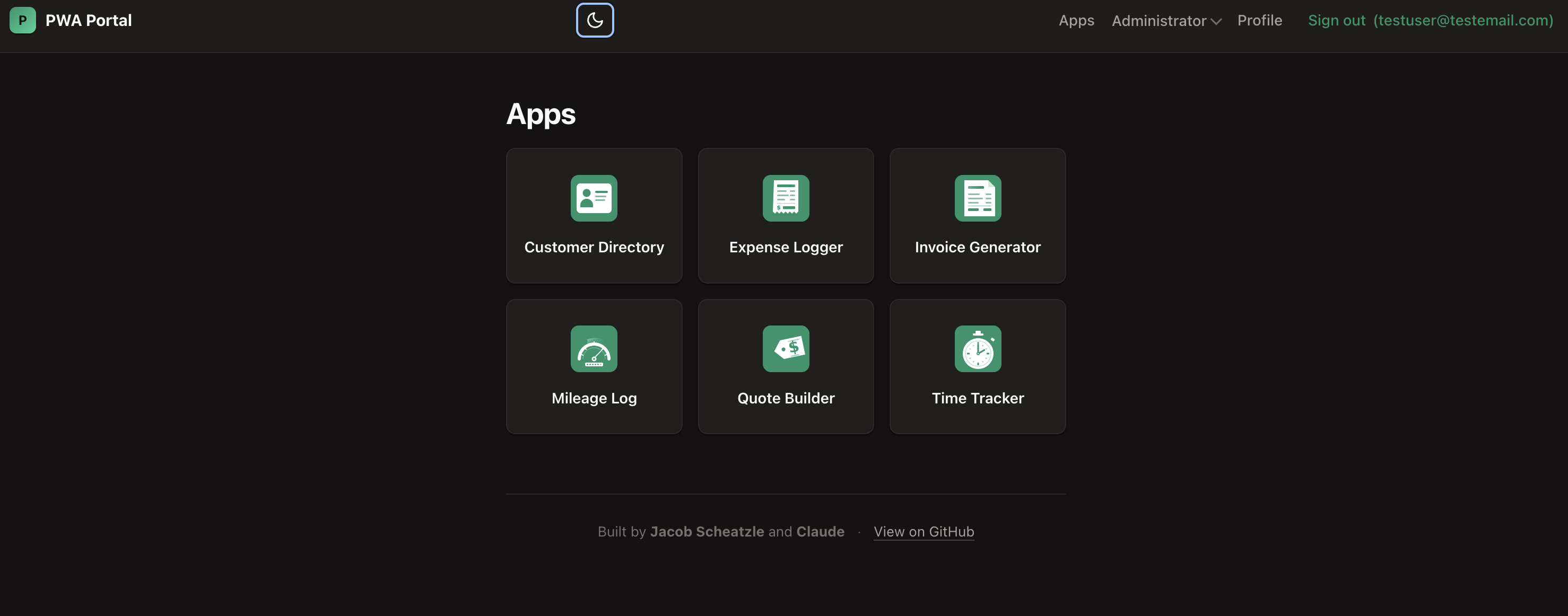 |
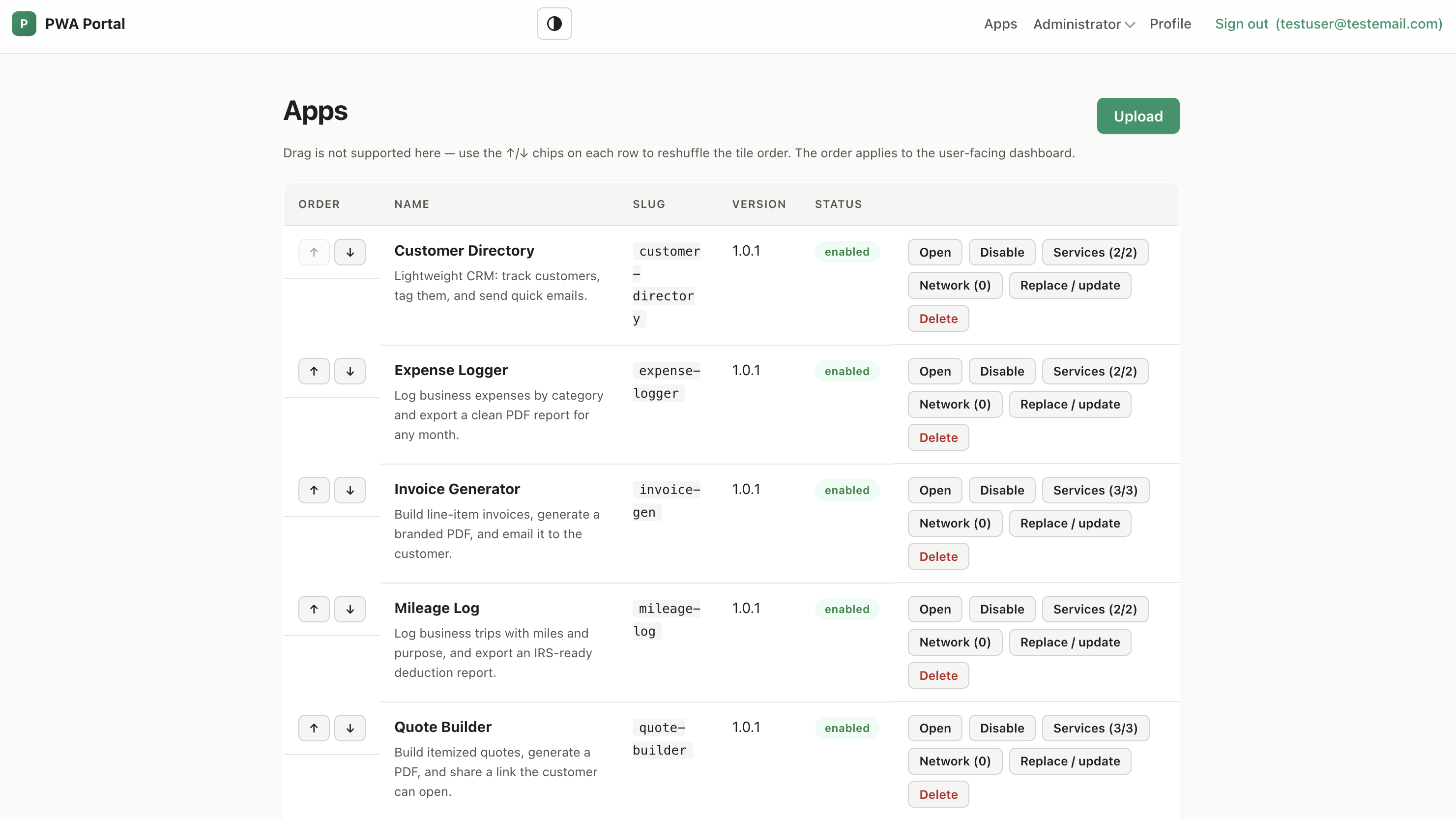
Admin app management — upload bundles, reorder tiles, gate per-app service and network access, replace in place:
Why
Most small businesses have a handful of little internal tools — quote builders, receipt emailers, time loggers, lookup utilities — that would be useful if they lived behind a single login on every staff member's phone home screen. Building each tool standalone is heavy; building them on top of an opinionated portal that already handles auth, hosting, PDFs, email, and per-user storage is light.
The portal is designed so the apps inside it can be authored by someone who isn't a developer, working with Claude.
What's included
- A self-hostable portal (FastAPI + SQLite + Caddy in Docker) with:
- Email/password auth, admin and user roles, server-side session revocation, login rate limiting, self-serve password change
- PWA manifest + service worker — installable on iPhone home screen
- Admin pages for staff users, app uploads, SMTP (Fernet-encrypted at rest), API tokens (SHA-256 hashed)
- JSON HTTP API at
/api/v1/*with CSRF protection on cookie auth + bearer-token support for automation - Alembic-managed schema migrations that run automatically on container start
- Per-app origin isolation by default. Each child app runs on its own subdomain (
<slug>.apps.<SITE_URL>) wrapped in an iframe on the portal — different browser origin, different cookie jar, real isolation between apps. Legacy same-origin fallback available viaCHILD_APPS_SAME_ORIGIN=truefor self-hosters without wildcard DNS. - A JavaScript SDK (
/portal-sdk.js) automatically available to child apps, handling the cross-origin handshake transparently and exposing:portal.user.current()— current signed-in userportal.pdf.render/download()— server-rendered PDF via WeasyPrint (SSRF-locked; onlydata:URIs)portal.email.send()— outgoing mail with per-user rate limit + optional recipient-domain allowlistportal.storage.{put,get,list,delete}— per-app, per-user key/value storage
- A built-in MCP server (
/mcp, admin-token authed, on by default in the image) so Claude connects with a URL + token to manage apps (list / upload / replace / enable), run the tools an app declares, and schedule them. Any app'sportal.jsoncan expose declarative tools — fill an HTML template → PDF → share / email / store, including itemized line-item documents — that appear to Claude as callable tools. See docs/mcp.md. - Recurring schedules. Any app tool can run automatically on a daily/weekly/monthly cadence (e.g. an auto-emailed monthly report); its output is delivered through the tool's own action. Managed at Admin → Schedules or by Claude over MCP — the portal runs them with or without a Claude connection.
- Public intake forms. An app can declare no-sign-in forms served on the app's own origin (
<slug>.apps.<SITE_URL>/forms/<form>); customer submissions collect under Admin → Submissions (with CSV export). The inbound complement to share links — push a PDF out, take structured data in. - One-click data export. A portable, secret-free
.zipof your apps, users, form submissions, schedules, audit log, and per-user storage — open it anywhere, no lock-in (distinct from the full backup, which includes the encrypted database). - A Claude skill (
claude-skill/pwa-portal-app/) so a non-developer can ask Claude to build an app and have it scaffolded, packaged, and uploaded automatically. - A reference gallery at
examples/— eight drop-in PWAs (work order, invoice generator, quote builder, time tracker, expense logger, mileage log, customer directory) plus a minimalhello-receiptthat exercises every SDK service in one file. Each app also declares MCP tools Claude can run; the invoice, quote, and work-order apps render itemized line-item PDFs. - Pre-built container images on GHCR + a GitHub Actions workflow that builds and publishes on every push to
main. Deployers don't need to clone the repo. - Drop in configs for Fail2Ban It is HIGHLY suggested to use Fail2Ban or something similar to block unwanted connections if using on a VPS or standalone machine. If deploying in a cloud environment it is suggested to use the appropriate security groups, network firewalls, etc.
Quick start
Requires a host with Docker and Docker Compose. The portal ships as two pre-built container images on GitHub Container Registry; you don't need to clone this repo to deploy.
mkdir my-portal && cd my-portal

# Grab the production compose file + env template
curl -O https://raw.githubusercontent.com/jacob-scheatzle/claude-pwa-portal/main/docker-compose.yml
curl -o .env https://raw.githubusercontent.com/jacob-scheatzle/claude-pwa-portal/main/.env.example

# Edit .env: set SITE_URL and paste a SECRET_KEY
# (generate with: python3 -c "import secrets; print(secrets.token_urlsafe(32))")
nano .env
chmod 600 .env

# Pre-create the data dir owned by uid 1001 (the container's runtime user)
mkdir -p data && sudo chown -R 1001:1001 data

docker compose pull
docker compose up -d
Open https://<your SITE_URL>/ and walk through the first-run wizard to create your admin account.
To upgrade later, run docker compose pull && docker compose up -d from the same directory.
If you want to build from source (for development or local patches), git clone this repo and run docker compose up --build -d — the included docker-compose.override.yml auto-merges to build locally instead of pulling.
See docs/deploying.md for the full guide: wildcard DNS setup for per-app origin isolation, Caddy auto-HTTPS, domains vs sslip.io, SMTP, backups, hardening checklist, and troubleshooting.
Building apps for it
Two paths.
If your portal runs the MCP server (the default in the Docker image), Claude can also connect to it directly —
claude mcp add --transport http portal <url>/mcp --header "Authorization: Bearer <admin-token>"— and then manage apps and run their tools as tool calls, noconfigure.pyneeded. The server even ships anauthoring_guidetool so an MCP-connected Claude can build apps without the local skill. See docs/mcp.md.
With Claude
The skill can be installed for two Claude surfaces. They have different capabilities — pick the one available to you.
Path A — Claude Code CLI (full automation, recommended)
If you have Claude Code installed locally, the skill scaffolds, packages, and uploads apps to your portal automatically — Claude does the whole pipeline.
bash claude-skill/pwa-portal-app/install.sh
python3 ~/.claude/skills/pwa-portal-app/scripts/configure.py
Then in Claude Code, ask:
"Make me a quoting tool for my portal — should let me enter line items, generate a PDF, and email it to the customer."
Claude reads the skill, scaffolds the app, implements your spec, calls package.py, and uploads via upload.py.
Path B — claude.ai web (conversational guide only)
You can also upload the skill to claude.ai and use it from the web app. Important limitation: claude.ai runs skills inside a remote sandbox that has no access to your local machine or your portal's VPS — so the package.py and upload.py scripts cannot run on your behalf. Claude can generate the portal.json and index.html for you and tell you the exact commands to run, but you'll have to run them yourself in a terminal.
If that fits your workflow:
- Download the pre-built skill zip from the latest release:
(If you've cloned the repo, you can also build it locally:curl -fL -o pwa-portal-app.zip \ https://github.com/jacob-scheatzle/claude-pwa-portal/releases/latest/download/pwa-portal-app.zipcd claude-skill/pwa-portal-app && zip -r ../pwa-portal-app.zip . -x install.sh -x "*.DS_Store" -x "__pycache__/*".) - Upload to claude.ai: in the claude.ai web app, open Settings → Features → Skills → + → Upload a skill → select
pwa-portal-app.zip. - Use it: in any chat, prompt Claude to build something for the portal — the skill name (
pwa-portal-app) primes Claude to follow the conventions inSKILL.md. Claude will give you the file contents and the terminal commands; you paste them.
See claude-skill/pwa-portal-app/SKILL.md for the full skill content — same on both surfaces.
Manually
See docs/app-authoring.md for the full portal.json schema, file layout, SDK usage, and the packaging/upload commands. For the wire-level API, see docs/api-reference.md.
Project layout
portal/                  FastAPI portal app
  main.py                  App factory, lifespan, auth routes, /profile, login rate limit
  api.py                   /api/v1/* — JSON API (PDF, email, storage, user, csrf-token,
                             session/exchange, apps/upload, internal/cert-ask)
  apps.py                  Child-app upload, validation, extraction, serving (portal +
                             subdomain paths)
  admin.py                 /admin/{settings,tokens,users}
  mcp_server.py            /mcp MCP server — app management + each app's declared tools (optional)
  app_tools.py             Executor for app-declared tools (template → PDF → share/email/store)
  middleware.py            HostDispatchMiddleware — sets request.state.app_slug from Host
  models.py                SQLModel tables: User, Setting, App, ApiToken, UserSession,
                             AppLaunchToken, AppSession
  sessions.py              Server-side session helpers + AppSession lifecycle
  smtp.py                  SMTP send helper (used by /email/send + admin test)
  settings_store.py        Setting key/value helpers + Fernet-encrypted secrets
  security.py              bcrypt, password validation, csrf_token + check_csrf
  deps.py                  FastAPI deps: current_user, current_user_or_token, require_admin
  config.py                Pydantic Settings (env)
  db.py                    Engine + Alembic-driven init_db
  web.py                   Shared Jinja templates + render() helper
  cli.py                   `python -m portal.cli {list-users,reset-password EMAIL}`
  templates/               Jinja2 — base, dashboard, login, setup, profile, admin_*,
                             app_launcher
  static/                  sw.js, manifest.webmanifest, portal-sdk.js, default icons
alembic/                 Migration scripts + Alembic env
claude-skill/
  pwa-portal-app/          Drop-in Claude skill — SKILL.md + scaffolding + scripts
examples/
  hello-receipt/           Reference child app exercising every SDK service
docs/                    Deployment, app authoring, API reference, MCP server,
                           fail2ban, project-state, per-app-origin-design
.github/workflows/       CI: build + push images to GHCR on push to main / v* tags
docker-compose.yml       Production compose (pulls from GHCR; no source needed)
docker-compose.override.yml  Dev override — auto-merges to build locally
Dockerfile               Portal image (Python + WeasyPrint deps + non-root user)
Dockerfile.caddy         Caddy image with Caddyfile baked in
Caddyfile                Reverse proxy: portal origin + wildcard *.apps.<SITE_URL>
                           with on-demand TLS
.env.example             Configuration template
pyproject.toml           Python dependencies (managed via Alembic for schema)
CLAUDE.md                Codebase context loaded by Claude Code sessions
Architecture decisions
- Single-tenant per deployment. One business per portal instance. Multi-tenant SaaS is explicitly not a goal — every small business self-hosts.
- Per-app origin isolation. Each child app runs at
<slug>.apps.<SITE_URL>(its own browser origin), embedded in an iframe rendered at/apps/<slug>/on the portal origin. Browser same-origin policy is the actual security boundary between apps. Caddy fetches Let's Encrypt certs on demand per subdomain (HTTP-01); a single wildcard DNS A record is all the operator needs. Legacy same-origin mode (CHILD_APPS_SAME_ORIGIN=true) remains for self-hosters who can't configure wildcard DNS — with a warning banner in the admin UI. - Server-side Python services. PDF (WeasyPrint), email (SMTP), and per-user storage are server endpoints; child apps are HTML/CSS/JS that call them through the SDK. Keeps a small VPS happy and lets non-coders ship working tools.
- MCP as a transport, not a new privilege. The built-in MCP server lets Claude manage apps and run each app's declared tools over the same admin-token API that already exists. App tools are declarative (template → PDF → deliver) and run by composing the portal's own services — uploaded code never executes server-side, so the per-app-origin trust model is untouched. On by default in the image;
MCP_ENABLED=falseremoves the endpoint. - Env as the source of truth for routing.
SITE_URLandSECRET_KEYcome from.env; Caddy reads the same value at boot, the portal won't start with a placeholder secret ifSITE_URLisn'tlocalhost. SMTP credentials are admin-editable from the UI (Fernet-encrypted at rest in SQLite). - Stdlib-only Claude skill tooling.
package.pyandupload.pyuse only the Python standard library (urllib,zipfile), so they work anywhere Python 3.11+ runs. - No frontend build step in the portal. Server-rendered Jinja templates with light POST forms — no React, no Vue, no bundler. Easier for non-coders to read, fork, and patch.
- Schema evolution via Alembic. New tables and column changes ship as migrations that run automatically on container start; existing dev/prod DBs created via
SQLModel.metadata.create_allare auto-stamped on first boot. - Containers built in CI, pulled at deploy. Two images (
claude-pwa-portal,claude-pwa-portal-caddy) published to GHCR on every push tomain. Deployers download two files (compose + env) and rundocker compose up -d.
License
GNU Affero General Public License v3.0 (AGPL-3.0). Full text in LICENSE.
In plain terms:
- Forking, modifying, and self-hosting for your own business is fine.
- If you modify the portal and run it as a network service that others can interact with (the obvious commercialization path here), AGPL-3.0 requires you to release your full modified source under the same AGPL terms to anyone who uses the service. This is the "Affero clause" — it closes the SaaS loophole the regular GPL leaves open.
- No warranty. The license disclaims all liability.
The practical effect: hobbyist forks and internal-business use are unaffected; anyone trying to turn this into a closed-source SaaS product would have to publish their work, which most companies refuse to do. If your use case requires a commercial license without the AGPL obligations, contact the author.
Contributing
This is an early project. Issues and PRs welcome. By contributing, you agree your contributions are licensed under the same AGPL-3.0 terms. Skim the architectural notes above before proposing significant structural changes.