
AMTA CRM com Agentes de IA
jacinthsohi/amta-crm
CRM de voluntários com agentes Claude integrados, RLS e OAuth
Ver no GitHubUm CRM custom construído para a American Mock Trial Association que demonstra como operadores não-engenheiros podem criar software de produção em escala com Claude como parceiro de codificação. Inclui cinco features de IA (resumos em streaming, Q&A agentic com tool use, geração de relatórios, análise de dados e sugestões inteligentes) rodando em produção com React, Supabase e Anthropic SDK.
Instalação
npx convez-ai jacinthsohi/amta-crm1 comando no terminal: detecta o formato do repositório (marketplace ou plugin avulso) e instala via Claude Code. Requer Node 18+ e o Claude Code instalado.
Métricas
Casos de uso
- Gerenciar diretórios e relacionamentos de voluntários em organizações nonprofit
- Implementar múltiplos padrões de IA (streaming, tool use, agentic loops) em produção
- Construir CRMs customizados sem contratar eng. full-time
Veredito

Prova conceitual excelente de como operadores com expertise de domínio podem entregar software real e robusto em produção usando IA como parceiro técnico. Five features de IA bem-documentadas (streaming, agentic Q&A, relatórios, análise) em um stack moderno (React + Supabase + Anthropic), com RLS e autenticação já implementados. Altamente relevante para equipes operacionais que querem automatizar fluxos complexos sem overhead de eng. tradicional.
README
A tradução para o português deste README ainda está na fila.
AMTA CRM
A custom CRM built for the American Mock Trial Association, a nonprofit serving 400+ member schools and run entirely by volunteers. Live at crm.mocktrial.tech.
I'm a scrappy operations builder, not a professional engineer. I built MVP functionality in 48-72 hours, then spent ~3 full-time-equivalent workdays over the next ~10 days iterating, bug-bashing, and adding the AI features. Throughout, I collaborated with Claude as a coding partner: I scoped, designed, debugged, and shipped; Claude wrote the bulk of the implementation under my direction. The core thing I want to communicate with this repo is what's actually possible when a non-engineer operator with deep domain expertise and strong product instincts pairs with a capable AI model on real, shippable software. Five production AI features, full database schema with row-level security, a board-only admin surface, OAuth, and 14 CRUD entities — all working, in production, used by real volunteers.
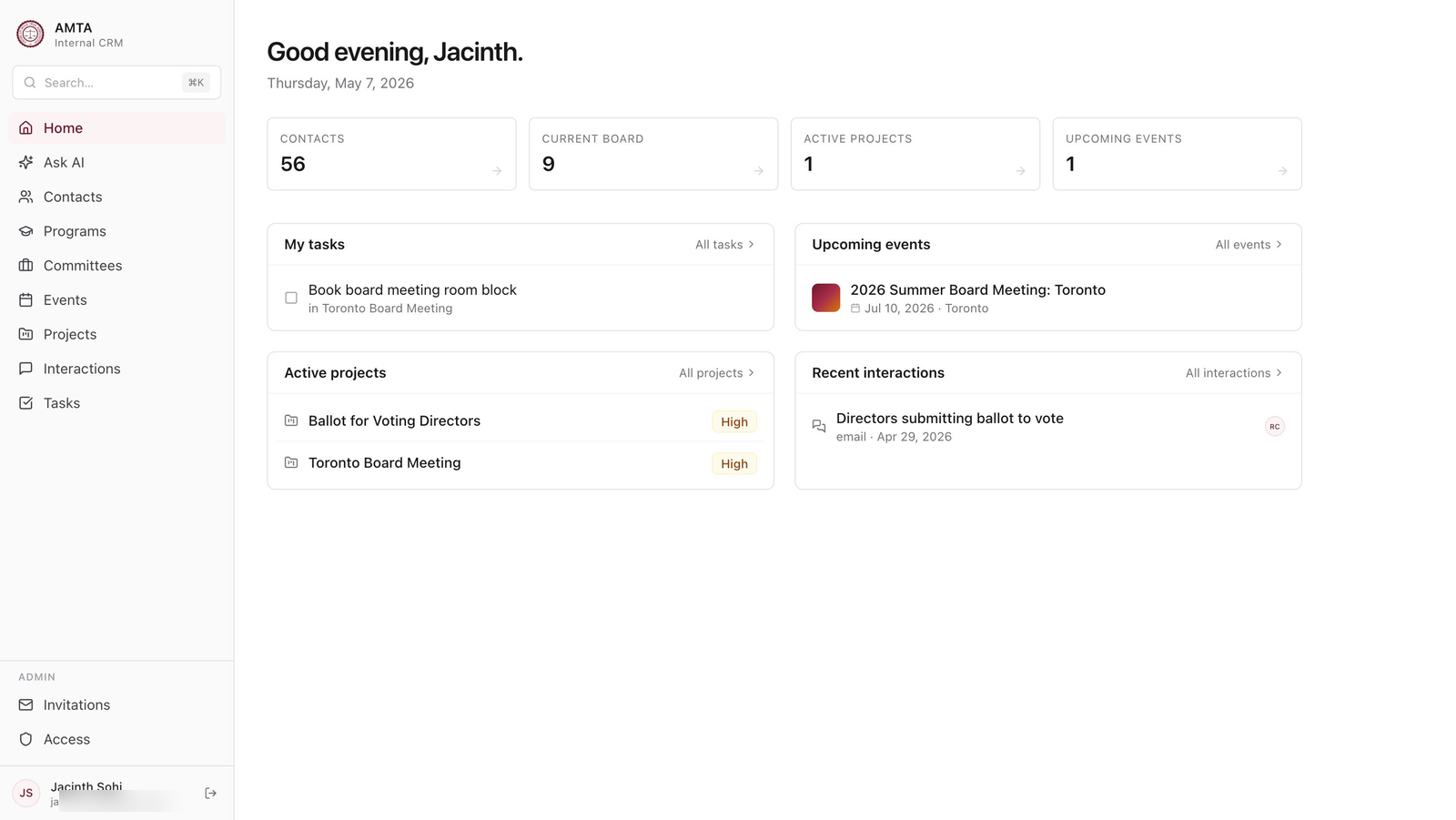
What it is
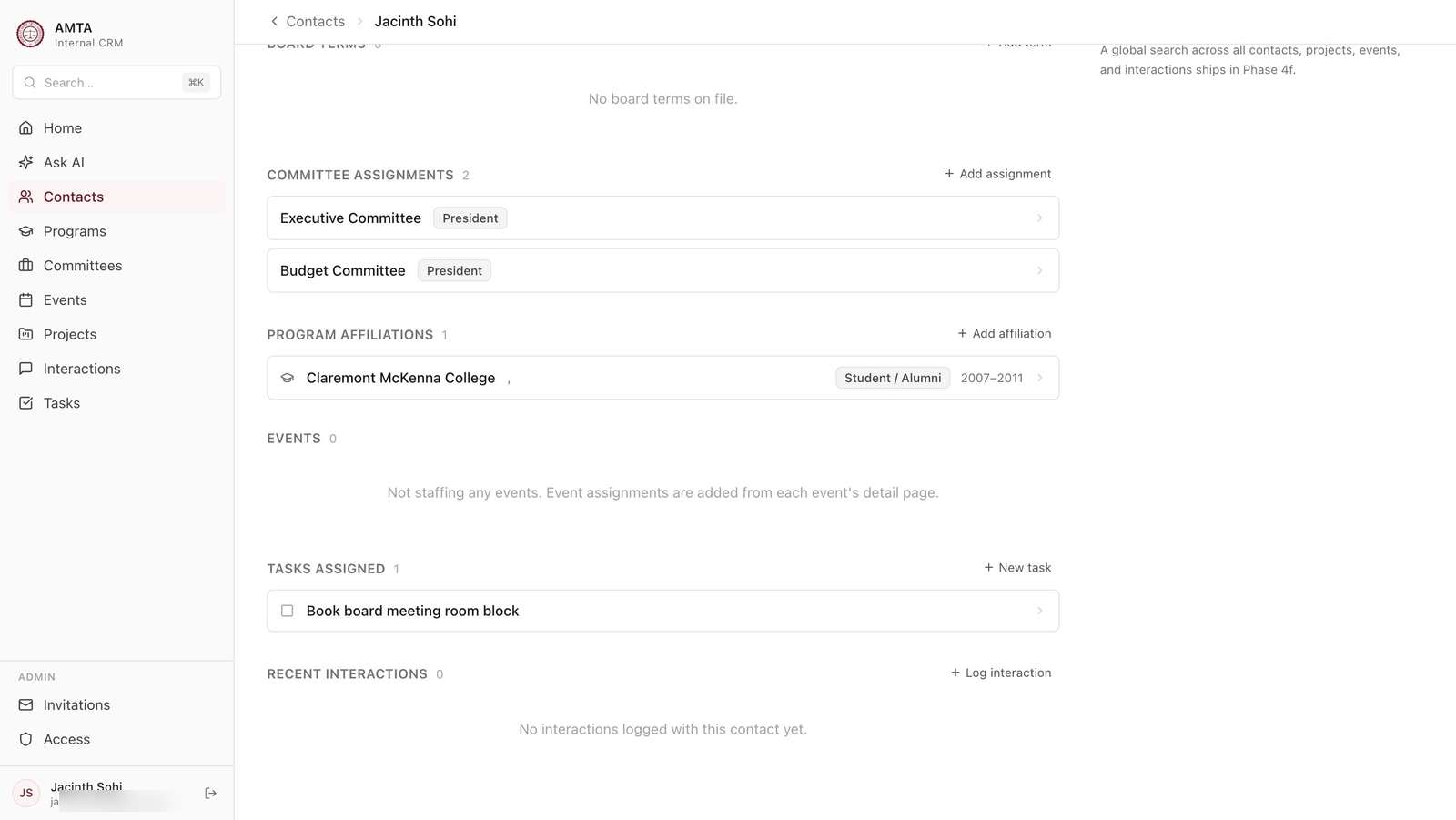
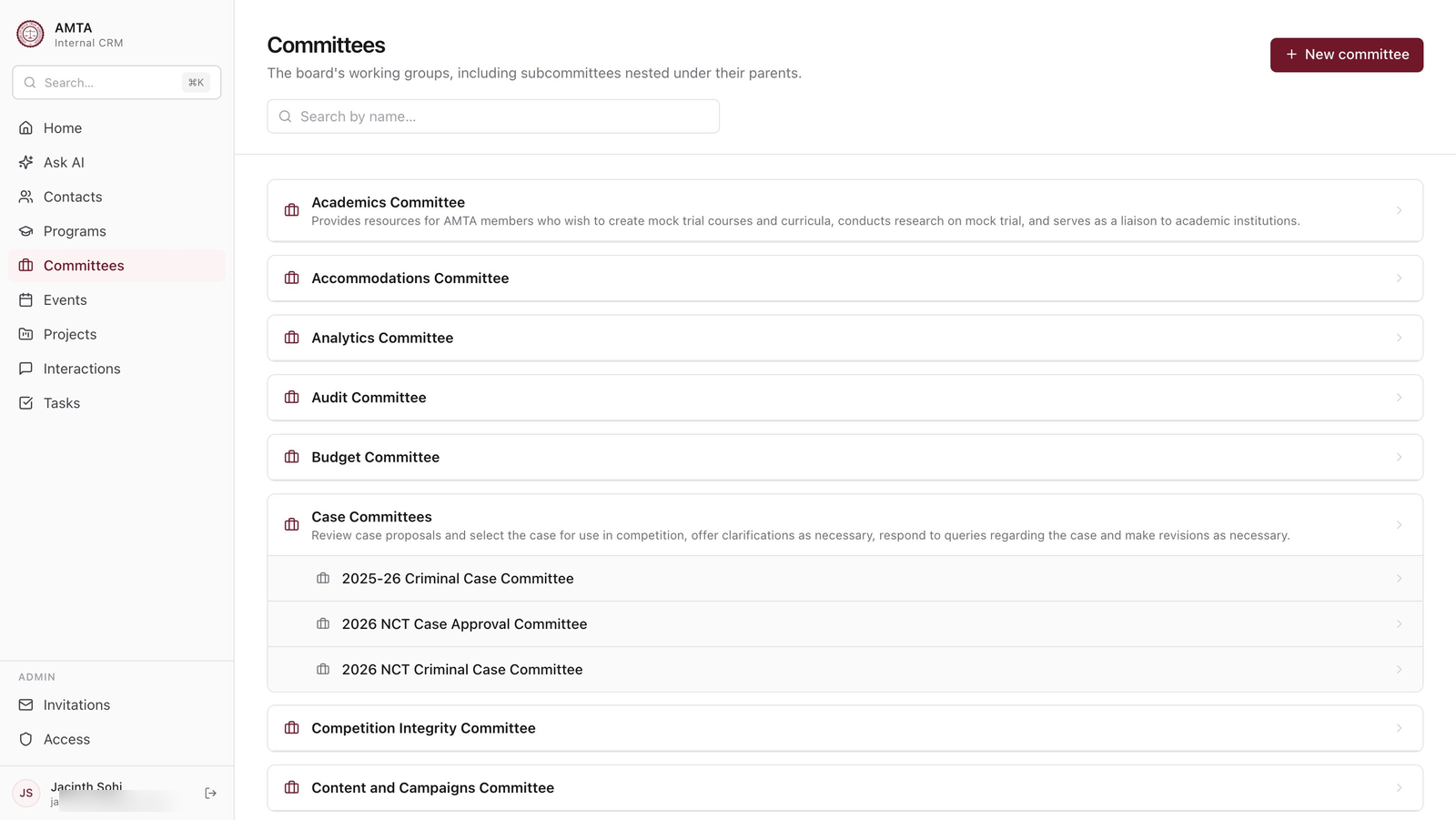
A directory and relationship tracker for AMTA volunteers. Tracks board members, programs (member institutions), committees and their assignments, officer terms, board terms, program affiliations, events, tasks, interactions, and projects. Soft-delete throughout, with active_* views that filter deleted rows. Row-level security on every table. Board-only admin section for inviting new users.
Stack: React 18 + TypeScript + Vite + TanStack Query + Tailwind + Supabase (Postgres + Auth + RLS) + Vercel Edge Functions + Anthropic SDK.
AI Features
Five production AI features, each demonstrating a different Anthropic API pattern. All use claude-sonnet-4-5.
1. Streaming Contact Summary
Pattern: streaming text generation
File: api/contact-summary.ts · AISummary.tsx
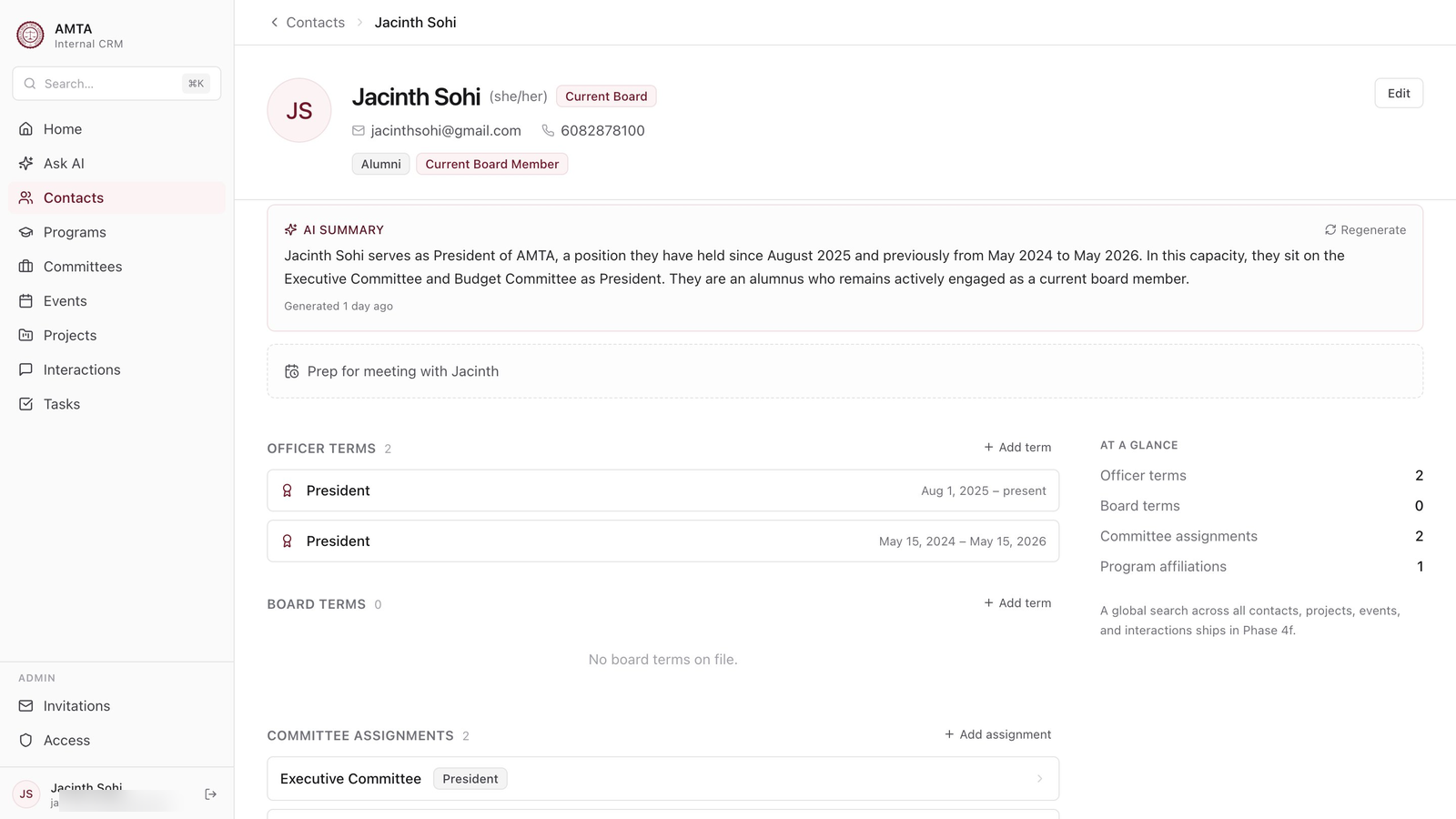
Click "Generate AI summary" on any contact. Claude streams a 2-3 sentence factual orientation ("Jacinth Sohi is the current AMTA President, also serving on the Executive and Budget committees…"). After streaming completes, the backend persists the summary to contacts.ai_summary so subsequent visits show the cached version with a "Regenerate" button. Streams are decoded chunk-by-chunk in the frontend for the typewriter effect.
2. Agentic Q&A with Tool Use
Pattern: multi-turn agentic loop with custom tool definitions
File: api/ask.ts
A chat interface where you can ask questions like "Which alumni from California are also donors?" or "Show me board members whose terms end this year." Claude has access to four custom tools:
search_contacts— query contacts with structured filtersget_contact_details— pull a full contact record by IDsearch_committees— find committees by name or attributeget_committee_members— list everyone on a given committee
The endpoint runs Claude in a multi-turn loop: Claude calls a tool → server executes the query → result is fed back → Claude reasons about whether it has enough to answer or needs another call. The response includes the final text, contact IDs that were referenced (so the UI can render contact cards), and a trace of the tool calls themselves for transparency. Conversation history is round-trippable via full_messages so the user can keep asking follow-ups.
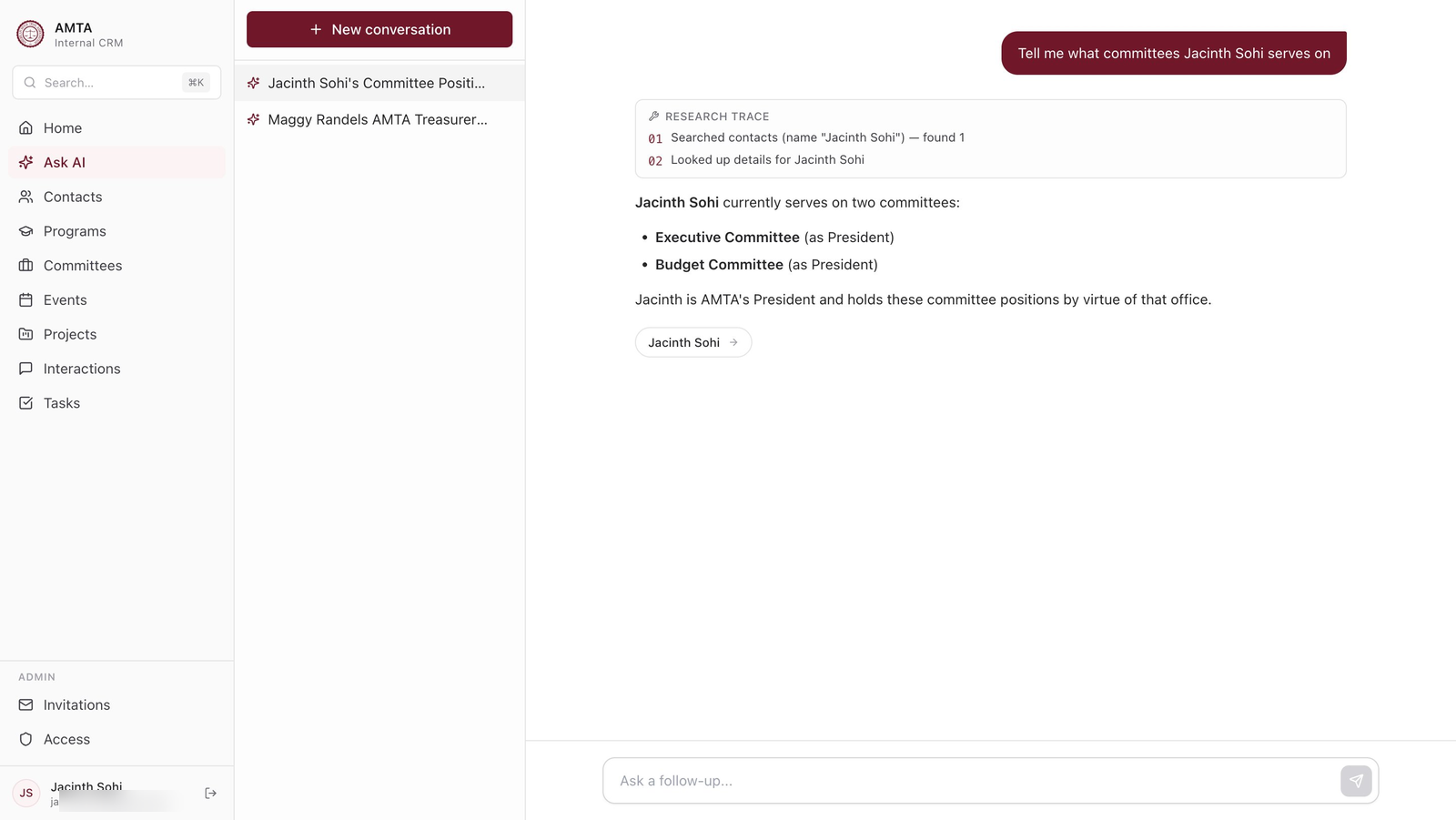
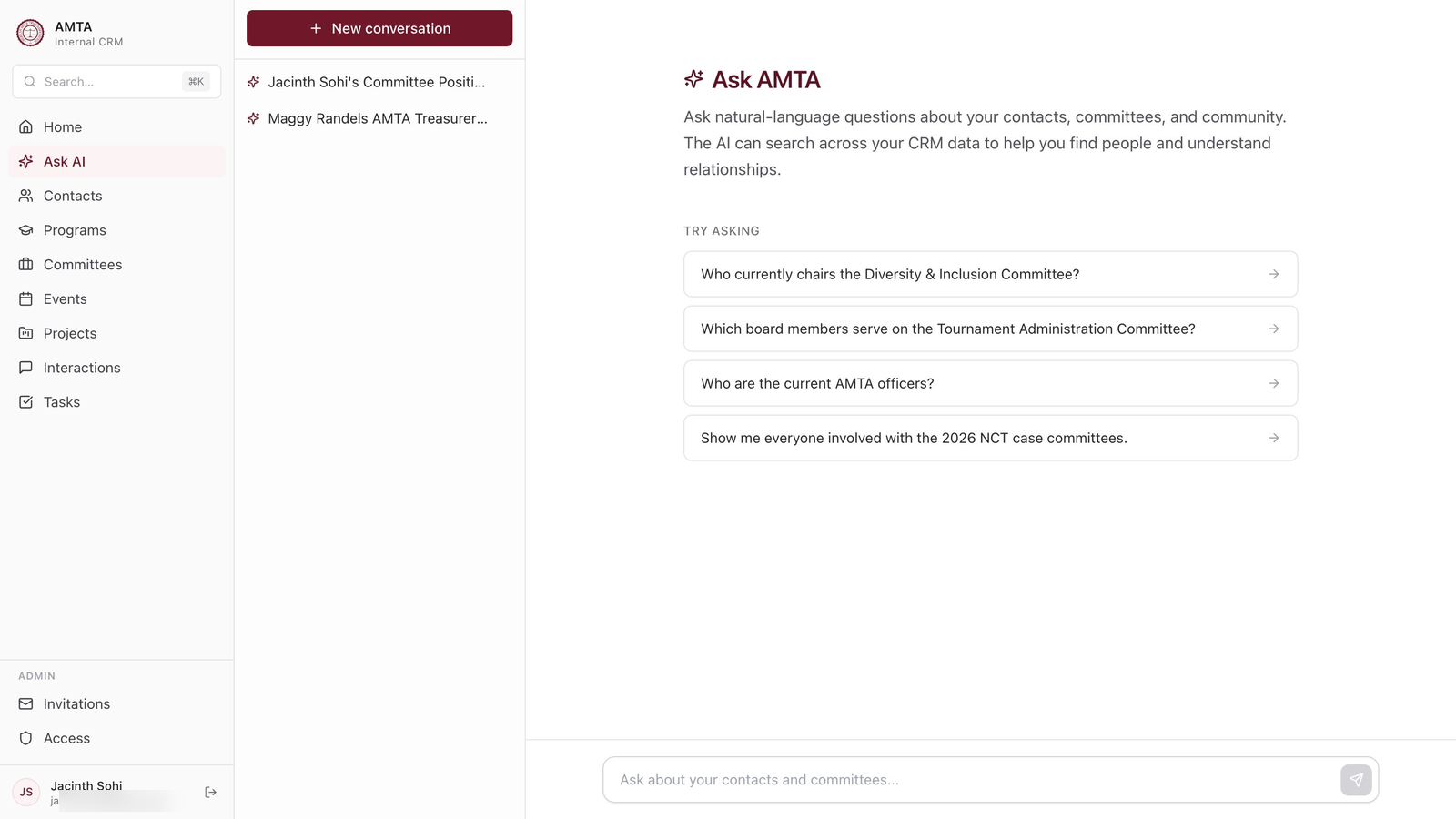
The "Research trace" panel above shows Claude's actual tool calls in order — useful both for debugging and for users who want to understand how their answer was assembled.
3. Native PDF Extraction
Pattern: structured output via tool use, with native PDF reading
File: api/extract-event-pdf.ts
AMTA receives free-form tournament packets and welcome documents from regional hosts every season. Drop one of these PDFs into the event creation flow and Claude reads it natively (vision + text — no OCR step) and extracts structured fields: tournament name, date, location, host school, etc. Each extracted field comes back with a per-field confidence score so the UI can show a green checkmark for high-confidence fields and flag uncertain ones for manual review before save.
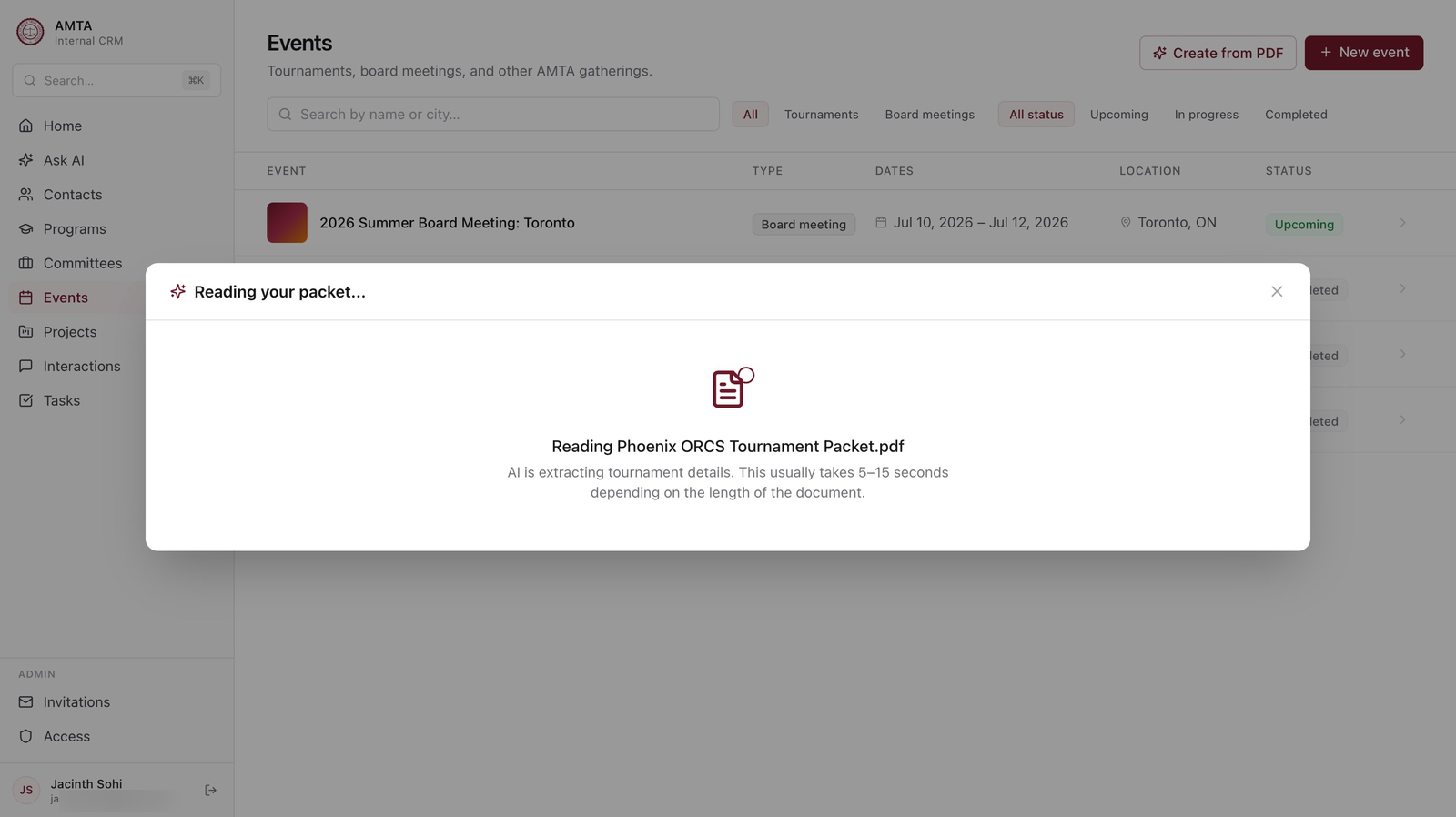
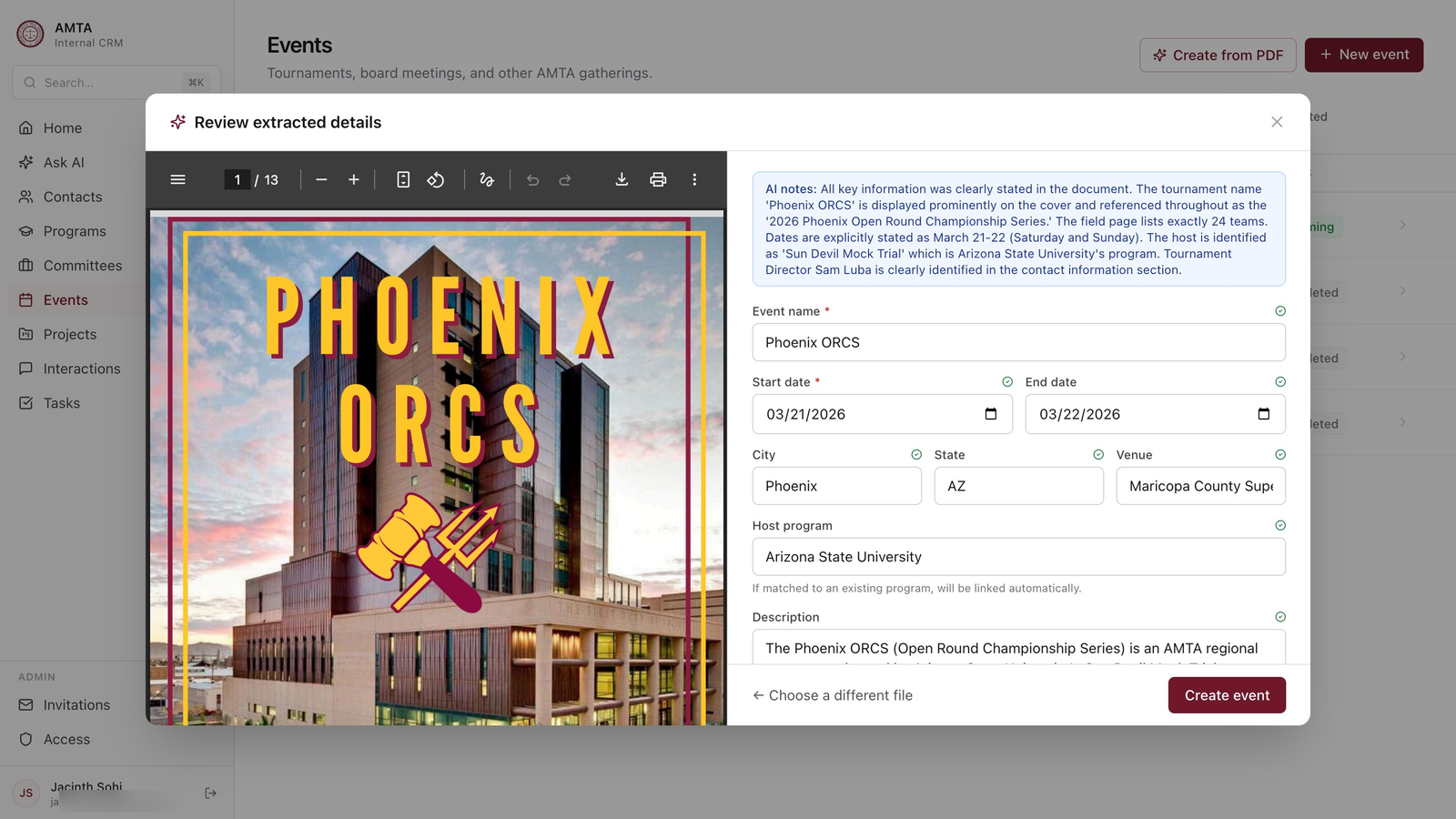
The interesting bit is that we never run a separate text-extraction or OCR step — Claude handles the document end-to-end, which means it can correctly read scanned schedules, multi-column layouts, and tables that traditional PDF parsers mangle. The "AI notes" callout at the top explains how Claude arrived at its answer in plain English, which builds trust faster than just showing extracted fields would.
4. Meeting Prep Brief
Pattern: structured JSON output via forced tool use, with multi-source synthesis
File: api/meeting-brief.ts
Click "Prep for meeting" on any contact, optionally type meeting context ("discussing committee chair transitions"), and the endpoint synthesizes a structured brief from across the entire database — officer history, committee work, the last 8 interactions (with notes excerpts), open tasks, and recently-staffed events. Returns five structured sections: who they are, your shared history, recent activity, open threads, and suggested talking points.
The notable engineering bit: even with forced tool choice, Claude occasionally returns a newline-joined string for an array field. The endpoint includes a defensive coercion layer (coerceToBrief) that handles this gracefully rather than 502'ing — caught when production output revealed Claude returning "\n- Item 1\n- Item 2" where I'd specified an array. Real LLM-engineering edge case worth documenting.
5. Conversation Title Generation
Pattern: lightweight async LLM call for UX polish
File: api/ask-title.ts
A small but meaningful feature: after a user asks a question in the Q&A interface and gets an answer, a separate async call to Claude generates a short 3-5 word title for the conversation, used to populate sidebar entries. Kept as a separate (cheaper) endpoint rather than baked into the main Ask flow so the user gets their answer first and the title fills in silently after. Small detail, real UX win — visible in the sidebar of screenshot #2 above ("Jacinth Sohi's Committee Positi...").
A look around the rest of the app
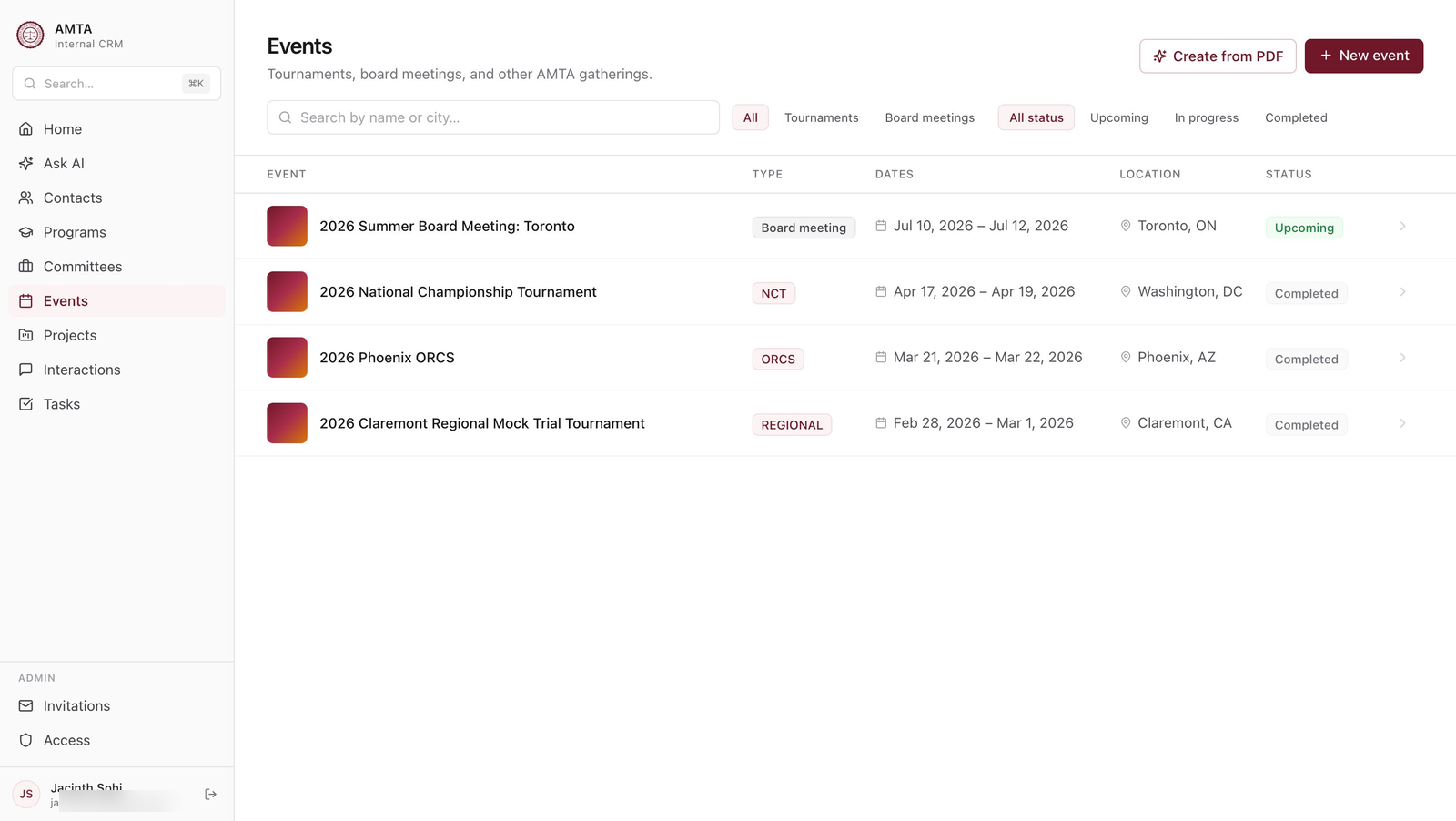
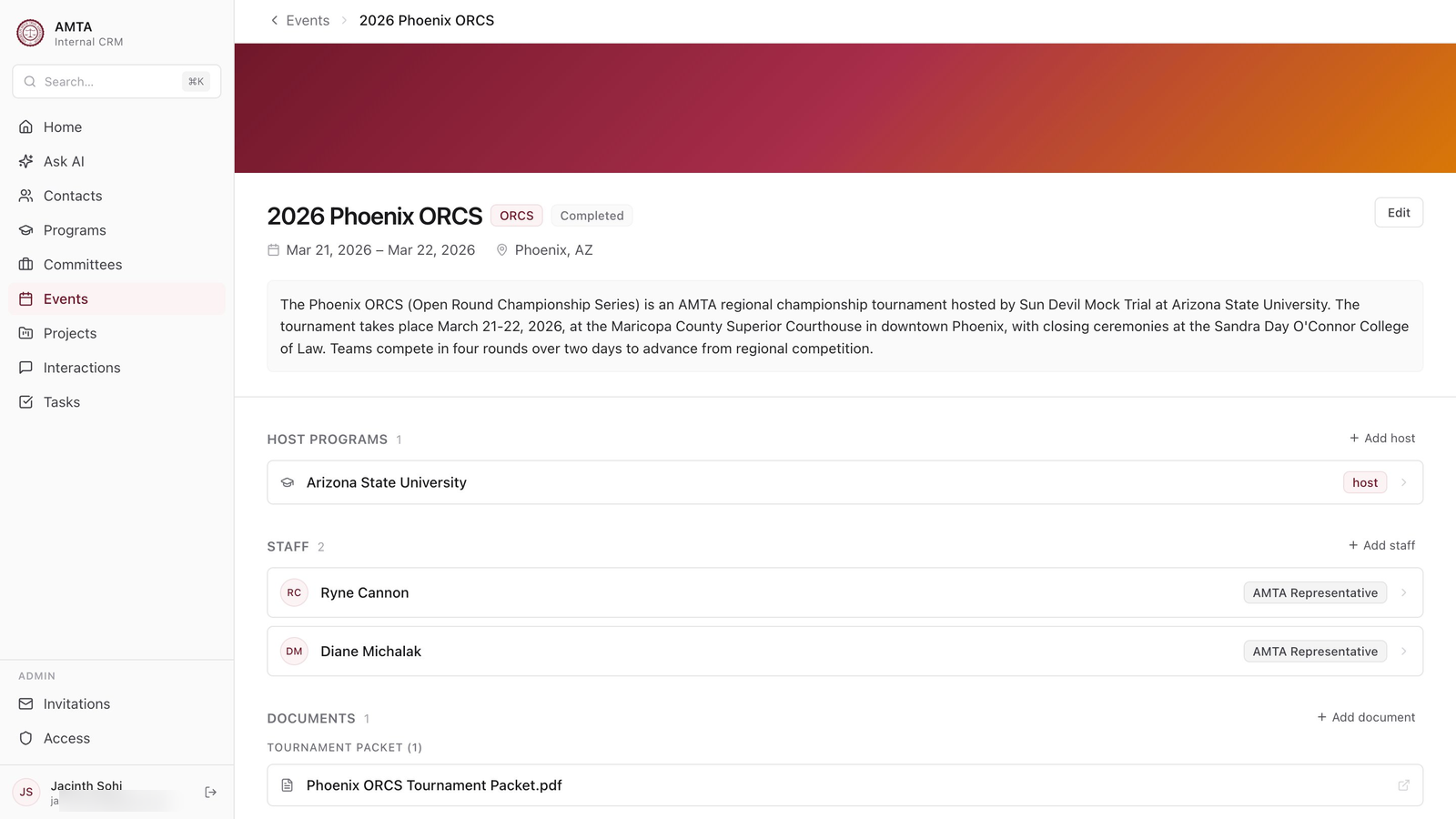
Beyond the AI features, the CRM has the usual surface area you'd expect — directories, detail pages, forms, filters. A few representative views:
Architecture highlights
Schema
14 tables, all with deleted_at-based soft delete and active_* views that filter out deleted rows. RLS policies on every table — authenticated reads for most entities, restricted writes via the service-role key on edge functions. The full schema is in supabase/migrations/.
Two-client pattern in edge functions
Every AI endpoint uses two Supabase clients:
- An anon-key client for verifying the user's JWT via
auth.getUser(token) - A service-role client for fetching data without RLS getting in the way
Mixing these is necessary because the service-role client bypasses auth entirely and behaves oddly when asked to verify tokens. Documented inline in api/contact-summary.ts.
Generated TypeScript types
The src/lib/database.generated.ts file is regenerated from the live Supabase schema via npm run types:generate. A small shim at src/lib/database.types.ts re-exports friendly aliases (Contact, Event, etc.) so the rest of the codebase doesn't import from the giant generated file directly.
Admin / invitation flow
Board-only admin section at /admin/invitations lets the President invite new users by selecting an existing contact and generating a one-time acceptance link. The acceptance flow handles a tricky race: when the user signs in via Google OAuth, both the access gate and the acceptance page see them at the same time. Solved by skipping the gate on /accept-invitation/* routes so the acceptance page can finalize the invitation before any access check fires. See src/lib/auth.tsx.
Cascading soft-delete
When a program is soft-deleted, its program_affiliations are automatically soft-deleted too via a Postgres trigger. This avoids the "deleted program" placeholder rendering on contact pages whose affiliations point at a removed institution. See migrations/20260507_cascade_program_soft_delete.sql.
How I worked with Claude
I spent most of the build in Claude Sonnet 4.5 conversations. The collaboration model that worked best:
- I scoped each feature in plain English — "I want a meeting prep brief that pulls from interactions, tasks, committees, and gives me talking points."
- Claude asked clarifying product questions — caching behavior, output format, etc. I made the calls.
- I pasted the existing code Claude needed for context — never let it guess at imports or patterns. This was the biggest unlock for code quality.
- Claude wrote complete files — full components, full migrations, full endpoints. I reviewed, downloaded, moved into the project, ran, debugged. Almost never edited line-by-line.
- When bugs surfaced, we debugged together via screenshots and back-and-forth. Network tab, console, Supabase dashboard. I'd paste what I saw, Claude would form hypotheses, I'd verify with the next screenshot — and not infrequently I'd catch where Claude was wrong. The bug fix often only worked because I pushed back on the first or second theory.
What I brought: product judgment, the actual problem to solve, the data model, the design opinions, knowledge of the AMTA domain, and the willingness to push back when Claude's first answer was wrong.
What Claude brought: TypeScript fluency, knowledge of every library in the stack, attention to edge cases I wouldn't have thought of, and the patience to write 600-line files I'd never have the focus to type out by hand.
Running it
You'll need a Supabase project and an Anthropic API key.
git clone https://github.com/jacinthsohi/amta-crm
cd amta-crm
npm install
cp .env.example .env
# Fill in VITE_SUPABASE_URL and VITE_SUPABASE_ANON_KEY
# In Vercel: also set ANTHROPIC_API_KEY and SUPABASE_SERVICE_ROLE_KEY

# Run migrations in the Supabase SQL editor in order
# (everything in supabase/migrations/, then everything in migrations/)

npm run dev
The seed file (supabase/migrations/20260427000004_seed_data.sql) populates a sample dataset of programs, committees, and contacts using the publicly-listed AMTA Board of Directors roster. All emails are @example.org placeholders.
What's not in the public version
A handful of things were intentionally kept out:
- Production environment secrets (obviously)
- The full real contact dataset — the seed file uses a public-info sample only
- Some private planning docs and migration notes from the build process
Everything else in this repo is the actual code running in production at crm.mocktrial.tech.
License
MIT — fork it, learn from it, run your own. If you're a similar nonprofit and this would be useful to you, I'd love to hear about it.