Beeper MCP - Transações BSC
intentos-labs/beeper-mcp
Execute transações DeFi na BSC via MCP direto do Claude
Ver no GitHubServiço backend MCP para executar transações blockchain na Binance Smart Chain. Oferece ferramentas para gerenciar carteiras, consultar saldos, transferir tokens, realizar swaps no Pancakeswap e reivindicar recompensas de forma integrada com Claude e outras IDEs.
Instalação
npx convez-ai intentos-labs/beeper-mcp1 comando no terminal: detecta o formato do repositório (marketplace ou plugin avulso) e instala via Claude Code. Requer Node 18+ e o Claude Code instalado.
Métricas
Casos de uso
- Automação de operações de trading e swaps de tokens
- Gerenciamento programático de carteiras e saldos
- Reivindicação automática de recompensas de staking
- Integração DeFi em workflows de IA
Veredito

Ferramenta especializada para quem precisa automatizar operações DeFi na BSC via Claude. Requer conhecimento técnico de blockchain, private keys e configuração de ambiente. Bem estruturada, mas uso deve ser cuidadoso em produção por envolver movimentação de fundos reais.
README
A tradução para o português deste README ainda está na fila.
beeper-mcp
A backend service for executing beeper transactions on Binance Smart Chain (BSC). This service provides a set of tools for interacting with the BSC blockchain, including balance checking, balance transfers, token transfers, token swaps in Pancakeswap and beeper reward claims.
Features
- Get BNB and token balances
- Transfer BNB and tokens
- Swap tokens in Pancakeswap
- Get token prices
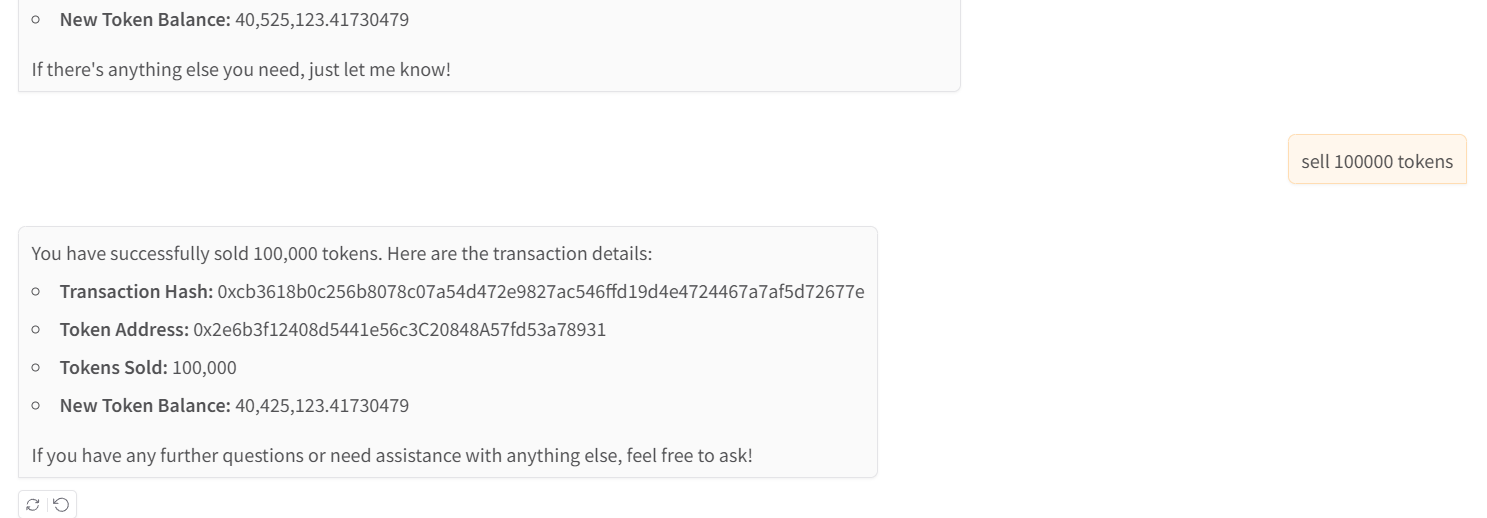
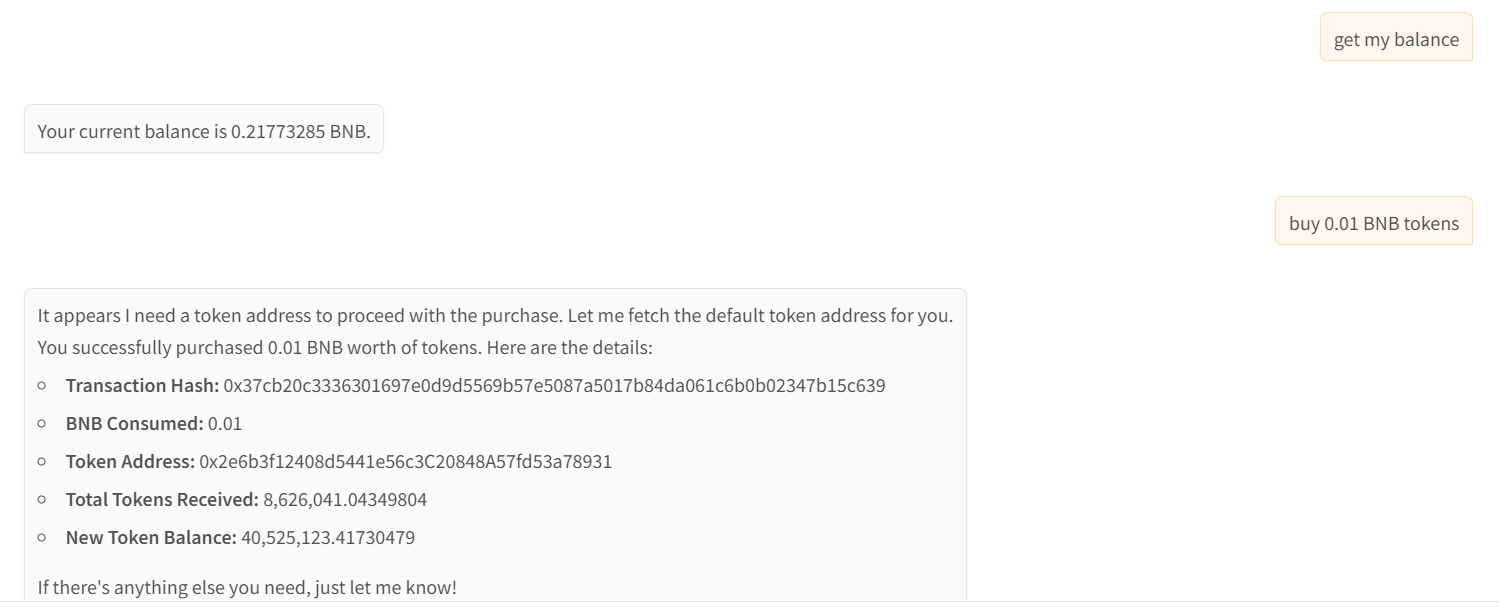
- Buy and sell tokens
- Claim rewards of beeper tokens
- Manage default wallet and token addresses
Prerequisites
- Python >=3.10
- Access to BSC network (mainnet or testnet)
- Wallet account and private key
Environment Variables
Create a .env file in the project root with the following variables:
BEEPER_CHAIN=<bsc or bsc-testnet>
BEEPER_ACCOUNT=<your-wallet-address>
BEEPER_SECRET_KEY=<your-private-key>
BEEPER_TARGET_TOKEN=<default-token-address>  # Optional
API Endpoints
The service exposes the following MCP tools:
Wallet and Token Management
get_default_wallet_address() -> str: Get the default wallet addressget_default_token_address() -> str: Get the default token addressswitch_default_token_address(new_token_address: str) -> str: Switch to a new default token address
Balance Operations
get_balance(address: str) -> str: Get BNB balance of an addressget_token_balance(address: str, token_address: str) -> str: Get token balance of an address
Transfer Operations
transfer(recipient_address: str, amount: Decimal = 0.01) -> dict: Transfer BNB to an addresstransfer_token(recipient_address: str, token_address: str, amount: Decimal = 0.01) -> dict: Transfer tokens to an address
Trading Operations
swap_token(token_in: str, token_out: str, amount: Decimal = 0.01) -> dict: Swap between tokensget_token_price(token_address: str) -> float: Get token price in BNBbuy_token(token_address: str, amount: Decimal = 0.01) -> dict: Buy tokens with BNBsell_token(token_address: str, amount: Decimal = 0.01) -> dict: Sell tokens for BNB
Reward Operations
claim_rewards(token_address: str) -> dict: Claim rewards for a token
Running the Service
git clone https://github.com/unibaseio/beeper-mcp.git
cd beeper-mcp
# start server over stdio
uv run src/beeper_mcp/server.py
- start using sse
The sse service will start on port 8000 by default. You can specify a different port using the --port argument:
uv run src/beeper_mcp/server.py --port 8008 --transport=sse
Configuration on Claude/Windsurf/Cursor/Cline
{
  "mcpServers": {
    "beeper": {
      "command": "uv",
      "args": [
        "--directory",
        "path/to/beeper-mcp",
        "run",
        "src/beeper_mcp/server.py"
        ],
      "env": {
        "BEEPER_ACCOUNT": "your account, 0x...",
        "BEEPER_SECRET_KEY": "your private key or in .env",
        "BEEPER_TARGET_TOKEN": "default token address",
        "BEEPER_CHAIN": "chain type <bsc/bsc-testnet>"
      }
    }
  }
}
Notes
- All amounts are in native units (e.g., BNB, tokens)
- Token addresses should be provided in the correct format
- Make sure you have sufficient BNB for gas fees
- The service supports both BSC mainnet and testnet
- All operations return detailed response objects with transaction hashes and status information
- The service includes built-in error handling and status tracking for transactions
Usage
call functions in llm chat
- show wallet and buy tokens
- sell tokens