
LazyAgent
illegalstudio/lazyagent
Monitore todos seus coding agents de um único terminal
Ver no GitHubTerminal UI e aplicativo macOS para monitorar múltiplos coding agents (Claude Code, Cursor, OpenCode, pi e outros) em um único lugar. Oferece observação de sessões sem lock-in e sem servidor, complementado por API HTTP e app iOS. Inclui utilitários de manutenção como limpeza, compactação e busca em transcripts.
Instalação
npx convez-ai illegalstudio/lazyagent1 comando no terminal: detecta o formato do repositório (marketplace ou plugin avulso) e instala via Claude Code. Requer Node 18+ e o Claude Code instalado.
Métricas
Casos de uso
- Monitorar sessões simultâneas de múltiplos agentes de IA
- Gerenciar e limpar históricos de chats para otimizar limites de taxa
- Buscar e auditar transcripts de sessões anteriores
- Acompanhar uso e limites de billing entre diferentes plataformas
Veredito

Ferramenta madura e bem-pensada para desenvolvedores que trabalham com múltiplos agentes de IA. A abordagem observacional sem lock-in, combinada com utilitários práticos de manutenção, a torna essencial para fluxos de trabalho intensivos em AI-assisted coding.
README
A tradução para o português deste README ainda está na fila.
lazyagent





🐦 Follow me on X (@nahime0) for updates, new features, and behind-the-scenes development.
A terminal UI, macOS menu bar app, and HTTP API for monitoring all your coding agents from a single place.
Watch sessions from Claude Code, Cursor, Codex, Grok CLI, Kilo, Kimi Code CLI, Amp, pi, and OpenCode — no lock-in, no server, purely observational.
Inspired by lazygit, lazyworktree, and pixel-agents.
Support the project
⭐ If lazyagent is useful to you, consider starring the repo — it helps others discover it!
💛 Loving it? Consider becoming a sponsor to keep the project alive and growing.
lazyagent for iOS
Want to keep an eye on your agents from your pocket? lazyagent is available on the App Store for iPhone and iPad.
The iOS app is a paid app — and that's on purpose. Buying it is one of the easiest ways to support the project and keep development going. Thank you! 💛
That said, lazyagent and its API are fully open source. If you'd rather not pay for the app, you're more than welcome to build your own client on top of the API — that's exactly what it's there for. No hard feelings, the choice is yours. 🙂
News
📢 Chat maintenance is here! Subcommands that keep your agent transcripts (and your rate limits) under control:
lazyagent prune— delete chat files older than N days or whose project folder no longer exists. Interactive agent picker, dry-run previews, and per-project row selection at the confirmation prompt.lazyagent compact— shrink session files in place by truncating bulky tool outputs, thinking blocks, and embedded images — sessions stay resumable with the originating agent. Supports Claude Code, pi, Codex, Grok, and Kimi.lazyagent search— search transcript-file agents (Claude, Codex, pi, Amp, Grok, Kimi) with highlighted snippets and an incremental local index.lazyagent limits— on-demand rate-limit / billing summary for Claude Code (5h + 7d), Codex (5h + 7d), Grok (monthly), Kimi Code, and Cursor (monthly API usage), with a detailed pace view available via--detailed.
Typical savings on a year of daily use: 80+ MiB reclaimed across a few commands, with every rewrite validated and backed up by default.
Why lazyagent?
Unlike other tools, lazyagent doesn't replace your workflow — it watches it. Launch agents wherever you want (terminal, IDE, desktop app), lazyagent just observes. No lock-in, no server, no account required.
Terminal UI
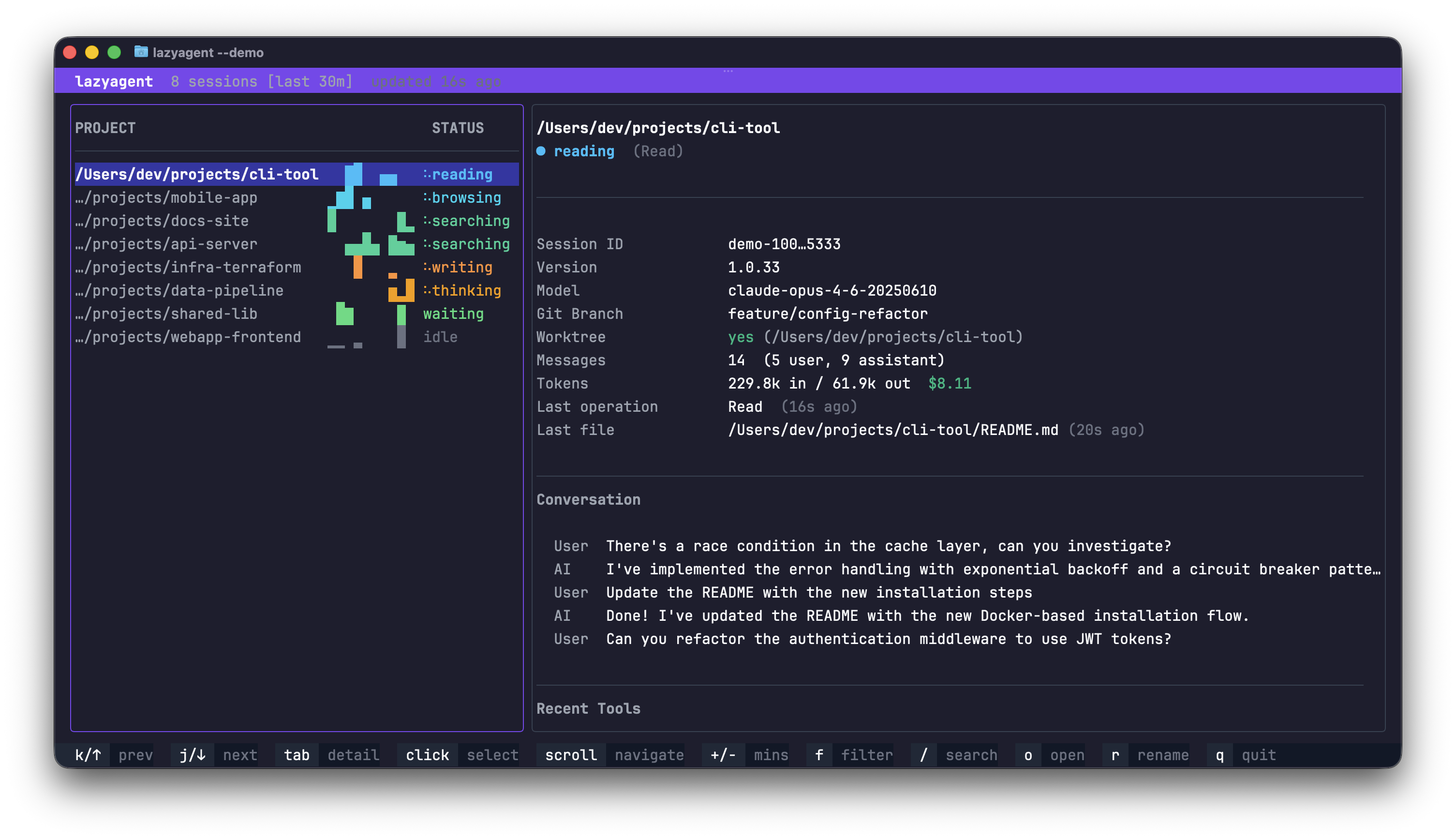
macOS Menu Bar App
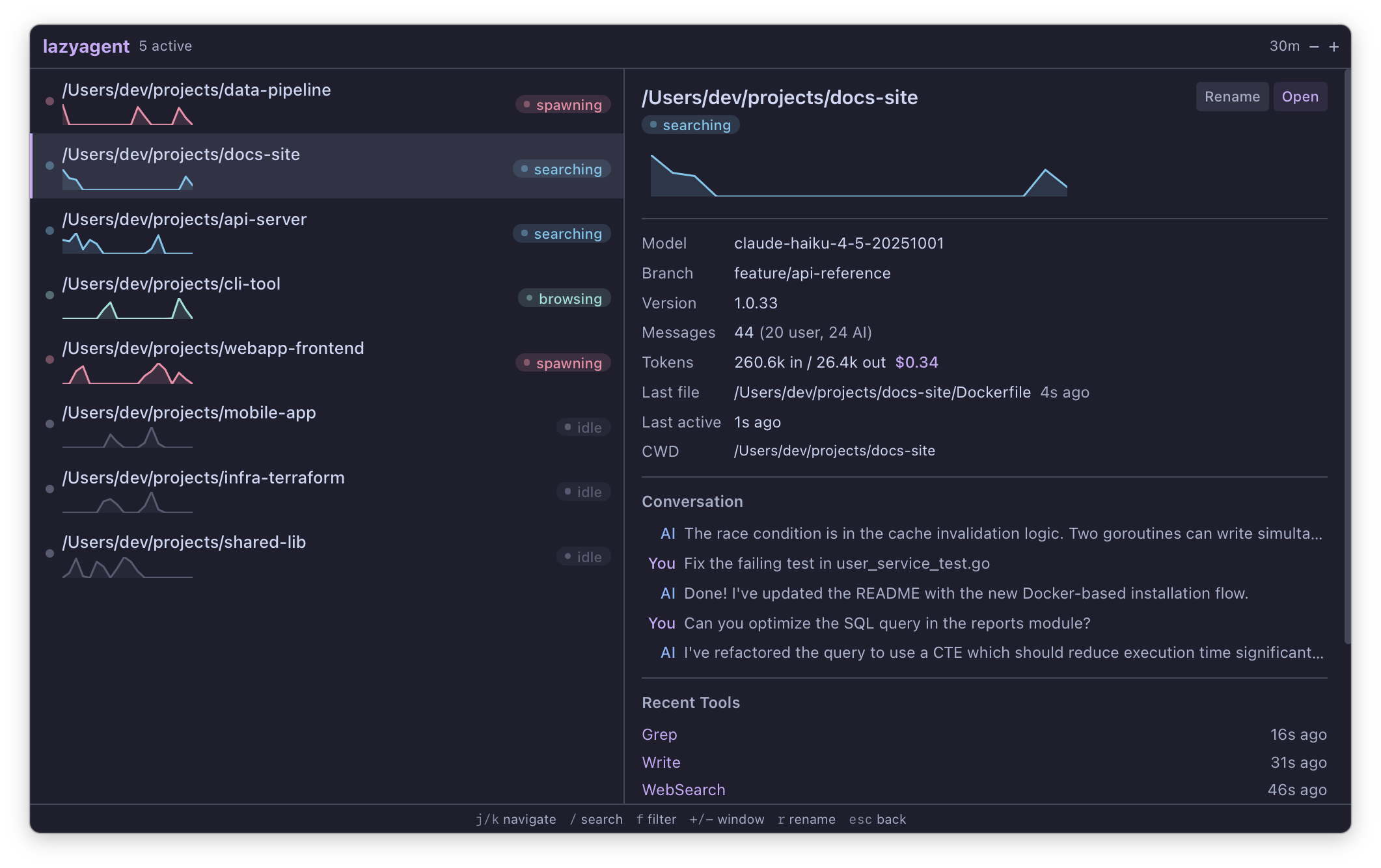
HTTP API
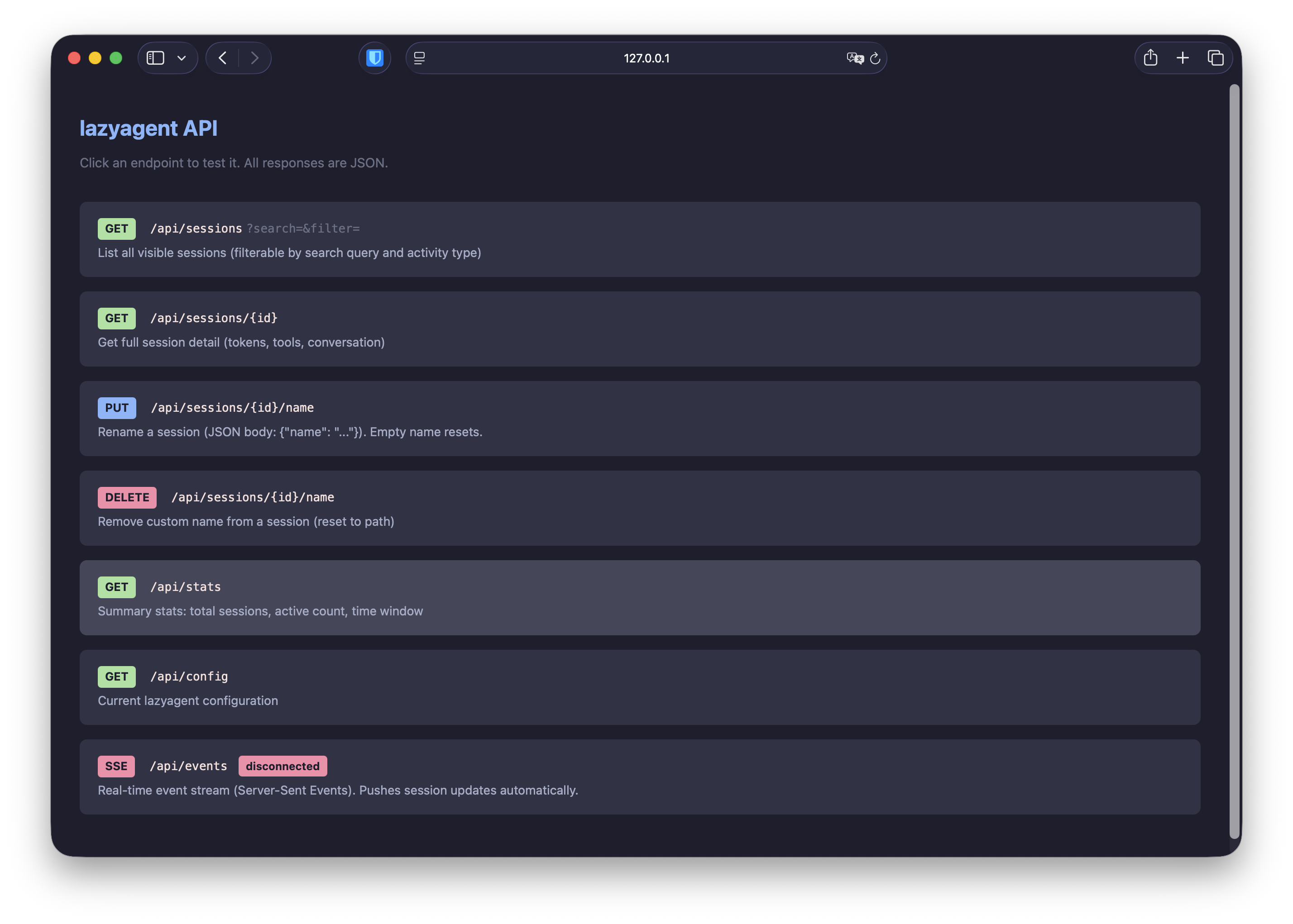
Install
Homebrew
brew install illegalstudio/tap/lazyagent
Go (TUI only)
go install github.com/illegalstudio/lazyagent@latest
Build from source
git clone https://github.com/illegalstudio/lazyagent
cd lazyagent

# TUI only (no Wails/Node.js needed)
make tui

# Full build with menu bar app (requires Node.js for frontend)
make install   # npm install (first time only)
make build
Launch
lazyagent                        Launch the terminal UI (monitors all agents)
lazyagent --agent claude         Monitor only Claude Code sessions
lazyagent --agent grok           Monitor only Grok CLI sessions
lazyagent --agent kimi           Monitor only Kimi Code CLI sessions
lazyagent --api                  Start the HTTP API (Bearer-token protected)
lazyagent --gui                  Launch the macOS menu bar app
lazyagent --tui --gui --api      Run everything together
lazyagent prune --days N         Delete chat sessions older than N days
lazyagent compact                Shrink chat files by truncating bulky payloads
lazyagent search "query"         Search chat transcripts with snippets
lazyagent limits                 Show 5h / weekly / monthly usage summary
lazyagent passphrase             Set or rotate the HTTP API passphrase
lazyagent --help                 Show full help
Documentation
Full documentation — supported agents, activity states, keybindings, configuration, the HTTP API, maintenance commands, and architecture — lives at:
- lazyagent.dev/docs — rendered website
docs/— Markdown sources in this repository, organized by topic:- Getting started — install, quickstart
- Concepts — how it works, supported agents, activity states, session info
- Interfaces — terminal UI, macOS GUI, HTTP API
- Maintenance —
prune,compact,search, andlimitscommands - Reference — configuration, architecture, development, roadmap
License
MIT