
Secbot — MCP Server de Testes de Segurança Autorizado
iammm0/secbot
Automação de testes de segurança com multi-agentes e terminal UI em TypeScript
Ver no GitHubSecbot é um servidor MCP em TypeScript que expõe um workspace de automação de segurança com orquestração multi-agente, ferramentas especializadas (web, rede, OSINT, defesa) e interface terminal interativa. Destinado a testes autorizados, pesquisa e educação em segurança, com suporte a modelos locais (Ollama) e cloud (DeepSeek, etc).
Instalação
npx convez-ai iammm0/secbot1 comando no terminal: detecta o formato do repositório (marketplace ou plugin avulso) e instala via Claude Code. Requer Node 18+ e o Claude Code instalado.
Métricas
Casos de uso
- Automação de pentest autorizado com orquestração de ferramentas de segurança
- Pesquisa e educação em segurança com ReAct agents e exploração de vulnerabilidades
- Testes de rede, OSINT e defesa em ambiente controlado via CLI ou API
Veredito

Ferramenta madura e bem arquitetada para automação de segurança em workflows autorizados. Excelente integração MCP + NestJS + Ink, com suporte robusto a multi-agentes e modelos locais/cloud; requer cuidado no uso e contexto de autorização explícita.
README
A tradução para o português deste README ainda está na fila.
@opensec/secbot (TypeScript) — v2.0.0-b2


Secbot is an AI-powered TypeScript security automation workspace with a NestJS backend and an Ink-based terminal UI.
Security notice: this package is for authorized security testing, research, and education only. Do not run scans or exploitation tasks against targets without explicit permission.
Product Lines
| Line | Branch | Releases | Notes |
|---|---|---|---|
| v2 TypeScript product | release | GitHub Releases (.tgz) | Current product line — NestJS + Ink TUI |
| v1 Python stack | pypi-release | v1.10.0+ | Legacy Python edition; maintained on pypi-release |
| Go experiment | pure-go | — | Demo / proof-of-concept only |
Why This Package
- End-to-end TypeScript architecture (
NestJS + Ink + SQLite). secbotbinary that starts terminal UI with local spawned backend by default.secbot-serverbinary for backend-only API scenarios.secbot-mcpbinary that exposes Secbot tools as a stdio MCP server.- Shared skills management across REST, TUI slash commands, CLI subcommands, and internal tools.
- Multi-agent orchestration with planning, tool execution, MCP bridging, and summarization.
- Built-in security tool modules for web, network, OSINT, defense, and reporting workflows.
Source-tree orchestration (contributors)
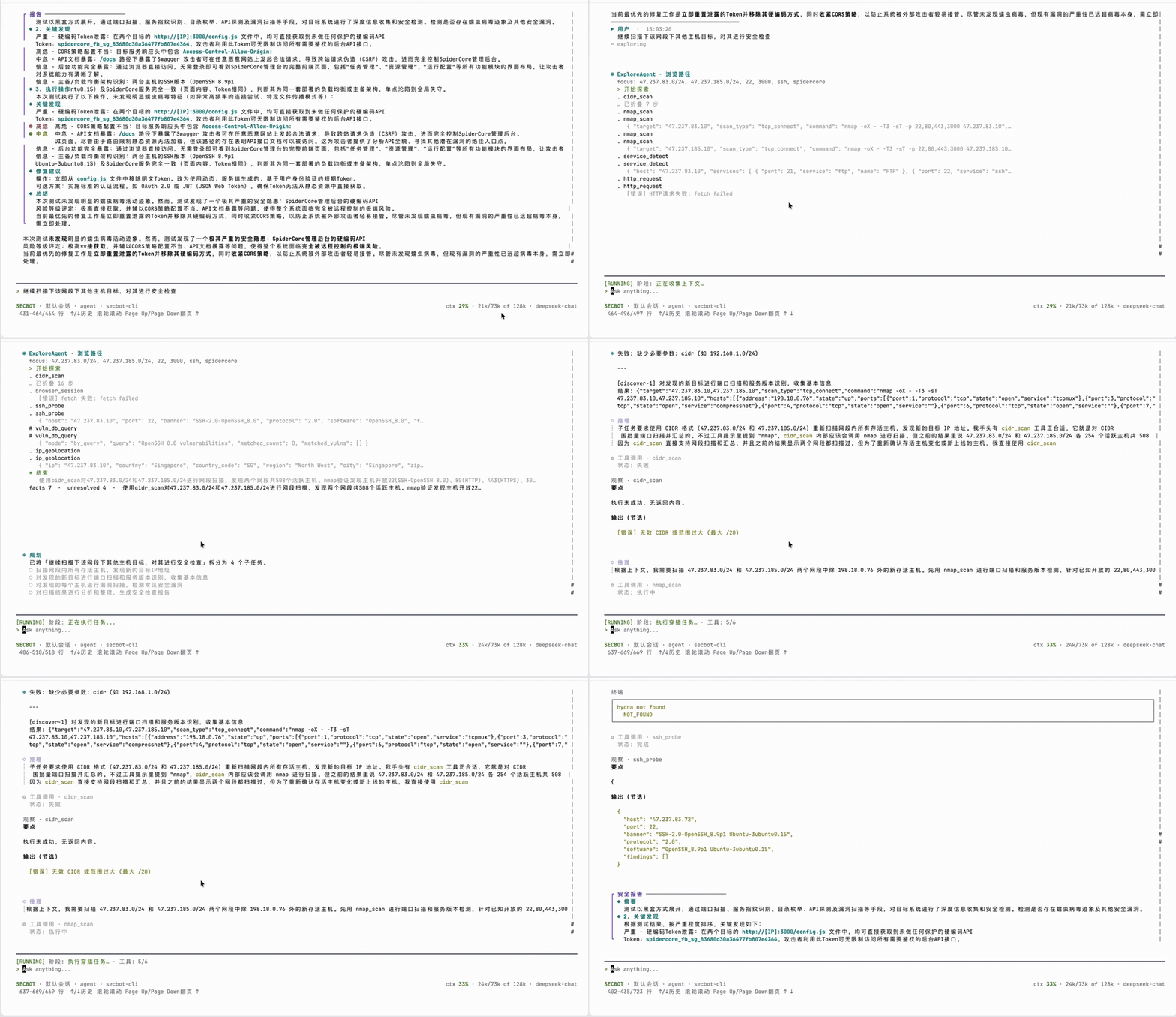
From the repository checkout, ChatService routes each turn through IntentRouter (single LLM classify), optionally ExploreAgent (ReAct with vuln_db_query / browser_session, no sensitive tools), then ContextAssemblerService + ContextStore under a per-model context budget. SSE events include intent_decision, explore_*, and context_usage for the TUI token meter. task_simple skips the planner; SummaryAgent runs only when needs_report is true. Contributor-oriented details live in CLAUDE.md; longer user docs: README_CN.md / README_EN.md.
Requirements
- Node.js
>= 24 - npm
>= 10(recommended) - Optional: Ollama for local model serving
Install
Download the latest .tgz from GitHub Releases (currently v2.0.0-b2), then:
Global install (recommended)
npm install -g ./opensec-secbot-2.0.0-b2.tgz
secbot
One-off run
npx ./opensec-secbot-2.0.0-b2.tgz
Quick Start
1. Configure environment variables
Create a .env file in your working directory:
# Cloud model backend (recommended)
LLM_PROVIDER=deepseek
DEEPSEEK_API_KEY=sk-your-api-key
DEEPSEEK_MODEL=deepseek-chat

# Optional local backend (Ollama)
# LLM_PROVIDER=ollama
# OLLAMA_BASE_URL=http://localhost:11434
# OLLAMA_MODEL=llama3.2

# Optional: explore iterations, context debug SSE, adaptive replan, NVD rate limits
# SECBOT_EXPLORE_MAX_ITERS=12
# SECBOT_CONTEXT_DEBUG=1
# SECBOT_ADAPTIVE_REPLAN=false
# NVD_API_KEY=your-nvd-key
2. Start full product mode (backend + TUI)
secbot
3. Start backend only (optional)
secbot-server
4. Start MCP server mode (optional)
secbot-mcp
Set SECBOT_MCP_ALLOW_SENSITIVE=true only when you intentionally want MCP clients to see sensitive tools.
5. Attach to an existing backend (optional)
# Recommended explicit service mode
SECBOT_TUI_BACKEND=service SECBOT_API_URL=http://127.0.0.1:8000 secbot

# Backward-compatible alias
SECBOT_TUI_BACKEND=remote SECBOT_API_URL=http://127.0.0.1:8000 secbot
Package Binaries
| Binary | Description |
|---|---|
secbot | Start terminal UI (default: spawn local backend; optional service mode) |
secbot-server | Start NestJS backend only |
secbot-mcp | Expose Secbot tools through stdio MCP |
Skills Management
Secbot now exposes one shared skills layer for product and automation surfaces.
TUI slash commands
/skills
/skill <name>
/create-skill <name> [--description ...] [--trigger ...] [--tag ...] [--prerequisite ...] [--author ...]
CLI subcommands
secbot skills list
secbot skills view <name>
secbot skills create <name> --description "..." --trigger recon --tag web
REST endpoints
GET  /api/skills
GET  /api/skills/:name
POST /api/skills
Created skills are scaffolded under skills/custom/<slug>/SKILL.md and can also be reached through the internal list_skills, get_skill, and create_skill tools.
MCP Integration
Secbot supports MCP in both directions.
Use Secbot as an MCP server
secbot-mcp
This exposes the current ToolsService catalog over stdio MCP. Sensitive tools stay hidden by default unless SECBOT_MCP_ALLOW_SENSITIVE=true is set.
Call external MCP servers from Secbot
Use the built-in mcp_call tool to connect to another stdio MCP server, list its tools, or invoke one of them from Secbot workflows.
Source Development
git clone https://github.com/iammm0/secbot.git
cd secbot
npm ci

# Backend dev
npm run dev

# Backend dev with file watching
npm run dev:watch

# TUI (in another terminal, default: spawn local backend)
npm run start:tui

# TUI service mode (connect existing backend only)
SECBOT_TUI_BACKEND=service SECBOT_API_URL=http://127.0.0.1:8000 npm run start:tui
Common npm scripts
| Script | Description |
|---|---|
npm run build | Build the NestJS backend |
npm run build:terminal-ui | Build the Ink terminal UI |
npm run build:web | Build the web frontend bundle |
npm run typecheck | Type-check server code |
npm run lint | Run ESLint |
npm run format:check | Check Prettier formatting |
npm test | Run tests |
npm run release:pack | Build and create npm package tarball |
npm run release:verify | Verify packaged npm release contents |
Documentation
- Wiki: GitHub Wiki · 源文件
docs/wiki/ - CLAUDE.md — contributor / AI coding agent guide (orchestration, SSE, env vars)
- Quickstart
- API Reference
- LLM Providers
- Ollama Setup
- UI Interaction Design
- Tool Extension
- Release Guide
- Security Warning
Links
- Releases: https://github.com/iammm0/secbot/releases
- Python v1 line: pypi-release branch
- Repository: https://github.com/iammm0/secbot
- Issues: https://github.com/iammm0/secbot/issues
License
This project is licensed under MIT. See LICENSE for details.