
Claude Branch Chat
iaevan/claude-branch-Chrome-extension
Ramifique conversas Claude em novas sessões com um clique
Ver no GitHubExtensão Chrome que permite ramificar conversas do Claude.ai em novas sessões com um clique. Captura o histórico até o ponto selecionado, copia como Markdown e auto-completa na nova aba, facilitando exploração de ideias paralelas sem perder contexto.
Instalação
npx convez-ai iaevan/claude-branch-Chrome-extension1 comando no terminal: detecta o formato do repositório (marketplace ou plugin avulso) e instala via Claude Code. Requer Node 18+ e o Claude Code instalado.
Métricas
Casos de uso
- Explorar variações de uma ideia mantendo o contexto original
- Iniciar novas linhas de investigação sem perder histórico
- Organizar conversas longas em múltiplas sessões temáticas
Veredito

Ferramenta simples e bem-executada para quem trabalha com múltiplas linhas de raciocínio no Claude. Ausência de rastreamento e processamento local são pontos positivos; limitação ao Chrome é uma desvantagem menor para a proposta.
README
A tradução para o português deste README ainda está na fila.



Claude Branch Chat 🌿
A lightweight Chrome Extension to "branch" your Claude.ai conversations. Seamlessly move context from one chat into a brand-new session with a single click.
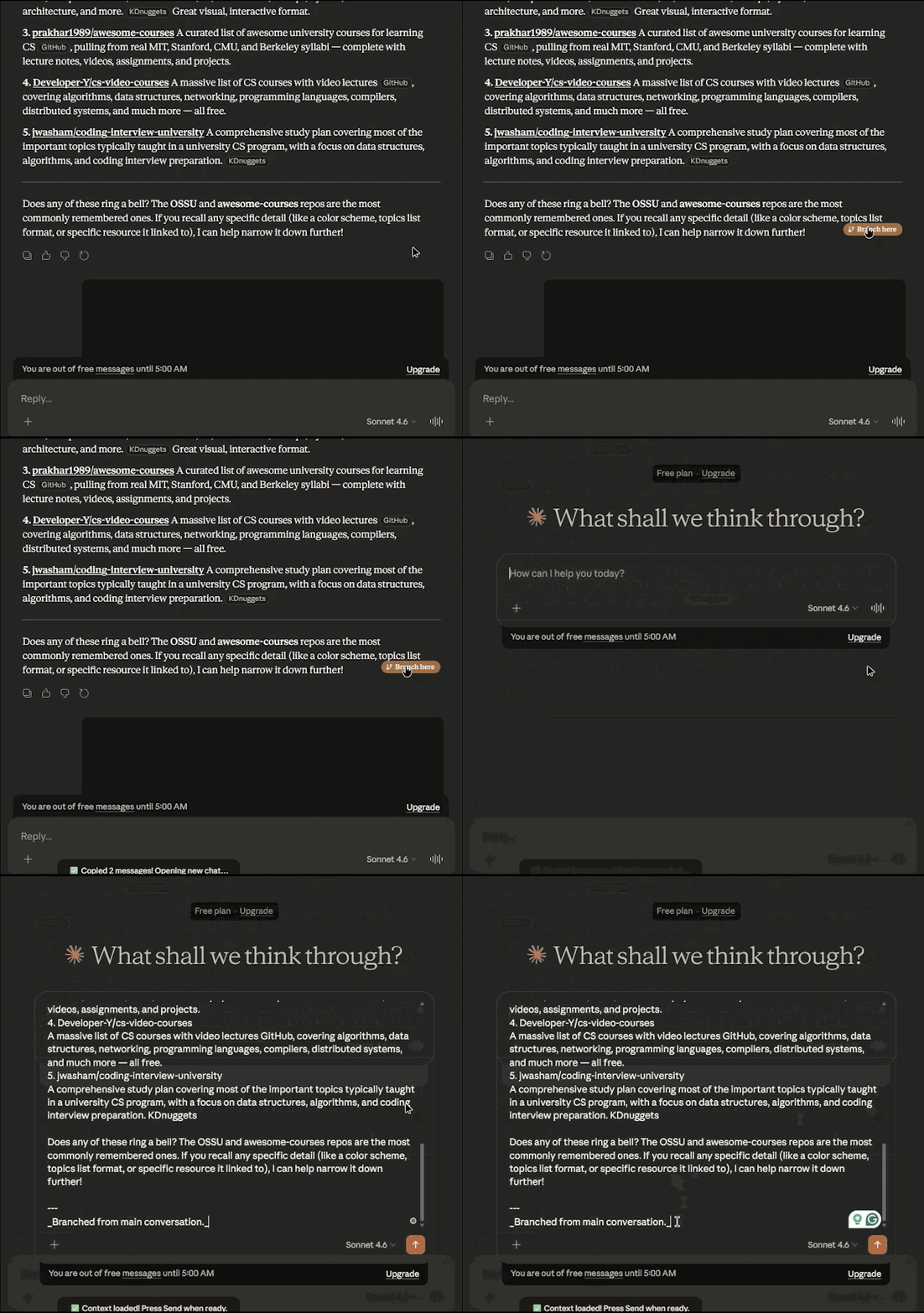
🚀 The Problem
Claude conversations can become "heavy" or off-track over time. Sometimes you want to take the current context but start a fresh "branch" to explore a new idea without losing the history.
✨ Features
- One-Click Branching: Injects a "Branch here" button into every Claude response.
- Automatic Context: Scrapes the conversation history up to your clicked point.
- Clipboard & Auto-Fill: Copies the history as clean Markdown and automatically pastes it into the new chat window.
- Clean UI: Minimalist design that matches the Claude interface.
🛠 Installation (Manual)
Since this is a developer tool, install it via Chrome's Developer Mode:
- Download/Clone this repository to your local machine.
- Open Chrome and navigate to
chrome://extensions/. - Enable "Developer mode" in the top right corner.
- Click "Load unpacked".
- Select the folder containing the extension files.
Quick Tip: To reload the extension after you've pulled new code, just go to chrome://extensions and click the Refresh icon (↻) on the Claude Branch Chat card.
📖 Usage
- Open any chat on claude.ai.
- Hover over a message to see the Branch here button.
- Click it. A new tab will open with your context pre-filled.
- Press Enter to start your new branch!
Disclaimer: This project is an independent tool and is not affiliated with, or endorsed by, Anthropic. All processing happens locally in your browser; no data is sent to external servers.