
Tianshe Client Open
haozing/tianshe
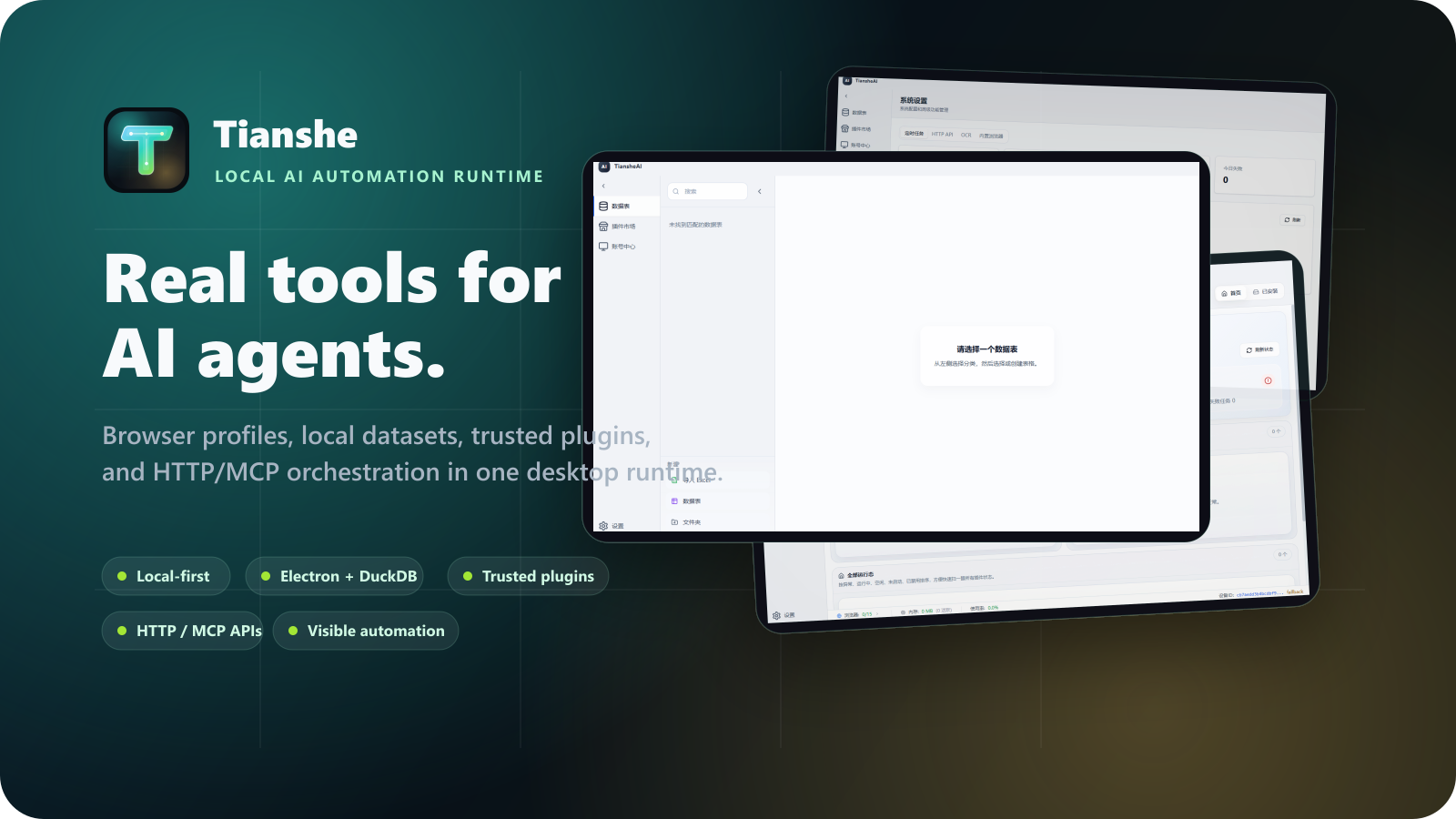
Runtime desktop para automação de navegadores e workflows de dados com IA
Ver no GitHubCliente desktop local-first construído em Electron para automação de navegadores, workflows de dados e execução de plugins confiáveis de primeira parte. Fornece aos agentes e desenvolvedores ferramentas reais e inspeção: perfis de navegador, datasets locais, armazenamento controlado por plugins e APIs de automação HTTP/MCP, mantendo dados privados na máquina do usuário.
Instalação
npx convez-ai haozing/tianshe1 comando no terminal: detecta o formato do repositório (marketplace ou plugin avulso) e instala via Claude Code. Requer Node 18+ e o Claude Code instalado.
Métricas
Casos de uso
- Automação de navegadores com perfis gerenciados e pools de browser
- Workflows de enriquecimento de dados com datasets locais
- Operações internas assistidas por navegador com agentes IA
- Desenvolvimento de plugins de primeira parte com armazenamento próprio
Veredito

Tianshe é uma base sólida para automação real e workflows de dados que precisam tocar navegadores, arquivos e tabelas locais. Seu modelo local-first e contratos de plugin revisados mantêm transparência e confiança, mas exige conhecimento técnico avançado para aproveitar totalmente.
README
A tradução para o português deste README ainda está na fila.
Tianshe Client Open





Tianshe Client Open is a local-first desktop runtime for AI-driven browser automation, data workflows, and trusted first-party JavaScript plugins.
It gives agents and developers real, inspectable tools: browser profiles, local datasets, plugin-owned storage, task orchestration, observability, and HTTP/MCP automation APIs, while keeping private data on the user's machine.
Tianshe is not a prompt wrapper. It is a desktop execution base for workflows that need to touch real browsers, real files, real local tables, and reviewed product plugins without turning the user's machine into a black box.
Status This repository is in active development. APIs and plugin contracts can still evolve before the first stable release.
Open edition boundary This repository contains the open local client core. Cloud login, cloud snapshots, cloud plugin catalogs, private server integrations, and private deployment endpoints are intentionally absent or represented only by inert compatibility stubs.
Preview
| Dataset workspace | Plugin runtime |
|---|---|
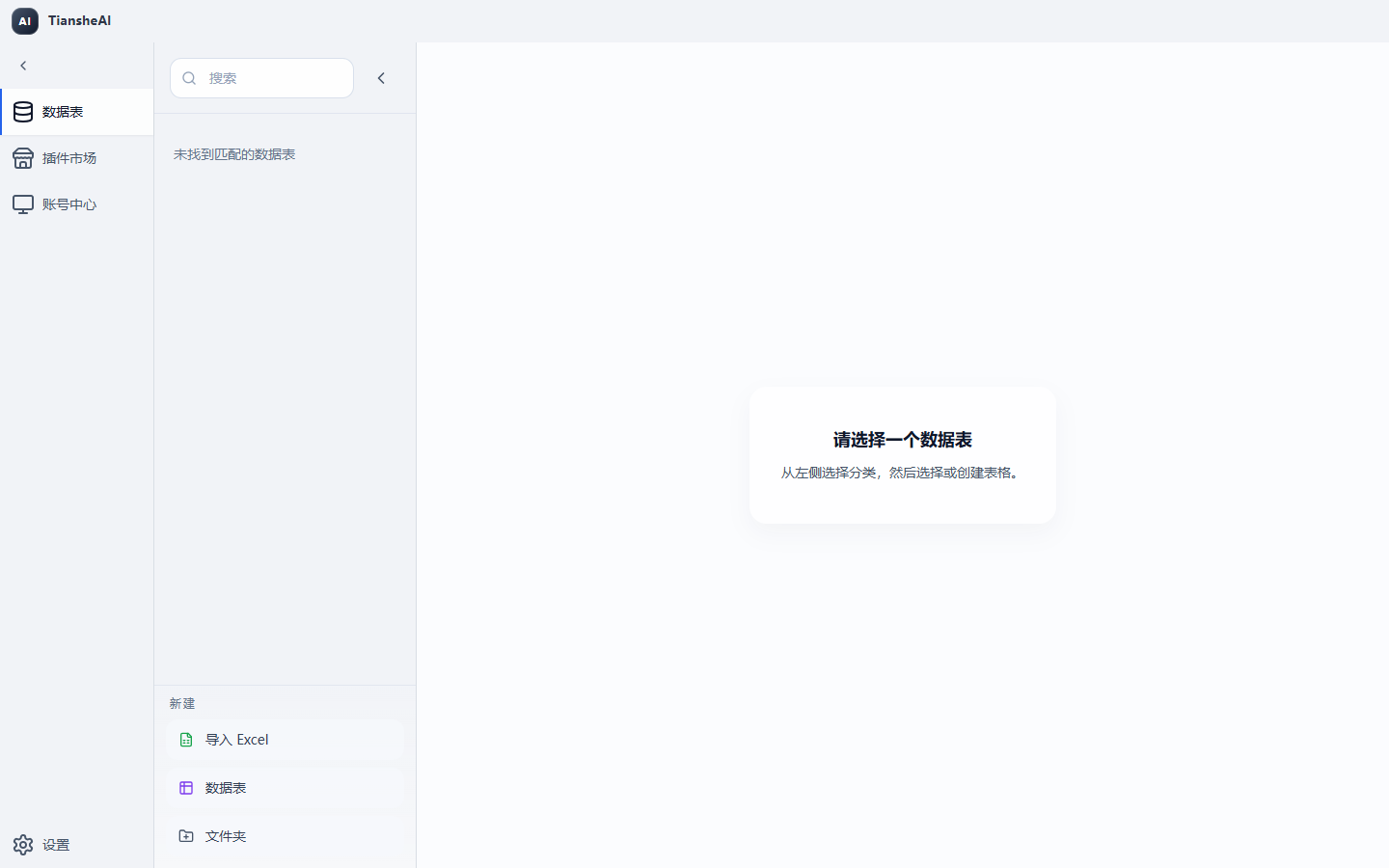 | 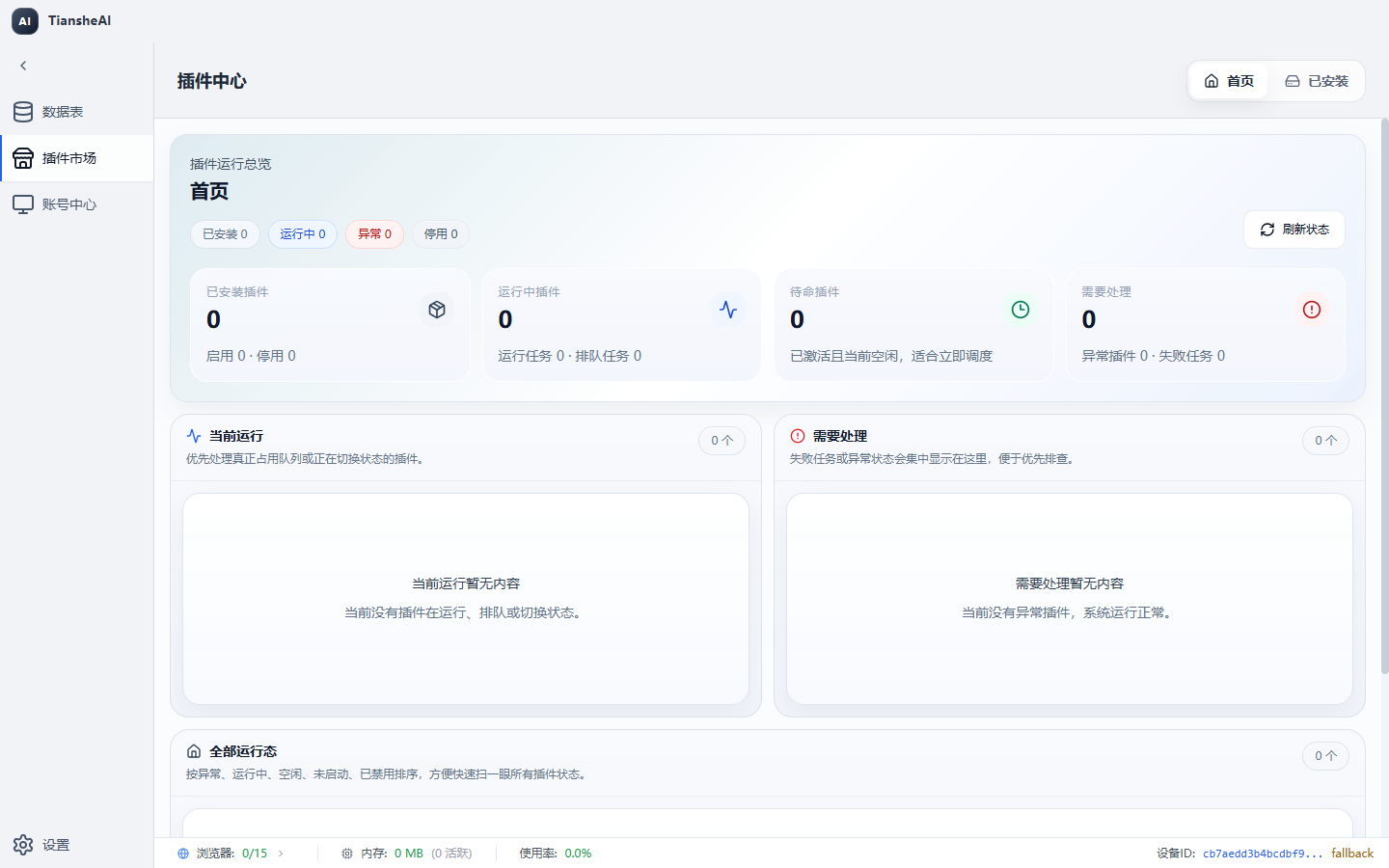 |
| Account center | Settings |
|---|---|
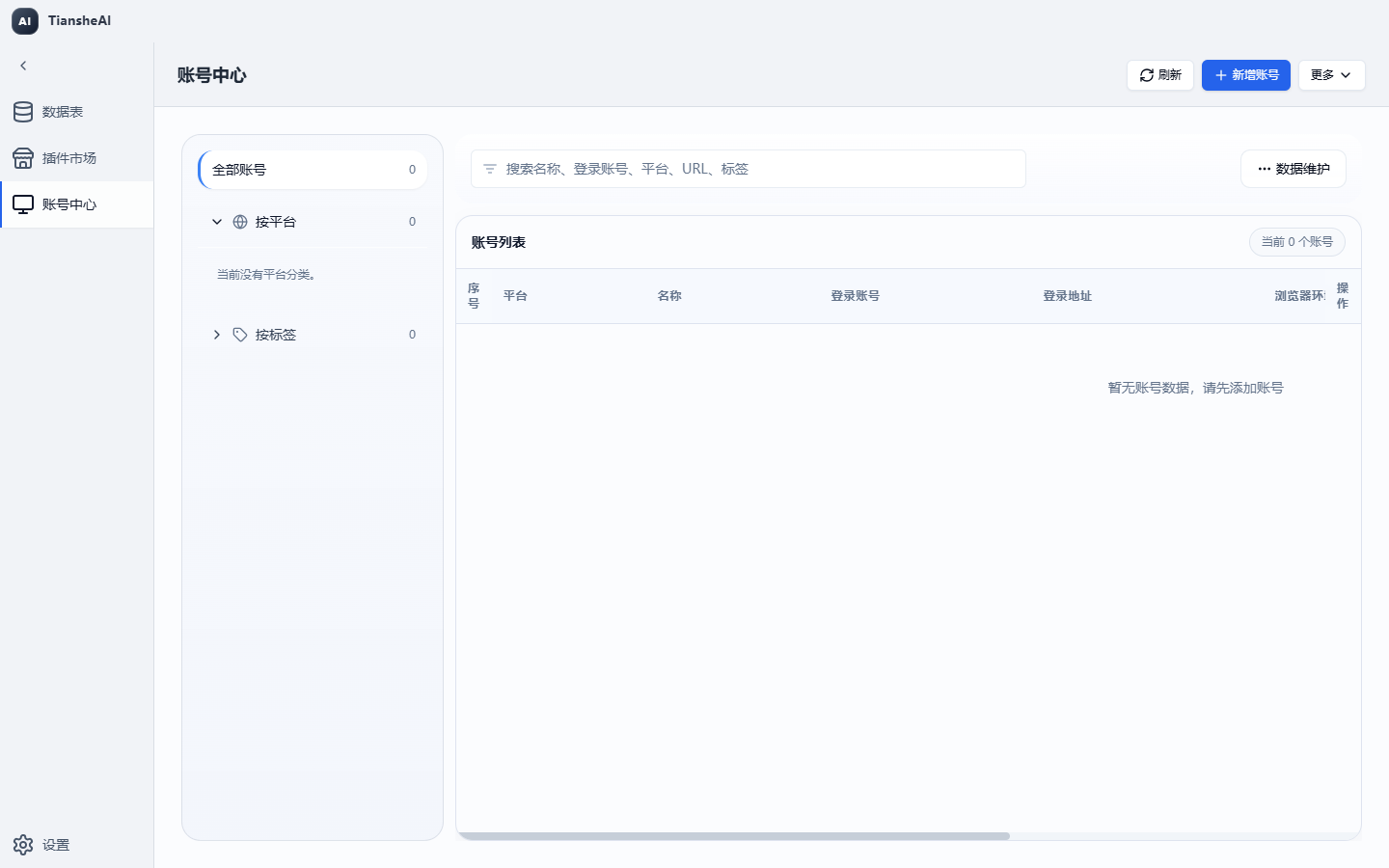 | 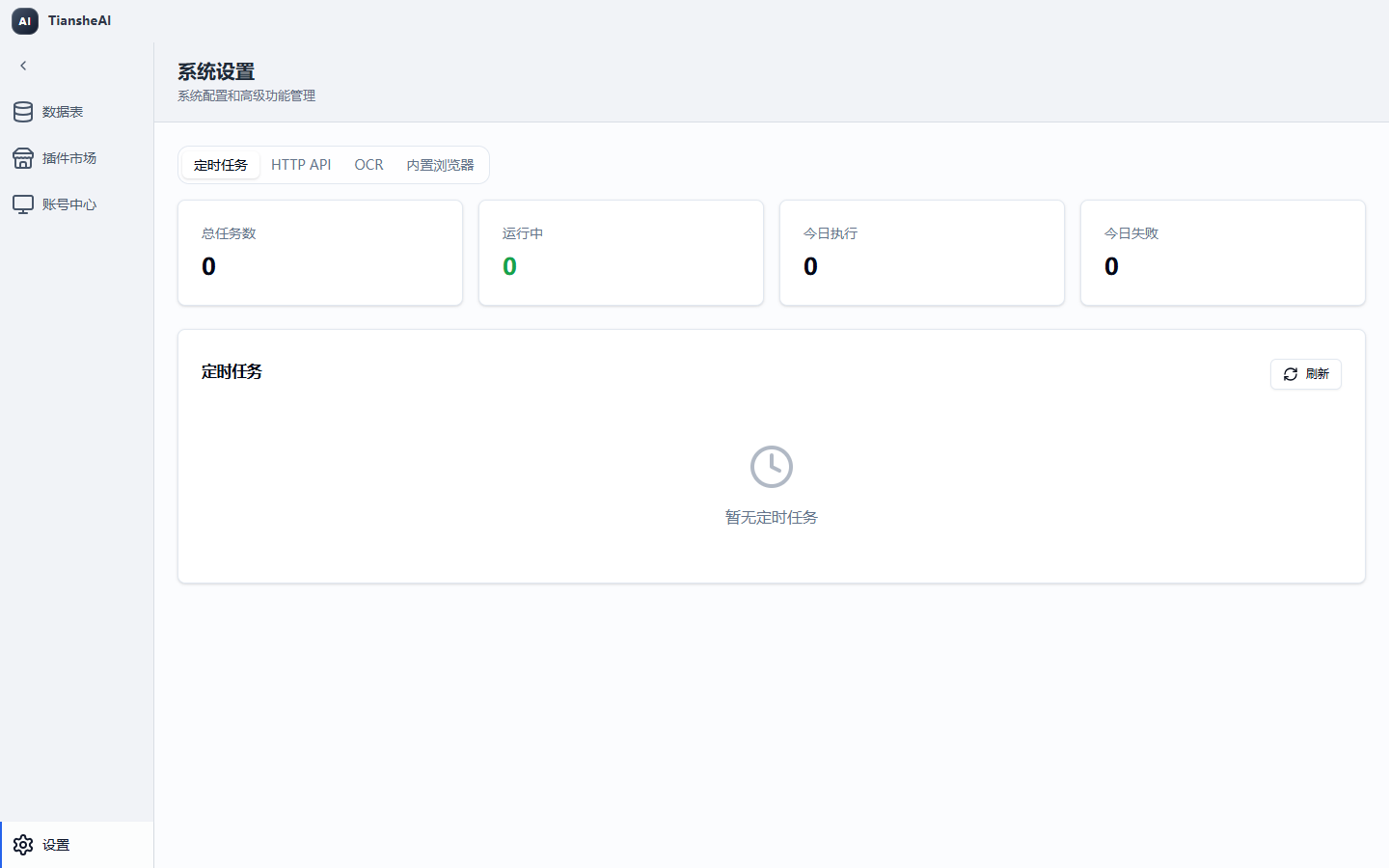 |
Philosophy
Tianshe is built around a few strong opinions:
- Local state should be a first-class product surface. Data tables, profiles, accounts, logs, and plugin state should be inspectable on the machine that runs the work.
- Automation should be visible, not magical. Browser actions, datasets, plugin tasks, failures, and traces belong in one workbench so developers can understand what happened.
- Plugins are product code. The current plugin model is for reviewed first-party extensions, not arbitrary third-party scripts. That tradeoff keeps the host powerful while keeping the trust boundary honest.
- AI agents need real tools, not just prompts. HTTP and MCP expose structured capabilities for browser automation, datasets, profiles, plugins, and diagnostics.
- The open core should stay clean. Private cloud behavior belongs downstream. The open repository should remain useful, testable, and releasable on its own.
If you are building internal automation, data enrichment, browser-assisted operations, or agent-driven workflows, Tianshe is meant to be the desktop foundation underneath that system.
What You Can Build
- A local data workspace for importing, querying, mutating, exporting, and organizing datasets.
- Browser automation workflows using managed profiles, account bindings, proxy settings, fingerprints, and browser pools.
- First-party plugins that add commands, UI, plugin-owned tables, storage, scheduled tasks, and helper-powered workflows.
- Local HTTP/MCP automation endpoints for agents, CLI tools, and orchestration clients.
- Debuggable desktop automation with logs, traces, failure bundles, startup diagnostics, and runtime health checks.
- Downstream private or cloud editions that consume the open client through a fixed release while keeping private behavior outside this repository.
Highlights
- Electron + React desktop shell with main-process services, a typed preload bridge, and Windows packaging.
- DuckDB local data layer for datasets, schemas, query templates, imports, exports, record mutation, folders, and metadata.
- Browser automation core for profiles, accounts, saved sites, tags, browser pool lifecycle, and multiple automation engines.
- Trusted JS plugin runtime for local first-party plugins with helper namespaces for database, UI, OCR, ONNX, OpenAI-compatible calls, profiles, storage, scheduling, webhooks, and more.
- Optional HTTP/MCP server exposing structured local capabilities for automation clients.
- Observability with structured logs, traces, recent failure search, failure bundles, and startup diagnostics.
- Guardrails for open-edition boundaries, supply-chain verification, SBOM generation, ZIP safety, IPC sender validation, and sensitive-value redaction.
Architecture
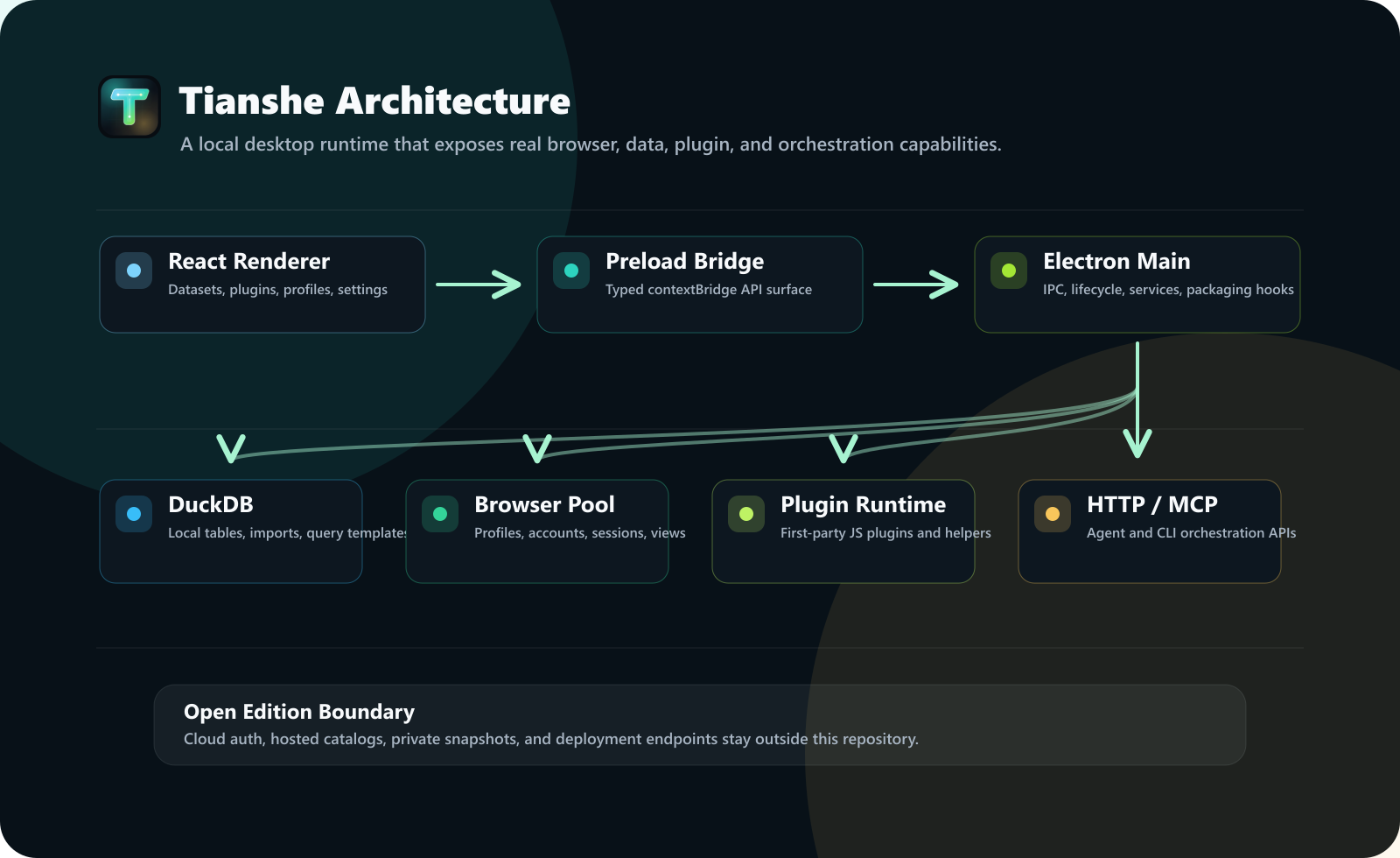
React Renderer
  - datasets, plugin market, account center, settings
  - Zustand stores and UI components
        |
        v
Electron Preload
  - contextBridge API
  - edition-aware public surface
        |
        v
Electron Main Process
  - IPC handlers, app lifecycle, windows, updater hooks
  - DuckDB services, browser pool, plugin runtime
  - HTTP/MCP server, scheduler, observability
        |
        +--> DuckDB local data and metadata
        +--> Browser engines: electron / extension / ruyi
        +--> First-party JavaScript plugins
        +--> Local REST and MCP orchestration clients
| Layer | Location | Responsibility |
|---|---|---|
| Main process | src/main/ | Electron lifecycle, IPC, DuckDB services, browser pool integration, HTTP/MCP server, packaging runtime hooks |
| Preload bridge | src/preload/ | Typed renderer-facing APIs exposed through contextBridge |
| Renderer UI | src/renderer/ | Datasets page, plugin market, account center, settings, app shell, stores, components |
| Core runtime | src/core/ | Browser automation, JS plugin runtime, query engine, OCR/image/ONNX/FFI helpers, observability, task queues |
| Edition boundary | src/edition/ | Open-edition capability selection and downstream extension points |
| Shared contracts | src/types/, src/shared/, src/constants/ | Types, runtime config, HTTP constants, shell config, public contracts |
| Tooling | scripts/ | Dev launch, build, package, tests, supply-chain checks, SBOM, open-source boundary verification |
Requirements
- Node.js 22 or newer
- npm
- Git
- Windows x64 for validated packaged builds
Source development may work on macOS and Linux when Electron and native dependencies are available, but the packaged runtime is currently validated on Windows x64.
This project uses native dependencies such as DuckDB, ONNX Runtime, Sharp, Koffi, HNSW, OCR, and Electron native modules. If installation fails, verify your Node version and native build toolchain.
Quick Start
git clone https://github.com/haozing/tianshe.git
cd tianshe
npm ci
npm run dev
npm run dev is an alias for npm run dev:open. It starts the Vite renderer, watches the Electron main process build, bundles preload entries, writes the main build stamp, and launches Electron when everything is ready.
To build and launch directly:
npm run build:open
npx electron .
Development
Main commands
npm run dev
npm run dev:open
npm run dev:renderer
npm run dev:main
npm run dev:electron
Use npm run dev for normal work. The split commands are useful when debugging one part of the app.
Isolated user data
Use a separate Electron user data directory when testing:
$env:TIANSHEAI_USER_DATA_DIR="C:\tmp\tianshe-dev"
npm run dev
Or pass the runtime flag directly:
npx electron . --airpa-user-data-dir="C:\tmp\tianshe-dev"
The airpa runtime flag names are kept for legacy local compatibility. New product-facing text should use the Tianshe name.
Enable HTTP and MCP during development
$env:AIRPA_ENABLE_HTTP="true"
$env:AIRPA_ENABLE_MCP="true"
$env:AIRPA_HTTP_PORT="39090"
npm run dev
For real Electron UI automation tests, AIRPA_E2E_CDP_PORT opens a Chrome DevTools Protocol port:
$env:AIRPA_E2E_CDP_PORT="49333"
npm run dev
Build and Package
npm run build:open
npm run package:open:dir
npm run package:open:portable
npm run package:open:win
| Command | Output |
|---|---|
npm run build:open | Builds renderer and main/preload output, then verifies the open-source boundary |
npm run package:open:dir | Creates an unpacked app directory for smoke testing |
npm run package:open:portable | Creates a portable Windows x64 package |
npm run package:open:win | Creates Windows package targets |
Open packages use:
- executable name:
tiansheai-open - app id:
com.tiansheai.client.open - product name:
tiansheai-open
This keeps open-edition user data, shortcuts, and installer identity separate from downstream private/cloud packages.
Runtime Data
The open edition uses an independent runtime identity and user data directory. During development, scripts/launch-electron.js resolves a user data directory for the open package. On Windows it is typically similar to:
%APPDATA%\@tianshe\client-open
Override it with:
$env:TIANSHEAI_USER_DATA_DIR="C:\path\to\user-data"
npm run dev
Startup diagnostics are written under the Electron user data directory, including:
startup-diagnostic.log
Shell Configuration
Place tianshe-shell.config.json beside the packaged executable to hide built-in shell pages without rebuilding. In development, the same file can be placed in the repository root.
{
  "pages": {
    "datasets": true,
    "marketplace": true,
    "accountCenter": true,
    "settings": true
  }
}
To run a plugin-only shell, hide all controlled built-in pages:
{
  "pages": {
    "datasets": false,
    "marketplace": false,
    "accountCenter": false,
    "settings": false
  }
}
When all controlled pages are hidden, the app opens the first enabled plugin that contributes an Activity Bar view.
Supported aliases include:
datasets,data,tablesmarketplace,pluginMarket,plugin_market,pluginsaccountCenter,account_center,accountssettings
Plugin Development
Tianshe Client Open supports local JavaScript plugins. The minimal example lives in:
examples/minimal-plugin/
A minimal manifest:
{
  "id": "minimal_plugin",
  "name": "Minimal Plugin",
  "version": "1.0.0",
  "author": "tiansheai",
  "description": "A minimal local plugin example for Tianshe Client Open.",
  "main": "index.js",
  "trustModel": "first_party",
  "permissions": ["database", "ui"]
}
A minimal entry point:
module.exports = {
  async activate(context) {
    context.helpers.ui.info('Minimal plugin activated');
  },
};
Plugin discovery
External plugins can be placed in plugins/ or js-plugins/ beside the packaged executable. In development, the same layouts are checked from the project root.
plugins/my-plugin/manifest.json
plugins/my-plugin/index.js

js-plugins/my-plugin/manifest.json
js-plugins/my-plugin/index.js

plugins/my-plugin.tsai
plugins/my-plugin.zip
Plugin trust model
Plugins are trusted first-party host application code. They are not sandboxed third-party extensions.
Production plugin manifests must declare:
{
  "trustModel": "first_party"
}
Do not install unreviewed third-party plugin packages. A third-party plugin ecosystem would require a separate isolation, signing, and capability model before those plugins can be safely supported.
Plugin helpers
Plugin helper namespaces are documented in:
docs/plugin-helpers-reference.md
Representative namespaces include:
helpers.account
helpers.database
helpers.ocr
helpers.onnx
helpers.openai
helpers.profile
helpers.savedSite
helpers.scheduler
helpers.storage
helpers.taskQueue
helpers.ui
helpers.webhook
helpers.window
Plugin-facing types are available in:
src/types/js-plugin.d.ts
Runtime implementation lives under:
src/core/js-plugin/
HTTP API and MCP Orchestration
The optional local HTTP server can expose health checks, REST orchestration, and an MCP endpoint for compatible clients.
Enable it from the desktop UI:
Settings -> HTTP API
Or enable it from the command line:
npm run build:open
npx electron . --airpa-enable-http --airpa-enable-mcp --airpa-http-port=39090
Default local address:
http://127.0.0.1:39090
Important routes:
GET    /health
GET    /api/v1/orchestration/capabilities
GET    /api/v1/orchestration/metrics
POST   /api/v1/orchestration/sessions
POST   /api/v1/orchestration/invoke
DELETE /api/v1/orchestration/sessions/:sessionId
POST   /mcp
DELETE /mcp
Representative public capabilities:
| Area | Capabilities |
|---|---|
| Session | session_list, session_prepare, session_get_current, session_close, session_end_current, session_close_profile |
| Browser | browser_observe, browser_snapshot, browser_search, browser_wait_for, browser_act, browser_debug_state |
| Profile | profile_list, profile_get, profile_resolve, profile_start_session, profile_create, profile_update, profile_delete |
| Dataset | dataset_list, dataset_get_info, dataset_query, dataset_import_file, dataset_create_empty, dataset_rename, dataset_delete |
| Plugin | plugin_list, plugin_get_runtime_status, plugin_install, plugin_reload, plugin_uninstall |
| Observation | observation_get_trace_summary, observation_get_failure_bundle, observation_get_trace_timeline, observation_search_recent_failures |
| System | system_bootstrap, system_get_health |
HTTP token authentication can be configured in Settings. When enabled, callers must send:
Authorization: Bearer <token>
/health is intentionally available for health checks.
Security Model
- First-party plugin trust model: plugins are powerful reviewed host-code extensions.
- Open edition capability surface: cloud features are disabled in
src/edition/open. - Preload isolation: renderer code reaches privileged APIs only through the typed
contextBridgesurface. - IPC sender validation: privileged handlers can verify calls originate from trusted renderer windows.
- ZIP safety: plugin archives are checked for path traversal, entry count, size, and compression-ratio abuse.
- Sensitive-value redaction: tokens, cookies, passwords, API keys, secrets, credentials, and session-like fields are redacted in logs and diagnostics.
- HTTP auth support: local orchestration routes can require Bearer tokens.
- Open-source boundary checks: scripts prevent accidental inclusion of private cloud paths, private server markers, generated output, or private deployment details.
- Supply-chain checks: dependency source policy and reviewed exceptions are verified by script.
See:
SECURITY.md
Open Source Boundary
The open edition may include small compatibility stubs so shared UI and type contracts can compile. These stubs must not contain:
- real cloud endpoints;
- private server paths;
- private deployment hostnames;
- real cloud auth/session flows;
- cloud snapshot or cloud catalog implementations;
- private admin routes.
Run:
npm run verify:open-source-boundary
Boundary rules live in:
scripts/open-source-manifest.json
scripts/open-source-boundary.js
The generic sync gateway in src/main/sync/sync-gateway.ts is an open protocol contract, not a private cloud implementation. See:
docs/open-sync-contract.md
Repository Structure
.
|-- assets/                 desktop assets
|-- build/                  electron-builder resources
|-- docs/                   open-edition documentation
|-- examples/
|   `-- minimal-plugin/     minimal first-party plugin example
|-- scripts/                build, launch, package, verification, SBOM
|-- src/
|   |-- constants/          runtime and shared constants
|   |-- core/               automation, plugin runtime, AI/dev, OCR, ONNX, FFI, observability
|   |-- edition/            open/downstream edition boundary
|   |-- main/               Electron main process, IPC, DuckDB, HTTP/MCP
|   |-- preload/            secure renderer bridge
|   |-- renderer/           React renderer application
|   |-- shared/             shared shell configuration contracts
|   |-- types/              TypeScript contracts
|   `-- utils/              shared utilities
|-- electron-builder.yml
|-- package.json
|-- tsconfig.json
|-- tsconfig.main.json
|-- vite.config.ts
`-- vitest.config.ts
Available Scripts
| Script | Purpose |
|---|---|
npm run dev | Alias for npm run dev:open |
npm run dev:open | Run the open edition development app |
npm run dev:renderer | Start Vite renderer dev server |
npm run dev:main | Watch-build Electron main/preload TypeScript |
npm run dev:electron | Launch Electron against built main and renderer dev server |
npm run build | Build renderer and main process |
npm run build:open | Build open edition and verify open-source boundary |
npm run package:open | Alias for portable open package |
npm run package:open:dir | Build unpacked app directory for smoke testing |
npm run package:open:portable | Build portable Windows x64 package |
npm run package:open:win | Build Windows package targets |
npm run test | Alias for open-edition tests |
npm run test:open | Run focused open-edition tests |
npm run test:open:full | Run full open-edition Vitest suite |
npm run test:architecture | Run architecture guardrail tests |
npm run test:main-bootstrap | Run focused main runtime/bootstrap tests |
npm run test:browser-pool | Run focused browser pool tests |
npm run test:dataset-ipc | Run focused dataset IPC and store tests |
npm run typecheck | Type-check TypeScript without emitting files |
npm run lint | Run ESLint |
npm run format:check | Check Prettier formatting |
npm run verify:supply-chain | Verify dependency source policy |
npm run verify:open-source-boundary | Verify open-edition boundary |
npm run sbom | Generate SBOM |
npm run verify:ci | Run the full CI verification pipeline |
Testing and Verification
Focused checks:
npm run typecheck
npm run test:open
npm run verify:open-source-boundary
Full open test suite:
npm run test:open:full
Full CI-style verification:
npm run verify:ci
For real desktop smoke testing:
npm run build:open
npm run package:open:dir
Then launch the unpacked app from release-build/.
Troubleshooting
Missing Electron main build at dist/main/index.js
Build first:
npm run build:open
npx electron .
Development app does not launch
Use the coordinated command:
npm run dev
Then check startup-diagnostic.log under the Electron user data directory.
Port 39090 is already in use
Use another port:
npx electron . --airpa-enable-http --airpa-enable-mcp --airpa-http-port=39091
Plugin install fails with a trust model error
Add this only after the plugin has been reviewed as trusted first-party code:
{
  "trustModel": "first_party"
}
Plugin archive import fails
Ensure the archive contains either root-level manifest.json or a single nested directory containing manifest.json, and that it does not exceed ZIP safety limits.
Native dependency installation fails
Use Node.js 22 and install the platform build tools required by native Node modules. A clean npm ci is often the simplest reset.
Packaged app opens a blank window
Check:
startup-diagnostic.log;- whether
dist/mainanddist/rendererwere built bynpm run build:open; - whether native modules were packaged and unpacked correctly.
Contributing
Contributions are welcome when they preserve the open-edition boundary and first-party plugin trust model.
Before opening a pull request:
npm run verify:ci
Contribution rules:
- Fix core desktop, local data, browser automation, and plugin runtime issues in the open repository first.
- Keep cloud auth, cloud snapshots, cloud catalogs, private ACL, and private server behavior outside this repository.
- Do not add private endpoints, private deployment hostnames, or private server imports.
- Do not add third-party plugin execution paths without a dedicated isolation, signing, and capability design.
- Update docs and tests when changing public APIs, plugin helpers, runtime flags, or packaging behavior.
See also:
ROADMAP.md
CONTRIBUTING.md
SECURITY.md
CHANGELOG.md
Release Discipline
Open releases should use SemVer.
Downstream private/cloud editions should consume this open client through a fixed version, tag, or tarball. Avoid floating dependency ranges for production releases.
Recommended flow:
- Land core client changes in this open repository.
- Run
npm run verify:ci. - Tag or publish the open version.
- Update downstream editions to the exact open version.
- Run downstream CI before release.
License
This project is licensed under the MIT License. See LICENSE for details.