
Claude Release Radar
gdorta/claude-release-radar
Briefing personalizado de novidades do Claude — apenas o que mudou para você
Ver no GitHubMCP server que monitora lançamentos do Claude e entrega um briefing personalizado mostrando apenas o que é novo desde sua última verificação, adaptado ao seu ambiente específico (modelos, skills, plugins, MCP servers). Reduz a necessidade de verificar múltiplas fontes mantendo você atualizado com mudanças relevantes.
Instalação
npx convez-ai gdorta/claude-release-radar1 comando no terminal: detecta o formato do repositório (marketplace ou plugin avulso) e instala via Claude Code. Requer Node 18+ e o Claude Code instalado.
Métricas
Casos de uso
- Manter-se atualizado com lançamentos de modelos Claude e mudanças de API
- Rastrear atualizações de Claude Code e identificar quais afetam seu setup
- Obter comandos prontos para testar novas funcionalidades do ecossistema Claude
Veredito

Ferramenta bem executada para quem trabalha intensamente com Claude — elimina ruído informacional ao rastrear apenas mudanças relevantes ao seu ambiente pessoal. Implementação stateful (state.json) é sólida; zero dependências e código aberto tornam a manutenção previsível.
README
A tradução para o português deste README ainda está na fila.
🛰️ Claude Release Radar
Personalized "what's new in Claude" — only what changed since you last checked, only what matters for your setup.


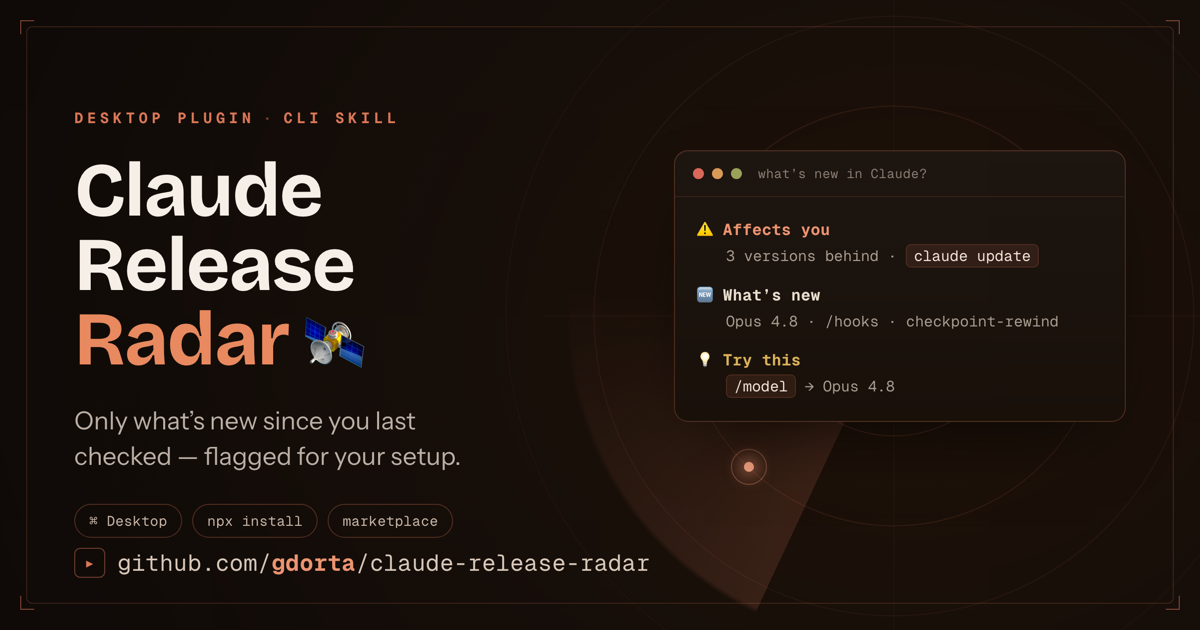
Anthropic ships fast: new models, API changes, near-weekly Claude Code releases. Staying current means checking five pages and remembering what you already saw. This skill collapses that into one ask — "what's new in Claude?" — and answers with a briefing that shows only what's new since you last checked, flags the releases that actually affect your environment, and gives you the exact command to try them.
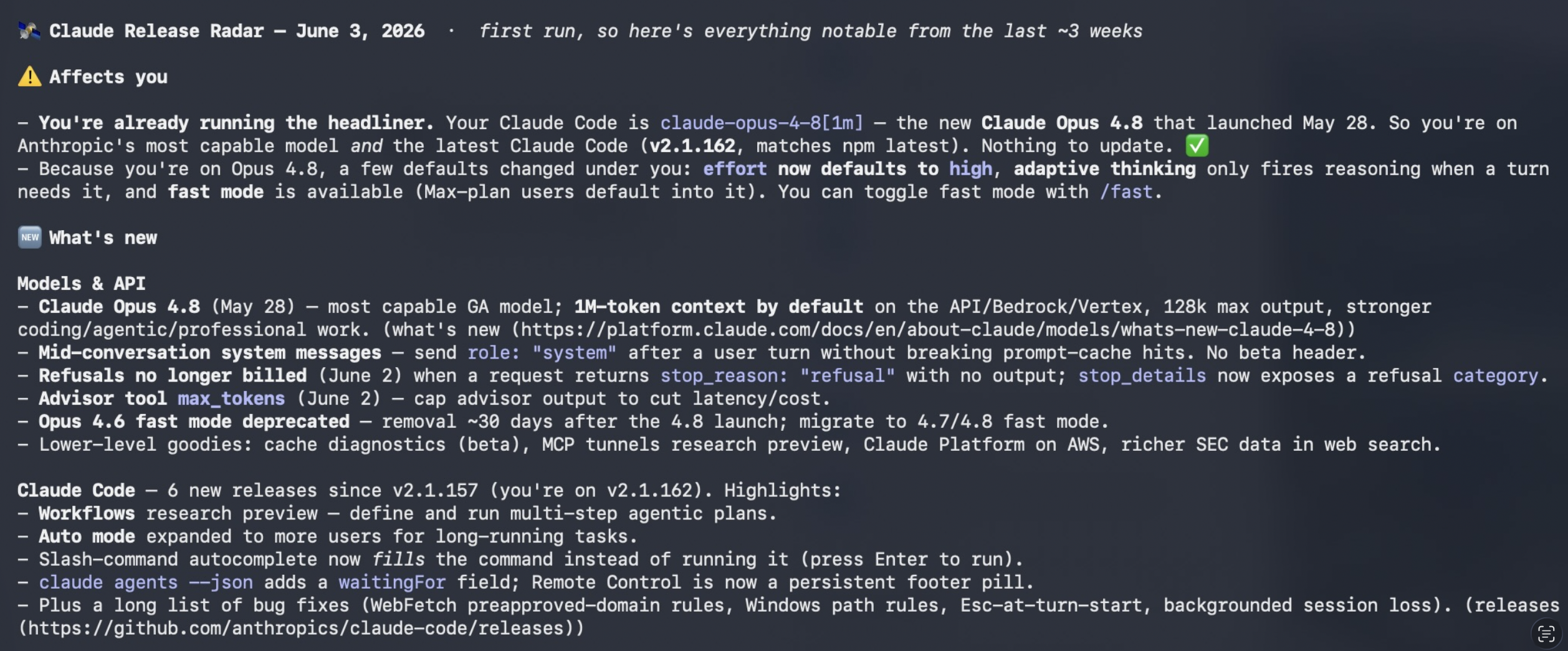
Here's a real briefing — your version gap up top, then what's new grouped by surface, then exactly what to try:
Install
🖥️ Claude Desktop

Click the button. Claude opens with the install command queued — hit Enter, then run /plugin install claude-release-radar. You're on auto-updates from then on.
macOS and Windows. Requires Claude Desktop. If nothing happens when you click, use drag-and-drop ↓
- Download
claude-release-radar.plugin. - Drag it into a Claude chat — don't double-click it.
- Click Install.
⌨️ Claude Code (terminal)
npx claude-release-radar install
🛠 Manual
git clone https://github.com/gdorta/claude-release-radar.git \
  ~/.claude/skills/claude-release-radar
Standalone (no Claude needed)
The Python engine runs on its own:
python3 scripts/radar.py check          # render the briefing
python3 scripts/radar.py check --commit # render AND mark seen
After any install, ask Claude "what's new in Claude?" — the skill triggers automatically.
Why it works
Most changelog tools are dumb feed readers. This one is stateful and personalized:
- Only what's new. Diffs every run against
state.json. A trustworthy radar is quiet when the sky is clear. - Tailored to you. Inspects your installed CLI version, skills, plugins, and MCP servers (read-only, names only) and flags the releases that touch your setup.
- Action, not just news. Every item comes with the exact command to try the new thing.
- Multi-surface. Tracks Claude Code (npm + GitHub releases + CHANGELOG), Models & API, and the Claude apps — in one call.
- Zero dependencies. Pure Python stdlib + Markdown.
How it works
┌─────────────── sources.json ───────────────┐
│ npm version · GitHub releases · CHANGELOG  │  ← parsed deterministically
│ API notes · Anthropic news · app updates   │  ← summarized by the skill
└────────────────────────────────────────────┘
                      │
            scripts/radar.py
                      │
fetch ─► diff vs state.json ─► detect your env ─► personalize ─► briefing
Structured feeds (npm, Atom/RSS, Markdown changelog) are parsed deterministically by the engine. Narrative pages (model launches, API notes, app updates) have no clean feed, so the engine hands them to Claude to fetch and summarize — only entries newer than your last check. State lives at ~/.claude/claude-release-radar/state.json.
Commands
python3 scripts/radar.py check          # aggregate + diff + personalize + render
python3 scripts/radar.py check --json   # same, as a machine-readable object
python3 scripts/radar.py since 2026-05-01  # catch up from a date without updating state
python3 scripts/radar.py env            # show what it detected about your setup
python3 scripts/radar.py sources        # list configured sources
python3 scripts/radar.py mark-seen      # commit current items as a baseline
No network? Fetch the feeds yourself and point the engine at them:
python3 scripts/radar.py check --input ./fetched/
Recurring digest
Get updates pushed to you instead of asking. The skill can set up a daily or weekly scheduled task in the Claude desktop app, or you can wire up cron / a GitHub Action that posts to Slack or email. Ready-to-paste recipes in reference/scheduling.md.
Customize what you track
Edit scripts/sources.json — toggle enabled, or add your own feed (npm · atom/rss · markdown-changelog · agent). Two extras ship disabled: the docs "Claude Code release notes" page and the ClaudeLog YouTube channel. Full guide: reference/sources.md.
Privacy
Environment detection is read-only and records names only — your skills, plugins, and MCP server names. It never reads MCP credentials or any secret values. State stores seen-item ids, a timestamp, and the last CLI version. Nothing leaves your machine unless you wire up a Slack/email step.
Project layout
claude-release-radar/
├── .claude-plugin/
│   ├── plugin.json              # Claude Desktop manifest
│   └── marketplace.json         # so /plugin marketplace add works
├── SKILL.md                     # how Claude uses the skill (canonical)
├── scripts/
│   ├── radar.py                 # the engine — stdlib only
│   └── sources.json             # the source registry
├── reference/
│   ├── sources.md               # every source + how to add your own
│   └── scheduling.md            # cron / GitHub Action / scheduled-task recipes
├── skills/claude-release-radar/ # auto-synced mirror for the Desktop plugin
├── tools/
│   ├── sync-skill.sh            # refresh the mirror from canonical files
│   └── build-plugin.sh          # zip the .plugin
├── bin/cli.js                   # `npx claude-release-radar install`
└── examples/sample_briefing.md  # example output
Root files (SKILL.md, scripts/, reference/) are canonical. skills/claude-release-radar/ is an auto-generated mirror — never edit it directly; run npm run sync (or bash tools/sync-skill.sh) after touching a canonical file. CI fails any PR where the two drift.
Credits
Inspired by the ClaudeLog YouTube channel — "every Claude Code update, explained in under 3 minutes." This project automates the "never miss an update" part and adds the personalization layer.
A community project. Not affiliated with or endorsed by Anthropic. "Claude" is a trademark of Anthropic; this tool reads Anthropic's public release sources.
License
MIT. PRs welcome — especially new sources and parsers. Curious where it's headed? See the roadmap.
Built this because I kept finding out about Claude features weeks late. If it saves you the same, ⭐ the repo.
— Gabe