
Code Runner MCP Server
formulahendry/mcp-server-code-runner
Execute código em 40+ linguagens direto do Claude e veja os resultados
Ver no GitHubServidor MCP que executa trechos de código em múltiplas linguagens de programação e retorna os resultados. Suporta mais de 40 linguagens incluindo JavaScript, Python, Go, Rust, PHP, Ruby e muitas outras, funcionando via npx ou Docker.
Instalação
npx convez-ai formulahendry/mcp-server-code-runner1 comando no terminal: detecta o formato do repositório (marketplace ou plugin avulso) e instala via Claude Code. Requer Node 18+ e o Claude Code instalado.
Métricas
Casos de uso
- Testar snippets de código durante desenvolvimento
- Validar lógica de algoritmos rapidamente
- Prototipar e experimentar com diferentes linguagens
- Executar scripts utilitários em tempo real
Veredito

Ferramenta prática e bem mantida para executar código direto no contexto do Claude, com suporte abrangente a linguagens. Ideal para desenvolvimento iterativo e prototipagem rápida, embora a execução remota de código sempre exija cautela com segurança.
README
A tradução para o português deste README ainda está na fila.
Code Runner MCP Server


MCP Server for running code snippet and show the result.
It supports running multiple programming languages: JavaScript, PHP, Python, Perl, Perl 6, Ruby, Go, Lua, Groovy, PowerShell, BAT/CMD, BASH/SH, F# Script, C# Script, VBScript, TypeScript, CoffeeScript, Scala, Swift, Julia, Crystal, OCaml Script, R, AppleScript, Elixir, Clojure, Racket, Scheme, AutoHotkey, AutoIt, Kotlin Script, Dart, Haskell, Ni, Lisp, Kit, V, SCSS, Sass. Full list could be seen here in constants.ts.
Setup
npx for VS Code
Install the Code Runner MCP server in VS Code using below buttons:


Alternatively, you can add configuration in settings.json:
{
  "mcp": {
    "inputs": [],
    "servers": {
      "mcp-server-code-runner": {
        "command": "npx",
        "args": [
          "-y",
          "mcp-server-code-runner@latest"
        ],
      }
    }
  }
}
npx for Claude Desktop
Configuration in claude_desktop_config.json:
{
  "mcpServers": {
    "mcp-server-code-runner": {
      "command": "npx",
      "args": [
        "-y",
        "mcp-server-code-runner@latest"
      ],
    }
  }
}
Docker
Use VS Code as example. Install the Code Runner MCP server in VS Code using below buttons:


Alternatively, you can add configuration in settings.json:
{
  "mcp": {
    "inputs": [],
    "servers": {
      "mcp-server-code-runner": {
        "command": "docker",
        "args": [
          "run",
          "--rm",
          "-i",
          "formulahendry/mcp-server-code-runner"
        ]
      }
    }
  }
}
npx issue on Widnows
On Windows, MCP servers may fail to connect with npx.
You could try below two workarounds:
use bunx
- Install Bun.
- In configuration, change
npxwithbunx.
use cmd
Below is VS Code configuration in settings.json:
{
  "mcp": {
    "inputs": [],
    "servers": {
      "mcp-server-code-runner": {
        "command": "cmd",
        "args": [
          "/c",
          "npx",
          "-y",
          "mcp-server-code-runner@latest"
        ],
      }
    }
  }
}
Run with Streamable HTTP Transport
npm install -g mcp-server-code-runner@latest
mcp-server-code-runner --transport http
Usage
Before using Code Runner MCP Server, please make sure interpreter or compiler of the programming language you want to run is set in PATH environment variable.
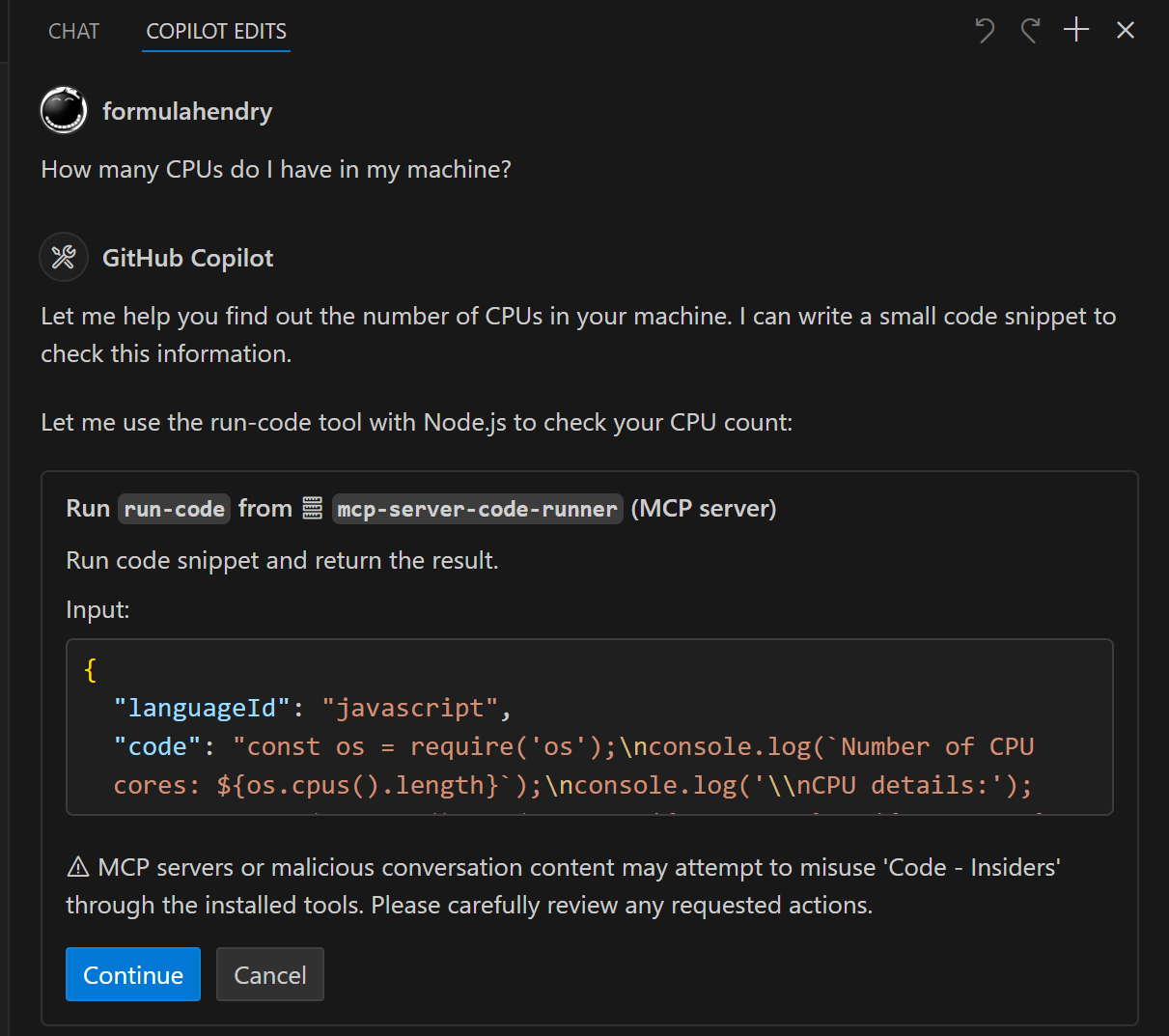
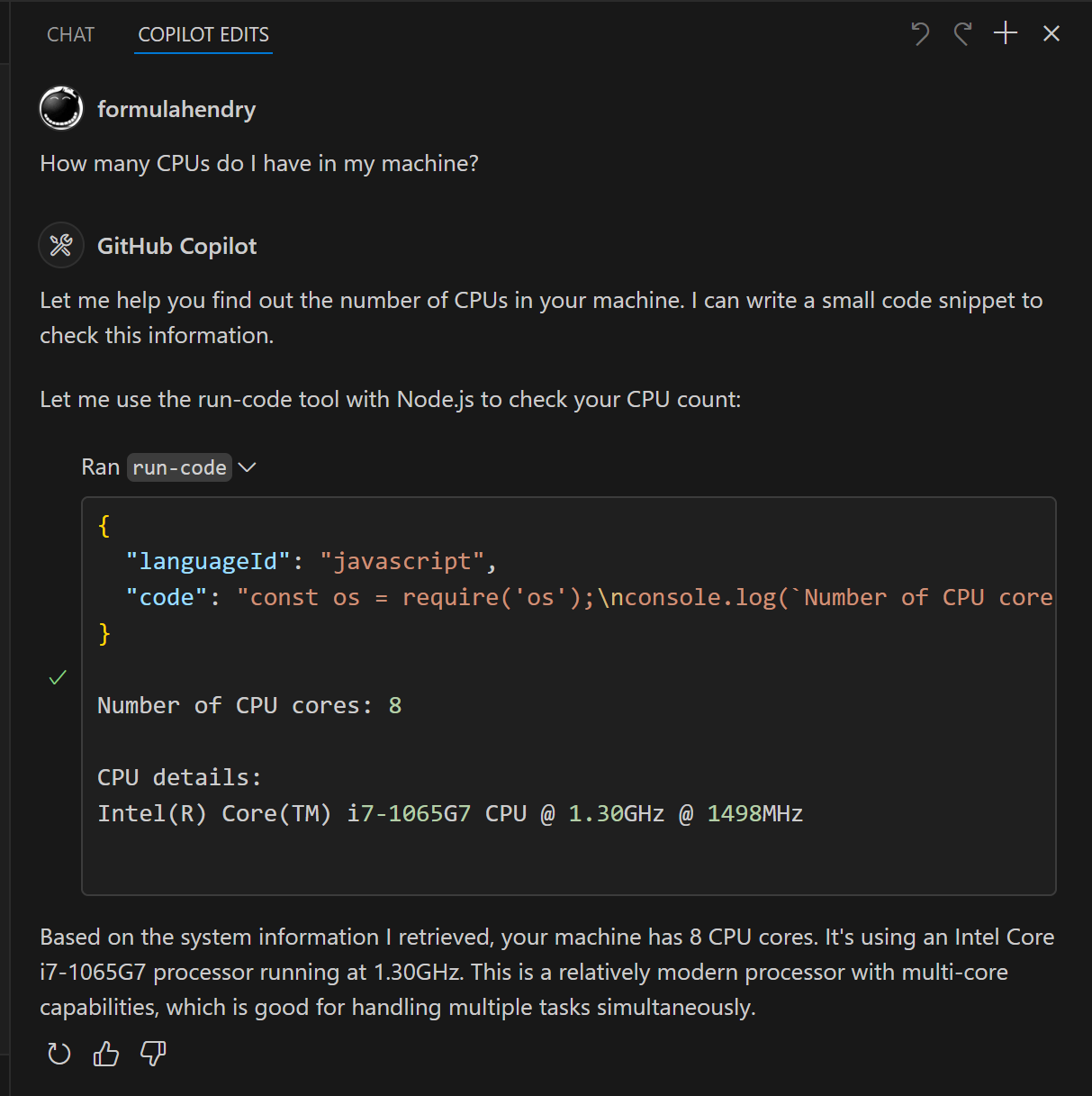
Try below prompts in the application which has configured Code Runner MCP Server:
Run the JavaScript Code: console.log(5+6)Where is temporary folder in my OS? Use run-code toolHow many CPUs do I have in my machine? Use run-code tool
Build your own MCP Server
Want to build your own MCP Server? Try Yeoman Generator for MCP Server to create your MCP Server project!