
Claudius
filipegarcia/claudius
UI completa para Claude Code com agents, MCP e workflows locais
Ver no GitHubMCP server que oferece uma interface real e funcional para Claude Code, rodando localmente no seu computador. Suporta chat, workflows, sub-agents, MCP, skills, hooks, agendamento e mais — tudo persistido localmente sem lock-in cloud. Hackável: você pode codificar features diretamente no workspace.
Instalação
npx convez-ai filipegarcia/claudius1 comando no terminal: detecta o formato do repositório (marketplace ou plugin avulso) e instala via Claude Code. Requer Node 18+ e o Claude Code instalado.
Métricas
Casos de uso
- Usar Claude Code com interface visual profissional e controle local
- Criar e gerenciar sub-agents especializados (revisor, planejador, debugger)
- Automatizar tarefas agendadas com cron (verificar deploy, abrir tickets)
- Estender funcionalidades via plugins MCP e skills reutilizáveis
- Rastrear custos e uso de tokens antes da fatura chegar
Veredito

Claudius é um projeto sólido e ambicioso que transforma Claude Code em uma plataforma multi-agent local-first com UX profissional. Ideal para quem quer ir além do chat simples mantendo total controle dos dados e customizações.
README
A tradução para o português deste README ainda está na fila.
Claudius
Claudius gives Claude Code a real UI. Built on the Claude Agent SDK.
Chat, workflows, agents, MCP, and all the rest, in the browser and desktop. It even reshapes itself: code the feature your workflow is missing directly into your workspace. Runs on your machine. Your sessions stay yours.
Claudius is an independent, open-source project and is not affiliated with, sponsored by, or endorsed by Anthropic, PBC. See TRADEMARKS.md.
🌐 claudius.network — overview, screenshots, install command.
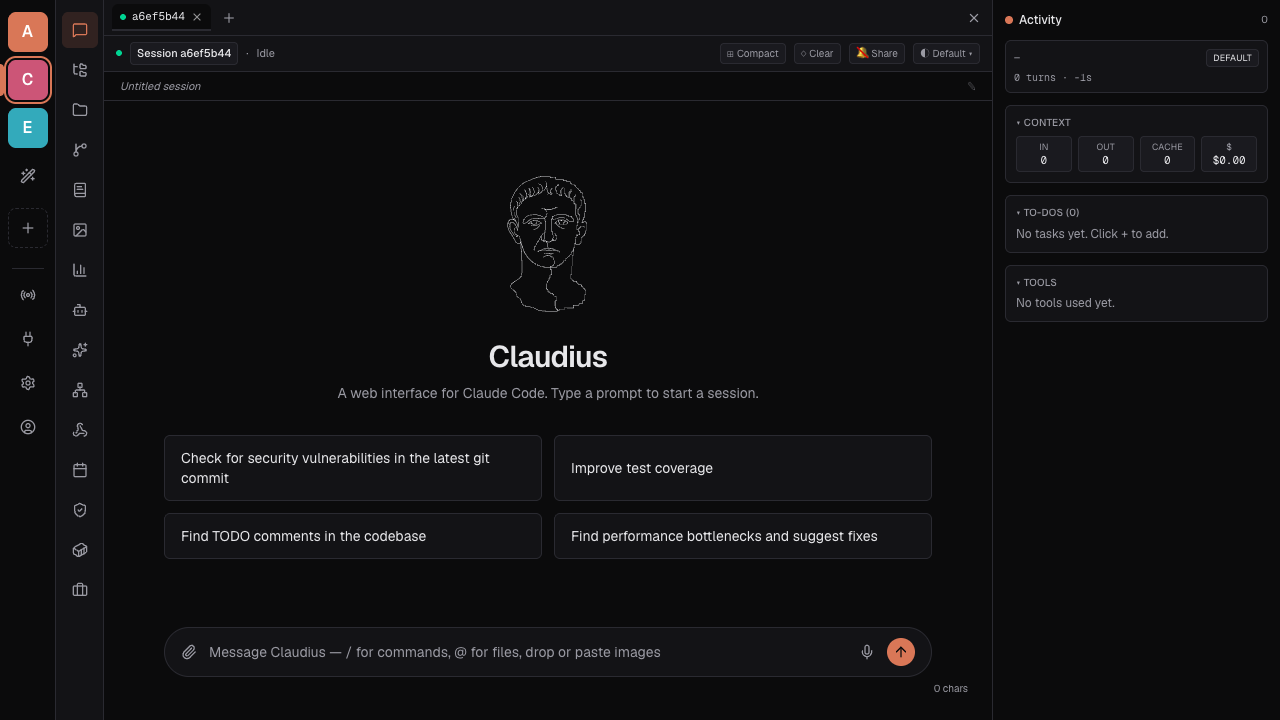
What's inside
- Chat — streaming responses, tool calls, permission prompts, todos banner,
AskUserQuestionforms, interrupt. - Workspaces — switch project context without losing sessions, schedules, or MCP config. Each workspace has its own SQLite store.
- Sub-agents — define specialists (reviewer, planner, debugger) with their own system prompts, models, and tool sets. Launch them from chat.
- MCP & plugins — first-class Model Context Protocol support and a plugin system for extending the agent's tool surface. Install community plugins from any marketplace.
- Skills — short, opinionated playbooks Claude calls up when the moment is right. Write once, reuse forever.
- Hooks — run commands at any lifecycle event: pre-tool, post-tool, session start, stop. Per-workspace.
- Schedule — cron-driven agent runs. Wake up at 9am, check the deploy, file a ticket — without you there.
- Cost & usage — per-session, per-model, per-day spend. See where the tokens go before the bill arrives.
- Git & files — in-app file browser and git operations: stage, diff, commit, with AI-drafted commit messages.
- Memory — persistent notes Claude can read and update across sessions.
- Community — a shared room for everyone running Claudius. Bring your own server; institutions can self-host and point Claudius at it.
- Local-first — sessions, schedules, assets persisted on your machine. No cloud lock-in, no SaaS account required.
Install
One curl, then you're chatting:
curl -fsSL https://claudius.network/install | bash
The script clones into ~/claudius, runs bun install, drops a claudius launcher into ~/.local/bin, and starts the dev server. Re-running pulls the latest commit on main. Requires git; Bun auto-installs if missing.
Flags (after --):
curl -fsSL https://claudius.network/install | bash -s -- \
  --prefix=$HOME/code/claudius \
  --branch=main \
  --no-start
| Flag | Default | What it does |
|---|---|---|
--prefix=DIR | ~/claudius | Install destination |
--branch=BRANCH | main | Git branch |
--bin-dir=DIR | ~/.local/bin | Where the claudius launcher lands |
--no-install | — | Clone only, skip bun install |
--no-start | — | Don't auto-start the dev server |
Prefer to read it first? curl -o setup.sh … then less setup.sh && bash setup.sh. Or skip the script and clone yourself:
git clone https://github.com/filipegarcia/claudius.git
cd claudius
bun install
bun run dev      # http://localhost:3000
Run
After install, just type claudius from any shell — it starts the dev server and opens your browser.
For something you want kept running between shell sessions, use the Make targets. They wrap bin/claudiusd, a small PID-file daemon — no PM2, no systemd, no Docker. Both modes auto-run bun run build the first time.
| Target | Mode | Behaviour |
|---|---|---|
make run | Foreground | Logs stream to terminal; Ctrl-C stops it. |
make up | Background | Detached, logs append to .claudius/logs/claudius.log. Survives shell exit. |
make down | — | Stop. SIGTERM, SIGKILL fallback after 10s. |
make restart | — | down then up. |
make status | — | Pid, port, last 10 log lines. |
make logs | — | tail -F the log file. |
Both bind to 127.0.0.1:3000 by default — Claudius drives the SDK with filesystem and tool access, so LAN exposure is opt-in:
PORT=8080 make up                  # different port, still loopback
HOST=0.0.0.0 PORT=8080 make up     # reachable from your LAN (be careful)
To make the override stick, drop it in .env.local:
PORT=8080
HOST=127.0.0.1
Runtime state lives in ./.claudius/ (gitignored): PID file and logs/claudius.log.
Sandboxing. Want the agent's Bash, edits, dev servers, and MCP calls boxed in? Run Claudius inside a container, devcontainer, or VM — the SDK spawns claude as a local subprocess, so keep Claudius and Claude in the same box, mount your workspace, and expose only :3000.
Using Claudius
Bring your own key
Claudius does not ship with Anthropic credentials and the maintainers do not relay traffic through any shared account. You supply credentials yourself:
- an Anthropic API key,
- an Anthropic OAuth session (via Claude Code), or
- a provider such as Amazon Bedrock or Google Vertex AI.
When using Anthropic's API you are bound by their Commercial Terms, Usage Policy, and Privacy Policy.
Workspaces
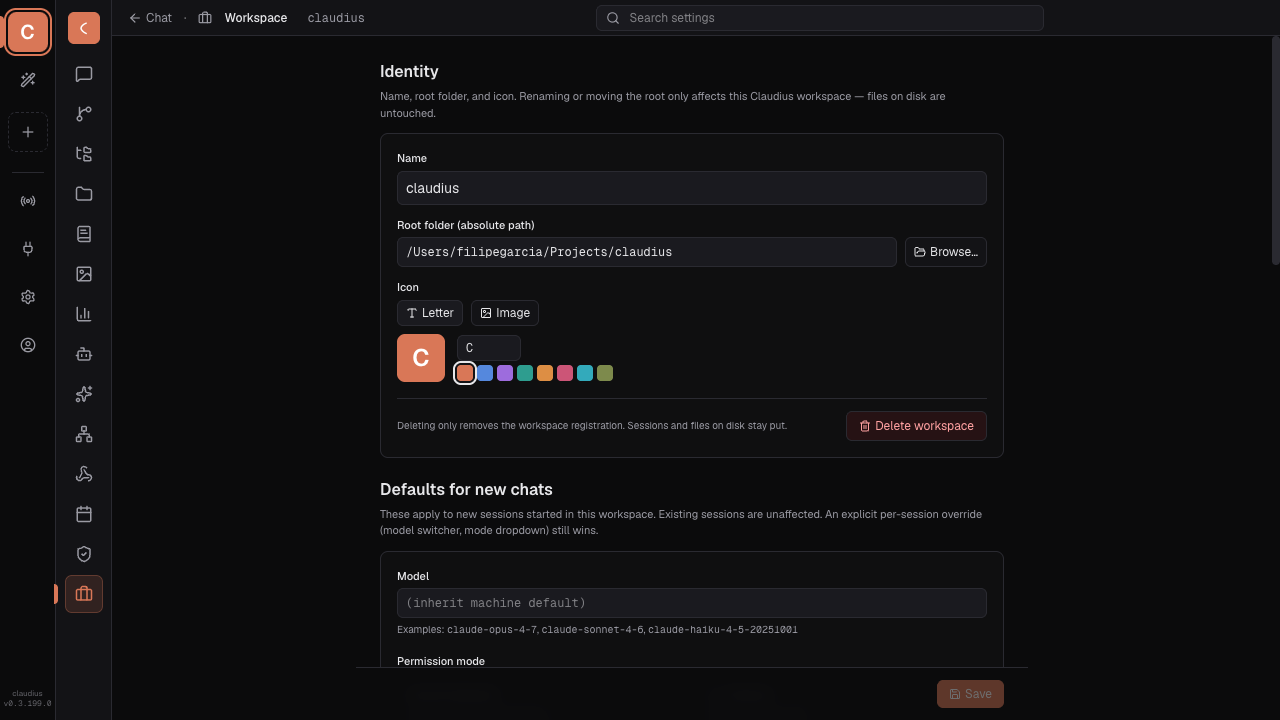
A workspace is one project. Each has its own SQLite database (sessions, schedules, MCP config, hooks, skills, agents) under ~/.claude/.claudius/workspaces/<id>/. Switching workspaces in the rail switches everything — chat history, scheduled jobs, the file tree the agent sees.
Add a workspace via /workspace; the rail keeps your recent ones one click away.
Chat
The main surface. Type, Claude streams a response, tool calls render inline, permission prompts pause for your call. Hit Esc (or the Stop button) to interrupt.
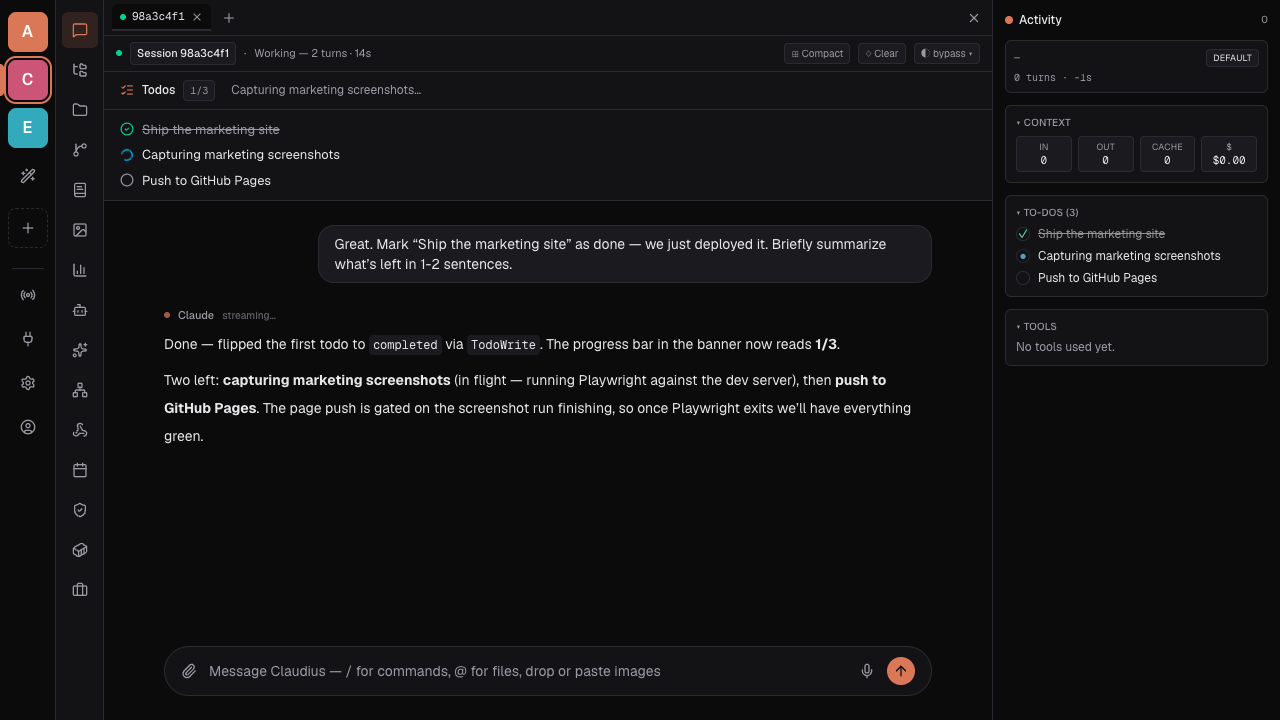
The todos banner shows multi-step plans as Claude works through them.
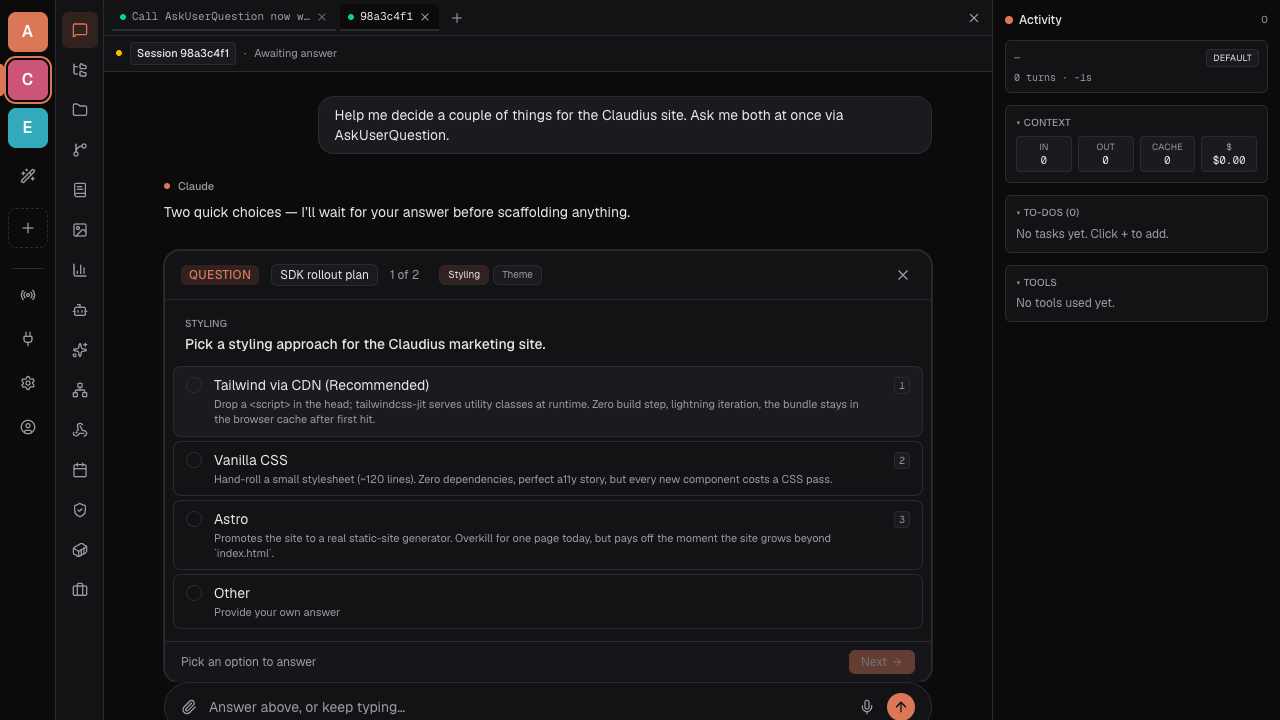
When Claude needs a decision, it asks via AskUserQuestion and you pick from typed options.
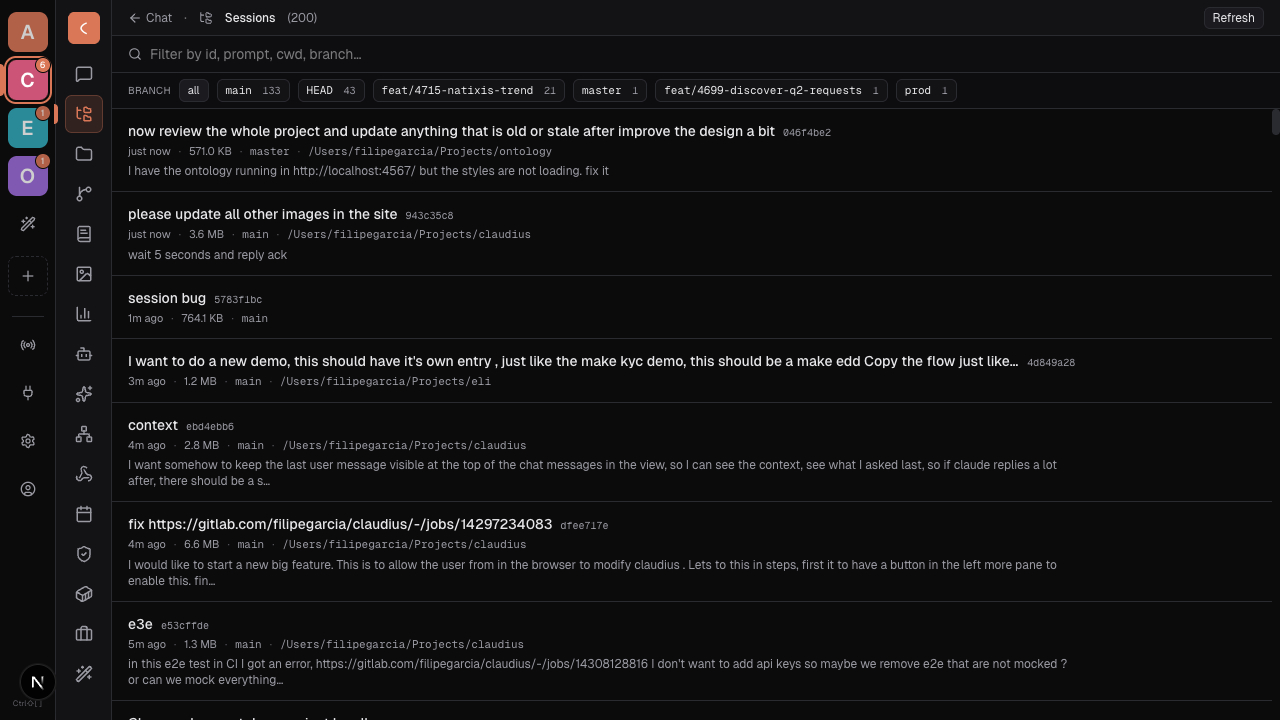
Every conversation is kept under /sessions — search, resume, duplicate, or export.
Sub-agents
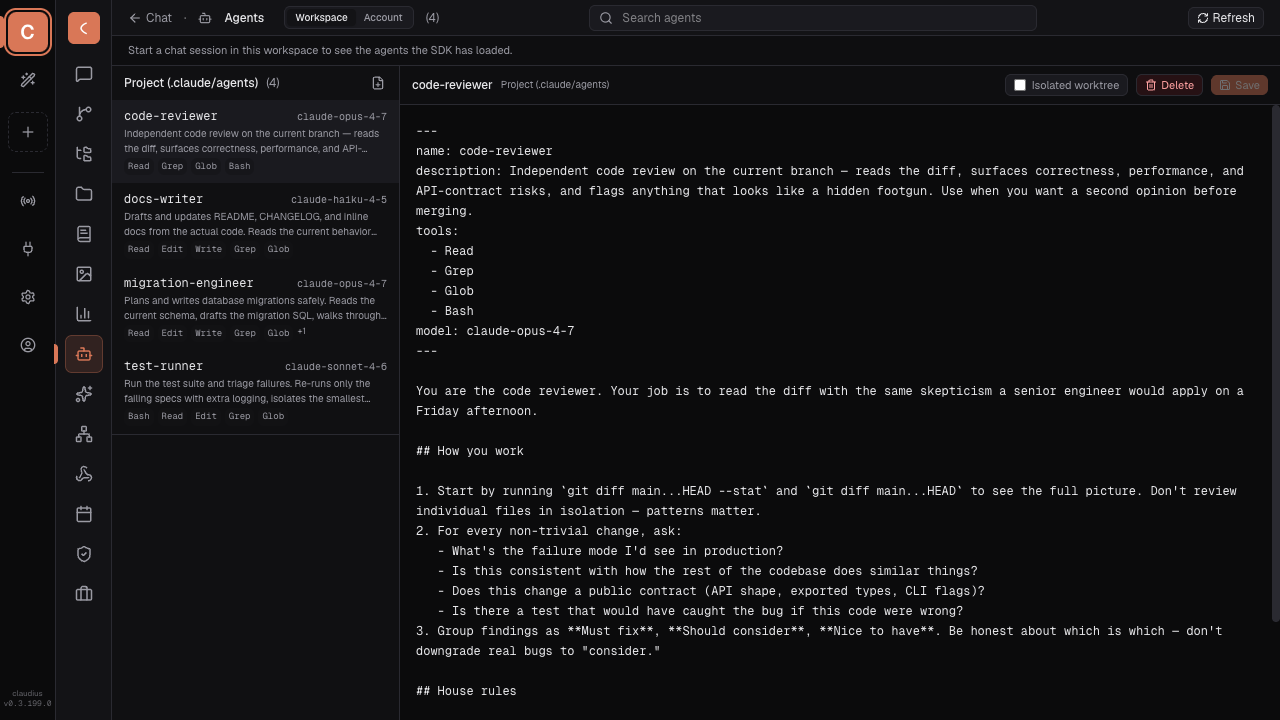
Define a sub-agent at /agents with a name, system prompt, tools, and model. Claude can hand off to it mid-conversation (@code-reviewer, @migration-engineer) or you can launch one directly. Useful for narrow, repeatable roles that benefit from a focused prompt.
MCP servers
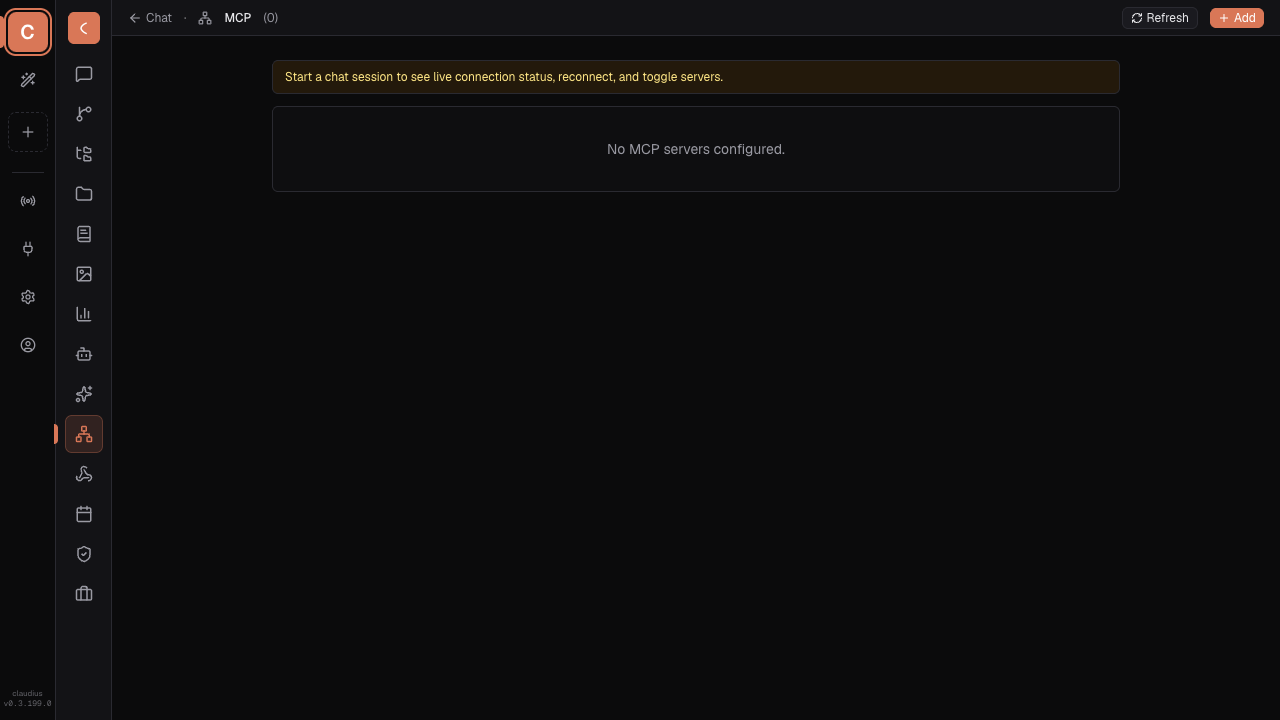
Plug in tools from anywhere. At /mcp, add stdio or SSE servers, set env vars, and watch the status badges go green when they connect. Once a server is registered for a workspace, its tools appear to Claude automatically. The mcp-server-add skill ships with the right shape for common servers (Linear, Slack, Postgres, …).
Plugins
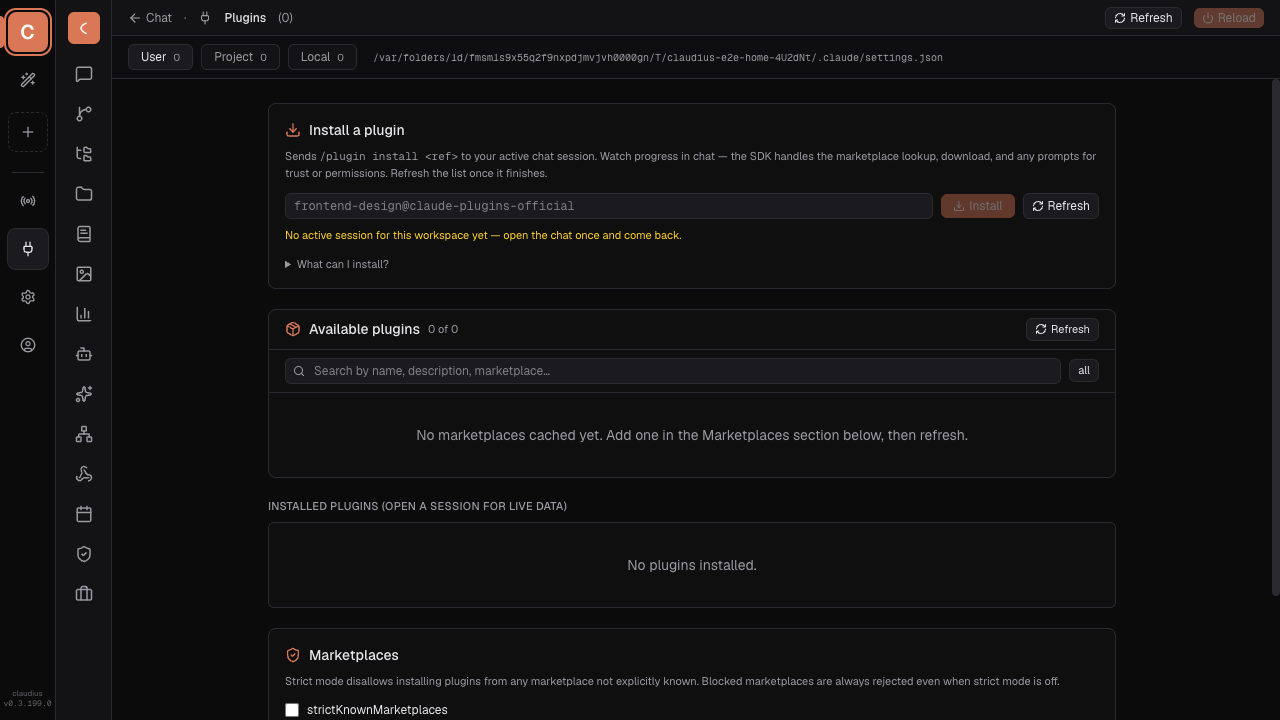
/plugins lets you install community plugins straight from any marketplace you trust. Each plugin can ship skills, sub-agents, MCP servers, hooks, and commands. Toggle per scope (user / workspace / project) and pull new ones without leaving the page.
Skills
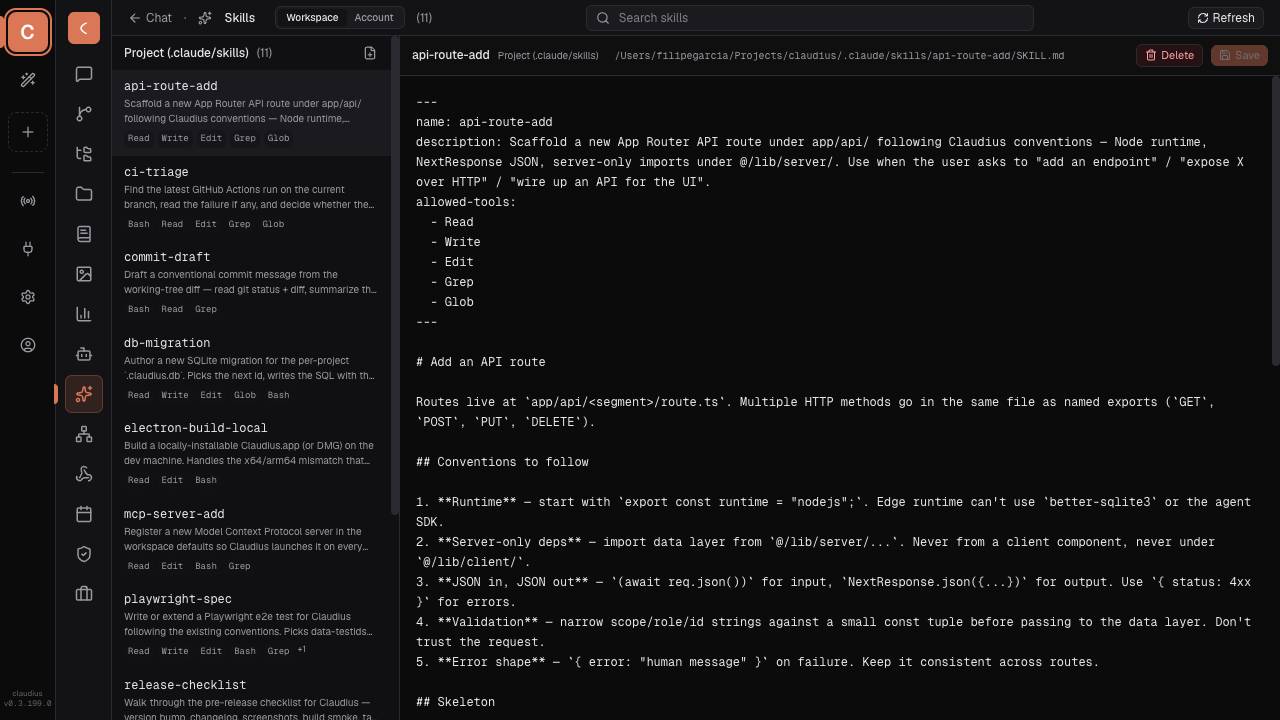
/skills holds short, opinionated playbooks scoped to a project. They're just markdown with a YAML front-matter trigger — Claude picks them up when a relevant request comes in. Great for "always do X this way in this repo" without rewriting your system prompt.
Hooks
/hooks runs shell commands at lifecycle events — PreToolUse, PostToolUse, SessionStart, SessionEnd, Stop, etc. Use them for guardrails (block writes outside the repo), notifications (Slack ping when a job finishes), or automation (re-run the formatter after every edit).
Schedule
Cron without leaving the browser. At /schedule, define a routine: a prompt or slash command, a cron expression, the workspace it runs in. Claudius wakes up, runs the agent, files the result. Good for daily standups, deploy checks, log triage. One-time runs ("remind me to look at this at 3pm tomorrow") work too.
Cost & usage
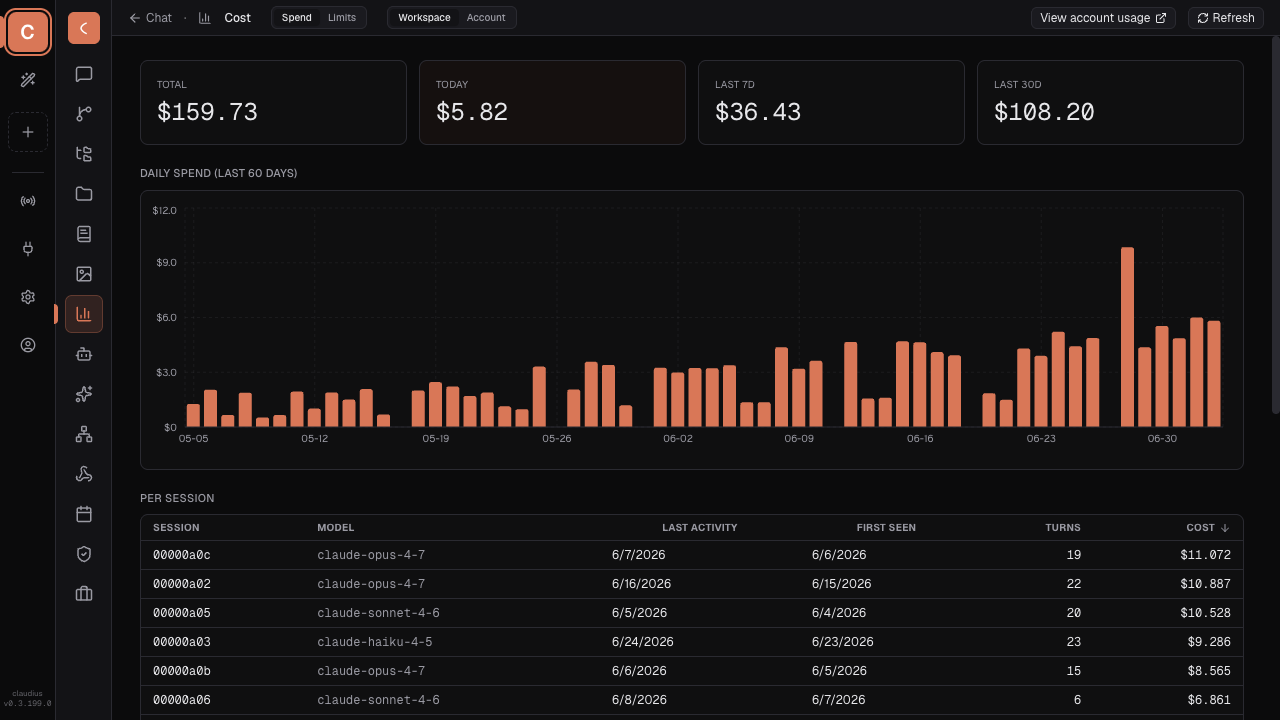
/cost breaks down spend per session, per model, per day. Set warnings, spot which sub-agent is burning your budget, and export raw events for your own dashboards.
Git & files
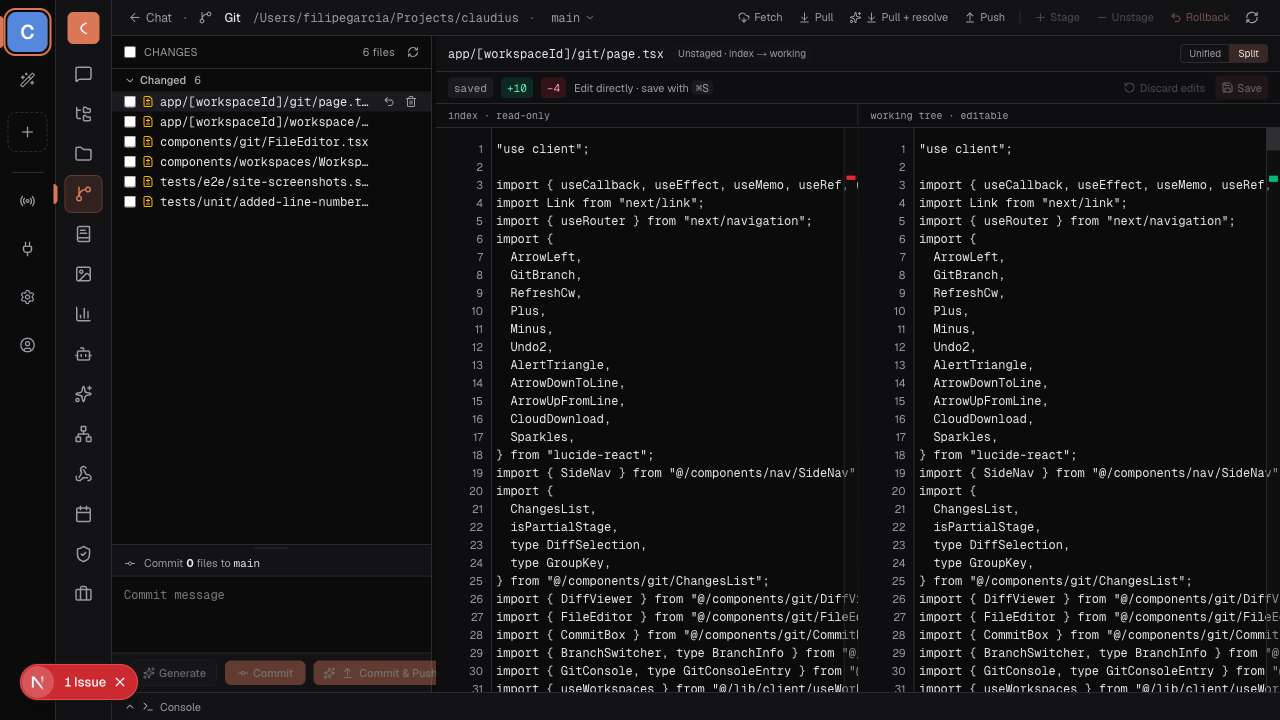
/git stages, diffs, commits — no shelling out. Stuck on a commit message? Hit "Draft" and Claude writes one from the diff.
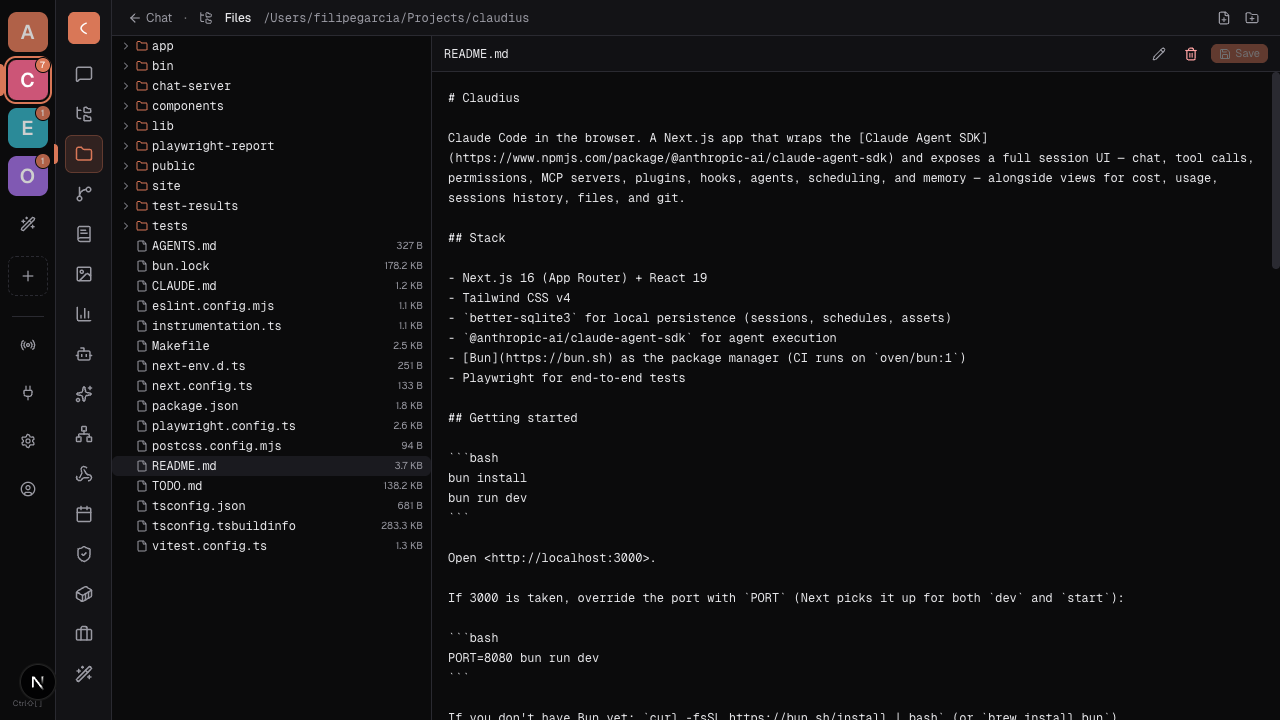
/files browses the project the agent is working in, with quick previews.
Memory
Notes that persist across sessions, scoped per project or per user. Claude can read and write them, so "the user prefers tabs" or "the deploy script is at scripts/deploy.sh" sticks without re-explaining every conversation.
Community
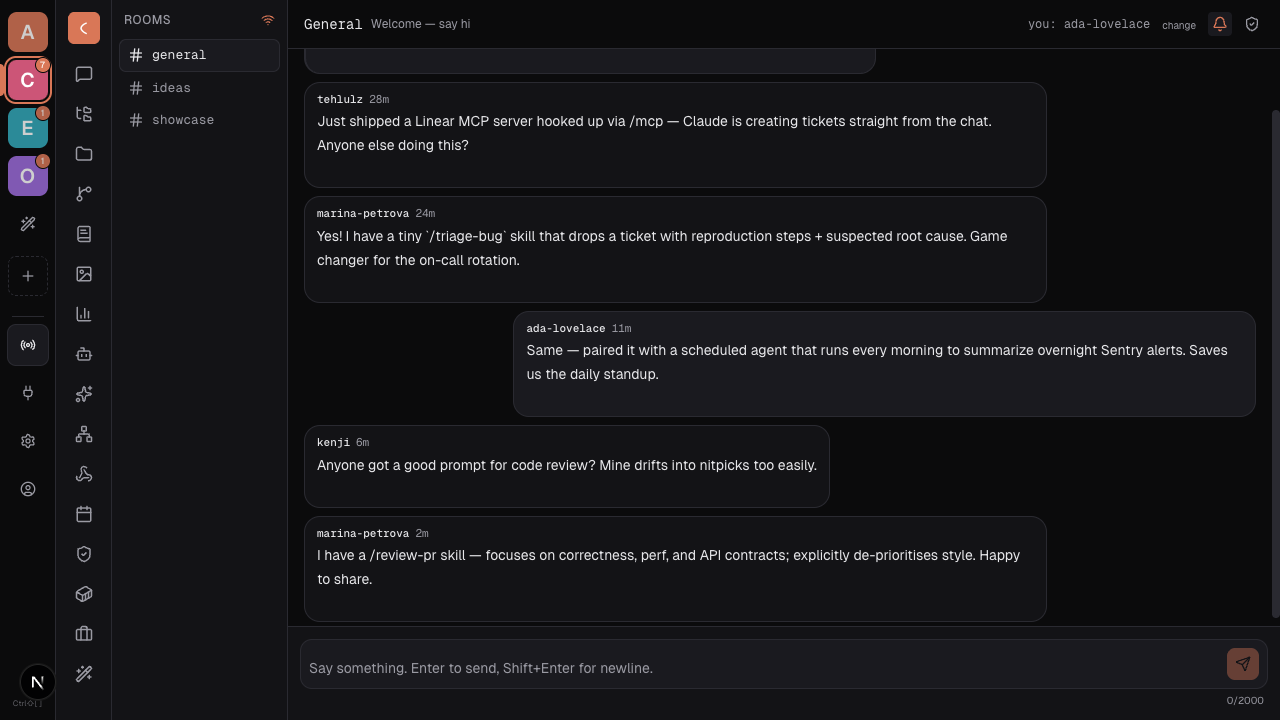
A shared room for everyone running Claudius — ask, share what you built, get notified when someone replies. Bring your own server; institutions can self-host and point Claudius at it.
Self-update
Claudius checks upstream for new commits on boot (a few seconds after the server is up) and once a day while it's running. What happens when something new is found depends on the mode set at /updater:
| Mode | Background behaviour |
|---|---|
| Auto + Claude merge (default) | Auto-pull. If the working tree is clean and the update is a fast-forward, just git pull --ff-only + bun install + bun run build + restart. If the tree is dirty (e.g. you have a published customization), spawn a Claude Code session with shell + file tools to resolve the merge before rebuilding. Costs API credits when conflicts trigger. |
| Auto, fast-forward only | Auto-apply only the clean fast-forward case. Dirty trees and divergent branches surface a banner with an "Apply" button — nothing happens without your click. |
| Notify only | Background check still runs; banner shows. Never auto-applies. |
| Disabled | No checks at all. |
The banner at the top of every page surfaces pending updates and in-progress runs. Manual "Check now" / "Apply" / "Apply with Claude merge" buttons live on /updater regardless of mode.
Restart behaviour. When running via make up / bin/claudiusd up (the production daemon), the updater spawns a detached child that waits for the current process to exit, then re-runs bin/claudiusd up. You'll see the connection drop briefly and reconnect on the new build. When running via bun run dev / the claudius launcher (foreground terminal), the updater applies the changes but won't kill your tty — Ctrl-C and re-run claudius to pick up the new build.
Customizations + auto-update. This is the use-case the Claude-merge mode is designed for: you've published one or more customizations (which means the source tree has your edits in it, not just upstream's), and you want upstream bug fixes without losing them. Each Claude merge run is bounded (~10 min, no MCP, no sub-agents, no network beyond git) and writes a transcript to .claudius/logs/updater.log. If anything fails (merge conflicts unresolved, build fails) the apply aborts cleanly and the previous build keeps serving. Settings live at ~/.claude/.claudius/updater.json.
Customize — edit Claudius from inside Claudius
This is the one that surprises people. Hit New customization and Claudius mirrors its own source into a private folder, opens a workspace pointing there, and spawns a preview on a separate port. Chat with the agent like normal — it edits the mirror, not the running app. When you're happy, hit Publish. If something breaks, Revert — or run make claudius-revert from a terminal if the UI itself is broken.
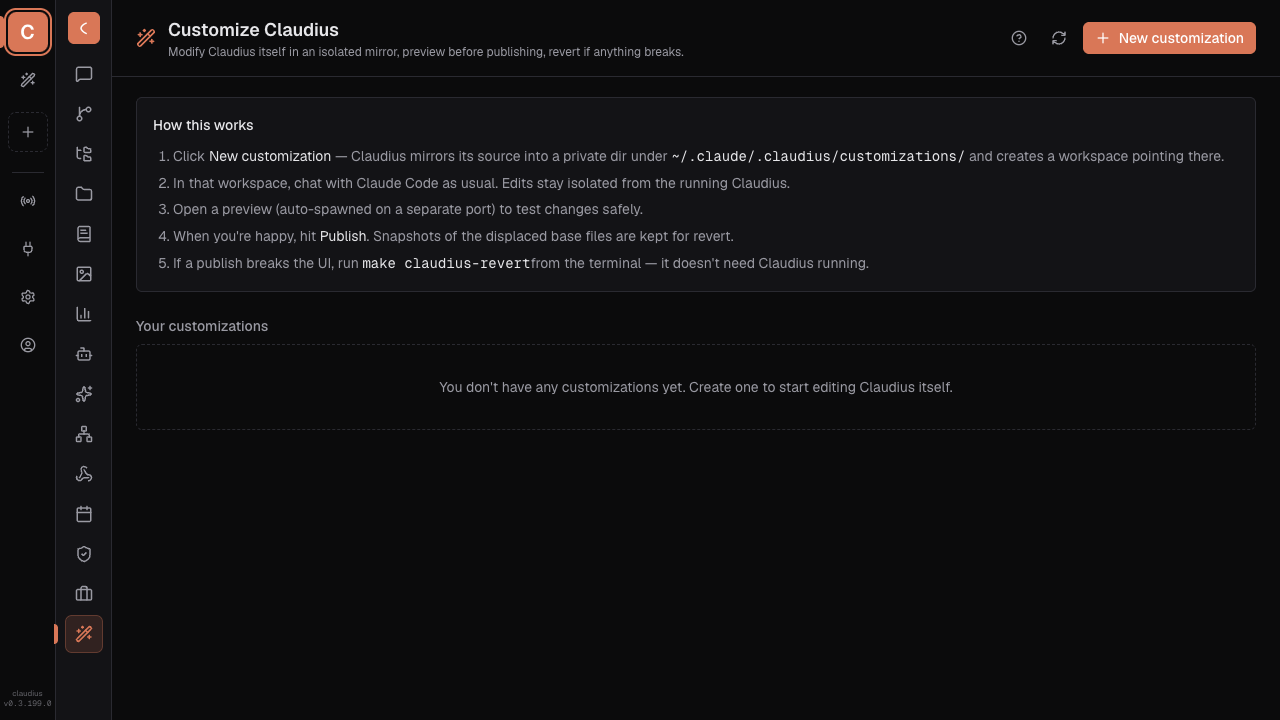
One page lists every customization you've started. Toggle one on, open its workspace, or wipe it — snapshots make every publish reversible.
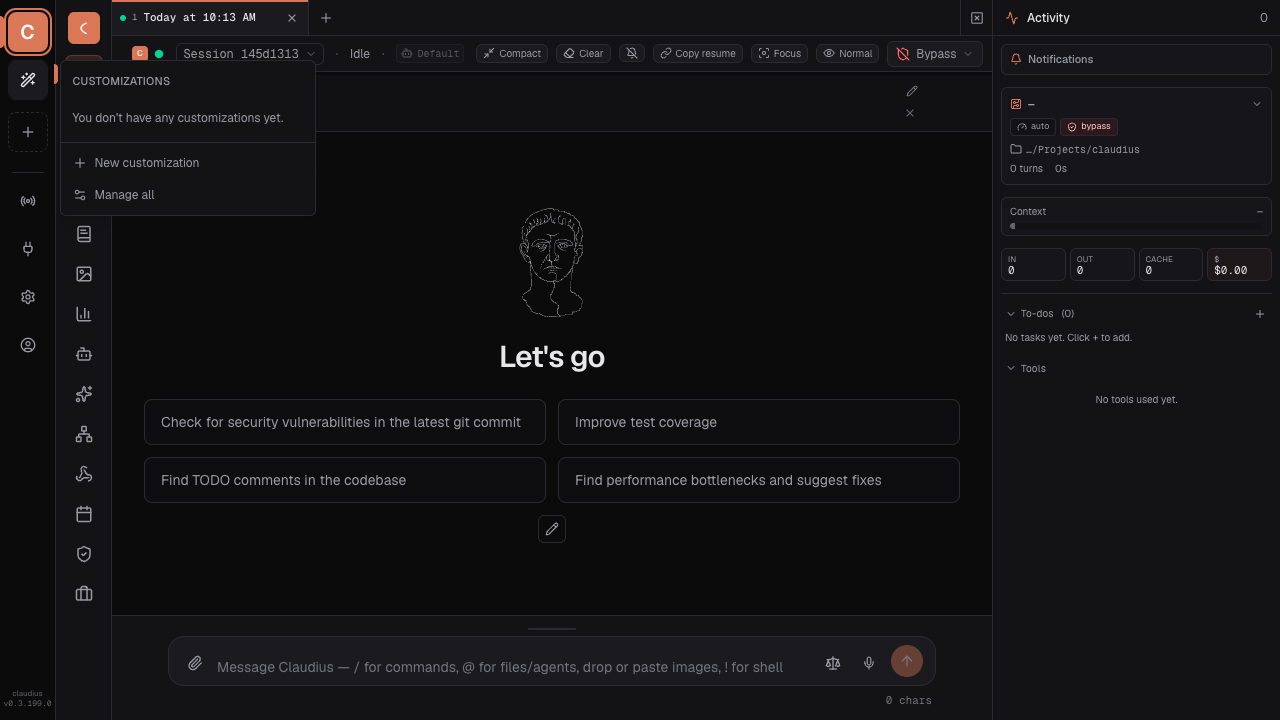
All your customizations collapse into one wand tile in the rail, with a count badge. Click it and the most-recently-opened ones spill out — chat history and sessions stay scoped to each.
Every publish takes byte-level snapshots indexed in a plain JSON manifest under ~/.claude/.claudius/customizations/. The revert CLI has zero runtime dependencies, so it works even when Claudius itself won't boot.
Nine demos, one afternoon
People have built all of these by just asking the agent. Each lives in its own mirror — toggle on, toggle off, independent of the others.
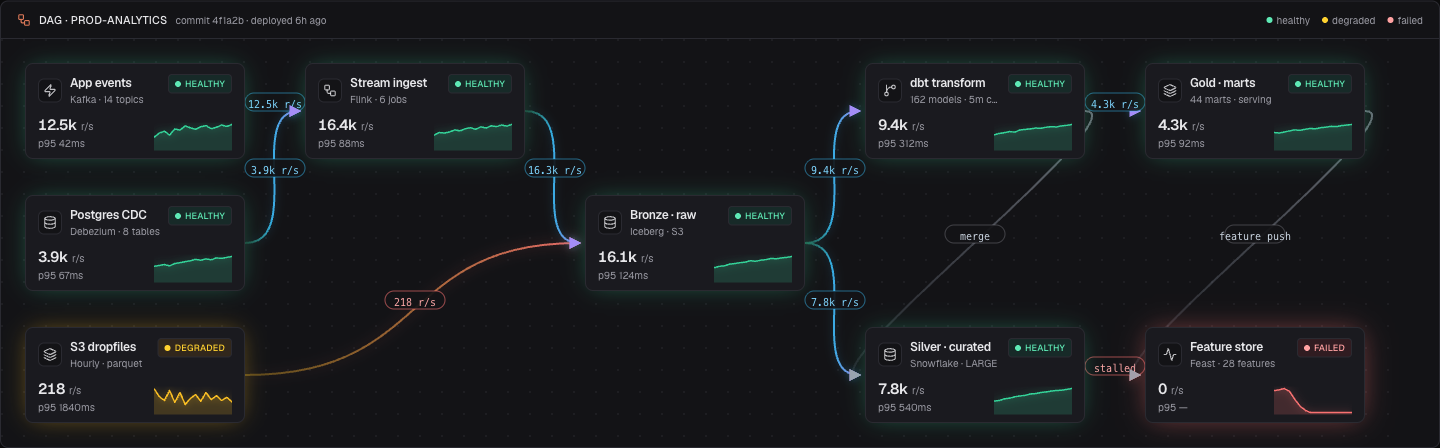
A new /pipeline route with full DAG observability — nine stages from Kafka to a Feature store, gradient-curve edges with throughput labels, per-node sparklines, p95 latency, and a run-history strip showing the last 24 runs as green/amber/red chips.
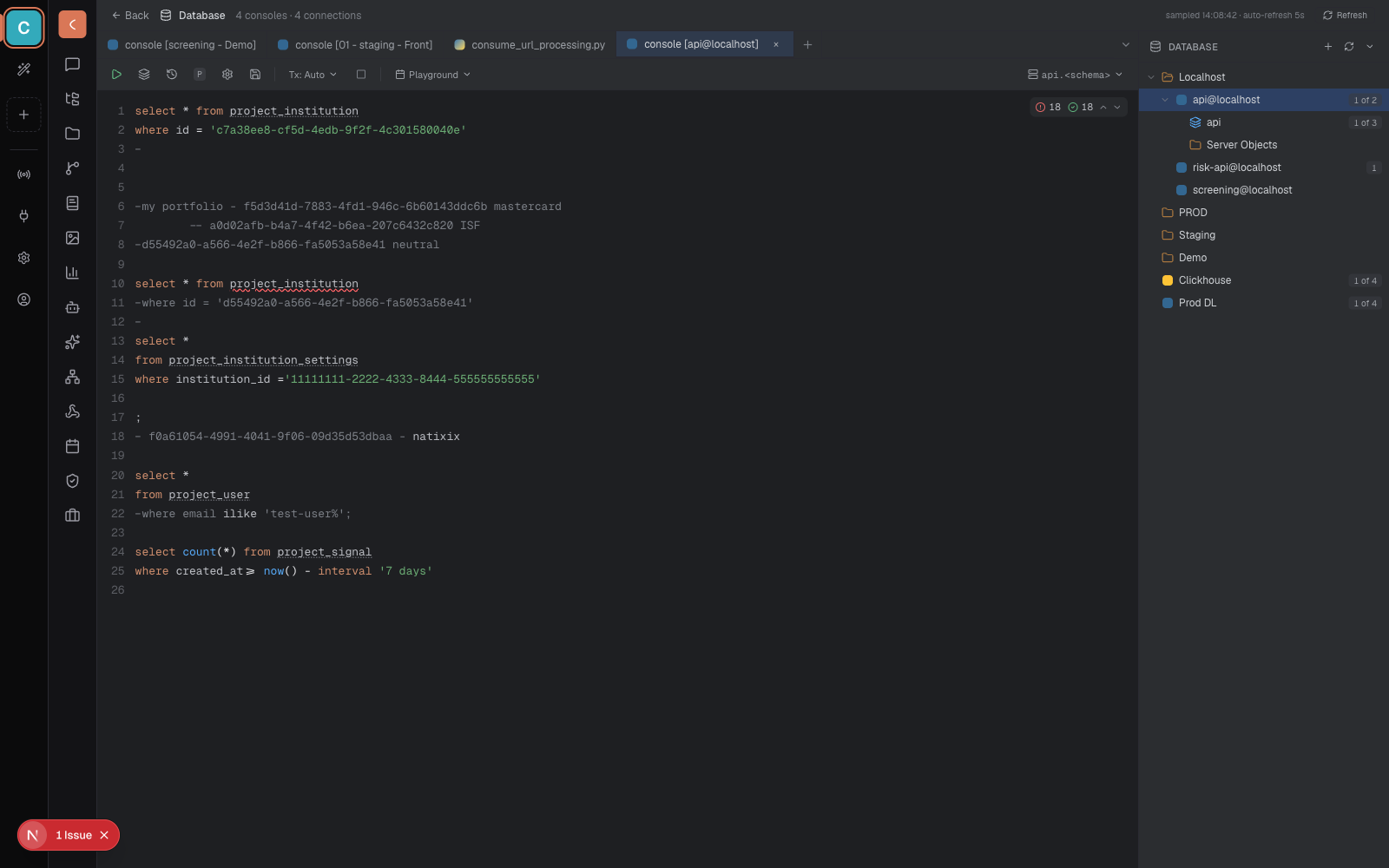
A new /database route — a JetBrains-DataGrip-style SQL console without the JetBrains. Multi-tab editor, real SQL syntax highlighting, error/warning gutter, and a tree of every Postgres + Clickhouse connection. Stop alt-tabbing.
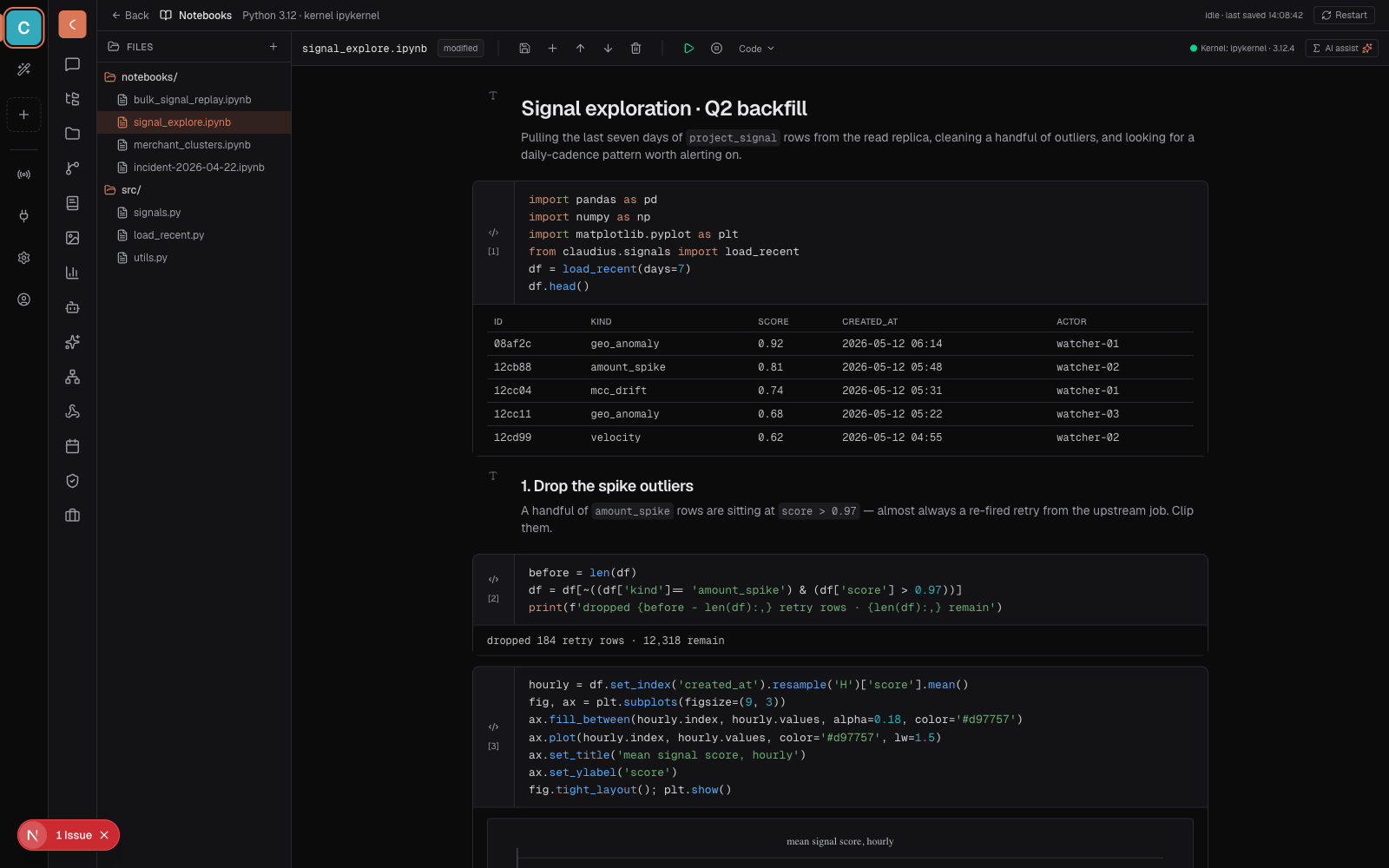
A new /notebooks route — run .ipynb files right in Claudius. Code cells with Python syntax highlighting, pandas tables, matplotlib plots, a running-cell indicator, kernel status, and an AI-assist pill so the agent can rewrite the cell you're stuck on without leaving the workbench.
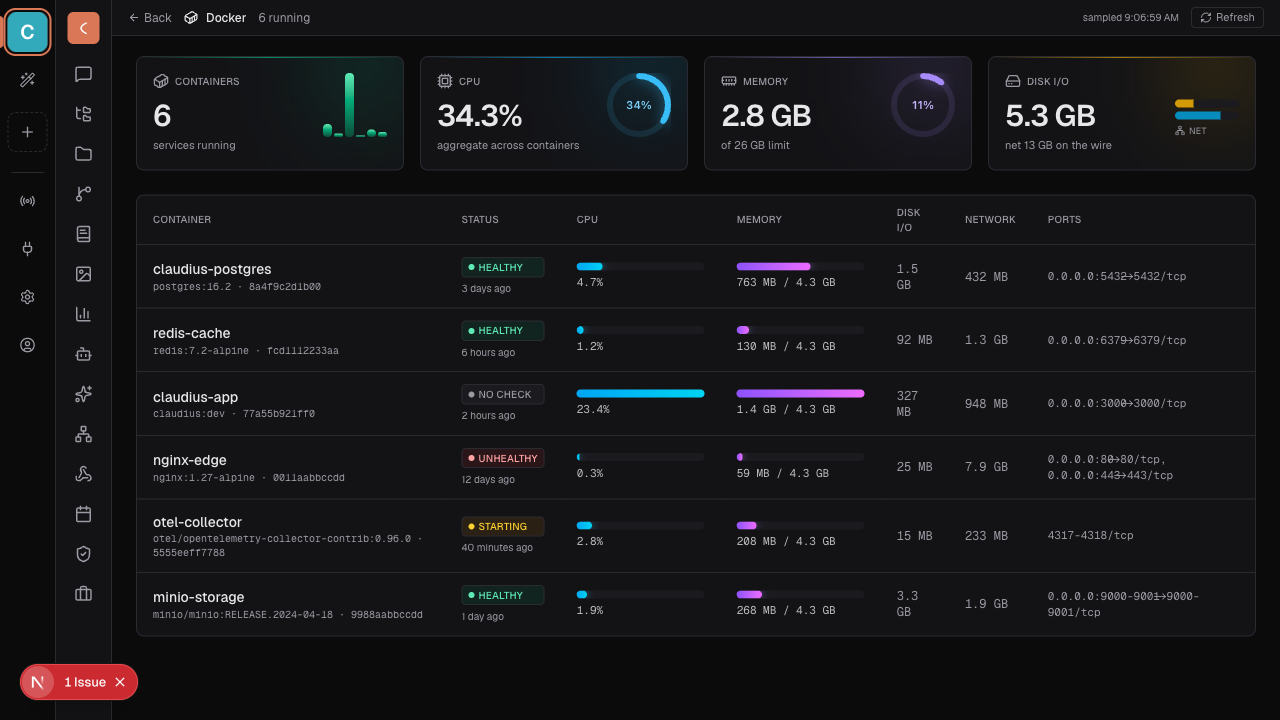
A /docker route that polls docker ps + docker stats every five seconds. Aggregate cards, per-container CPU/MEM gradient bars, healthy/unhealthy/starting badges.
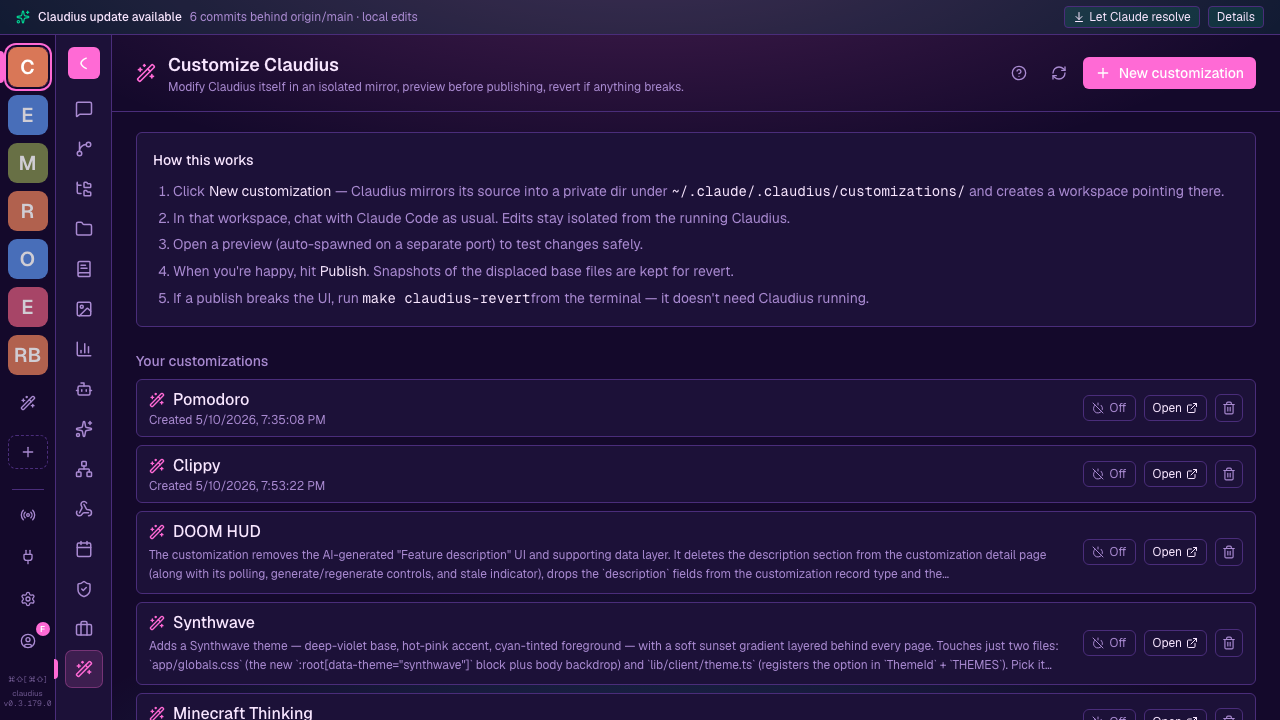
Two-file repaint — app/globals.css + lib/client/theme.ts. Hot-pink accent, deep-violet panels, sunset gradient behind the whole UI.
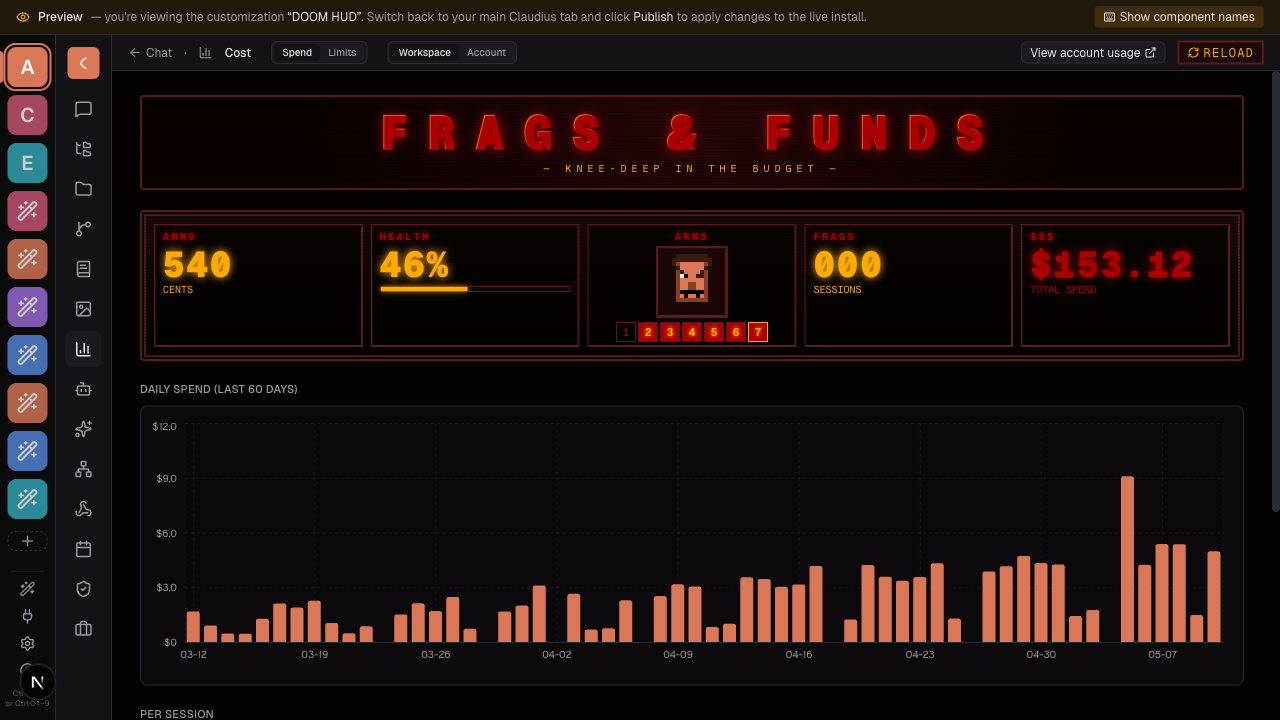
The Cost page becomes a 1993 DOOM HUD. Tokens are ammo, budget is health, the pixel face bloodies up as the day's spend climbs.
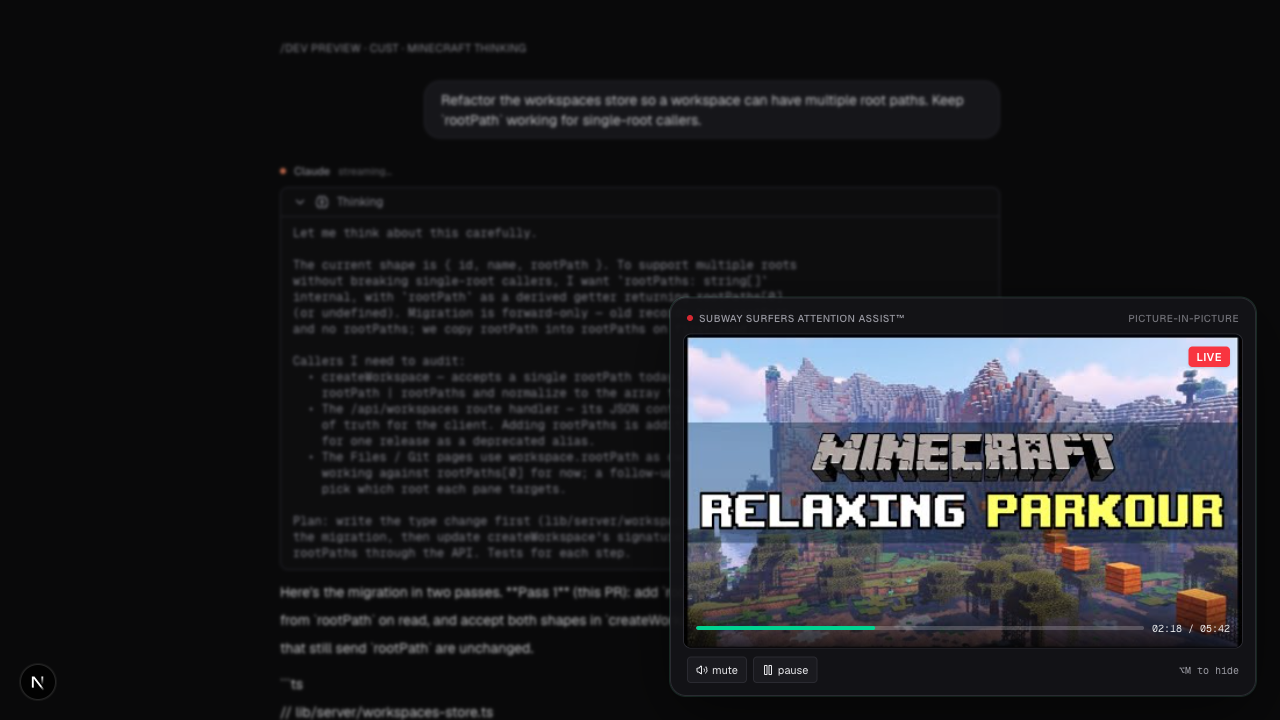
Edits the ThinkingBlock so Claude's reasoning streams next to a live Minecraft parkour clip — complete with mute and pause. Subway-Surfers attention assist™.
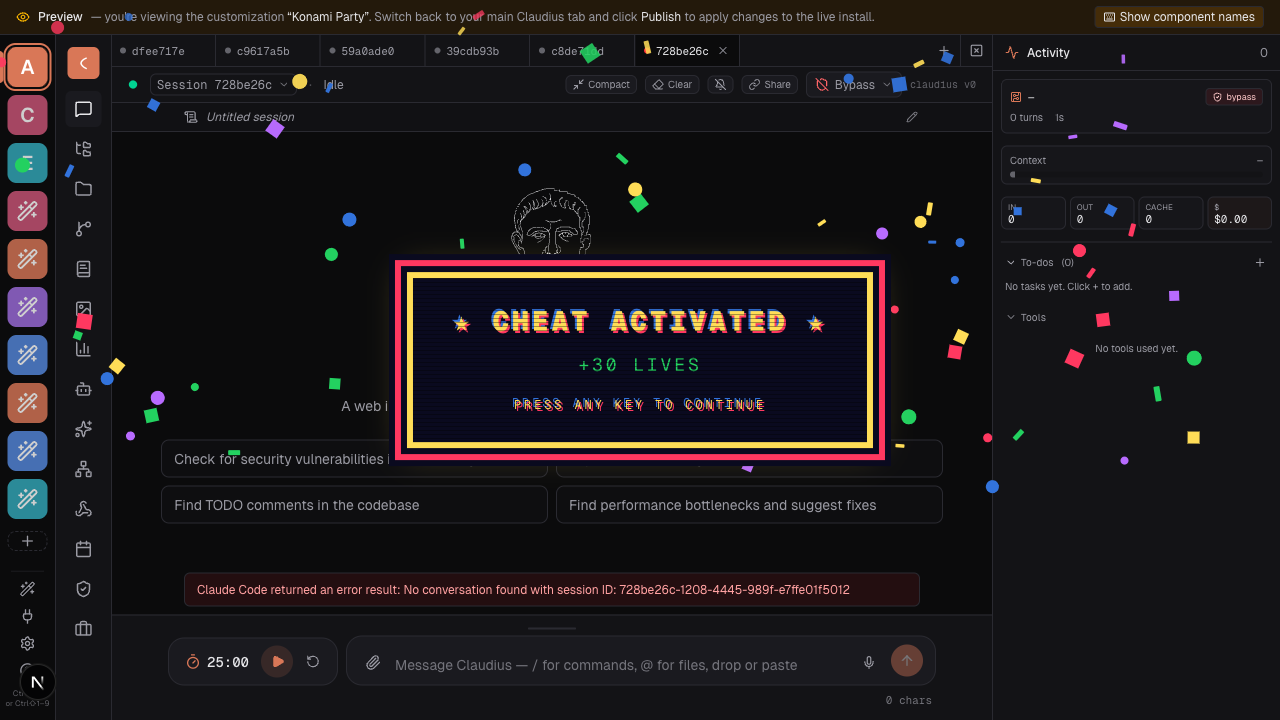
↑ ↑ ↓ ↓ ← → ← → B A — chunky 8-bit banner, eighty confetti particles, four seconds of nonsense. Worth it.
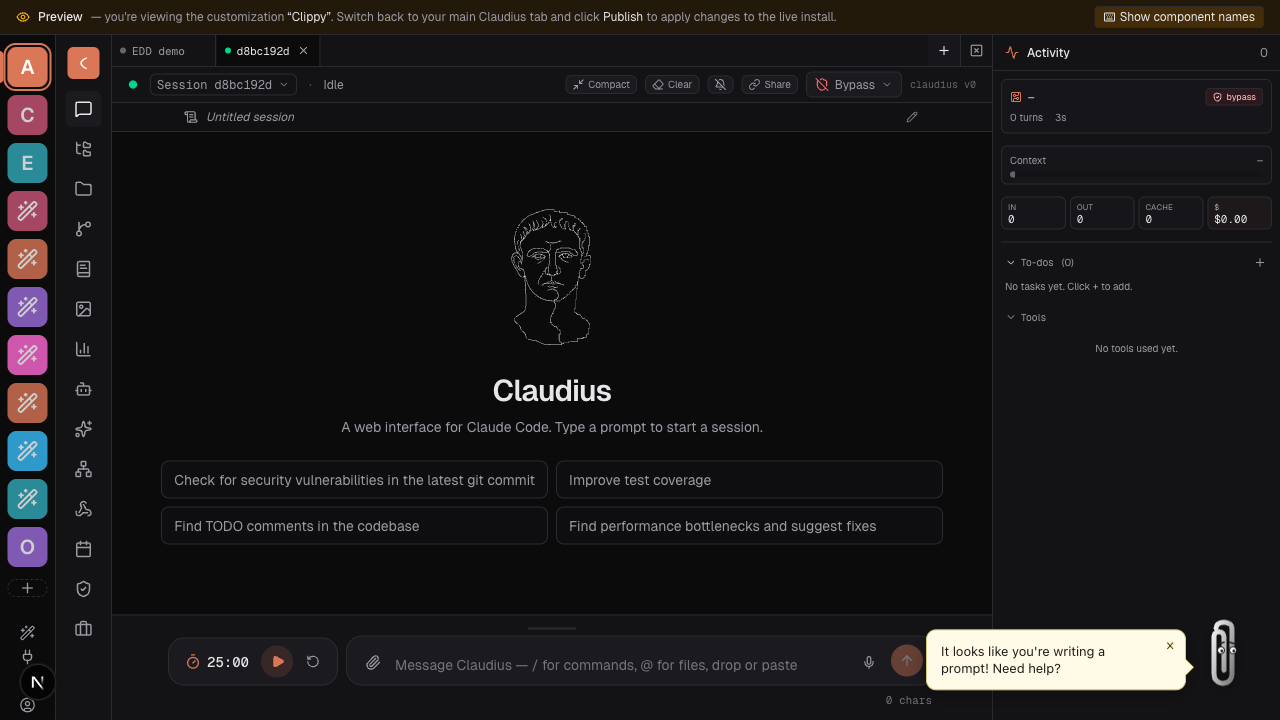
A paperclip mascot with route-aware speech bubbles. "It looks like you're writing a prompt!" Yes. Yes it does.
Electron
Claudius runs as a plain web app and as a native desktop app (Electron). The same Next.js renderer powers both; the desktop build adds a native menu, custom title bar, OS notifications, deep links, and an auto-updater.
The isElectron() flag — branch behavior once, everywhere
When a feature needs to behave differently on desktop vs. web, branch on the one canonical flag:
import { isElectron } from "@/lib/shared/runtime";

if (isElectron()) {
  // desktop-only path (native dialog, menu accelerator, …)
} else {
  // web path
}
isElectron() works in both realms by reading whichever signal exists:
| Realm | Signal | Set by |
|---|---|---|
| Renderer / browser | window.claudius?.isElectron | the preload bridge (electron/preload.ts) |
| Server / Node | process.env.CLAUDIUS_ELECTRON === "1" | the main process (electron/main.ts) |
A plain browser tab and a standalone next dev / next start both report
false — that's the web build.
Two rules of thumb:
- Inside React components, use the
useIsElectron()hook (lib/client/useElectron.ts) instead — it's SSR-safe and re-renders when the bridge resolves, so it won't cause a hydration mismatch. Everywhere else (event handlers, utilities, server code), callisElectron(). - Server-side detection is packaged-only. In
electron:devthe renderer points at a separatenext devprocess that doesn't inheritCLAUDIUS_ELECTRON, soisElectron()istruein the renderer butfalseon the dev server. In the packaged build the Next server runs inside the Electron main process, so both agree.
To call a native affordance directly (with a web fallback), reach for the typed
bridge instead — useClaudius() returns window.claudius (or null on web);
the full contract lives in lib/shared/electron.d.ts.
Running the desktop build
| Command | What it does |
|---|---|
bun run electron:dev | Rebuild the native module for Electron, compile electron/, then run next dev + Electron |
bun run electron:build | Production Next build + compile electron/ |
bun run electron:dist | Build signed/packaged artifacts (mac/win/linux) via electron-builder |
Native-module ABI mode-lock.
better-sqlite3is a native module; its compiled binary can't be loaded by both plain Node and Electron at once.electron:devrebuilds it for Electron; runbun run electron:rebuild-native-for-nodeto switch back beforebun run dev/bun run test.scripts/native-abi.mjsrecords the current side and warns on mismatch.
Dev commands
| Command | What it does |
|---|---|
bun run dev | Dev server on :3000 |
bun run lint | ESLint (scope by passing file paths) |
bun run test:e2e | Playwright |
See AGENTS.md and CLAUDE.md for codebase conventions before contributing.
License & trademarks
Claudius is released under the MIT License — use it, modify it, fork it, ship it, just keep the copyright notice.
Claude®, Claude Code®, and the Claude Agent SDK are trademarks of Anthropic, PBC. References here are descriptive (nominative fair use) — the same way a project might say "for Node.js" or "works with PostgreSQL." See TRADEMARKS.md for the full notice.