
Circus Chief
ferrislucas/Circus-Chief
Painel unificado para orquestrar múltiplos agentes de código com workflows visuais
Ver no GitHubPainel de controle open-source e otimizado para toque que gerencia agentes de código IA (Claude Code, OpenAI Codex e Google Gemini) em uma única interface. Permite agendar sessões, criar pipelines de templates encadeados, executar comandos customizáveis e isolar trabalho em worktrees git.
Instalação
npx convez-ai ferrislucas/Circus-Chief1 comando no terminal: detecta o formato do repositório (marketplace ou plugin avulso) e instala via Claude Code. Requer Node 18+ e o Claude Code instalado.
Métricas
Casos de uso
- Orquestrar pipelines de código complexos (planejar → revisar → implementar → PR)
- Gerenciar múltiplos agentes de IA em paralelo com isolamento de worktree
- Agendar e automatizar sessões recorrentes com retry inteligente em limites de uso
- Executar comandos de projeto (testes, lint, build) com uma interface mobile-first
Veredito

Ferramenta madura para equipes que trabalham com múltiplos agentes de código. A interface touch-first e os pipelines visuais eliminam fricção na orquestração; o suporte a multi-provider oferece flexibilidade real, não marketing. Recomendado para fluxos DevOps e automação de código complexos.
README
A tradução para o português deste README ainda está na fila.
Features
- Agents can operate Circus Chief itself. Each agent can inspect sessions, spawn follow-ups, schedule retries, stop/restart work, and react to results.

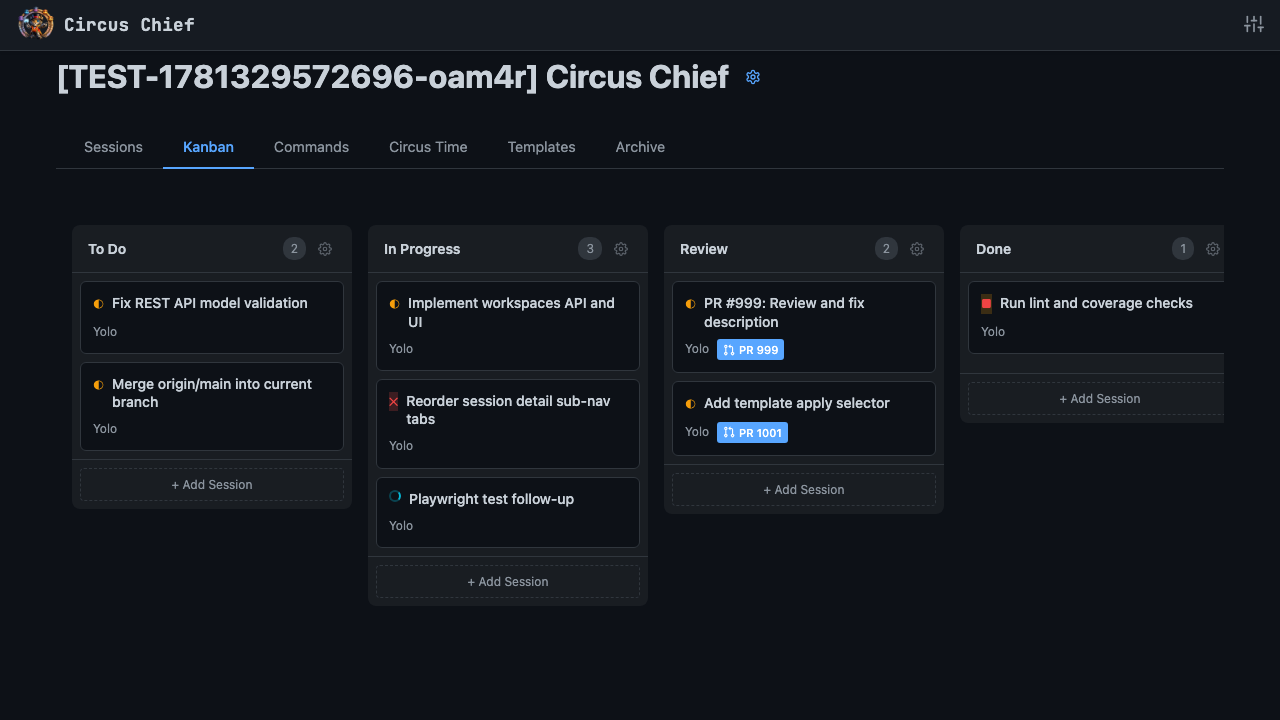
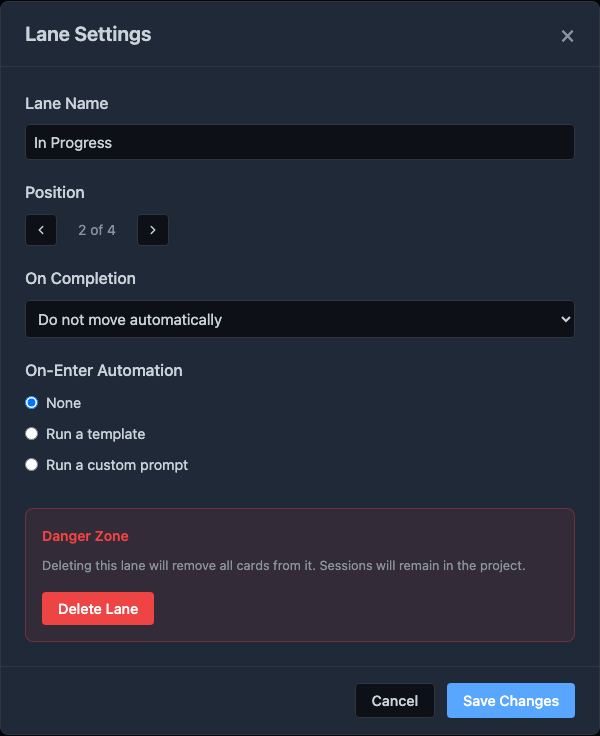
- Visual Kanban board per project. Lanes can auto-move cards on completion and run a template or custom prompt when a card lands in them — so the board can drive the workflow, not just reflect it.
- Schedule work ahead of time. Plan agent sessions for a later time, from one-off prompts to full template pipelines.

- Opt-in retry on usage limits. Toggle it on for a session and, if it hits a token cap or provider outage, it reschedules itself and picks up where it left off.

- Configurable, chainable templates. Each template defines a prompt and session settings, and one template can auto-launch the next. Example pipeline: plan → review plan → implement the plan → review implementation → open PR — templates can invoke themselves.

- AI-generated summaries on every session, so you can see what each agent is doing and where you left off without re-reading the whole transcript. You can turn this off in project settings.

- User-configured commands. Add one-tap buttons for the project commands you run constantly: tests, lint, build, typecheck, CI checks. Output streams live, and pass/fail results can optionally display on the dashboard.

- Claude Code, Codex, and Gemini sessions. Start any kind of agent from the same dashboard, with the same mobile controls, history, canvas, commands, and worktree isolation. Switch agents and/or providers freely. Invoke parallel agents against the same worktree or in their own work trees.

- Worktree-per-session isolation. Every session gets its own git worktree. You can also elect to work in the main git repo, or on a specific branch of the main git repo.

- Shared canvas. Markdown, images, JSON, code — agents and you edit the same artifacts. Version history included.

- Bring your own provider — per session. Use subscription auth for Anthropic, OpenAI, or Google, or point sessions at third-party providers with Anthropic- or OpenAI-compatible endpoints. Claude Code, Codex, and Gemini CLI are all first-class paths.

- Auto-linked GitHub PRs with live CI and merge/conflict state (needs
gh).
How to Run
npx circuschief
Options
| Flag | Description |
|---|---|
-p, --port <number> | Port to listen on (default: 5000) |
--no-analytics | Disable anonymous usage analytics |
-h, --help | Show help message |
-v, --version | Show version number |
Example — run on a custom port:
npx circuschief -p 8080
Prerequisites
- macOS or Linux
- Node.js 20+
- Claude Code — required for Claude Code agents
- OpenAI Codex CLI — required for Codex agents
- Google Gemini CLI — required for Gemini agents
- GitHub CLI (optional — enables automatic PR linking)
Documentation
- Development Guide — Quick start, commands, testing, environment variables
- Build & Distribution — How the npm package is built, published, and run
- Agent System Prompt & REST API Reference — The REST API exposed to agents via the system prompt
License and Trademarks
Circus Chief is licensed under the Apache License 2.0, including its warranty and liability disclaimers. See NOTICE for attribution and trademark notices, and TRADEMARKS.md for the project trademark policy covering Circus Chief, Circus Time, and Circus Search.